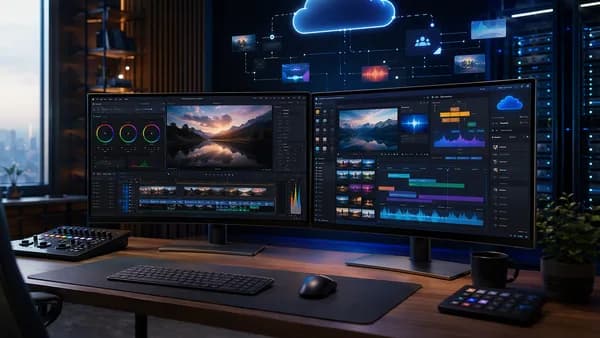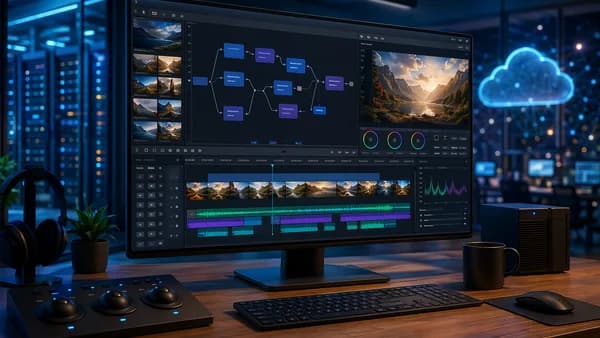
For content creators in 2026, the decision between AI video editing vs traditional workflows is no longer a speculative debate but a critical strategic choice. The landscape has matured, offering two distinct, powerful pathways for turning ideas into video. One prioritizes unprecedented speed and scale, while the other demands meticulous creative control. This deep-dive analysis, grounded in current data and industry reports, will unpack the technical capabilities, cost implications, and real-world applications of both approaches to help you build the most effective content creation stack for your needs.
Defining Modern Content Creation Stacks
A content creation stack, once a linear assembly of specialized tools for filming, editing, and distribution, has evolved into a sophisticated ecosystem that prioritizes workflow efficiency. In 2026, this stack is defined by how intelligence, whether human or artificial, is applied to the production process. On one end, the traditional SaaS workflow relies on human skill applied within specialized, often manual, software like non-linear editors (NLEs). This stack values precision and creative intent above all else. On the other end, the AI-powered workflow integrates generative algorithms and machine learning models that automate tasks ranging from clip assembly to generating entirely new visuals from text. This stack prioritizes throughput and accessibility. The core tension in choosing a stack now revolves around balancing automated efficiency with manual creative control, a decision that depends entirely on volume, intent, and resources.
The Rise of Integrated AI Video Editing Tools
The evolution from basic AI-assisted effects to fully integrated platforms marks a fundamental shift in video creation. In 2026, AI video editing is defined by features like voice/text-controlled automation, instant clip analysis, and generative asset creation. Tools have moved far beyond novelty, with platforms like Buzzy securing significant funding (a reported $20 million in May 2026 led by Redpoint Ventures) and AI Video Cut revolutionizing entry points for creators. These platforms allow for the generation of video sequences directly from images or text prompts, effectively democratizing professional-grade output.
According to a 2026 report, AI tools have reduced editing time by up to 80% for standard workflows, and another study by PerfectCorp notes AI editing reduces production time by 70-90% for social media content.
Key capabilities defining modern AI video editing include:
- Generative Video from Images: This is a breakthrough, allowing creators to animate still photographs into high-fidelity video clips, predicting movement, lighting, and depth. As reported by Programming Insider, this has immense implications for historical documentaries and archival work.
- Intelligent Culling and Tagging: Modern AI editors automatically tag footage with descriptors (e.g., "smiling woman - medium closeup") and can perform "intelligent culling," watching hours of raw footage to select optimal shots based on criteria like subject expression or lighting.
- Prompt-Driven Narrative Assembly: Tools like Adobe Firefly's Quick Cut and Google Gemini Omni Flash (released May 2026) can sequence raw footage into coherent narratives from a simple prompt or voice command. Gemini Omni is noted to reach 95% accuracy for basic cutsvia voice commands.
- Cloud-Based Power: Most 2026 AI editing platforms are cloud-based, offloading heavy processing to remote servers. This enables editing of high-resolution video on standard laptops or mobile devices, unlike traditional editing which often requires powerful local GPUs.
These tools are built for the "now" economy, with a focus on real-time rendering and instant multi-format exports to serve platforms from VR headsets to vertical mobile screens simultaneously.
Traditional SaaS Workflow: A Step-by-Step Breakdown
The traditional workflow remains a methodical, multi-stage process centered on human skill and precision, even as it has evolved to incorporate AI as a sophisticated "assistant."
A typical traditional workflow for a short-form piece involves:
- Pre-production & Filming: Planning, scripting, and capturing footage with cameras and crews.
- Ingest & Organization: Manually importing and logging clips into professional NLEs like Adobe Premiere, Avid Media Composer, or DaVinci Resolve.
- Manual Assembly & Refinement: Editors work directly on timelines, performing frame-by-frame cuts, manual color grading with tools like custom LUTs, adding effects, and mixing audio.
- Review & Export: Multiple rounds of feedback and manual adjustments before final rendering.
Traditional editing offers "pixel-perfect" precision and is described as the sanctuary for projects requiring specific rhythmic cuts or complex emotional resonance that AI still struggles to replicate consistently.
Where traditional editing still leads in 2026 includes:
- Frame-Accurate Control: Manual keyframing for motion graphics and complex VFX that AI often only approximates.
- Advanced Color Manipulation: Professional suites like Blackmagic DaVinci Resolve 19 offer 32-bit float color manipulation unmatched by current AI tools.
- Collaborative Workflows: Offline editing with proxy files, still standard in feature films and broadcast (with 91% of broadcast professionals reportedly still using Avid for live news), allows multiple specialists to work simultaneously, a challenge for cloud-based AI editors due to latency.
- Creative Subversion: The manual process allows for intentional stylistic "errors," custom frame rate manipulation beyond presets, and the integration of hand-drawn elements, enabling artists to break conventions deliberately.
Cost Analysis: AI Subscription vs. Multiple Tool Subscriptions
The financial models diverge sharply, making cost a primary differentiator. AI video editing has significantly lowered the barrier to entry, while traditional workflows retain value through comprehensive professional toolkits.
| Feature | AI Video Editing (2026) | Traditional SaaS Editing |
|---|---|---|
| Typical Base Cost (Monthly) | $5 - $15 (e.g., Adobe Firefly Quick Cut at $9.99/month) | $20 - $60 for software subscriptions (e.g., Adobe Premiere Pro) |
| Additional Major Costs | Higher-tier subscriptions for advanced features; potential AI GPU costs for on-device processing (e.g., RTX 5080 at ~$1,200). | High-end workstation hardware (GPU, storage); possible costs for plugins, stock assets, and extensive crew/labor for filming. |
| 4K Export | Often limited in budget tiers. | Typically unlimited in professional plans. |
| Scalability Cost | Near-zero marginal cost for generating multiple variations; efficient batch production. | Linear increase; each new version or variation adds significant time and labor cost. |
| Overall Accessibility | High. Free tiers available (e.g., ZSky AI, Google Gemini Omni with watermarked exports). | Lower. Requires significant investment in both tools and skills. |
AI Video Editing Costs: The primary expense is the software subscription. The influx of venture capital has kept these tools accessible. Small businesses adopting AI tools have reported 60% lower video production costs compared to 2025, primarily through reduced editing hours. The "hidden" cost can be processing power for advanced local AI features.
Traditional Editing Costs: Costs extend far beyond software. A project includes pre-production planning, crew, equipment, location fees, talent, and post-production specialists. Even modest commercial shoots can involve tens of thousands in production costs, with software being one part of a much larger budget. The VEGAS Pro 2026 perpetual license, costing $599, represents a traditional model that bundles professional features.
Speed and Efficiency Comparison for Common Tasks
The disparity in turnaround time is the most dramatic point of comparison, fundamentally altering what is possible for a solo creator or small team.
| Common Task | AI Video Editing Workflow | Traditional Editing Workflow |
|---|---|---|
| Creating a Social Clip from a Script | Minutes. Input script/prompt; AI generates scenes, layout, captions; creator reviews & exports. | Hours to Days. Requires sourcing/creating footage, manual timeline assembly, typing captions, adding graphics, and mixing audio. |
| Producing 50 Localized Ad Variations | An afternoon. AI automatically swaps languages, background music, and cultural references based on inputs. | Months. Requires a massive team for manual editing, re-recording voiceovers, and re-producing graphics for each variant. |
| Editing a Talking-Head Interview | ~83% faster first-cut (per early adopters of Adobe Firefly Quick Cut). AI can remove filler words ("um," "ah") while maintaining lip sync and suggest B-roll. | Linear to footage length. Editor must manually review footage, cut filler words, and source/sync B-roll. |
| Generating B-roll from a Single Image | Minutes. Generative AI predicts movement and depth to create a video clip. | Hours/Days. Requires complex motion graphics, parallax layering, and significant VFX skill to animate a still photo convincingly. |
AI Speed Advantages: Beyond raw generation, AI excels at automating repetitive tasks: instant clip tagging, smart trimming, and auto-suggested context-aware transitions (reportedly with 92% accuracy). This allows a creator's workflow to shift from manual construction to curation and refinement, enabling a solo creator to produce 10-30 videos per week compared to 2-5 with a traditional workflow.
Traditional Efficiency: Speed is not the primary metric here. Efficiency is measured in achieving a specific, nuanced creative vision. For a 90-minute feature film or a brand anthem video, the weeks or months of manual labor are necessary to achieve the desired emotional impact and technical perfection.
Output Quality and Creative Control Assessment
This is the heart of the debate: the trade-off between scalable, consistent output and bespoke, nuanced artistry.
AI Video Editing: Algorithmic Quality & Guided Control
- Quality Strengths: Output is highly professional, consistent, and optimized for digital platforms. It excels at formulaic content like product demos, social media clips, and internal communications where following a successful template is advantageous.
- Creative Limitations: Control is guided by prompts and iterative refinement. AI can struggle with authentic human emotion portrayal, cultural nuance, and breaking conventions for artistic effect. There is a noted risk of "content fatigue" due to formulaic outputs. AI tools also face challenges with complex rotoscoping and creating cinematic color grades (LUTs) from scratch.
Traditional SaaS Editing: Total Control & Nuanced Quality
- Quality Strengths: Unmatched depth for cinematic storytelling, complex visual effects, and projects where every frame matters. It enables "pixel-perfect" precision, custom motion graphics, and audio design that can evoke specific emotions.
- Creative Control: The editor has complete, frame-level authority over pacing, composition, color, and sound. This is essential for strict brand guidelines, regulated industries, and any project where the director's exact vision is paramount.
The consensus in 2026 is clear: AI will not replace editors, but editors who use AI will replace those who do not. The human element remains the gatekeeper of taste, providing the emotional nuance and cultural subtext that data-driven algorithms cannot yet perceive.
Skill Requirements and Learning Curves
The barrier to entry for each workflow could not be more different, shaping who can become a video creator and how quickly.
AI Video Editing Skills:
- Primary Skill: Prompt engineering, the ability to describe desired outcomes in clear, specific language. Voice command clarity is also key for tools like Gemini Omni.
- Learning Curve: Low. Tools are designed to be prompt-based and accessible. Reports indicate Gen Z adopts these tools 3x faster than Millennials, with teens producing polished videos after just 2-3 attempts.
- Emerging Role: "AI Editing Supervisors" who train and correct AI systems are a new career path, with salaries reported between $85,000-$120,000.
Traditional Editing Skills:
- Primary Skills: Mastery of complex NLE interfaces, three-point editing, color theory, advanced keyframing, and EDL (Edit Decision List) management.
- Learning Curve: Significant (months to years). Professional certification, like the Avid Media Composer certification updated in 2026, requires rigorous training on manual techniques.
- Hybrid Skills: The most valuable editors in 2026 are those who can leverage AI for rough cuts (saving 40-50 hours per project) and then apply manual polish.
Real-World Creator Workflow Scenarios
The best choice is dictated by the specific content goal. Here’s how each workflow fits different creator profiles:
1. The Social Media Manager / Solo Entrepreneur
- Goal: Daily, high-volume short-form content (TikTok, Reels, Shorts) to drive engagement and sales.
- Winning Workflow: AI Video Studio. Using script templates and an AI reel maker, they can produce 10-20 videos per day, focusing on hooks and messaging rather than manual editing. Tools like ZSky AI’s free tier or CapCut make this cost-effective.
2. The Documentary Filmmaker / Long-Form YouTuber
- Goal: A 30-minute documentary or deep-dive video with careful narrative pacing and emotional resonance.
- Winning Workflow: Traditional Editing (Hybrid-Assisted). The final cut relies on human judgment for story arcs. AI assists in organizing thousands of hours of raw footage ("intelligent culling"), generating highlight clips for promotion, and suggesting chapter markers.
3. The Corporate Marketing Department
- Goal: A single product launch video adapted into dozens of localized versions for global markets.
- Winning Workflow: AI-Powered Workflow. AI can generate the multitude of required variations (language, cultural references, aspect ratios) in an afternoon, a task impossible with manual resources. A human Creative Director oversees to maintain brand authenticity.
4. The Freelance Commercial Editor
- Goal: A high-end, 60-second brand television commercial.
- Winning Workflow: Traditional Editing. This scenario demands frame-level precision, custom color grading, and complex VFX, areas where traditional NLEs like DaVinci Resolve or Premiere Pro paired with professional control surfaces still dominate.
Hybrid Approaches: Combining AI and Traditional Tools
The industry gold standard in 2026 is not choosing one over the other, but intelligently integrating both. Hybrid workflows have reportedly grown 300% since 2025.
A modern hybrid workflow might look like this:
- Pre-Edit with AI: Use Claude or similar LLMs to automate metadata tagging, narrative outlining, and script-based rough cuts from raw footage.
- Rough Assembly with AI: Feed a script into an AI Video Cut tool to generate a first visual draft or use Gemini Omni for voice-controlled initial sequencing.
- Creative Refinement in NLE: Import the AI-generated rough cut into a traditional NLE like Premiere Pro or DaVinci Resolve. Here, the human editor applies granular color correction, perfects audio mixing, adds custom motion graphics, and fine-tunes the emotional pacing.
- Repurposing with AI: Use AI tools to automatically generate multiple aspect ratios, captioned social clips, and highlight reels from the finished master edit.
This approach marries the speed of AI for the "heavy lifting" of repetitive tasks with the creative control of traditional tools for the final polish, ensuring both efficiency and artistry.
Future Outlook: The Evolving Creator Toolkit for 2026
Looking ahead, the distinction between AI and traditional tools will continue to blur within integrated platforms. Several key trends are evident from 2026 adoption rates:
- AI Dominance in Social Video: It's predicted that AI will handle 80% of social video editing by 2028, especially as platforms like TikTok integrate built-in AI tools.
- Traditional Consolidation: High-end film, TV, and premium brand work will remain the stronghold of traditional editing, with companies like Avid and Adobe focusing on enhancing their suites with AI-assistive features for professionals.
- Real-Time Collaborative AI: The next frontier is multiple editors verbally instructing a shared AI model for instant, collaborative changes, merging AI speed with traditional creative control. This is hinted at in Gemini Omni's capabilities.
- Hardware Convergence: Specialized hardware like NVIDIA's editing GPUs with dedicated AI cores (on the 2026 roadmap) will reduce latency, potentially bringing AI-powered, frame-accurate editing to local machines.
The toolkit of the future won't be a single application but a fluid, intelligent environment where AI handles scalable production tasks under the precise creative direction of a human professional.
FAQ
Is AI video editing better than traditional editing in 2026? It depends on the goal. AI is superior for speed, cost-efficiency, and high-volume social media content. Traditional editing is better for high-end cinematic projects, documentaries, and any work requiring deep emotional nuance and specific, frame-level creative control.
Can AI create videos from just a single image? Yes. As of 2026, generative AI tools can create high-quality video clips from static images by predicting and animating movement, lighting, and depth. This is particularly transformative for historical or archival video projects.
How much does AI video editing software cost in 2026? Pricing is highly accessible, often starting with free tiers (e.g., ZSky AI, Gemini Omni with watermarks). Paid subscriptions for small businesses typically range from $5 to $15 per month, with enterprise tiers for large-scale automation. For example, Adobe Firefly Quick Cut is priced at $9.99/month.
Does AI video editing require powerful hardware? Most modern AI editing platforms are cloud-based, meaning the heavy processing happens on remote servers. This allows creators to edit high-resolution video on standard laptops or mobile devices. However, using advanced local AI features (like style transfer) may require a powerful GPU.
Bottom Line
The AI video editing vs traditional workflows decision in 2026 is not about finding a universal winner but about matching the tool to the task. AI-powered workflows are the undisputed champion for volume, speed, and democratization, enabling solo creators and businesses to produce professional video at scale and at a lower cost. Traditional SaaS workflows remain essential for projects where frame-perfect control, nuanced storytelling, and complex visual artistry are non-negotiable. The most successful creators and organizations will be those that move beyond the either/or debate and master hybrid workflows, strategically deploying AI to handle repetitive, scalable tasks while reserving human skill and traditional tools for the final, creative polish. The future belongs to the "Generative Editor", skilled in both the aesthetics of film and the technicalities of prompt engineering.