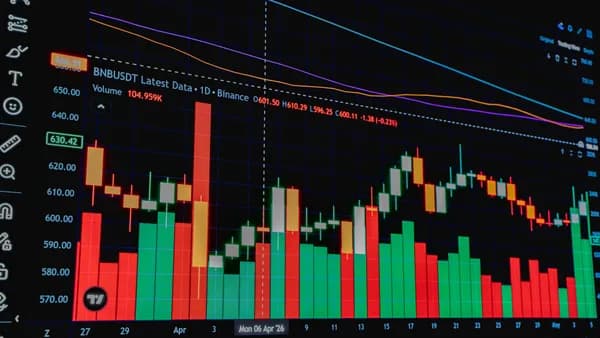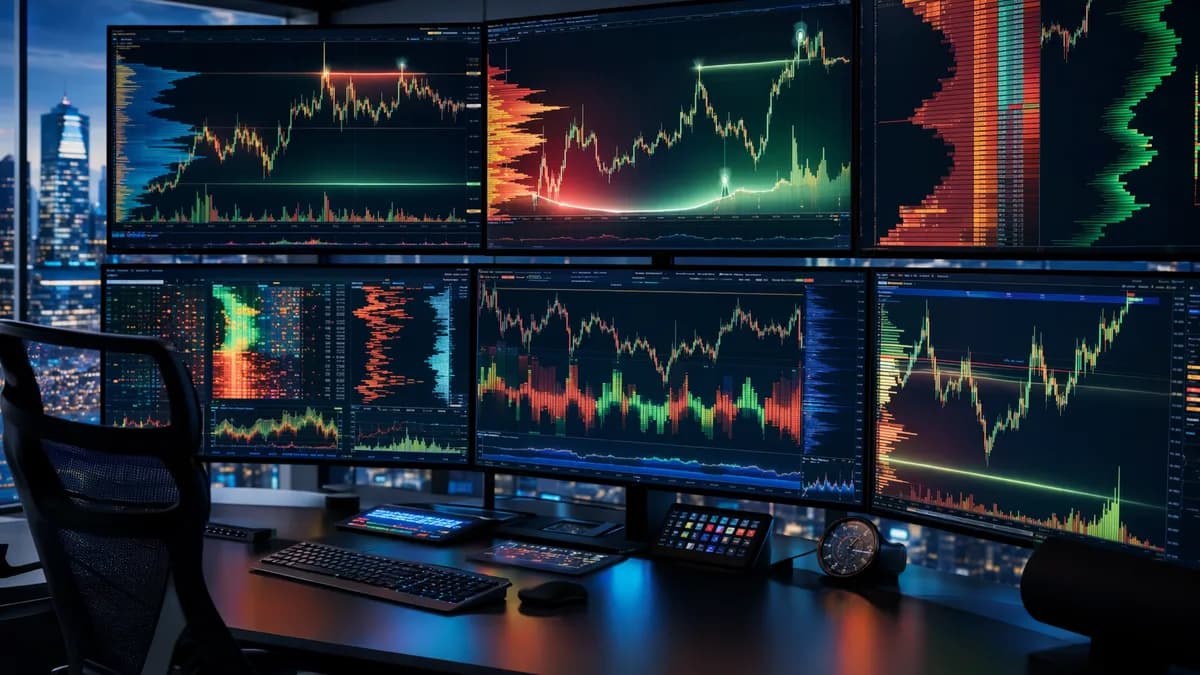
Choosing the best charting tools for volume profile is less about finding the flashiest chart and more about matching the platform’s volume-at-price features to how you trade. Volume Profile, anchored VWAP, session profiles, market structure tools, DOM data, delta, and supply-demand mapping all answer different questions about where trading actually happened.
This analysis compares the tools and platform capabilities confirmed in the research data: TradingView, GoCharting, Overcharts, Volumetrica, MultiCharts, and related volume-analysis platforms referenced in the source material. The goal is to help traders evaluate which charting environment best supports price-and-volume context without relying on unsupported marketing claims.
Why Volume Profile Matters in Stock Trading
Volume Profile displays trading volume at each price level over a selected period. Unlike traditional volume bars, which show volume over time, Volume Profile plots volume horizontally on the price axis.
That distinction matters because traders using charting tools for volume profile are usually trying to answer a more specific question: At which prices did buyers and sellers actually transact the most?
According to OANDA’s explanation of Volume Profile, high-volume zones often act as important support or resistance areas because they show where the most buying and selling occurred. Low-volume areas, by contrast, may represent “air pockets” where price moved quickly because fewer participants agreed to trade there.
Volume Profile is not a directional signal by itself. It is a market-context tool that shows where participation was concentrated, helping traders identify support, resistance, value, breakout zones, and potential reversal areas.
Key Volume Profile Concepts Traders Should Know
| Concept | What It Means | Why Traders Use It |
|---|---|---|
| Point of Control / POC | The price level with the highest traded volume in the selected profile | Often treated as a “fair value” level or price magnet |
| Value Area / VA | The range where approximately 70% of the period’s volume occurred | Helps define where the market accepted price |
| Value Area High / VAH | The upper boundary of the value area | Often monitored as potential resistance or breakout level |
| Value Area Low / VAL | The lower boundary of the value area | Often monitored as potential support or breakdown level |
| High Volume Node / HVN | A price area with heavy trading activity | May indicate consolidation, balance, or support/resistance |
| Low Volume Node / LVN | A price area with little traded volume | May indicate fast-move zones, rejection areas, or breakout paths |
GoCharting’s documentation describes Volume Profile as a way to reveal “true” support and resistance levels by showing what was bought and sold at each price. OANDA similarly frames it as a translation tool from price action to traded volume levels.
For stock traders, this is especially useful when price alone is ambiguous. A breakout above a range means more when it clears a low-volume gap and holds above the value area. A pullback into a prior high-volume node may be more meaningful than a random candle touching a moving average.
Essential Volume Profile Features to Compare
Not every platform implements Volume Profile the same way. Some platforms focus on simple visible-range histograms, while others support session profiles, tick-based volume, bid/ask analysis, delta, DOM integration, and custom ranges.
When comparing charting tools for volume profile, focus on the features that affect real trading decisions.
Core Features to Look For
| Feature | Why It Matters | Confirmed Platforms in Source Data |
|---|---|---|
| Session Volume Profile | Shows volume distribution by trading session | Overcharts, GoCharting |
| Custom / Fixed Range Profile | Lets traders profile a specific move, range, or event | Overcharts, GoCharting |
| Composite Volume Profile | Combines multiple sessions or periods into one profile | Overcharts, GoCharting |
| POC / VPOC | Identifies the highest-volume price level | Overcharts, GoCharting, TradingView script approximation |
| Value Area, VAH, VAL | Defines the main accepted trading range | Overcharts, GoCharting |
| Bid/Ask or Delta Profile | Shows buying vs selling pressure inside the profile | Overcharts, GoCharting, Volumetrica |
| TPO / Market Profile | Time-at-price analysis often used with auction market theory | Overcharts, Volumetrica, MultiCharts |
| DOM / Order Book Tools | Adds market-depth and liquidity context | Overcharts, Volumetrica |
| Tick Data Profile | Builds profile from tick data rather than candle approximations | GoCharting, Volumetrica tools reference tick-level analysis |
Candle Data vs Tick Data
GoCharting explicitly distinguishes between two Volume Profile data types:
- Candle Data Volume Profile: Built using candle data such as 1-minute, 5-minute, or 30-minute candles, depending on the timeframe selected. GoCharting states this is part of the Free plan.
- Tick Data Volume Profile: Built using tick data and independent of the chart candle timeframe. GoCharting states this is part of the Gold plan.
This distinction is important. A candle-based profile can be useful for broader analysis, but tick-based volume can provide a more granular view of how volume traded at price.
If your strategy depends on precise intraday order-flow decisions, data type matters. A candle-based profile and a tick-based profile may not provide the same level of detail.
Profile Types Matter More Than Indicator Count
Overcharts provides one of the more detailed Volume Profile feature sets in the source data. It lists:
- Session Volume Profile
- Intraday Volume Profile
- Long-Term Volume Profile
- Range Volume Profile
- Composite Volume Profile
- Swing Volume Profile
- VPOC
- VPOC Trace Line
- Naked VPOCs
- Value Area
- Peaks and Valleys
- Bid/Ask style
- Delta Profile
For traders mapping supply and demand, these variations matter because each profile answers a different question. A session profile may help day traders frame the current session. A range profile can isolate a breakout leg. A swing profile can analyze volume across each leg of a Zig-Zag swing structure.
Best Tools for Anchored VWAP and Key Levels
Anchored VWAP is often used alongside Volume Profile because both tools help traders define important price zones using participation-based logic. VWAP tracks volume-weighted average price, while Volume Profile shows where volume accumulated across price levels.
The source data confirms VWAP-related support in several places, but it does not provide a full feature-by-feature anchored VWAP comparison across all platforms. So the safest way to evaluate this category is to focus on confirmed VWAP, profile, and key-level capabilities.
VWAP and Key-Level Tool Comparison
| Platform | Confirmed VWAP / Anchored VWAP Information | Confirmed Key-Level Features |
|---|---|---|
| GoCharting | GoCharting documentation lists VWAP, Anchored VWAP, and VWAP Bands as related articles in its order-flow documentation | POC, VA, VAH, VAL, POC Ray, custom/fixed range profile, session profile |
| Overcharts | Overcharts lists VWAP among its tick/volume analysis tools | VPOC, VPOC trace line, naked VPOCs, value area, peaks and valleys, range/composite/session profiles |
| TradingView | The source data includes an open-source Volume Profile Analysis script, but does not confirm anchored VWAP in that script | Buy/sell volume estimates, delta, volume momentum, approximate POC, dashboard signals |
| Volumetrica | Source data does not specifically mention anchored VWAP | Volume Profile, Delta Profile, TPO, Order Flow Analyzer, DOM, Time & Sales |
| MultiCharts | Search data confirms Volume Profile tools, market profile, and price-by-volume chart guidance | Volume Profile and market profile tools |
GoCharting for Anchored VWAP Context
Among the provided sources, GoCharting is the only platform whose documentation explicitly references Anchored VWAP in relation to its order-flow education materials. The Volume Profile documentation itself focuses on POC, value area, session profile, composite profile, and fixed range profile.
GoCharting also supports a POC Ray, which extends the level of maximum volume to the price scale. This can be useful when combining anchored VWAP with prior high-participation price zones, though the source data does not provide a specific combined workflow.
Overcharts for VWAP Plus Profile Levels
Overcharts confirms VWAP support as part of its tick/volume analysis package. It also provides VPOC trace lines and naked VPOCs, which are useful for tracking unresolved high-volume levels.
For traders who frame trades around key levels, Overcharts’ combination of VWAP, VPOC, Value Area, and Delta Profile offers a broad set of participation-based tools.
TradingView Open-Source Script for Dashboard-Style Volume Context
The TradingView source is not a full platform-wide feature sheet. It describes an open-source script called Volume Profile Analysis that summarizes buy volume, sell volume, total volume, delta, momentum, and an approximate POC in a dashboard format.
The script estimates buy and sell volume by analyzing where the close sits within the candle’s high-low range. It also includes alerts for strong buying or selling pressure and significant spikes in total traded volume.
This can be useful for traders who want fast visual confirmation, but it should not be confused with a complete exchange-level order-flow suite. The script’s own description emphasizes that it is educational and informational, not financial advice.
Best Platforms for Market Structure Mapping
Market structure analysis is about understanding where price balanced, where it rejected, where liquidity may be resting, and where supply-demand zones are forming. Volume Profile can support that process, but the best platform depends on how deeply you want to analyze structure.
Platform Comparison for Market Structure
| Platform | Best-Fit Market Structure Use Case | Confirmed Tools |
|---|---|---|
| Overcharts | Mapping sessions, swings, composites, and volume-at-price zones | Session, intraday, long-term, range, swing, composite Volume Profile; TPO; Volume Delta; VWAP; DOM column |
| GoCharting | Order-flow style analysis with custom profiles and value area levels | Session profile, fixed range profile, composite profile, tick/candle data profiles, bid/ask, delta |
| Volumetrica Deepchart | Futures analysis using volume and execution tools | Volume Profile, Deep Trades, Delta Profile, TPO, Order Flow Analyzer, DOM, Time & Sales |
| Volumetrica DeepDom | Liquidity and market microstructure analysis | Heatmap, Volume Bubbles, Iceberg, Stop Run, CVD, Liquidity Tracker, Advanced DOM, Advanced T&S |
| MultiCharts | Volume Profile and market profile charting | Volume Profile tools, market profile, price-by-volume charts |
| Quantower | Buyer/seller imbalance analysis, based on search snippet | Volume Profile, Cluster chart, Bar Statistics |
Overcharts: Strong for Profile-Based Structure
Overcharts is particularly relevant for traders who want multiple profile perspectives. Its Swing Volume Profile constructs a profile for each Zig-Zag leg. According to Overcharts, Zig-Zag identifies swing points, with swing highs and swing lows marking turning points in the market.
That makes Overcharts useful for traders who map structure by leg rather than only by session. For example, a trader could compare the volume distribution of an impulsive move against the following correction.
Overcharts also supports:
- Session Profile: Profiles based on defined trading hours.
- Intraday Profile: Profiles built at regular intervals in minutes or bars.
- Range Profile: Profiles drawn over a user-defined chart range.
- Composite Profile: A summary profile built from multiple sessions, days, weeks, months, or a chosen start date.
GoCharting: Strong for Order-Flow Profiles and Value Area Work
GoCharting supports three confirmed Volume Profile types:
- Left/Right Composite Volume Profile
- Session Profile
- Custom or Fixed Range Profile
It also supports formats such as:
- Total Volume
- Bid x Ask
- Delta
That makes it useful for traders who want to evaluate whether a price zone is dominated by buying pressure, selling pressure, or total participation.
GoCharting’s documentation also gives practical guidance: do not treat POC and value area levels as exact lines. Treat them as zones of interest and confirm them with current price action.
Volumetrica: Strong for Futures, DOM, and Liquidity Structure
Volumetrica positions its platforms around volumetric analysis across futures, stocks, forex, and cryptocurrencies. Its Deepchart platform includes:
- Volume Profile
- Deep Trades
- Delta Profile
- TPO
- Order Flow Analyzer
- DeepBars
- Range
- Renko
- DOM
- Time & Sales
- OCO strategies
- Customizable money management tools
- Reports on win rate and risk/return
Its DeepDom platform goes further into market microstructure, with a heatmap for historical order book liquidity, Volume Bubbles for tick-by-tick trades, Iceberg, Stop Run, CVD, Liquidity Tracker, Advanced DOM, and Advanced Time & Sales.
For traders focused on liquidity, aggressive bids/asks, and order-flow structure, these are more specialized tools than a basic stock charting interface.
Data Quality and Session Settings Explained
Volume Profile is only as useful as the data and session boundaries used to build it. If two platforms use different data types, session definitions, or profile ranges, they may show different POC and value area levels.
Session Settings Can Change the Profile
Overcharts states that its Session Volume Profile is built on trading hours defined in the reference chart or indicator settings. It also allows users to define four different sessions in the same indicator.
That matters because premarket, regular session, and after-hours trading can produce different volume distributions. A stock that appears balanced on a full-day profile may show very different levels during regular trading hours.
Tick Data vs Candle Data
GoCharting’s distinction between Candle Data Volume Profile and Tick Data Volume Profile is one of the clearest data-quality points in the source material.
| Data Type | How It Is Built | Confirmed Availability |
|---|---|---|
| Candle Data Volume Profile | Built from chart candles such as 1-minute, 5-minute, or 30-minute data | GoCharting Free plan |
| Tick Data Volume Profile | Built from tick data and independent of candle timeframe | GoCharting Gold plan |
If your strategy is longer-term swing trading, candle-based profiles may be sufficient for broad zones. If your strategy relies on intraday precision, tick-based data can be more relevant.
Common Volume Profile Mistakes
GoCharting highlights several mistakes traders should avoid:
- Same Period Everywhere: Do not use the same Volume Profile period for all timeframes.
- Exact-Line Thinking: Do not treat POC, VAH, or VAL as exact lines; treat them as zones.
- Ignoring Current Price Action: Volume Profile is historical, so current price action should confirm any level before trading decisions are made.
OANDA also notes that Volume Profile is not inherently directional. It provides unbiased transaction-based context, but it does not automatically predict whether price will rise or fall.
The strongest Volume Profile analysis usually comes from matching the profile period to the trade idea: session profiles for intraday trades, range profiles for specific moves, and composite profiles for broader market structure.
Combining Volume Profile With Traditional Indicators
Volume Profile can stand alone as a context tool, but several sources emphasize using it alongside other indicators or price-action confirmation.
OANDA contrasts Volume Profile with lagging indicators like RSI and MACD, noting that Volume Profile collects data as transactions occur and is therefore a coincident indicator. The TradingView open-source script description also recommends combining volume insights with tools such as RSI, MACD, trendlines, SuperTrend, moving averages, and support/resistance levels.
Practical Indicator Pairings
| Combination | What It Helps Confirm | Source-Grounded Rationale |
|---|---|---|
| Volume Profile + RSI | Whether heavy buying occurs in overbought conditions | TradingView script documentation gives this example |
| Volume Profile + MACD | Whether momentum supports a price move | OANDA references MACD as a traditional lagging indicator; TradingView script mentions MACD confirmation |
| Volume Profile + Moving Averages | Whether volume momentum aligns with trend direction | TradingView script mentions moving averages as trend confirmation |
| Volume Profile + Trendlines | Whether buy/sell signals occur near critical structure | TradingView script mentions trendlines for confirmation |
| Volume Profile + Support/Resistance | Whether high-volume or low-volume zones align with key levels | GoCharting and OANDA both describe profile levels as support/resistance context |
Example Workflow Using POC and Value Area
GoCharting provides a specific strategy example using POC and value area:
- Long Entry Example: Enter long at the POC when price retests it from above after a breakout and the POC holds.
- Stop Placement Example: Set stops below the Value Area Low.
- Target Example: Target the Value Area High as a minimum exit.
- Breakout Example: When price breaks decisively above the VAH with expanding volume, enter long targeting the next POC level.
This is not a guaranteed strategy, but it shows how traders can convert Volume Profile levels into a repeatable decision framework.
HVNs and LVNs in Trade Management
OANDA describes HVNs as areas where significant buying and selling interest occurred. These areas may act as support or resistance.
LVNs, by contrast, are areas with little trading activity. OANDA describes them as “air pockets,” and GoCharting notes that price may be more likely to rally through or bounce off these unfair-value areas because the market historically spent less time there.
For trade management:
- HVN Nearby: Watch for consolidation, exhaustion, or reaction.
- LVN Nearby: Watch for faster movement, rejection, or breakout continuation.
- POC Nearby: Watch for balance, magnet behavior, or rangebound action.
- VAH/VAL Break: Watch whether price accepts outside value or rejects back inside.
Pricing and Learning Curve Considerations
The provided source data does not include complete subscription pricing for every platform. Where pricing details are absent, traders should verify current costs directly with the platform at the time of writing.
That said, the research does confirm several access and learning-curve points.
Confirmed Pricing and Access Details
| Platform | Confirmed Access / Pricing Detail | Learning Curve Notes Based on Features |
|---|---|---|
| GoCharting | Candle Data Volume Profile is part of the Free plan; Tick Data Volume Profile is part of the Gold plan | Moderate to advanced, especially for tick data, bid/ask, delta, and custom profiles |
| TradingView script | The Volume Profile Analysis script is open-source and can be used for free under TradingView rules | Lower barrier for dashboard-style volume context, but not a full order-flow suite |
| Overcharts | Source includes “Try it for free,” but no exact pricing | Advanced due to session, intraday, range, swing, composite, delta, VWAP, and TPO tools |
| Volumetrica | Deepchart includes a 15-minute data delay and Sim Account for practice; DeepChart Web notes futures Sim Account with data delayed by 15 minutes | Advanced, especially for DOM, heatmap, Time & Sales, order flow, and risk tools |
| MultiCharts | Source snippet confirms Volume Profile help documentation, but no pricing | Likely requires familiarity with charting and profile tools; details not provided in source |
| Quantower | Source snippet confirms Volume Profile, Cluster chart, and Bar Statistics tools, but no pricing | Advanced if using cluster and imbalance analysis |
Learning Curve by Trader Type
| Trader Type | Easier Starting Point | More Advanced Fit |
|---|---|---|
| New Volume Profile User | TradingView open-source dashboard, GoCharting candle-data profile | GoCharting tick-data profile, Overcharts multi-profile tools |
| Intraday Stock Trader | GoCharting session/fixed range profile | Overcharts intraday/session profiles, Volumetrica DeepChart Web |
| Futures Order-Flow Trader | GoCharting order-flow profiles | Volumetrica Deepchart or DeepDom |
| Market Structure Trader | GoCharting fixed range and session profiles | Overcharts swing/composite profiles |
| Liquidity / Microstructure Trader | Basic DOM and Time & Sales tools | Volumetrica DeepDom heatmap, Volume Bubbles, CVD, Liquidity Tracker |
The main takeaway: beginner-friendly does not always mean better, and advanced does not always mean necessary. A trader who only needs daily support/resistance zones may not need heatmaps, iceberg detection, or advanced DOM tools.
Which Tool Fits Your Trading Strategy?
The best charting tools for volume profile depend on the type of decisions you make. A day trader watching session value area rotations needs a different workflow from a swing trader mapping multi-week balance zones or a futures trader reading DOM liquidity.
Best Fit by Trading Strategy
| Strategy | Best-Fit Tool Type | Platforms to Evaluate From Source Data |
|---|---|---|
| Session-Based Day Trading | Session Volume Profile, VAH/VAL, POC, delta | GoCharting, Overcharts, Volumetrica |
| Fixed Range Breakout Analysis | Custom/fixed range profile, POC Ray, LVNs | GoCharting, Overcharts |
| Swing Structure Mapping | Swing Volume Profile, composite profiles, Zig-Zag legs | Overcharts |
| Order-Flow Confirmation | Bid/ask, delta, footprint-style or cluster tools | GoCharting, Overcharts, Volumetrica, Quantower |
| Futures Liquidity Analysis | DOM, heatmap, Time & Sales, CVD, iceberg/stop-run tools | Volumetrica DeepDom, Volumetrica Deepchart |
| Dashboard-Style Volume Sentiment | Buy/sell volume estimate, delta, momentum, alerts | TradingView Volume Profile Analysis script |
| Market Profile / TPO Workflows | TPO and price-by-volume tools | Overcharts, Volumetrica, MultiCharts |
1. GoCharting: Best for Traders Comparing Free vs Tick-Based Profiles
GoCharting is a strong candidate if you want a clear path from basic Volume Profile to more advanced order-flow tools. Its documentation confirms Candle Data Volume Profile on the Free plan and Tick Data Volume Profile on the Gold plan.
It also supports session profiles, composite profiles, fixed range profiles, POC Ray, value area controls, bid/ask formatting, and delta.
Best for:
- Free Tier Exploration: Traders learning Volume Profile with candle data.
- Order-Flow Upgrade Path: Traders who may later need tick-based profiles.
- Key-Level Trading: Traders using POC, VAH, VAL, and custom ranges.
2. Overcharts: Best for Multi-Profile Market Structure Work
Overcharts stands out in the source data for its breadth of Volume Profile variations. Session, intraday, long-term, range, swing, and composite profiles are all confirmed.
Its Swing Volume Profile is especially relevant for market structure analysis because it builds profiles around Zig-Zag swing legs.
Best for:
- Swing Mapping: Traders who analyze each impulse and correction.
- Session Analysis: Traders defining multiple trading sessions.
- Advanced Profile Work: Traders using VPOC trace lines, naked VPOCs, delta profile, TPO, and VWAP.
3. Volumetrica: Best for Futures, Liquidity, and Execution Context
Volumetrica is most relevant for traders who need more than static chart levels. Its Deepchart and DeepDom platforms include tools for volume analysis, DOM, Time & Sales, heatmaps, CVD, liquidity tracking, stop-run analysis, and execution/risk management.
Best for:
- Futures Traders: Deepchart is described as a complete suite for analyzing and trading futures.
- Liquidity Traders: DeepDom focuses on market microstructure and historical order book liquidity.
- Execution-Focused Traders: Confirmed features include chart/book/panel execution, OCO strategies, and daily P/L limit tools.
4. TradingView Open-Source Script: Best for Lightweight Volume Sentiment
The TradingView Volume Profile Analysis script is a dashboard-style tool rather than a full platform comparison. It estimates buy and sell volume from candle structure, calculates delta, compares volume momentum, approximates a POC, and displays signals such as Strong Buy, Buy, Strong Sell, Sell, or Neutral.
Best for:
- Fast Visual Context: Traders who want buy/sell pressure summarized on-chart.
- Indicator Confirmation: Traders combining volume with RSI, MACD, SuperTrend, moving averages, or trendlines.
- Educational Use: The script is open-source and described as educational/informational.
5. MultiCharts and Quantower: Worth Evaluating if You Need Specific Workflows
The source data for MultiCharts is limited to a search snippet confirming Volume Profile tools, market profile, price-by-volume charts, and help documentation.
The source data for Quantower is also limited, but the snippet confirms Volume Profile, Cluster chart, and Bar Statistics tools for identifying imbalance between buyers and sellers.
Because the available research is thin, traders should verify detailed feature availability, data support, and pricing directly with those platforms at the time of writing.
Bottom Line
The best charting tools for volume profile are the ones that match your data needs, market, and trading style.
For a structured progression, GoCharting offers a useful split between candle-data Volume Profile on the Free plan and tick-data Volume Profile on the Gold plan. Overcharts is compelling for advanced profile-based structure work, especially with session, range, composite, and swing profiles. Volumetrica is better suited to traders who need deeper futures, DOM, liquidity, Time & Sales, and order-flow tools.
If you only need lightweight volume sentiment, the open-source TradingView Volume Profile Analysis script can provide dashboard-style context, but it should not be treated as a complete replacement for tick-based order-flow analysis. For any platform, the key is to treat POC, VAH, VAL, HVNs, and LVNs as zones of interest—not guaranteed trade signals.
FAQ
What are charting tools for volume profile?
Charting tools for volume profile are platforms or indicators that display traded volume at each price level over a selected period. They help traders identify POC, value area, high-volume nodes, low-volume nodes, and potential support or resistance zones.
Is Volume Profile better than traditional volume bars?
They answer different questions. Traditional volume bars show volume over time, while Volume Profile shows volume by price. OANDA describes Volume Profile as useful because it reveals where trading activity actually occurred, not just when it occurred.
Which platform has a free Volume Profile option?
According to GoCharting’s documentation, Candle Data Volume Profile is part of its Free plan. The TradingView source also describes an open-source Volume Profile Analysis script that can be used for free under TradingView’s rules.
What is the difference between POC and Value Area?
The POC is the price level with the highest traded volume in the profile. The Value Area is the price range where approximately 70% of the profile’s volume occurred. VAH and VAL mark the upper and lower boundaries of that area.
Should I use tick data or candle data for Volume Profile?
It depends on your strategy. GoCharting states that candle-data Volume Profile is built from candles such as 1-minute, 5-minute, or 30-minute data, while tick-data Volume Profile is built from tick data and is independent of candle timeframe. Intraday order-flow traders may prefer tick data, while broader swing traders may be comfortable with candle-based profiles.
Can Volume Profile be used with RSI, MACD, or moving averages?
Yes. The TradingView script documentation specifically discusses combining volume insights with RSI, MACD, SuperTrend, moving averages, trendlines, and support/resistance levels. This can help reduce reliance on one signal alone.