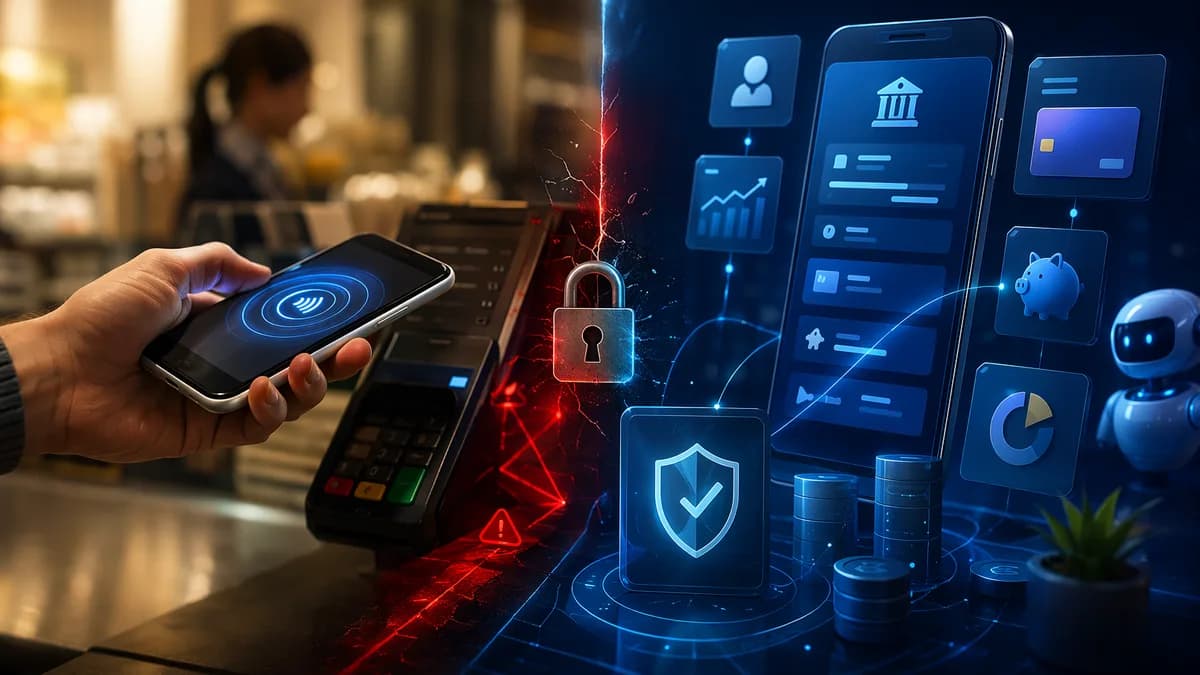
Choosing between digital wallet vs mobile banking is less about which one is “better” overall and more about which one fits the payment task in front of you. A digital wallet is built for fast checkout and person-to-person payments, while a mobile banking app is built for managing a bank account, paying bills, depositing checks, and monitoring your financial life.
XOOMAR Intelligence
Analyst Take
For everyday payments, most people benefit from using both. The key is knowing when a wallet is the faster, safer front-end for spending—and when your bank’s app is the better tool for control, records, transfers, and account protection.
1. Digital Wallets and Mobile Banking Apps Explained
A digital wallet is software that stores payment credentials—such as credit cards, debit cards, loyalty cards, tickets, transit passes, and sometimes IDs—so you can pay electronically without pulling out a physical card. Examples from the source data include Apple Pay, Google Wallet, Samsung Wallet, PayPal, Venmo, and Cash App.
A mobile banking app is your bank or credit union’s app. It gives you access to bank account services such as checking balances, transferring money, paying bills, depositing checks, downloading statements, managing loans, and applying for credit. Examples mentioned in the research include bank apps from Chase, Bank of America, and Ally.
The simplest distinction: a digital wallet is your phone’s payment card; a mobile banking app is your phone’s bank branch.
There is also a related terminology issue: “digital wallet” and “mobile wallet” are often used interchangeably, but they are not exactly the same. Based on the Chase, GoCardless, and Capital One source data, digital wallet is the broader umbrella term. A mobile wallet is a type of digital wallet designed for smartphones, smartwatches, tablets, or other mobile devices.
| Term | What It Means | Common Uses | Examples Mentioned in Sources |
|---|---|---|---|
| Digital wallet | Broad category of electronic wallet used on internet-enabled devices | Online checkout, storing cards, digital payments | PayPal, Apple Pay, Google Wallet |
| Mobile wallet | A digital wallet optimized for mobile devices | Contactless in-store payments, mobile checkout, tickets, transit passes | Apple Pay, Samsung Pay, Google Pay |
| Mobile banking app | Bank or credit union app for account access and management | Balances, transfers, bill pay, check deposit, statements, loans | Chase, Bank of America, Ally |
Digital wallets can often be used on multiple device types, including desktop and laptop browsers for online checkout. Mobile wallets are usually tied to mobile hardware, especially Near Field Communication, or NFC, which enables tap-to-pay in stores.
Mobile banking apps, by contrast, connect directly to your bank account. They are less focused on the checkout moment and more focused on account access, financial oversight, and bank services.
2. Core Differences in Features and Functionality
The core difference in digital wallet vs mobile banking comes down to purpose. Digital wallets prioritize payment speed. Mobile banking apps prioritize account control.
Digital wallets generally store payment methods and let you pay quickly in stores, online, or person-to-person. Some wallets may also store loyalty cards, event tickets, transit passes, digital IDs, driver’s licenses in supported locations, and even digital car keys, according to the source data.
Mobile banking apps provide a broader set of banking features. They let you access the account behind your money: balances, statements, deposits, transfers, loan information, bill payments, and account preferences.
| Feature Area | Digital Wallet | Mobile Banking App |
|---|---|---|
| Main purpose | Fast payments and transfers | Full account management |
| Where money sits | Linked cards/accounts or small app balance | Bank account |
| Common actions | Tap-to-pay, online checkout, P2P payments, store cards/tickets/IDs | Check balances, transfer funds, pay bills, deposit checks, manage loans/statements |
| Issuer/provider | Tech companies, fintech companies, card networks | Banks and credit unions |
| Best fit | Everyday checkout and quick payments | Managing, monitoring, and moving money through your bank |
| Insurance status | Depends on whether funds are held with an FDIC partner account | FDIC coverage up to $250,000 for eligible bank accounts |
Digital wallet functionality
Digital wallets and mobile wallets may support:
- Tap-to-Pay: Use a smartphone or wearable at a contactless terminal.
- Online Checkout: Pay without manually entering card details.
- Peer-to-Peer Transfers: Send money to friends or family through apps such as Venmo, Cash App, or PayPal.
- Stored Items: Keep loyalty cards, tickets, travel passes, transit passes, and supported digital IDs in one app.
- Rewards Access: Some wallets support loyalty points, cashback, coupons, or discounts, depending on the wallet and merchant.
Mobile banking functionality
Mobile banking apps may support:
- Balance Checks: View checking, savings, and other account balances.
- Transfers: Move money between accounts or send money to others.
- Bill Pay: Pay utility bills, credit cards, or other recurring obligations.
- Mobile Check Deposit: Deposit checks through the bank app.
- Statements: Download account statements for records, taxes, or business use.
- Loan Management: Apply for or manage loans where supported by the bank.
- Alerts and Support: Receive transaction alerts and, in some apps, use live support or in-app chat.
The overlap is increasing. Source data notes that some wallet providers now offer account and routing numbers, direct deposit, and FDIC pass-through insurance through partner institutions. Some banks are also adding tap-to-pay features. Still, wallets are not the same as full banks.
3. Payment Convenience: In-Store, Online, and Peer-to-Peer
For everyday checkout convenience, digital wallets usually have the edge. They are designed to reduce friction at the exact moment you pay.
In-store payments
Mobile wallets such as Apple Pay, Google Pay, and Samsung Pay are designed for contactless in-store payments. To pay, you typically hold your smartphone or wearable near a contactless terminal and approve the transaction with Face ID, fingerprint, PIN, or another authentication method.
According to the source data, mobile devices commonly use NFC chips to enable in-store payments. Desktop and laptop computers generally do not have this contactless payment hardware, which is why a digital wallet on a computer is usually more useful for online purchases than physical checkout.
| Payment Scenario | Better Fit | Why |
|---|---|---|
| Tap-to-pay at a store | Digital/mobile wallet | Built for fast contactless checkout |
| Online checkout | Digital wallet | Stores payment details and can reduce form filling |
| Paying a friend quickly | P2P wallet | Designed for simple person-to-person transfers |
| Paying a recurring bill | Mobile banking app | Built for bill pay and account-level management |
| Depositing a check | Mobile banking app | Bank app feature, not a wallet feature |
Online payments
Digital wallets are also useful for online checkout. The GoCardless and Chase source data both note that digital wallets can store card information and help users avoid manually entering card details each time they shop online.
For example, PayPal is cited as a digital wallet commonly used for ecommerce payments. Apple Pay may be used online through supported browsers and devices, while the mobile version supports in-store contactless payments.
Peer-to-peer payments
Peer-to-peer payment apps are often categorized as digital wallets or wallet-like payment tools. The source data mentions Venmo, Cash App, PayPal, and Zelle in the context of sending money to people.
However, users should be cautious. The source data specifically warns that P2P transfers can be hard to reverse, especially if the payment request or QR code comes from someone you do not know.
For quick everyday purchases, a digital wallet is usually more convenient. For account-level money movement, bill pay, and financial records, a mobile banking app is usually more complete.
4. Security Features: Tokenization, Biometrics, and Fraud Controls
Security is one of the most important parts of the digital wallet vs mobile banking comparison. The source data consistently describes both options as secure when used properly, but they protect users in different ways.
Digital wallets typically focus on protecting the payment credential. Mobile banking apps focus on protecting direct access to bank accounts.
Digital wallet security
Digital wallets and mobile wallets commonly use:
- Tokenization: Your real card number is replaced with a unique digital token during payment.
- Biometric Authentication: Payments may require fingerprint or facial recognition.
- Password or PIN Protection: Wallet access may require a code or password.
- Remote Data Erasure: Apple, Samsung, and Google allow users to wipe mobile wallet data remotely if a phone is stolen, according to the GoCardless source data.
- Encryption: Card and account information is protected electronically.
Tokenization is especially important. Instead of sending your actual card number to a merchant, a wallet can send a token. That reduces the exposure of your real card details during a transaction.
Mobile banking app security
Mobile banking apps commonly use:
- Biometric Login: Fingerprint or facial recognition.
- Multi-Factor Authentication: Additional verification beyond a password.
- One-Time Passwords: OTPs may be used for login or transaction confirmation.
- Encryption: Protects account and transaction data.
- Transaction Alerts: Notifications help users spot unauthorized activity.
- Fraud Monitoring: Bank apps may include bank-grade or AI-driven fraud detection, based on the source data.
- Regulatory Oversight: Mobile banking apps operate within the banking system and connect to bank-controlled back-end systems.
| Security Area | Digital Wallet | Mobile Banking App |
|---|---|---|
| Payment credential protection | Strong use of tokenization | Uses encryption and secure bank systems |
| Login/payment approval | Biometrics, PINs, passwords | Biometrics, MFA, OTPs, passwords |
| Fraud monitoring | Varies by wallet and linked card/account | Often includes bank fraud monitoring and alerts |
| Lost device response | Remote wipe supported by major mobile wallet providers | Bank can restrict account access; app may support secure login controls |
| Account protection | Depends on funding source and provider structure | Eligible bank accounts may have FDIC coverage up to $250,000 |
Practical safety steps for both
The source data recommends several user-controlled safety practices:
- Official Downloads: Download wallet and banking apps only from official app stores.
- Two-Factor Authentication: Turn on 2FA or MFA where available.
- Transaction Alerts: Enable alerts to detect suspicious activity quickly.
- Code Protection: Never share one-time codes, passwords, or authentication prompts.
- QR Code Caution: Be careful with payment requests and QR codes from strangers.
- Device Security: Keep your phone locked and secure.
A key practical distinction: a digital wallet may be safer than handing over a physical card because your real card number is not shared in the same way. A mobile banking app, meanwhile, gives you more visibility into the underlying account and may provide stronger account-level fraud monitoring.
5. Budgeting, Rewards, and Account Management Tools
Digital wallets can help with everyday spending records, rewards, and loyalty integrations. Mobile banking apps are generally stronger for budgeting, statements, balances, and complete account management.
Budgeting and tracking
Mobile banking apps are usually the better fit for financial tracking. Source data describes mobile banking apps as tools for detailed account activity, account history, statements, automatic payments, savings goals, and financial insights.
Some mobile banking apps may allow users to:
- Track Transactions: Review account history and spending activity.
- Download Statements: Generate statements for taxes, proof of funds, or business use.
- Set Up Automatic Payments: Manage recurring bills from the account.
- Monitor Balances: See available funds before spending.
- Manage Loans: Apply for or track loans and payment schedules where supported.
- Use Support Tools: Access in-app chat or support where offered.
Digital wallets also keep digital records of transactions, according to the source data. That can help users track wallet-based spending. But a wallet’s transaction history is usually not the same as a full bank statement.
Rewards and loyalty
Digital wallets often perform well for rewards-related convenience. The source data notes that wallets can store loyalty cards, coupons, reward programs, and sometimes offer cashback or discounts depending on the wallet and service.
| Tool Type | Budgeting Strength | Rewards Strength | Account Management Strength |
|---|---|---|---|
| Digital wallet | Basic transaction records | Stronger for loyalty cards, coupons, cashback, tickets, passes | Limited compared with bank apps |
| Mobile banking app | Stronger for account history, statements, savings tracking | Depends on bank and account features | Strongest for balances, bill pay, loans, deposits, statements |
Account management
This is where mobile banking apps clearly lead. Digital wallets are usually not designed to replace a bank account dashboard.
Mobile banking apps can support:
- Account Settings: Manage preferences directly in the bank app.
- Internal Transfers: Move funds between bank accounts.
- External Transfers: Send funds to other accounts where supported.
- Bill Payments: Pay utilities, credit cards, and other obligations.
- Check Deposits: Deposit checks from a phone.
- Statements and Documents: Access official bank records.
- Credit and Loan Features: Apply for or manage credit products where available.
Digital wallets can increasingly hold more than cards, but they do not typically provide the full financial control of a bank app.
6. Fees, Transfer Limits, and Availability
Fees, transfer limits, and availability vary widely by provider, bank, country, device, merchant, and account type. The provided source data does not give universal dollar transfer limits, so the safest conclusion is that users should check the specific wallet or bank terms at the time of writing.
Fees
The source data gives broad guidance but not a universal fee schedule.
| Fee Category | Digital Wallet | Mobile Banking App |
|---|---|---|
| Basic app use | Most digital wallets do not charge users for standard transactions, according to source data | Generally provided free by banks |
| Certain services | Some wallets may charge additional fees for certain services | Banks may charge for wire transfers, overdraft protection, or expedited services |
| Merchant/payment processing | Merchants or banks may incur payment processing fees | Fees depend on the bank’s policies |
| Hidden or unexpected fees | Source data warns some wallet fees may be less obvious | Bank fee disclosures depend on institution and account terms |
A practical rule: do not assume “app-based” means free. For both wallets and bank apps, check the provider’s terms before using instant transfers, wire transfers, expedited payments, overdraft features, or other premium services.
Transfer limits
The source data does not provide specific universal transfer limits for digital wallets or mobile banking apps. Limits may depend on:
- Provider Rules: Wallet companies set their own limits.
- Bank Policies: Banks may set daily, monthly, or transaction-specific limits.
- Verification Level: Some services may allow higher limits after identity verification.
- Transfer Type: P2P, bank transfer, wire transfer, bill pay, and instant transfer may all differ.
Because no universal figures are provided in the source data, users should confirm limits inside the specific app or bank account agreement.
Availability
Availability is another important difference.
- Device Compatibility: Mobile wallets depend on compatible smartphones, tablets, smartwatches, or wearable devices.
- NFC Support: In-store mobile wallet payments generally require contactless terminal support and NFC-capable devices.
- Merchant Acceptance: Digital wallet acceptance depends on the merchant and checkout system.
- Country Support: Source data notes some mobile wallets are limited to specific countries.
- Bank Relationship: Mobile banking apps require an account with the bank or credit union.
- Internet Access: Both tools generally require internet access for setup, account updates, or transaction processing, though in-store contactless authorization may vary by provider and device.
Instant bank payments are also becoming more relevant. The source data mentions the FedNow network and “pay by bank” options as bank-to-bank payment methods that can move money in seconds and may come with lower fees and lower fraud than card-based payments. Availability depends on participating institutions and payment providers.
7. Best Use Cases for Digital Wallets
Digital wallets are best when speed, convenience, and checkout simplicity matter most.
1. Fast in-store payments
Use a digital or mobile wallet when you want to tap your phone or watch instead of using a physical card. Wallets such as Apple Pay, Google Pay, and Samsung Pay are designed for this exact use case.
- Speed: Tap-to-pay can reduce checkout friction.
- Security: Tokenization helps avoid sharing the real card number.
- Convenience: You do not need to carry every physical card.
2. Online checkout
Digital wallets can simplify ecommerce purchases by storing payment credentials. Instead of typing card numbers and billing details repeatedly, you may be able to log in or select a wallet payment button.
- Less Typing: Reduces manual card entry.
- Stored Details: Keeps payment methods in one place.
- Checkout Efficiency: Can make repeat purchases faster.
3. Peer-to-peer payments
For splitting meals, reimbursing friends, or sending quick payments, P2P wallet tools can be convenient. The source data mentions Venmo, Cash App, PayPal, and Zelle in this context.
- Quick Transfers: Designed for person-to-person payments.
- Simple Identifiers: Some tools allow transfers through phone numbers, wallet IDs, or similar identifiers.
- Everyday Use: Helpful for small, frequent payments.
4. Loyalty cards, tickets, and passes
Digital wallets can store more than cards. Source data notes that mobile wallets can include loyalty cards, concert tickets, travel passes, transit passes, and supported IDs.
- Organization: Reduces the need to carry multiple cards or paper tickets.
- Transit and Events: Useful where supported.
- Rewards Access: Keeps loyalty programs close to the payment experience.
5. Small everyday balances
Some wallets allow users to store funds directly. Source data suggests wallets can be suitable for small balances and everyday spending, but larger savings are better kept in an FDIC-insured bank account.
A digital wallet is strongest as a payment layer—not necessarily as the primary home for your savings.
8. Best Use Cases for Mobile Banking Apps
Mobile banking apps are best when you need the bank account itself, not just a fast way to pay.
1. Checking balances before spending
Before making larger purchases or reviewing your cash flow, a mobile banking app gives you direct visibility into account balances and transaction history.
- Balance Access: See available funds.
- Transaction Detail: Review posted and pending activity where supported.
- Financial Awareness: Understand how spending affects your account.
2. Paying bills
Mobile banking apps are generally stronger for recurring obligations and formal payments.
- Bill Pay: Pay utilities, credit cards, and service providers.
- Automatic Payments: Set up scheduled payments where supported.
- Records: Keep payments tied to bank account history.
3. Depositing checks
Digital wallets are not designed for mobile check deposit. Bank apps commonly support this function.
- Remote Deposit: Deposit a check from your phone.
- Bank Integration: Funds go directly through your bank.
- Convenience: Avoid branch or ATM visits where mobile deposit is available.
4. Managing statements and records
If you need official records, a mobile banking app is the better tool.
- Statement Downloads: Generate statements for tax filing, proof of funds, or business use.
- Account History: Review detailed records.
- Documentation: Access bank-issued documents where supported.
5. Managing loans, credit, and savings
Mobile banking apps can support broader financial services such as loan management, savings tracking, and credit applications where the bank provides them.
- Loan Features: Apply for or manage personal loans where available.
- Savings Goals: Some banking apps include savings tracking.
- Credit Access: Bank apps may connect to credit products.
6. Keeping larger funds protected
The source data clearly distinguishes wallet balances from bank account funds. Eligible bank accounts may be FDIC-insured up to $250,000. Wallet balances may only have insurance if funds are held in an FDIC partner account with pass-through coverage.
For larger savings, a bank account accessed through a mobile banking app is generally the more appropriate place, based on the source data.
9. Which Option Should You Use for Everyday Payments?
For most people comparing digital wallet vs mobile banking, the practical answer is: use both, but for different jobs.
A digital wallet is usually better for the payment moment. A mobile banking app is usually better for managing the money behind the payment.
| You Want To… | Use This | Why |
|---|---|---|
| Pay quickly in a store | Digital/mobile wallet | Tap-to-pay is built for speed |
| Check out online | Digital wallet | Stores payment details and reduces form entry |
| Send money to a friend | P2P wallet or supported bank transfer tool | Designed for quick person-to-person payments |
| Check balances | Mobile banking app | Direct account access |
| Pay bills | Mobile banking app | Built for scheduled and formal payments |
| Deposit a check | Mobile banking app | Bank app feature |
| Store tickets, passes, or loyalty cards | Digital wallet | Wallets can store more than payment cards |
| Manage savings or larger balances | Mobile banking app and bank account | Eligible bank accounts may have FDIC coverage up to $250,000 |
A simple everyday setup
For a balanced approach:
Use a digital wallet for checkout
Add your preferred payment card to Apple Pay, Google Wallet, Samsung Wallet, or another supported wallet.Use your bank app for oversight
Check balances, review transactions, pay bills, deposit checks, and download statements through your bank’s app.Keep only small wallet balances
If a wallet allows stored balances, use it for everyday spending rather than long-term savings.Turn on alerts everywhere
Enable transaction notifications in both your wallet and mobile banking app.Treat P2P transfers carefully
Confirm recipients before sending money, because some person-to-person payments are difficult to reverse.
The best everyday payment system is not one app. It is a workflow: wallet for speed, bank app for control.
Bottom Line
In the digital wallet vs mobile banking comparison, digital wallets win on speed, contactless checkout, online convenience, P2P payments, and storing cards, tickets, passes, and loyalty credentials. Mobile banking apps win on full account management, balances, statements, bill pay, check deposits, loan tools, and bank-level oversight.
Neither tool fully replaces the other at the time of writing. A digital wallet is best for spending quickly and securely; a mobile banking app is best for managing, monitoring, and protecting your financial life. For everyday payments, the most practical choice is to use both together.
FAQ
Is a digital wallet the same as a mobile banking app?
No. A digital wallet stores payment methods and helps you pay electronically, while a mobile banking app connects directly to your bank account and supports broader services such as balances, transfers, bill pay, check deposits, statements, and loan management.
Is a mobile wallet different from a digital wallet?
Yes. A mobile wallet is a type of digital wallet designed for mobile devices such as smartphones, smartwatches, and tablets. A digital wallet is the broader category and may also work on desktops, laptops, or other internet-enabled devices.
Which is safer: a digital wallet or mobile banking app?
Both can be secure when used properly. Digital wallets often use tokenization and biometrics, while mobile banking apps use tools such as biometric login, multi-factor authentication, encryption, transaction alerts, and bank fraud monitoring. Mobile banking apps also connect to bank accounts that may be eligible for FDIC coverage up to $250,000.
Can a digital wallet replace my bank account?
Not fully at the time of writing. Some wallets offer direct deposit, account and routing numbers, or FDIC pass-through insurance through partner institutions, but wallets are still primarily designed for payments. A mobile banking app remains better for full account management, bill pay, deposits, statements, savings, and credit services.
Should I keep money in a digital wallet?
For small everyday spending balances, a digital wallet can be convenient. For larger savings, the source data points to an FDIC-insured bank account as the more appropriate place, especially because wallet insurance depends on how and where funds are held.
Which should I use for everyday payments?
Use a digital wallet for fast in-store payments, online checkout, and quick P2P transfers. Use your mobile banking app to check balances, pay bills, deposit checks, review statements, manage loans, and monitor your overall financial position.
Sources & References
Content sourced and verified on June 16, 2026
- 1Digital Wallet vs Mobile Banking App: What
https://wealthypot.com/digital-wallet-vs-mobile-banking-differences/
- 2Digital Wallet vs Mobile Wallet
https://gocardless.com/en-au/guides/posts/digital-wallet-vs-mobile-wallet
- 3Digital Wallets vs Mobile Banking Apps: Key Differences - Tattvam Enterprises
https://tattvamenterprises.com/digital-wallets-vs-mobile-banking-apps-key-differences/
- 4Digital Wallet vs. Mobile Wallet: What to Know | Chase
https://www.chase.com/personal/credit-cards/education/basics/digital-wallet-vs-mobile-wallet
- 5Mobile Wallet vs Mobile Banking – What’s Best for You?
https://www.digipay.guru/blog/difference-between-mobile-wallets-and-mobile-banking/
- 6Digital Wallet vs. Mobile Wallet | Capital One
https://www.capitalone.com/learn-grow/money-management/digital-wallet-vs-mobile-wallet/

Written by
XOOMAR
Data desk
XOOMAR is a capital markets software and data company in Selden, New York. Every brief on this site starts from a dataset the company collects itself from primary sources (CFTC, SEC EDGAR, FINRA, the Federal Reserve, exchange APIs) and names the numbers it is built on, with a link to the data page so you can check them. Briefs are reviewed before they go out and corrected in place when the data is revised.