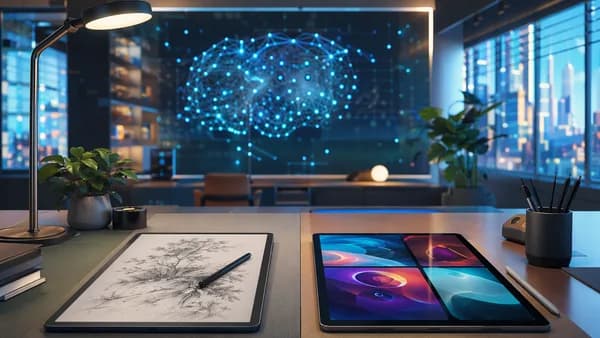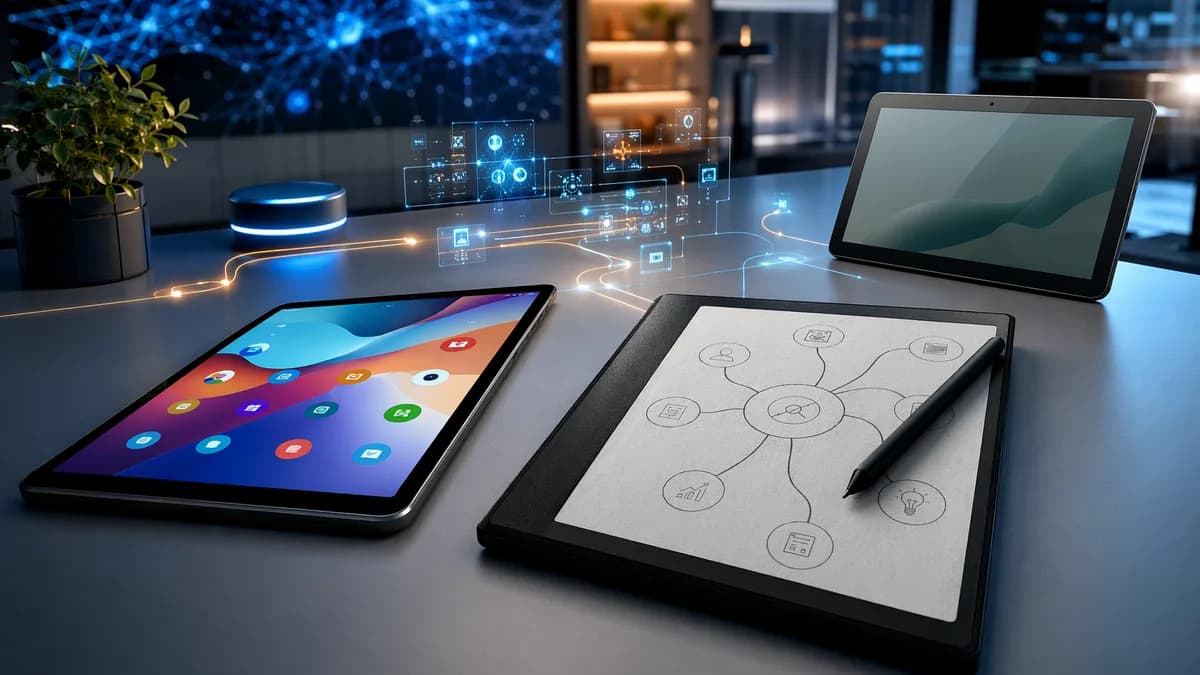
Choosing the best tablets for digital planners comes down to more than screen size. The right device needs a responsive stylus, reliable palm rejection, planner-friendly apps, PDF support, enough battery life for daily use, and a workflow that fits how you actually plan.
The research shows there is no single “best” tablet for everyone. An iPad setup is still the most polished for app-based planning, Samsung’s Android tablets are strong for customization, Amazon and Lenovo offer practical budget routes, and E-Ink devices like reMarkable 2 are ideal if you want a quieter, paper-like planning experience.
What to Look for in a Digital Planning Tablet
A good digital planning tablet should make handwriting, organizing, and reviewing your schedule feel natural. Based on the source data, the most important buying factors are stylus quality, app compatibility, screen feel, PDF handling, battery life, and cloud sync.
The best tablet for planning is not always the most expensive one. It is the one that lets you write, organize, and return to your plans every day without friction.
Key buying factors for tablets for digital planners
| Factor | Why It Matters for Digital Planning | What the Research Shows |
|---|---|---|
| Stylus support | Needed for handwriting, annotations, stickers, and PDF planners | Apple Pencil 2, Samsung S Pen, included pens on Fire Max 11 and Lenovo Tab M11, and E-Ink styluses were highlighted |
| Palm rejection | Prevents stray marks while writing | Planner users often need to adjust palm rejection settings in apps because defaults may not feel right |
| App ecosystem | Determines whether you can use GoodNotes, Notability, Samsung Notes, OneNote, Squid, Concepts, or PDF planners | iPad has the strongest planner app ecosystem; Android is more flexible but can have PDF hyperlink compatibility issues |
| Screen size | Affects comfort with weekly spreads, stickers, and two-page layouts | Around 11 inches was described as a practical sweet spot for portability and full-page planning |
| Writing feel | Impacts whether you keep using the device daily | Matte screen protectors improve writing on glass; E-Ink devices feel closest to paper |
| Battery life | Matters for daily carry and long planning sessions | iPads and Samsung tablets last multiple days in the source experience; reMarkable lasts weeks; Surface-style devices need more laptop-like charging |
| Cloud sync | Keeps plans available across devices | OneNote sync was described as reliable; reMarkable cloud sync was useful but tied to subscription concerns in one source |
Planner files matter more than people expect
Most digital planners come as PDFs with hyperlinks. Apps like GoodNotes and other planner apps can handle these well, but file size and compatibility matter.
One source described downloading a planner PDF around 500MB, which made the app lag. Another noted that some Android apps may not handle all planner hyperlinks correctly, especially when planners are designed first for iPad.
Before committing to a tablet, check whether your favorite planner files are designed for:
- GoodNotes 6
- Notability
- Samsung Notes
- OneNote
- Squid
- reMarkable
- Kindle Scribe
- Onyx Boox
- Supernote
OnPlanners, for example, lists digital planners and templates for iPad / Android, reMarkable, Kindle Scribe, Onyx Boox, Supernote, and Samsung, with more than 3,200 planners and templates available at the time of writing.
Best Overall Tablets for Digital Planners
For most people, the best overall choices are devices with strong stylus support, reliable planner apps, and enough screen space for daily, weekly, and monthly layouts.
Best overall comparison
| Tablet | Best For | Key Strengths from Source Data | Trade-Offs |
|---|---|---|---|
| iPad Air | Most app-based digital planners | Works well with GoodNotes 6; strong planner app ecosystem; Apple Pencil 2 support | Costs more once Apple Pencil is included |
| Samsung Tab S9 / S9+ | Android users who want premium planning | S Pen included; Samsung Notes is free and capable; strong screen quality | Some iPad-first PDF planners may have hyperlink issues |
| reMarkable 2 | Distraction-free handwritten planning | Paper-like writing, no app distractions, battery lasts weeks | Limited apps, no color, no backlight, cloud subscription concerns |
| Amazon Fire Max 11 | Value-focused planning bundle | Included stylus, vivid 11-inch display, all-day battery | Fire OS app limitations; some third-party planner apps may not be optimized |
| iFLYTEK AINOTE Air 2 | AI-assisted planning and meetings | E-Ink display, speech-to-text, multilingual translation, smart meeting summaries | Slight lag with complex AI tasks; learning curve |
1. iPad Air — best mainstream choice for planner apps
The source data repeatedly positions the iPad Air as the practical iPad choice for digital planning. It was described as doing “literally everything you need” for planning, with the M2 chip more than enough for apps like GoodNotes 6.
The strongest reason to choose iPad Air is the app ecosystem. GoodNotes 6 was highlighted as a daily-use planner app with strong handwriting recognition and searchable handwritten notes. Notability was also described as a major option, with smoother writing feel in the source test, though its audio recording feature may matter more for students than daily planners.
Best if you want:
- Planner apps: GoodNotes 6, Notability, Zinnia, OneNote
- PDF flexibility: Mix and match pages from different planner PDFs
- Handwriting search: Search handwritten notes in GoodNotes 6
- Portable size: The 11-inch range was described as a useful sweet spot
Watch out for:
- Accessory cost: Apple Pencil 2 is strongly recommended in the source data
- Glass writing feel: A matte screen protector may be needed for better friction
2. Samsung Tab S9 / S9+ — best premium Android option
The Samsung Tab S9 was described as “genuinely impressive,” especially for users outside the Apple ecosystem. The S Pen comes included, which the source notes can save around $100 compared with buying a stylus separately.
The Samsung Tab S9+ was tested because the regular size felt cramped for full-day planning spreads. Samsung Notes was described as free, built-in, and capable, with decent handwriting-to-text and straightforward organization.
Best if you want:
- Included stylus: S Pen included
- Free planning app: Samsung Notes
- Android flexibility: More customization than iPad
- Larger planning canvas: S9+ works better for full-day spreads
Watch out for:
- PDF compatibility: Some iPad-first digital planners may have broken or inconsistent hyperlinks in Android apps
- App selection: GoodNotes-first planner workflows may feel smoother on iPad
3. reMarkable 2 — best for paper-like focus
The reMarkable 2 stands out as the clearest choice for people who want planning without notifications, apps, or visual clutter. It was rated 9.5/10 in one review and praised for its paper-like writing experience, thin and light design, PDF annotation, folders, cloud sync, and battery life lasting up to weeks in source testing.
It is not trying to be a general-purpose tablet. That is the point.
Best if you want:
- Paper-like writing: Closest to physical paper among tested options
- Distraction-free planning: No app notifications or ads
- PDF annotation: Mark up planner PDFs directly
- Long battery life: Weeks rather than days in source testing
Watch out for:
- Limited features: No color, no backlight, and few apps
- Cloud model: One source raised concerns about needing a subscription for full cloud functionality
- Handwriting conversion: Can be hit or miss with cursive writing
Best Budget Tablets for Digital Planning
Budget tablets can work well for digital planning if you focus on stylus support, screen quality, and app access. The source data highlights several lower-cost options, especially from Amazon, Lenovo, and FEONAL.
Budget tablet comparison
| Tablet | Best For | Confirmed Features from Source Data | Limitations |
|---|---|---|---|
| Amazon Fire HD 10 | Low-cost entry into digital planning | 10.1-inch Full HD display, stylus support ready, long battery life | Amazon Appstore limitations; may require sideloading for some apps |
| Amazon Fire Max 11 | Budget-friendly bundle with stylus | Included stylus pen, vivid 11-inch display, all-day battery | Some third-party planner apps may not be optimized for Fire OS |
| Lenovo Tab M11 | Affordable Android planning with pen | Included digital pen, 11-inch WUXGA display, 10-hour battery life | Occasional lag with too many apps open |
| FEONAL Android Tablet | Budget Android with cellular planning | 4G LTE, octa-core processor, crisp HD display | Battery life can be inconsistent with heavy cellular use |
| LCD Writing Tablet | Simple reusable note-taking | Thin, light, reusable thousands of times | Not a full app-based tablet; screen brightness weaker in dim light |
1. Amazon Fire HD 10 — best low-cost all-rounder
The Amazon Fire HD 10 was rated 8.8/10 in the source review and described as an affordable all-rounder for planning. Its 10.1-inch Full HD display makes planner pages look crisp, and stylus support makes it usable for handwritten notes.
The review noted smooth handling of multiple planning apps in normal use, though performance can stutter with too many apps open.
Best if you want:
- Low entry cost: Budget-friendly planning tablet
- Crisp display: 10.1-inch Full HD screen
- Daily planning: Enough battery for full-day planning sessions
- Student or family use: Practical, affordable option
Watch out for:
- App limitations: Amazon Appstore may not include every planner app
- Performance ceiling: Not ideal for heavy multitasking
2. Lenovo Tab M11 — best budget tablet with pen included
The Lenovo Tab M11 is a strong practical choice because it includes a digital pen, has an 11-inch WUXGA display, and offers 10-hour battery life according to the source data.
It was described as reliable for planning apps, web browsing, and daily planning sessions. The included pen works out of the box, and the display was noted for sharpness and accurate colors, useful for color-coded planning.
Best if you want:
- Included pen: No separate stylus purchase needed
- 11-inch workspace: Good for daily and weekly planner layouts
- Color-coding: Sharp display with accurate colors
- Practical battery life: 10-hour rating in source data
Watch out for:
- Heavy multitasking: Occasional lag with too many apps running
- Audio quality: Mediocre for video planning content
3. FEONAL Android Tablet — best budget Android with 4G LTE
The FEONAL Android Tablet was rated 8.9/10 and highlighted for its 4G LTE connectivity, octa-core processor, and crisp HD display. Its main advantage is planning without needing Wi-Fi, which is useful for commutes or travel.
The source found it responsive when switching between planning tabs and noted that apps loaded quickly.
Best if you want:
- Cellular planning: 4G LTE for updating plans away from Wi-Fi
- Budget performance: Octa-core processor for planning apps
- Multitasking: Smooth app switching in source testing
Watch out for:
- Battery variability: Heavy cellular use can reduce consistency
- Camera quality: Adequate only for document scanning
Best iPad Options for Planner Apps
The iPad remains the strongest ecosystem for people who want polished digital planner apps, PDF planners, stickers, templates, and handwriting search.
iPad planning options compared
| iPad Option | Best For | Source-Based Notes |
|---|---|---|
| iPad Air | Best iPad choice for most digital planners | Strong enough for GoodNotes; M2 chip described as more than enough |
| Base iPad | Lower-cost iPad planning | Works for planning, but writing feel was described as cheaper or more plasticky by one tester |
| iPad Pro 12.9 | Large desk-based planning or art workflows | Large screen, but one source found it too big to carry comfortably |
| Surface Pro | Windows-first users, not iPad but relevant alternative | Full computer with pen support, OneNote works well, but writing feel is only okay |
Recommended iPad apps from the source data
| App | Platform Context | Strengths | Limitations |
|---|---|---|---|
| GoodNotes 6 | iPad | Handwriting recognition, searchable handwritten notes, strong PDF planner workflow | Source mentions about $10 or subscription option |
| Notability | iPad | Smooth writing feel; audio recording | Audio recording may be less useful for daily planning |
| Zinnia | iPad planning/journaling | Pretty templates and aesthetic planning | Source experienced crashes and lost planning time |
| OneNote | Cross-platform | Free, infinite pages, reliable sync, notebooks and sections | Less visually planner-focused than dedicated planner apps |
Best iPad recommendation
For most iPad users, the source data points to iPad Air + Apple Pencil 2 + GoodNotes 6 as the most balanced setup.
GoodNotes 6 was specifically praised for searchable handwriting. The ability to search handwritten notes is useful when your planner contains client notes, meeting details, habit trackers, or long-term goals.
If you plan with PDF calendars, stickers, templates, and handwritten notes, the iPad advantage is not just hardware. It is the depth of planner-focused apps and template support.
Best Android Tablets for Customization
Android tablets are compelling for users who want more device flexibility, included styluses, and built-in planning tools like Samsung Notes. They can also be strong budget choices.
Best Android and Fire OS planning options
| Device | Best For | Key Source Details |
|---|---|---|
| Samsung Tab S9 | Premium Android planning | S Pen included; Samsung Notes is capable and free |
| Samsung Tab S9+ | Larger Android planning spreads | Preferred in source testing for full-day planning spreads |
| Lenovo Tab M11 | Budget Android with pen | Included digital pen, 11-inch WUXGA display, 10-hour battery |
| FEONAL Android Tablet | Planning with LTE | 4G LTE, octa-core processor, crisp HD display |
| Amazon Fire Max 11 | Stylus bundle value | Included stylus, vivid 11-inch display, all-day battery |
| Amazon Fire HD 10 | Affordable entry option | 10.1-inch Full HD display, stylus support |
Android planner apps to consider
| App | Best For | Source-Based Notes |
|---|---|---|
| Samsung Notes | Samsung tablet owners | Free, built-in, capable, decent handwriting-to-text |
| Squid | PDF markup on Android | Handles PDFs well; premium noted at about $30 yearly |
| Concepts | Mind mapping and freeform planning | Infinite canvas; more design-oriented than structured planner app |
| OneNote | Cross-platform planning | Free, syncs across devices, notebooks and sections |
The main Android trade-off is PDF planner compatibility. Many digital planner creators design for iPad first, and the source data notes that some planner hyperlinks may not work correctly on Android apps.
That does not mean Android is a bad choice. It means you should verify that your favorite planner seller or template library supports your app and device.
Best E-Ink Tablets for Distraction-Free Planning
E-Ink tablets are best for people who want digital organization without the pull of apps, notifications, color stickers, or social feeds. They feel more like paper and usually last much longer on a charge.
E-Ink planning comparison
| Device | Best For | Strengths from Source Data | Trade-Offs |
|---|---|---|---|
| reMarkable 2 | Focused handwritten planning | Paper-like display, no distractions, PDF annotation, folders, weeks of battery | No color, no backlight, limited apps, subscription concerns |
| iFLYTEK AINOTE Air 2 | AI-assisted E-Ink planning | Speech-to-text, multilingual translation, meeting summaries, E-Ink display | Slight lag with complex AI tasks; learning curve |
| Supernote | E-Ink planning without subscription concern | Similar to reMarkable, slightly better features per source, no subscription noted | Harder to get, slower shipping, smaller template community |
| HUION Note | Hybrid paper-to-digital planning | Real paper writing, audio sync, Bluetooth transfer | Requires mobile app for full functionality |
1. reMarkable 2 — best pure E-Ink planning tablet
The reMarkable 2 is the standout for focus. It was described as a “digital sanctuary” with paper-like texture, direct PDF annotation, folder organization, cloud sync, and handwriting-to-text conversion.
It is especially useful if you get distracted by app notifications or do not need full-color stickers and media.
Best if you want:
- Handwritten planning: Natural friction and paper-like feel
- Quiet workflow: No typical tablet distractions
- Long battery life: Weeks in source testing
- PDF annotation: Mark up calendar PDFs directly
Not ideal if you want:
- Color planning
- Backlit reading
- Full app store access
- A highly flexible template ecosystem
2. iFLYTEK AINOTE Air 2 — best E-Ink option for AI features
The iFLYTEK AINOTE Air 2 was rated 9.3/10 and described as an AI-powered planning assistant. Its features include real-time speech-to-text, multilingual translation, smart meeting summaries, smart organization, and to-do list creation.
This makes it especially relevant for professionals who combine planning with meetings and notes.
Best if you want:
- Meeting workflows: Speech-to-text and summaries
- Multilingual planning: Translation features
- Eye-friendly display: E-Ink for long sessions
- Smart organization: Automatic categorization and to-do lists
Watch out for:
- Processing lag: Complex AI tasks may introduce slight lag
- Learning curve: More advanced than a simple note tablet
3. HUION Note — best hybrid paper-to-digital option
The HUION Note is not a traditional tablet screen experience. Instead, it lets you write on real paper while digitally capturing your strokes. It also supports audio sync and Bluetooth wireless transfer.
This is useful for people who love the feel of paper but still want digital backup and organization.
Best if you want:
- Real paper feel
- Digital backup
- Audio synced with notes
- Bluetooth transfer
Watch out for:
- App dependency
- Learning curve
- Less direct app-based planning than iPad or Android tablets
Stylus Performance and Palm Rejection Compared
Stylus experience is one of the biggest differences between planning tablets. For digital planning, the stylus is not optional if you want handwritten scheduling, stickers, PDF annotation, habit tracking, or journaling.
Stylus and writing experience comparison
| Device / Stylus Setup | Source-Based Strengths | Potential Issues |
|---|---|---|
| Apple Pencil 2 with iPad Air | Magnetic attachment; recommended over first-generation Apple Pencil; strong app support | Accessory cost; glass feel may need matte protector |
| Samsung S Pen with Tab S9 | Included with tablet; saves separate stylus cost; works well with Samsung Notes | Planner app ecosystem not as iPad-first |
| Fire Max 11 stylus bundle | Stylus included; magnetic attachment noted; good value | Fire OS app optimization may vary |
| Lenovo Tab M11 pen | Included pen; works out of the box; no pairing needed | Occasional lag if too many apps are open |
| reMarkable stylus experience | Closest to paper; strong friction; distraction-free writing | Limited color and app features |
| HUION Note pen-on-paper | Real paper writing with digital capture | Requires app workflow for full functionality |
Palm rejection is not always perfect
One source specifically warns that users should adjust palm rejection settings immediately because defaults are often not ideal. Even with good tablets, random palm marks can happen.
For best results:
- Adjust settings: Check palm rejection inside your planner app.
- Use a matte protector: Glossy glass can feel slippery and create glare.
- Replace nibs: Heavy daily users may go through a stylus nib about every three months, according to the source experience.
- Test your writing angle: Some apps respond differently depending on hand position.
- Give it time: Handwriting on glass can feel odd for about a week, and handwriting may take longer to normalize.
Screen protectors: matte matters more than brand
The source data compares premium and generic matte screen protectors, noting that a $40 Paperlike protector and a $12 generic one were difficult for testers to distinguish in a blind comparison.
The main takeaway is not that a specific brand is required. It is that matte texture improves writing feel and reduces glare.
Storage, Battery Life, and Cloud Sync Considerations
Digital planners can include PDFs, stickers, templates, notebooks, images, and synced files. Storage and sync therefore matter, but the source data emphasizes workflow more than raw specs.
Battery life expectations by device type
| Device Type | Battery Expectation from Source Data | Best For |
|---|---|---|
| iPad | Lasts every few days with heavy use in source experience | Daily planning, apps, PDF workflows |
| Samsung Tab S9 | Around three full days of normal planning and note-taking in source experience | Android planning and Samsung Notes |
| reMarkable 2 | Weeks of battery life | Distraction-free E-Ink planning |
| Surface Pro-style device | Daily charging with regular use | Windows programs plus planning |
| Lenovo Tab M11 | 10-hour battery life listed in source data | Budget daily planning |
| Fire Max 11 | All-day battery life noted | Value planning bundle |
| Fire HD 10 | Long battery life noted | Budget planning |
Cloud sync and app lock-in
Cloud sync can be the difference between a useful planning system and a frustrating one. OneNote was praised for free access, infinite pages, notebook organization, and reliable syncing across devices.
GoodNotes is strong for iPad planner PDFs, but it is more tied to that planning workflow. Zinnia and other subscription-style planning apps can simplify templates, but the source notes that these may lock users into a specific ecosystem.
PDF planners offer more portability because you can often import them into different apps. However, compatibility depends on the app and platform.
Storage and file size
The sources do not provide specific tablet storage benchmarks, so avoid choosing only by storage numbers unless you know your planner files are large. What the research does show is that very large planner PDFs can cause lag.
Use these practical checks:
- Check PDF size: Avoid overly large planner files if your tablet is budget or older.
- Read seller reviews: Look for reviewers using your exact app.
- Test hyperlinks: Confirm monthly, weekly, and daily tabs work.
- Back up files: Use app sync or cloud storage when available.
- Keep templates organized: Use folders, notebooks, or sections.
Which Tablet Should You Buy?
The best tablets for digital planners depend on whether you prioritize apps, price, customization, paper feel, or family organization. Here is the simplest way to choose.
Best tablet by user type
| If You Are… | Buy / Consider | Why |
|---|---|---|
| Most digital planner users | iPad Air + Apple Pencil 2 + GoodNotes 6 | Strongest planner app ecosystem and searchable handwriting |
| An Android user | Samsung Tab S9 or S9+ | S Pen included, Samsung Notes is free and capable |
| On a tight budget | Amazon Fire HD 10 | Affordable, 10.1-inch Full HD display, stylus support |
| Want a budget pen-included tablet | Lenovo Tab M11 | Included pen, 11-inch WUXGA display, 10-hour battery |
| Need cellular planning | FEONAL Android Tablet | 4G LTE and octa-core processor |
| Want distraction-free planning | reMarkable 2 | Paper-like writing, no distractions, weeks of battery |
| Take meeting notes often | iFLYTEK AINOTE Air 2 | Speech-to-text, translation, meeting summaries |
| Prefer real paper | HUION Note | Paper writing with digital capture and audio sync |
| Need family command center | BIGASUO 10.1-inch Digital Calendar or similar smart calendar | Syncs calendars, chores, meals, and family schedules |
Special note: family digital calendars
The source data also includes several 10.1-inch smart digital calendar devices. These are not the same as general tablets for handwritten digital planners, but they can be useful for household scheduling.
Examples include the BIGASUO 10.1-inch Digital Calendar and other smart Wi-Fi calendar displays with features such as:
- Calendar sync: Google Calendar, iCloud, Outlook, and other calendar platforms depending on model
- Family profiles: Up to 20 family members on one listed model
- Chore charts: Assign tasks and rewards
- Meal planning: Dinner planning, recipes, and shopping lists on some models
- Photo frame mode: Display photos and videos
- 10.1-inch IPS HD touchscreen: Clear family schedule display
These are best for kitchens, counters, and shared family routines—not for GoodNotes-style handwritten PDF planning.
Bottom Line
The best overall choice for most digital planning workflows is the iPad Air with Apple Pencil 2, especially if you want GoodNotes 6, Notability, stickers, templates, and flexible PDF planning. The Samsung Tab S9 or S9+ is the strongest Android alternative, particularly because the S Pen is included and Samsung Notes is capable out of the box.
For budget buyers, the Amazon Fire HD 10, Amazon Fire Max 11, Lenovo Tab M11, and FEONAL Android Tablet all offer practical routes into digital planning, with trade-offs around app access, performance, or battery consistency. If you want focus above everything else, reMarkable 2 remains the clearest E-Ink pick, while iFLYTEK AINOTE Air 2 adds AI transcription and meeting features for professional planning.
The smartest advice: choose the tablet based on your planning style first, then pick the app and templates that match it.
FAQ
What is the best tablet for digital planners overall?
For most users, the source data points to iPad Air with Apple Pencil 2 and GoodNotes 6 as the most balanced setup. It offers strong planner app support, searchable handwriting, and flexible PDF planner workflows.
Are Android tablets good for digital planning?
Yes. The Samsung Tab S9 and Samsung Tab S9+ are strong Android options, especially because the S Pen is included and Samsung Notes is free and capable. The main caution is that some iPad-first planner PDFs may have hyperlink issues on Android apps.
Is reMarkable 2 good for digital planning?
Yes, if you want distraction-free handwritten planning. reMarkable 2 offers a paper-like writing feel, PDF annotation, folders, cloud sync, and battery life lasting weeks in source testing. It is not ideal if you want color stickers, app stores, backlighting, or full tablet functionality.
Do I need a matte screen protector for digital planning?
You do not strictly need one, but the source data strongly suggests that a matte screen protector improves writing feel on glass and reduces glare. The research also found that cheaper matte protectors can perform similarly to more expensive branded ones in practical use.
Which planner app should beginners try first?
The source recommends starting with free or low-cost options before buying many templates. OneNote is free, syncs across devices, and offers infinite pages. Samsung users can start with Samsung Notes, while iPad users often choose GoodNotes 6.
Are smart digital calendars the same as digital planning tablets?
Not exactly. Devices like the BIGASUO 10.1-inch Digital Calendar are better for family schedules, chores, meals, and shared calendar syncing. They are useful household hubs, but they are not replacements for iPad, Samsung, or E-Ink tablets used for handwritten PDF planning.