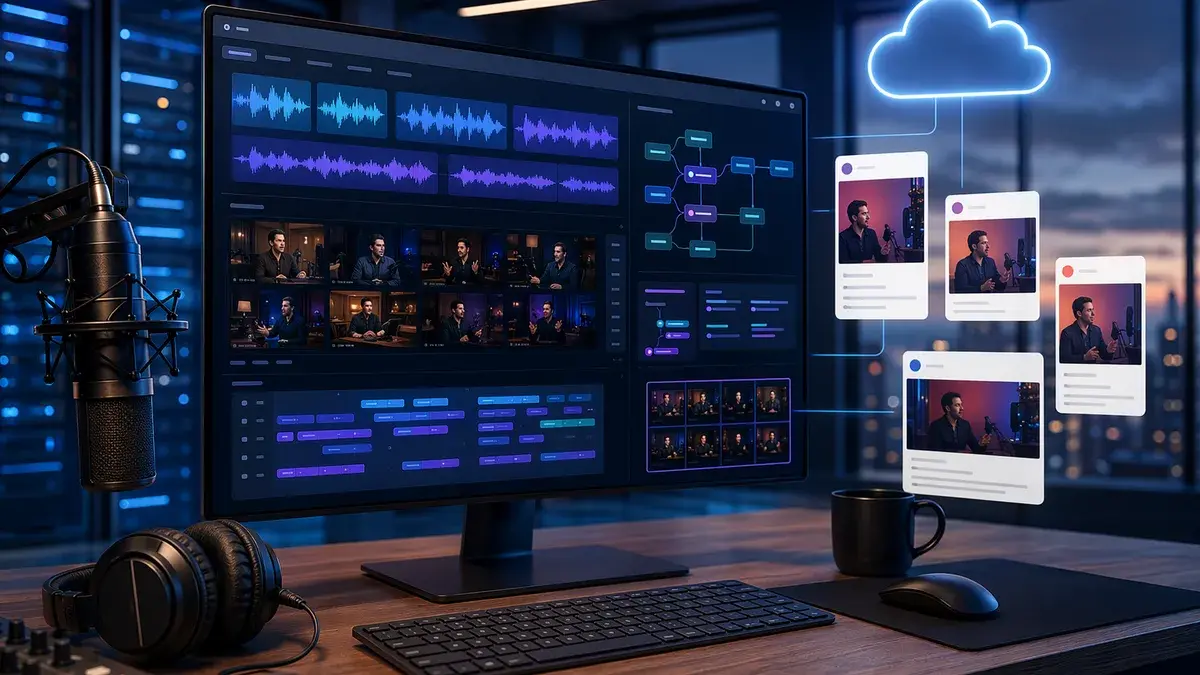
If you’re comparing AI clipping tools for podcasts, the real question is not “Which tool makes shorts?” Almost all of them do. The better commercial question is: which platform can reliably turn a long podcast episode into usable clips, captions, audiograms, social copy, and scheduled posts without creating more editing work than it saves?
The current podcast repurposing market splits into a few clear categories: viral-score clip generators, full podcast editing suites, audio-first audiogram tools, and publishing workflow platforms. Below is a grounded roundup based on the provided 2026 source data, including tested feature notes, pricing where available, and practical trade-offs for solo creators, podcast teams, and agencies.
How AI Podcast Clipping Tools Work
AI clipping tools for podcasts analyze long-form audio or video episodes and automatically identify short segments that may work as social media clips. The core workflow is usually similar across platforms:
- Import the episode by uploading a file or pasting a link.
- AI analyzes the content using transcription, speaker detection, and engagement signals.
- Suggested clips are generated with captions, layouts, and sometimes titles or descriptions.
- Creators review and edit clips in a browser-based editor.
- Clips are exported or published to platforms such as YouTube Shorts, TikTok, Instagram Reels, LinkedIn, X, or Facebook, depending on the tool.
For example, OpusClip describes its podcast clip generator as a tool that “automagically identifies key moments and themes,” then lets users review, customize, download, or directly publish clips. Its listed workflow is: import your podcast, let AI clipping begin, review and customize, then publish and share.
Choppity follows a similar upload-to-short workflow but adds a distinctive step: users can set custom AI criteria before generating clips. According to Choppity’s own tested roundup, creators can prompt the system to find moments such as “contrarian takes,” “guest insights,” “key insights,” or “funniest exchanges” before the AI runs.
Flowjin positions its workflow around long-form video and audio repurposing. It says its AI finds “6–12 captioned clips” automatically, writes platform-specific posts, and allows users to approve and schedule content from a single calendar.
The practical value of AI clipping is not only clip detection. For podcast teams, the bigger time savings often come from captions, cropping, speaker framing, social copy, scheduling, and avoiding repetitive uploads.
Video podcast vs. audio-only workflow
Video podcast tools usually focus on:
- Vertical reframing for 9:16 shorts
- Speaker tracking and face detection
- Dynamic layouts for host/guest conversations
- Animated captions
- B-roll or visual overlays
Audio-only podcast tools focus more on:
- Audiograms
- Waveform visuals
- Quote graphics
- Show notes
- Blog posts
- Newsletter copy
- Platform-specific captions and descriptions
That distinction matters because several tools are stronger for talking-head video than for audio-only episodes.
What to Look for in a Podcast Repurposing Tool
The best podcast repurposing tool depends on your publishing volume, show format, and editing tolerance. Based on the source data, the most important buying criteria are clip relevance, caption quality, speaker handling, workflow integrations, and pricing model.
Core buying criteria
| What to evaluate | Why it matters for podcasts | Source-backed examples |
|---|---|---|
| Clip relevance | Podcast highlights often depend on context, not just loud moments | Ssemble’s test notes some tools prioritize loud moments over genuinely insightful clips |
| Caption quality | Captions are central to TikTok, Reels, Shorts, and LinkedIn consumption | Choppity lists word-level karaoke captions and 20+ caption styles; Submagic is noted for trendy captions |
| Speaker detection | Interview and co-host shows need the right person framed | OpusClip lists Active Speaker Detection; Choppity lists multi-speaker face tracking; Flowjin lists smart crop and speaker tracking |
| Transcript editing | Text-based editing is faster than timeline-only editing for dialogue | Descript and Choppity both offer text/transcript-based editing in the source data |
| Publishing workflow | Downloading and re-uploading clips slows production | Choppity, Ssemble, OpusClip, and Flowjin all mention scheduling or publishing features |
| Pricing model | Long episodes can consume minutes or credits quickly | Ssemble highlights that a 90-minute episode can consume 90 credits in per-minute systems |
| Audio-only support | Not every clipper is ideal without video | Flowjin and Podsqueeze are specifically useful for audiograms or broader podcast assets |
The biggest hidden cost: minutes and credits
Pricing is not just the monthly fee. For podcasters, the critical question is how a platform counts usage.
Ssemble’s tested comparison highlights this clearly: many tools charge per minute of source video, while Ssemble charges per output video, with 1 credit = 1 video up to 20 minutes long. In its example, a 90-minute episode does not cost 90 credits on Ssemble; it costs however many clips you generate.
By contrast, Opus Clip is described in Ssemble’s source as using 1 credit = 1 minute, meaning one 90-minute episode uses 90 credits. Ssemble’s source warns that weekly 90-minute episodes would require about 360 minutes/month, which exceeds Opus Clip’s listed 300 min/mo Pro allocation in that comparison.
For weekly long-form shows, always calculate monthly usage from episode length, not just the number of clips you want.
Best AI Clippers for Video Podcasts
For video podcasts, the best tools in the source data are the ones that combine AI moment detection, captions, vertical formatting, speaker tracking, and publishing support.
1. Choppity — Strong for custom clip criteria, captions, and end-to-end workflow
Choppity appears prominently in the provided sources as a video-podcast-focused clipper with a full create-edit-publish-measure workflow.
According to Choppity’s own tested roundup, its podcast workflow includes:
- Upload options: Upload a video or paste a YouTube/podcast video link
- Episode limits: Up to 120 minutes / 4 GB
- Clip duration controls: 15–180 seconds
- Custom AI criteria: Tell the AI what kind of moments to find
- Transcript-native editing: Trim, cut, censor, and search via transcript
- Caption styles: 20+ caption presets, dynamic effects, and word-level karaoke captions
- Speaker handling: Multi-speaker face tracking and stacked split-screen layouts
- Exports: 9:16, 1:1, and 16:9 output via magic reframe
- Publishing: Native posting to YouTube, TikTok, Instagram, and LinkedIn
- Planning: Ideas Board, Content Calendar, folders, and analytics
A specific Choppity use case in the source describes a business podcast host uploading a 60-minute interview and receiving 16 clip suggestions in under 12 minutes after using custom criteria for “highlight key insights.”
Choppity’s reported limitations are important:
- Free Tier: Preview-only, with no downloads or full AI features until Starter in Choppity’s source
- Audio-only Fit: Less ideal for audio-only podcasts without a video element
- Upload Limit: Maximum 120 minutes / 4 GB
There is a pricing discrepancy across the provided sources. Choppity’s own comparison table lists a starting price of $19/mo, while Ssemble’s comparison lists Choppity plans starting at $15/mo monthly or $7.50/mo annual with 3 upload hours/month on Starter. Treat current pricing as something to verify on the pricing page before purchase.
2. OpusClip — Strong for hands-off clipping and Virality Score
OpusClip is one of the most frequently mentioned tools in the source data. Its own product page lists several podcast-specific features:
- AI Curation: Selects engaging parts of a podcast
- AI Virality Score: Scores clips based on predicted impact
- AI Co-Pilot: Keyword-based segment selection
- AI B-roll: Adds contextually relevant visuals
- AI Dynamic Layout: Adjusts layout for visual engagement
- Active Speaker Detection: Keeps the speaker centered
- Trim & Extend: Adjusts clip length
- Multi-language Support: OpusClip’s transcription FAQ states support for over 20 languages
OpusClip also supports imports from YouTube links, Riverside.fm links, Google Drive links, and local video files, according to its product page.
In Ssemble’s comparison, Opus Clip pricing is listed as:
| Plan | Monthly | Annual | Credits |
|---|---|---|---|
| Free | $0 | $0 | 60 min/mo |
| Starter | $15/mo | Not listed | 150 min/mo |
| Pro | $29/mo | About $14.50/mo | 300 min/mo |
The same source says Opus Clip’s Virality Score ranks every generated clip from 0–100, which is useful for batch processing. However, it also notes limitations: the tool can sometimes prioritize “loud moments” over more insightful clips, caption customization is more limited than Choppity or Submagic, and nuanced multi-speaker podcast conversations can be challenging.
Reddit discussion in the source reflects a similar split: some podcast creators recommend OpusClip as a top option and like its titles, descriptions, captions, scheduling, and ability to make multiple cuts in the editor. Other commenters are skeptical of AI clippers generally and say manual review still matters.
3. Ssemble — Strong for budget-conscious weekly podcasters
Ssemble is positioned in its own tested comparison as the best value for podcasters who clip regularly. Its key differentiator is the credit model: 1 credit = 1 output video up to 20 minutes, rather than one credit per source minute.
Ssemble’s listed features include:
- Virality scoring
- Auto-captions
- Scheduling to TikTok, YouTube Shorts, and Instagram Reels
- API access, even on the Starter plan
- B-roll from Pexels stock
- Transitions, sound effects, zoom animations, CTA overlays, meme hooks, and game video overlays
- Multi-Language Audio for selecting YouTube dubbed audio tracks in Hindi, Spanish, French, and Portuguese
Its pricing table in the source lists:
| Plan | Monthly | Annual | Credits |
|---|---|---|---|
| Starter | $15/mo | $7.50/mo | 30/mo |
| Pro | $30/mo | $15/mo | 60/mo + bonus |
| Business | $60/mo | $30/mo | 120/mo + bonus |
| Scale | $100/mo | $50/mo | 200/mo + bonus |
Ssemble estimates that, assuming about 5 clips per episode, the Pro plan can support 12 full podcast episodes/month at roughly $1.25 per episode. That calculation is source-provided and depends on the assumed clip count.
Limitations listed in the source include no built-in recording, AI clip detection that is “improving but not yet the most sophisticated,” and less caption template variety than Submagic or Choppity.
4. Descript — Strong for full episode editing before clipping
Descript is not only a clipper. It is described in the source as a complete podcast editing suite with AI clip generation.
Key features listed include:
- Text-based editing for audio and video
- Filler word removal
- Studio Sound for one-click audio enhancement
- AI Underlord as an AI co-editor
- Multi-speaker detection with automatic speaker labels
Ssemble’s pricing table lists:
| Plan | Monthly | Annual | Media Hours |
|---|---|---|---|
| Free | $0 | $0 | 1 hr/mo |
| Hobbyist | $24/mo | $16/mo | 10 hrs/mo |
| Creator | $35/mo | $24/mo | 30 hrs/mo |
| Business | $65/mo | $50/mo | 40 hrs/mo |
The trade-off is that Descript may require more manual input than dedicated AI clippers. The source also notes that many AI features consume separate AI credits, and the learning curve is steeper than single-purpose clip tools.
5. Riverside — Strong if you already record there
Riverside is primarily a recording platform with AI clipping through Magic Clips. If your podcast is already recorded inside Riverside, the advantage is avoiding export and re-upload steps.
Ssemble’s source lists:
- Up to 4K video
- 48kHz audio per track
- Magic Clips
- Multi-track recording
- Podcast hosting
- Publishing episodes to directories
Pricing from the source:
| Plan | Price | Key Feature |
|---|---|---|
| Free | $0 | 2 hrs recording one-time |
| Pro | About $19/mo annual | 15 hrs multi-track, Magic Clips |
| Live | About $24/mo annual | Live streaming and multistreaming |
| Enterprise | Custom | Unlimited everything |
The limitation is that Magic Clips is described as less sophisticated than Opus Clip or Ssemble for moment detection. It may also be overkill if you already have a recording workflow.
Best Tools for Audio-Only Podcasts and Audiograms
Not every podcaster has video. For audio-only shows, the best tools are the ones that can turn episodes into audiograms, quote clips, show notes, transcripts, and written social assets.
1. Flowjin — Best fit for audiograms and audio-to-social workflows
Flowjin is one of the clearest audio-first options in the source data. Its homepage specifically says it can turn podcasts into audiograms and quote clips in minutes and can write platform-specific social copy.
Flowjin’s listed capabilities include:
- AI video clipping
- Audiograms and quote clips
- Smart crop and speaker tracking
- Auto captions, titles, and B-rolls
- Platform-specific copy for LinkedIn, YouTube, and X
- One-click calendar scheduling
- Branding, layout, overlays, and branded templates
- Export to LinkedIn, X, or YouTube
- Support for English, French, Spanish, German, and more
Flowjin says its AI drafts 6–12 captioned clips automatically from media files. Its FAQ says the tool works especially well with long-form content over 10 minutes, including podcasts, webinars, calls, interviews, and monologues.
The source lists Flowjin starting at $19/month. Ssemble’s comparison provides more detail:
| Plan | Price | Processing Time |
|---|---|---|
| Free | $0 | 60 min one-time |
| Starter | $19/mo | 150 min/mo |
| Creator | $29/mo | 5 hrs/mo |
Ssemble’s source notes Flowjin limitations: smaller user base, 720p on the free plan, no social posting/scheduling listed there because it was marked “coming soon” in that tested comparison, and limited language support of English plus six European languages. Flowjin’s own homepage, however, describes scheduling and publishing as part of the platform. Because the sources differ, verify the current publishing availability before committing.
2. Podsqueeze — Best for show notes plus clips
Podsqueeze is presented as a broader podcast content repurposing tool. It generates clips, but also creates show notes, transcripts, blog posts, newsletters, and podcast websites from episodes.
Features listed in the source include:
- Show notes
- Transcripts
- Blog posts
- Clips
- Newsletters
- Podcast website
- Audio enhancement
- Chat with transcript
Pricing from Ssemble’s comparison:
| Plan | Monthly | Annual | Minutes |
|---|---|---|---|
| Starter | $8.99/mo | $5.99/mo | 120 min/mo |
| Pro | $49/mo | $35/mo | 320 min/mo |
| Agency | $89/mo | $62/mo | 600 min/mo |
Podsqueeze is a strong candidate when written podcast assets matter as much as short clips.
3. Castmagic — Best for written assets from episodes
Castmagic appears in Choppity’s comparison as best for show notes and written assets from episodes. The table lists a starting price of $29/mo, with “text only” under transcript editor and no native posting.
Because the provided source data does not include a deeper Castmagic feature breakdown, it is best treated as a written-content companion rather than a fully evaluated video clipping platform here.
Caption Accuracy, Speaker Detection, and Clip Quality
Captioning and speaker detection are where podcast clippers either save hours or create cleanup work.
Caption features by tool
| Tool | Caption-related strengths in source data | Noted limitations |
|---|---|---|
| Choppity | 20+ caption presets, CFX dynamic effects, word-level karaoke captions, 97-language transcription and caption pipeline | Less ideal for audio-only podcasts |
| OpusClip | Caption style editing, multi-language transcription support, built-in editor | Caption customization described as more limited than Choppity or Submagic |
| Submagic | Noted for trendy caption styling and pre-trimmed clips | Choppity table says no transcript editor |
| Ssemble | Auto-captions plus editing suite elements | Less caption template variety than Submagic or Choppity |
| Flowjin | Auto captions for video and audiogram-style outputs | Language details differ by source; verify current support |
| Descript | Transcript-based editing and speaker labels | More complex than single-purpose clippers |
Speaker detection and multi-host podcasts
For interview podcasts and co-hosted shows, speaker detection matters as much as transcription.
OpusClip lists Active Speaker Detection, designed to keep the speaker centered. Choppity lists multi-speaker face tracking, “Follow” tracking boxes, and stacked split-screen vertical layouts for host/guest formats. Flowjin lists smart crop and speaker tracking.
Ssemble’s comparison says Vizard works well for structured interview podcasts where the AI can identify clear question-and-answer segments. However, it also says Vizard struggles with free-flowing casual conversations and slows down on episodes over 60 minutes.
Clip quality: AI still needs review
The Reddit source is useful because it reflects creator skepticism. One commenter said many AI tools still fail to beat manual clipping and recommended manually marking timestamps during editing. Another said OpusClip produced better titles and descriptions than alternatives they had tried and allowed multiple cuts and movements inside the editor.
A separate agency-oriented comment in the Reddit thread said a YouTuber was using OpusClip for AI clipping, animated captions, and scheduling with good results. Another commenter said they preferred Choppity because it included a full video editor.
AI clipping can reduce the first pass, but the source data consistently supports a review-and-edit workflow rather than fully automatic publishing for every show.
Workflow Integrations With Podcast and Social Platforms
The strongest tools are moving beyond “generate MP4” into full repurposing systems.
Publishing and scheduling comparison
| Tool | Import options / workflow | Publishing or scheduling support in source data |
|---|---|---|
| Choppity | Upload file or paste YouTube/podcast video link | Native posting to YouTube, TikTok, Instagram, and LinkedIn; per-platform captions and scheduling |
| OpusClip | Upload local file or paste links including YouTube, Riverside.fm, and Google Drive | Product page says users can download or directly publish clips |
| Ssemble | Clip generation workflow with API access | Schedule to TikTok, YouTube Shorts, and Instagram Reels |
| Flowjin | Upload or import from YouTube, Apple, or device | Calendar scheduling; export to LinkedIn, X, or YouTube |
| Riverside | Record and clip in one platform | Podcast hosting and publishing episodes to directories; clipping is tied to recordings |
| Repurpose.io | Finished-clip distribution | Choppity table lists advanced native posting/distribution |
| Vidyo.ai / Quso | Social media-oriented clipping | Ssemble table lists social media scheduling |
| Kapwing | Browser editing with AI assist | Choppity table lists native posting |
| CapCut | Free manual editing | Choppity table lists native posting |
Workflow fit by creator type
- Solo creator: A tool with AI selection, captions, and simple export may be enough.
- Weekly podcast team: Look for transcript editing, reusable templates, and predictable usage limits.
- Agency: Scheduling, folders, team planning, analytics, and repeatable brand templates matter more.
- Audio-only host: Prioritize audiograms, quote graphics, show notes, and social copy.
Pricing Comparison for Solo Creators and Agencies
Pricing varies by source and plan structure, so the table below uses only figures provided in the research data. Always verify current pricing before purchase.
| Tool | Starting price in source data | Usage model noted | Best commercial fit |
|---|---|---|---|
| Ssemble | $15/mo monthly or $7.50/mo annual | 1 credit = 1 video up to 20 min | Budget-conscious weekly podcasters |
| Opus Clip | $15/mo Starter; $29/mo Pro; free plan 60 min/mo | 1 credit = 1 minute | Hands-off viral scoring |
| Choppity | Source conflict: $19/mo in Choppity table; $15/mo monthly / $7.50/mo annual in Ssemble table | Upload hours in Ssemble source; Starter listed as 3 hrs/mo | Video podcasts needing captions, editing, scheduling |
| Descript | $24/mo Hobbyist or $16/mo annual | Media hours; Hobbyist 10 hrs/mo | Full episode editing plus clips |
| Riverside | About $19/mo annual Pro | Recording hours; Pro 15 hrs multi-track | Record-to-clip workflow |
| Vizard | $14.50/mo annual Creator in Ssemble source; $29/mo in Choppity source | Credits vary | Interview-style shows |
| Flowjin | $19/mo | Minutes; Starter 150 min/mo | Audiograms, quote clips, social copy |
| Podsqueeze | $8.99/mo monthly or $5.99/mo annual | Minutes; Starter 120 min/mo | Show notes, transcripts, written assets |
| Submagic | $19/mo | Ssemble source: 15 videos, 2 min max | Caption styling on prepared clips |
| Kapwing | $24/mo in Choppity table; snippet says free podcast clip maker exists | Browser editing | Free/browser editing with AI assist |
| CapCut | Free in Choppity table | Manual editing | Free manual polish |
| Repurpose.io | $35/mo in Choppity table | Distribution workflow | Auto-distributing finished clips |
| Castmagic | $29/mo in Choppity table | Text-focused | Written podcast assets |
Solo creator pricing notes
For a solo creator publishing one or two episodes per month, free plans or low-cost tiers may be enough for testing. Opus Clip lists a free plan with 60 min/mo, Ssemble starts at $15/mo monthly, Podsqueeze starts at $8.99/mo monthly, and Flowjin lists a free one-time 60 min option in Ssemble’s comparison.
Agency pricing notes
For agencies, the lowest monthly price is less important than workflow throughput. Look for:
- Team workflow: Choppity’s Ideas Board and Calendar are relevant here.
- Scheduling: Ssemble, Choppity, OpusClip, and Flowjin all include some publishing or scheduling capability in source data.
- Client deliverables: Flowjin’s platform-specific copy, quote graphics, and branded templates can matter.
- Usage predictability: Ssemble’s per-output-video credit model may be easier to forecast for long episodes, while per-minute tools require careful episode-length planning.
Choosing the Best AI Clipping Tool for Your Show
The “best” tool depends on your show format and bottleneck.
If you publish video interviews
Choose a tool with strong speaker handling. Choppity, OpusClip, Riverside, Vizard, and Flowjin all mention speaker or layout features in the sources.
- Pick Choppity if you want custom AI criteria, transcript-native editing, multi-speaker face tracking, and native scheduling.
- Pick OpusClip if you want hands-off clipping with Virality Score and active speaker detection.
- Pick Riverside if you already record there and want a record-to-clip workflow.
- Pick Vizard if your interviews are structured Q&A and you want browser-based clipping.
If you publish audio-only episodes
Prioritize audiograms and written assets.
- Pick Flowjin for audio-to-audiogram workflows, quote clips, social copy, and scheduling.
- Pick Podsqueeze if show notes, transcripts, newsletters, and blog posts matter alongside clips.
- Pick Castmagic if your main goal is written assets rather than video editing, based on the limited source data.
If your main bottleneck is editing the full episode
Descript is the most relevant option in the source data. It offers text-based editing, filler word removal, Studio Sound, speaker labels, and AI-assisted editing. It is less of a pure clip-volume tool and more of a full production environment.
If your main bottleneck is caption style
Look at Choppity or Submagic. Choppity lists 20+ caption presets, dynamic effects, and karaoke captions. Submagic is positioned in the sources as strong for caption styling, especially on pre-trimmed clips.
If your main bottleneck is cost for long episodes
Evaluate the usage model carefully. Ssemble explicitly argues that charging per output video is more cost-efficient for long podcasts than charging per source minute. This matters for 60- to 90-minute shows, especially weekly publishing schedules.
Bottom Line
The best AI clipping tools for podcasts are not interchangeable. OpusClip is strong for automated viral scoring and fast hands-off clip discovery. Choppity stands out in the provided sources for custom AI criteria, transcript-native editing, caption styling, multi-speaker reframing, and native publishing. Ssemble is notable for its podcast-friendly credit model, especially for long weekly episodes.
For audio-only podcasters, Flowjin and Podsqueeze are more relevant than video-first clippers because they support audiograms, quote clips, show notes, social copy, and broader repurposing workflows. For creators editing full episodes before making clips, Descript remains the strongest fit in the source data.
The safest buying approach is to test one full episode before subscribing. Use a real 60- or 90-minute episode, check whether the AI finds complete thoughts rather than random fragments, review caption accuracy, calculate usage limits, and confirm whether the tool can publish to the platforms you actually use.
FAQ
What are the best AI clipping tools for podcasts?
Based on the provided source data, strong options include Choppity, OpusClip, Ssemble, Descript, Riverside, Flowjin, Podsqueeze, Vizard, Submagic, Kapwing, and CapCut. The best choice depends on whether you need video clips, audiograms, captions, full episode editing, or social scheduling.
Which AI podcast clipper is best for video podcasts?
For video podcasts, Choppity, OpusClip, Ssemble, Riverside, and Vizard are the most relevant in the source data. Choppity emphasizes custom AI criteria, transcript editing, captions, and multi-speaker face tracking. OpusClip emphasizes Virality Score, AI curation, dynamic layouts, and active speaker detection.
Which tool is best for audio-only podcast clips?
Flowjin and Podsqueeze are the clearest audio-friendly options in the research. Flowjin supports podcasts into audiograms and quote clips, while Podsqueeze creates show notes, transcripts, blog posts, newsletters, clips, and podcast websites.
Are AI podcast clipping tools accurate enough to use without editing?
The source data suggests you should still review clips. Some tools can generate strong first drafts, captions, titles, and descriptions, but Reddit discussion includes skepticism that AI consistently beats manual judgment. For best results, use AI for discovery and first-pass editing, then manually review before posting.
Which AI clipper has the best pricing for long podcasts?
Ssemble makes the strongest cost-efficiency claim in the source data because it charges 1 credit per output video up to 20 minutes, rather than per source minute. Its example says a 90-minute episode costs based on the number of generated clips, not the full source length. However, pricing and limits should be verified before subscribing.
Do these tools post directly to TikTok, YouTube Shorts, Instagram, or LinkedIn?
Some do, according to the sources. Choppity lists native posting to YouTube, TikTok, Instagram, and LinkedIn. Ssemble lists scheduling to TikTok, YouTube Shorts, and Instagram Reels. Flowjin lists scheduling and exporting to LinkedIn, X, and YouTube. OpusClip says users can download or directly publish clips.