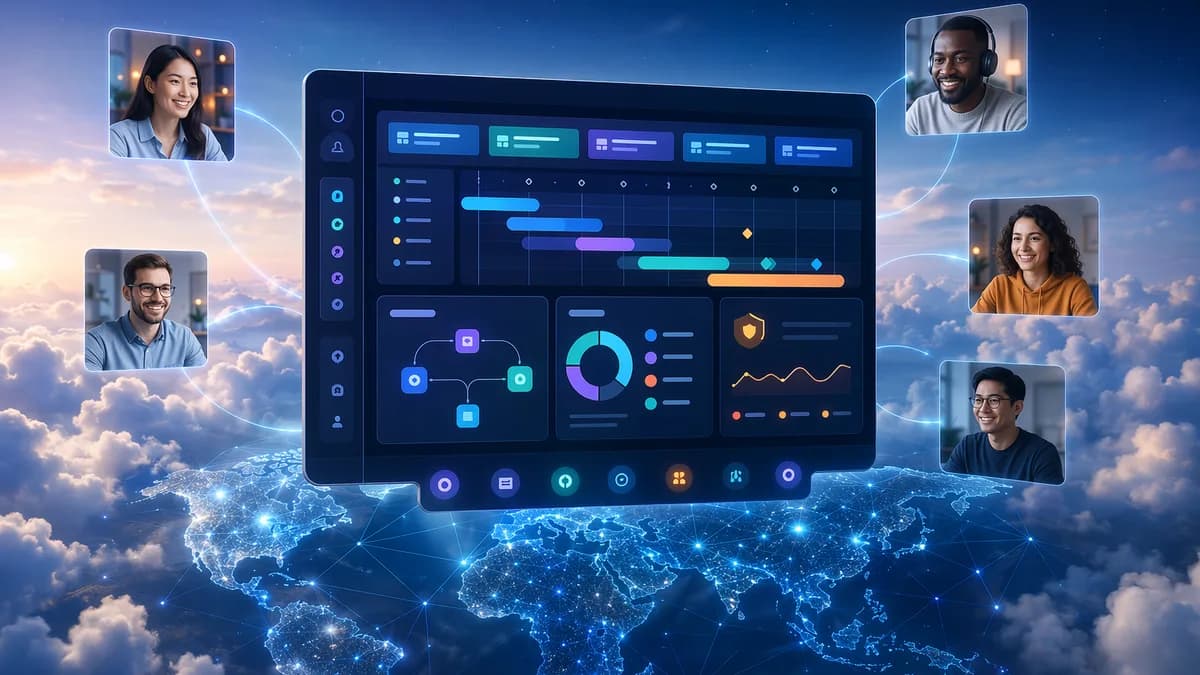
If your distributed team is spending more time chasing updates than moving work forward, AI project management tools can help reduce the coordination drag. The best platforms in this category do more than add a chatbot to a task board: they automate repetitive admin work, summarize conversations, surface risks, optimize workloads, and help remote teams stay aligned across time zones.
This roundup compares AI-powered project management platforms using the provided research data, with a focus on remote-team needs: task automation, workload planning, meeting summaries, asynchronous collaboration, reporting, permissions, and enterprise readiness.
What Makes an AI Project Management Tool Useful for Remote Teams
Remote teams have a different project management problem than co-located teams. The challenge is not just “tracking tasks.” It is keeping context, decisions, dependencies, workload, and stakeholder updates synchronized when people are working in different locations and time zones.
The research consistently points to one core value: AI reduces administrative overhead. Project-management.com summarizes the category well: the best AI project management platforms “autonomously optimize schedules, predict risks using historical data, and instantly retrieve context across your entire workspace.”
For distributed teams, that translates into five practical benefits.
1. Less manual reporting
Remote project managers often spend hours writing status updates, summarizing meetings, and chasing follow-ups. In a project management discussion on Reddit, the original poster described recurring PM work as “writing project updates and status reports,” “summarizing meetings and retros,” tracking risks and dependencies, and chasing follow-ups across distributed teams.
That aligns closely with what AI tools now target: summaries, report generation, automated updates, and action-item extraction.
The biggest remote-team win is not usually a “shiny dashboard.” It is shortening the gap between work being updated and stakeholders being informed.
2. Better async collaboration
Async work breaks down when information lives across comments, docs, chats, meetings, and spreadsheets. Tools such as ClickUp, Notion AI, Smartsheet, and Productive address this by connecting AI to workspaces where tasks, docs, dashboards, and updates already live.
ClickUp Brain, for example, can answer questions across tasks, docs, chats, timelines, and connected apps. Notion AI is positioned in the research as a strong option for AI-assisted content creation, note-taking, and project organization inside a flexible workspace.
3. Automated task creation and follow-through
A recurring remote-work problem is that action items get captured in meeting notes but never turn into trackable work. The strongest AI project management tools help convert discussions, chats, or meeting summaries into tasks with owners, priorities, and deadlines.
ClickUp Brain is described as automatically creating tasks from chats, assigning owners, setting priorities, tracking milestones, and monitoring timelines. Monday.com’s AI assistants can triage requests, assign tasks, guide sprints, and generate insights.
4. Workload and resource visibility
For remote teams, it is harder to see who is overloaded. AI resource management features help identify bottlenecks and rebalance work before deadlines slip.
Smartsheet includes workload heatmaps for capacity planning. Forecast is described as helping agencies and consultancies use predictive AI to analyze historical performance and forecast profitability, risk, and resource needs. Epica by Epicflow is positioned for complex multi-project environments where predictive AI helps detect bottlenecks and optimize resources.
5. Context-aware knowledge retrieval
Remote project managers lose time answering “where is that doc?” or “what is blocking this project?” ClickUp Brain includes AI Q&A and Ambient Answers for contextual workspace questions. Smartsheet highlights context-aware guidance, data analysis, and custom agents. In practitioner discussion, several PMs emphasized knowledge retrieval across docs, email, and chat as a major use case.
Key Features to Compare: Automation, Scheduling, Summaries, and Reporting
Not every platform labeled “AI-powered” solves the same problem. Some tools focus on task execution, others on scheduling, enterprise reporting, documentation, or resource optimization.
The most useful comparison starts with the AI capability, not the brand.
| Feature Category | What to Look For | Tools Mentioned in Source Data |
|---|---|---|
| Task automation | AI-generated tasks, owner assignment, recurring workflow automation, task updates | ClickUp, Monday.com, Productive, Smartsheet, Trello |
| Scheduling | AI calendar optimization, time-blocking, adaptive scheduling, meeting-load reduction | Motion, Clockwise, Reclaim.ai |
| Meeting summaries | Transcripts, notes, action items, summaries from comments or updates | ClickUp, Notion AI, Microsoft 365 Copilot, Gemini in Meet, Fireflies, Zoom AI Companion |
| Reporting | AI-generated project updates, dashboards, risk reporting, stakeholder summaries | Smartsheet, ClickUp, Monday.com, Productive, Notion AI |
| Workload planning | Heatmaps, utilization insights, resource recommendations, bottleneck detection | Smartsheet, Forecast, Epica by Epicflow, Wrike |
| Knowledge retrieval | Natural-language Q&A across tasks, docs, chats, files, integrations | ClickUp, Notion AI, NotebookLM, eesel AI |
| Enterprise governance | Permissions, security controls, compliance options, data residency, AI model training transparency | Smartsheet, ClickUp Enterprise, Monday.com Enterprise |
Automation
Automation is the baseline. Productive supports no-code automations, custom task fields, task dependencies, project estimations, and multiple project views. Trello is described as a lightweight option with Butler automation using rules and triggers.
ClickUp and Monday.com go further into AI-driven execution. ClickUp’s AI agents can create tasks, schedule events, send emails, track progress, and update work across connected tools. Monday.com’s AI assistants can triage tickets, qualify leads, flag project risks, plan sprints, and generate reports.
Scheduling
Scheduling-focused tools are useful for remote teams with too many meetings or fragmented calendars.
Clockwise uses a scheduling engine with natural language processing, flexible meetings, blocked focus time, automated calendar holds, scheduling links, and integrations with Google Calendar, Outlook, and Slack. Motion is positioned as best for individuals and small teams that need AI to automate scheduling and project work. Reclaim.ai helps individuals and small teams organize time and deep work blocks around meetings.
Summaries
Summaries matter because remote teams rely heavily on written context. ClickUp includes AI Notetaker and summaries for meetings, comments, and updates. Notion AI supports writing and summarization inside a flexible workspace.
Practitioners in the Reddit discussion also mentioned Fireflies for meeting notes, Gemini in Meet for meeting notes, and NotebookLM for source-cited status reporting. One caution from that discussion: if people are not calling from separate audio streams, speaker attribution may be unreliable across tools.
Reporting
Reporting is one of the clearest AI use cases for project managers. Smartsheet offers real-time AI-powered data analysis, insights, charts, metrics, asset descriptions, and summaries. Monday.com’s AI assistants can generate reports. ClickUp Brain can generate project updates and summarize board status.
Productive also supports comprehensive project reporting alongside resource allocation, budgeting, task tracking, and billing.
Best AI Project Management Tools for Remote Teams
Below are the strongest options from the source data, organized by best-fit use case for distributed teams.
1. ClickUp — Best for all-in-one AI workspace execution
ClickUp is described as an AI-powered work operating system built around ClickUp Brain. It combines projects, tasks, docs, chat, automation, dashboards, and AI agents in one workspace.
Its most relevant remote-team features include:
- AI Agents: Build custom agents for task creation, event scheduling, email sending, progress tracking, and updates.
- AI Q&A: Ask questions such as “Where is the final logo?” or “What’s blocking this project?” and receive contextual answers.
- AI Project Management: Automatically creates tasks from chats, assigns owners, sets priorities, tracks milestones, and monitors timelines.
- AI Notetaker: Summarizes meetings, comments, and updates into action items.
- Enterprise Search: Searches across tasks, docs, comments, files, and integrations such as Google Drive, Figma, GitHub, and Dropbox.
ClickUp is a strong fit for remote teams that want AI embedded directly into daily project execution rather than used only for writing or summarization.
2. Monday.com — Best for customizable AI workflows and agentic assistants
Monday.com is positioned as an AI-powered work platform for projects, processes, CRM, IT operations, product development, marketing, and leadership planning. It supports multiple views including Kanban, Gantt, Timeline, Grid, and Dashboards.
Its standout feature is its agentic AI assistant layer. The source data describes project assistants, service agents, SDR experts, scrum masters, and competitive analysis tools. These can automate repetitive actions, triage requests, assign tasks, guide sprints, and generate insights.
Monday.com is a strong fit for cross-functional remote teams that need flexible workflows and no-code customization.
3. Smartsheet — Best for enterprise governance and portfolio reporting
Smartsheet is described as an intelligent work management platform for mid-sized and large teams. It uses AI to auto-generate formulas, analyze data, summarize content, and accelerate workflows.
Key features include:
- Predictive workflow optimization: Risk, trend, and bottleneck detection.
- Plain-language formula generation: Generate formulas from natural language.
- AI-powered data analysis: Real-time insights, charts, and metrics.
- Smart Flows and Smart Columns: Multi-step processes, summaries, translations, and data transformation.
- Workload heatmaps: Capacity planning and burnout prevention.
- Security transparency: The source notes that AI is not used to train models.
Smartsheet is most suitable for larger remote organizations with complex reporting, governance, and portfolio visibility needs.
4. Productive — Best all-in-one project management with AI for agencies and service teams
Productive is described as an all-in-one project management platform with AI features. It combines resource allocation and planning, budgeting, task tracking, reporting, and billing.
Productive AI is powered by OpenAI’s machine learning models. Its AI features can modify, translate, simplify, and analyze selected account data to help teams work more efficiently.
For remote teams, Productive is useful when project management must connect to resource planning, budgets, billing, task dependencies, estimates, and reporting in one system.
5. Notion AI — Best for AI documentation, notes, and lightweight project organization
Notion AI is positioned as a strong option for knowledge workers and creative teams that need AI-assisted content creation, note-taking, and project organization.
It is especially relevant for remote teams that rely on documentation-heavy workflows. The source data notes that Notion AI is useful for content generation, writing, summarization, and project automation, while databases are still manually managed.
Notion AI is a better fit for teams that value flexible docs and knowledge management over deep predictive planning.
6. Motion — Best for AI scheduling for individuals and small teams
Motion is listed as best suited for individuals and small teams that need AI to automate scheduling and project work. Smartsheet’s research describes Motion as an AI scheduling/time-blocking tool with personal time management, calendar and task orchestration, and an “AI executive assistant” orientation.
Motion is a strong choice when calendar overload is the primary remote-work pain point.
7. Clockwise — Best for team-wide calendar optimization
Clockwise focuses on calendar optimization rather than full project management. It includes natural-language scheduling, flexible meetings, blocked focus time, automated calendar holds, scheduling links, and integrations with Google Calendar, Outlook, and Slack.
The source data notes that Clockwise is suitable for organizations with heavy internal meeting loads. It also has limitations: it still requires a third-party calendar, is primarily for internal meeting attendees, and flexible meeting optimization runs once a day rather than in real time.
8. Forecast — Best for predictive resource planning and profitability forecasting
Forecast is positioned as useful for agencies and consultancies using predictive AI to analyze historical performance and forecast profitability, risk, and resource needs.
It is a better fit for teams managing multiple projects and resourcing constraints than for teams that only need simple task tracking.
9. Trello — Best lightweight board-based option
Trello is described as best for simple project visualization. Practitioner commentary highlights its simplicity, boards/cards structure, and Butler automation with rules and triggers.
The limitation is depth: the source discussion characterizes Trello’s AI-like capabilities as summaries and suggestions rather than deep predictive planning.
10. Wrike — Best AI-powered risk management
Wrike is listed in the Productive source as best for AI-powered risk management. Project-management.com also identifies Wrike among tools leading AI project management through early risk prediction and workflow automation.
The provided source data does not include Wrike pricing or detailed feature breakdowns, so it is best evaluated further if risk management is your top priority.
Tool-by-Tool Comparison: Strengths, Weaknesses, and Ideal Users
| Tool | Main Strength | Noted Weakness or Limitation | Ideal Remote-Team Use Case |
|---|---|---|---|
| ClickUp | ClickUp Brain, AI agents, workspace Q&A, AI summaries, enterprise search | Can feel complex; AI add-on is extra according to practitioner discussion | Teams wanting one AI-enabled workspace for tasks, docs, chat, dashboards, and automation |
| Monday.com | Agentic AI assistants, no-code customization, multiple project views | Advanced capabilities are tied to paid tiers and AI credits | Cross-functional teams needing customizable workflows |
| Smartsheet | Governance, reporting, predictive optimization, workload heatmaps | Advanced features may have a learning curve; may feel less visually clean for beginners | Enterprises and data-driven teams managing portfolios |
| Productive | All-in-one project management, resource planning, budgeting, reporting, billing | Source data does not provide pricing details | Agencies and service teams needing project delivery plus financial operations |
| Notion AI | Docs, writing, summarization, project organization | Databases are manually managed | Creative and knowledge teams that rely on documentation |
| Motion | AI scheduling and time-blocking | More focused on scheduling than broad PM governance | Individuals and small teams with calendar-heavy work |
| Clockwise | Team calendar optimization, focus time protection | Requires third-party calendar; optimization runs once daily | Meeting-heavy organizations needing focus-time protection |
| Forecast | Predictive resource planning, risk, utilization, profitability forecasting | Works best with enough historical project data, per practitioner discussion | Agencies and consultancies managing multiple projects |
| Trello | Simple boards, cards, and Butler automation | Not deep predictive planning | Small teams with lightweight workflows |
| Wrike | AI-powered risk management | Detailed pricing/features not included in provided data | Teams prioritizing risk visibility |
How AI Helps Reduce Remote Team Coordination Overhead
Remote coordination overhead usually comes from four sources: status gathering, follow-up tracking, meeting documentation, and context switching.
AI project management platforms reduce that overhead when they are embedded into the work system rather than sitting outside it.
Status updates become generated, not rewritten
ClickUp Brain can summarize board status, identify blockers, suggest next actions, and generate or update tasks directly from Kanban boards. Monday.com’s assistants can generate reports and flag project risks. Smartsheet can generate summaries, charts, metrics, and dashboards from project data.
That matters because remote stakeholders often need updates before everyone is online at the same time.
Follow-ups become tasks
AI meeting summaries are useful, but they are more valuable when action items flow into task tracking. ClickUp’s AI project management features directly address this by creating tasks from chats, assigning owners, setting priorities, and monitoring timelines.
Practitioners in the Reddit discussion emphasized the same point: transcripts and auto-actions save time, but the “real magic” is linking action items into task tracking or resource plans.
Knowledge retrieval reduces interruptions
ClickUp’s AI Q&A and enterprise search help answer questions across tasks, docs, comments, files, and integrations. NotebookLM was also highlighted by practitioners for source-cited writing and project context, although it is not a full project management platform in the source data.
For remote teams, this can reduce the number of “quick questions” that interrupt deep work.
Scheduling tools protect focus time
Clockwise, Motion, and Reclaim.ai approach coordination overhead from the calendar side. Clockwise protects focus time, offers calendar health analytics, and balances individual preferences with team requirements.
This is useful when the main bottleneck is too many meetings rather than unclear task ownership.
Pricing and Plan Considerations for Small Teams vs Enterprises
Pricing varies significantly by platform, and the provided source data includes detailed pricing only for Monday.com and ClickUp. For other tools, the safest approach is to evaluate current vendor pricing directly at the time of writing.
Pricing snapshot from source data
| Platform | Free Plan | Paid Plan Details in Source Data | AI Pricing Notes |
|---|---|---|---|
| Monday.com | Free Forever, up to 2 seats | Standard: $12/seat/month billed annually or $14 monthly; Pro: $19/seat/month billed annually or $24 monthly; Enterprise custom | Paid plans include AI credits; more credits can be purchased |
| ClickUp | Free Forever, unlimited tasks and members, 60MB storage | Unlimited: $7/user/month billed yearly or $10 monthly; Business: $12/user/month billed yearly or $19 monthly; Enterprise custom | Brain AI: $18/user/month or $9/user/month billed yearly; Free AI trial available |
| Productive | Not specified in provided data | Not specified in provided data | Productive AI is powered by OpenAI models |
| Smartsheet | Not specified in provided data | Not specified in provided data | AI not used to train models, according to source |
| Notion AI | Not specified in provided data | Not specified in provided data | AI supports writing, summarization, and project automation |
| Motion | Not specified in provided data | Not specified in provided data | Focused on AI scheduling/time-blocking |
| Clockwise | Not specified in provided data | Not specified in provided data | Focused on calendar optimization |
Small-team buying considerations
Small teams should avoid paying for enterprise-grade complexity they will not use. The strongest small-team considerations from the research are:
- ClickUp Free Forever: Includes unlimited tasks and members, collaborative docs, Kanban boards, sprints, calendar view, basic custom fields, in-app video recording, and 24/7 support.
- Monday.com Free Forever: Includes up to 2 seats, 3 boards, 3 Docs, 200+ templates, basic column types, and mobile apps.
- Trello: Useful for lightweight workflows with boards/cards and Butler automation.
- Motion or Reclaim.ai: Better when scheduling and deep work are bigger problems than portfolio reporting.
- Notion AI: Strong when the team’s work revolves around docs, notes, and content.
Enterprise buying considerations
Enterprises should evaluate governance, permissions, integrations, security, reporting, workload visibility, and deployment controls.
The research highlights:
- Smartsheet: Enterprise reporting, security transparency, portfolio features, workload heatmaps, AI not used to train models.
- ClickUp Enterprise: SSO/SCIM, custom roles, advanced permissions, HIPAA compliance, data residency options, dedicated onboarding, and customer success management.
- Monday.com Enterprise: Portfolio and resource management, advanced analytics, multi-level permissions, enterprise-grade security, large dashboards, enterprise automations, AI credits, and dedicated support.
For enterprise teams, “best AI” is not only about model capability. It is also about whether the platform fits IT approval, permissions, security requirements, and data policies.
Security, Permissions, and Data Privacy Factors
Security is especially important for remote teams because work data is distributed across locations, devices, apps, and integrations.
The Reddit practitioner discussion included a strong warning: project managers are limited by whatever tools their IT department approves, and using tools outside corporate guardrails can create data-leakage risk.
Factors to evaluate
- IT approval: Confirm the platform is allowed under your organization’s software and AI policies.
- AI data handling: Smartsheet’s source data states that AI is not used to train models.
- Permissions: ClickUp Enterprise includes custom roles and advanced permissions. Monday.com Enterprise includes multi-level permissions.
- Identity controls: ClickUp Enterprise includes SSO/SCIM. Monday.com Enterprise includes enterprise-grade security.
- Compliance needs: ClickUp Enterprise includes HIPAA compliance and data residency options.
- Source citation: Practitioners highlighted NotebookLM as useful for source-cited writing, particularly for status reports where accuracy matters.
- Integrations: More integrations can improve context, but they also expand the data surface area that security teams must review.
Security comparison from available data
| Platform | Security / Governance Details in Source Data |
|---|---|
| Smartsheet | Comprehensive security reviews and transparency; AI not used to train models |
| ClickUp Enterprise | SSO/SCIM, custom roles, advanced permissions, HIPAA compliance, data residency options |
| Monday.com Enterprise | Multi-level permissions, enterprise-grade security, dedicated support |
| NotebookLM | Practitioners value source citation, though it is not described as a full PM platform |
| Other tools | Provided data does not include detailed security specifics |
How to Choose the Right Platform for Your Workflow
The right choice depends less on the broad category and more on where your coordination overhead actually lives.
Use the following decision path.
Step 1: Identify your biggest remote-work bottleneck
| If Your Main Problem Is… | Prioritize Tools Like… |
|---|---|
| Too many status updates and manual reports | ClickUp, Monday.com, Smartsheet, Productive |
| Too many meetings and calendar conflicts | Clockwise, Motion, Reclaim.ai |
| Poor documentation and scattered notes | Notion AI, ClickUp, NotebookLM |
| Resource overload and utilization issues | Smartsheet, Forecast, Epica by Epicflow |
| Simple visual task tracking | Trello |
| Enterprise governance and portfolio reporting | Smartsheet, Monday.com Enterprise, ClickUp Enterprise |
| Budgeting, billing, and delivery operations | Productive |
Step 2: Decide whether you need a full PM platform or an AI layer
Some tools in the research are full project management systems. Others are AI-forward tools with PM-adjacent capabilities.
| Category | Tools |
|---|---|
| Full AI project management platforms | ClickUp, Monday.com, Smartsheet, Productive, Wrike, Forecast |
| Documentation and knowledge tools | Notion AI, NotebookLM |
| Scheduling-focused tools | Motion, Clockwise, Reclaim.ai |
| Lightweight task visualization | Trello |
| Automation layer | Zapier, Gobii.ai mentioned in practitioner discussion |
Step 3: Test with one workflow first
Do not roll out AI across every process at once. Start with one high-friction workflow:
- Status reporting: Generate weekly updates from existing task data.
- Meeting follow-up: Convert meeting notes into tasks with owners.
- Risk review: Use AI to flag delays, blockers, and workload risks.
- Knowledge retrieval: Let team members ask questions across docs and tasks.
- Calendar optimization: Protect focus time and reduce meeting collisions.
Step 4: Check adoption difficulty
Some tools are easier to adopt than others. Trello is lightweight. Notion AI is flexible for documentation-heavy teams. Smartsheet and ClickUp can deliver more advanced capabilities, but they may require more setup and governance.
Practitioner commentary also notes that powerful all-in-one systems can feel complex. That does not make them poor choices, but it does mean implementation planning matters.
Final Recommendations by Team Type
Here is the clearest fit based on the provided research.
| Team Type | Recommended Tools to Evaluate | Why |
|---|---|---|
| Small remote teams | ClickUp, Trello, Motion, Notion AI | Low-friction task tracking, docs, scheduling, and automation options |
| Cross-functional teams | Monday.com, ClickUp, Asana | Flexible workflows, collaboration, AI summaries, task automation |
| Enterprise teams | Smartsheet, Monday.com Enterprise, ClickUp Enterprise | Governance, permissions, reporting, portfolio visibility |
| Agencies and consultancies | Productive, Forecast, Smartsheet | Resource planning, budgeting, profitability forecasting, reporting |
| Documentation-heavy teams | Notion AI, ClickUp, NotebookLM | Summaries, writing, knowledge organization, source-based context |
| Meeting-heavy teams | Clockwise, Motion, Reclaim.ai | Calendar optimization, time-blocking, focus protection |
| Teams focused on risk management | Wrike, Smartsheet, Forecast | Risk detection, predictive insights, workload visibility |
Bottom Line
The best AI project management tools for remote teams are the ones that reduce coordination overhead in the workflow you already use. If your team needs an all-in-one AI execution layer, ClickUp and Monday.com stand out in the source data. If you need enterprise governance, portfolio reporting, and workload visibility, Smartsheet is a strong fit.
For agencies and service teams, Productive and Forecast are worth evaluating because the research connects them to resource planning, budgeting, billing, risk, and forecasting. For documentation-heavy teams, Notion AI is better aligned with writing, summarization, and project organization. For calendar-heavy remote teams, Clockwise, Motion, and Reclaim.ai address the meeting and focus-time problem directly.
The practical takeaway: choose based on your bottleneck, not the longest feature list.
FAQ
What are AI project management tools?
AI project management tools are platforms that use artificial intelligence to automate tasks, summarize updates, predict risks, optimize schedules, analyze workloads, and generate reports. The strongest tools combine traditional project management features with AI capabilities such as natural-language commands, predictive insights, and automated communication.
Which AI project management tool is best for remote teams?
Based on the provided research, ClickUp is a strong all-in-one option for remote teams because ClickUp Brain connects tasks, docs, chat, dashboards, AI agents, summaries, and enterprise search. Monday.com is strong for customizable workflows, while Smartsheet is better suited to enterprises that need governance and portfolio reporting.
Which tools are best for meeting summaries and action items?
The source data identifies ClickUp as offering AI Notetaker and summaries for meetings, comments, and updates. Notion AI is useful for note-taking, writing, and summarization. Practitioner discussion also mentions Fireflies, Gemini in Meet, Zoom AI Companion, Microsoft 365 Copilot, and NotebookLM for meeting notes or project context, though not all are full project management platforms.
What is the best AI project management tool for small teams?
Small teams should evaluate ClickUp, Trello, Motion, and Notion AI depending on their needs. ClickUp offers a Free Forever plan with unlimited tasks and members, while Trello is useful for lightweight boards and Butler automation. Motion is more focused on AI scheduling, and Notion AI is better for documentation-heavy teams.
What should enterprises look for in AI project management software?
Enterprises should prioritize permissions, security, governance, reporting, workload visibility, and data controls. The source data highlights Smartsheet for security transparency and AI not being used to train models, ClickUp Enterprise for SSO/SCIM, custom roles, HIPAA compliance, and data residency options, and Monday.com Enterprise for multi-level permissions and enterprise-grade security.
Are AI project management tools safe to use with company data?
They can be, but only if they meet your organization’s IT and data policies. Practitioner discussion strongly warns that project managers should use only tools approved by their IT department. Before adopting any AI platform, review data handling, permissions, model-training policies, compliance features, integrations, and source-citation needs.