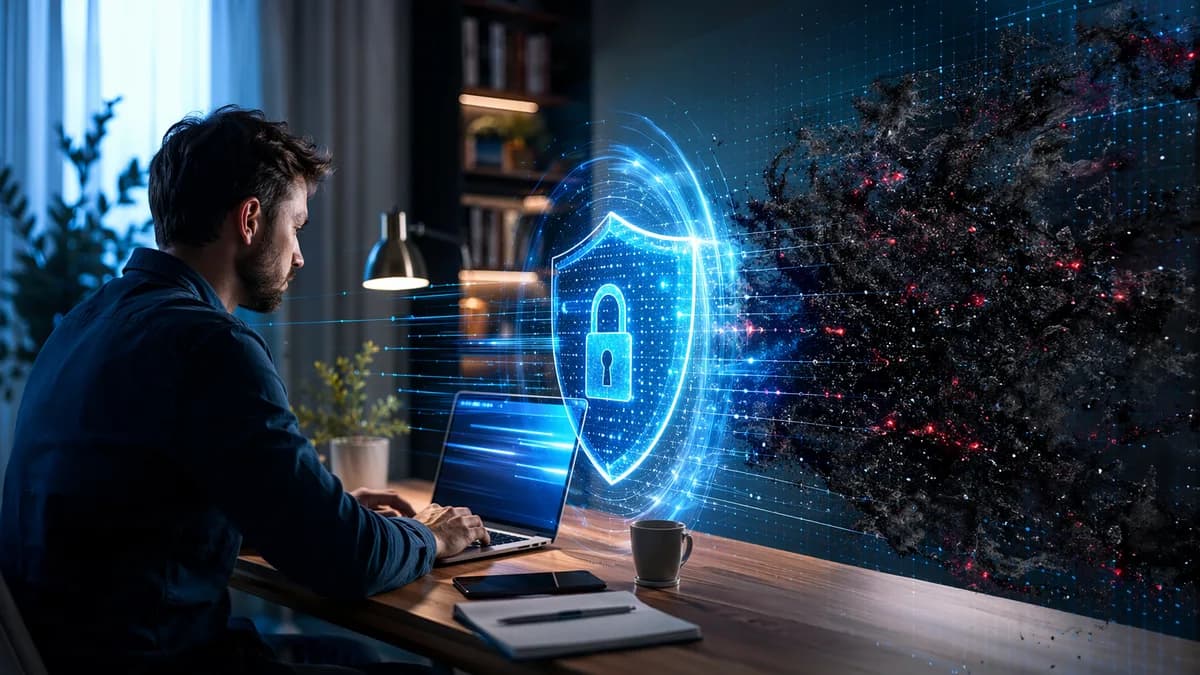
Remote work has changed the security equation: a laptop used from a home office, coworking space, or personal Wi-Fi network is no longer protected by the same office perimeter controls. The best antivirus for remote workers should do more than scan for malware—it should help block phishing, ransomware, suspicious web activity, and credential theft without slowing down daily work.
XOOMAR Intelligence
Analyst Take
Below is a buyer-focused roundup for freelancers, remote employees, and small distributed teams. It is grounded in the provided research data from Comparitech, BO2K, MicroSec, Virteva, Microsoft, and Sophos-related source material, with no invented pricing or unsupported benchmark claims.
Why Remote Workers Need More Than Basic Malware Scanning
Remote workers face a different threat model than traditional office users. According to Comparitech, remote work brings flexibility and work-life balance, but it also introduces security challenges such as unsecured networks and compromised devices, especially in less secure home office setups.
BO2K highlights the same core issue: home offices and flexible work locations often lack the “robust digital defenses” of enterprise networks. That means a personal laptop on a home router, a tablet on public Wi-Fi, or a family-shared desktop may become the entry point for work-related compromise.
Remote work moves the security perimeter from the office network to the device itself. That makes endpoint and antivirus protection a frontline defense, not an optional add-on.
The remote work attack surface is broader
Virteva explains that traditional security models were built around centralized office networks. In those environments, firewalls, intrusion detection, and network monitoring protected users inside the corporate perimeter.
Remote work changes that. Endpoints now connect directly to the internet from:
- Home networks: Often with inconsistent router security or default configurations.
- Public Wi-Fi: Coffee shops, airports, and coworking spaces may provide little or no meaningful network protection.
- Mobile networks: Smartphones and tablets may access corporate tools outside IT-controlled environments.
- Personal devices: Bring-your-own-device setups complicate control and monitoring.
MicroSec’s source data states that remote workers have faced a 238% increase in cyberattacks since the shift to home offices began, and that 58% of Americans now work from home at least part-time. The same source lists common vulnerabilities: unsecured home Wi-Fi, personal devices used for work, increased phishing and social engineering, and difficulty maintaining software updates across distributed systems.
Antivirus must support layered security
Basic malware scanning is not enough for many remote work setups. BO2K recommends multi-layered security, including:
- Real-time protection: To stop threats before they cause damage.
- Firewalls: Built-in Windows and macOS firewalls should remain active.
- VPNs: Especially when connecting from public Wi-Fi or coworking spaces.
- Password managers: For unique, complex passwords across work accounts.
- Regular scans: Full system scans at least weekly, in addition to real-time protection.
- Backups: Local and cloud backups to support recovery after ransomware or major infection.
For small businesses and distributed teams, MicroSec emphasizes managed antivirus capabilities such as centralized monitoring, automatic updates, real-time detection, and consistent protection across devices.
Key Antivirus Features for Home Office Security
When evaluating antivirus for remote workers, the best choice depends on whether you are protecting a single freelancer laptop, personal devices used for work, or a distributed team. The source data consistently points to several must-have features.
| Feature | Why it matters for remote work | Source-backed detail |
|---|---|---|
| Real-time protection | Blocks malware before it damages devices | Comparitech and BO2K both identify real-time protection as essential |
| Ransomware protection | Helps stop file encryption and destructive attacks | BO2K recommends advanced detection including ransomware; Virteva describes behavior-based blocking |
| Phishing and web protection | Defends against malicious links and social engineering | BO2K identifies phishing attacks targeting remote users as a major risk |
| VPN | Encrypts traffic on public Wi-Fi and less secure networks | Comparitech and BO2K both list VPNs as valuable for remote workers |
| Password manager | Reduces credential reuse and weak passwords | Comparitech lists password managers as included in several suites; BO2K recommends password hygiene |
| Automatic updates | Keeps protection current against evolving threats | BO2K and MicroSec both emphasize automatic updates |
| Multi-device coverage | Protects laptops, phones, tablets, and personal/work devices | Comparitech and BO2K recommend coverage across all devices used for work |
| Centralized management | Helps IT teams manage distributed endpoints | MicroSec and Virteva identify centralized visibility and control as key for teams |
| Low performance impact | Avoids disruption on laptops and older PCs | Comparitech includes lightweight performance in its criteria; MicroSec notes minimal impact as important |
Real-time protection is the baseline
Comparitech’s criteria for remote-work antivirus include real-time protection to stop threats before they can cause damage. BO2K also names real-time scanning as one of the most important antivirus capabilities for remote workers.
This matters because remote employees often rely on email, messaging apps, cloud storage, VPNs, and browser-based SaaS tools throughout the day. Waiting for a scheduled scan after a malicious file has already executed is not sufficient.
Updates and scanning still matter
BO2K recommends enabling automatic updates for antivirus software, operating systems, and applications whenever possible. It also recommends running a full system scan at least once a week, even when real-time protection is active.
That advice is particularly relevant for remote workers because IT teams may not have physical access to devices. Virteva notes that remote employees might defer critical updates, disable security tools that affect performance, or introduce unauthorized applications.
For teams, management features become essential
For solo users, a consumer antivirus suite may be enough. For teams, MicroSec’s source data points to managed antivirus features such as:
- Centralized management and monitoring
- Automatic updates and patch management
- Real-time threat detection and response
- Cloud-based protection for off-network devices
- Integration with other security tools
MicroSec reports potential managed antivirus benefits including up to 30% IT time savings, 98% of threats caught before damage occurs, and 20–40% lower cost than traditional solutions. These figures come from the provided MicroSec source and should be evaluated in the context of each organization’s environment.
Best Antivirus Software for Remote Workers Compared
The following roundup is based on Comparitech’s remote-worker antivirus list and the managed endpoint solutions mentioned in the source data. Pricing is not included because the provided research data does not supply current plan prices.
Consumer and small-office antivirus options
| Antivirus product | Best fit from source data | Confirmed features and notes |
|---|---|---|
| Norton 360 | Best overall antivirus for remote workers | Four plan options; password manager on every plan; cloud backup from 2 GB to 250 GB depending on tier; VPN on higher tiers; dark web monitoring, parental controls, identity theft protection |
| Surfshark Antivirus | Best value antivirus for remote workers | Described as beginner-friendly and lightweight; includes one of the best VPNs according to Comparitech; 24/7 support |
| Intego Antivirus | Best Mac-focused option | Specializes in Mac antivirus; real-time protection; two-way firewall; balances performance and protection |
| TotalAV | Feature-rich protection for multiple devices | Real-time protection; VPN; password manager; option to secure multiple devices |
| McAfee Total Protection | Personal and work device coverage | Can protect one or all personal and work devices; recognized by independent testing labs; VPN available on all plans |
| VIPRE Antivirus | Strong all-rounder with support | Tested well for protection and performance; 24/7 support; Ultimate Security Bundle includes valuable extras |
| Bitdefender Internet Security | Multi-device protection and breach monitoring | Data breach protection and password manager on all individual plans; higher tiers include unlimited-data VPN; protects five devices at once |
1. Norton 360
Comparitech names Norton 360 the best antivirus for remote workers. Its main strength is plan variety: users can choose from four plans that scale by protection level and extras.
Every Norton 360 plan includes a password manager and cloud backup. The backup allocation starts at 2 GB with the Plus plan and goes up to 250 GB with Select Plus, according to the source data. Norton can cover one device or as many as 10 remote work devices, depending on the plan.
Comparitech also notes that Norton performed strongly in its in-house testing and received consistently perfect protection scores from AV-Test. Higher tiers add features such as a VPN, dark web monitoring, parental controls, and identity theft protection.
Best for: Remote workers who want a broad all-in-one suite with backup, password management, and plan flexibility.
2. Surfshark Antivirus
Comparitech identifies Surfshark Antivirus as the best value antivirus for remote workers. The source describes it as beginner-friendly, lightweight, and backed by 24/7 support.
Its biggest remote-work advantage is bundling antivirus protection with a strong VPN offering. For workers who often connect from public Wi-Fi or coworking locations, the VPN component is especially relevant because BO2K recommends VPNs to encrypt internet connections outside trusted networks.
Best for: Freelancers and remote employees who want lightweight protection plus VPN coverage.
3. Intego Antivirus
Intego Antivirus is positioned in the source data as a Mac-focused antivirus solution. Comparitech notes that it specializes in antivirus protection for Mac, includes real-time protection, and provides a two-way firewall.
It is also described as balancing performance and protection, with quality customer support. That makes it relevant for remote professionals using macOS who want security controls beyond built-in protections.
Best for: Mac-based remote workers who want antivirus and firewall features designed around macOS.
4. TotalAV
TotalAV offers real-time protection and multiple extras useful for remote workers, including a VPN and password manager, according to Comparitech. The source also notes that it provides an option to secure multiple devices.
That combination is useful for workers who split time between a laptop, mobile device, and possibly a personal desktop used occasionally for work.
Best for: Remote users who want antivirus, VPN, password management, and multi-device coverage in one suite.
5. McAfee Total Protection
McAfee Total Protection is described as suitable for protecting one or all of your personal and work devices. Comparitech also notes that it is recognized for protection by independent testing labs and that a VPN is available on all plans.
This makes McAfee relevant for remote workers with mixed personal and professional devices, especially where separating work and personal hardware is not always practical.
Best for: Users who need broad personal and work device coverage with VPN availability across plans.
6. VIPRE Antivirus
VIPRE Antivirus is described by Comparitech as a strong all-rounder that tested well for protection and performance. It also provides 24/7 support.
The source specifically mentions VIPRE’s Ultimate Security Bundle as including many valuable extras, though the provided data does not list every included feature. Because performance is a concern for many remote workers, VIPRE’s protection-and-performance balance is worth noting.
Best for: Remote workers who value support and balanced protection/performance.
7. Bitdefender Internet Security
Bitdefender Internet Security includes data breach protection and a password manager with all individual plans, according to Comparitech. Higher tiers include an unlimited-data VPN, and the product can protect five devices at once.
This is useful for remote workers who want breach monitoring and password security, especially if they manage multiple accounts across client, employer, and personal services.
Best for: Users who want breach protection, password management, and up to five-device coverage.
Performance Impact on Laptops and Older PCs
Remote workers often rely on laptops that must handle video calls, browser tabs, cloud apps, messaging platforms, and productivity software all day. Antivirus software that causes noticeable slowdowns can become a real productivity issue.
The provided source data does not include lab performance benchmarks, CPU usage percentages, or battery drain measurements for these products. However, several sources do address performance qualitatively.
| Product or category | Performance-related source data |
|---|---|
| Surfshark Antivirus | Described by Comparitech as lightweight |
| Intego Antivirus | Described as balancing performance and protection |
| VIPRE Antivirus | Described as testing well in terms of protection and performance |
| Managed antivirus solutions | MicroSec says the best solutions should provide minimal impact on system performance |
| Endpoint protection generally | Virteva warns that users may disable tools that affect performance |
If antivirus software slows down work enough that users disable it, security fails. For remote workers, lightweight protection is a practical security requirement.
How to evaluate performance without unsupported benchmarks
Because the source data does not provide exact benchmark numbers, buyers should focus on evidence-backed practical criteria:
- Lightweight design: Prioritize products described as lightweight or performance-balanced, such as Surfshark, Intego, or VIPRE in the provided data.
- Real-time protection behavior: Ensure protection remains active during normal work tasks.
- Support access: Products with 24/7 support may help resolve performance conflicts without disabling protection.
- Whitelisting options: BO2K recommends whitelisting trusted work applications rather than turning antivirus off when a legitimate app is flagged.
- Managed oversight: For teams, centralized monitoring can help identify devices where protection is disabled or outdated.
For older PCs, avoid assuming that more features automatically mean better protection. A heavily bundled suite may be useful, but if it disrupts calls, file syncing, or browser-based work, users may be tempted to bypass it.
Ransomware, Phishing, and Web Protection Features
For remote workers, malware is only one part of the threat landscape. BO2K specifically highlights phishing emails tailored to corporate users, malware exploiting VPN connections, spyware, ransomware, and zero-day exploits.
Virteva adds that modern endpoint protection should go beyond traditional signature matching. It describes advanced threat prevention using behavioral analysis, machine learning models, and exploit prevention to identify suspicious activity even when a specific threat is unknown.
Ransomware protection
Ransomware is especially dangerous for remote workers because files may be stored locally, synced to cloud drives, or shared with clients and coworkers. Virteva describes endpoint protection systems that can recognize abnormal behavior—such as ransomware attempting to encrypt files—and block it.
BO2K also recommends regular backups, preferably both local and cloud-based, because even strong antivirus software is not foolproof.
Among the consumer antivirus products in the source list, BO2K recommends choosing solutions with advanced detection that includes ransomware. Comparitech’s product list confirms real-time protection across several suites, and Norton 360 specifically includes cloud backup, which can support recovery depending on the incident and plan.
Phishing and social engineering
BO2K identifies increased phishing and social engineering attacks as common remote-work vulnerabilities. Remote workers are attractive targets because they may act quickly on urgent emails, work in isolation, or lack immediate access to IT verification.
Useful defenses include:
- Password managers: Reduce reuse of passwords across work and personal accounts.
- VPNs: Encrypt traffic, especially on public Wi-Fi, though BO2K notes that a VPN does not replace antivirus.
- Security awareness: MicroSec stresses that training employees remains crucial because even the best antivirus cannot block every threat.
- Alert response: BO2K warns users not to ignore antivirus pop-ups because they may be early signs of infection or vulnerability.
Web and endpoint monitoring
Virteva explains that endpoint protection solutions continuously monitor device activity, network connections, file operations, and application behavior. When threats are detected, automated response capabilities may quarantine files, terminate suspicious processes, or block connections to known malicious servers.
For larger teams, Virteva also describes remote isolation capabilities that allow security teams to disconnect compromised devices from networks while maintaining management access for remediation.
VPN, Password Manager, and Identity Protection Bundles
Many remote workers want an all-in-one security suite rather than separate tools for antivirus, VPN, passwords, and identity monitoring. The source data confirms several bundled options.
| Product | VPN | Password manager | Identity or breach-related features | Other confirmed extras |
|---|---|---|---|---|
| Norton 360 | Included on higher tiers per Comparitech | Included with every subscription tier | Dark web monitoring; identity theft protection on some tiers | Cloud backup from 2 GB to 250 GB; parental controls |
| Surfshark Antivirus | Includes one of the best VPNs according to Comparitech | Not specified in provided data | Not specified in provided data | Lightweight; beginner-friendly; 24/7 support |
| TotalAV | Included | Included | Not specified in provided data | Real-time protection; multiple-device option |
| McAfee Total Protection | VPN available on all plans | Not specified in provided data | Not specified in provided data | Protect one or all personal and work devices |
| Bitdefender Internet Security | Higher tiers include unlimited-data VPN | Included with all individual plans | Data breach protection on all individual plans | Protects five devices |
| VIPRE Antivirus | Extras available in Ultimate Security Bundle, but specific VPN/password details not listed in provided data | Not specified in provided data | Not specified in provided data | 24/7 support; protection and performance strength |
VPNs are useful—but not a replacement for antivirus
BO2K is explicit: a VPN encrypts your connection but does not detect or remove malware. That matters for remote workers who use public Wi-Fi or coworking spaces.
A VPN can help protect traffic in transit, but it will not stop a malicious attachment from executing, a phishing page from stealing credentials, or ransomware from encrypting files. For that, antivirus and endpoint protection remain necessary.
Password managers reduce credential risk
Comparitech notes that Norton 360 includes a password manager with every subscription tier, and Bitdefender Internet Security includes a password manager with all individual plans. TotalAV also includes a password manager.
BO2K recommends using unique, complex passwords and a password manager for every account. This is especially important for remote workers who may manage logins for email, cloud storage, project management platforms, VPN access, client portals, and financial tools.
Identity and dark web monitoring
Norton 360 includes dark web monitoring and identity theft protection in higher tiers, according to Comparitech. Bitdefender Internet Security includes data breach protection with all individual plans.
These features do not replace safe login practices, but they can help alert users when account information may have been exposed.
Antivirus for Personal Devices Used for Work
Bring-your-own-device work is common, but it creates a security gray area. BO2K states that many remote workers use personal devices for work and recommends using an employer-provided business antivirus license if one is available.
MicroSec confirms that managed antivirus solutions can protect personal devices used for work in many BYOD environments. The IT team can install and manage antivirus on those personal devices so they meet company security standards when accessing work resources.
Personal vs. business antivirus licenses
| Scenario | Recommended approach from source data |
|---|---|
| Employer provides business antivirus | Use it; BO2K notes it may include administrative controls and remote monitoring unavailable to personal solutions |
| Freelancer uses own devices | Keep antivirus active, updated, and do not let it lapse |
| Small team with BYOD | Consider managed antivirus with centralized monitoring and policy enforcement |
| Shared family device used for work | BO2K recommends isolating work and personal use where possible, including separate user accounts |
| Mobile devices used for work | BO2K states mobile devices can be targeted by malware and phishing and should be protected and updated |
Separate work and personal use where possible
BO2K recommends using separate devices for work and personal activities whenever possible. If sharing is unavoidable, create separate user accounts on the operating system to reduce cross-contamination.
Virteva also notes that personal devices complicate security management because company-owned devices can be more strictly controlled than personally owned devices. This is where endpoint protection, conditional access, and centralized visibility become more important.
For teams, consider endpoint protection—not just antivirus
Virteva describes endpoint protection as security that travels with employees wherever they work. Modern endpoint protection can include:
- Device-level threat prevention
- Behavioral analysis
- Exploit prevention
- Continuous monitoring
- Automated response
- Remote isolation
- Device posture checks before resource access
- Integration with identity and access management
Microsoft’s remote work security source also frames the issue around protecting people, data, and devices in remote and hybrid environments, with Zero Trust and endpoint protection playing important roles.
What Remote Teams Should Avoid
Choosing antivirus for remote workers is not only about picking the right product. It is also about avoiding common mistakes that weaken protection.
Avoid free-only protection when work data is involved
BO2K warns that free antivirus software may lack crucial features such as real-time scanning or comprehensive ransomware protection. The source recommends investing in a premium solution where possible.
This is particularly important for freelancers and remote employees handling client files, business credentials, financial data, or internal company documents.
Avoid disabling protection for convenience
BO2K notes that antivirus software sometimes flags legitimate work applications. The recommended response is not to disable protection completely, but to whitelist trusted programs and consult IT support when appropriate.
Disabling antivirus may solve a short-term annoyance, but it creates a larger security exposure.
Avoid ignoring alerts
Antivirus alerts are easy to dismiss during a busy workday. BO2K warns that pop-ups may be early indicators of infection or vulnerability and should be reviewed and acted on.
If malware is detected on a work device, BO2K recommends following removal instructions, disconnecting from the internet, and informing company IT support immediately.
Avoid unmanaged remote endpoints in teams
MicroSec and Virteva both emphasize the challenge of distributed devices. Without centralized visibility, IT teams may not know which endpoints are outdated, unprotected, compromised, or noncompliant.
MicroSec lists managed antivirus benefits such as:
- Reduced IT workload
- Consistent protection across devices
- Faster threat response
- Better compliance with data protection regulations
For remote teams, unmanaged consumer antivirus on each device may be insufficient if the business needs centralized policy enforcement and monitoring.
Avoid assuming VPN equals security
BO2K is clear that VPNs do not replace antivirus software. VPNs encrypt internet traffic but do not detect malware, remove infections, or stop every phishing attempt.
Remote workers should use VPNs as one layer in a broader security stack.
Best Picks by Use Case and Budget
The source data does not provide current pricing, so budget recommendations here are based only on value positioning, feature coverage, device coverage, and use case—not invented prices.
| Use case | Best fit from source data | Why |
|---|---|---|
| Best overall for remote workers | Norton 360 | Comparitech names it best overall; includes password manager, cloud backup, strong protection scores, and scalable plans |
| Best value option | Surfshark Antivirus | Comparitech labels it best value; lightweight, beginner-friendly, includes VPN, 24/7 support |
| Best for Mac remote workers | Intego Antivirus | Mac-focused, real-time protection, two-way firewall |
| Best for multi-device personal/work coverage | McAfee Total Protection | Can protect one or all personal and work devices; VPN available on all plans |
| Best for VPN + password manager bundle | TotalAV | Real-time protection with VPN and password manager |
| Best for breach monitoring and five devices | Bitdefender Internet Security | Data breach protection, password manager, five-device coverage; higher tiers include unlimited-data VPN |
| Best all-rounder with support | VIPRE Antivirus | Strong protection/performance testing per source; 24/7 support |
| Best for managed remote teams | Bitdefender GravityZone, Symantec Endpoint Protection, Sophos Intercept X, Crowdstrike Falcon, or MicroSec managed antivirus | MicroSec lists these as managed antivirus options for remote workers |
Best overall: Norton 360
For individual remote workers who want broad coverage, Norton 360 has the most complete source-backed feature set in this roundup. It includes password management on every tier, cloud backup, device coverage up to 10 devices depending on plan, and higher-tier extras such as VPN, dark web monitoring, parental controls, and identity theft protection.
Best value: Surfshark Antivirus
Surfshark Antivirus is the source-backed value pick. Comparitech describes it as lightweight, beginner-friendly, and supported by 24/7 assistance. The VPN bundle is particularly useful for remote workers who frequently connect outside trusted home networks.
Best Mac option: Intego Antivirus
Intego is the clearest choice for Mac users in the provided data. Its Mac specialization, real-time protection, and two-way firewall make it a focused option for remote professionals using macOS.
Best for small remote teams: managed antivirus
For small businesses or distributed teams, a managed endpoint solution may be more appropriate than individual consumer licenses. MicroSec lists Bitdefender GravityZone, Symantec Endpoint Protection, Sophos Intercept X, Crowdstrike Falcon, and MicroSec’s managed antivirus offering as options suitable for remote teams.
Managed antivirus is especially relevant when the organization needs:
- Centralized policy management
- Automatic updates
- Remote monitoring
- Threat response workflows
- Support for BYOD
- Visibility across off-network devices
Virteva’s endpoint protection guidance reinforces this: remote work requires security directly on the endpoint, continuous monitoring, rapid response, and integration with identity and access controls.
FAQ
What is the best antivirus for remote workers?
Based on the provided Comparitech data, Norton 360 is named the best overall antivirus for remote workers. It includes a password manager on every plan, cloud backup from 2 GB to 250 GB depending on tier, strong protection results, and options to cover up to 10 devices.
Do remote workers need antivirus if they use a VPN?
Yes. BO2K states that a VPN encrypts your connection but does not detect or remove malware. Remote workers should use VPNs alongside antivirus, not as a replacement.
How often should remote workers run antivirus scans?
BO2K recommends running a full system scan at least once a week, in addition to keeping real-time protection active.
Should freelancers use paid antivirus or free antivirus?
BO2K warns that free antivirus software may lack important features such as real-time scanning or comprehensive ransomware protection. Where possible, remote workers handling work data should use a premium solution with real-time protection and automatic updates.
Can managed antivirus protect personal devices used for work?
Yes. MicroSec states that many managed antivirus solutions can protect personal devices used for work, commonly called BYOD. IT teams can install and manage antivirus on those devices so they meet company security standards.
What should I do if antivirus detects malware on my work device?
BO2K recommends following the antivirus removal instructions, disconnecting from the internet, and informing your company’s IT support team immediately when appropriate.
Bottom Line
The best antivirus for remote workers is not just the one with malware scanning. It should provide real-time protection, phishing and ransomware defenses, automatic updates, VPN or password manager options, and enough performance efficiency that users keep it enabled.
For individual remote workers, Norton 360 offers the broadest source-backed feature set, while Surfshark Antivirus is the source-backed value pick and Intego Antivirus is the clearest Mac-focused option. For small distributed teams, managed endpoint protection—such as Bitdefender GravityZone, Symantec Endpoint Protection, Sophos Intercept X, Crowdstrike Falcon, or a managed antivirus provider—may be the better fit because it adds centralized monitoring, automatic updates, and remote response capabilities.
Ultimately, remote work security is layered. Antivirus is essential, but the strongest setup combines real-time protection, weekly scans, automatic updates, VPN use on untrusted networks, password hygiene, backups, and clear response steps when alerts appear.
Sources & References
Content sourced and verified on June 17, 2026
- 1Best Antivirus for Remote Workers to Secure Your Home Office
https://www.comparitech.com/antivirus/best-antivirus-remote-workers/
- 2Antivirus Tips for Remote Workers – BO2K
https://bo2k.com/antivirus-tips-for-remote-workers/
- 3Managed Antivirus Solutions for Remote Teams | MicroSec®
https://www.microcybersec.com/post/examples-of-managed-antivirus-solutions-for-remote-workers
- 4Endpoint Protection Solutions for Remote Workforces
https://virteva.com/blog/how-endpoint-protection-solutions-safeguard-remote-workforce/
- 5Remote Work Security: Zero Trust & Endpoint Protection | Microsoft 365
https://www.microsoft.com/en-us/microsoft-365/business-insights-ideas/resources/optimizing-remote-work-security
- 6Remote Work Security: Sophos for Your Remote Workforce
https://www.sophos.com/en-us/solutions/use-cases/remote-working

Written by
XOOMAR Insights Team
Research and Editorial Desk
The XOOMAR Insights Team pairs automated research with human editorial judgment. We track hundreds of sources across technology, fintech, trading, SaaS, and cybersecurity, cross-check the facts, and explain what happened, why it matters, and what to watch next. We do not just rewrite headlines. Every article is fact-checked and scored for reliability before it goes live, and we link back to the original sources so you can verify anything yourself.