In the competitive e-commerce landscape of 2026, having a direct line of communication to your customers is no longer optional; it's essential for growth and retention. This is why learning how to integrate email marketing with Shopify is a foundational skill for any store owner. When done correctly, automated email flows can deliver an unparalleled return on investment, turning casual browsers into loyal repeat customers. This guide will walk you through the entire process, from choosing the right platform to executing advanced automated sequences, providing a tutorial-based deep dive grounded in the latest research and data.
The Business Case: Why Integration Drives ROI
The primary reason to integrate email marketing with Shopify is financial: it is consistently one of the single highest-ROI channels available. Research indicates that for every $1 spent on email marketing in e-commerce, brands can expect a return between $36 and $42, depending on their industry and optimization level. This surpasses the performance of paid social media, influencer marketing, and even SEO on a per-dollar basis.
Beyond the raw numbers, integrating an email platform with your store gives you ownership of a crucial marketing asset. While social media followers reside on platforms like Meta or TikTok, subject to algorithm changes that can diminish your reach, your email list is a portable asset that belongs to your business. For a well-implemented Shopify store, email marketing can drive a substantial 25-40% of total revenue, with that contribution growing over time as your list matures.
“Email marketing is the single highest-ROI channel available to e-commerce store owners. Study after study confirms it: email generates between $36 and $42 for every $1 spent.”, An e-commerce marketing researcher
The power lies in automation. By setting up automated email flows triggered by customer behavior, like abandoning a cart or making a purchase, you create a system that generates revenue around the clock without constant manual effort, addressing the common pitfall of sporadic newsletter sending that leaves significant revenue on the table.
Choosing Your Platform: Klaviyo vs Omnisend vs Mailchimp for E-commerce
Selecting the right platform is critical, as it determines the depth of your automation, segmentation, and analytics. While the Shopify App Store offers dozens of options, research highlights several leaders based on their native integration and e-commerce focus. Your choice should prioritize seamless data sync, pre-built automation templates for online stores, clear revenue reporting, and scalable pricing.
| Platform | Best For | Key Strengths (per sources) | Considerations |
|---|---|---|---|
| Omnisend | Small to medium stores wanting strong automation. | Built specifically for e-commerce. Combines email, SMS, and push notifications. Beginner-friendly with a drag-and-drop builder and a useful free plan. | Pricing scales with your subscriber list size. |
| Klaviyo | Medium to large stores needing detailed targeting and analytics. | Powerful segmentation based on deep customer data. Strong analytics and many pre-built automation workflows for advanced strategies. | Can be pricey and may have a steeper learning curve for beginners. |
| Mailchimp | Stores valuing simplicity, reliability, and brand recognition. | Well-known, beginner-friendly platform with a drag-and-drop editor and variety of pre-made templates. | While it integrates, some sources suggest other platforms may offer more e-commerce-specific features out of the box. |
| Shopify Email | Beginners or those wanting a native, simple solution. | Completely integrated within Shopify admin. Offers 10,000 free emails per month, then pay-as-you-go at $1 per 1,000 emails. Automatically applies store branding to templates. | May lack the advanced segmentation and automation depth of dedicated platforms as you scale. |
Other notable contenders mentioned in the research include ActiveCampaign for stores desiring advanced automation with CRM features, GetResponse for an all-in-one marketing suite, and Seguno or SmartrMail for affordable, Shopify-centric solutions. The key is to choose an app that connects smoothly to automatically sync customer data, orders, and product details, a feature that 76% of consumers say is essential for personalized communication.
Step-by-Step Integration Setup
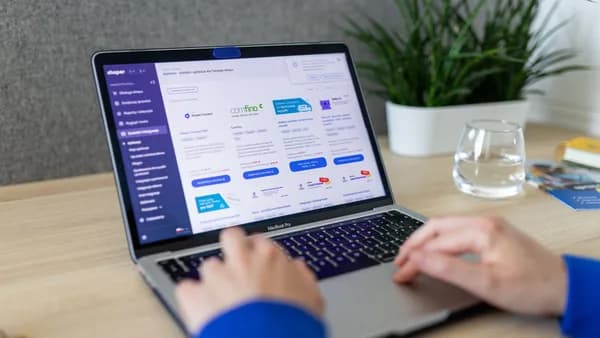
The general process to integrate email marketing with Shopify is similar across major platforms and is designed to be user-friendly. While exact steps vary, you typically follow this workflow within your Shopify admin:
- Navigate to the Shopify App Store: From your Shopify dashboard, go to “Apps” > “App and sales channel settings” > “Shopify App Store.”
- Search and Select Your Platform: Search for your chosen platform (e.g., “Klaviyo,” “Omnisend,” “Mailchimp”). Review the app listing to confirm features and pricing.
- Install the App: Click “Add app” and then “Install app” to grant the necessary permissions.
- Authenticate and Connect: You will be redirected to the email platform’s site to log in or create a new account. Follow the prompts to authorize the connection between Shopify and your email marketing account.
- Configure Initial Settings: Once connected, configure core settings. This almost always includes:
- Selecting Default Mailing Lists: Choose or create the list where new subscribers will be added.
- Enabling Data Syncing: Ensure the sync for customers, orders, and products is turned on.
- Setting Up Signup Forms: Install pop-ups or embedded forms on your storefront to start list building.
It’s critical to enable all relevant data sync options during setup. This ensures your email platform has access to real-time purchase history, browsing behavior, and product catalog information, which is the fuel for effective segmentation and automation.
Most reputable apps provide detailed setup guides. For Shopify’s own tool, Shopify Messaging, you can access official help documentation on creating and sending campaigns directly within the Shopify help center.
Syncing Customer Data & Product Catalogs Correctly
A superficial connection is not enough. A true integration means your email platform acts as a real-time extension of your Shopify backend. Correct synchronization involves several key data streams:
Customer Data Sync: This should encompass more than just email addresses. A robust integration pulls in:
- Customer names and contact information
- Complete order history (products, value, date)
- Lifetime purchase value
- Marketing consent status (GDPR/compliance)
Product Catalog Sync: Your email platform should have access to your full product catalog, including:
- Product titles, descriptions, and variants
- Current pricing and availability (in-stock/out-of-stock)
- Product images and URLs
- Collections and tags
This deep sync allows for the powerful personalization that drives e-commerce conversions. You can dynamically insert the exact product a customer viewed into an email, recommend items from a category they frequently purchase, or segment your audience based on their total spend.
Setting Up Your First Automated Flow: Welcome Series
Your welcome series is your first automated impression and one of the most critical flows to implement immediately after you integrate email marketing with Shopify. Research shows a well-built series can convert 2-5% of new subscribers into buyers within their first week, with open rates averaging 50-60%.
Here is a proven three-email sequence based on the research:
Email 1: The Immediate Delivery (Send within 5 minutes of signup)
- Purpose: Deliver on your promise instantly.
- Content: Provide the discount code, free shipping offer, or guide you promised. Keep it concise and include a clear “Shop Now” call-to-action showcasing best-selling products.
- Subject Line Tip: Reference the offer directly, e.g., “Your 10% off code is inside.”
Email 2: The Brand Story (Send 24-48 hours later)
- Purpose: Build trust and emotional connection.
- Content: Share why you started your business and what makes your products unique. Incorporate social proof like customer reviews or press mentions to build credibility.
Email 3: The Urgent Nudge (Send 72-96 hours later)
- Purpose: Create urgency and drive the final conversion.
- Content: Remind the subscriber of any expiring offers. Highlight top-reviewed products and include a strong, final call-to-action to purchase.
Advanced Tactics: Browse Abandonment & Post-Purchase Upsell
Once your foundational flows are running, advanced automations unlock significant incremental revenue.
Browse Abandonment Flow
This flow targets shoppers who viewed products but didn’t add anything to their cart. It typically converts at 1-3%, but because browse volumes are high, the overall impact is meaningful.
- Targeting: Set triggers for subscribers who viewed a product page 2+ times or spent more than 30 seconds on it to filter casual clicks.
- Content: Show the product they viewed alongside 2-3 complementary or alternative recommendations.
- Frequency: Limit these emails to once per week per subscriber to avoid being intrusive.
Post-Purchase Follow-Up & Upsell Sequence
This sequence turns one-time buyers into repeat customers, which is crucial as retaining a customer is 5-7x cheaper than acquiring a new one.
- Order Confirmation (Immediate): Beyond transactional details, include a subtle cross-sell: “Customers who bought [Product X] also love [Product Y].”
- Product Education (3-5 days after delivery): Send tips, usage instructions, or styling ideas. This increases satisfaction and reduces returns.
- Review Request (7-14 days after delivery): Make it easy to leave a review with a direct link. Reviews are social proof gold for future conversions.
- Strategic Upsell (21-30 days after delivery): Recommend complementary products based on their original purchase using your synced Shopify data.
Tracking Performance: Tags, Revenue Analytics, & ROAS
To validate your efforts, you must track key performance indicators (KPIs). A good email platform will provide clear reporting on both campaign health and revenue impact.
- Campaign Metrics: Monitor open rates, click-through rates (CTR), and unsubscribe rates. For welcome series, aim for >40% open rates; for post-purchase transactional emails, 60-70% is common.
- Revenue Attribution: The most important metric for e-commerce. Your platform should track direct revenue generated from each email, flow, and campaign. You should be able to see the Return on Ad Spend (ROAS) directly in your dashboard.
- List Health: Track growth rate and engagement segments. Identify inactive subscribers to run win-back campaigns or suppress to protect overall deliverability.
By analyzing what drives sales, whether it’s a specific subject line, product recommendation style, or send time, you can continuously refine your strategy for better results.
Common Integration Troubleshooting (Data Discrepancies, Webhooks)
Even with a solid setup, issues can arise. Here are two common problems and their likely causes:
1. Data Discrepancies (e.g., order counts don’t match between Shopify and your email platform)
- Cause: Syncing delays or filters. Most integrations use webhooks (real-time notifications) but can sometimes lag during high traffic. Also, check if your email platform is filtering out certain order types (e.g., canceled, failed).
- Fix: Check the sync status/logs within your email platform’s settings. Manually trigger a re-sync if available, and verify any order inclusion/exclusion rules.
2. Automated Flows Not Triggering
- Cause: Incorrect trigger conditions or audience segmentation. A common example is an abandoned cart flow that excludes people who used a specific discount code.
- Fix: Review the flow’s trigger settings and any “exclude from” lists. Test the flow by performing the triggering action yourself (e.g., abandoning a test cart with a monitored email address).
Future-Proofing: Updates & Maintaining Your Connection
An integration is not a “set it and forget it” task. To ensure long-term reliability and performance:
- Stay Updated: Both Shopify and email platforms release updates. Ensure your email marketing app is always on its latest version in your Shopify admin.
- Audit Synced Data Periodically: Every few months, spot-check a few customer profiles and recent orders in both systems to ensure data is accurate and current.
- Review Privacy Compliance: As regulations evolve, regularly review how customer data is shared and stored between platforms, ensuring your signup forms and data practices remain compliant.
- Re-evaluate Your Platform: As your store grows, your needs may change. An annual review of whether your current platform still offers the best features, automation depth, and pricing for your scale is a prudent business practice.
Bottom Line
Successfully integrating email marketing with your Shopify store is one of the most impactful moves you can make for sustainable e-commerce growth. The process involves selecting a platform built for e-commerce, like Omnisend, Klaviyo, or Mailchimp, ensuring a deep, two-way sync of customer and product data, and implementing the five essential automated flows: Welcome, Abandoned Cart, Post-Purchase, Win-Back, and Browse Abandonment. By grounding your strategy in these researched tactics and focusing on revenue-driven analytics, you transform email from a promotional channel into a predictable, automated engine for customer retention and sales.
FAQ
What is the easiest email marketing app to integrate with Shopify? For sheer simplicity and native integration, Shopify Email (Shopify Messaging) is the easiest, as it lives directly within your Shopify admin and automatically applies your store’s branding. For third-party apps, Omnisend and Mailchimp are often cited as beginner-friendly options with straightforward setup processes and drag-and-drop editors.
How much does it cost to integrate email marketing with Shopify? Costs vary significantly. Shopify Messaging offers a free tier of 10,000 emails per month, with pay-as-you-go pricing of $1 per 1,000 emails thereafter. Third-party platforms like Klaviyo and Omnisend typically use tiered pricing based on your number of subscribers, which can scale from free plans for small lists to hundreds of dollars per month for large lists.
Can I recover abandoned carts with email marketing integration? Absolutely. Abandoned cart recovery is a core, pre-built automation in every major e-commerce email platform. Research shows these flows can recover 5-15% of otherwise lost sales, making them one of the highest-ROI automations you can set up.
Do I need technical skills to connect an email platform to Shopify? No. The integration process is designed to be non-technical. You typically install the app from the Shopify App Store and follow a guided, step-by-step connection process that handles the technical sync via APIs and webhooks in the background.
What’s more important: a large email list or a highly engaged one? A highly engaged list is far more valuable. A large list of unengaged subscribers can hurt your sender reputation and deliverability. Focus on growing your list with quality subscribers who are genuinely interested in your brand, and use segmentation to send relevant messages that maintain high engagement rates.