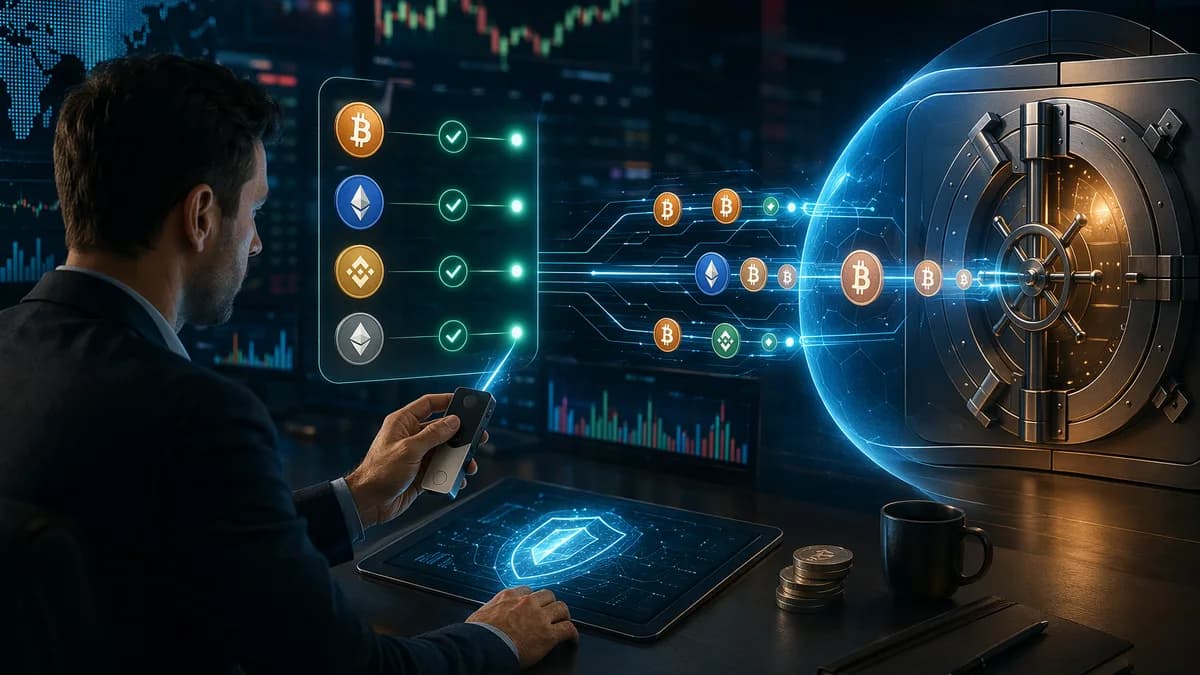
If you want to move crypto to hardware wallet storage, the safest approach is not “copy, paste, and hope.” The researched guidance is consistent: prepare the wallet first, generate a verified receiving address, choose the correct blockchain network, send a small test transaction, and only then withdraw the full amount.
This tutorial walks through the full process for traders moving assets from centralized exchanges such as Coinbase, Binance, Kraken, Gemini, or Coinmama into cold storage. It focuses on the mistakes that can permanently lose funds: wrong-network withdrawals, address substitution, missing memo tags, phishing pages, and poor recovery phrase handling.
Why Traders Move Crypto Off Exchanges
Centralized exchanges are convenient for buying, selling, and trading crypto. They offer liquidity, account dashboards, mobile apps, and withdrawal pages that make transactions easy to initiate.
But the core reason traders move assets off exchanges is custody.
When your crypto sits on an exchange, the exchange controls the private keys. Your visible balance is effectively a claim on crypto held by the platform, not the same as holding the keys yourself.
The sources repeatedly emphasize the same principle: “not your keys, not your coins.” A hardware wallet changes the custody model because it stores your private keys offline, commonly referred to as cold storage.
Key reasons to move crypto to hardware wallet storage
- Security: Hardware wallets keep private keys offline, reducing exposure to online threats such as malware, phishing, and hacking attempts.
- Control: Moving funds to your own wallet gives you direct custody instead of relying on a third-party exchange.
- Exchange risk reduction: Sources cite exchange failures, hacks, seizures, and internal mismanagement as reasons not to treat exchanges as long-term storage.
- Long-term holding: For investors holding assets such as Bitcoin or Ethereum for the long term, hardware wallets act like a personal digital safe.
Centralized exchanges still have a role. They are useful for purchases, sales, and active trading. But for long-term storage, the researched guidance favors withdrawing to a hardware wallet that you control.
What You Need Before Withdrawing to a Hardware Wallet
Before starting a withdrawal, prepare both sides of the transfer: the exchange account and the hardware wallet.
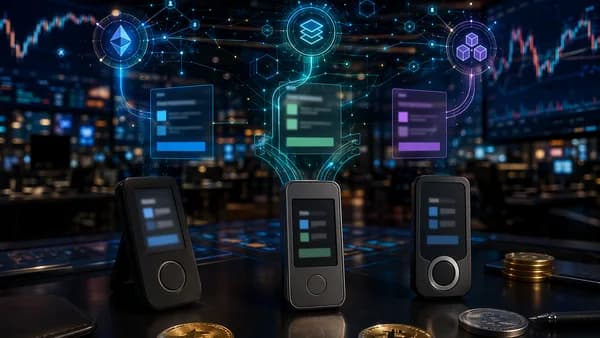
At the time of writing, the source data highlights several hardware wallet options and setup requirements, including Ledger Nano X, Ledger Nano S Plus, Trezor Model T, Trezor One, BitBox02, and SafePal S1.
Hardware wallet options mentioned in the research
| Hardware wallet | Source-mentioned features | Companion software / method |
|---|---|---|
| Ledger Nano X / Nano S Plus | Supports over 5,500 cryptocurrencies; Nano X has Bluetooth; Secure Element chip; compatible with Ledger Live | Ledger Live |
| Trezor Model T / Trezor One | Open-source firmware; Model T touchscreen; strong security reputation | Trezor Suite / Trezor interface |
| BitBox02 | Minimalist design; open-source; privacy-focused; supports Bitcoin, Ethereum, and major ERC-20 tokens | Not specified in source data |
| SafePal S1 | Affordable option; air-gapped design; QR code-based transactions | QR-based workflow |
The source data also notes that reputable hardware wallets are commonly in the $50 to $150 range. Do not treat price alone as the deciding factor; the sources recommend checking supported assets, usability, backup options, and security characteristics.
Buy and initialize the device safely
Before you move funds, your hardware wallet should already be initialized.
- Official Purchase: Buy from the official website where possible. The research warns against third-party sellers because of tampering risk.
- Tamper Check: Inspect packaging and confirm the device, cable, recovery sheet, and instructions are present.
- New Wallet: Generate a new wallet on the device unless you are intentionally migrating from another wallet.
- Firmware / Software: The sources recommend having the device configured, updated, and paired with current wallet software such as Ledger Live or Trezor Suite.
- Coin Apps: Install the app that corresponds to the cryptocurrency you plan to receive. For example, the sources mention installing the Bitcoin app for Bitcoin or the Ethereum app for ERC-20 support on Ledger.
Secure the recovery seed before any transfer
Your recovery seed is the backup that can restore wallet access. The research describes it as a series of 12 or 24 random words displayed by the hardware wallet during setup.
Never treat the seed phrase like a password you can reset.
- Write It by Hand: Record the seed on the provided recovery sheet or offline paper.
- Keep It Offline: Do not photograph it, email it, save it in cloud storage, or store it in a notes app.
- Do Not Share It: Anyone with the seed can control the wallet.
- Store It Securely: Source examples include a fireproof safe, safety deposit box, or trusted separated locations.
- Consider Metal Backup: The research mentions metal backups such as Cryptosteel or Billfodl for protection against fire, water, or physical degradation.
Critical warning: No exchange, wallet provider, support agent, or legitimate website should need your recovery phrase to receive a withdrawal.
Exchange-side preparation
You also need access to your exchange account.
- Login Access: Confirm you can access the account before starting.
- Two-Factor Authentication: Sources recommend using 2FA for exchange withdrawals.
- Withdrawal Permission: Make sure withdrawals are available for the selected asset.
- Correct Asset Balance: Confirm you hold the asset you plan to withdraw.
- Fee Awareness: Exchanges and blockchain networks may charge withdrawal or network fees. The sources specifically note that some networks, including Ethereum during peak times, can have high gas fees.
Choosing the Correct Blockchain Network
Network selection is one of the most important steps when you move crypto to hardware wallet storage. Many assets can exist on more than one blockchain, and exchanges may let you choose between multiple withdrawal networks.
The research gives a clear example: USDT may be withdrawable through ERC-20 on Ethereum, BEP-20 on Binance Chain, or TRC-20 on Tron. Your hardware wallet must support the chain you choose.
Match asset, address, and network
| Transfer item | What to verify | Why it matters |
|---|---|---|
| Cryptocurrency | Select the exact asset you want to withdraw | Sending the wrong token or coin can create recovery problems or permanent loss |
| Network | Choose the blockchain supported by your wallet | Exchanges may offer several networks for the same asset |
| Receiving address | Generate it from the matching app/account | Each cryptocurrency and network may use a different address format |
| Fees | Review exchange and network fees before confirming | Some blockchains have variable fees |
The source guidance is direct: match the withdrawal network to the network your wallet uses. When uncertain, the research suggests using the native chain, such as ETH on Ethereum or BNB on Binance Chain, provided your wallet supports it.
Common address formats mentioned in the sources
| Asset / network | Source-mentioned address pattern |
|---|---|
| Bitcoin | Starts with 1, 3, or bc1 |
| Ethereum / ERC-20 tokens | Starts with 0x |
| Other altcoins | Varies by blockchain and wallet support |
Do not rely only on visual similarity. Some networks may use similar-looking addresses while still representing different chains. Always confirm the chain in both the exchange withdrawal screen and the hardware wallet software.
How to Generate and Verify a Receiving Address
A receiving address is the public destination for your withdrawal. Your hardware wallet generates it through its companion software, but the safest workflow requires verifying the address on the hardware device itself.
Address verification matters because malware can alter an address shown on your computer screen. The hardware wallet screen is the trusted confirmation point in the researched process.
Ledger-style receiving workflow
The source data gives a Ledger workflow using Ledger Live:
- Connect and unlock your Ledger device.
- Open Ledger Live.
- Install the app for the cryptocurrency if needed.
- Add an account for that coin if one does not already exist.
- Click Receive.
- Select the correct account.
- Compare the address shown in Ledger Live with the address displayed on the Ledger device.
- Copy the verified address.
For Ledger Nano S examples in the source data, the device displays the same address shown in Ledger Live, and users are instructed to verify it on the device before copying.
Trezor-style receiving workflow
The source data also gives a Trezor workflow:
- Sign in / connect to the Trezor interface.
- Select the coin from the dropdown menu.
- Click Receive.
- Click Show Full Address.
- Confirm the address shown on the Trezor device screen matches the computer screen.
- Copy the address into the exchange withdrawal page.
For Trezor Model T, the address appears on the touchscreen. For Trezor One, it appears on the device screen.
Address verification checklist
- Device Screen: Verify the address on the hardware wallet, not only in the desktop or mobile app.
- First and Last Characters: Check at least the first and last several characters after pasting.
- Full Address When Possible: Use the wallet’s “show full address” option if available.
- Correct Account: Make sure you generated the address under the right asset account.
- Fresh Copy: Copy directly from the verified wallet software; do not reuse an address from an old note or message.
Sending a Small Test Transaction First
A small test transaction is one of the simplest risk controls in the entire process. Multiple sources recommend sending a small amount first, verifying that it arrives correctly, and only then sending a larger balance.
One source gives $10 worth as an example test amount. Another notes that even if there are fixed costs per transfer, a test is useful because it minimizes errors and builds familiarity.
Why test transactions help
- Network Confirmation: Confirms you selected the right blockchain.
- Address Validation: Confirms the wallet can receive at that address.
- Exchange Workflow Practice: Lets you see how your exchange handles withdrawal approval, 2FA, email confirmation, and transaction IDs.
- Fee Awareness: Shows the real fee behavior before committing a larger withdrawal.
- App Sync Check: Confirms whether your wallet software, such as Ledger Live or Trezor Suite, updates as expected after confirmation.
Test transaction process
- Generate and verify the receiving address on the hardware wallet.
- Log in to the exchange through a trusted URL or bookmark.
- Open the withdrawal or send page.
- Select the correct asset.
- Select the correct network.
- Paste the verified receiving address.
- Enter a small test amount.
- Review fees and details.
- Confirm with 2FA or the exchange’s required security procedure.
- Wait for blockchain confirmation and wallet app sync.
Do not assume the test has succeeded just because the exchange says the withdrawal was submitted. Confirm it on-chain and in your wallet interface before proceeding.
Completing the Full Withdrawal From the Exchange
Once the test transaction arrives correctly, you can complete the full withdrawal.
The exact exchange navigation varies, but the source data gives several examples:
| Exchange | Source-mentioned withdrawal path |
|---|---|
| Binance | Wallet → Spot → Withdraw or Funds → Withdrawals |
| Coinbase | Wallet → select asset → Send or Accounts → Send |
| Kraken | Funding → Withdraw |
The wording may vary by exchange interface, but the key steps are similar.
Full withdrawal step-by-step
Log In Safely
Use the official exchange website or app. The research recommends typing the URL directly or using a bookmark to reduce phishing risk.Open Withdraw / Send
Navigate to the withdrawal section for the asset you tested.Select the Cryptocurrency
Choose the exact coin or token. For example, if withdrawing Ethereum, select ETH rather than a different token.Choose the Network
Match the network to the receiving wallet account and supported chain. For assets available on multiple networks, do not guess.Paste the Verified Address
Use the same address format and network that passed your test transaction, unless you intentionally generated and verified a new one.Enter the Amount
Decide whether to withdraw the full available balance or leave funds for trading or fees. The sources do not prescribe a specific allocation.Review Fees
Confirm the exchange withdrawal fee and any network fee shown before approval.Confirm Security Prompts
Complete 2FA, email confirmation, SMS, authenticator app, or hardware-key approval if required by your exchange.Save the Transaction ID
Exchanges typically provide a TXID or transaction hash after submission. You will use this to track the transfer.
Final review before clicking withdraw
- Asset: Is it the right coin or token?
- Network: Does it match the wallet’s supported chain?
- Address: Does it match the verified hardware wallet address?
- Amount: Is the withdrawal amount correct?
- Fees: Are the fees acceptable?
- Security: Are you on the real exchange site?
The most expensive moment to notice a wrong address or wrong network is after clicking “Withdraw.” Slow down before the final confirmation.
How to Confirm the Transaction on a Block Explorer
After the exchange broadcasts the transaction, the transfer enters the blockchain network. Your wallet balance may not update immediately, especially if the companion app syncs periodically.
The research recommends using a blockchain explorer to track the transaction.
Block explorers mentioned in the sources
| Network | Source-mentioned explorer |
|---|---|
| Bitcoin | blockchain.com, blockstream.info |
| Ethereum | etherscan.io |
| Binance Smart Chain | bscscan.com |
To use an explorer, copy the TXID from the exchange and paste it into the search bar of the relevant explorer.
What to check on the explorer
- Status: Pending, confirmed, failed, or similar wording.
- Confirmations: The number of blocks confirming the transaction.
- Recipient Address: Confirm it matches your hardware wallet receiving address.
- Sender Address: Confirm the transaction came from the exchange withdrawal.
- Fees Paid: Review the fee shown on-chain.
- Estimated Arrival: Some explorers or exchange pages may show timing estimates.
The source data states that transaction times vary by cryptocurrency and network congestion. It gives broad examples: some networks may process in seconds, while Bitcoin and Ethereum may take minutes or longer during congestion.
The research also notes that wallet apps such as Ledger Live and Trezor Suite may need to refresh or sync before the new balance appears. Once confirmed, typically after 1–6 blocks according to the source data, the balance should appear.
Common Mistakes: Wrong Networks, Memo Tags, and Phishing
Most hardware wallet withdrawals fail because of process mistakes, not because receiving crypto is technically difficult. The biggest risks are wrong networks, incorrect addresses, missing destination details where required, and phishing.
Mistake 1: Choosing the wrong network
Wrong-network transfers are a major risk because many exchanges support multiple withdrawal routes for the same asset.
For example, the source data explains that USDT may be withdrawable through:
- ERC-20 on Ethereum
- BEP-20 on Binance Chain
- TRC-20 on Tron
If your hardware wallet or wallet software does not support the chain you selected, you may not be able to access the funds normally. The sources warn that sending crypto to the wrong type of address or unsupported network can cause permanent loss.
Mistake 2: Sending to the wrong address format
The research specifically warns that each cryptocurrency has its own address format. Sending Bitcoin to an Ethereum address is described as a mistake that can result in permanent loss.
| Mistake | Example from source guidance | Safer action |
|---|---|---|
| Wrong asset address | Sending Bitcoin to an Ethereum address | Generate the address from the correct coin account |
| Wrong network | Selecting BEP-20 when your wallet workflow expects ERC-20 | Match the withdrawal network to the wallet network |
| Unsupported asset | Trying to receive a coin not supported by your hardware wallet | Confirm support before withdrawing |
| Unverified address | Trusting only the computer screen | Verify on the hardware wallet screen |
Mistake 3: Ignoring memo or tag requirements
The provided source data does not give a detailed memo/tag workflow. However, because the article brief specifically identifies memo tags as a risk area, the safest source-grounded guidance is to treat any exchange memo, destination tag, or extra field as asset-specific and verify it through the exchange and wallet help documentation before withdrawing.
At the time of writing, the researched sources recommend using the help sections of exchanges and wallet providers when more detail is needed for a specific cryptocurrency.
- If the exchange requires a memo/tag: Do not leave it blank unless the exchange or wallet documentation confirms it is unnecessary.
- If your hardware wallet software provides only an address: Check the asset-specific receiving instructions before sending.
- If unsure: Contact the support team of the exchange or wallet provider before making a large withdrawal.
Mistake 4: Falling for phishing sites
Phishing is repeatedly flagged as a risk in the research. Attackers may imitate exchange login pages, wallet software downloads, or support flows.
Use these safeguards:
- Bookmark Access: Use a saved bookmark for exchanges and wallet software sites.
- Typed URLs: Type the URL directly instead of clicking ads or messages.
- No Seed Entry: Never enter your hardware wallet recovery phrase into an exchange, website, support chat, or random app.
- 2FA: Use two-factor authentication on the exchange account.
- Device Verification: Trust the hardware wallet screen for address confirmation.
Mistake 5: Skipping the test transaction
Skipping the test transfer saves time but removes one of the most practical safeguards. The sources consistently recommend sending a small amount first, then sending the rest only after the test is confirmed.
Post-Withdrawal Security Checklist for Hardware Wallet Users
Your job is not finished when the exchange marks the withdrawal complete. Long-term cold storage depends on ongoing operational security.
Immediate post-withdrawal checklist
- Balance Check: Confirm the received balance in the hardware wallet companion app.
- Explorer Check: Verify the transaction on the correct block explorer using the TXID.
- Address Match: Confirm the recipient address on-chain matches your wallet receiving address.
- Fee Review: Confirm the received amount matches the sent amount after accounting for network fees.
- App Sync: Refresh or sync Ledger Live, Trezor Suite, or the relevant wallet interface if the balance is delayed.
Recovery phrase checklist
- Offline Storage: Keep the recovery seed offline at all times.
- No Photos: Do not photograph the seed phrase.
- No Cloud Copies: Do not store it in email, cloud drives, password notes, or messaging apps.
- Physical Protection: Consider a fireproof safe, safety deposit box, or metal backup such as Cryptosteel or Billfodl.
- Access Planning: Store the seed where you can recover it, but where others cannot casually discover it.
Device and account checklist
- PIN Protection: Use a strong PIN. The research recommends avoiding simple combinations such as 1234 or birth years.
- Firmware Awareness: Keep the wallet software and device firmware updated according to the wallet provider’s official process.
- Exchange Security: Leave 2FA enabled even after withdrawal if you continue using the exchange.
- Transaction Records: Keep non-sensitive records such as TXIDs for your own reconciliation.
- Public Wi-Fi Caution: Avoid managing exchange withdrawals or wallet software over untrusted public networks.
What not to do after a successful withdrawal
- Do Not Share Screenshots: Avoid posting balances, addresses tied to your identity, or wallet setup details publicly.
- Do Not Re-enter Seed Online: A successful withdrawal does not require typing your seed into any website.
- Do Not Assume All Assets Work the Same: Repeat the asset, network, address, and test-transaction process for each new cryptocurrency.
Bottom Line
To safely move crypto to hardware wallet custody, use a deliberate withdrawal process: prepare the hardware wallet, protect the 12- or 24-word recovery seed, install the correct asset app, generate a receiving address, verify it on the device screen, choose the correct blockchain network, and send a small test transaction first.
The biggest risks are not complicated blockchain mechanics. They are practical mistakes: using the wrong network, pasting an altered address, skipping device verification, ignoring asset-specific requirements, or exposing your recovery phrase.
A hardware wallet can reduce exchange and online security risk, but only if the withdrawal process is careful and repeatable.
FAQ
1. What is the safest way to move crypto to hardware wallet storage?
The safest process is to set up the hardware wallet first, write down the recovery seed offline, install the correct app for the asset, generate a receiving address, verify the address on the hardware wallet screen, send a small test transaction, confirm it on a block explorer, and then send the remaining balance.
2. Should I send a test transaction before withdrawing everything?
Yes. Multiple sources recommend sending a small amount first. One source gives $10 worth as an example. A test transaction helps confirm the address, network, exchange workflow, and wallet sync before you risk a larger amount.
3. What happens if I choose the wrong blockchain network?
The source data warns that wrong-network transfers can lead to serious recovery problems or permanent loss. For example, assets such as USDT may be available through ERC-20, BEP-20, or TRC-20, but your hardware wallet must support the selected chain.
4. How do I verify a hardware wallet receiving address?
Generate the address in the wallet software, such as Ledger Live or a Trezor interface, then compare it with the address displayed on the hardware wallet’s physical screen. The sources stress that this step helps protect against malware that may alter addresses on a computer screen.
5. How long does a crypto withdrawal take?
Transaction time varies by cryptocurrency and network congestion. The source data notes that some networks may process in seconds, while Bitcoin and Ethereum may take minutes or longer during congestion. Wallet apps may also need to refresh or sync before the balance appears.
6. Do I need to keep my exchange account after moving crypto?
The sources do not require closing the exchange account. Many traders keep exchange accounts for buying, selling, or trading, while using a hardware wallet for long-term storage. Keep 2FA enabled and continue using official URLs or bookmarks to reduce phishing risk.