Updated: This article has been refreshed to ensure all platform references and examples are current and accurately reflect the latest features.
XOOMAR Intelligence
Analyst Take
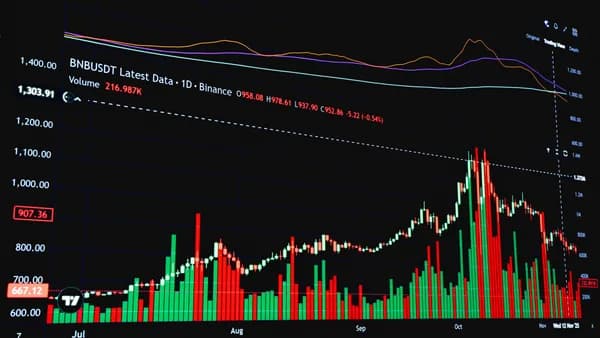
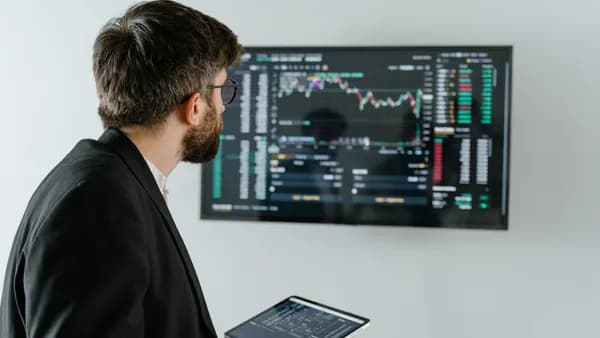
A technical analysis dashboard should turn scattered market data into a repeatable trading workflow: what to watch, what trend conditions matter, where volume is confirming or warning, and when alerts should bring you back to the screen. The goal is not to predict every move; it is to create a consistent decision environment using watchlists, charts, indicators, alerts, breadth, and risk context.
Below is a practical tutorial for building one using capabilities and examples from platforms like TradingView, MetaTrader 5, Thinkorswim, TradingLite, and various market breadth tools.
1. What a Technical Analysis Dashboard Should Do
A strong technical analysis dashboard should answer six questions quickly:
- What markets or symbols matter today?
- What is the dominant trend?
- Is momentum confirming or weakening?
- Is volume supporting the move?
- Where are support, resistance, pivots, or risk levels?
- What alerts should notify you when conditions change?
The best dashboards reduce repeated manual checking. For example, many multi-indicator tools for platforms like MetaTrader consolidate several indicators and timeframes into one visual interface, generating normalized scores or signals.
A useful dashboard is not just a chart collection. It is a repeatable checklist that compresses technical analysis into a structured view without removing trader judgment.
Core dashboard modules
A practical trading dashboard can be divided into these modules:
| Dashboard Module | Purpose |
|---|---|
| Watchlists | Organize symbols by strategy, sector, or asset class. |
| Trend panel | Identify directional bias using moving averages and price structure. |
| Momentum panel | Track overbought/oversold or directional momentum with oscillators. |
| Volume tools | Confirm participation and price-level activity. |
| Alerts | Reduce constant monitoring with notifications for key levels or indicator changes. |
| Market breadth | Understand broader market participation and strength. |
| Risk context | Define invalidation, stop-loss, and profit-target levels. |
The repeatability principle
Your dashboard should make the same checks in the same order every day. A simple sequence is:
- Index & Breadth Context: Is the broader market supportive and are many stocks participating?
- Watchlist Scan: Which symbols meet your predefined setup criteria?
- Multi-Timeframe Check: Are the short-term and higher-timeframe trends aligned?
- Confirmation Checks: Are momentum (RSI, MACD) and volume validating the price move?
- Levels & Risk: Where are precise support, resistance, and invalidation levels?
- Alert Setup: What specific conditions should notify you later, freeing you from screen-watching?
2. Choosing Your Core Charting Platform
Your core charting platform is the foundation of the dashboard. Different tools support parts of a technical analysis workflow, but they differ in focus, asset coverage, and cost.
Platform comparison
| Platform / Tool | Key Capabilities | Best For |
|---|---|---|
| TradingView | Extensive built-in indicators, powerful Pine Script for custom tools, social sharing, multi-device sync, broad asset coverage (stocks, forex, crypto, futures). | Traders who value customizability, community ideas, and a unified platform for charting across all asset classes. |
| MetaTrader 4/5 | Vast library of free and paid custom indicators & Expert Advisors (EAs), strong automated trading support, MQL programming language. | Forex and CFD traders, and those interested in algorithmic strategy development and backtesting. |
| Thinkorswim (by TD Ameritrade) | Deep scanning capability, robust options analysis tools, integrated paper trading, high-quality real-time data. | Active stock and options traders in the US who need professional-grade tools and data. |
| TradingLite | Clean, simplified interface focused on price action, volume profile, and order flow; lower learning curve. | Traders who prefer a minimalistic, clutter-free environment centered on auction market principles. |
How to choose
Use the platform that best matches your workflow:
- For multi-asset charting & community features: TradingView is a top choice.
- For forex, automation, and custom indicators: MetaTrader 4/5 remains the industry standard.
- For US stocks & options with pro-level scans: Thinkorswim is highly capable.
- For a clean, price-action focused experience: Platforms like TradingLite offer an alternative.
If you are building your first technical analysis dashboard, choose one core charting platform first. Add secondary tools only for gaps such as specialized scanning, advanced breadth data, or portfolio tracking.
3. Setting Up Watchlists by Strategy and Sector
A dashboard becomes much more useful when your watchlists are organized around decisions instead of random symbols. Most modern platforms allow for multiple, saved watchlists.
Recommended watchlist structure
Create separate watchlists for different trading jobs.
| Watchlist Type | What it contains | Why it helps |
|---|---|---|
| Core Index & Sector ETFs | SPY, QQQ, IWM, and key sector ETFs like XLF, XLK, XLE. | Provides essential market context before analyzing individual trades. |
| Strategy-Based Lists | Separate lists for "Breakout Candidates," "Pullback to Support," "Earnings Watch," or "High Relative Strength." | Keeps your focus sharp by separating different setup types. |
| Current Holdings & Orders | All open positions and pending orders. | Centralizes risk management and tracki |
| Review & Learning | Past trades (winners and losers) or textbook chart patterns for review. | Facilitates post-market analysis and continuous learning. |
Watchlist fields to display
Configure columns that support fast decisions at a glance:
- Symbol & Last Price: Basic identification.
- Change %: Daily performance.
- Volume vs. Average: Highlights unusual activity.
- Key Indicator Status: Simple tags like "RSI >70" or "Price > 20EMA".
- Alert Status: A column or icon showing if an active alert is set.
4. Adding Trend, Momentum, and Volume Indicators
Indicators should be selected because they answer a specific question. The most common mistake is stacking multiple tools that repeat the same information.
Trend Indicators
Trend tools help answer: “Which direction is the market favoring?” A simple yet effective combination is:
- Exponential Moving Averages (EMAs): 9, 21, and 50-period for short to medium-term trends.
- Simple Moving Average (SMA): 200-period for the long-term trend backdrop.
Dashboard Application: A quick visual check for alignment. A bullish stack (price > 9EMA > 21EMA > 50EMA > 200SMA) indicates strong uptrend structure.
Momentum Indicators
Momentum tools help answer: “Is the move gaining or losing force?” Stick to one or two core oscillators to avoid conflict and clutter:
- RSI (Relative Strength Index): Best for identifying overbought/oversold conditions and spotting divergences.
- MACD (Moving Average Convergence Divergence): Excellent for visualizing trend shifts, momentum, and crossovers.
Dashboard Application: Use RSI to gauge exhaustion and MACD to confirm momentum direction. Don't act on an overbought RSI alone in a strong trend; look for MACD to roll over for confirmation.
Volume Indicators
Volume answers: “Is there meaningful participation behind the move?”
- Volume Bars: The foundational tool. Look for volume increasing in the direction of the trend.
- Volume Profile: Identifies price levels where significant trading occurred, highlighting key support/resistance (available on TradingView, Thinkorswim).
Dashboard Application: On a breakout, high volume confirms the move's legitimacy. Volume Profile helps you identify high-probability reversal or continuation zones (Value Area High/Low, Point of Control).
Key Concept: Your dashboard should show whether your Trend, Momentum, and Volume tools are in agreement (confirming a high-probability setup) or in conflict (suggesting caution).
5. Using Alerts to Reduce Screen Time
A technical analysis dashboard should not force you to stare at charts all day. Alerts are one of the most practical ways to turn a dashboard into an efficient workflow.
Modern Alert Capabilities
Almost all major platforms now offer sophisticated alert systems:
- Price & Crossover Alerts: Get notified when price hits a level or when one indicator crosses another (e.g., EMA cross).
- Indicator Value Alerts: Alert when RSI moves above 70 or below 30.
- Scan-Based Alerts: Run a saved scanner (e.g., "New 52-week highs") and get an alert when results change.
- Multi-Device Notifications: Receive alerts via mobile app, desktop pop-up, email, or SMS.
Effective Alert Strategy
Use alerts for conditions that require action or review, not for every minor fluctuation:
- Key Level Alerts: Price approaching major support/resistance or your pre-defined trade entry/exit.
- Condition Break Alerts: Your primary trend or momentum filter changes state (e.g., price closes below the 21EMA).
- Watchlist Activation Alerts: A symbol on your "Breakout Watchlist" surges on volume.
Alerts should reduce decision fatigue, not create more noise. If every symbol triggers constantly, your alert rules are too broad.
6. Including Market Breadth and Index Context
Individual stock setups work better when you understand the market backdrop. Breadth and index context help answer: “Is the broader market supporting this trade?”
What Breadth Adds to Your Dashboard
Breadth metrics measure the degree of participation in a market move. A rally led by only a few large-cap stocks is fragile, while one with broad participation is stronger.
Essential Breadth Indicators for a US Stock Trader:
- Advance-Decline Line: The cumulative running total of advancing stocks minus declining stocks. Divergences from the price index can signal weakening internals.
- NYSE McClellan Oscillator: A breadth momentum indicator derived from advancing and declining issues.
- % of Stocks Above Key Moving Averages: (e.g., 50-day or 200-day SMA). Readings above 70% signal broad strength; below 30% signal broad weakness.
Dashboard Integration: Dedicate a small panel or separate chart to a key breadth indicator like the S&P 500 Advance-Decline Line. Check it before diving into individual stock charts.
7. Creating a Pre-Market and Post-Market Workflow
A dashboard becomes powerful when it supports a daily routine. Your goal is to make preparation and review consistent.
Pre-Market Workflow (15-30 Minutes)
- Review Macro & News: Check futures, key economic data releases, and overnight news.
- Check Breadth & Index Context: Look at your core breadth indicator and major index ETFs. What is the tone?
- Scan Watchlists & Alerts: Review your strategy-based watchlists. Which alerts triggered overnight or pre-market?
- Identify Key Levels: For your top 2-3 potential symbols, mark today's key support/resistance and yesterday's high/low.
- Set New Alerts: Place alerts at the key levels identified in step 4 for your focal symbols.
During-Market Workflow
- Let Alerts Guide You: Trust your pre-market work. Don't chase; wait for your alerts to trigger.
- Monitor Volume on Entry: When a setup triggers, confirm with volume.
- Check Timeframe Alignment: Before entering, do a quick check that the 5-min, 15-min, and daily charts aren't in major conflict.
Post-Market Workflow (15-20 Minutes)
- Review Triggered Alerts: Which worked well? Which were false? Refine your alert criteria.
- Journal Trades: Note what your dashboard showed at entry and exit. Did trend, momentum, and volume align?
- Update Watchlists: Remove resolved setups, add new candidates from your scans.
- Weekly Review: Once a week, review your dashboard's overall performance. Are certain indicators consistently misleading? Is a module not providing value? Tweak accordingly.
8. Common Dashboard Mistakes to Avoid
Mistake 1: Indicator Overload
Problem: Filling every inch of the screen with 10+ indicators causes "analysis paralysis." Solution: Adhere to the "Trend, Momentum, Volume" triad. Each category gets 1-2 primary tools.
Mistake 2: Ignoring the Higher Timeframe
Problem: Getting a buy signal on a 5-minute chart while the daily chart shows a clear downtrend. Solution: Always include a higher-timeframe chart (like the Daily) in your main dashboard view for context.
Mistake 3: Static Watchlists
Problem: A watchlist never changes, filling up with stagnant stocks. Solution: Treat watchlists as dynamic. Prune them regularly based on your strategy rules (e.g., "remove if price drops below 21EMA").
Mistake 4: No Clear Risk Definition
Problem: The dashboard shows a perfect entry signal but no clear invalidation point. Solution: Your dashboard must visually highlight the trade's risk level (stop-loss). Use a horizontal line or a clearly noted price level.
Mistake 5: Skipping the Post-Market Review
Problem: The dashboard is used only for finding trades, not improving the process. Solution: The post-market review is how you turn screen time into learning. It's essential for refining your entire dashboard setup.
Bottom Line
A useful technical analysis dashboard is a structured, repeatable workflow, not a pile of cluttered charts. Start with a core platform that fits your style, organize dynamic watchlists by strategy, and build views around the core triad of Trend, Momentum, and Volume. Integrate alerts to free yourself from the screen and use market breadth to understand the broader context.
The most powerful dashboard is the one you refine over time based on your own review and experience, leading to more disciplined and consistent trading decisions.
FAQ
What is the main purpose of a technical analysis dashboard?
Its primary purpose is to create a consistent and repeatable decision-making environment. It consolidates key information (trends, momentum, levels, alerts) to reduce emotional reactions and improve trade discipline.
I'm new to trading. What's the simplest dashboard I can start with?
Start with one chart containing:
- Price with 9 & 21 EMAs for trend.
- An RSI indicator below the chart.
- Volume bars. Create two watchlists: "Market ETFs" (SPY, QQQ) and "Watchlist." Use this for a month to practice identifying trends and setups before adding complexity.
How many indicators are too many?
If you can't explain the specific, non-overlapping purpose of each indicator on your screen within 10 seconds, you have too many. A focused dashboard often has 4-6 total tools.
Are pre-built dashboard solutions worth buying?
They can be useful for inspiration or if they save significant setup time on a platform like MetaTrader. However, you will almost always need to customize them to fit your personal strategy and risk tolerance. The process of building your own is a valuable learning experience.
Should my dashboard look the same for swing trading and day trading?
The core principles are identical, but the components differ. A day trading dashboard will prioritize shorter timeframes (1-min, 5-min), intraday volume tools, and Level 2 data. A swing trading dashboard will focus on daily/weekly charts, broader market breadth, and fundamentals.
Sources & References
Content sourced and verified on June 16, 2026
- 1TradingView — Track All Markets
https://www.tradingview.com/
- 2Technical Analysis Dashboard Pro | Free Download Trading Indicator for MetaTrader 5
https://www.mql5.com/en/market/product/156717
- 3Technical Analysis | CryptoReportKit
https://cryptoreportkit.com/live-dashboards/technical-analysis
- 4ApexTrade Analytics | AI-Powered Stock & Crypto Analysis
https://apextradeanalytics.com/dashboard
- 5Technical Analysis Dashboard for MT4 - Forex Factory
https://www.forexfactory.com/thread/1347407-technical-analysis-dashboard-for-mt4
- 6StockCharts.com | Advanced Financial Charts & Technical Analysis Tools
https://stockcharts.com/

Written by
XOOMAR Insights Team
Research and Editorial Desk
The XOOMAR Insights Team pairs automated research with human editorial judgment. We track hundreds of sources across technology, fintech, trading, SaaS, and cybersecurity, cross-check the facts, and explain what happened, why it matters, and what to watch next. We do not just rewrite headlines. Every article is fact-checked and scored for reliability before it goes live, and we link back to the original sources so you can verify anything yourself.