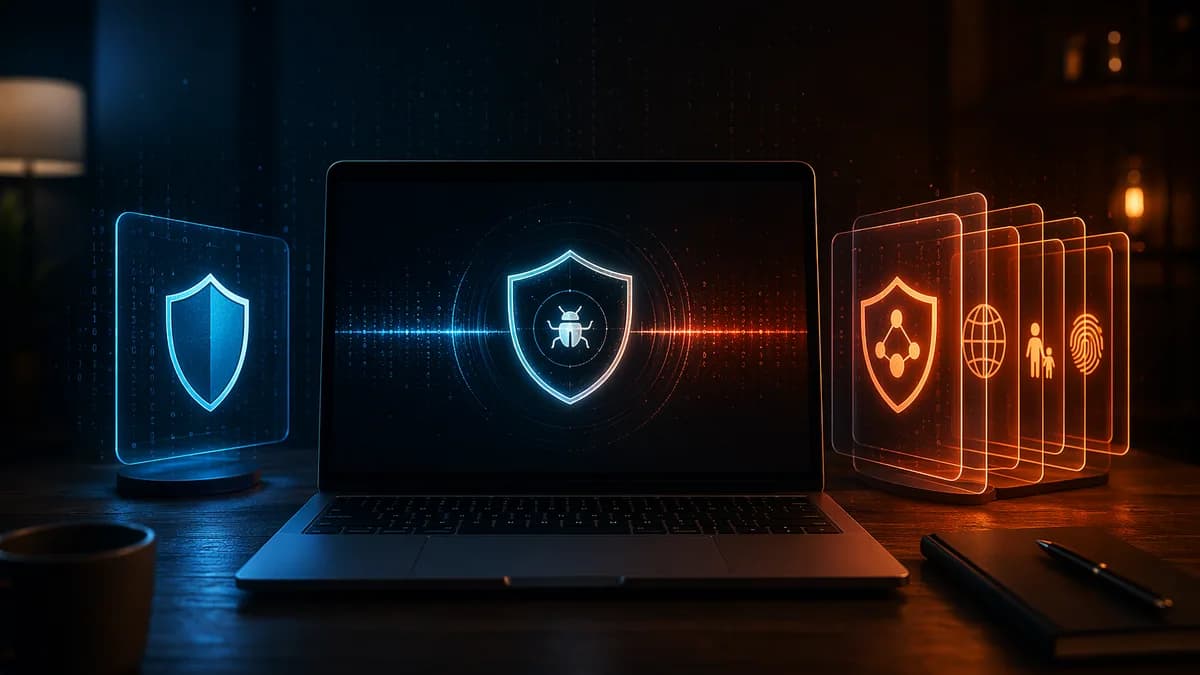
Choosing between antivirus vs internet security is less about picking a “better” label and more about matching protection to how you actually use your devices. Basic antivirus focuses on finding and removing malware, while internet security suites bundle antivirus with broader online protections such as firewalls, phishing protection, VPNs, password managers, parental controls, and identity-related tools.
XOOMAR Intelligence
Analyst Take
The important catch: modern antivirus products and internet security suites often overlap. As TechRadar notes, many vendors now sell these capabilities as pricing tiers in the same product family, so the real decision is usually whether you need only core malware protection or a broader bundle for web, privacy, family, and identity risks.
1. What Basic Antivirus Software Usually Includes
Basic antivirus software is designed to detect, block, quarantine, and remove malicious software from your device. Security.org describes antivirus protection as software that “preventatively detects, neutralizes, and then gets rid of malware.”
At its core, antivirus looks for threats such as:
- Viruses: Malicious code that attaches to legitimate files or programs.
- Worms: Malware that can replicate without attaching to another program.
- Trojans: Malicious programs disguised as legitimate software.
- Spyware: Software that quietly collects sensitive information such as passwords, bank details, or credit card data.
- Ransomware: Malware that encrypts files and demands payment for access.
- Adware: Software that displays ads and may track online behavior.
- Potentially unwanted programs: Apps that may not be outright malware but can affect privacy, performance, or user experience.
How antivirus detects threats
Modern antivirus is not limited to old-school virus definitions. The source data describes several detection methods commonly used today:
| Detection Method | What It Does |
|---|---|
| Signature analysis | Compares files against known malware “fingerprints” in a database. |
| Behavior-based detection | Watches for suspicious activity, such as a program trying to encrypt many files. |
| Heuristic scanning | Looks for malware-like characteristics, including polymorphic malware that changes code to avoid detection. |
| Machine learning | Analyzes patterns across large data sets to identify malicious behavior, including newer threats. |
| In-memory scanning | Examines potential threats after they are already present on a device. |
| Sandboxing | Runs suspicious programs in an isolated environment so they cannot infect the rest of the system. |
Security.org also distinguishes between continuous background protection and manual or scheduled scans. In practical terms, that means antivirus can monitor activity in real time while also letting you run deeper scans when needed.
Key insight: Basic antivirus is not “just virus protection.” Modern antivirus typically covers many malware categories, including spyware, ransomware, adware, trojans, worms, and malicious attachments.
Local protection, but not always offline-only
TechRadar describes antivirus as a form of “local protection” because it scans files on your device. However, it also notes that modern antivirus tools are no longer strictly offline-only. Many now use cloud-based threat intelligence and additional security layers to identify newer threats.
That overlap is one reason the antivirus vs internet security distinction can feel blurry. A current antivirus plan may already include some web protection, phishing blocking, ransomware defenses, or Wi-Fi checks, depending on the vendor and tier.
2. What Internet Security Suites Add
An internet security suite starts with antivirus protection and adds tools designed to protect your online activity, network connections, privacy, identity, and family devices.
TechRadar describes internet security software as a wider set of tools that provides continuous monitoring while you browse the web. CyberAltitude frames the difference simply: antivirus is like a lock, while internet security is more like a full digital security system.
Common additions include:
- Firewall: Monitors incoming and outgoing network traffic and helps block intrusions.
- Phishing protection: Blocks malicious websites, fake login pages, and scam links.
- Email filtering: Detects phishing emails or malicious attachments before you click.
- Ransomware protection: Watches for suspicious file encryption behavior.
- VPN: Encrypts internet traffic, especially useful on public Wi-Fi.
- Password manager: Generates, stores, and autofills complex passwords.
- Parental controls: Helps parents manage content access, searches, and device use.
- Identity or dark web monitoring: Alerts users if personal details appear in compromised data sources.
- Secure browser or banking protection: Adds extra protection for sensitive online activity.
- Cloud backup: Included in some suites, such as TechRadar’s Norton 360 example.
- System optimization tools: Included in some suites, according to CyberAltitude and WindowsReport.
Side-by-side feature comparison
| Feature | Basic Antivirus | Internet Security Suite |
|---|---|---|
| Malware scanning and removal | Yes | Yes |
| Real-time malware protection | Usually | Yes |
| Firewall | Not always; often basic or absent | Commonly included |
| Phishing protection | Basic or included in some modern plans | Usually broader |
| Ransomware protection | Basic to advanced, depending on product | Often more complete |
| VPN | Rare or limited | Often included |
| Password manager | Not always | Sometimes included |
| Parental controls | Usually no | Often included |
| Identity monitoring | Usually no | Sometimes included |
| Dark web monitoring | Usually no | Sometimes included |
| Cloud backup | Usually no | Available in some suites |
| One-dashboard management | Limited | Common suite benefit |
WindowsCentral summarizes the difference this way: both antivirus and internet security protect against malware, especially files attempting to download online, but internet security programs include additional tools such as a firewall, password manager, and vulnerability scanners.
3. Malware, Phishing, Ransomware, and Scam Protection Compared
The biggest practical difference in antivirus vs internet security is not whether one detects malware and the other does not. Both can detect malware. The difference is how many stages of an attack they cover.
Malware protection
Basic antivirus is strongest when the threat is a file, program, attachment, or process on your device. It scans, detects, quarantines, and removes malware.
TechRadar notes that antivirus is effective against most malware types, including viruses, worms, trojans, spyware, and other malicious programs. Security.org adds that antivirus can detect scams when those scams rely on malicious websites or infected attachments.
Independent testing is also mentioned in the source data. TechRadar references AV-Comparatives malware tests and notes that many vendors in its best antivirus list have offline and online detection rates that can go as high as 99.6% in some cases.
Important limitation: No antivirus is 100-percent accurate, according to Security.org. Even strong detection rates do not make security software foolproof.
Phishing protection
Phishing is where internet security suites can offer a clearer advantage. Phishing attacks often arrive through email, fake websites, malicious links, or spoofed login pages rather than obvious malware files.
TechRadar notes that internet security software can protect inboxes and block scam messages before they reach the user. It also says phishing emails are becoming harder to distinguish from legitimate messages because attackers can imitate company language more convincingly.
Security.org breaks phishing down as fraudulent messages that may contain malicious attachments or links to fake websites designed to steal information. It also describes pharming, where users can be redirected to fake sites automatically through corrupted DNS settings or compromised servers.
| Threat Type | Basic Antivirus | Internet Security Suite |
|---|---|---|
| Known malware file | Strong protection through scanning and quarantine | Strong protection, usually with added web controls |
| Trojan disguised as software | Detects known or suspicious behavior | Detects plus may block risky download sources |
| Phishing email | May detect malicious attachments or links | Often includes email and web filtering |
| Fake website | Some modern antivirus tools block malicious URLs | Commonly includes malicious-site databases and warnings |
| Pharming | May help if malware is involved | Broader web and network protections may help |
| Remote access attack | May detect malware payloads | Firewall and network protections add another layer |
Ransomware protection
Ransomware deserves special attention because it can damage personal files even before a user realizes what happened. Security.org describes ransomware as malware that encrypts files and demands payment, usually in cryptocurrency, to restore access.
Basic antivirus may detect known ransomware or suspicious encryption behavior. Internet security suites often add dedicated ransomware protection, which CyberAltitude describes as watching for file encryption attempts.
That does not mean a suite guarantees recovery. It means the suite may provide more layers: behavior monitoring, malicious-link blocking, firewall controls, backup features in some products, and alerts.
Scam protection
Security.org explicitly says antivirus cannot catch every scam. It can identify scams that use malicious websites or infected attachments, but impersonation itself is harder to detect unless it involves malware or a known malicious destination.
That is why security software should not replace user awareness. TechRadar warns that even sophisticated suites are not 100% foolproof and should not create a false sense of security.
4. Built-In VPNs and Password Managers: Useful or Redundant?
Many internet security suites now include VPNs and password managers, but whether those extras are useful depends on what you already use.
VPNs in security suites
A VPN encrypts your internet traffic. TechRadar and CyberAltitude both mention VPNs as common suite extras, especially useful for protecting data on public Wi-Fi. WindowsReport also describes internet security tools that can encrypt connections across Windows, Mac, iOS, and Android.
A suite VPN can be useful if:
- Public Wi-Fi: You travel, work from cafés, hotels, airports, or shared networks.
- Simplicity: You prefer one subscription and one dashboard.
- Basic privacy: You want encrypted traffic without managing a separate VPN app.
A suite VPN may be redundant if:
- Existing VPN: You already use a dedicated VPN service.
- Feature limits: CyberAltitude warns that suite VPNs may be limited.
- Control needs: Power users may prefer choosing a separate tool.
Password managers in security suites
Password managers help generate complex passwords and autofill them so users do not need to remember every credential. TechRadar says this can significantly improve security by helping users create stronger passwords.
A built-in password manager can be helpful if:
- Weak passwords: You reuse passwords or rely on easy-to-guess credentials.
- Convenience: You want password storage built into the same security dashboard.
- Family use: You need a simpler setup for less technical household members.
It may be redundant if:
- Existing manager: You already use a standalone password manager.
- Advanced needs: CyberAltitude notes that bundled password managers may be basic.
- Portability concerns: You prefer a password tool independent of your antivirus vendor.
Practical takeaway: Bundled VPNs and password managers are most valuable when they replace tools you do not already have. If you already use strong standalone tools, the bundle may add convenience but not necessarily better protection.
5. Performance Impact on Windows, macOS, and Mobile Devices
Performance is a major concern when comparing antivirus vs internet security, but the provided source data does not include device-specific benchmark numbers for Windows, macOS, iOS, or Android. That means it would be misleading to claim one category is always faster or slower.
What the source data does support is a more practical view: internet security suites include more tools, so they can feel heavier if those tools are poorly implemented or unnecessary for your use case.
CyberAltitude notes that some users dislike suites because they “can feel bloated” and because some products try to do everything. WindowsReport also points out that malware itself can slow down a computer, steal data, or bring a device to a halt.
Windows
Windows users often face the broadest selection of antivirus and internet security products. WindowsReport mentions that if a PC is not connected to the internet, a user may “probably get away with the in-built Windows antivirus,” but if the computer is connected to the internet, it should be protected.
Security.org also notes that antivirus remains necessary across devices and operating systems because modern protection includes more than malware detection.
macOS
The source data does not provide macOS-specific performance benchmarks. However, WindowsReport references security tools that cover Windows, Mac, iOS, and Android, and Security.org states that some operating systems are more resilient to malware but still benefit from antivirus because cybersecurity features go beyond malware scanning.
For Mac users, the question is less “Can Macs get malware?” and more “Do I need phishing protection, ransomware monitoring, VPN encryption, password management, or identity-related features?”
Mobile devices
The provided data does not include mobile performance measurements. It does, however, mention iOS and Android coverage in the context of cross-platform security tools.
On mobile, the biggest value of a suite may be less about traditional file scanning and more about:
- Unsafe links: Blocking malicious pages and phishing attempts.
- Privacy: VPN encryption on public networks.
- Account safety: Password manager support.
- Family controls: Parental controls across household devices.
How to think about performance without benchmarks
| User Concern | Basic Antivirus | Internet Security Suite |
|---|---|---|
| Lightweight setup | Often simpler | May include more background services |
| One app for many tools | Limited | More convenient |
| Feature bloat | Less likely | Possible, depending on suite |
| Manual management | May require separate tools | Centralized dashboard |
| Device coverage | Varies by product | Often marketed for multiple devices |
If performance is a priority, choose based on features you will actually use rather than the longest feature list.
6. When Basic Antivirus Is Enough
Basic antivirus can be enough when your risk profile is relatively simple and you already cover other security needs separately.
A basic antivirus plan may fit if:
- Careful browsing: You avoid suspicious downloads, pirated software, and unknown attachments.
- Few devices: You only need to protect one or two devices.
- Separate tools: You already use a standalone VPN and password manager.
- No children’s controls needed: You do not need parental controls.
- Low online exposure: You do not frequently shop, bank, or work with sensitive files online.
- Budget priority: You want essential malware protection without paying for extras.
TechRadar notes that free versions from some vendors may suffice depending on browsing habits. It specifically mentions Avast as having a capable free tier with real-time threat detection, Wi-Fi security scanning, ransomware protection, and fake-site detection. It also mentions Bitdefender as offering an excellent antivirus engine while blocking phishing emails and zero-day threats even in its free tier.
That said, “free” does not automatically mean complete. Premium tiers commonly unlock more tools.
| Product Mentioned in Source Data | Basic or Free Capabilities Mentioned | Premium Additions Mentioned |
|---|---|---|
| Avast | Real-time threat detection, Wi-Fi security scanning, ransomware protection, fake-site detection | Firewall, VPN, sandboxing |
| Bitdefender | Antivirus engine, phishing email blocking, zero-day threat blocking | VPN, password manager, data breach protection |
| AVG Antivirus | Free, standalone basic protection | AVG Internet Security adds firewall, parental control, data recovery, performance optimization |
| ESET Antivirus | Anti-malware engine, phishing website protection, spam email blocking noted in source comparison | ESET HOME Security Essential adds parental control, anti-spam, anti-theft |
| Kaspersky Anti-Virus | Basic protection against viruses and malware | Kaspersky Internet Security adds parental controls and firewall |
7. When a Full Security Suite Makes Sense
A full internet security suite makes more sense when your risks extend beyond malware files.
CyberAltitude identifies several groups that tend to benefit most from suites: parents, remote workers, older adults, tech beginners, and busy households with shared devices. This is because suites reduce the need to manage multiple separate apps.
A suite may be the better fit if:
- Online banking and shopping: You frequently enter financial details online.
- Remote work: You handle sensitive company data outside a managed office network.
- Public Wi-Fi use: You travel or connect from hotels, cafés, airports, or shared networks.
- Family devices: You need parental controls and simpler oversight.
- Shared computers: Multiple people use the same devices.
- Sensitive files: You store taxes, IDs, medical records, or financial documents.
- Phishing exposure: You open many email links or attachments.
- Identity concerns: You want breach alerts, dark web monitoring, or identity protection features where available.
TechRadar uses Norton Antivirus and Norton 360 as an example of tiering. Norton Antivirus includes antivirus and basic security options, while Norton 360 expands the offering with extras such as dark web monitoring, cloud backup, parental controls, and other tools depending on the plan.
WindowsReport gives similar product-family comparisons:
| Product Family | Basic Antivirus | Internet Security / Suite Additions |
|---|---|---|
| Bitdefender | Antivirus Plus includes basic modern security features | Internet Security adds webcam monitoring, firewall, parental control |
| Kaspersky | Anti-Virus offers basic malware protection | Internet Security adds parental control and firewall |
| AVG | Antivirus is free and standalone | Internet Security adds advanced firewall, parental control, data recovery, performance optimization |
| ESET | Antivirus lacks parental control and anti-theft in the comparison | HOME Security Essential adds parental control, anti-spam, anti-theft |
Rule of thumb: If you would otherwise buy a VPN, password manager, firewall upgrade, parental control app, and identity monitoring separately, a suite may be simpler to manage.
8. Cost Comparison: Standalone Tools vs Bundled Suites
Cost is where the decision becomes practical. A basic antivirus plan usually costs less than a full internet security suite, but the suite may replace multiple separate tools.
The source data does not provide a complete 2026 market-wide pricing table, so this section avoids broad pricing claims. However, the research does give several grounded examples.
WindowsCentral listed these example prices in its comparison:
| Category | Product Example from Source Data | Listed Price |
|---|---|---|
| Premium security suite | McAfee Total Protection | $70 |
| Internet security software | Avast Internet Security | $60 |
| Antivirus software | Webroot SecureAnywhere AntiVirus | $40 |
Pricing can change by region, promotion, device count, renewal period, and vendor plan, so verify current prices before buying.
Bundled suite cost logic
A suite can be cost-effective if you actually use the included tools. For example, if your suite includes a firewall, VPN, password manager, parental controls, and dark web monitoring, you may avoid managing separate subscriptions.
CyberAltitude notes the benefits of bundles:
- One dashboard: Centralized control saves time.
- Subscription simplicity: Fewer renewals and fewer apps to manage.
- Multiple protections: Coverage across malware, phishing, privacy, and family controls.
But the same source also highlights drawbacks:
- Feature bloat: Some suites may feel overloaded.
- Variable quality: A bundled VPN or password manager may be basic.
- Higher price: Suites usually cost more than basic antivirus plans.
Standalone tool cost logic
Building your own security stack may appeal if you want best-in-category tools or already pay for certain services.
CyberAltitude gives an example of a DIY stack using Malwarebytes for antivirus, NordVPN for privacy, and 1Password for credentials. The source presents this as an example of handpicking tools, not as a universal recommendation.
| Approach | Advantages | Trade-Offs |
|---|---|---|
| Basic antivirus only | Lower cost, simpler malware protection | May lack firewall, VPN, parental controls, identity tools |
| Internet security suite | One subscription, broad feature set, easier management | Higher cost, some features may be limited or unused |
| DIY security stack | More control, can choose dedicated tools | Multiple logins, renewals, settings, and possible weak links |
For many households, the best value is not the cheapest plan or the largest bundle. It is the option whose features you will consistently use.
9. How to Choose the Right Level of Protection
The best way to choose between antivirus and internet security is to map features to your real risks.
Step 1: Identify your threat profile
Ask yourself:
- Do I bank, shop, or manage investments online?
- Do I use public Wi-Fi regularly?
- Do I store sensitive files such as tax documents, IDs, or medical records?
- Do children use the same devices?
- Do I already have a VPN and password manager?
- Do I open email attachments or links frequently?
- Do I want one dashboard, or am I comfortable managing separate apps?
If most answers point to simple, low-risk use, basic antivirus may be sufficient. If several answers involve financial accounts, family use, remote work, or public networks, a suite may be more appropriate.
Step 2: Match features to needs
| Your Need | Protection Level to Consider |
|---|---|
| Only malware scanning and removal | Basic antivirus |
| Protection from suspicious downloads | Basic antivirus or modern antivirus with web protection |
| Phishing and malicious-site blocking | Internet security suite or antivirus tier with web protection |
| Firewall and intrusion protection | Internet security suite |
| Public Wi-Fi privacy | Suite with VPN or separate VPN |
| Password generation and autofill | Suite with password manager or separate password manager |
| Child safety controls | Suite with parental controls |
| Identity or dark web alerts | Higher-tier suite where available |
| Cloud backup for recovery | Suite that includes backup, such as TechRadar’s Norton 360 example |
Step 3: Avoid paying for unused extras
A long feature list is only valuable if the features solve real problems. If you already use a dedicated VPN and password manager, a suite’s bundled versions may be redundant. If you never need parental controls, that feature should not drive your purchase.
Step 4: Do not rely on software alone
Security.org states that cybercrime accounts for over $20 billion in losses affecting over one million victims annually. That makes security software important, but not sufficient by itself.
Use software alongside safer habits:
- Update devices: Keep operating systems and apps current.
- Verify links: Be skeptical of urgent emails and unexpected login prompts.
- Use strong passwords: Prefer unique passwords stored in a manager.
- Enable multi-factor authentication: Especially for banking, email, and cloud accounts.
- Back up important files: Ransomware protection is stronger when recovery is possible.
- Review permissions: Remove apps and browser extensions you no longer use.
Critical warning: Security software reduces risk, but it does not make any device immune. TechRadar explicitly cautions that even sophisticated suites are not 100% foolproof.
Bottom Line
The practical answer to antivirus vs internet security is this: basic antivirus is enough if you mainly need malware detection and already handle passwords, VPN, backups, and safe browsing separately. A full internet security suite makes more sense if you want broader protection against phishing, ransomware, unsafe networks, identity exposure, and family device risks in one package.
Modern antivirus and internet security products overlap more than their names suggest. Many vendors now sell the difference as pricing tiers: basic plans focus on core malware protection, while higher tiers add firewall tools, VPNs, password managers, parental controls, cloud backup, dark web monitoring, and identity-related features.
Choose the level of protection that matches your online life, not the biggest bundle by default.
FAQ
Is antivirus the same as internet security?
No. Antivirus focuses mainly on detecting and removing malware such as viruses, worms, trojans, spyware, and ransomware. Internet security suites include antivirus protection but add broader online protections such as firewalls, phishing protection, VPNs, password managers, parental controls, and identity-related tools.
Do I need both antivirus and internet security?
Usually, you do not need two separate products if your internet security suite already includes antivirus. WindowsReport notes that internet security is more comprehensive, while TechRadar explains that vendors often bundle antivirus and internet security features together in the same product line.
Can antivirus protect against phishing?
Antivirus can help when phishing involves malicious attachments, infected downloads, or known malicious websites. However, Security.org notes that antivirus cannot catch every scam, especially when the scam is based on impersonation rather than malware. Internet security suites often add stronger phishing, email, and web filtering.
Are free antivirus tools enough?
They can be enough for some users, depending on browsing habits and risk level. TechRadar mentions free tiers from Avast and Bitdefender with real-time threat detection and phishing or ransomware-related protections. However, premium tiers typically add features such as VPNs, firewalls, password managers, data breach protection, and parental controls.
Are bundled VPNs and password managers worth using?
They can be useful if you do not already have those tools and want one dashboard. CyberAltitude cautions that bundled VPNs may be limited and password managers may be basic, so users with advanced needs may prefer standalone tools.
Does a security suite slow down your device?
The provided research does not include performance benchmark numbers by device type. CyberAltitude notes that some suites can feel bloated, while WindowsReport notes that malware itself can slow down or damage a computer. The safest conclusion is to choose only the features you need and avoid paying for a suite full of tools you will not use.
Sources & References
Content sourced and verified on June 16, 2026
- 1Antivirus vs Internet Security: What
https://www.techradar.com/pro/security/antivirus-vs-internet-security-whats-the-difference
- 2Internet Security vs Antivirus: Which One is Better and Why?
https://windowsreport.com/internet-security-vs-antivirus/
- 3Antivirus vs Internet Security: Key Differences
https://www.cyberaltitude.com/internet-security-vs-antivirus
- 4A 2026 Guide to Antivirus Protection and Internet Security
https://www.security.org/antivirus/
- 5Antivirus vs Internet Security: What
https://www.windowscentral.com/antivirus-vs-internet-security
- 6Antivirus vs. Internet Security: Side-By-Side Comparison
https://techreviewadvisor.com/antivirus-vs-internet-security/

Written by
XOOMAR Insights Team
Research and Editorial Desk
The XOOMAR Insights Team pairs automated research with human editorial judgment. We track hundreds of sources across technology, fintech, trading, SaaS, and cybersecurity, cross-check the facts, and explain what happened, why it matters, and what to watch next. We do not just rewrite headlines. Every article is fact-checked and scored for reliability before it goes live, and we link back to the original sources so you can verify anything yourself.