XOOMAR
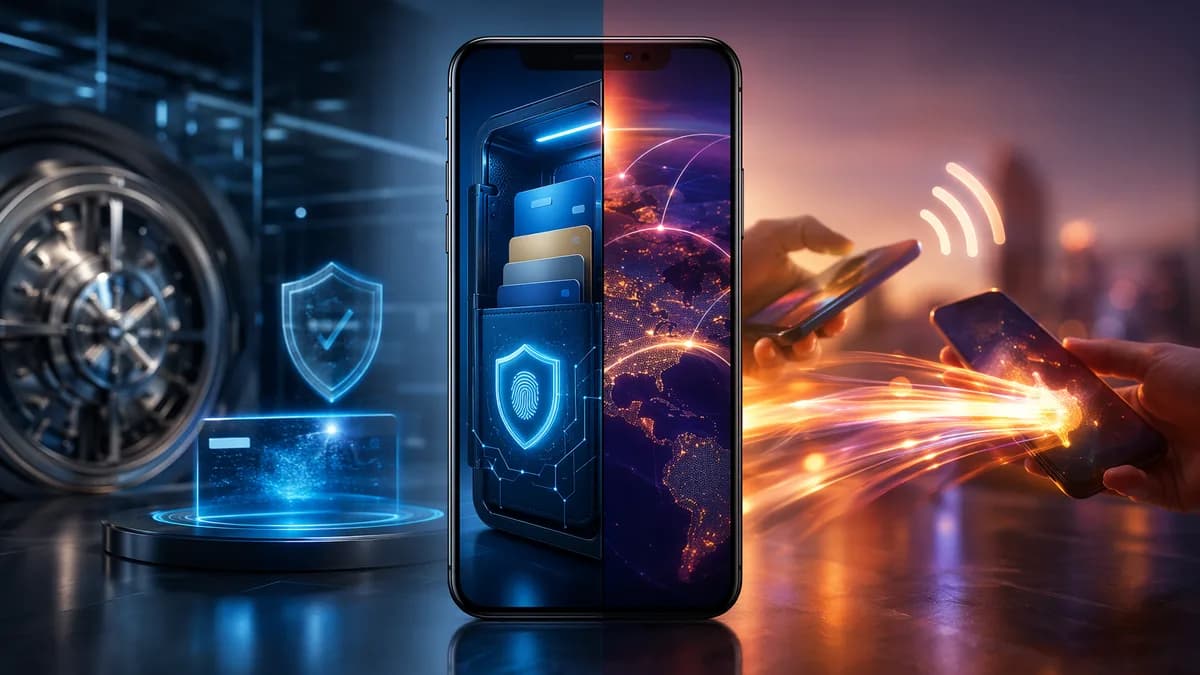
Smartphone visualizing secure digital wallet storage and fast payment app money transfers
FintechJune 16, 2026· 22 min read· By XOOMAR Insights Team

Digital Wallet vs Payment App Decides How Your Cash Moves

Share

XOOMAR Intelligence

Analyst Take

Choosing digital wallet vs payment app comes down to what you need most: a place to store payment credentials, cards, passes, and IDs—or a fast way to pay people and businesses. The confusing part is that many products now do both. Apple Wallet, Google Wallet, PayPal, Venmo, Cash App, and Samsung Pay appear across wallet and payment-app categories depending on the device, transaction type, and features being used.

The practical answer is not always “pick one.” For everyday spending, transfers, security, rewards, and budgeting, digital wallets and payment apps overlap—but they are optimized for different jobs. This guide breaks down the differences using the source data provided, with clear use cases for consumers who want to pay faster, transfer money safely, and avoid unnecessary friction.


1. Digital Wallets and Payment Apps Explained

A digital wallet is designed to store what you might otherwise carry in a physical wallet. CNET describes it as a place for items such as credit and debit cards, health insurance cards, gift cards, boarding passes, and similar essentials. Chase defines a digital wallet more broadly as an electronic wallet used to make digital payments on an internet-enabled device, including desktops, laptops, smartphones, and tablets.

A payment app, by contrast, is primarily built to help you pay. CNET defines mobile payment apps as tools that let you pay without physical cash or cards, including in stores, on websites, and often through person-to-person transfers with friends and family.

The key complication: some apps serve both roles.

Key insight: A digital wallet can act like a payment app, but a payment app does not always provide the broader storage features of a digital wallet.

For example, CNET notes that Google Wallet and Apple Wallet are digital wallet apps that also include mobile payment services. Chase similarly lists Apple Pay, Samsung Pay, Google Wallet, and PayPal as examples of wallet-related tools available across supported devices.

Simple definitions

Term Primary purpose Common examples from sources Typical use
Digital Wallet Store payment methods and wallet-like items Apple Wallet, Google Wallet, PayPal Online payments, stored cards, passes, documents, sometimes contactless payments
Mobile Wallet A digital wallet designed for mobile devices Apple Pay, Samsung Pay, Google Pay Tap-to-pay, in-app purchases, mobile checkout
Payment App Pay merchants or send money to people PayPal, Venmo, Cash App, Zelle P2P transfers, online checkout, app-based payments
Mobile Banking App Manage a bank account Bank apps such as Chase, Bank of America, Ally Balances, bill pay, deposits, statements, transfers

A helpful framing from the source data is this: a digital wallet is closer to your phone’s payment card and wallet storage, while a mobile banking app is closer to your phone’s bank branch. Payment apps sit in the middle: they focus on moving money quickly.


2. Key Differences in How They Work

The biggest difference in digital wallet vs payment app usage is the starting point. A digital wallet starts with storage: cards, passes, tickets, IDs, loyalty cards, and payment credentials. A payment app starts with action: pay this merchant, send this friend money, or receive funds.

Device compatibility

Chase explains that digital wallets can generally work on any internet-enabled device, including desktops and laptops. Mobile wallets, which are a type of digital wallet, are designed for smartphones, smartwatches, and tablets.

That matters because contactless in-store payments usually require mobile hardware. Chase notes that mobile devices are generally equipped with Near Field Communication (NFC) chips, while desktops and laptops are not. So a wallet on your laptop may work for online purchases but not for tapping at a store terminal.

Feature Digital Wallet Payment App
Main function Stores payment details and wallet items Makes payments and transfers
Device use Can work on internet-enabled devices; mobile versions support tap-to-pay Usually app-based, often mobile-first
In-store payment Supported when used as a mobile wallet with NFC or similar technology Supported by some apps where merchants accept them
Online checkout Common use case Common use case
P2P transfers Available in some wallets Core feature for many payment apps
Extra storage May store IDs, passes, loyalty cards, tickets, and gift cards Usually more payment-focused

Transaction types

Access PaySuite describes digital wallets as a central hub for payment methods used for online shopping, in-app purchases, recurring payments, and peer-to-peer transfers. It describes mobile wallets as more focused on contactless transactions using NFC, QR codes, or in-app transactions.

CNET’s definition of payment apps puts more emphasis on merchant payments and sending or receiving money from individuals. In practice, the categories overlap most in everyday checkout but differ more clearly when you need non-payment storage.

Funding and balance model

The source data describes wallets and payment apps as commonly linking to credit cards, debit cards, bank accounts, or app balances. Wealthypot notes that money in a digital wallet often sits in linked cards/accounts or in a small app balance, while money in a mobile banking app sits in an FDIC-insured bank account.

Some services blur the line. Wealthypot says Cash App and PayPal now offer features such as direct deposit, account/routing numbers, and FDIC pass-through insurance in some cases, but also emphasizes that wallets still are not full banks.


3. Where Each Option Is Accepted

Acceptance is one of the most important practical factors. A tool with strong features is less useful if your usual stores, transit systems, websites, or friends do not support it.

CNET states that many merchants accept payment apps in stores and on websites. It also notes that Apple Pay is accepted at more than 85% of retailers in the US, which still leaves businesses that require cash or a physical card.

Critical warning: Even widely accepted mobile payment options are not universal. If your phone battery dies or a store does not accept mobile payments, you may still need a physical card or cash.

In-store acceptance

Mobile wallets are especially strong for in-person checkout when a retailer supports contactless payments. Chase explains that mobile wallets usually support contactless in-store purchases because smartphones, smartwatches, and tablets may have NFC capability.

Access PaySuite also notes that mobile wallets can use NFC, QR codes, and in-app transactions. This makes them useful in retail stores and transport systems where supported.

Online and in-app acceptance

Digital wallets work especially well online because they can store payment credentials and reduce the need to manually enter card details. Access PaySuite describes this as reducing checkout friction, and CNET describes payment apps as usable on many merchant websites.

P2P acceptance

Payment apps are often strongest when the “merchant” is another person. CNET says payment apps allow users to send and receive money from friends and family. Wealthypot specifically lists Venmo, Cash App, and Zelle as P2P wallet options for sending money to a friend.

Ecosystem limitations

Some services work best—or only—within a particular device ecosystem. CNET gives a specific example: Apple Wallet’s peer-to-peer payments only work with other Apple devices. That kind of restriction can matter if your household, roommates, or coworkers use mixed devices.

Acceptance scenario Better fit Why
Tap-to-pay at a store Mobile wallet / digital wallet with mobile payment support Mobile devices can support NFC contactless payments
Online checkout Digital wallet or payment app Both can store payment details for faster checkout
Sending rent split to a roommate Payment app P2P transfers are a core payment-app use case
Transit card or boarding pass Digital wallet Digital wallets can store passes and travel documents
Mixed-device friend group Depends on app compatibility Some ecosystems restrict transfers to similar devices

4. Fees, Transfer Limits, and Funding Methods

The provided source data does not include a universal fee schedule for digital wallets or payment apps, and fees can vary by provider, transaction type, funding source, and transfer method. Because of that, the safest evergreen advice is to check the specific app’s terms before using it for large transfers, instant withdrawals, international payments, or business transactions.

That said, the sources do identify the main categories to evaluate.

Funding methods

Digital wallets and payment apps commonly support linked payment sources. Access PaySuite says digital wallets may store credit and debit card information, bank account details, and loyalty cards. Moldstud notes that e-wallets often support credit/debit cards, while digital wallets often support multiple payment types and currencies.

Wealthypot summarizes digital wallet funding as linked cards/accounts or a small app balance. Mobile banking apps, by contrast, are tied directly to bank accounts.

Transfer limits

Moldstud emphasizes that limits can vary by wallet provider and advises users to check daily and monthly limits. It also states that 55% of users face issues with transaction limits and that 70% of users exceed limits unknowingly in the context of wallet pitfalls.

That does not mean one specific wallet category always has higher limits than the other. It means limits are a real decision factor and should be checked before relying on a tool for rent, group travel, business reimbursements, or emergency transfers.

Fees

Moldstud warns that fees can add up quickly and says 58% of users are unaware of fees. Access PaySuite notes that some digital wallets provide lower processing fees for peer-to-peer transactions or subscription-based services, while mobile wallets may integrate directly with banks to reduce intermediary costs. However, the source data does not provide exact fee amounts.

Factor to check Why it matters What the sources say
Funding source Card, bank, or balance may affect cost and speed Wallets may link cards, bank accounts, or app balances
Transfer limits Large payments can fail or be delayed Limits vary by provider; users often run into limits
Fees Costs can vary by transaction type Many users are unaware of fees; exact fees are provider-specific
International payments Not all tools support them equally Moldstud recommends assessing international payment options
Insurance status Stored balances may not have the same protections as bank deposits Wallet funds are insured only if they sit in an FDIC partner account, according to Wealthypot

Practical checklist before sending money

  • Check Limits: Review daily, weekly, or monthly caps before sending a large payment.
  • Review Fees: Look for fees tied to instant transfers, cards, business payments, or currency conversion where applicable.
  • Confirm Recipient: P2P transfers can be hard to reverse, according to Wealthypot’s safety guidance.
  • Know the Funding Source: Understand whether money is coming from a linked card, bank account, or app balance.
  • Avoid Large Idle Balances: Wealthypot recommends keeping larger savings in an FDIC-insured bank account rather than in a wallet balance.

5. Security Features and Fraud Protection

Security is one of the strongest reasons people use digital wallets and payment apps, but it is not a reason to stop paying attention.

CNET says reputable mobile wallets and digital payment apps are generally safe and use enhanced encryption standards that can offer stronger protection than physical cards. Chase lists common digital wallet security features such as passwords, two-factor authentication, and encryption. For mobile wallets, Chase highlights biometric security and tokenization.

Tokenization and biometrics

Wealthypot explains that digital wallets use tokenization, meaning your real card number is not shared with the merchant. It also highlights biometric approval such as Face ID or fingerprint authentication.

Access PaySuite similarly points to advanced encryption, tokenization, biometric authentication, multi-factor authentication, and real-time monitoring as fraud-prevention tools.

Security takeaway: A reputable wallet or payment app can be safer than handing over a physical card, but only if the phone, account, and app settings are also protected.

Phone loss and theft

CNET adds an important caveat: phones get lost or stolen. Users should have the ability to remotely wipe the device or cancel payment information if that happens. CNET also warns that if someone gains access to your phone and digital wallet, you may need to contact banks and card issuers to freeze accounts.

P2P fraud risks

Wealthypot advises users to be wary of payment requests and QR codes from strangers because P2P transfers are hard to reverse. That is a crucial distinction: security features may protect your card number, but they may not protect you from voluntarily sending money to the wrong person or a scammer.

Security best practices

  • Use Biometrics: Enable fingerprint or facial recognition where supported.
  • Turn On 2FA: Chase and Moldstud both identify two-factor authentication as an important protection.
  • Use Strong Passwords: Moldstud says weak passwords are a major risk and recommends a mix of characters.
  • Update Apps: Moldstud warns that outdated apps are vulnerable and says 65% of breaches occur due to outdated software in its wallet-security discussion.
  • Verify Merchants: Moldstud says 72% of fraud cases involve unverified merchants.
  • Enable Alerts: Moldstud recommends alerts to monitor account activity.
  • Prepare for Lost Devices: CNET recommends remote wipe or cancellation options.
Security feature Digital wallet Payment app
Encryption Commonly used to protect stored data Commonly used by reputable apps
Tokenization Often used in mobile wallet payments May be used depending on provider and payment method
Biometrics Common on mobile wallets Common on mobile payment apps
Two-factor authentication Common or recommended Common or recommended
Fraud monitoring Varies by provider Varies by provider
Reversibility Depends on transaction type P2P transfers can be hard to reverse

6. Rewards, Cash Back, and Loyalty Integrations

Rewards are another area where digital wallets and payment apps can overlap. The provided sources do not give a universal list of rewards programs or cash-back rates, so this section should be understood as feature-based rather than rate-based.

Digital wallets can store loyalty cards, gift cards, and related items. CNET describes digital wallets as storing things like gift cards, and Access PaySuite says digital wallets can store loyalty cards. Moldstud says e-wallets may offer loyalty programs, discounts, cashback, or points.

Loyalty cards and gift cards

A digital wallet is often better when you want to keep payment and loyalty materials together. For example, a wallet may let you store a payment card, gift card, boarding pass, or loyalty card in one place, depending on the provider and merchant support.

Discounts and cash-back incentives

Moldstud reports that 62% of users utilize wallet discounts and 54% of users engage with loyalty programs. It also says e-wallets frequently offer exclusive discounts and cashback in its comparison framework.

However, the source data does not identify a single wallet or app as having the best rewards program. The right comparison is provider-specific: check whether the tool supports your preferred merchants, cards, loyalty programs, and offers.

Budgeting trade-off

CNET includes a warning that fast, convenient payment can make it easier to spend without thinking twice. If you use one-tap checkout or P2P transfers frequently, budgeting discipline matters.

Moldstud notes that some wallets offer budgeting tools, including the ability to track spending and set limits, and says 60% of users find budgeting tools helpful. Wealthypot, however, frames mobile banking apps as stronger for full money management, including balances, bill pay, deposits, loans, and statements.

Feature Digital wallet Payment app
Gift card storage Strong fit Less central
Loyalty card storage Strong fit where supported Possible, but not usually the core purpose
Cashback or discounts May be available depending on wallet/provider May be available depending on app/provider
Budgeting tools Some wallets may include spending tools Some apps may show transaction history, but full budgeting varies
Full money management Better handled by bank apps in the source data Payment apps are not full bank replacements

7. Best Use Cases for Digital Wallets

Digital wallets are best when the main need is convenience across stored payment methods, passes, IDs, and checkout contexts.

1. Replacing parts of a physical wallet

CNET’s definition of a digital wallet includes payment cards, health insurance cards, gift cards, and boarding passes. Wealthypot also notes that Apple and Google Wallet can store digital IDs and driver’s licenses in a growing number of states, along with transit passes, event tickets, and digital car keys.

This makes a digital wallet useful when you want one place for everyday credentials and passes—not just a way to pay.

2. Contactless in-store spending

A mobile wallet, which is a type of digital wallet, is ideal for tap-to-pay where supported. Chase explains that mobile wallets are designed for smartphones, smartwatches, and tablets and generally support contactless payment technology.

3. Online checkout without re-entering card details

Access PaySuite describes digital wallets as tools that let users complete transactions without manually entering card details. This can reduce checkout friction and make online purchases faster.

4. Travel and transit

Because digital wallets can store boarding passes, transit passes, and related items, they are useful for commuting and travel. CNET does warn that phone battery issues can become a real problem if your transit card is only on your device.

5. Loyalty and gift card organization

Digital wallets can reduce the clutter of physical loyalty cards and gift cards. That is especially useful if you regularly shop at merchants that support wallet-based loyalty features.


8. Best Use Cases for Payment Apps

Payment apps are best when the goal is moving money quickly between people or paying through an app-based flow.

1. Sending money to friends and family

CNET identifies P2P transfers as a core payment-app function. Wealthypot specifically suggests P2P wallets such as Venmo, Cash App, and Zelle for sending money to a friend.

Common examples include splitting dinner, reimbursing a roommate, or paying someone back for shared expenses. The main caution is that P2P transfers can be hard to reverse, so recipient verification is essential.

2. Receiving money

Payment apps are also useful when you need to receive funds from another person. This can be more convenient than exchanging cash or waiting for a traditional transfer, depending on the app and funding method.

3. Online and in-app purchases

Access PaySuite lists PayPal, Cash App, and Venmo as digital wallet examples used for online shopping, in-app purchases, recurring payments, and peer-to-peer transfers. For many users, these apps function as both wallet and payment layer.

4. Small everyday balances

Wealthypot notes that wallet money may sit in linked cards/accounts or a small app balance. For everyday spending, small balances can be convenient. For larger savings, the same source recommends using an FDIC-insured bank account.

5. Situations where your social circle uses the same app

A payment app is often only as useful as its network. If friends, family, or coworkers already use the same P2P app, transfers can be simpler. But ecosystem limits matter; CNET’s example of Apple Wallet peer-to-peer payments working only with other Apple devices shows why compatibility should be checked first.

Use case Better option Reason
Split a restaurant bill Payment app P2P transfers are a core feature
Tap at a grocery store Mobile wallet Built for contactless checkout
Store a boarding pass Digital wallet Stores non-payment wallet items
Pay an online merchant Either Both may support online checkout
Manage savings and bills Mobile banking app Source data says bank apps are built for account management
Store loyalty and gift cards Digital wallet Designed for broader wallet contents

9. How to Choose the Right Option

The best answer to digital wallet vs payment app is usually based on your spending pattern, device ecosystem, security preferences, and whether you need storage or transfers.

Start with your main job-to-be-done

If you mostly want to tap at stores, store passes, and avoid carrying cards, a digital wallet or mobile wallet is likely the better fit. If you mostly want to send money to people, a payment app is usually more practical.

If you want to manage your full financial life—checking balances, paying bills, depositing checks, reviewing statements, or applying for credit—the source data points to a mobile banking app rather than either a wallet or payment app.

Compare the essentials

Decision factor Choose a digital wallet if… Choose a payment app if…
Everyday checkout You pay in stores with contactless terminals You pay merchants through app-based checkout
P2P transfers Your wallet supports transfers and your contacts use it You frequently send and receive money
Storage needs You want cards, passes, tickets, IDs, and loyalty items together You mainly need payment and transfer functions
Device ecosystem Your phone/watch supports the wallet you want Your contacts and merchants accept the app
Security preference You value tokenization and biometric tap-to-pay You value app-based controls, alerts, and 2FA
Budgeting You want spending tools where available You track payments but use a bank app for full budgeting
Large balances You keep funds mostly in linked bank/card accounts You avoid storing large app balances unless protections apply

Use both when it makes sense

The source data consistently shows convergence. CNET notes that some digital wallets serve double duty as payment apps. Wealthypot says the line is blurring as payment apps add banking-like features and bank apps add payment features.

Still, convergence does not mean they are interchangeable. A wallet can streamline checkout and storage, while a payment app can simplify transfers. A bank app remains better suited for account management.

A practical setup for everyday users

  • Use a Digital Wallet: Store your main payment card, transit pass, boarding passes, gift cards, or supported IDs.
  • Use a Payment App: Send and receive money from people you know and verify recipients carefully.
  • Use a Bank App: Manage balances, bills, deposits, savings, statements, and larger funds.
  • Keep a Backup: Carry a physical card or cash when traveling, when your battery is low, or when merchant acceptance is uncertain.
  • Review Settings Monthly: Check limits, fees, privacy settings, app updates, and security controls.

Bottom Line

For everyday spending, the digital wallet vs payment app choice is less about which technology is “better” and more about which job you need done. A digital wallet is better for storing payment methods, passes, gift cards, loyalty cards, and supported IDs while enabling fast checkout. A payment app is better for sending and receiving money, especially with friends and family.

The strongest everyday setup is often a combination: use a digital wallet for tap-to-pay and wallet storage, use a payment app for P2P transfers, and use a mobile banking app for managing your actual financial accounts. Before relying on any one tool, check merchant acceptance, transfer limits, fees, device compatibility, security settings, and whether stored balances have bank-level protections.


FAQ

What is the main difference between a digital wallet and a payment app?

A digital wallet stores payment information and often other wallet items such as gift cards, boarding passes, health insurance cards, loyalty cards, or supported IDs. A payment app focuses on making payments and sending or receiving money from individuals or merchants.

Can a digital wallet also be a payment app?

Yes. CNET notes that some digital wallets serve double duty as payment apps. Google Wallet and Apple Wallet are examples of digital wallet apps that also include mobile payment services.

Are digital wallets and payment apps safe?

Reputable digital wallets and payment apps are generally safe, according to CNET. Common protections include encryption, tokenization, biometrics, passwords, and two-factor authentication. However, users should protect their phones, enable remote wipe options, avoid sharing one-time codes, and verify recipients before sending P2P payments.

Are digital wallets accepted everywhere?

No. CNET states that Apple Pay is accepted at more than 85% of retailers in the US, which still means some businesses do not accept it. Acceptance depends on the merchant, device, app, and payment terminal.

Do payment apps have fees or transfer limits?

They can, but the provided source data does not include universal fee amounts. Moldstud emphasizes that limits vary by provider and warns that users often overlook fees and transaction caps. Always check the app’s terms before sending large payments or using instant transfer features.

Can a digital wallet or payment app replace a bank account?

Not fully, based on the source data. Wealthypot says wallets are useful for payments and transfers, and some services such as Cash App and PayPal offer banking-like features in some cases. But mobile banking apps remain better for full account management, savings, bill pay, deposits, statements, and FDIC-insured bank account access.

Sources & References

Content sourced and verified on June 16, 2026

  1. 1
    Best Digital Wallets and Payment Apps

    https://www.cnet.com/personal-finance/banking/best-digital-wallets-payment-apps/

  2. 2
    Digital Wallet vs. Mobile Wallet: What to Know | Chase

    https://www.chase.com/personal/credit-cards/education/basics/digital-wallet-vs-mobile-wallet

  3. 3
    Digital Wallet vs Mobile Banking App: What

    https://wealthypot.com/digital-wallet-vs-mobile-banking-differences/

  4. 4
    Mobile Payments vs. Digital Wallets: Key Differences & Benefits

    https://www.accesspaysuite.com/blog/mobile-payments-and-digital-wallets-what-s-the-difference/

  5. 5
    E-Wallet vs Digital Wallet - Key Differences Explained

    https://moldstud.com/articles/p-e-wallet-vs-digital-wallet-understanding-the-distinctions

  6. 6
    eWallet vs Digital Wallet vs Mobile Wallet Explained - nimbleappgenie

    https://www.nimbleappgenie.com/blogs/ewallet-vs-digital-wallet-vs-mobile-wallet/

XOOMAR

Written by

XOOMAR Insights Team

Research and Editorial Desk

The XOOMAR Insights Team pairs automated research with human editorial judgment. We track hundreds of sources across technology, fintech, trading, SaaS, and cybersecurity, cross-check the facts, and explain what happened, why it matters, and what to watch next. We do not just rewrite headlines. Every article is fact-checked and scored for reliability before it goes live, and we link back to the original sources so you can verify anything yourself.
Related Articles

Digital wallet checkout contrasted with secure mobile banking controls on a smartphone.Fintech

Digital Wallet vs Mobile Banking Exposes Payment Trap

Digital wallets win at checkout speed. Mobile banking apps win at control, records, transfers, and account protection.

Jun 16, 202621 min
Small business owner comparing payment tools as hidden fees drain cashFintech

Wrong Digital Payment Platforms Bleed Small Firms Dry

Small businesses shouldn't chase the lowest rate. The right payment setup depends on sales channels, cash flow, and complexity.

Jun 9, 202621 min
Business owner reviews secure payment gateway options on a tablet with digital payment streams.Fintech

Pick a Payment Gateway That Won't Bleed Your Business

The right payment gateway isn't the cheapest one. It's the one that protects margins, cuts friction, and pays you fast.

Jun 16, 202623 min
Person using a digital banking app with abstract BNPL budgeting and spending limit visualsFintech

Digital Banks With BNPL Rein In Pay Later Spending

The best BNPL banking apps don't just split payments. They show schedules, fees, and limits before installments become a budgeting problem.

Jun 16, 202623 min
Global instant payout network showing sellers, cash flows, compliance shields, and mobile banking screens.Fintech

Seller Cash Wars Put Instant Payout Platforms on Trial

Stripe, Adyen and Hyperwallet take different paths on seller payouts. Speed matters, but compliance and coverage decide the winner.

Jun 16, 202622 min
Futuristic AI lab with officials, engineers, secure servers, and glowing neural networks under tense oversight.Technology

Commerce Threatens Anthropic Over Foreign AI Model Access

Commerce reportedly threatened Anthropic with penalties unless it cut foreign nationals off from Fable 5 and Mythos 5.

Jun 17, 20267 min
No-code trading bot automation with market charts, risk controls, and crypto trading screensTrading

No-Code Trading Bot Platforms Hand Beginners Autopilot

No-code bots make automation accessible, but they only execute rules. Weak strategies still lose without testing, limits and monitoring.

Jun 17, 202622 min
Police and emergency vehicles outside a hospital at night with subtle global map overlayGlobal Trends

Gunman Vanishes After Delaware Hospital Shooting Kills 1

One person is dead, another wounded, and the Wilmington Hospital gunman remained at large hours after the shooting.

Jun 17, 20266 min
Trader reviewing simulated options risks on a modern paper trading dashboard.Trading

Options Paper Trading Apps That Expose Costly Mistakes

The best options paper trading apps let traders rehearse spreads, Greeks, and risk rules before real cash takes the hit.

Jun 17, 202624 min
Investor monitoring automated copy trading dashboards as fees and losses quietly drain awayTrading

Copy Trading Platforms for Stocks Can Quietly Drain You

Stock copy trading can automate gains and losses. Compare markets, trader data, fees, and controls before handing over the wheel.

Jun 17, 202622 min