In the evolving landscape of personal cybersecurity, users often face a fundamental choice: should they invest in a password manager or antivirus software? While both tools are cornerstones of digital safety, they address distinct yet overlapping threats. This analysis explores the password manager vs antivirus software question, examining the unique protections each offers, where their roles intersect, and whether a modern digital citizen truly needs both in 2026. Grounded in current research and product reviews, we'll break down how to build a balanced defense strategy based on your specific risks and habits.
Introduction: Two Pillars of Personal Cybersecurity
Modern digital life exposes us to a spectrum of threats, primarily falling into two broad categories: threats that target our accounts and threats that target our devices. A password manager and antivirus software are the specialized tools designed to counter these respective dangers. A password manager’s core function is to secure your login credentials, using an encrypted vault to store, generate, and autofill strong, unique passwords for every account. Antivirus software, on the other hand, is engineered to detect, block, and remove malicious software from your computer or mobile device, acting as a guard against file-based and behavioral threats. While their primary missions differ, understanding their distinct and complementary roles is key to making an informed decision about your personal security stack.
Defining the Threats: Malware vs. Credential Theft
Before choosing tools, it’s essential to understand the different attacks they are built to stop.
- Credential Theft & Account Takeover: This threat vector exploits weak, reused, or stolen passwords. When a service suffers a data breach (which happens to billions of passwords annually, according to Google), leaked credentials are often tried on other sites in "credential stuffing" attacks. If you reuse passwords, a single leak can cascade, compromising your email, banking, and social accounts.
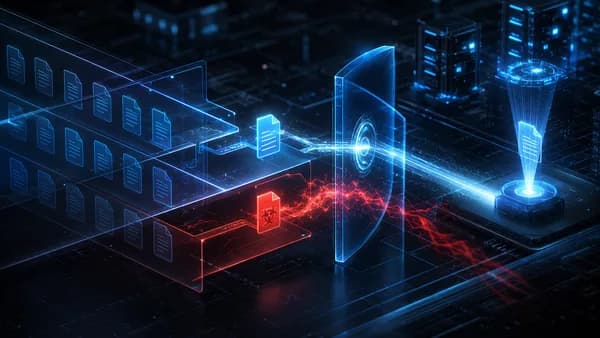
- Malware & Device Infection: This encompasses malicious software like viruses, trojans, ransomware, and spyware designed to infect your device. These threats often arrive via infected downloads, malicious email attachments, compromised websites, or unsafe network connections. The goal can range from stealing data directly from your device to locking files for ransom or logging keystrokes.
If one password unlocks multiple accounts, your risk is spread everywhere. A password manager can quickly improve dozens or even hundreds of logins in a way antivirus simply cannot. , Security analysis from BO2K
What a Password Manager Protects (And What It Doesn't)
A password manager serves as a dedicated guardian for your digital identities.
- What It Protects: It secures your online accounts by eliminating the dangerous practice of password reuse. By generating and storing strong, unique passwords for every site, it ensures a breach at one service doesn’t jeopardize others. Features like secure autofill also help protect against some forms of phishing by ensuring credentials are only entered on the correct website. Advanced features in paid managers like 1Password, Dashlane, or Bitwarden include security audits that flag weak or compromised passwords, dark web monitoring, and support for modern passkeys.
- What It Doesn't Protect: A password manager does not scan files or system processes for malware. It cannot stop you from downloading a malicious file, prevent a ransomware attack from encrypting your device, or block a keylogger from capturing your keystrokes (though autofill can mitigate this). Its protection is specific to the access credentials for your accounts.
Free Tier: Services like Bitwarden and Google Password Manager offer capable free plans. Bitwarden's free version provides unlimited syncing across devices, while Google's manager is built into Chrome and Android at no cost.
What an Antivirus Service Protects (And What It Doesn't)
Antivirus software acts as a shield for your device’s integrity and your local data.
- What It Protects: Its primary role is real-time protection against malware. Top-tier suites like Norton 360 and Bitdefender Premium Security boast 100% detection rates in controlled tests, blocking viruses, trojans, ransomware, and spyware. Modern suites often extend to web protection, filtering out phishing sites and malicious downloads before they reach you, and may include firewalls, VPNs, and webcam protection.
- What It Doesn't Protect: Antivirus software does not manage or improve your passwords. It cannot prevent account takeover if you reuse a weak password that gets leaked in a breach. While its web filters can block known phishing sites, it may not stop a sophisticated phishing email from tricking you into manually entering credentials on a fake login page if the site is new enough.
The Critical Overlap: Phishing Protection
This is where the roles of antivirus and password managers intersect most directly. Phishing attacks aim to steal credentials or deliver malware.
- Antivirus Approach: Many suites include web protection modules that maintain databases of known phishing URLs and block access to them.
- Password Manager Approach: A password manager's autofill feature provides a behavioral defense. If you land on a cleverly disguised fake login page for "g00gle.com," your password manager will likely not autofill your credentials because it doesn't recognize the domain. This creates a moment of friction that can stop an automated login attempt. However, as noted in the source analysis, a determined user could still manually type their password, so this is not absolute protection.
The strongest defense layers both tools: the antivirus attempts to block the malicious site, and the password manager fails to autofill if you get there.
Real-World Security Scenarios: When You Need Both Tools
A layered defense is most effective. Consider these scenarios:
- Malware that Steals Passwords: A keylogger or info-stealer malware infects your device. Your antivirus may catch and quarantine it, but if it doesn't, the malware could capture your master password as you type it, compromising your entire vault. Here, antivirus is the first line of defense.
- Data Breach Leading to Ransomware: Your reused password for a cloud storage service is leaked. An attacker accesses your account, uploads ransomware-infected files, which you then download to your device. A password manager with unique passwords could have prevented the initial account access. Antivirus might then be needed to detect the malicious file.
- Family Shared Computer: A household computer used by less-technical family members is at higher risk of malware from accidental clicks. An antivirus provides essential real-time protection. Simultaneously, a password manager with a shared vault ensures everyone uses strong, unique passwords without needing to remember them.
Analysis: Comparing Costs of a Combined Security Suite
Bundled solutions exist that combine both functionalities into one subscription, potentially simplifying management and cost.
| Product | Annual Starting Price (Source Data) | Key Antivirus Features | Bundled Password Manager Features |
|---|---|---|---|
| Norton 360 Deluxe | $49.99 | 100% malware detection, firewall, VPN, dark web monitoring | Unlimited storage, auto-fill, password auditing, multi-device sync, browser extensions, mobile apps |
| Bitdefender Premium Security | $64.99 | 100% detection, lightweight cloud scanner, web protection, unlimited VPN | SecurePass with unlimited storage, password health auditing, secure password sharing, auto-save/fill |
| TotalAV Total Security | Price not specified | ~99% malware detection, system optimization tools | Intuitive vault interface, unlimited password storage (via Total Password) |
| McAfee | Price not specified | Powerful malware scanner | Integrated password manager for enhanced security |
The Trade-off: As analysis from PCWorld notes, while bundled password managers like Norton Password Manager are "simple but good" and get the job done, they may lack the polish and advanced features (like broader passkey support) of dedicated top-tier managers like 1Password. However, for a user who currently has neither tool, a bundle represents a significant security upgrade and convenience.
You don’t need a password manager built into your antivirus suite, especially if you already have a password manager you prefer. But it can be convenient, especially for people who may not already use a password manager. , Analysis from PCWorld
Best Practices for Integrating Both Tools Effectively
If you opt for separate best-in-class tools or a bundle, follow these guidelines:
- Prioritize Your Master Password: Your password manager's vault is only as strong as its master password. Make this a long, unique passphrase not used anywhere else.
- Enable Multi-Factor Authentication (MFA): Use MFA on your password manager account and your most critical accounts (email, banking). This adds a critical layer even if a password is compromised.
- Allow Real-Time Protection: Ensure your antivirus’s real-time scanning is always active. Don’t disable it for performance reasons; modern suites like Bitdefender are designed to be lightweight.
- Use the Autofill: Train yourself to rely on your password manager's autofill. Manually typing passwords, especially on mobile, increases exposure to overlays and keyloggers.
- Perform Regular Audits: Use your password manager’s security audit or "password health" tool to periodically identify and change weak, reused, or compromised passwords.
2026 Perspective: Antivirus with Built-in Password Managers
The trend toward integrated security suites is accelerating. In 2026, as evidenced by the source list, major antivirus providers are increasingly including password managers not as afterthoughts but as core components of their "security dashboard" approach.
- Perceived Convenience: Having one dashboard for virus scans, VPN status, and password health lowers the barrier to entry for non-technical users and simplifies subscription management.
- Security Ecosystem: Vendors like Norton link their dark web monitoring (which scans for leaked credentials) directly with their password manager, prompting users to change vulnerable passwords, a powerful integrated workflow.
- Market Reality: The availability of excellent free password managers (Bitwarden, Google Password Manager) means the value of a bundle is not purely financial. The value is in the nudge toward better habits and unified management.
However, the specialist-vs-generalist debate remains. Power users who desire advanced password management features like extensive passkey support, detailed sharing permissions, or unique tools like 1Password’s Travel Mode may still prefer a dedicated tool alongside a robust antivirus.
Conclusion: Building Your Balanced Defense Strategy
So, do you need both a password manager and antivirus software in 2026? For robust, modern digital security, the answer is a definitive yes. They are complementary, not competing, tools designed to defend against different, prevalent threat vectors.
- Start with your biggest vulnerability: If you reuse passwords, a password manager delivers the most immediate and widespread security uplift.
- Then, layer on device defense: Antivirus software provides essential, always-on protection against the constant threat of malware.
- Evaluate bundles for simplicity: A premium security suite like Norton 360 or Bitdefender Premium Security that includes a capable password manager can be an efficient and effective single-purchase solution, especially for those starting from scratch.
The optimal strategy is a defense-in-depth approach. Use a password manager to create a strong, unique key for every digital door, and use antivirus software to ensure the hallway leading to those doors is clean, monitored, and safe. In 2026, protecting both your identities and your devices is not an either/or proposition, it's the standard for basic digital hygiene.
FAQ
Can't I just use the free password manager in my browser? Yes, built-in managers like Google Password Manager in Chrome or Microsoft Password Manager in Edge are viable options that securely sync across your signed-in devices. They represent a major improvement over reusing passwords or writing them down. However, dedicated managers often offer more advanced features like detailed security audits, organized secure note storage, and easier sharing with family members.
I have antivirus on my PC; do I need a password manager on my phone? Yes. Your accounts are accessed from multiple devices. If you reuse passwords, a breach that happens on a service you use on your PC still compromises your account on your phone. A password manager syncs your vault across all devices, ensuring you use strong, unique passwords everywhere.
Are bundled antivirus password managers secure? According to testing, yes. Bundled managers from top-tier providers like Norton and Bitdefender use strong encryption to secure your vault, similar to dedicated password managers. The primary difference noted in comparisons is often in the breadth of features and user interface polish, not in fundamental security.
If I only buy one tool first, which should it be? Most security analyses suggest that for the average person whose biggest weakness is password reuse, a password manager provides the broader and more immediate security improvement by securing all online accounts at once. Start by changing passwords for email, banking, and primary cloud storage.
Doesn't my operating system's built-in security (Windows Defender, etc.) make antivirus unnecessary? Modern OSes have significantly improved built-in protection, which may reduce the urgency for a third-party antivirus. However, comprehensive suites often provide more robust web protection, phishing filters, and additional features like VPNs and password managers. The choice depends on your risk tolerance and browsing habits.
Bottom Line
Grounded in 2026 research, both a password manager and antivirus software address critical, distinct security gaps. A password manager is your essential defense against account takeover via credential theft, while antivirus software is your primary guard against device infection from malware. While high-quality bundles like Norton 360 offer a convenient combination, the strongest personal cybersecurity posture in 2026 utilizes both specialized tools to create a layered, resilient defense against the full spectrum of online threats. Your first step should be to eliminate password reuse with a password manager, then ensure your devices are actively protected with robust antivirus software.