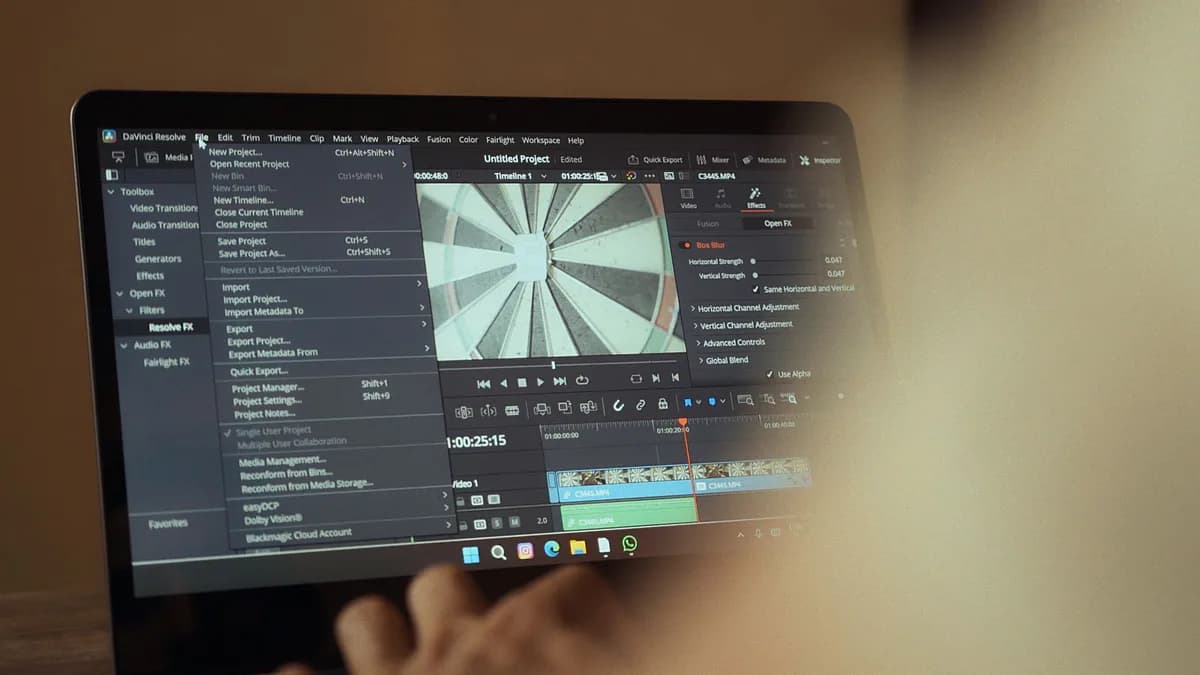
For YouTube creators in 2026, producing content is no longer just about having the most powerful traditional editor; it’s about choosing tools that fit a modern, fast-paced workflow. The landscape of ai video editing software youtube creators rely on has evolved dramatically, shifting from complex, time-intensive processes to AI-assisted platforms that automate tedious tasks, enhance storytelling, and unlock scalability. This guide provides a comprehensive, data-driven comparison of the best AI video editing software for YouTube creators, grounded in current 2026 research, to help you find the tool that matches your content niche and workflow.
Introduction: The Rise of AI in Content Creation
Creating high-quality YouTube content used to demand expensive equipment, advanced editing skills, and hours of production time. The advent of AI has fundamentally changed this equation. As noted in industry research, AI video tools now allow creators to turn a simple idea into a polished video in minutes, drastically reducing production time and lowering the barrier to entry, a trend further accelerated by broader AI integrations like the recent Microsoft Copilot super app consolidation. These tools are not just about automation; they are about enhancing creativity and enabling consistency, which is key for channel growth. From AI script generation and automated rough cuts to generative B-roll and smart repurposing, the right AI video editing software allows YouTube creators to focus more on storytelling and audience engagement while the software handles the heavy lifting.
What Makes 'AI' Video Editing Different? Key Features
AI video editing software distinguishes itself from traditional editors by focusing on intelligent automation and workflow acceleration. Based on the source data, here are the core features that define this category in 2026:
AI-Powered Rough Cutting & Filler Removal: Tools like Gling and Descript specialize in automatically removing silences, bad takes, and filler words (like "um" and "uh") from raw footage. Gling reports a 96.7% safety score and 85.4% F1 accuracy on filler detection, saving editors hours of manual scrubbing.
Text-Based Editing: Platforms such as Descript allow you to edit video by manipulating a text transcript. Delete a sentence in the transcript, and it disappears from the timeline. This is particularly transformative for talking-head videos, podcasts, and interviews.
Generative AI for Visuals: Tools like RunwayML offer generative AI capabilities to create or extend B-roll footage, apply styles, and generate visuals from text prompts. However, source data cautions that on its Standard plan ($35/month), you might only generate roughly 52 seconds of high-quality Gen-4 footage per month due to credit limitations.
Automated Repurposing & Clip Generation: Software like OpusClip and Async can ingest a long-form video and automatically generate multiple short-form clips optimized for YouTube Shorts, TikTok, or Reels, complete with punch-ins and captions.
AI Voiceovers & Avatars: CapCut and Synthesia provide tools for generating realistic AI voiceovers and avatar presenters. This is invaluable for creating faceless content, adding narration, or producing videos in multiple languages.
Smart Integrations: The most practical AI tools don't force you to leave your preferred workflow. They integrate directly with professional non-linear editors (NLEs) like Adobe Premiere Pro, Final Cut Pro, and DaVinci Resolve. For example, Gling exports clean XML and EDL files for a seamless handoff.
Key Insight: "AI is good at the tedious 80%. Silence removal, transcription, captions, rough cuts. AI does not own pacing, story, hooks, or the emotional anchor cuts that determine retention. That's still human work.", A perspective from the creator industry in 2026.
Evaluation Criteria: Ease of Use, Price, Export Options
When comparing AI video editing tools, it's essential to evaluate them against criteria that matter for a sustainable YouTube creator business. The source data consistently highlights three primary factors:
1. Ease of Use & Learning Curve: Is the interface designed for beginners, or does it cater to professionals? CapCut and VEED.io are frequently cited for their beginner-friendly, intuitive workflows. In contrast, Adobe Premiere Pro and DaVinci Resolve Studio offer immense power but come with a steeper learning curve that can overwhelm new creators.
2. Pricing & Value: Transparency in pricing is critical. Many tools use credit systems or tier-locked features.
- Credit Caps: Descript's AI features on lower-tier plans can be exhausted quickly with intensive editing.
- One-Time vs. Subscription: DaVinci Resolve Studio is a $295 one-time purchase, which pays for itself in under 10 months compared to a $34.49/month Premiere Pro subscription. However, its AI features require a capable GPU.
- Free Tiers: Most tools offer a free plan with limitations, such as watermarked exports (Gling), time limits (Descript's 1 hour), or reduced export quality (VEED.io).
3. Export Options & Workflow Integration: The best tool should fit into your final publishing pipeline. Key questions include: Does it export directly to social formats and resolutions? Can it hand off a project to a professional NLE? Tools praised for strong integration include Gling (for rough cuts into Premiere/Final Cut) and Async (for online collaborative workflows and Shorts repurposing).
Top Contender #1: Descript (AI Editing, Transcription, Podcasting)
Descript has cemented its position as a powerhouse for a specific type of creator by pioneering a text-based, transcript-centric editing model.
Core AI Features:
- Text-Based Video & Audio Editing: Edit media by deleting or rearranging words in a transcript.
- AI Filler Word Removal: Automatically detects and removes "ums," "uhs," and silences.
- AI Voice Cloning: Create synthetic voiceovers from samples.
- Screen Recording & Multitrack Editing: A full suite for recording and producing content.
- Underlord (2026 Upgrade): Powered by advanced AI models, this feature improved filler removal accuracy by 43% and B-roll placement accuracy to 92% based on text instructions.
Pricing (2026): Descript operates on a freemium model with tiered subscriptions:
- Free: 1 hour of transcription, 100 AI credits.
- Creator ($24/month): 30 hours of transcription, 800 AI credits, and full access to Underlord features.
Performance & Use Case: In a timed test on a 12-minute talking-head video, Descript produced one finished long-form edit plus five shorts in 28 minutes, the fastest combined output in its category. It is cloud-only, which is a limitation for those needing offline work or doing heavy visual effects.
The Verdict: Descript is unparalleled for podcasters, interviewers, educators, and any creator whose workflow revolves around spoken-word content. It’s less ideal for visually complex, cinematic projects.
Top Contender #2: RunwayML (Generative AI & Advanced Tools)
RunwayML is the contender for creators who want to push visual boundaries using generative AI. It's less of a traditional editor and more of a creative suite for generating and manipulating visuals.
Core AI Features:
- Generative Video (Gen-4.5/Aleph): Generate new video footage from text or image prompts.
- Inpainting & Outpainting: Remove objects from scenes or extend video frames.
- Motion Tracking & Green Screen: Advanced AI-powered visual effects tools.
- Style Transfer: Apply the visual style of one video to another.
Pricing & Consideration: Runway uses a credit-based system.
- Standard Plan ($35/month): Includes a set number of credits. Source analysis indicates this plan might only allow for approximately 52 seconds of generated Gen-4.5 footage per month after other uses, highlighting a potential cost barrier for high-volume creators.
Performance & Use Case: RunwayML excels for creating custom B-roll, executing complex VFX that would be time-prohibitive manually, and experimenting with abstract visual concepts. It is a complementary tool often used alongside a primary editor like Premiere Pro or DaVinci Resolve, not a replacement for them.
Top Contender #3: Pictory (Script-to-Video & Blog-to-Video)
Pictory carves out a strong niche by focusing on converting existing text content into engaging video summaries, perfect for content repurposing.
Core AI Features:
- Blog/Article-to-Video AI Conversion: Transforms a blog post URL or script into a video with relevant visuals.
- Automatic Scene Selection & Voiceover: AI matches text sections with stock footage and adds narration.
- Subtitle Generation: Creates captions automatically to boost accessibility and engagement.
- Stock Media Library Integration: Access to a library of clips and images.
Pricing: Pictory offers subscription plans, though specific 2026 pricing is less detailed in the provided sources. It is generally noted to be cost-effective for its core use case.
Performance & Use Case: Pictory is "great for bloggers and marketers turning written content into video format." Its strength is speed and simplicity for creating explainer videos, social clips, and visual summaries of long-form text. The trade-off, as noted, can be "limited customization options" and templates that may feel repetitive for a branded channel.
Top Contender #4: VEED.IO (Browser-Based Simplicity)
VEED.IO wins on convenience and specific, high-value features, offering a fully browser-based editing experience that requires no software installation.
Core AI Features:
- Auto Subtitle Generator: Highly accurate and fast captioning, a standout feature.
- AI Voice Tools: Text-to-speech for adding narration.
- Online Video Editor: Basic cutting, trimming, and effects entirely in the browser.
- Screen Recording: Built-in tool for capturing tutorials or presentations.
Pricing: VEED operates on a freemium model. The free plan exists but comes with restrictions, such as a watermark or limits on export quality.
Performance & Use Case: VEED.IO is "ideal for creators who prioritize captions and quick edits." It’s perfect for YouTubers who need to add subtitles rapidly, make fast cuts for community posts or Shorts, and collaborate with team members online without complex software. Its limitations lie in "limited AI generation features" and being less suited for complex, multi-track narrative editing.
Comparative Analysis at a Glance
| Tool | Best For | Key AI Features | Pricing Model (2026) | Primary Limitation |
|---|---|---|---|---|
| Descript | Podcasts, Talking-head, Educational | Text-based editing, AI filler removal, Voice cloning | Free, then $24-$50/month (Creator plan cited) | Cloud-only; not for VFX-heavy projects |
| RunwayML | Generative Visuals, VFX, B-roll | Gen-4.5 video generation, Inpainting, Motion Tracking | Credit-based; $15/$35/$95/month plans | High credit consumption for video generation |
| Pictory | Repurposing Blogs/Articles | Script-to-video, Auto scene selection, Voiceovers | Subscription-based (exact pricing not detailed in sources) | Can feel template-heavy; limited customization |
| VEED.IO | Fast Online Edits & Subtitles | Auto-subtitles, Browser-based editor, AI voice tools | Freemium with paid tiers | Limited advanced editing & AI generation |
| Gling | Automated Rough Cutting | Silence/filler removal, Smart Thresholding, NLE Export | $10/$20/$50/month (Plus plan at $10) | Dialogue-only; not for B-roll-heavy content |
| CapCut | Shorts & All-in-One Creation | AI script gen, AI avatars/voices, Full video generation | Free; Pro ~$7.99/month | Long-form editing can be challenging |
| Async | Shorts Repurposing & Fast Workflows | AI-assisted editing, Auto captions, Clip generation | Freemium (specific pricing not detailed) | Less suited for advanced VFX |
How to Choose: Matching AI Tools to Your YouTube Niche
The "best" tool is entirely dependent on your content style and production volume. Here’s a data-driven guide based on the source analysis:
For Vloggers, Podcasters & Talking-Head Creators: Your biggest time sink is cutting down long recordings. Gling ($10/month) is the most efficient first step for rough cutting before finishing in your main editor. If you want an all-in-one platform for recording, editing, and publishing, Descript ($24/month) is the superior choice, especially with its 2026 Underlord upgrades.
For Shorts & Social Clip Creators: If your goal is to atomize long-form content into viral shorts, OpusClip ($15-$29/month) and Async are built for scale. For creating Shorts from scratch with templates and effects, CapCut is the dominant, beginner-friendly option.
For Educational & Explainer Channels: Repurposing blog posts or scripts is key. Pictory excels here. If your tutorials involve screen recording and precise audio editing, Descript or VEED.IO's subtitle-focused tools are highly valuable.
For Cinematic & High-Production Channels: You likely already use Premiere Pro or DaVinci Resolve Studio. Your AI tools will be supplements: RunwayML for generative B-roll, Topaz Video AI ($299/year) for upscaling footage, and Gling for cleaning up interview audio before it hits your timeline.
The Hybrid Approach: Integrating AI Tools into Professional Workflows
The most effective creators in 2026 don't use just one tool; they build a hybrid pipeline. The research emphasizes that AI handles the tedious pre-work, allowing human creativity to focus on story and emotion.
A Sample Professional Pipeline:
- Rough Cut with Gling: Upload a 60-minute interview. In under 5 minutes, AI removes silences and filler words with 85.4% F1 accuracy.
- Edit & Refine in Descript: Import the Gling output. Use text-based editing and Underlord to fine-tune the narrative, place B-roll, and generate a script for shorts.
- Visual Polish in DaVinci Resolve Studio: Export from Descript. Use Magic Mask 2 for advanced object tracking and Voice Isolation for audio cleanup. Generate extra B-roll frames with RunwayML if needed.
- Repurpose with Async or OpusClip: Feed the finished long-form video into a repurposing tool to automatically generate a batch of YouTube Shorts.
This approach respects a crucial 2026 reality highlighted in the sources: YouTube has taken action against channels using "AI-only production with no human creative direction," viewing it as a monetization risk. The hybrid model ensures human oversight on the creative elements that drive audience connection.
FAQ: Common Questions for YouTube Creators
Is free AI video editing software good enough for YouTube? Yes, to start. Most tools like CapCut, Descript, Gling, VEED.IO, and Async offer functional free tiers. However, they come with significant limitations: watermarks, time caps, credit limits, or reduced export quality. For a serious, monetization-focused channel, a paid plan is almost always necessary for efficiency and professionalism.
Can AI video editors replace human editors? No, not in 2026. AI excels at automating repetitive, time-consuming tasks (rough cutting, transcriptions, captioning). However, as industry analysis states, AI does not own "pacing, story, hooks, or the emotional anchor cuts." The creative direction, narrative flow, and final polish still require a human eye, especially for channels aiming for high retention and brand uniqueness.
What's the biggest pitfall when choosing an AI video editor? Choosing based on flashy marketing features instead of your actual workflow. A common mistake is subscribing to multiple single-purpose tools (e.g., one for captions, one for clipping, one for voiceovers), which can become expensive and inefficient. The goal is to find the minimal set of tools that integrate well with your core editing environment (whether that's a browser, CapCut, or a pro NLE).
Are AI avatar videos (like Synthesia) safe for YouTube monetization? Proceed with caution. While tools like Synthesia and HeyGen are excellent for specific uses, the sources note that YouTube has removed channels from the Partner Program for "AI-only production with no human creative direction." Using AI avatars is likely safe if it's part of a creatively directed video with substantial human input, but relying solely on AI-generated presenter content may carry a monetization risk.
Bottom Line
The best ai video editing software youtube creators can choose in 2026 is not a single tool, but a strategic selection based on content style. For podcasters and educators, Descript offers an unrivaled text-based workflow. For Shorts creators and beginners, CapCut provides an all-in-one, accessible solution. For professional editors seeking efficiency, Gling is a must-have for rough cutting, while DaVinci Resolve Studio represents unparalleled long-term value for finishing.
The key trend is the hybrid workflow: using AI as a powerful assistant to handle the tedious 80% of editing work, freeing you to focus on the 20%, storytelling, pacing, and emotional connection, that truly grows a channel. By grounding your choice in the specific data on features, pricing, and integrations available today, you can build an editing pipeline that is both powerfully efficient and creatively human.