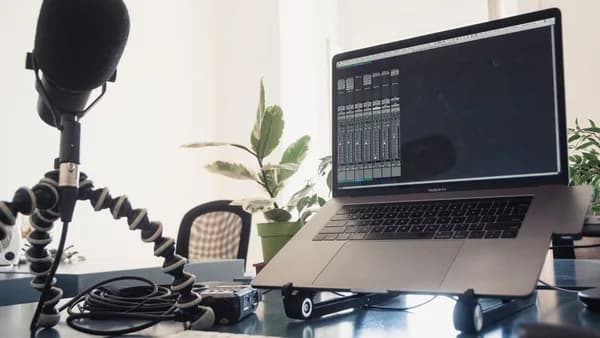
In a world where the average content creator can juggle eight to twelve different tools, the real cost isn't just the monthly subscriptions, it's the time and creative momentum lost to inefficient workflows and tool chaos. Building a smart, effective budget content creation tech stack is less about finding a single magic bullet and more about strategically assembling a suite of free, affordable, and one-time-purchase tools that work seamlessly together. With AI leveling the playing field, professional-grade production is now accessible without the hefty price tags of enterprise software, empowering you to focus resources on growing your audience and honing your craft.
Defining Your 'Tech Stack': The Core Tools Every Creator Needs
At its core, a content creation tech stack is the integrated set of software tools that supports your entire workflow, from idea to publication and analysis. Grounded in research, the most effective creators organize their tools around six core workflow categories: Research & Writing, Editing & Quality, SEO & Optimization, Design & Visual, Distribution & Scheduling, and Analytics & Performance.
The goal isn't to collect the most tools, but to build a cohesive system. As one industry guide notes, the real expense is the friction between disconnected tools. A streamlined stack reduces context switching, eliminates duplicate work, and scales your consistency. For a budget-focused stack, this often means prioritizing tools with robust free tiers, one-time purchase options, and smart native integrations over expensive, bloated subscriptions.
The Foundation: Free Video Editing (DaVinci Resolve vs. CapCut)
Video is the universal language of the internet, and your editor is arguably the centerpiece of your tech stack. The research is clear: you no longer need a four-figure budget for professional results. Two free tools dominate the conversation in 2026, each excelling in different areas.
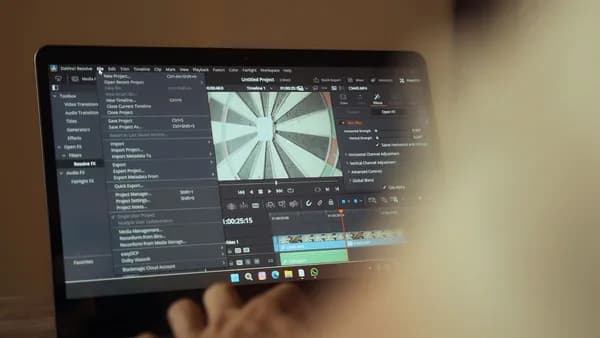
The Professional Powerhouse: DaVinci Resolve Blackmagic Design offers a staggeringly powerful free version of DaVinci Resolve that includes professional editing, color grading, visual effects (via Fusion), and audio post-production (via Fairlight) tools used on Hollywood films. The consensus is that it delivers approximately 95% of what a premium content creator needs for $0. The trade-off is a steeper learning curve, but for long-form YouTube content, documentaries, or any project where color and audio quality are paramount, it's an unmatched value.
The Speed Demon: CapCut For short-form, social-first content (TikTok, Reels, Shorts), CapCut reigns supreme. Its AI-powered auto-captioning, intuitive cuts, and library of trending effects and templates are designed for speed. Its desktop app supports multi-track editing, making it viable for quick long-form edits as well. It's completely free without watermarks.
Recommendation: Use both. DaVinci Resolve for your flagship, long-form content and CapCut for rapid-fire short-form content. This combination covers all video needs at zero cost.
| Tool | Best For | Price | Key Strength |
|---|---|---|---|
| DaVinci Resolve | Long-form, professional color/audio | Free / $295 Studio one-time | Hollywood-grade tools, professional results |
| CapCut | Short-form/TikTok/Reels, speed | Free | AI captions, trending templates, fast workflow |
Professional Audio for Less: Free & Low-Cost Recording/Editing Tools
Bad audio loses viewers faster than bad video. Fortunately, cleaning up your sound is both critical and affordable. The research points to a clear hierarchy of tools based on your needs and skill level.
Descript is highlighted as a game-changer, especially for podcasters and talking-head video creators. For $15, $30/month, its core feature, editing audio by deleting words in a transcript, can cut editing time by 60 to 80%. It also includes AI voice cloning ("Overdub") for fixes and "Studio Sound" to clean up echo and improve mic quality automatically.
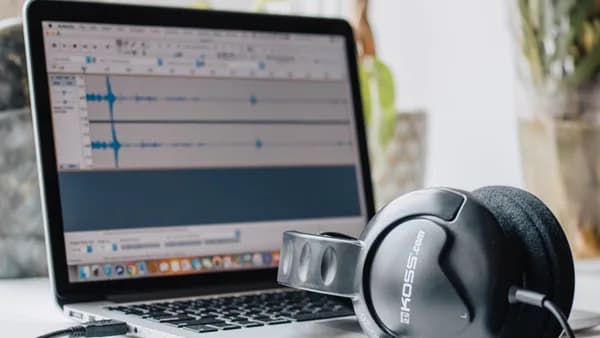
Audacity remains the king of free, open-source audio editing. While not as user-friendly, it's incredibly powerful for basic cleanup. Learning just three effects will elevate your audio: Noise Reduction, Compressor, and Equalization.
“For YouTube videos and podcasts, Descript cuts editing time by 60 to 80%.”
, From creator tool reviews
For professional podcasters or musicians, Reaper offers an extremely customizable, low-CPU digital audio workstation for a discounted license of around $60. Adobe Audition is another pro option, available for $22.99/month as part of Adobe's Creative Cloud Photography plan, offering spectral editing and precise restoration tools.
| Tool | Best For | Price | Key Feature |
|---|---|---|---|
| Descript | Podcasters, talking-head videos | $15, $30/mo | Edit audio via transcript, AI voice tools |
| Audacity | Beginners, basic cleanup | Free | Noise reduction, compression, EQ |
| Reaper | Musicians, advanced podcasters | ~$60 one-time | Extremely customizable, low CPU usage |
| Adobe Audition | Pro restoration, podcasting | $22.99/mo (with CC) | Spectral editing, loudness matching |
Essential Graphic Design: Leveraging Free Tiers of Professional Tools
Visual content drives engagement, and your design tool needs to handle thumbnails, social graphics, and branding. The market has dramatically shifted away from a single expensive subscription model.
Canva has evolved from a simple tool into a comprehensive platform, especially with its 2025-2026 AI integrations. Its free tier is extensive, and the Canva Pro subscription starts at $12.99 per month per user. It offers thousands of templates, a background remover, brand kits, and a "Batch Create" feature to generate dozens of thumbnails at once. For 90% of social graphics and YouTube thumbnails, its speed is unbeatable.
For those needing professional-grade vector and image editing without a subscription, the Affinity suite (Designer, Photo, Publisher) is consistently recommended. Its "buy once, and it’s yours forever" policy provides a powerful, cost-effective alternative for illustration, photo editing, and publishing.
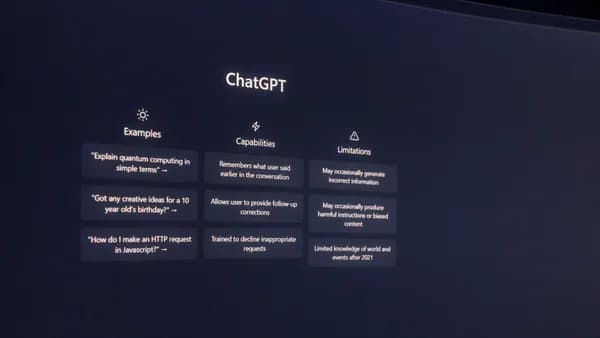
For generating unique background assets or custom elements, AI image tools like Midjourney (plans from $10/month) or ChatGPT's built-in DALL-E (included with a $20/month ChatGPT Plus subscription) can supplement your design work, reducing reliance on stock photos.
Smart Integrations: Connecting Tools for a Seamless Workflow
The magic of a true tech stack happens when tools integrate. Research indicates that integration transforms individual tools into a cohesive system, reducing context switching and creating consistency.
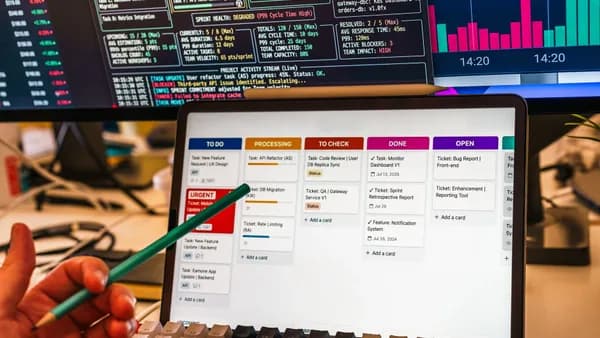
The most successful stacks often use a hub-and-spoke model. Notion is cited as a powerful, AI-powered hub that can function as a "digital workspace," replacing separate tools for wikis, project management, and document collaboration for a single cost.
Practical integration strategies from the research include:
- Using Zapier (mentioned as a distribution connector) to automate tasks between apps.
- Linking your analytics. Tools like Metricool (free to $22/month) pull data from YouTube, TikTok, and Instagram into one dashboard for cross-platform insights.
- Connecting design and video. Canva's AI integration with platforms like Google Gemini allows for smooth editing of AI-generated designs.
- Building around native connections. Choosing tools that offer direct integrations (like scheduling tools that connect to social media APIs) minimizes manual work.
“The key isn’t having the most tools. It’s having the right tools that work together seamlessly.”
, From industry workflow analysis
Prioritizing Your Spending: Which Tool Upgrades Deliver the Most Value?
When your budget allows for an upgrade, where should you invest? The source data suggests a clear hierarchy based on impact.
- Canva Pro ($12.99/month): The upgrade from the free tier unlocks the background remover, brand kits, premium templates, and the Batch Create feature. This directly impacts your speed and brand consistency for thumbnails and social graphics, a high-return investment.
- A Premium AI Writing Assistant (~$20/month): For text-heavy creators, a Claude Pro or ChatGPT Plus subscription at $20/month significantly enhances the quality, research depth, and efficiency of your writing and ideation.
- Descript ($15/month starter tier): If you produce audio or talking-head video, the time savings from transcript-based editing and automatic audio cleanup provide an immediate and substantial return on investment.
- A Video Editor Upgrade: For creators who outgrow free tools, the one-time purchase of DaVinci Resolve Studio ($295) or a Final Cut Pro ($299) license is often more cost-effective long-term than a monthly Adobe Premiere Pro ($22.99/month) subscription.
A critical insight from the research is the long-term cost analysis of subscription vs. ownership. A $50/month tool costs $3,000 over five years, whereas a $300 one-time purchase costs exactly that. Prioritize permanent ownership for your core creative software (like the Affinity suite or DaVinci Resolve Studio) where possible.
Case Study: A Complete Tech Stack for a YouTube Educator (<$20/month)
- Video Editing: DaVinci Resolve (Free)
- Short-Form Video: CapCut (Free)
- Audio Cleanup: Audacity (Free) or Descript ($15/mo)
- Thumbnails & Graphics: Canva (Free Tier)
- Scripting & Research: ChatGPT Plus ($20/mo) or Claude Free Tier
- SEO & Analytics: TubeBuddy or VidIQ (Free Tiers)
- Project Management: Notion (Free Tier)
- Total Potential Monthly Cost: $0 (Free Stack) to ~$35 (with Descript & ChatGPT Plus).
This stack leverages world-class free tools for production, with a potential small investment in AI for scripting efficiency and advanced audio editing, keeping costs minimal while maintaining high quality.
Case Study: A Complete Tech Stack for a Solo Podcaster (One-Time Costs)
- Audio Recording/Editing: Reaper (~$60 one-time license) or Descript ($15-$30/mo for editing)
- Scripting & Shownotes: Claude Pro ($20/month)
- Graphics & Cover Art: Affinity Photo/Designer (one-time purchase)
- Website/Hosting: Carrd (Free - $19/year)
- Distribution: ConvertKit or HubSpot Free Tier (for email/newsletter)
- Total Focus: This setup minimizes recurring fees, focusing investment on a permanent license for a professional audio workstation and a powerful writing assistant, with affordable options for all other needs.
Common Pitfalls and Money-Wasters to Avoid
- Paying for Redundant Tools: The research states that the average professional uses less than 30% of a tool's features. Don't subscribe to multiple tools in the same category (e.g., both Canva and an Adobe subscription for simple graphics).
- Ignoring Integration Costs: Using tools that don't connect creates hidden "friction" costs in time and manual data entry. Prioritize tools that work together.
- Over-investing in Enterprise Tools: Avoid complex CRMs or project management software designed for large teams. Solutions like HubSpot's free/ starter tiers or Notion are more than sufficient for solo creators and small teams.
- Chasing Every New AI Tool: Many AI tools are wrappers around the same core models. Stick with established, versatile leaders (like ChatGPT, Claude, Midjourney) rather than niche, single-use tools that add cost without unique value.
Future-Planning: How to Scale Your Stack as Your Audience Grows
Your budget tech stack should be built to scale. The sources suggest a clear pathway:
- From Free to Pro Tiers: Start with free tools (DaVinci Resolve, Canva Free, Audacity). Your first upgrades should be to the Pro tiers of these same tools (e.g., Canva Pro, DaVinci Resolve Studio one-time purchase) for more features and efficiency.
- Introduce Specialized AI: As content volume increases, integrate AI for specific tasks, Claude Pro for long-form writing, HeyGen ($29/month) for avatar videos, Midjourney for custom imagery, to maintain quality at scale.
- Invest in Automation and Analytics: With more channels and content, tools like Publer ($12/month) for advanced social scheduling and Metricool for unified analytics become essential to manage and optimize your expanded output.
- Centralize Operations: A tool like Notion can scale from a personal wiki to a full team operating system, coordinating projects, content calendars, and knowledge bases as you grow.
FAQs
What's the absolute zero-cost tech stack I can start with? You can build a fully functional stack at $0. Use DaVinci Resolve for video, CapCut for short-form, Audacity for audio, Canva's free tier for design, TubeBuddy/VidIQ free tiers for YouTube SEO, and Notion's free tier for planning. Open-source tools like Shotcut (video) and GIMP (design) are also available.
Is a Canva Pro subscription worth it over the free version? For most creators, yes. At $12.99/month, Pro unlocks the background remover, brand kits, and Batch Create, which are essential for creating professional, consistent thumbnails and graphics efficiently. The research indicates it's a top-value upgrade.
Can I really get professional video quality for free? Yes. Industry analysis confirms that the free version of DaVinci Resolve is a professional editing, color grading, and audio post-production suite used in high-end productions. It provides about 95% of what a creator needs without cost, though it requires time to learn.
What is the biggest mistake creators make with their tools? The research identifies tool chaos, using 8-12 disconnected tools, as a major productivity killer. The hidden cost isn't the subscriptions, but the time and creative momentum lost switching between platforms that don't integrate.
Should I use AI writing tools, and which one is best on a budget? An AI tools expert notes that leveraging AI is "a must" for efficient, high-quality content. For budget-conscious creators, Claude Pro at $20/month is often recommended for its superior long-form writing and analysis, while ChatGPT Plus (also $20/month) offers great versatility and includes image generation.
Bottom Line
Building a powerful budget content creation tech stack in 2026 is not only possible but practical. The democratization of technology, driven by AI and developer-friendly business models, means professional-grade tools like DaVinci Resolve, the Affinity Suite, and robust free tiers from Canva and HubSpot are available at little to no cost. The key to success lies not in collecting subscriptions, but in strategically choosing a few versatile, integratable tools that streamline your specific workflow. By prioritizing ownership where possible, leveraging AI for efficiency, and focusing on seamless connections between your tools, you can build a lean, powerful stack that preserves your budget and amplifies your creative output.