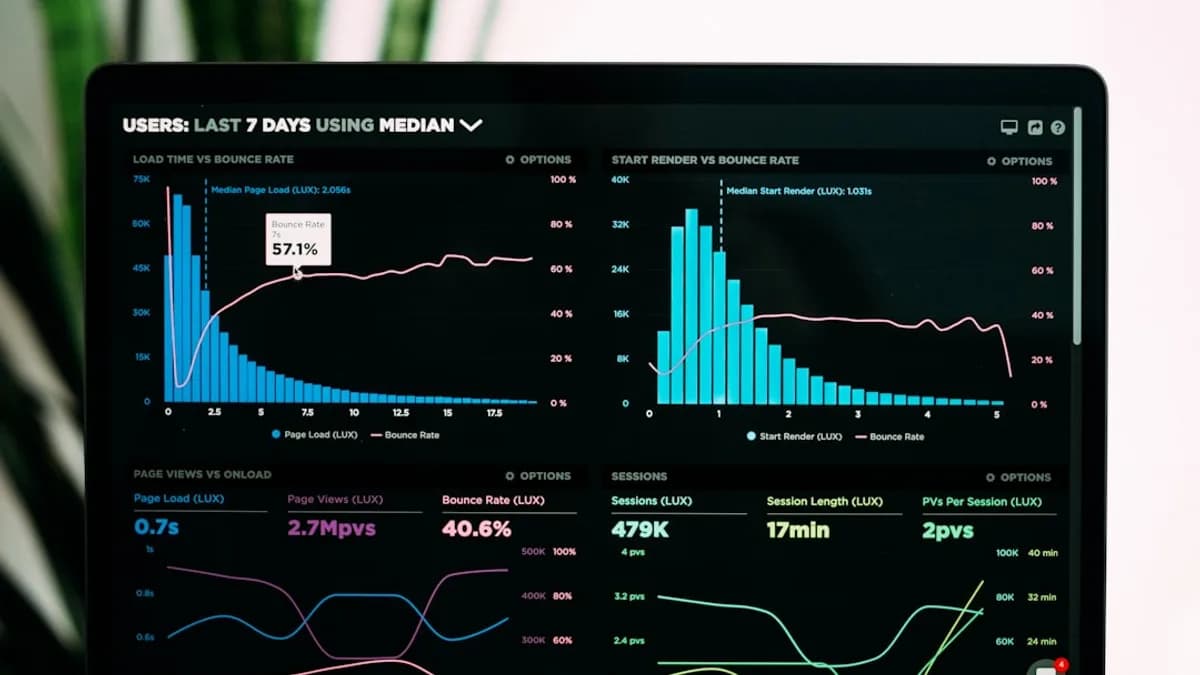
Choosing between Cloudflare vs AWS vs DigitalOcean is less about picking the “best” cloud and more about matching your workload to the right operating model. Small businesses usually need predictable pricing, enough scalability, strong security against risks like AWS keys in phishing, and a platform their team can actually manage without hiring a large cloud operations function.
XOOMAR Intelligence
Analyst Take
This comparison focuses on practical use cases: hosting websites, apps, APIs, object storage, databases, edge services, and lightweight infrastructure. The goal is to help you avoid both underpowered platforms and unnecessarily complex cloud bills.
1. Platform Overview: Cloudflare, AWS, and DigitalOcean
Cloudflare, AWS, and DigitalOcean represent three different cloud philosophies.
| Platform | Core Positioning | Best-Known Strengths | Main Trade-Off |
|---|---|---|---|
| Cloudflare | Edge-first “connectivity cloud” | CDN, DNS, DDoS protection, WAF, Workers, R2 object storage, Zero Trust | Not a traditional VM or full hyperscale cloud platform |
| AWS | Full-stack hyperscale cloud | Compute, storage, databases, AI/ML, networking, security, DevOps, analytics | High complexity and potentially unpredictable costs |
| DigitalOcean | Developer-first cloud for simpler infrastructure | Droplets, Managed Databases, Kubernetes, Spaces, App Platform, predictable pricing | Smaller enterprise ecosystem than AWS |
Cloudflare: edge-first infrastructure
Cloudflare started as a CDN and security platform and expanded into edge compute, object storage, API services, DNS, and developer tooling. Its architecture is built around a global edge network where services run close to users rather than in a small number of centralized regions.
Source data describes Cloudflare’s network as spanning 310+ cities worldwide in one comparison, while another source reports over 330 cities across 125+ countries. The exact count varies by source, but the consistent point is that Cloudflare is designed for globally distributed web traffic.
Cloudflare’s strongest fit is web-facing workloads: websites, APIs, edge functions, content delivery, DNS, DDoS protection, and object storage with low or zero egress cost depending on service.
Cloudflare is not a replacement for every AWS or DigitalOcean workload. It does not provide traditional VMs, and source data highlights Cloudflare Workers limits such as 128MB memory and 30s CPU time, making it better for lightweight request/response workloads than heavy compute.
AWS: broadest cloud catalog
AWS is the most comprehensive platform in this comparison. Source data describes AWS as offering over 240 services across compute, storage, networking, AI/ML, databases, DevOps, security, IoT, analytics, and hybrid cloud.
AWS services mentioned in the research include EC2, ECS, EKS, Lambda, S3, EBS, Glacier, RDS, Aurora, DynamoDB, DocumentDB, CloudFront, Route 53, IAM, WAF, Shield, GuardDuty, CloudWatch, CodePipeline, CloudTrail, and SageMaker.
That breadth is powerful, but it also creates operational overhead. Source data repeatedly notes AWS complexity, including opaque billing, egress fees, cross-AZ charges, NAT Gateway costs, CloudWatch bills, and a console that can be difficult for new developers to navigate.
DigitalOcean: simpler cloud for small teams
DigitalOcean positions itself as a simpler, more predictable alternative to AWS for startups and growing businesses. Its core services include Droplets, Managed Databases, Managed Kubernetes, Spaces object storage, App Platform, Functions, Load Balancers, firewalls, VPC, monitoring, and developer documentation.
DigitalOcean emphasizes predictable monthly pricing, bandwidth allowances starting at 500GB, free technical support for all customers, and bandwidth overage at $0.01/GB. The source data also cites a Forrester finding that businesses can save up to $545,000 in IT expenses over three years through simpler cloud management.
For small businesses that need conventional servers, databases, and storage without AWS-level complexity, DigitalOcean is often the easiest platform to evaluate.
2. Ease of Use for Small Business Teams
Ease of use matters because small businesses rarely have dedicated cloud platform teams. A platform that saves money on infrastructure but requires specialized staff may not reduce total cost.
| Area | Cloudflare | AWS | DigitalOcean |
|---|---|---|---|
| Learning curve | Lower for CDN, DNS, Workers, R2, and security use cases | Highest due to service breadth and billing complexity | Lower for VMs, databases, Kubernetes, and basic app hosting |
| Dashboard experience | Edge/security-focused | Broad but complex | Simple, developer-first |
| Best for small teams | Web traffic, edge apps, DNS, security, storage egress reduction | Complex applications needing many managed services | Traditional apps, APIs, databases, and VPS-style hosting |
| Support model from source data | Not detailed in provided pricing data | Usage-based support model referenced by DigitalOcean source | Free technical support for all customers; premium support at flat rates |
Cloudflare usability
Cloudflare can be simple when the use case is clearly edge-oriented: move DNS, enable CDN, configure WAF/DDoS protection, deploy Workers, or use R2 for object storage. Source data also notes that Cloudflare consolidates many edge services under one platform, including DNS, load balancing, caching, image optimization, and serverless functions.
The limitation is scope. If your business needs VMs, managed PostgreSQL, Redis, Kubernetes, or GPU servers, Cloudflare is not the primary platform according to the provided service comparisons.
AWS usability
AWS gives teams deep control, but that control comes with more decisions. Source data notes that AWS onboarding can take weeks rather than hours for new developers. Its pricing is granular and metered, which can create surprise costs from bandwidth, cross-zone traffic, monitoring, and related services.
AWS is often justified when the business needs enterprise-grade breadth, advanced compliance, AI/ML, data analytics, complex networking, or deep managed-service integration.
DigitalOcean usability
DigitalOcean’s main usability advantage is simplicity. The source data repeatedly describes it as a developer-first cloud with a simple dashboard, predictable pricing, good documentation, a large tutorial library, 1-click apps, and workflows that do not require cloud certifications or specialized expertise.
For small business teams running standard web apps, APIs, worker processes, managed databases, and object storage, this simpler model can reduce operational overhead.
3. Compute, Hosting, Storage, and Database Options
The biggest architectural difference in Cloudflare vs AWS vs DigitalOcean is compute model.
Cloudflare is edge/serverless-first. AWS supports nearly every major compute model. DigitalOcean focuses on simpler VMs, managed databases, Kubernetes, object storage, and app hosting.
| Capability | Cloudflare | AWS | DigitalOcean |
|---|---|---|---|
| Virtual machines | Not listed in source data | EC2, Lightsail | Droplets |
| Serverless | Workers | Lambda, Lambda@Edge | Functions via App Platform |
| Containers | No native Kubernetes in source data | ECS, EKS, Fargate | Managed Kubernetes, App Platform |
| Object storage | R2 | S3 | Spaces |
| Managed databases | D1, KV, Durable Objects | RDS, Aurora, DynamoDB, DocumentDB | PostgreSQL, MySQL, Redis, MongoDB |
| Static sites | Supported in service comparison | Supported through AWS services | Supported through App Platform |
| GPUs | Not listed in source data | Not priced in provided data | GPU-powered servers; starting price listed as $0.76/hr in one comparison |
Compute and hosting
Cloudflare Workers runs lightweight code at the edge. Source data describes Workers as using V8 isolates, with 0ms cold starts in one comparison, global deployment to 310+ cities, 128MB memory, and 30s CPU time limits. This makes Workers a strong option for lightweight APIs, routing logic, A/B testing, authentication checks, and edge responses.
AWS EC2 supports traditional virtual machines, while AWS Lambda handles serverless workloads. AWS also offers ECS, EKS, and Fargate for containers. This makes AWS the most flexible option, especially for backend-heavy apps and complex microservices.
DigitalOcean Droplets are traditional cloud VMs. Source data lists entry-level Droplets starting at $6/month for 1 vCPU, 1GB RAM, and 1TB transfer. DigitalOcean also offers Managed Kubernetes at $12/month per node in one source, plus App Platform for PaaS-style deployment.
Storage
Object storage pricing is one of the clearest differentiators.
| Storage Option | Pricing Details From Source Data | Egress Details From Source Data |
|---|---|---|
| Cloudflare R2 | $0.015/GB per month | Free egress |
| AWS S3 | $0.023/GB storage | About $90/TB egress or about $0.09/GB after the free allowance noted in source data |
| DigitalOcean Spaces | $5/month includes 250GB storage + 1TB egress; extra storage $0.02/GB | Extra bandwidth $0.01/GB |
For media-heavy websites or downloads, Cloudflare R2’s free egress can materially change costs. For conventional app storage with predictable bandwidth, DigitalOcean Spaces is straightforward. AWS S3 is feature-rich, but the source data repeatedly flags bandwidth costs as a major pricing issue.
Databases
| Database Need | Cloudflare | AWS | DigitalOcean |
|---|---|---|---|
| Relational database | D1, described as SQLite-based/serverless-style | RDS, Aurora | Managed PostgreSQL, MySQL |
| NoSQL/key-value | KV, Durable Objects | DynamoDB, DocumentDB | Managed Redis; MongoDB listed |
| Entry pricing from source data | Low-cost/serverless-style, no specific D1 price provided | RDS starts around $15–20/month in one source | Managed DBs start at $15/month |
AWS has the deepest managed database catalog. DigitalOcean covers the common small-business stack: PostgreSQL, MySQL, Redis, and MongoDB. Cloudflare’s database services are better aligned with edge/serverless architectures than traditional database-heavy applications.
4. Pricing Comparison for Common Small Business Workloads
Pricing is where small businesses often feel the difference most. The available source data consistently emphasizes three cost themes: predictable monthly billing, bandwidth/egress costs, and operational complexity.
Egress is the hidden cost category to watch. Source data compares DigitalOcean bandwidth overage at $0.01/GB, AWS EC2/S3 egress around $0.09/GB, and Cloudflare Workers/R2 with no egress fees for the relevant services.
Common workload pricing table
| Workload | Cloudflare | AWS | DigitalOcean |
|---|---|---|---|
| Small VM | Not available in source data | EC2 t3.small around $15/month; Lightsail $10/month for 1 vCPU, 2GB RAM, 60GB SSD, 2TB transfer | Droplet starts at $6/month for 1 vCPU, 1GB RAM, 1TB transfer |
| Medium VM | Not available | Not specified in source data | $48/month for 4 vCPU, 8GiB RAM Basic Droplet in one comparison |
| Object storage | R2 $0.015/GB/month | S3 $0.023/GB plus egress | Spaces $5/month for 250GB + 1TB egress |
| 1TB object storage estimate | $19.86/month in one comparison | Not directly listed for same scenario | $20/month in one comparison |
| Serverless entry | Workers $5/month includes 10M requests | Lambda 1M free requests, then $0.20/million | Functions entry around $5/month in one source |
| Managed PostgreSQL | Not available as traditional managed PostgreSQL in source data | RDS starts around $15–20/month | Managed DBs start at $15/month; one PostgreSQL config listed at $60/month |
| Bandwidth overage | Free for most relevant Cloudflare services in source data | Around $0.09/GB or $90/TB after free allowance | $0.01/GB |
Scenario A: static site, API, and media delivery
The source data gives a concrete scenario for a static site, API, and media delivery stack:
| Platform Scenario | Estimated Cost From Source Data |
|---|---|
| Cloudflare Workers Paid + R2 100GB storage | Around $6.50/month with unlimited egress |
| AWS S3 + CloudFront with 1TB egress | Around $90+ per month |
This is one of Cloudflare’s strongest use cases. If your small business hosts a content-heavy website, download portal, image-heavy app, or global API that fits Workers limits, Cloudflare can reduce bandwidth exposure.
Scenario B: small API on a VM
For a small API on a VM with 2 vCPU / 2GB RAM and 1TB traffic, the source data lists:
| Platform | Estimated Cost From Source Data |
|---|---|
| DigitalOcean | Around $12/month |
| AWS EC2 | Around $96/month including compute + egress |
| AWS Lightsail | $10/month with transfer included |
| Cloudflare | Not applicable as a traditional VM platform |
This is where DigitalOcean and AWS Lightsail are more comparable than standard AWS EC2. If you want a conventional VM with predictable transfer, Lightsail and DigitalOcean are both more straightforward than building the same workload from EC2 plus separate bandwidth assumptions.
Scenario C: serverless API
For 50M requests/month, one source estimates:
| Platform | Estimated Cost From Source Data |
|---|---|
| Cloudflare Workers | Around $25 |
| AWS Lambda | Around $10 after free tier assumptions |
| DigitalOcean Functions | Around $15–20 |
This illustrates an important point: Cloudflare is not always the cheapest for every serverless workload. Its advantage is strongest when edge placement, CDN integration, security, and egress economics matter.
5. Performance, Edge Network, and Global Availability
Performance depends on what you are delivering: static assets, dynamic APIs, serverless functions, traditional backend apps, or database-heavy workloads.
| Performance Factor | Cloudflare | AWS | DigitalOcean |
|---|---|---|---|
| Edge network | 310+ cities in one source; another reports over 330 cities | CloudFront listed as 600+ edge locations in one source | 14 data center locations in one comparison |
| DNS speed | Cloudflare DNS around ~11ms avg in one source | Route 53 around ~25ms avg in one source | Not specified in provided data |
| Serverless cold start | Workers listed as 0ms | Lambda listed as 100–500ms; Lambda@Edge source also notes higher latency than Workers | Not specified in provided data |
| Uptime claim | Not specified for all services | Not specified in provided data | 99.99% uptime on select core services according to DigitalOcean source |
Cloudflare performance profile
Cloudflare is built for global request handling. Workers deploy globally, DNS is described as one of the fastest authoritative DNS services, and the platform includes CDN and DDoS protection as core features.
Cloudflare’s edge architecture is ideal when users are distributed globally and the workload can run within Workers’ resource limits.
AWS performance profile
AWS has broad regional infrastructure and CloudFront for global delivery. The source data describes AWS as ideal for complex enterprise workloads, microservices, ML/AI, data analytics, IoT, and architectures requiring deep service integration.
For performance-sensitive backend systems, AWS gives more compute and database choices than either Cloudflare or DigitalOcean. But that flexibility increases design and cost-management responsibility.
DigitalOcean performance profile
DigitalOcean is not positioned in the source data as a global edge network competitor to Cloudflare. Its advantage is simpler compute and infrastructure deployment. For small business applications where most traffic is regional or where a CDN can be added separately, DigitalOcean’s Droplets, databases, and storage may be sufficient and easier to operate.
6. Security, DDoS Protection, and Access Controls
Security is a major reason to compare Cloudflare vs AWS vs DigitalOcean, especially for public websites and customer-facing apps.
| Security Area | Cloudflare | AWS | DigitalOcean |
|---|---|---|---|
| DDoS protection | Built into platform; source describes unmetered DDoS protection | AWS Shield; Shield Advanced referenced as costly in source data | Basic security fundamentals; firewalls and VPC listed |
| WAF | Cloudflare WAF | AWS WAF | Not emphasized in provided data |
| Identity/access | Zero Trust, DNS security | IAM, Secrets Manager, GuardDuty, CloudTrail | VPC, firewalls, monitoring |
| Compliance | Not detailed in provided data | HIPAA, PCI-DSS, FedRAMP listed in one source | GDPR compliant but fewer enterprise certifications according to source data |
Cloudflare security
Cloudflare’s security model is integrated into its network. Source data mentions WAF, DDoS protection, Zero Trust, Bot Management, DNSSEC, firewall rules, and rate limiting.
One comparison states that Cloudflare provides unmetered DDoS protection for free, while equivalent protection on AWS may require Shield Advanced at $3,000/month, plus other WAF and security charges. That does not mean every AWS customer needs Shield Advanced, but it highlights the cost difference for advanced public-edge protection.
The source data also notes a patched Cloudflare CDN vulnerability that could leak approximate location data through routing behavior. The practical lesson is not to avoid CDN services, but to audit CDN configurations, response headers, caching, logging, WAF rules, and security updates for sensitive applications.
AWS security
AWS has the broadest security and compliance portfolio in the provided data. Mentioned services include IAM, WAF, Shield, GuardDuty, Secrets Manager, CloudTrail, and CloudWatch. AWS is also associated with compliance programs such as HIPAA, PCI-DSS, and FedRAMP.
For regulated or enterprise workloads, AWS provides more depth. But teams must design, configure, monitor, and pay for the right combination of services.
DigitalOcean security
DigitalOcean offers VPC, firewalls, monitoring, and GDPR compliance according to the source data. It is positioned as having strong security fundamentals but fewer enterprise certifications than AWS.
For small businesses with standard web applications, DigitalOcean’s security model may be sufficient when configured carefully. For advanced regulatory requirements, AWS has more documented breadth in the provided sources.
7. Developer Experience and Integration Ecosystems
Developer experience determines how quickly your team can ship and maintain software.
| Developer Area | Cloudflare | AWS | DigitalOcean |
|---|---|---|---|
| Infrastructure as code | Terraform support | CloudFormation, Terraform | Terraform support |
| CLI/API automation | APIs; Python, JS, Go mentioned; Wrangler CLI | Ansible modules, Python boto3, Bash, Go SDKs | API/CLI, Ansible, Python scripts |
| CI/CD | Workers deployments, GitHub Actions, Wrangler | CodePipeline, CodeBuild, CodeDeploy; GitHub/GitLab/Bitbucket integrations | App Platform CI/CD; GitHub Actions, GitLab CI, Jenkins |
| Documentation/community | Developer-friendly tooling noted | Vast ecosystem but complex | Extensive documentation and vibrant community noted |
Cloudflare developer experience
Cloudflare’s developer workflow is edge-first. Source data mentions Wrangler CLI, GitHub Actions, Terraform support, APIs, Workers deployments, and edge-focused CI/CD.
This is attractive if your application architecture fits Workers, Pages, R2, KV, Durable Objects, and D1. It is less suitable if your team needs full container orchestration or traditional server management.
AWS developer experience
AWS has the richest integration ecosystem. It supports infrastructure as code, DevOps pipelines, containers, serverless, observability, analytics, AI/ML, and enterprise integrations.
The trade-off is complexity. Teams need stronger cloud architecture skills to avoid overbuilding, misconfiguring access, or accumulating surprise costs.
DigitalOcean developer experience
DigitalOcean’s advantage is a lower-friction developer experience. Source data highlights simple workflows, tutorials, 1-click apps, App Platform CI/CD, Terraform, API/CLI, and integrations with GitHub Actions, GitLab CI, and Jenkins.
For small teams that want to deploy quickly without navigating a hyperscale service catalog, DigitalOcean is often easier to operationalize.
8. Best Use Cases for Each Platform
The right answer depends on workload shape, team size, security needs, and cost sensitivity.
Best use cases for Cloudflare
Choose Cloudflare when your main needs are:
- Global websites and APIs: Workers and CDN are designed for low-latency, globally distributed request handling.
- Media-heavy delivery: R2 has $0.015/GB storage pricing and free egress in the source data.
- DNS and edge security: Cloudflare DNS, WAF, DDoS protection, Zero Trust, and rate limiting are core platform strengths.
- Lightweight serverless apps: Good fit for request/response logic, authentication checks, redirects, A/B testing, and API gateways.
- Reducing origin load: CDN caching can reduce traffic to backend systems.
Avoid relying on Cloudflare alone if you need traditional VMs, managed Kubernetes, heavy compute, large-memory serverless functions, or conventional managed PostgreSQL from the same platform.
Best use cases for AWS
Choose AWS when your business needs:
- Full-stack cloud infrastructure: Compute, storage, databases, networking, security, DevOps, analytics, AI/ML, and more.
- Complex backend systems: Microservices, event-driven architectures, container platforms, and deep service integration.
- Enterprise security and compliance: IAM, GuardDuty, Shield, WAF, CloudTrail, and compliance programs listed in source data.
- Advanced databases and analytics: RDS, Aurora, DynamoDB, Redshift, and related services.
- ML/AI workloads: SageMaker and other AI/ML services are part of AWS’s catalog.
AWS may be overkill for a simple business website, a small API, or a basic app where DigitalOcean or Cloudflare can meet the requirement with less complexity.
Best use cases for DigitalOcean
Choose DigitalOcean when you need:
- Simple VM hosting: Droplets start at $6/month with 1TB transfer in source data.
- Predictable small-business infrastructure: Transparent pricing, monthly caps, and lower bandwidth overage at $0.01/GB.
- Managed databases without hyperscale complexity: PostgreSQL, MySQL, Redis, and MongoDB are listed.
- Developer-friendly Kubernetes: Managed Kubernetes is listed at $12/month per node in one source.
- Small team productivity: Documentation, tutorials, 1-click apps, and simpler workflows reduce operational overhead.
DigitalOcean is less compelling when you need AWS’s broad enterprise service catalog or Cloudflare’s global edge/security model.
9. Final Recommendation by Business Type
For most small businesses, the best choice is not always one platform. Many teams can combine them: for example, Cloudflare for DNS/CDN/security and DigitalOcean or AWS for origin infrastructure.
| Business Type | Recommended Fit | Why |
|---|---|---|
| Local business website or brochure site | Cloudflare or DigitalOcean | Cloudflare is strong for static/global delivery; DigitalOcean is simple if you need a small server |
| Content-heavy site or media delivery app | Cloudflare | R2 free egress and Workers/CDN economics are strong for bandwidth-heavy workloads |
| SaaS startup with standard app + database | DigitalOcean | Simpler Droplets, Managed Databases, Spaces, and App Platform are easier for small teams |
| SaaS platform with complex backend services | AWS | Broad compute, database, networking, DevOps, and security ecosystem |
| Regulated or enterprise-facing application | AWS | Source data lists HIPAA, PCI-DSS, FedRAMP, IAM, GuardDuty, CloudTrail, and advanced security services |
| Lightweight global API | Cloudflare | Workers run at the edge with near-zero cold start characteristics in source data |
| Traditional API on VM | DigitalOcean or AWS Lightsail | Source scenarios show DigitalOcean around $12/month and Lightsail $10/month for small VM-style workloads |
| Small team avoiding cloud complexity | DigitalOcean | Predictable pricing, simple dashboard, tutorials, and support model are emphasized in source data |
Practical decision framework
Use this simple rule:
- Choose Cloudflare first if the workload is edge-first, bandwidth-heavy, security-sensitive, or global by default.
- Choose DigitalOcean first if the workload is a conventional web app, API, database-backed app, or VPS-style deployment.
- Choose AWS first if the workload requires advanced managed services, enterprise compliance, AI/ML, large-scale data, or complex cloud architecture.
For many small businesses, the most practical architecture is Cloudflare in front of DigitalOcean or AWS: Cloudflare handles DNS, CDN, WAF, and DDoS protection, while the origin platform runs the app, database, and background services.
Bottom Line
The Cloudflare vs AWS vs DigitalOcean decision comes down to architecture and operating capacity.
Cloudflare is best for edge-first delivery, DNS, CDN, DDoS protection, WAF, lightweight serverless functions, and object storage where free egress changes the cost model. It is not a traditional VM or full-stack cloud replacement.
AWS is best for businesses that need the broadest service catalog, enterprise-grade compliance, complex architectures, advanced databases, analytics, AI/ML, and deep integrations. Its trade-offs are complexity and potentially unpredictable costs.
DigitalOcean is best for small teams that want predictable pricing, straightforward VMs, managed databases, object storage, Kubernetes, and developer-friendly workflows. It does not match AWS’s service breadth or Cloudflare’s edge-native network, but it often fits small-business infrastructure needs with less overhead.
FAQ
Is Cloudflare better than AWS for small businesses?
Cloudflare can be better for small businesses running global websites, APIs, CDN-heavy apps, DNS, WAF, DDoS protection, and object storage with high egress. AWS is better when the business needs full-stack cloud services such as EC2, RDS, DynamoDB, IAM, CloudWatch, CodePipeline, SageMaker, and enterprise compliance features.
Is DigitalOcean cheaper than AWS?
For many small VM-style workloads in the source data, DigitalOcean is more predictable and often cheaper. One scenario lists a small API on a VM at around $12/month on DigitalOcean versus around $96/month on AWS EC2 including compute and egress, while AWS Lightsail is listed at $10/month with transfer included.
Can Cloudflare replace DigitalOcean?
Not for all workloads. Cloudflare does not provide traditional VMs in the source data, while DigitalOcean offers Droplets, Managed Databases, Managed Kubernetes, Spaces, Load Balancers, and VPS-style hosting. Cloudflare can replace parts of the stack such as CDN, DNS, WAF, object storage, and lightweight edge functions.
Can I use Cloudflare with AWS or DigitalOcean?
Yes. The source data specifically discusses AWS and Cloudflare together for building, securing, and scaling web applications. A common small-business pattern is to use Cloudflare for DNS, CDN, DDoS protection, WAF, and edge routing while hosting the origin application on AWS or DigitalOcean.
Which is best for a small SaaS app?
For a typical small SaaS app with a web server, API, database, and object storage, DigitalOcean is often the simplest fit based on the provided data. For a global lightweight API or bandwidth-heavy product, Cloudflare may be stronger. For complex enterprise SaaS with advanced compliance, analytics, AI/ML, or many managed services, AWS is the better fit.
What is the biggest hidden cost in this comparison?
Bandwidth egress is the biggest hidden cost highlighted in the source data. DigitalOcean bandwidth overage is listed at $0.01/GB, AWS EC2/S3 egress is listed around $0.09/GB or $90/TB, and Cloudflare Workers/R2 are described as having no egress fees for the relevant services.
Sources & References
Content sourced and verified on June 9, 2026
- 1AWS vs DigitalOcean: Which cloud platform is the best fit for you? | DigitalOcean
https://www.digitalocean.com/blog/aws-vs-digitalocean-cloud-platform
- 2Affordable Cloud in 2025
https://medium.com/@firat-gulec/affordable-cloud-in-2025-4082c00446e0
- 3Cloud Provider Comparison: Cloudflare vs AWS vs Azure vs Google Cloud — The Complete Guide
https://inventivehq.com/blog/cloud-provider-comparison-guide-cloudflare-aws-azure-gcp
- 4Choosing AWS Vs. Cloudflare: Which One Do You Need?
https://www.cloudzero.com/blog/aws-vs-cloudflare/
- 5Cloudflare vs DigitalOcean
https://getdeploying.com/cloudflare-vs-digitalocean
- 6Compare Amazon Web Services (AWS) vs. Cloudflare vs. DigitalOcean
https://slashdot.org/software/comparison/Amazon-Web-Services-AWS-vs-Cloudflare-vs-DigitalOcean/

Written by
XOOMAR Insights Team
Research and Editorial Desk
The XOOMAR Insights Team pairs automated research with human editorial judgment. We track hundreds of sources across technology, fintech, trading, SaaS, and cybersecurity, cross-check the facts, and explain what happened, why it matters, and what to watch next. We do not just rewrite headlines. Every article is fact-checked and scored for reliability before it goes live, and we link back to the original sources so you can verify anything yourself.