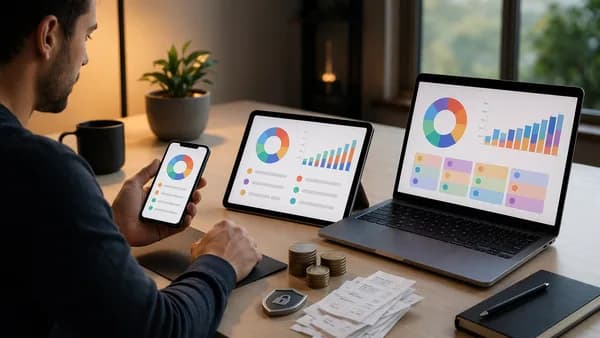
If you’re comparing envelope budgeting apps vs spreadsheets, the real question is not “Which tool is best?” but “Which system will you actually keep using when life gets busy?” Research in the source data points to a consistent pattern: apps reduce friction through automation, while spreadsheets give you control, customization, and privacy. For real-life money management, the better choice depends on how you track spending, pay bills, manage multiple accounts, and build savings habits.
XOOMAR Intelligence
Analyst Take
Budgeting is not just a math exercise. Monarch cites survey data showing that only 29% of Americans reviewed their budget in the previous month, while another source notes that only 32% of Americans maintain a monthly budget. That means the tool itself matters because it can either support consistency—or become the reason the habit disappears.
1. How Envelope Budgeting Works
Envelope budgeting is a spending-control system where you divide your available money into categories before you spend it. Traditionally, those categories were physical envelopes labeled things like groceries, rent, utilities, gas, dining out, savings, or debt repayment.
The basic process is simple:
- Choose categories: Decide which spending areas need limits.
- Assign money: Put a set amount into each envelope.
- Spend from the envelope: Use only the money assigned to that category.
- Stop or reallocate: When an envelope is empty, you either stop spending or move money from another envelope.
- Roll over or save leftovers: Any remaining money can stay in the envelope, move to savings, or fund another priority.
Monarch describes the cash envelope system as a method that creates “hard caps” on spending. Once the money is gone, the category is done unless you intentionally move funds.
Key insight: The power of envelope budgeting is not the envelope itself. It is the act of assigning money to a purpose before spending it.
Digital envelope budgeting
Envelope budgeting apps adapt the same idea to a digital world. Instead of physical envelopes, you use app categories, spending caps, rollover balances, or budget buckets.
The source data identifies several app styles:
| App Style | How It Works | Source-Backed Example |
|---|---|---|
| Zero-based budgeting apps | You allocate every dollar of income to spending, saving, or debt goals | YNAB is described as using a zero-based budgeting model |
| Envelope-style budgeting apps | You assign funds to categories that act like digital envelopes | Apps can provide “digital envelopes” similar to physical cash envelopes |
| Flex budgeting apps | You fund essentials first, then allocate remaining money to discretionary spending | Monarch is described as using a flexible expense-management approach |
| Simple budgeting apps | You track categories and spending with fewer advanced features | Source data notes these are often lower-complexity options |
This is where envelope budgeting apps vs spreadsheets becomes a practical decision. Both can support envelope budgeting, but they do it differently: apps provide structure and automation, while spreadsheets require you to build and maintain the system yourself.
2. Why Some People Prefer Spreadsheets
Some people prefer spreadsheets because they offer complete control. Monarch describes spreadsheets as one of the most basic ways to create and manage a budget, but also one of the most customizable.
With Google Sheets, Microsoft Excel, or templates from Vertex42, you can create a budget that matches your exact income schedule, spending categories, savings goals, and bill timing.
The biggest advantages of spreadsheet budgeting
- Control: You decide every category, formula, layout, and report.
- Privacy: Your data stays in your own file rather than inside a third-party budgeting platform.
- Customization: You can build a budget around irregular income, paycheck timing, taxes, debt payoff, net worth, or long-term goals.
- Cost: Google Sheets costs $0, according to the source data.
- Flexibility: You can combine spreadsheet tracking with data exported from apps or banks.
One community budgeting discussion in the source data included several spreadsheet users who preferred manual tracking because it forced awareness. One commenter described using different spreadsheet tabs as “envelopes or buckets,” while another explained that Google Sheets made it possible to update a budget from any device.
That reflects a core spreadsheet benefit: manual tracking can make spending feel more intentional.
Important trade-off: Manual entry can increase awareness, but it also increases the chance of burnout if you fall behind.
Where spreadsheets become difficult
Spreadsheets require discipline. Monarch notes that spreadsheet users have to record spending regularly, and there are no automatic alerts, spending-limit warnings, or transaction imports unless you combine the spreadsheet with another tool.
The eFinancesOnline source also highlights the consistency problem, citing Financial Health Network research that only 28% of low-to-moderate income households maintain consistent monthly budgets. A spreadsheet can work very well, but only if you have a repeatable review habit.
3. Where Envelope Budgeting Apps Save Time
Envelope budgeting apps save time by removing much of the manual work. Instead of entering every transaction line by line, many apps connect to bank accounts and import transactions automatically.
According to the source data, budgeting apps can:
- Sync accounts: Link checking, savings, and credit card accounts.
- Categorize transactions: Automatically sort spending into categories.
- Show real-time balances: Help you see how much remains in each category.
- Send alerts: Notify you when you approach a spending limit or notice activity.
- Track goals: Some apps include savings, debt payoff, forecasting, investments, or net worth tools.
- Support households: Some platforms offer shared dashboards or collaborative budgeting features.
This matters because most people do not fail at budgeting because they cannot do arithmetic. They fail because the process becomes too time-consuming.
App convenience in daily life
Apps are especially useful when your spending is spread across multiple accounts, cards, and digital payments. Monarch notes that apps help users track spending and saving accounts in one place. The MoneyKu source similarly argues that apps better support fast-paced digital payments because users can log or sync transactions from anywhere.
| Task | Spreadsheet Workflow | App Workflow |
|---|---|---|
| Track card spending | Enter manually or import CSV | Often imports automatically |
| Check category balance | Open file and review formulas | View app dashboard |
| Watch spending limits | Manual review | Alerts or visual limits, depending on app |
| Track multiple accounts | Add tabs, formulas, or CSV files | Link accounts in one place |
| Review trends | Build charts manually | Some apps provide visual reports |
Apps can also help make savings more intentional. Monarch notes that instead of saving “whatever’s left over”—a technique used by 21% of Americans, according to the cited NerdWallet data—budgeting apps can help allocate income ahead of time.
4. Customization: Apps vs DIY Templates
Customization is one of the clearest differences in the envelope budgeting apps vs spreadsheets debate.
Spreadsheets are more customizable. Apps are easier to start.
Spreadsheet customization
A spreadsheet can be built around nearly any budgeting method:
- Envelope budgeting: Create one tab or section per category.
- Zero-based budgeting: Assign every dollar to a category.
- Paycheck budgeting: Plan expenses by paycheck instead of by month.
- Irregular income tracking: Adjust income and spending each pay period.
- Net worth tracking: Add assets, debts, and account balances.
- Tax or business tracking: Use custom categories for freelance or gig work.
The source data specifically notes that freelancers and gig workers may find apps harder when income varies, because app categories designed for salaried workers may not map well to variable cash flow. Spreadsheets can be built to match irregular income more precisely.
App customization
Apps usually let you customize categories, spending limits, and goals, but they still operate within the app’s design. Monarch warns that apps can fail when default categories do not match how you actually spend. The recommendation from the source data is to take time to customize categories early so the app fits your real life.
Goodbudget’s search snippet also notes that apps often provide a framework or outline so users do not have to build a budget from the ground up. That is a major advantage for beginners.
| Customization Area | Envelope Budgeting App | Spreadsheet |
|---|---|---|
| Categories | Usually editable, within app structure | Fully custom |
| Formulas | Built into app logic | Fully user-controlled |
| Visual reports | Often included | Must be built or templated |
| Envelope rollovers | Available in some app setups | Can be designed manually |
| Irregular income | Depends on app structure | Highly flexible |
| Beginner setup | Usually faster | Can be harder without a template |
For users who want a system that works immediately, apps have the edge. For users who want a budget that mirrors their exact financial life, spreadsheets are stronger.
5. Bank Syncing, Automation, and Manual Tracking
Bank syncing is one of the biggest reasons people choose budgeting apps. According to the eFinancesOnline source, many apps connect to accounts through secure APIs and commonly use services such as Plaid or Finicity as the bank connection layer.
That means transactions can appear in the app without manual entry.
Automation advantages
- Lower time investment: Less manual data entry.
- Real-time visibility: Spending updates can appear faster than manual tracking.
- Multi-account tracking: Useful for households with several cards or accounts.
- Alerts: Some apps notify users about limits or unusual activity.
- Recurring expenses: Some app users in the source discussion valued easier recurring-expense tracking.
Manual tracking advantages
Manual tracking is slower, but it can create more awareness. The eFinancesOnline source cites research suggesting that manually recording spending can increase financial mindfulness. Several users in the community discussion echoed that sentiment, saying manual entry made them more aware of their finances.
This creates a real trade-off:
Automation lowers friction, but manual tracking can increase engagement.
CSV imports: the middle ground
Spreadsheets do not have to be entirely manual. The source data notes that many banks and brokers provide statements in CSV format, which can be imported into spreadsheets or budgeting tools.
A hybrid workflow might look like this:
- Download CSV: Export transactions from your bank.
- Import to spreadsheet: Add them to Google Sheets or Excel.
- Categorize manually: Review and adjust categories.
- Reconcile envelopes: Update category balances.
- Review weekly: Check overspending and upcoming bills.
That still requires work, but it reduces transaction-by-transaction typing.
6. Cost Comparison: Free Spreadsheets vs Paid Apps
Cost is one of the most concrete differences between envelope budgeting apps vs spreadsheets.
Spreadsheets can be free. Apps often require subscriptions for the most capable features.
| Tool or Platform | Source-Backed Cost Detail | Notes |
|---|---|---|
| Google Sheets | $0 | Free spreadsheet option with cloud access |
| Microsoft Excel | Microsoft 365 from $6.99/month | Useful for people already paying for Microsoft 365 |
| YNAB | $99/year or $14.99/month | Source describes it as zero-based budgeting with bank sync and goal tracking |
| Monarch Money | $99.99/year | Source describes it as focused on collaborative household budgeting and flexible planning |
| Copilot | $95.99/year | Mentioned in source pricing comparison |
| Free app tiers | Available in some cases | Source notes many apps offer free versions or trials, but advanced features may sit behind paywalls |
The cost question should be practical: will the app help you stay consistent enough to justify the fee?
If a paid app prevents missed bills, helps you control overspending, or keeps a household aligned, the subscription may be worthwhile. But if you stop opening it after setup, the fee becomes wasteful.
Setup time comparison
The eFinancesOnline source provides a useful setup-time comparison:
| Setup Factor | Budgeting App | Spreadsheet |
|---|---|---|
| Estimated setup time | 15–30 minutes | 30–90 minutes |
| Template needed? | Usually built in | Often helpful |
| Bank connection | Often automatic | Manual CSV import or manual entry |
| Learning curve | Usually lower | Depends on spreadsheet comfort |
For someone trying to cut costs aggressively, a $0 Google Sheets budget is hard to beat. For someone who repeatedly abandons manual systems, an app may be the more realistic choice.
7. Privacy and Data Control Considerations
Privacy is a major reason some people choose spreadsheets. Monarch states that spreadsheet users own their data and template outright, and do not have to worry about the same risks of app data being sold to advertisers.
The eFinancesOnline source also cites Pew Research Center data showing that 81% of Americans feel they have little control over the data companies collect about them. That concern applies directly to financial apps because budgeting tools can contain detailed transaction histories.
Spreadsheet privacy
- Data ownership: Your budget file belongs to you.
- No bank-link requirement: You can avoid connecting accounts.
- Offline option: You can store files locally if desired.
- Lower platform risk: A spreadsheet file does not disappear because a budgeting app shuts down.
App privacy
- Third-party access: Apps may use external bank connection layers.
- External storage: Your transaction data may be stored on app servers.
- Security features: The source FAQ says most apps use bank-grade 256-bit encryption and read-only access through services such as Plaid or Finicity, meaning they can view transactions but not move money.
- Platform risk: Monarch notes that apps can be discontinued, requiring users to export data and rebuild elsewhere.
Privacy warning: Even if an app uses secure connections, using a budgeting app still means trusting a third-party platform with financial data.
If privacy is your top priority, a spreadsheet with manual entry or CSV imports is the stronger fit. If convenience is more important, an app may be worth the trade-off.
8. Best Use Cases for Each Budgeting Method
The best budgeting method depends on your habits, not just the feature list.
Choose an envelope budgeting app if:
- Multiple Accounts: You have several checking, savings, or credit card accounts.
- Busy Schedule: You do not want to manually enter every transaction.
- Household Budgeting: You need shared visibility for a couple or family.
- Real-Time Tracking: You want category balances and alerts during the month.
- Debt Payoff Goals: You want goals connected to real account balances.
- Beginner Support: You prefer a guided framework instead of building a spreadsheet.
Apps are also useful if you have tried spreadsheets and abandoned them because of the time commitment. In the community discussion from the source data, several app users said automation made budgeting simpler and less stressful.
Choose a spreadsheet if:
- Privacy Matters: You do not want to connect bank accounts to a third-party app.
- Subscription Cost Matters: You want a free system such as Google Sheets.
- Irregular Income: You need a budget built around variable pay, commissions, or gig work.
- Deep Customization: You want custom formulas, tabs, categories, and reports.
- Manual Awareness Helps: You want to feel each transaction as you record it.
- Long-Term Tracking: You want to combine budgeting, debt tracking, net worth, and financial goals in one custom file.
Spreadsheet users in the source discussion described building systems around paychecks, estimated versus actual expenses, bill due dates, savings, debt payments, and carryover balances. That level of customization is difficult to replicate exactly in many apps.
Consider a hybrid method if:
- Daily Tracking: Use an app for automatic transaction imports.
- Monthly Review: Export app or bank data to a spreadsheet.
- Long-Term Planning: Use the spreadsheet for net worth, taxes, savings targets, or annual analysis.
- Backup: Keep a spreadsheet copy in case an app changes or shuts down.
The hybrid method is specifically supported by the source data. Monarch notes that spreadsheets are easy to combine with budgeting apps, and the community discussion included users who used apps for tracking and spreadsheets for filtering, backup, tax support, and category corrections.
9. How to Switch From a Spreadsheet to an App
Switching from a spreadsheet to an app works best when you do not try to move everything at once. The goal is to preserve what works in your spreadsheet while letting the app reduce repetitive work.
Step 1: Identify your current budget structure
Before choosing an app, review your spreadsheet categories.
Look for:
- Fixed bills: Rent, mortgage, insurance, utilities, subscriptions.
- Variable spending: Groceries, fuel, dining, personal spending.
- Savings goals: Emergency fund, travel, annual expenses.
- Debt payments: Credit cards, loans, repayment targets.
- Rollover categories: Categories where unused money carries forward.
This matters because Monarch warns that apps often fail when default categories do not match how people actually spend. Your spreadsheet already contains useful category data.
Step 2: Choose one source of truth
MoneyKu’s source data warns about double counting when people combine physical envelopes, apps, and manual records without clear rules. The same risk applies when switching from a spreadsheet to an app.
Decide whether your primary budget will be:
- App-first: The app controls category balances.
- Spreadsheet-first: The spreadsheet remains the official record.
- Hybrid: The app tracks daily spending, while the spreadsheet handles monthly or annual review.
Do not try to maintain two separate “official” budgets with different balances.
Step 3: Recreate only the categories you actually use
Do not copy years of spreadsheet complexity into an app immediately.
Start with:
- Essential bills
- Groceries
- Transportation
- Debt payments
- Savings
- Discretionary spending
- Annual or irregular expenses
Then add more detail only if needed.
Step 4: Connect accounts carefully
If you choose bank sync, understand the privacy trade-off. The source data notes that apps may connect through services such as Plaid or Finicity and that transaction data may be stored externally.
If that makes you uncomfortable, consider:
- Manual app entry
- CSV imports
- Spreadsheet-only tracking
- Using an app without linking every account
Step 5: Run both systems briefly
For the first month, keep your spreadsheet as a backup while testing the app. Many apps offer temporary free trials, according to Monarch, which makes it easier to test fit before committing.
During the test, ask:
- Accuracy: Are transactions categorized correctly?
- Speed: Is tracking faster than your spreadsheet?
- Behavior: Are you checking the budget more often?
- Fit: Do the app categories match your real spending?
- Cost: Is the subscription justified?
Step 6: Export or back up your data
Because apps can be discontinued, Monarch recommends awareness of platform risk. If the app allows exports, use them periodically. The source data also discusses CSV files as a practical way to move financial data between tools.
A simple backup habit can make app budgeting less risky.
Bottom Line
The envelope budgeting apps vs spreadsheets comparison comes down to automation versus control.
Choose an envelope budgeting app if you want bank syncing, real-time visibility, alerts, shared household tracking, and less manual work. Apps are especially useful for people with multiple accounts or anyone who has abandoned spreadsheets because the upkeep was too time-consuming.
Choose a spreadsheet if you want maximum customization, stronger data control, no subscription fee, and a system that can be shaped around irregular income or detailed long-term planning. Spreadsheets work best when you can commit to regular updates.
For many people, the strongest solution is a hybrid: use an app for daily transaction tracking and a spreadsheet for deeper review, backup, or long-term planning.
FAQ
Are envelope budgeting apps better than spreadsheets?
Envelope budgeting apps are better if you want automation, bank syncing, alerts, and easier daily tracking. Spreadsheets are better if you want full customization, privacy, and no subscription cost. The best choice depends on whether convenience or control matters more to you.
Can I do envelope budgeting in a spreadsheet?
Yes. You can create spreadsheet categories that act like envelopes or buckets. Some users create separate tabs for each category, while others use columns for budgeted amount, actual spending, and remaining balance.
What is the cheapest option: an app or a spreadsheet?
A spreadsheet is usually the cheapest option. The source data lists Google Sheets at $0, while paid apps such as YNAB cost $99/year or $14.99/month, Monarch Money costs $99.99/year, and Copilot costs $95.99/year.
Are budgeting apps safe to connect to bank accounts?
The source data says many apps use secure APIs through services such as Plaid or Finicity, and the FAQ source notes that most apps use bank-grade 256-bit encryption and read-only access. However, app use still involves third-party data storage, so privacy-focused users may prefer spreadsheets or manual CSV imports.
Why do spreadsheets fail for some people?
Spreadsheets fail when the manual work becomes too much. Monarch notes that spreadsheets require regular input and have no automatic tracking, alerts, or spending-limit warnings. Without a weekly review habit, it is easy to fall behind.
Can I use both a budgeting app and a spreadsheet?
Yes. The source data supports a hybrid method. You can use an app for daily transaction tracking and a spreadsheet for long-term planning, detailed analysis, CSV backups, taxes, or custom reports. Just choose one primary source of truth to avoid double counting.
Sources & References
Content sourced and verified on June 16, 2026
- 1Budgeting Tools 101: Apps, Spreadsheets & Envelopes | Monarch
https://www.monarch.com/blog/budgeting/budgeting-tools-comparison
- 2Budgeting App vs Spreadsheet: A Practical Breakdown
https://efinancesonline.com/budgeting-app-vs-spreadsheet-practical-comparison/
- 3Budgeting App vs Excel Spreadsheet
https://www.reddit.com/r/FinancialPlanning/comments/pw00pz/budgeting_app_vs_excel_spreadsheet/
- 47 Differences Between the Envelope Method and Finance Apps (2026)
https://www.moneyku.com/en/blog/7-way-showdown-envelope-method-vs-finance-apps-which-is-more-practical
- 5Spreadsheet vs. App: Which Budgeting Tool Should You Use? | Personal Finance Opinions
https://www.personalfinanceopinions.com/spreadsheet-vs-app-which-budgeting-tool-should-you-use/
- 6Budget app vs. budget spreadsheet. Which is best for you?
https://goodbudget.com/blog/2022/05/budget-app-vs-budget-spreadsheet-which-is-best-for-you/

Written by
XOOMAR
Data desk
XOOMAR is a capital markets software and data company in Selden, New York. Every brief on this site starts from a dataset the company collects itself from primary sources (CFTC, SEC EDGAR, FINRA, the Federal Reserve, exchange APIs) and names the numbers it is built on, with a link to the data page so you can check them. Briefs are reviewed before they go out and corrected in place when the data is revised.