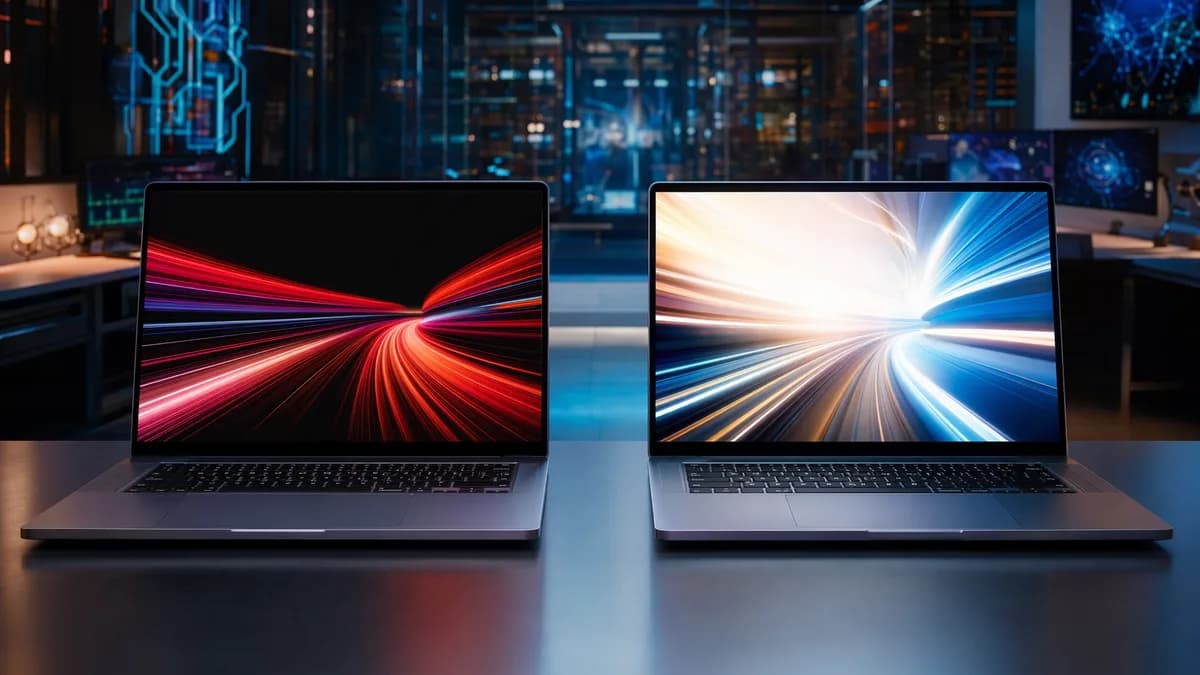
Choosing between an OLED vs mini LED laptop is not just a spec-sheet debate. These two premium display technologies behave differently in bright rooms, dark rooms, long workdays, HDR movies, games, and travel situations. The best choice depends less on which screen is “newer” and more on what you actually do for hours every day.
The short version from the research: OLED is strongest for perfect blacks, contrast precision, fast response, and cinematic viewing. Mini-LED is stronger for high brightness, HDR headroom, static desktop work, and lower burn-in concern.
OLED and Mini-LED Laptop Displays Explained
OLED and mini-LED are both premium laptop display technologies, but they solve different display problems.
An OLED laptop display uses self-emissive pixels. Each pixel produces its own light and can turn off completely when showing black. That is why OLED can deliver true blacks, extremely precise contrast, and no backlight glow.
A mini-LED laptop display is still an LCD panel, but it uses many small LED backlight zones instead of a simpler backlight system. These zones can brighten or dim independently, giving mini-LED much better contrast and HDR performance than standard LCD displays.
Key buying distinction: OLED controls light per pixel. Mini-LED controls light by backlight zones. That single difference explains most of the contrast, brightness, blooming, power, and durability trade-offs.
OLED vs Mini-LED at a Glance
| Buying Question | OLED Laptop Display | Mini-LED Laptop Display |
|---|---|---|
| Core technology | Self-emissive pixels; each pixel can turn off | LCD panel with many small LED backlight zones |
| Best visual trait | Perfect blacks and very precise contrast | Higher sustained brightness and punchy HDR |
| Common weakness | Burn-in risk and higher power draw on bright full-screen content | Blooming or haloing around bright objects |
| Text and desktop use | Can be excellent, but subpixel layout and PWM vary by panel | Familiar LCD-style text rendering, less burn-in worry |
| Bright-room work | Good on bright modern panels, but reflections matter | Usually stronger when brightness is the priority |
| Dark-room movies | Excellent black level and no backlight glow | Very good on high-zone panels, but not pixel-perfect |
| Gaming feel | Very fast pixel response | Depends on panel response and dimming behavior |
| Safer all-day office pick | Best if you manage brightness and static UI | Usually safer for static desktop work |
Real Laptop Examples That Show the Difference
The research highlights two useful reference points.
| Laptop Example | Display Type | Key Display/Device Details From Source Data | Pricing Context |
|---|---|---|---|
| ASUS Zenbook S14 UX5406 | OLED | 14-inch 2880 × 1800 OLED touchscreen, 3K 120Hz ASUS Lumina OLED, up to 1100 nits peak brightness on the official product page, 500-nit display spec in ASUS Store listings, 77Wh battery, 0.47-inch chassis, 2.65 pounds, 1TB SSD configurations | Official-store pricing around $1,499.99 for well-equipped 1TB configurations when available |
| Apple 14-inch MacBook Pro with M5 | Mini-LED-class Liquid Retina XDR | 14.2-inch Liquid Retina XDR display, 1600 nits peak HDR brightness, 1,000,000:1 contrast ratio, current M5/M5 Pro/M5 Max configurations, official claim of up to 24 hours of battery life | The 14-inch line has historically started at $1,599 in the U.S. |
These examples are not the only good laptops in either category. They simply show the two philosophies clearly: OLED prioritizes per-pixel contrast in a thin premium laptop, while mini-LED prioritizes brightness, HDR headroom, and static-screen confidence.
Picture Quality: Contrast, Brightness, HDR, and Color Accuracy
When buyers compare an OLED vs mini LED laptop, picture quality is usually the first deciding factor. The answer depends on whether you care more about black depth or brightness headroom.
Contrast and Black Levels
OLED has the advantage for black levels because pixels can turn off completely. In dark scenes, black areas do not glow gray, and tiny highlights such as stars, subtitles, cursors, or UI elements stay sharply separated from the surrounding darkness.
Mini-LED can get very close in many real scenes, especially when the panel has many local dimming zones. However, each zone still covers many pixels. If a bright object appears on a black background, the backlight zone behind it may brighten nearby dark pixels, creating visible blooming or haloing.
| Picture Quality Factor | OLED | Mini-LED |
|---|---|---|
| Black level | Pixel-level black; pixels turn off completely | Zone-dimmed black; may show haloing |
| Contrast precision | Excellent for tiny highlights on dark backgrounds | Very good, but limited by zone size and dimming algorithm |
| Backlight bleed | No backlight | Possible LCD-related glow or blooming behavior |
| Dark-room viewing | Strongest choice | Very good on high-zone panels, but not pixel-perfect |
For dark-room movies, nighttime game scenes, shadow-heavy photo work, and black UI themes, OLED has the cleaner contrast profile.
Brightness and HDR
Mini-LED has the advantage when brightness is the priority. Source data from The Protec Blog reports that OLED laptop panels typically peak around 400–600 nits, while mini-LED laptops can exceed 1000 nits under HDR conditions and reach around 600–800 nits in typical usage scenarios.
ASUS’s comparison also states that mini-LED screens can go over 1,000 nits, while OLED usually sits around 400–500 nits when the whole screen is lit. X920’s laptop examples reinforce the point: Apple’s 14-inch MacBook Pro with M5 lists 1600 nits peak HDR brightness, while the ASUS Zenbook S14 UX5406 lists up to 1100 nits peak brightness but also appears in store listings with a 500-nit display spec.
Brightness warning: Peak brightness, sustained full-screen brightness, and usable brightness after reflections are not the same thing. A display can advertise a high peak number but behave differently during full-screen white documents or bright HDR scenes.
Color Accuracy and Vibrancy
Both display types can deliver wide, vibrant color. ASUS notes that OLED displays create colors directly from each pixel, while mini-LED displays may use quantum dot technology to create bright, colorful images.
The practical difference is not always dramatic in everyday use. OLED often looks especially rich because perfect blacks increase perceived contrast. Mini-LED can look extremely vivid too, especially in bright HDR content.
| Color/HDR Consideration | OLED Strength | Mini-LED Strength |
|---|---|---|
| Color perception | Rich, saturated look supported by deep blacks | Bright, colorful image with strong HDR highlights |
| HDR dark scenes | Excellent because there is no blooming | Very good, but blooming can appear |
| HDR bright scenes | Strong contrast, but lower sustained brightness | Higher brightness and stronger highlight impact |
| Viewing angles | Consistent color and contrast off-axis | Good on quality panels, but LCD layers can shift from the side |
For creators, the badge alone is not enough. The research recommends looking at color-gamut coverage, factory calibration, HDR standards, brightness behavior, panel uniformity, and software HDR handling.
Battery Life Differences in Real-World Use
Battery life is one of the most misunderstood parts of the OLED vs mini LED laptop decision.
OLED is not automatically inefficient, and mini-LED is not automatically efficient. Power consumption depends heavily on the image being displayed.
How OLED Uses Power
OLED pixels consume less power in black areas because those pixels can turn off. That makes OLED efficient for darker interfaces, dark-mode apps, and some movie or game scenes.
However, OLED power use increases when large parts of the screen are bright. Full-screen white documents, web pages, spreadsheets, and bright productivity apps can draw more power than dark content.
How Mini-LED Uses Power
Mini-LED uses a backlight, so it behaves differently. It may consume more power than OLED when displaying dark content, because the backlight system is still active. But mini-LED can deliver more consistent battery behavior during office tasks and web browsing where white backgrounds are common.
The Protec Blog summarizes the real-world pattern clearly: OLED tends to offer better battery life during darker media consumption, while mini-LED can be more consistent during office tasks with white backgrounds.
| Usage Pattern | Likely OLED Behavior | Likely Mini-LED Behavior |
|---|---|---|
| Dark-mode writing or coding | Can be power-friendly | Backlight still active, though local dimming can help |
| Movies with dark scenes | Often efficient and visually strong | Good, but uses backlight zones |
| White documents and spreadsheets | Higher power draw possible | More consistent behavior |
| Bright HDR content | Can draw more power and dim large bright areas | Stronger sustained brightness, but still power-intensive |
| Travel battery life | Depends heavily on content and brightness | Depends on backlight, brightness, chip, and battery size |
Laptop Design Matters More Than the Panel Label
The screen technology is only one part of battery life. Processor efficiency, battery capacity, refresh rate, display controller, and power profile all matter.
The research examples show why. The ASUS Zenbook S14 UX5406 pairs OLED with a 77Wh battery in a thin chassis. The Apple 14-inch MacBook Pro with M5 pairs a bright mini-LED-class XDR display with Apple silicon and an official battery claim of up to 24 hours.
So if battery life is a top priority, do not choose by panel type alone. Compare battery capacity, chip class, refresh-rate controls, and your typical brightness level.
Burn-In, Blooming, and Long-Term Durability
Durability is where the OLED vs mini-LED comparison becomes especially practical.
OLED Burn-In Risk
OLED’s main long-term concern is burn-in. Because OLED uses organic pixels, static elements can age pixels unevenly over time. Taskbars, browser tabs, dock icons, coding interfaces, finance dashboards, and editing toolbars are the kinds of elements that may remain on screen for hours.
Modern OLED laptops use protections such as pixel shifting, compensation cycles, screen savers, and brightness management. The sources agree that these features reduce risk, but they do not eliminate it entirely.
Practical warning: If your workday is dominated by the same static UI for many hours, OLED requires more user care than mini-LED.
Good OLED habits include:
- Lower Brightness: Avoid running static desktop layouts at maximum brightness all day.
- Use Dark Mode: Dark interfaces can reduce OLED power draw and static bright areas.
- Hide Static UI: Auto-hide taskbars or docks when practical.
- Let Protection Run: Do not interrupt built-in panel maintenance features.
- Vary Content: Mix full-screen video, different apps, and non-static layouts when possible.
Mini-LED Blooming Risk
Mini-LED avoids OLED-style burn-in because it uses an LCD panel and LED backlight. Static UI does not wear individual organic pixels in the same way.
Its main visual trade-off is blooming. A mini-LED zone may brighten behind a small white object, causing a faint halo around subtitles, cursors, stars, or UI elements on dark backgrounds.
This is most visible in dark scenes. In bright or mixed content, blooming is often less noticeable. Better panels and dimming algorithms reduce the issue, but they cannot make zone-based lighting identical to OLED’s per-pixel control.
Lifespan Figures From Source Data
ASUS’s comparison reports that mini-LED screens work for about 100,000 hours, while OLED lasts around 30,000–50,000 hours. Those figures are broad technology-level comparisons, not a guarantee for every laptop model or usage pattern.
| Durability Concern | OLED | Mini-LED |
|---|---|---|
| Burn-in | Possible, especially with static UI over long periods | Not susceptible to OLED-style burn-in |
| Blooming | No blooming because pixels are individually lit | Possible around bright objects on dark backgrounds |
| Static office layouts | Requires more care | Safer choice |
| Reported technology lifespan | Around 30,000–50,000 hours according to ASUS source | About 100,000 hours according to ASUS source |
| Best long-term fit | Media, games, creative apps with varied content | Office work, dashboards, coding, long static sessions |
Which Display Is Better for Office Work and Reading
For office work, reading, spreadsheets, coding, and browser-heavy days, mini-LED is often the safer blind buy.
That does not mean OLED is bad for productivity. A high-resolution OLED panel can look sharp and beautiful. But several variables affect comfort and clarity.
Text Clarity
OLED text rendering can vary by subpixel layout, operating-system font rendering, scaling, resolution, and coating. Some users notice color fringing around fine text; others do not. Higher pixel density helps reduce the issue.
Mini-LED, because it is LCD-based, tends to feel more familiar for office text. X920 describes it as a safer choice for all-day reading, spreadsheets, coding, and browser work, especially with matte or low-reflection finishes.
| Office Work Factor | OLED | Mini-LED |
|---|---|---|
| Text clarity | Can be excellent, but depends on subpixel layout and scaling | Familiar LCD-style rendering |
| Static UI concern | Burn-in risk requires management | Lower concern for taskbars, tabs, and dashboards |
| Bright office visibility | Good on modern bright OLEDs, reflections matter | Usually stronger because of higher brightness |
| Long spreadsheet sessions | Usable, but bright white content can affect battery and OLED wear | Better fit for static white productivity apps |
| Reading comfort | Panel-dependent; PWM can matter | Panel-dependent; PWM can still matter |
Eye Comfort and PWM
Both OLED and mini-LED can be comfortable, but neither technology is automatically perfect for every user.
The sources note that some OLED and mini-LED laptops use PWM, or pulse-width modulation, at certain brightness levels. Flicker-sensitive buyers should look for measured behavior before buying.
The Protec Blog also notes that OLED’s individual pixel dimming may help in dark-mode use, while mini-LED’s higher brightness and consistent backlighting can help visibility in bright conditions. Adaptive brightness and blue light filters can improve comfort on either technology.
Best productivity recommendation: Choose mini-LED if you spend most of the day in static, bright, text-heavy apps. Choose OLED if your productivity work is mixed with visual review, media, and dark-mode apps—and you are comfortable managing static UI.
Which Display Is Better for Creators, Movies, and Gaming
For creators, movies, and gaming, the answer is more nuanced. OLED and mini-LED both offer premium image quality, but they favor different workflows.
Photo and Video Creators
OLED’s per-pixel black level and viewing-angle stability are valuable for shadow work, contrast evaluation, and dark creative interfaces. Photographers and videographers may appreciate the way OLED presents deep blacks and subtle contrast without backlight wash.
Mini-LED is often more practical for HDR video work where sustained brightness matters. If you evaluate highlights, outdoor footage, or large bright scenes, mini-LED’s HDR brightness headroom can be useful.
However, the sources also warn that local dimming can create haloing or inconsistent brightness in some creative workflows. In a Reddit discussion summarized in the research, experienced users noted that some mini-LED laptops may offer settings to reduce or disable local dimming for more consistent creative work, effectively making the panel behave more like a standard LCD in that mode.
| Creative Use Case | Better Fit | Why |
|---|---|---|
| Shadow-heavy photo editing | OLED | Per-pixel black and strong contrast precision |
| HDR video with bright highlights | Mini-LED | Higher brightness and HDR headroom |
| Color-critical work | Depends on calibration | Look for gamut, factory calibration, uniformity, and HDR behavior |
| Static editing UI all day | Mini-LED | Lower burn-in concern |
| Dark-room review | OLED | No blooming and perfect blacks |
Movies and Streaming
For movies, OLED is especially compelling in controlled lighting. Dark scenes look clean, black bars disappear, and there is no haloing around subtitles or small highlights.
Mini-LED is excellent for streaming in brighter rooms. Its higher brightness helps overcome ambient light and reflections. HDR content can look especially punchy, particularly in bright scenes with specular highlights.
| Streaming Situation | Better Fit |
|---|---|
| Dark bedroom or hotel room | OLED |
| Bright living room or sunny space | Mini-LED |
| Dark movies with subtitles | OLED |
| Bright HDR nature, sports, or action content | Mini-LED |
| Shared viewing from side angles | OLED has the stronger off-axis consistency |
Gaming
OLED has the advantage in response time. The research reports that OLED pixels switch almost instantly, with gaming-focused source data citing roughly 0.1–0.2 ms response times. Mini-LED laptop panels still use LCD technology and may be in the 3 ms to 8 ms range depending on the panel.
That makes OLED stronger for fast motion, competitive shooters, racing, and quick camera movement. There is less ghosting and motion blur.
Mini-LED counters with brightness. Gaming laptops with mini-LED can offer very bright HDR, and ASUS lists examples such as the ROG Strix SCAR 16 G635 with a 16-inch Mini LED 240Hz 2.5K screen, over 2000 dimming zones, and 1200 nits brightness. The ROG Strix SCAR 18 G835 adds an 18-inch Mini LED 240Hz 2.5K display, over 2000 dimming zones, 100% DCI-P3 coverage, and a coating described as reducing reflections by 55%.
ASUS also lists OLED gaming options, including the ROG Zephyrus G16 GU605CW-QR133WS with a 16-inch 2.5K OLED 240Hz display, and the ROG Zephyrus G14 GA403UM-QS007WS with a 14-inch 3K OLED 120Hz display.
| Gaming Factor | OLED | Mini-LED |
|---|---|---|
| Response time | Strongest; near-instant pixel response | Good, but LCD response is slower |
| HDR brightness | Excellent contrast, lower sustained brightness | Stronger peak and sustained brightness |
| Dark games | Perfect blacks, no blooming | Very good, but halos may appear |
| Static HUDs | Burn-in risk to manage | Safer for long sessions with static HUDs |
| High refresh examples | ASUS lists 240Hz OLED on ROG Zephyrus G16 | ASUS lists 240Hz mini-LED on ROG Strix SCAR 16/18 |
Portability and Outdoor Visibility Considerations
Travel buyers should think about more than raw image quality. Weight, reflections, brightness, battery behavior, and charging habits matter.
Outdoor and Bright-Room Visibility
Mini-LED is generally the stronger choice for outdoor visibility and bright rooms because it can reach higher brightness levels. The Protec Blog reports mini-LED laptops exceeding 1000 nits in HDR and around 600–800 nits in typical usage scenarios. X920 describes mini-LED as practical for bright offices, lecture halls, hotel lobbies, and desks near windows.
OLED can still be travel-friendly, especially on modern bright panels. The ASUS Zenbook S14 UX5406 example shows how far OLED ultraportables have come: 0.47 inches, 2.65 pounds, 77Wh battery, 3K 120Hz OLED, and official-page peak brightness listed up to 1100 nits. But bright white travel work, reflections, and high brightness settings may reduce the OLED advantage.
Weight and Thinness
OLED panels are often associated with thin, light laptop designs because they do not need a backlight. ASUS’s own comparison notes that OLED screens are thin, light, and flexible.
Mini-LED can still be portable, but many high-brightness mini-LED laptops are performance-focused machines with powerful GPUs, larger screens, or creator/gaming designs. The research examples include 16-inch and 18-inch mini-LED gaming laptops as well as the 14-inch MacBook Pro with M5.
| Travel Priority | OLED Advantage | Mini-LED Advantage |
|---|---|---|
| Thin-and-light design | Often strong because OLED needs no backlight | Available, but high-end examples may be performance-focused |
| Hotel-room movies | Excellent dark-room contrast | Strong HDR brightness |
| Airport or café work | Good if reflections are controlled | Usually better brightness headroom |
| All-day static work while traveling | Requires burn-in care | Safer for static UI |
| Battery predictability | Depends heavily on content brightness | More consistent for white-background office tasks |
OLED vs Mini-LED: Which Laptop Display Should You Buy
The best OLED vs mini LED laptop decision comes down to your daily workload.
Buy OLED if your priority is contrast, black level, fast motion, and cinematic depth. Buy mini-LED if your priority is brightness, HDR headroom, static desktop durability, and bright-room usability.
Choose OLED If…
You watch a lot of movies in controlled lighting
OLED’s pixel-level black makes dark scenes cleaner and more immersive.You play fast games and care about motion clarity
OLED’s near-instant response gives it an edge for fast movement and low blur.You edit shadow-heavy photos or video
Per-pixel lighting can make dark tones and contrast transitions easier to judge.You prefer dark mode and varied content
OLED is more attractive when you are not showing static bright UI all day.You want a thin premium ultraportable
Modern OLED laptops like the ASUS Zenbook S14 UX5406 show that OLED can fit into light, high-end travel designs.
Choose Mini-LED If…
You work in bright rooms or near windows
Mini-LED usually offers higher brightness and stronger visibility in ambient light.You spend long hours in static apps
Spreadsheets, coding tools, dashboards, and browser tabs are safer on mini-LED because there is no OLED-style burn-in.You care about HDR brightness
Mini-LED can exceed 1000 nits in HDR scenarios, and Apple lists 1600 nits peak HDR brightness on the 14-inch MacBook Pro with M5.You want long-term display confidence
ASUS reports about 100,000 hours for mini-LED versus 30,000–50,000 hours for OLED.You use a laptop for mixed office, creator, and travel work
Mini-LED’s brightness and static-screen resilience make it a forgiving all-rounder.
Quick Buying Matrix
| Buyer Type | Recommended Display | Reason |
|---|---|---|
| Office worker | Mini-LED | Static UI, white documents, and bright rooms favor mini-LED |
| Programmer | Mini-LED | Less burn-in concern with IDE panes and static layouts |
| Frequent traveler | Depends | OLED for thin media-focused travel; mini-LED for bright cafés and airports |
| Movie watcher | OLED | Perfect blacks and no blooming in dark scenes |
| HDR video editor | Mini-LED | Higher sustained brightness and HDR headroom |
| Photo editor | OLED or calibrated mini-LED | OLED for shadows; calibrated mini-LED for brightness workflows |
| Competitive gamer | OLED | Faster pixel response and cleaner motion |
| Long-term laptop owner | Mini-LED | Lower burn-in stress and longer reported technology lifespan |
Bottom Line
For most buyers, the OLED vs mini LED laptop choice is a trade-off between OLED contrast and mini-LED brightness.
OLED is the better choice for perfect blacks, dark-room movies, fast response, immersive gaming, and contrast-sensitive creative work. It looks especially strong when content is varied and lighting is controlled.
Mini-LED is the better choice for bright rooms, HDR brightness, static office work, coding, spreadsheets, travel visibility, and long-term burn-in peace of mind. It is usually the safer choice for productivity-heavy buyers.
If your laptop is mostly a work machine, choose mini-LED. If your laptop is mostly a visual machine for movies, games, and creative review, OLED may be the more rewarding screen.
FAQ
Is OLED or mini-LED better for laptop battery life?
It depends on what is on screen. OLED can be efficient with dark content because black pixels turn off, but power use rises with bright full-screen content. Mini-LED uses a backlight, so it can be less efficient in dark scenes but more consistent for white-background office work.
Does OLED burn-in still matter on modern laptops?
Yes, but the risk is reduced by mitigation features such as pixel shifting, screen savers, compensation cycles, and brightness controls. The sources agree that these protections reduce risk but do not eliminate it, especially for users who keep static UI elements visible for long hours.
Can mini-LED match OLED black levels?
Not fully. Mini-LED can dramatically improve black levels compared with standard LCDs, but it controls light by zones rather than individual pixels. OLED still has the advantage for true blacks, tiny highlights, and no blooming.
Which is better for eye comfort?
Both can be comfortable, and both can have caveats. OLED may be comfortable in dark mode because individual pixels dim or turn off, while mini-LED’s higher brightness helps visibility in bright rooms. Some OLED and mini-LED laptops use PWM at certain brightness levels, so flicker-sensitive buyers should look for measured panel behavior before buying.
Which display is better for gaming laptops?
OLED is stronger for motion clarity because of its near-instant pixel response. Mini-LED is stronger for bright HDR gaming and avoids burn-in concerns from static HUDs. Competitive gamers may prefer OLED, while HDR-focused players in bright rooms may prefer mini-LED.
Which display should creators choose?
Photo editors and dark-scene reviewers may prefer OLED for black level and contrast precision. HDR video editors may prefer mini-LED for higher brightness and highlight evaluation. For serious creative work, the sources recommend checking color-gamut coverage, factory calibration, brightness behavior, uniformity, and HDR support rather than choosing by display label alone.