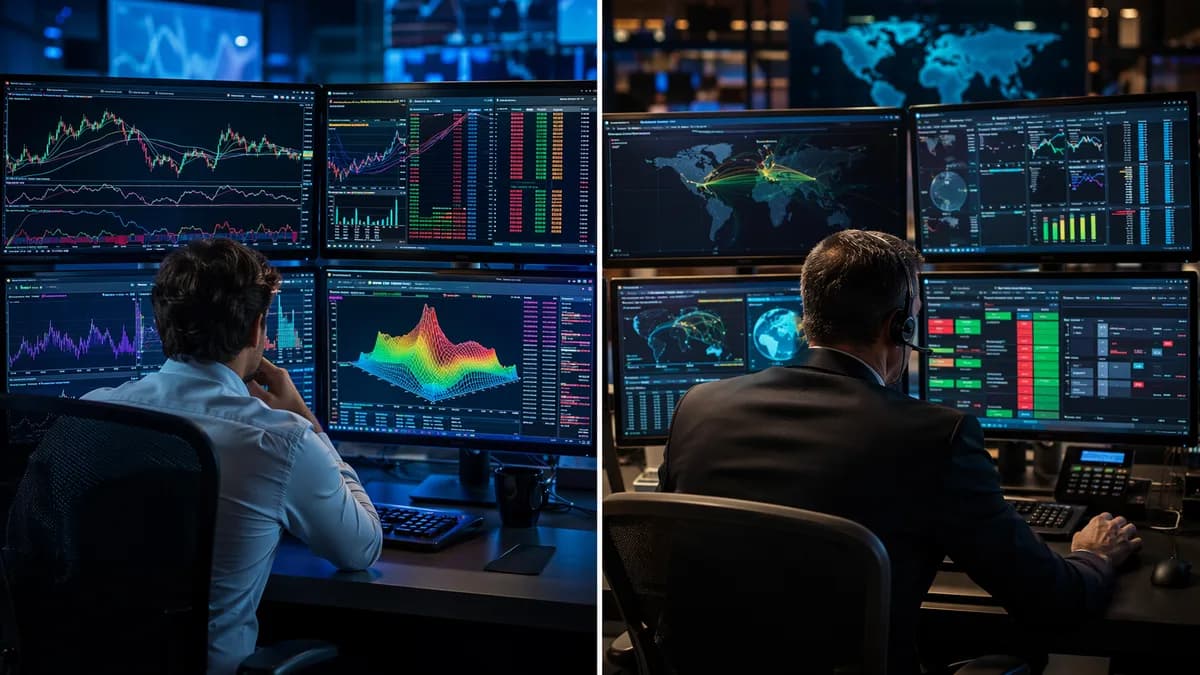
If you’re comparing thinkorswim vs IBKR Trader Workstation, the decision usually comes down to what “active trading” means in your workflow. Both platforms are built for serious traders, but they prioritize different strengths: thinkorswim leans toward charting, options analysis, scans, and paper trading inside Schwab’s ecosystem, while IBKR Trader Workstation focuses on execution control, routing, global market access, margin efficiency, and automation-friendly tools.
For active stock traders, neither platform is automatically “better.” The better choice depends on whether you value a chart-forward workstation or a more execution-heavy, professional trading terminal.
Platform Overview: Thinkorswim and IBKR Trader Workstation
thinkorswim is Charles Schwab’s advanced trading platform for active traders. It is available across desktop, web, and mobile, but the source data consistently points to the desktop platform as the main power-user experience.
IBKR Trader Workstation, often called TWS, is Interactive Brokers’ advanced desktop platform. IBKR also offers web and mobile interfaces, but Trader Workstation is the core platform for traders who want deeper order control, routing tools, and access to a broad range of markets.
| Category | thinkorswim | IBKR Trader Workstation |
|---|---|---|
| Parent brokerage | Charles Schwab | Interactive Brokers |
| Platform type | Trading platform inside Schwab | Brokerage platform suite with desktop, web, and mobile |
| Main strength | Charting, options analysis, paper trading, cohesive workspace | Execution control, advanced order types, routing, automation, global access |
| Core trade-off | Less execution customization than IBKR | Steeper learning curve and less beginner-friendly interface |
| Desktop focus | Analysis-first workstation | Execution-first workstation |
The researched source data describes thinkorswim as “chart-forward” and cohesive: charts, options chains, trade management, research tools, and paper trading in one environment. It is especially known for the Analyze tab, thinkScript, OnDemand, and paperMoney.
By contrast, IBKR Trader Workstation is described as more execution-centric. It supports 90+ order types and algo families, Smart Routing, API access, and broad asset coverage across global markets.
Key distinction: thinkorswim is built around analysis and trading workflow convenience; IBKR Trader Workstation is built around order control, routing, and market access.
For U.S. stock traders who mostly trade equities, ETFs, and options, both platforms can work. But the experience feels very different once you move into order entry, routing, margin usage, data subscriptions, and automation.
Charting Tools and Technical Indicator Depth
Charting is one of the clearest differences in the thinkorswim vs IBKR Trader Workstation comparison.
The source data gives thinkorswim a significant edge for technical analysis depth. thinkorswim Desktop includes 400+ technical studies, extensive drawing tools, and the ability to create custom indicators using thinkScript.
IBKR Trader Workstation also includes charting, but the available source data describes it as competent rather than the platform’s main attraction. TWS includes roughly 100 technical studies plus standard drawing tools.
| Charting Feature | thinkorswim | IBKR Trader Workstation |
|---|---|---|
| Technical studies | 400+ | Roughly 100 |
| Custom indicators | thinkScript | API-supported workflows; chart scripting specifics not emphasized in source data |
| Drawing tools | Extensive drawing palette | Standard drawing tools |
| Replay/backtesting-style study | OnDemand tick-by-tick session replay | Paper trading available; source data does not describe an equivalent OnDemand replay |
| Main charting identity | Retail technical analysis strength | Functional but not the headline feature |
Why thinkorswim stands out for chart-first traders
thinkorswim is repeatedly described in the source data as stronger for charting and visual analysis. Its Analyze tab is especially important for options traders because it can model theoretical profit and loss, Greeks, probability cones, and what-if scenarios based on changes in price, time, and volatility.
For stock traders, the practical advantage is that thinkorswim lets you build a technical workflow around charts, scans, alerts, and simulated practice. thinkScript can be used for custom indicators, scans, and conditional alerts, which makes it useful for traders who want to define setups and monitor them systematically.
Where IBKR Trader Workstation fits
IBKR Trader Workstation’s charts are not positioned as its core advantage in the source data. TWS has roughly 100 technical studies, which is enough for many active traders, but it does not match thinkorswim’s indicator count or charting reputation.
That does not mean TWS is unsuitable for stock trading. It means traders choosing IBKR usually do so for execution, margin, routing, automation, and market access rather than charting depth alone.
If your trading process starts with charts, custom studies, and visual scenario analysis, thinkorswim has the stronger documented feature set. If charts are secondary to routing and order control, TWS becomes more compelling.
Order Entry, Hotkeys, and Active Trading Controls
Order control is where IBKR Trader Workstation becomes more attractive for many experienced active traders.
The source data says TWS exposes 90+ order types and algo families, including VWAP, TWAP, Adaptive, Iceberg, ScaleTrader, and BookTrader for direct exchange interaction. It also supports custom algo workflows through the IBKR API, including Python, Java, C++, and .NET.
thinkorswim supports standard order types and conditional orders, but the source data states it does not have a Smart Routing equivalent or a native algo order suite comparable to IBKR’s.
| Order/Execution Feature | thinkorswim | IBKR Trader Workstation |
|---|---|---|
| Standard order entry | Yes | Yes |
| Conditional orders | Yes | Yes |
| Advanced order types | Available, but source data emphasizes standard/conditional orders | 90+ order types and algo families |
| Algo order families | No native algo suite identified in source data | VWAP, TWAP, Adaptive, Iceberg, ScaleTrader |
| Direct exchange interaction tools | Not highlighted in source data | BookTrader |
| Smart Routing | No Smart Routing equivalent cited | Smart Routing |
| API for automated execution | No external API for automated execution noted in source data | IBKR API: Python, Java, C++, .NET |
| Hotkeys | Not specifically detailed in source data | Community discussion mentions hot keys |
TWS for execution-heavy traders
IBKR’s edge is strongest if your strategy depends on routing control, order type flexibility, or automation. The source data specifically notes that Smart Routing can split orders across exchanges to seek price improvement and rebate-eligible liquidity.
That matters most for traders who place frequent orders, manage larger positions, or want more control over how orders interact with the market.
thinkorswim for integrated trade management
thinkorswim’s active trading appeal is different. Its strength is the integrated workflow: charts, options chains, Analyze tools, alerts, paper trading, and trade management in one environment.
For traders who make decisions from charts and then place relatively straightforward stock or options orders, thinkorswim may feel more natural. But for traders who want a deep menu of algo orders and routing tools, the documented advantage goes to TWS.
Stock Scanners, Screeners, and Watchlist Features
Both platforms support active idea generation, but they approach scanners and research tools differently.
thinkorswim is known in the source data for screeners, thinkScript-based scans, custom indicators, and conditional alerts. This makes it useful for traders who want to search for technical setups and then move directly into chart analysis.
IBKR Trader Workstation is also described as having many tools, including pre-made scans and fundamental data features mentioned in community discussion. One community user specifically highlighted Fundamental Explorer, Refinitiv data, news, add-ons, hot keys, and pre-made scans inside TWS. Because this comes from a community discussion rather than a formal platform specification in the provided data, it should be treated as user-reported rather than independently benchmarked.
| Scanner / Watchlist Area | thinkorswim | IBKR Trader Workstation |
|---|---|---|
| Stock screeners | Yes, highlighted in source data | Yes, pre-made scans mentioned in community discussion |
| Custom scan logic | thinkScript for scans and alerts | API/tooling ecosystem supports technical workflows; scan scripting specifics not detailed |
| Technical setup scanning | Strong fit based on thinkScript and charting | Available, but not emphasized as the main strength |
| Fundamental tools | Research tools included; details limited in source data | Community discussion highlights Fundamental Explorer and Refinitiv data |
| Watchlists | Supported | Supported; detailed watchlist limitations not fully specified in source data |
Practical scanner takeaway
If you want to scan for technical conditions and then immediately analyze charts, thinkorswim has the more clearly documented workflow. The combination of 400+ studies, thinkScript, scans, alerts, and charts makes it especially useful for technical traders.
If your stock selection process involves broader market access, fundamentals, or multi-asset monitoring, TWS may fit better, especially because IBKR’s broader brokerage platform supports many more asset classes and global markets.
Market Data, Routing, and Execution Considerations
Market data and execution are major decision points for active traders.
The source data says thinkorswim provides real-time data with a funded Schwab account and includes Level II quotes at no cost on equities and options. IBKR, by contrast, often requires paid real-time market data subscriptions, and Level II depth is described as a paid add-on.
| Market Data / Execution Factor | thinkorswim | IBKR Trader Workstation |
|---|---|---|
| Real-time data | With funded account | Often requires paid real-time data |
| Level II data | Included at no cost on equities and options, per source data | Paid add-on, per source data |
| Routing | Standard brokerage routing; no Smart Routing equivalent cited | Smart Routing |
| Price improvement / execution focus | Not emphasized as main differentiator in source data | Strong emphasis on execution precision and routing control |
| Global market access | U.S.-centric platform | 150+ exchanges across 34 countries |
IBKR’s routing and global access advantage
IBKR is positioned in the source data as the stronger choice for traders who care about execution precision, order control, and access to more markets. It supports market access across more than 150 exchanges across 34 countries, with native trading in local currencies for non-U.S. tickers.
For active stock traders who trade only U.S. equities, that global reach may not matter. But if your strategy includes European or Asian equities, non-USD balances, forex, bonds, or spot crypto, the source data says IBKR is the only one of the two that supports that broader workflow.
thinkorswim’s data simplicity
thinkorswim may be simpler for active U.S. stock and options traders who want integrated real-time data without managing multiple data subscriptions. The source data specifically contrasts thinkorswim’s included Level II access with IBKR’s paid market data model.
For traders who want fewer market data decisions, thinkorswim may feel simpler. For traders who want routing control and global execution access, IBKR Trader Workstation has the stronger documented toolkit.
Customization, Layouts, and Multi-Monitor Support
Both platforms are desktop workstations, but the source data provides more concrete detail about thinkorswim’s workspace customization than about specific multi-monitor capabilities.
thinkorswim is described as having highly customizable charting and workspaces. It is built as a cohesive environment for charts, options analysis, paper trading, trade management, and research.
IBKR Trader Workstation is also clearly a power-user desktop application with many modules and tools. The source data mentions BookTrader, order tickets, charts, paper trading, APIs, and multiple interfaces. However, the provided data does not specify monitor limits, maximum layouts, or exact workspace configuration specs.
| Customization Area | thinkorswim | IBKR Trader Workstation |
|---|---|---|
| Custom workspaces | Highly customizable workspaces cited | Modular desktop workstation; exact layout specs not provided |
| Custom indicators | thinkScript | API-supported workflows; indicator customization specifics not emphasized |
| Custom scans | thinkScript scans | Pre-made scans mentioned; custom scan detail limited |
| Multi-monitor support | Source data does not specify exact capabilities | Source data does not specify exact capabilities |
| Best customization use case | Charting, scans, alerts, options analysis | Order tickets, routing tools, API-driven workflows |
What to do if you use multiple monitors
At the time of writing, the provided source data does not give exact specifications for multi-monitor support on either platform. That means it would be misleading to claim one has a documented monitor-count advantage based only on the available sources.
The practical takeaway is narrower: both platforms are desktop applications designed for power users, but thinkorswim’s documented customization strength is chart/workspace analysis, while TWS’s documented customization strength is execution tooling and API-oriented workflows.
Fees, Commissions, Margin, and Data Costs
For many traders, costs are where the thinkorswim vs IBKR Trader Workstation decision becomes less subjective.
Both platforms offer $0 stock and ETF commissions in the source data. Both list $0.65 per options contract. The bigger differences are futures commissions, mutual fund transaction costs, margin rates, and market data costs.
Commission comparison
| Fee Type | thinkorswim / Schwab | Interactive Brokers |
|---|---|---|
| Stock / ETF commission | $0 | $0 |
| Options commission | $0.65 per contract | $0.65 per contract |
| Mutual fund fee | $49.99 to buy, $0 to sell | 3% of trade value up to $14.95 |
| Futures commission | $2.25 per contract | $0.85 per contract; $0.25 micro |
| Futures options commission | $2.25 per contract | $0.85 per contract; $0.25 micro |
| Option exercise fee | None | None |
For stock-only traders, the commission difference may be minimal because both support $0 stock and ETF trades. For futures traders, the provided source data shows a clear cost difference in IBKR’s favor.
Margin rate comparison
Margin is the biggest cost gap in the source data.
Interactive Brokers uses a tiered margin model. The source data says IBKR Pro charges roughly 5.33% to 6.83% depending on balance tier, while IBKR Lite is around 6.14% with no tier discounts.
thinkorswim uses Schwab’s margin schedule. The source data says Schwab’s schedule starts around 12.075% on smaller balances and steps down to about 10.075% above $250,000.
| Margin Scenario | IBKR | thinkorswim / Schwab |
|---|---|---|
| General range cited | 5.33% to 6.83% for IBKR Pro; around 6.14% for IBKR Lite | Around 12.075% on smaller balances; about 10.075% above $250,000 |
| $100,000 margin balance example | $6,830 at 6.83% | $11,075 at 11.075% |
| Annual difference on $100,000 | Roughly $4,200 in IBKR’s favor | Higher carrying cost |
| $250,000 balance example | Gap widens to roughly $11,000 per year | Higher carrying cost |
| $25,000 balance example | Gap roughly $1,000 per year | Higher carrying cost |
If you do not use margin, this difference does not apply. But if you swing trade with leverage or frequently carry margin balances, the source data strongly favors IBKR on financing cost.
Market data costs
Market data is another practical cost difference.
| Data Cost Area | thinkorswim | IBKR Trader Workstation |
|---|---|---|
| Real-time data | Included with funded account, per source data | Often requires paid subscriptions |
| Level II equities/options | Included at no cost, per source data | Paid add-on, per source data |
| Premium platform features | No premium features listed in source data | No premium features listed in source data |
IBKR may be cheaper for margin-heavy traders even after data costs, but the exact data subscription total depends on the exchanges and data packages selected. The provided source data does not include a full market data pricing schedule, so it is best to verify current data subscriptions directly before opening an account.
Ease of Use and Learning Curve
Ease of use is one of thinkorswim’s major advantages in the provided research.
thinkorswim is described as a smoother all-in-one workspace for charting, options analysis, trade management, scans, and paper trading. It is still an advanced platform, but the source data positions it as more cohesive and chart-forward.
IBKR Trader Workstation is powerful but has a steeper learning curve. The source data says many traders find the IBKR interface less beginner-friendly and less streamlined than chart-first platforms.
| Usability Factor | thinkorswim | IBKR Trader Workstation |
|---|---|---|
| Beginner-friendliness among advanced platforms | More approachable based on source data | Steeper learning curve |
| Interface style | Cohesive, chart-forward workspace | Dense, execution-focused workstation |
| Paper trading | paperMoney | Paper trading account mirrors live account permissions |
| Community sentiment in provided data | Familiar and preferred by some active traders | Powerful but often criticized for UI/UX and performance |
| Best for learning | Technical analysis, options modeling, simulated practice | Professional execution workflows and advanced order control |
Community discussion in the provided source data is especially critical of TWS usability. Several users describe the interface as less intuitive than thinkorswim, with some reporting sluggishness, freezing, or software bugs. Other users defend TWS as powerful, especially for execution, risk management, global markets, margin rates, and API access.
Because those comments are anecdotal, they should not be treated as universal performance benchmarks. But they do reinforce the broader theme found in the formal source data: TWS is powerful, but it takes more effort to learn and configure.
If you want the shortest path to charting, scanning, and practicing trades, thinkorswim is likely easier to adopt. If you are willing to accept complexity for deeper routing, order types, and market access, TWS may be worth the learning curve.
Best Platform by Trading Style
The best platform depends on how you trade. For active stock traders, the decision is not just about features; it is about which features you will actually use.
Best for technical stock traders: thinkorswim
Choose thinkorswim if your trading process depends on charts, indicators, scans, alerts, and visual setup review.
Why it fits:
- Charting: Includes 400+ technical studies and extensive drawing tools.
- Custom logic: Supports thinkScript for indicators, scans, and alerts.
- Replay: Offers OnDemand tick-by-tick market replay.
- Practice: Includes paperMoney for simulated trading.
- Data simplicity: Real-time data with a funded account and Level II equities/options at no cost, per source data.
Best for options analysis: thinkorswim
thinkorswim has the stronger documented options analysis environment. Its Analyze tab models theoretical P&L, Greeks, probability cones, and what-if scenarios for price, time, and volatility.
IBKR supports options trading and competitive options pricing, but the source data consistently identifies thinkorswim as the stronger platform for options visualization and strategy analysis.
Best for margin-heavy traders: IBKR Trader Workstation
Choose IBKR Trader Workstation if you carry margin balances.
The margin examples in the source data are substantial: on a $100,000 margin balance, the annual interest example is $6,830 at IBKR Pro’s cited 6.83% versus $11,075 at Schwab’s cited 11.075%, a difference of roughly $4,200.
For traders who regularly use leverage, this can outweigh platform preferences.
Best for execution control: IBKR Trader Workstation
IBKR Trader Workstation is the stronger documented choice for advanced order control.
Why it fits:
- Order types: 90+ order types and algo families.
- Algo tools: VWAP, TWAP, Adaptive, Iceberg, and ScaleTrader.
- Routing: Smart Routing across exchanges.
- Direct interaction: BookTrader for direct exchange interaction.
- Automation: IBKR API support for Python, Java, C++, and .NET.
Best for global and multi-asset traders: IBKR Trader Workstation
IBKR supports more than U.S. equities and options. The source data lists stocks, ETFs, mutual funds, options, futures, futures options, crypto, bonds, forex, precious metals, and access to 150+ exchanges across 34 countries.
thinkorswim is more U.S.-centric. Through Schwab, it supports U.S. equities and ETFs, options, index options, futures, futures options, bonds, and mutual funds, but the source data says thinkorswim itself is narrower for direct international stocks, native forex, and fixed income workflows.
There is some nuance around crypto. One source says Schwab is rolling out Schwab Crypto for bitcoin and ethereum across Schwab.com, Schwab Mobile, and thinkorswim, while another source says there is no spot crypto inside thinkorswim and that Schwab offers bitcoin and ether futures only. At the time of writing, traders should verify current crypto availability directly with Schwab before relying on thinkorswim for spot crypto exposure.
Best for automation-oriented traders: IBKR Trader Workstation
IBKR is the better-documented platform for automation. The source data specifically references the IBKR API and supported languages including Python, Java, C++, and .NET.
thinkorswim has thinkScript, but the source data frames it around indicators, scans, and conditional alerts rather than external automated execution. TradeAlgo’s source data also states thinkorswim has no external API for automated execution.
Best for newer active traders: thinkorswim
Neither platform is basic, but thinkorswim appears more approachable based on the source data. Its integrated paper trading, charting, scans, and options tools make it a more natural learning environment for many active traders.
TWS may be better once a trader needs routing control, global markets, or lower margin rates, but its interface and learning curve are recurring trade-offs.
Bottom Line
The thinkorswim vs IBKR Trader Workstation decision is best framed as analysis-first versus execution-first.
Choose thinkorswim if you primarily trade U.S. stocks, ETFs, options, or futures and want stronger charting, 400+ technical studies, thinkScript, the Analyze tab, OnDemand, paperMoney, and included Level II data for equities and options.
Choose IBKR Trader Workstation if you care more about execution control, global access, margin rates, routing, automation, and advanced order types. TWS offers 90+ order types and algo families, Smart Routing, API access, and access to 150+ exchanges across 34 countries, but it comes with a steeper learning curve and often paid real-time market data.
For active stock traders using no margin and trading mostly from charts, thinkorswim may be the more comfortable fit. For traders using margin, trading globally, automating orders, or requiring routing precision, IBKR Trader Workstation has the stronger documented advantages.
FAQ
Is thinkorswim better than IBKR Trader Workstation for charting?
Yes, based on the provided source data, thinkorswim has the stronger charting feature set. It includes 400+ technical studies, extensive drawing tools, thinkScript, and OnDemand replay. IBKR Trader Workstation includes roughly 100 technical studies, but charting is not presented as its main strength.
Is IBKR Trader Workstation cheaper than thinkorswim?
It depends on how you trade. Both platforms list $0 stock and ETF commissions and $0.65 per options contract in the source data. IBKR is cheaper in the cited futures commission comparison and has much lower cited margin rates. However, IBKR often requires paid real-time market data subscriptions, while thinkorswim includes real-time data with a funded account and Level II equities/options at no cost, per the source data.
Which platform is better for day trading stocks?
For chart-driven U.S. stock day trading, thinkorswim may be easier because of its charts, scans, alerts, paperMoney, and included Level II data. For execution-focused day traders who want advanced order types, Smart Routing, and direct control, IBKR Trader Workstation has the stronger documented order-entry toolkit.
Which platform is better for options traders?
thinkorswim has the stronger documented options analysis tools. Its Analyze tab models theoretical P&L, Greeks, probability cones, and what-if scenarios. IBKR also supports options trading and competitive pricing, but the source data repeatedly identifies thinkorswim as stronger for options visualization and analysis.
Does IBKR Trader Workstation support more markets than thinkorswim?
Yes. The source data says IBKR supports access to 150+ exchanges across 34 countries and includes global equities, forex, bonds, futures, options, mutual funds, crypto, and other instruments. thinkorswim is more U.S.-centric and is mainly positioned around U.S. equities, ETFs, options, futures, futures options, and Schwab-related brokerage access.
Which platform has the easier learning curve?
thinkorswim appears easier to adopt based on the provided research. It is described as a cohesive, chart-forward workspace. IBKR Trader Workstation is more powerful for execution and routing, but the source data describes it as less beginner-friendly with a steeper learning curve.