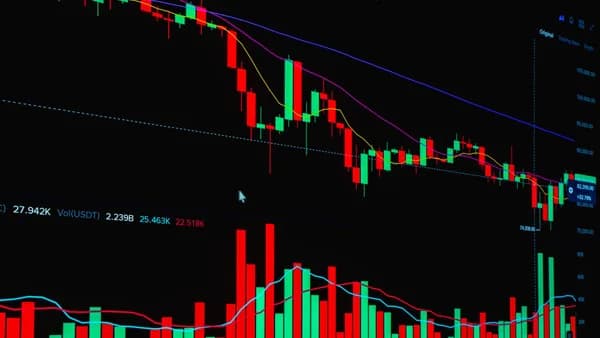
Choosing among paper trading platforms with charts is not just about finding a place to click “buy” and “sell” with fake money. The best paper trading platforms with charts help you practice the full workflow: reading price action, placing realistic orders, managing risk, reviewing performance, and eventually moving from simulation to live trading with fewer surprises.
XOOMAR Intelligence
Analyst Take
For beginners and intermediate traders, chart quality matters because your habits form in the simulator. If your paper trading app has weak indicators, unrealistic fills, or a confusing order ticket, it can teach the wrong lessons before real capital is involved.
Why Chart Quality Matters in Paper Trading
Paper trading is simulated trading with fake money using real market prices. TradingView describes it as a risk-free simulator with “no deposits and no real money involved,” while Tradewink defines it as practicing order placement, position management, and strategy testing in real-time market conditions without financial risk.
But the charting layer is where most trading decisions begin.
A strong charting environment lets you practice:
- Technical setups: Moving averages, trendlines, support and resistance, breakouts, reversals, and multi-timeframe analysis.
- Order timing: Placing entries and exits directly from the chart or from an order ticket while price is moving.
- Strategy review: Comparing your trade decisions against indicators, historical price action, and realized or unrealized P&L.
- Platform familiarity: Learning the same chart layout, watchlists, newsfeeds, and order workflow you may later use with real money.
Key insight: Paper trading is most useful when the simulator mirrors the live trading experience. StockBrokers.com specifically highlights platforms such as Webull, Charles Schwab thinkorswim, and Interactive Brokers because their virtual environments closely resemble their live platforms.
Chart quality becomes even more important if you are practicing stock strategies that depend on timing. A simulator with delayed data, limited indicators, or simplified fills may help you learn the interface, but it may not prepare you for live execution.
Tradewink’s research points to several features that separate useful simulators from weaker ones:
- Real-time data quality: Delayed data may not prepare traders for live trading.
- Realistic order fills: Better simulators model real execution constraints such as slippage or partial fills.
- Full order type support: Limit, stop, stop-limit, trailing stop, and bracket orders are important for realistic trade management.
- Position and P&L tracking: Traders need realized and unrealized P&L, trade logs, and entry/exit records.
- Risk metrics: Equity curve, max drawdown, win rate, and average R-multiple can help evaluate whether a strategy is improving.
Not every platform in the source data includes every one of these features. That is why the best choice depends on whether you prioritize charting, realistic order entry, asset coverage, mobile access, or performance review.
Best Paper Trading Platforms With Advanced Charting
The strongest paper trading platforms with charts combine technical analysis tools with simulated order entry. Based on the available source data, the leading choices are Webull, Charles Schwab thinkorswim, Interactive Brokers, TradingView, ETRADE Power ETRADE, TradeStation, eToro, Tradewink, and ChartMini.
Quick Comparison: Paper Trading Platforms With Charts
| Platform | Best For | Charting / Analysis Features Mentioned | Simulated Capital Mentioned | Assets Mentioned for Paper Trading | Key Limitation Mentioned |
|---|---|---|---|---|---|
| Webull | Best overall paper trading platform / mobile-first traders | Over 55 indicators, Replay Mode, advanced charting, AI news summaries, Market widgets | $100,000 according to NerdWallet | Stocks, ETFs, options | Can feel intimidating for new investors; limited versus IBKR/Schwab for advanced securities |
| Charles Schwab thinkorswim | Complex layouts and discretionary/options practice | Professional-grade trading and charting, scanners, options chain, thinkScript support | $100,000 simulated capital, adjustable, according to Tradewink | Options and other supported thinkorswim tools; StockBrokers highlights virtual trading | Steep learning curve; no spot crypto trading |
| Interactive Brokers | Advanced multi-asset paper trading | TWS platform, IBKR Mobile, strong research/tools, institutional-level platform | $1,000,000 according to NerdWallet | Stocks, ETFs, options, futures, cryptocurrencies, metals, bonds; StockBrokers cites 150+ markets | Feature density requires significant time investment |
| TradingView | Chart analysis plus paper trading | Supercharts, chart types, indicators, drawings, Pine Script strategies, chart trading | Not specified in source data | Stocks, forex, crypto, commodity and index futures, and more | Paper account described by Tradewink as basic with limited risk metrics and no commission simulation |
| ETRADE Power ETRADE | New options traders | Options tools; Power E*TRADE app recommended for paper trading | Not specified in source data | Options focus noted; broader platform supports trading tools | No direct Bitcoin or Ethereum; no fractional shares of individual stocks |
| TradeStation | Automated trading practice | Proprietary programming language, tools for futures and options, “Hot Lists” and “Why is it Moving?” | Not specified in source data | Futures and options tools mentioned | Not a good choice for beginners or casual investors |
| eToro | Community-driven paper trading | TradingView-powered charts on mobile and web, social feed, “Why is it moving?” insights | Not specified in source data | Source highlights community and copy-trading context | Options tools described as confusing and poorly structured |
| Tradewink | AI-powered autonomous paper trading | AI market scanning, signal generation, post-trade AI analysis | Not specified beyond paper mode | AI strategies across simulated portfolio | Best for validating AI-driven strategies, not manual discretionary trading |
| ChartMini | Simple chart replay practice | Replay real charts, random 180-bar segment, random time point | $100,000 equity shown | Stocks, forex, crypto | Source page provides limited details on indicators/order realism |
1. Webull — Best Overall for Paper Trading With Charts
Webull appears as a top choice in both StockBrokers.com and NerdWallet’s research. StockBrokers.com calls it the “Best paper trading platform,” while NerdWallet names it the best paper trading platform and notes that it provides $100,000 of fake money.
Webull’s strength is that its paper trading environment gives users access to the same kinds of tools they would use in the real trading environment, including data, charts, analysis, and newsfeeds. StockBrokers.com specifically highlights Webull’s charting as a standout and notes that its paper trading suite includes more than 55 indicators.
Important Webull paper trading features from the research include:
- Charting: More than 55 indicators and drawing tools.
- Replay Mode: Time-lapse historical price action for visual strategy testing.
- Order Tools: “Turbo Trader” for quick execution and advanced order types.
- Markets: Paper trading for stocks, ETFs, and options.
- Mobile/Desktop: A widget-based desktop environment and a powerful mobile app.
- AI Tools: AI-powered news summaries, Market widgets, heatmaps, yield curves, and an economic calendar.
- Cost Data: $0 minimum deposit, $0 stock trades, and $0 options contract fee in the cited broker data.
StockBrokers.com’s research director describes Webull’s simulator as a standout because it “doesn’t water down the experience,” citing Replay Mode and AI-powered news summaries as useful additions for technical practice.
The main trade-off is complexity. NerdWallet notes that Webull’s app can feel stressful or intimidating for new investors, and that it lacks as much built-in education along the paper trading path as some beginners may want.
2. Charles Schwab thinkorswim — Best for Complex Trading Layouts
Charles Schwab thinkorswim is one of the strongest choices for traders who want professional-grade charting and a platform that closely mirrors live trading. StockBrokers.com calls thinkorswim an “industry benchmark for professional-grade trading and charting” and rates Charles Schwab highly overall.
Tradewink describes thinkorswim’s paper trading as a strong choice for manual discretionary traders, especially options traders. According to that source, it replicates the live interface, includes $100,000 in simulated capital that is adjustable, and provides access to scanner, charting, and options chain tools.
Key thinkorswim features from the source data include:
- Charting: Professional-grade trading and charting tools.
- Options Tools: Full options chain with real-time Greeks, according to Tradewink.
- Customization: thinkScript custom indicator support.
- Simulation: Interface mirrors live trading.
- Education: Webinars, videos, courses, and strong streaming/video content.
- Cost Data: $0 minimum deposit, $0 stock trades, $0.65 options contract fee.
The main downside is that thinkorswim can have a steep learning curve. StockBrokers.com also notes Schwab has no spot crypto trading, and Tradewink states that paper trading mode does not include commissions.
3. Interactive Brokers — Best for Advanced Multi-Asset Practice
Interactive Brokers is best suited for traders who want advanced tools and broad market access. NerdWallet calls it best for advanced paper trading, while StockBrokers.com highlights Interactive Brokers for the breadth of tradeable instruments and notes that paper trading is available through both IBKR Mobile and Trader Workstation.
NerdWallet states that Interactive Brokers provides $1,000,000 of fake cash and allows practice with stocks, ETFs, options, futures, cryptocurrencies, metals, bonds, and more. StockBrokers.com also notes 150+ markets.
Important Interactive Brokers features include:
- Platforms: IBKR Mobile and Trader Workstation.
- Assets: Stocks, ETFs, options, futures, cryptocurrencies, metals, bonds, and more.
- Market Access: StockBrokers.com cites 150+ markets.
- Research and Tools: NerdWallet notes strong research and tools.
- Advanced Practice: Tradewink says IBKR paper trading supports simulated margin and portfolio margining, plus API access for algo testing.
- Cost Data: $0 minimum deposit, $0 stock trades, $0.65 options contract fee in StockBrokers.com data.
The trade-off is complexity. StockBrokers.com says the density of features requires a significant time investment, and Tradewink says Trader Workstation can be overwhelming for beginners.
4. TradingView — Best for Chart-First Paper Trading
TradingView is different from broker-based simulators because its paper trading mode is built directly into its charting environment. TradingView says users can activate Paper Trading from Supercharts, connect the paper account, and place trades using multiple methods.
TradingView paper trading order entry methods include:
- Order Ticket: Enter side, quantity, order type, price, and risk settings.
- Depth of Market: View available buy and sell orders at different price levels.
- Chart Trading: Place trades directly from the chart.
TradingView also supports a broad charting workflow. The platform says paper traders can use chart types, indicators, drawings, and custom Pine Script indicators and strategies. Its simulator works with many asset types available on TradingView, including stocks, forex, crypto, commodity futures, index futures, and more.
Tradewink’s comparison notes that TradingView is best for traders who live in charts and want to paper trade without switching platforms. However, it also says the paper account is basic, with no commission simulation and limited risk metrics.
5. ETRADE Power ETRADE — Best for New Options Traders
E*TRADE appears in StockBrokers.com’s list as best for new options traders. The source specifically recommends downloading the Power E*TRADE app rather than the flagship app for paper trading.
E*TRADE’s relevant strengths include:
- Options Tools: StockBrokers.com says its options tools can help traders improve.
- Research: Access to Morgan Stanley market analysis and interactive reports.
- Bond Resources: Excellent bond resource center and ladder tool, according to the source.
- Cost Data: $0 minimum deposit, $0 stock trades, $0.65 options contract fee.
Limitations include no direct Bitcoin or Ethereum buying, crypto exposure limited to ETFs and futures, and no fractional shares of individual stocks, according to StockBrokers.com.
6. TradeStation — Best for Automated Trading Practice
TradeStation is best suited to serious traders interested in automation. StockBrokers.com notes that many serious traders use it because of its proprietary programming language, which allows automated trading.
Relevant TradeStation features include:
- Automation: Proprietary programming language for automated trading.
- Markets/Tools: Futures and options tools.
- Market Movers: “Why is it Moving?” and “Hot Lists” tools for price action.
- Platform Note: Mobile app is friendlier to beginners than the complex desktop platform.
- Cost Data: $0 minimum deposit, $0 stock trades, $0.80 options contract fee.
The source is clear that TradeStation is not a good choice for beginners or casual investors.
7. eToro — Best for Social and Community Context
eToro is listed by StockBrokers.com as best for investment community. The platform may appeal to traders who want community features alongside paper trading.
Relevant eToro features include:
- Community: Social feed adds real-time market context.
- Copy Trading Context: Users can explore posts from other investors and copy-trading concepts.
- Charts: TradingView-powered charts on mobile and web.
- Market Context: “Why is it moving?” insights explain price action.
- Cost Data: $50 minimum deposit, $0 stock trades, $0 options contract fee.
The limitations are meaningful: StockBrokers.com says eToro has no mutual funds, bonds, or futures, and its options trading tools are confusing and poorly structured. Crypto trading includes about a 1% fee per transaction, according to the source.
8. Tradewink — Best for AI-Powered Autonomous Paper Trading
Tradewink is positioned differently from manual simulators. Its source data says the platform runs its full AI trading pipeline in paper mode by default. Every signal, entry, and exit is automatically paper traded with risk management applied.
Tradewink features include:
- AI Pipeline: Full AI pipeline runs in paper mode for all users.
- Strategies: All 20+ strategies paper traded simultaneously.
- Post-Trade Review: Automatic AI analysis after each closed position.
- Tracking: Real-time P&L across the simulated portfolio.
- Signals: Discord connection for real-time signal delivery.
- Cost: Free, according to its own source page.
The limitation is that it is better suited for validating AI-driven strategies than for manual discretionary paper trading.
9. ChartMini — Best for Simple Chart Replay Sessions
ChartMini offers a free paper trading simulator for stocks, forex, and crypto. Its source page emphasizes chart replay practice rather than broker-style simulation.
Features shown in the source include:
- Chart Replay: Replay real charts and practice a strategy.
- Random Segment: Start with a random 180-bar segment.
- Random Time Point: Show bars from the first one to a random time point.
- Simulated Account: $100,000 equity displayed.
- Trade Tracking: Buy/sell records, entry, exit, shares, gains in dollars, and gains in percent.
- P&L: Unrealized and realized P&L fields.
The source data does not provide deeper details on indicators, order types, alerts, or slippage modeling, so it is best viewed as a lightweight chart replay practice tool based on the available information.
Platforms With the Most Realistic Order Simulation
Realistic order simulation matters because paper trading results can look better than live trading results. Tradewink’s research warns that simulators that fill every market order at the exact mid-price do not reflect live trading reality.
The most realistic platforms in the source data are the ones that mirror live interfaces, support advanced order types, or connect order entry directly to charts.
Realism Comparison
| Platform | Realistic Simulation Strengths | Order Entry Details Mentioned | Realism Caveats |
|---|---|---|---|
| Webull | High-fidelity simulation that mirrors live trading experience | Turbo Trader, advanced order types, paperTrade button noted by NerdWallet | Asset list for paper trading more limited than IBKR or Schwab |
| Charles Schwab thinkorswim | Identical or closely replicated live interface, according to Tradewink | Options chain, scanners, charting, Greeks | Paper mode does not include commissions, per Tradewink |
| Interactive Brokers | TWS paper account mirrors full TWS interface; multi-asset support | Stocks, options, futures, forex, crypto; API access noted by Tradewink | Complex for beginners |
| TradingView | Orders can be placed from order ticket, depth of market, or chart | Order ticket, DOM, chart trading | Tradewink says limited risk metrics and no commission simulation |
| ChartMini | Replay-based practice with P&L tracking | Buy/sell practice on replayed charts | Source does not specify advanced order types or execution realism |
Best Realism by Use Case
Best for stock/options realism: Webull
Webull’s paper trading account mirrors its live trading experience and includes stocks, ETFs, and options. For users who plan to trade on Webull later, this reduces the learning curve.Best for discretionary options practice: thinkorswim
thinkorswim is highlighted for professional charting, a full options chain, Greeks, and a live-like interface.Best for multi-asset realism: Interactive Brokers
IBKR stands out for the breadth of assets and markets. It is the better fit when stocks alone are not enough.Best for chart-based order entry: TradingView
TradingView is particularly useful if you want to place orders directly from the chart while using indicators, drawings, and Pine Script strategies.
Critical warning: Tradewink’s research says paper fills are typically better than live fills because live trading involves slippage, commissions, and execution delays. It suggests expecting live results to be 20% to 40% worse than paper results.
Best Paper Trading Tools for Technical Analysis Practice
If your main goal is to practice technical analysis, the best platform depends on whether you want a broker simulator, a pure charting environment, or a replay tool.
Best Technical Analysis Platforms
| Platform | Technical Analysis Strength | Best Fit |
|---|---|---|
| TradingView | Chart types, indicators, drawings, Pine Script indicators and strategies | Chart-first traders and Pine Script users |
| Webull | More than 55 indicators, Replay Mode, drawing tools, AI summaries | Beginners/intermediate traders practicing stock and options setups |
| thinkorswim | Professional-grade charting, scanners, thinkScript | Advanced discretionary and options traders |
| Interactive Brokers | Institutional-level platform, broad instruments, strong tools | Advanced multi-asset technical traders |
| ChartMini | Random chart replay and P&L tracking | Simple pattern recognition and replay drills |
TradingView for Chart-First Practice
TradingView is one of the clearest choices for technical analysis because paper trading is integrated into Supercharts. Its source page specifically mentions chart types, indicators, drawings, and custom Pine Script indicators and strategies.
This makes TradingView useful for:
- Pattern Practice: Marking entries and exits on live or replayed chart setups.
- Indicator Testing: Comparing standard indicators with custom Pine Script tools.
- Direct Execution: Placing paper trades directly from the chart.
- Multi-Asset Review: Practicing across stocks, forex, crypto, commodity futures, and index futures.
Webull for Integrated Stock Strategy Practice
Webull’s technical edge is its combination of charting and simulated brokerage workflow. StockBrokers.com highlights over 55 indicators, Replay Mode, adjustable moving averages, and precise drawing tools.
It is especially useful if you want to practice:
- Breakouts and Pullbacks: Replay historical price action and test entries.
- Moving Average Systems: Adjust indicators and practice rule-based setups.
- News-Aware Trades: Compare technical setups against AI-powered news summaries and market widgets.
- Options Entries: Practice options trading within the same paper environment.
thinkorswim for Advanced Layouts and Options Analysis
thinkorswim is better for traders who want complex layouts and options analysis. Tradewink cites full options chains with Greeks and thinkScript custom indicator support, while StockBrokers.com describes thinkorswim as a professional-grade charting benchmark.
It is a strong fit for:
- Options Strategy Practice
- Scanner-Based Watchlists
- Custom Indicator Development
- Multi-Window Chart Layouts
The learning curve is the main drawback.
Watchlists, Alerts, and Journaling Features Compared
Watchlists, alerts, and journaling help turn paper trading from random clicking into structured practice. The source data is stronger on watchlists and tracking than on formal journaling, so the comparison below separates confirmed features from areas where details are limited.
| Platform | Watchlists / Market Monitoring | Alerts / Signals | Journaling / Performance Tracking |
|---|---|---|---|
| Webull | Market widgets, heatmaps, yield curves, economic calendar, newsfeeds | AI news summaries and market-moving context | Paper trading progress and community feed noted by NerdWallet; detailed journal not specified |
| thinkorswim | Scanner and charting tools noted by Tradewink | Not specified in source data | Simulated account practice; detailed journal not specified |
| Interactive Brokers | Strong research/tools; broad asset coverage | Not specified in source data | Paper account for strategy testing; detailed journal not specified |
| TradingView | Supercharts, screeners referenced in TradingView knowledge base links | TradingView references alerts in related guides, but paper-trading page does not detail alert functionality | Tracks orders and positions so users can see strategy profitability |
| Tradewink | AI scans markets | Real-time signal delivery through Discord | Automatic post-trade AI analysis and real-time P&L tracking |
| ChartMini | Random chart segments for practice | Not specified in source data | Shows trades, entry, exit, shares, gains, realized/unrealized P&L |
What to Look for in Journaling
Tradewink’s paper trading mistakes section says paper trading without a journal is “just entertainment.” The research recommends recording every trade, reviewing weekly, and analyzing what is working.
At minimum, your paper trading journal should track:
- Setup: Why you entered the trade.
- Chart Context: Trend, support/resistance, indicator signals, and timeframe.
- Order Type: Market, limit, stop, stop-limit, trailing stop, or bracket order if available.
- Risk: Planned stop, target, position size, and risk per trade.
- Result: Realized P&L, unrealized P&L, win/loss, and notes.
- Execution Review: Whether the trade followed your rules.
Not every platform in the source data includes a built-in journal. If your chosen simulator only provides P&L and trade history, you may need to maintain a separate journal.
Limitations of Paper Trading Every Trader Should Know
Paper trading is useful, but it is not the same as live trading. The biggest risk is false confidence.
1. Simulated Money Does Not Feel Like Real Money
Tradewink notes that the psychological experience of paper trading is fundamentally different from live trading. Losing fake money does not create the same pressure as losing real money.
This matters because traders may:
- Oversize Positions: Taking trades that would feel too risky with real capital.
- Ignore Stops: Holding losers longer because there is no financial consequence.
- Overtrade: Clicking more often because losses do not hurt.
- Change Rules: Abandoning the plan when emotions are not fully engaged.
2. Paper Fills May Be Too Perfect
Tradewink warns that paper trading results are almost always better than live results because fills can be perfect and slippage may not be reflected. It suggests discounting paper P&L by 20% to 30% to estimate more realistic live performance.
For the paper-to-live transition, Tradewink also says live results are typically 20% to 40% worse due to slippage, commissions, and execution delays.
3. Some Simulators Do Not Include Commissions
This is especially important for frequent traders. Tradewink specifically says thinkorswim paper trading does not include commissions, and also describes TradingView’s paper account as lacking commission simulation.
If your strategy depends on frequent entries and exits, missing commission and slippage assumptions can distort results.
4. Asset Access Varies
NerdWallet notes that Webull paper trading supports stocks, ETFs, and options, while Interactive Brokers supports a broader list including futures, cryptocurrencies, metals, and bonds. StockBrokers.com says Schwab has no spot crypto trading, and eToro lacks mutual funds, bonds, and futures.
The practical lesson: practice on the same asset class you plan to trade live.
5. One Good Week Is Not Enough
Tradewink recommends paper trading for 1 to 3 months with consistent profitability before going live. One strong week does not validate a strategy.
Free vs Paid Paper Trading Platforms
Most of the paper trading platforms in the source data are free to access in some form, though some require a brokerage account. The sources do not provide detailed paid paper trading tiers for most platforms, so the safest comparison is between free simulator access and live-trading costs or requirements that are explicitly stated.
| Platform | Paper Trading Cost Mentioned | Account Requirement Mentioned | Live Trading Cost Data Mentioned |
|---|---|---|---|
| Webull | Free paper trading implied by NerdWallet’s free platform list | Brokerage app/account access | $0 stock trades, $0 options contracts, $0 minimum deposit |
| Charles Schwab thinkorswim | Free according to Tradewink, requires account | Schwab account or thinkorswim access | $0 stock trades, $0.65 options contracts, $0 minimum deposit |
| Interactive Brokers | Free with IBKR account according to Tradewink | IBKR account | $0 stock trades, $0.65 options contracts, $0 minimum deposit in StockBrokers.com data |
| TradingView | Free with TradingView account according to Tradewink | TradingView account | Broker-connected live trading available; specific pricing not provided in source data |
| Tradewink | Free | Not detailed beyond platform use | Source focuses on AI paper mode; live pricing not provided in provided data |
| ChartMini | Free simulator page | Not specified in source data | Not specified |
| E*TRADE | Paper trading availability discussed; price for paper access not specified | Power E*TRADE app recommended | $0 stock trades, $0.65 options contracts, $0 minimum deposit |
| TradeStation | Paper trading availability discussed; price for paper access not specified | Not specified in provided data | $0 stock trades, $0.80 options contracts, $0 minimum deposit |
| eToro | Paper trading discussed; price for paper access not specified | Not specified in provided data | $50 minimum deposit, $0 stock trades, $0 options contracts; crypto fee about 1% per transaction |
When a Free Platform Is Enough
A free paper trading setup may be enough if you are practicing:
- Basic Chart Reading: Trendlines, support/resistance, candles, and indicators.
- Order Entry: Learning how order tickets work.
- Beginner Stock Strategies: Stocks, ETFs, and simple options strategies where supported.
- Replay Drills: Practicing recognition of setups using tools like ChartMini or Webull Replay Mode.
When You May Need a More Advanced Platform
You may need a more advanced simulator if you are practicing:
- Options Greeks and Complex Layouts: thinkorswim is stronger based on the source data.
- Multi-Asset Trading: Interactive Brokers offers broader paper trading coverage.
- Algorithmic or API Testing: Tradewink notes IBKR paper trading includes API access for algo testing.
- Chart-Based Custom Strategies: TradingView supports Pine Script indicators and strategies.
At the time of writing, the provided source data does not show a clear paid paper-trading tier comparison across these platforms. The bigger decision is usually platform fit, realism, and whether the simulator matches the market you intend to trade live.
How to Transition From Paper Trading to Live Trading
The transition from simulation to real money is where many traders discover that paper profits do not automatically translate into live results. The goal is to reduce the gap.
Step 1: Paper Trade With Realistic Capital
Tradewink warns against paper trading with $100,000 if you only plan to trade $5,000 live. Using unrealistic simulated capital can create bad position-sizing habits.
Use the same account size you expect to trade live whenever the platform allows it. If the simulator gives you more fake money by default, track your trades as if your real account size were smaller.
Step 2: Require a Meaningful Test Period
Tradewink recommends paper trading for 1 to 3 months with consistent profitability before going live. This gives you more market conditions and a larger sample of trades than one good week.
A useful readiness checklist includes:
- Consistency: Positive results across multiple weeks, not one lucky run.
- Rule Following: Entries, exits, and stops match the strategy plan.
- Drawdown Control: Losses stay within your risk limits.
- Trade Review: You can explain why winners worked and why losers failed.
Step 3: Reduce Position Size at First
Tradewink recommends starting live with 10% to 25% of your intended position size for the first month. This allows you to compare real fills against what paper trading would have generated.
This step is especially important if your strategy relies on fast entries, thinly traded securities, or frequent trades.
Step 4: Expect Lower Live Results
Live results are typically worse than paper results because of slippage, commissions, execution delays, and psychology. Tradewink’s source data suggests expecting live results to be 20% to 40% worse than paper results.
That does not mean paper trading is useless. It means paper trading should be treated as a baseline, not a guarantee.
Step 5: Review Your First 20 Live Trades
Tradewink recommends reviewing the first 20 live trades in detail against your paper trading baseline. Compare:
- Planned Entry vs Actual Entry
- Paper Fill vs Live Fill
- Planned Stop vs Actual Exit
- Estimated P&L vs Actual P&L
- Emotional Deviations
- Commission and Slippage Impact
Keep the same risk rules during the transition. Tradewink specifically warns that the transition is dangerous because traders may take excessive risk when they first go live.
Bottom Line
The best paper trading platforms with charts depend on what you need to practice.
Webull is the strongest overall choice for many stock and options paper traders because it combines an accessible interface, more than 55 indicators, Replay Mode, simulated stocks/ETFs/options, and a paper environment that mirrors live trading. Charles Schwab thinkorswim is better for complex layouts and options analysis, while Interactive Brokers is strongest for advanced multi-asset paper trading with broad instrument coverage.
For chart-first traders, TradingView is hard to ignore because paper trading is built into Supercharts with order tickets, depth of market, chart trading, indicators, drawings, and Pine Script support. ChartMini is useful for simple replay drills, while Tradewink is more specialized for AI-powered autonomous paper trading rather than manual discretionary practice.
The most important rule: do not judge a platform only by fake profits. Choose the simulator that best matches your intended live market, order types, charting workflow, and risk-management process.
FAQ
What are the best paper trading platforms with charts?
Based on the provided research, the strongest choices are Webull, Charles Schwab thinkorswim, Interactive Brokers, and TradingView. Webull stands out for more than 55 indicators and Replay Mode, thinkorswim for professional-grade charting and options tools, Interactive Brokers for advanced multi-asset practice, and TradingView for chart-first paper trading.
Which paper trading platform is best for beginners?
Webull is frequently highlighted as a strong beginner-friendly option, especially for mobile-first users. NerdWallet notes that it is easy to find the paper trading feature and that Webull provides $100,000 in fake money, though the app can still feel intimidating for new investors.
Which platform has the most advanced paper trading?
Interactive Brokers is the strongest advanced paper trading choice in the source data. NerdWallet says it provides $1,000,000 in fake cash and supports practice with stocks, ETFs, options, futures, cryptocurrencies, metals, bonds, and more. StockBrokers.com also cites 150+ markets.
Is TradingView good for paper trading?
Yes, especially for chart-focused practice. TradingView’s paper trading works directly from Supercharts and supports order tickets, depth of market, and chart trading. It also supports chart types, indicators, drawings, and Pine Script strategies, though Tradewink describes its paper account as basic for full portfolio management.
Is paper trading realistic?
Paper trading is useful but not fully realistic. Tradewink notes that the biggest difference is psychological, because losing simulated money does not feel like losing real money. It also warns that live results are often 20% to 40% worse than paper results because of slippage, commissions, and execution delays.
How long should I paper trade before going live?
Tradewink recommends paper trading for 1 to 3 months with consistent profitability before going live. It also recommends starting live with only 10% to 25% of intended position size for the first month and reviewing the first 20 live trades against your paper trading baseline.
Sources & References
Content sourced and verified on June 17, 2026
- 15 Best Paper Trading Apps & Platforms for 2026
https://www.stockbrokers.com/guides/paper-trading
- 23 Best Paper Trading Platforms for 2026
https://www.nerdwallet.com/investing/best/brokers-paper-trading
- 3Paper trading — main functionality
https://www.tradingview.com/support/solutions/43000516466-paper-trading-main-functionality/
- 4Best Paper Trading Platforms in 2026 (Free Simulators — Tradewink
https://tradewink.com/learn/best-paper-trading-platforms
- 5Free Paper Trading Simulator - Forex, Crypto & Stocks | ChartMini
https://chartmini.com/play
- 610 Best Paper Trading Platforms for 2026 (Tested)
https://www.newtrading.io/free-paper-trading-simulator/

Written by
XOOMAR
Data desk
XOOMAR is a capital markets software and data company. Every brief on this site starts from a dataset the company collects itself from primary sources (CFTC, SEC EDGAR, FINRA, the Federal Reserve, exchange APIs) and names the numbers it is built on, with a link to the data page so you can check them. Briefs are reviewed before they go out and corrected in place when the data is revised.