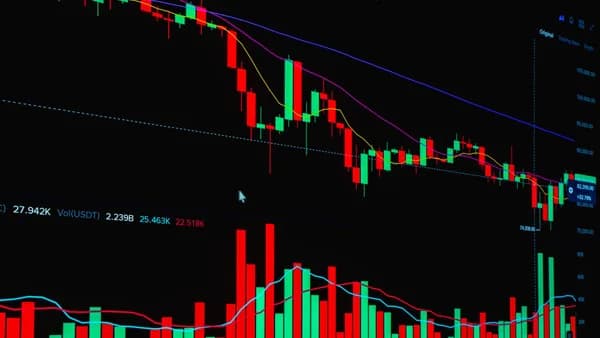
Finding the best charting software swing traders can actually use comes down to workflow: clean charts, multi-timeframe views, alerts that reduce screen time, scanners that surface setups, and watchlists that stay organized. The strongest platforms in the available research are not identical—TradingView leads for chart-first research and custom scripts, TrendSpider stands out for automated technical analysis, and TC2000 is repeatedly highlighted for fast scanning and integrated chart workflows.
XOOMAR Intelligence
Analyst Take
Below is a grounded, evidence-based roundup using only the provided research data, with practical guidance for matching each tool to your swing trading routine.
1. What Swing Traders Need From Charting Software
Swing trading focuses on capturing short- to medium-term price moves over days or weeks, according to Benzinga’s swing trading app research. That makes charting different from ultra-short-term day trading: the platform must help you find setups, validate trend and momentum, set alerts, and monitor positions without requiring constant screen time.
The most useful charting software swing traders should support five core workflows:
| Swing Trading Need | Why It Matters | Source-Backed Examples |
|---|---|---|
| Multi-timeframe analysis | Traders often use a higher timeframe for trend direction and a lower timeframe for entries | Pro Trader Dashboard notes many traders use daily for trend, hourly for context, and 5-minute for entries |
| Technical indicators and drawing tools | Support/resistance, trendlines, channels, Fibonacci, RSI, MACD, and moving averages help structure setups | TradingView, Thinkorswim, TC2000, and others are cited for technical studies and drawing tools |
| Alerts | Price and indicator alerts help traders monitor opportunities without staring at charts all day | TradingView supports price and indicator-condition alerts; TrendSpider provides dynamic technical-condition alerts |
| Scans and screeners | Swing traders need a way to find candidates across many symbols | TC2000 is highlighted for fast scanning; TradingView includes built-in screening |
| Watchlists and layouts | Organized lists by sector, strategy, or setup type keep analysis focused | Pro Trader Dashboard recommends watchlists by sector, strategy, or setup type |
Key takeaway: good swing trading charting software is not just about prettier candles. It should connect charts, alerts, scans, and watchlists into one repeatable research routine.
Worldmetrics ranks TradingView as its best overall swing trading software, describing it as suitable for “chart-first research, custom scripts, and alert-driven execution.” In the same ranking, TrendSpider is runner-up for automated chart signals and rule-based alerts, while TC2000 is “also great” for scanning, charting, and alerts in one workflow.
2. Best Charting Platforms for Multi-Timeframe Analysis
For swing traders, multi-timeframe analysis is essential because the trade idea often starts on a higher timeframe and is refined on a lower one. Pro Trader Dashboard specifically notes that traders should be able to view multiple timeframes simultaneously, with a common setup being daily for trend, hourly for context, and 5-minute for entries.
1. TradingView — Best Overall Chart-First Platform
TradingView is ranked #1 by Worldmetrics with an overall score of 9.1/10, including 9.3/10 for features, 8.6/10 for ease of use, and 7.9/10 for value. ZipDo also places TradingView as its #1 pick, scoring it 8.7/10 overall, with 9.1/10 features, 8.6/10 ease of use, and 8.3/10 value.
TradingView is repeatedly described as a chart-first platform for swing trading workflows. It provides charting, technical indicators, strategy backtesting signals, alerts, built-in screening for stocks, ETFs, and other markets, plus community ideas.
Best fit: Swing traders who want flexible charts, multi-timeframe views, templates, custom indicators, and alert automation.
Source-backed strengths:
- Charts: Flexible charting with drawing tools, multi-timeframe views, and templates.
- Scripts: Pine Script enables custom indicators, strategies, and reusable study libraries.
- Backtesting: Strategy tester evaluates entries, exits, and trade metrics.
- Access: Browser and mobile access support monitoring watchlists across instruments.
- Community: Thousands of free community scripts are available, according to Pro Trader Dashboard.
Important limitations:
- Free Tier: Pro Trader Dashboard notes the free tier has limited indicators and data delays.
- Alert Complexity: ZipDo notes alert management can get complex with many symbols and layered conditions.
- Backtest Caveat: ZipDo warns that strategy backtests can diverge from real swing execution because of assumptions.
2. TrendSpider — Best for Automated Technical Analysis
TrendSpider is ranked #2 by both Worldmetrics and ZipDo. ZipDo scores it 8.0/10 overall, with 8.6/10 features, 7.6/10 ease of use, and 7.7/10 value.
Benzinga describes TrendSpider as a platform that uses automation and artificial intelligence to enhance technical analysis. It automatically identifies and analyzes trendlines, support and resistance levels, and candlestick patterns.
Best fit: Swing traders who want automated chart interpretation and rule-based technical alerts.
Source-backed strengths:
- Automation: Automatically identifies trendlines, support/resistance levels, and candlestick patterns.
- Alerts: Provides dynamic price alerts based on technical conditions.
- Access: Web-based platform accessible from any device with an internet connection.
- Focus: Analysis capabilities focus on stocks and ETFs.
Important limitations:
- Execution: Benzinga notes TrendSpider is not a direct brokerage, so users must integrate its analysis with a brokerage platform.
- Asset Scope: Benzinga states it does not support trading options, futures, or other instruments on its platform.
- Desktop App: Benzinga says it does not have a downloadable desktop app.
3. TC2000 — Best for Scanning-Driven Swing Research
TC2000 is ranked #3 by Worldmetrics and ZipDo. ZipDo scores it 7.9/10 overall, with 8.3/10 features, 7.6/10 ease of use, and 7.7/10 value.
TC2000 is consistently described as strong for scanning, charting, and rapid analysis. Pro Trader Dashboard says TC2000 scans are “incredibly fast,” often returning results in under a second even for complex criteria. Benzinga also highlights its robust stock screening capabilities and reliable real-time data.
Best fit: Swing traders who prioritize fast stock discovery and technical scans.
Source-backed strengths:
- Scanning: Powerful scanning engine for technical indicators, price patterns, and fundamental data.
- Workflow: Scanning integrates directly with charting so traders can flip through results quickly.
- Alerts: Pro Trader Dashboard highlights excellent condition-based alerts.
- Charts: Highly customizable charting with indicators and drawing tools.
- Platforms: Downloadable desktop application plus mobile apps.
Important limitations:
- Cost Structure: Benzinga notes subscription cost is separate from brokerage commissions.
- Interface: Pro Trader Dashboard describes the interface as less modern.
- Community: Pro Trader Dashboard notes TC2000 has a smaller community than TradingView.
Other Platforms Mentioned in the Research
The provided research also names several other platforms relevant to swing trading charting workflows:
| Platform | Source-Backed Positioning | Best-Fit Use Case From Research |
|---|---|---|
| Thinkorswim | Professional-grade charting with extensive studies and ThinkScript | Advanced technical analysts and options traders |
| Webull | Commission-free trading with real-time data, advanced charting, screeners, and paper trading | Cost-conscious swing traders wanting brokerage plus charting |
| TradeStation | Charting plus brokerage platform with EasyLanguage, historical data, and backtesting | Systematic traders and programmers |
| NinjaTrader | Charting, trade management, strategy automation, market replay, and C# programming | Futures traders and indicator developers |
| StockCharts | Technical charting, screening tools, and customizable charts | Swing trade research |
| MetaStock | Advanced charting, technical indicators, and backtesting | Desktop technical analysis |
| MotiveWave | Charting, scanning, and automated trade management | Charting automation workflows |
3. Comparing Indicators, Drawing Tools, and Layout Flexibility
The best charting software swing traders use should make technical analysis efficient without encouraging clutter. Pro Trader Dashboard specifically warns against “indicator overload,” noting that using 10+ indicators can create conflicting signals.
Indicators and Custom Studies
Most strong platforms include standard indicators such as moving averages, RSI, MACD, and Bollinger Bands. The research emphasizes that the real difference is customization: whether traders can modify parameters, create custom indicators, and save reusable setups.
| Platform | Indicator and Study Strengths | Customization Notes |
|---|---|---|
| TradingView | Technical indicators, custom indicators, community scripts | Pine Script enables custom indicators and strategies |
| Thinkorswim | Over 400 technical studies, according to Pro Trader Dashboard | ThinkScript allows custom indicators and strategy creation |
| TC2000 | Wide selection of indicators, scanning criteria, and chart tools | EasyScan language supports complex scan logic |
| TrendSpider | Automated technical analysis, trendlines, support/resistance, candlestick pattern recognition | Focuses more on automation than manual scripting in the provided research |
| TradeStation | Extensive historical data and backtesting | EasyLanguage programming |
| NinjaTrader | Advanced charting and indicator development | C# programming |
Drawing Tools
Pro Trader Dashboard identifies comprehensive drawing tools as a must-have, including:
- Trendlines: Useful for tracking trend structure.
- Channels: Helpful for defining price ranges and trend continuation.
- Fibonacci Retracements: Commonly used for pullback zones.
- Pitchforks: Used by some technical traders for channel-like projections.
- Pattern Recognition: Useful when available, though patterns should not be the only input.
The same source notes that saving drawings and having them persist across sessions is essential. For swing traders who revisit setups over multiple days, persistent drawings prevent repeated manual work.
Layout Flexibility
Layout flexibility matters because swing traders often separate research from execution. Pro Trader Dashboard recommends saving multiple chart layouts so traders can switch between watchlists and trading styles.
A practical swing trading layout could include:
- Trend Layout: Daily chart with trendlines, moving averages, and volume.
- Setup Layout: Hourly chart with support/resistance and momentum indicators.
- Entry Layout: Lower timeframe chart for timing.
- Review Layout: Saved annotations to compare planned vs actual outcomes.
Warning from the research: price without volume context is incomplete. Pro Trader Dashboard explicitly lists “ignoring volume” as a common charting mistake.
4. Alert Systems: Price, Indicator, Volume, and Pattern Alerts
Alerts are central to swing trading because positions and setups unfold over days or weeks. Pro Trader Dashboard says price alerts and indicator-based alerts help traders monitor opportunities without staring at screens all day. The best platforms may offer email, SMS, or push notifications, depending on the platform and plan.
Alert Capabilities by Platform
| Platform | Alert Types Confirmed in Source Data | Notes for Swing Traders |
|---|---|---|
| TradingView | Price-condition and indicator-condition alerts | Strong for alert-ready indicator logic, but management can get complex with many symbols |
| TrendSpider | Dynamic price alerts based on technical conditions | Useful for automated support/resistance, trendline, and pattern-based workflows |
| TC2000 | Condition-based alerts | Strong when combined with fast scans and EasyScan-style workflows |
| Pro Trader Dashboard general guidance | Price alerts and indicator-based alerts; email, SMS, or push notifications may be available | Alert channels depend on the platform |
TradingView Alerts
ZipDo notes that TradingView supports indicator and price-condition triggers for swing setups. It also highlights Pine Script strategy backtesting with alert-ready indicator logic, making it useful for traders who build custom rules.
However, ZipDo also warns that alert management can become complex when traders track many symbols and layered conditions. For swing traders, this suggests a practical limit: alerts should be tied to the cleanest, highest-priority setups rather than every possible condition.
TrendSpider Alerts
TrendSpider’s alert strength is automation. Benzinga says the platform provides dynamic price alerts based on technical conditions and automatically identifies trendlines, support and resistance levels, and candlestick patterns.
That makes it a strong candidate for traders who want fewer manually drawn levels and more automated monitoring.
TC2000 Alerts
Pro Trader Dashboard highlights TC2000’s excellent condition-based alerts. Benzinga also describes TC2000 as strong for identifying trading candidates through scans based on technical indicators, price patterns, and fundamental data.
For swing traders, TC2000’s value is the combination of scanning plus alerts: find candidates quickly, then monitor them through conditions.
5. Watchlists and Scan Workflows for Swing Trade Setups
Watchlists and scans are where charting software becomes a repeatable trade-discovery system. Pro Trader Dashboard recommends organizing stocks by sector, strategy, or setup type to keep analysis focused.
Scan-First vs Chart-First Workflows
Different platforms support different research styles:
| Workflow Style | Best-Matched Platforms From Sources | Why |
|---|---|---|
| Chart-first research | TradingView | Clean charts, multi-timeframe views, templates, custom indicators, community scripts |
| Automation-first research | TrendSpider | Automated trendlines, support/resistance, candlestick patterns, and technical-condition alerts |
| Scan-first research | TC2000 | Fast scanning, EasyScan language, direct chart integration |
| Brokerage-plus-charting | Thinkorswim, Webull, TradeStation | Charting combined with account access and order management |
| Systematic/backtesting workflow | TradingView, Thinkorswim, TradeStation, NinjaTrader | Sources cite scripting, strategy testing, or backtesting features |
Practical Swing Scan Workflow
Based on the research, a practical scan-driven routine could look like this:
- Build a scan: Use technical, price-pattern, or fundamental criteria where supported.
- Review charts quickly: TC2000 is specifically noted for integrating scans directly with charts.
- Sort into watchlists: Organize names by sector, strategy, or setup type.
- Mark key levels: Use support, resistance, trendlines, channels, and volume.
- Set alerts: Add price or indicator alerts so the platform monitors conditions.
- Review outcomes: Use backtesting or trade tracking tools where available.
Platform Notes for Watchlists and Scans
TradingView includes built-in screening for stocks, ETFs, and other markets used in swing trading workflows, according to Worldmetrics. ZipDo also notes broad browser and mobile access for monitoring positions and watchlists across multiple instruments.
TC2000 is the standout for scanner speed in the provided data. Pro Trader Dashboard says scans often return results in under a second, even for complex criteria, and Benzinga emphasizes its ability to create complex scans based on technical indicators, price patterns, and fundamental data.
Webull provides a stock screener with various filters, plus advanced charting tools, technical indicators, drawing tools, customizable chart layouts, and paper trading functionality, according to Benzinga.
6. Desktop, Web, and Mobile Charting Experience
Swing traders do not all work from the same setup. Some want a full desktop workstation; others want browser-based charts and mobile alerts. The available research gives a clear view of platform access differences.
| Platform | Desktop | Web | Mobile | Source-Backed Experience Notes |
|---|---|---|---|---|
| TradingView | Not described as desktop-first in sources | Yes | Yes | Runs in browser, works on any device, strong community and clean interface |
| TrendSpider | No downloadable desktop app, per Benzinga | Yes | Mobile web access | Web-based platform focused on automated technical analysis |
| TC2000 | Yes | Not emphasized in provided data | Yes | Desktop platform is fast and customizable; mobile apps provide essential charting and scanning |
| Thinkorswim | Yes | Yes | Yes | Desktop has extensive features; mobile is streamlined for trading and monitoring |
| Webull | Windows and macOS | Yes | iOS and Android | Desktop offers more advanced charting layouts; mobile app is well-designed |
| TradeStation | Brokerage platform noted | Not specified in detail | Not specified in detail | Combines charting with brokerage and backtesting |
| NinjaTrader | Charting platform noted | Not specified in detail | Not specified in detail | Popular among futures traders and indicator developers |
Browser-Based Convenience
TradingView’s browser-first experience is a major reason it appears at the top of multiple rankings. Pro Trader Dashboard says it runs in your browser, works on any device, and supports sharing charts with a single link.
TrendSpider is also web-based. Benzinga notes it is accessible from any device with an internet connection, though it does not have a downloadable desktop app.
Desktop Power
Thinkorswim, TC2000, Webull, TradeStation, and NinjaTrader all have desktop-oriented strengths in the research.
Thinkorswim’s desktop version is described as highly customizable and feature-rich, but both Benzinga and Pro Trader Dashboard note the platform can have a steep learning curve. TC2000’s desktop platform is described as fast and customizable, making it attractive for rapid analysis.
Mobile Monitoring
Mobile matters for swing traders because alerts, watchlist checks, and position monitoring often happen away from the main workstation.
Benzinga notes Webull is available on iOS, Android, Windows, macOS, and web browser. Thinkorswim also offers desktop, mobile, and web-based access. TradingView supports broad browser and mobile access, while TrendSpider can be accessed through mobile web browsers.
7. Pricing: Free Plans vs Paid Charting Tools
Pricing varies widely across platforms, and the source data provides exact prices for some tools but not all. Where exact pricing is not available in the provided research, it is marked as not specified.
| Platform | Pricing Details From Source Data | Notes |
|---|---|---|
| TradingView | Free tier available; Pro from $14.95/month | Free tier has limited indicators and data delays |
| Thinkorswim | Free with TD Ameritrade account, according to Pro Trader Dashboard; Benzinga describes Schwab commission-free trading for stocks, ETFs, and options | Options contracts have a per-contract fee; margin incurs interest |
| TC2000 | Silver from $9.99/month; Gold from $29.99/month | Subscription fees are separate from brokerage commissions |
| TradeStation | Free with TradeStation brokerage account | Requires account, according to Pro Trader Dashboard |
| NinjaTrader | Free for charting; $99/month for live trading features | Primarily futures-focused in source data |
| Webull | Commission-free trading for stocks, ETFs, and options; no account minimum for standard brokerage account | Some services such as margin trading and wire transfers may have fees; inactivity fees can apply per Benzinga |
| TrendSpider | Subscription model with tiers | Exact prices not provided in source data |
| MetaStock | Not specified in provided data | Described as desktop analysis with advanced charting and backtesting |
| StockCharts | Not specified in provided data | Described as technical screening and customizable charts |
| MotiveWave | Not specified in provided data | Described as charting automation |
| VectorVest | Not specified in provided data | Combines valuation metrics with timing indicators |
Free and Low-Cost Choices
Pro Trader Dashboard identifies TradingView’s free tier as the best no-cost charting solution, citing quality charts, basic indicators, and access to community scripts. Its limitations are data delays and fewer simultaneous indicators.
Thinkorswim is also described as free for eligible brokerage customers in the source data, with professional-grade charting, extensive studies, and advanced options tools. However, both Benzinga and Pro Trader Dashboard note that its extensive functionality creates a steeper learning curve.
Paid Tools Worth Considering
TC2000’s paid tiers are specifically priced in the research, with Silver from $9.99/month and Gold from $29.99/month. It may be a better fit when scanner speed and condition-based alerts are central to the trading process.
TrendSpider’s exact subscription prices are not included in the provided data, but Benzinga describes it as a subscription platform with tiers that vary by features, data, and alert allowances. Its value depends on whether automated technical analysis saves enough manual charting time for your process.
Pricing takeaway: start with the lowest-cost platform that supports your actual workflow. Upgrade when a limitation—data delays, scanner depth, alert capacity, layout limits, or scripting needs—becomes a real obstacle.
8. How to Pick Charting Software Based on Your Trading Routine
The best choice depends less on rankings and more on your daily routine. A trader who scans hundreds of stocks needs different software than a trader who follows 20 names and waits for alerts.
If You Want the Best Overall Charting Workflow
Choose TradingView if you want browser-based charts, multi-timeframe analysis, community scripts, Pine Script customization, strategy testing, alerts, and broad watchlist monitoring. It is ranked #1 by Worldmetrics and ZipDo in the provided research.
This is a strong fit if you want a chart-first workflow and are comfortable managing alerts and scripts carefully.
If You Want Automated Technical Signals
Choose TrendSpider if your routine depends on automated trendlines, support/resistance, candlestick pattern recognition, and dynamic technical-condition alerts.
This is especially relevant if you want to reduce manual drawing and focus more on automated chart interpretation. At the time of writing, the provided source data emphasizes stocks and ETFs for TrendSpider’s analysis scope.
If You Want Fast Scanning and Rapid Review
Choose TC2000 if your edge starts with scans. The research repeatedly highlights its scanner speed, EasyScan-style workflows, condition-based alerts, and direct chart integration.
This is a strong choice for swing traders who want to move from scan results to chart review quickly.
If You Want Brokerage Plus Advanced Charting
Consider Thinkorswim if you want extensive studies, custom scripting with ThinkScript, options analysis, probability tools, paper trading, and access to multiple asset classes. The trade-off is complexity: sources describe a steep learning curve.
Consider Webull if you want commission-free stock, ETF, and options trading, real-time data, charting tools, screeners, paper trading, and access across mobile, desktop, and browser. Benzinga positions it as suitable for cost-conscious swing traders.
If You Want Systematic Strategy Development
Consider TradeStation or NinjaTrader if programming and backtesting matter. Pro Trader Dashboard highlights TradeStation’s EasyLanguage, historical data, and backtesting. NinjaTrader is described as strong for market replay, C# programming, and futures-focused workflows.
A Simple Selection Checklist
Use this checklist before paying for a platform:
- Timeframes: Can you easily view the daily, hourly, and entry timeframe you use?
- Indicators: Does it support your core indicators without forcing clutter?
- Drawings: Do trendlines, channels, Fibonacci levels, and annotations persist across sessions?
- Alerts: Can alerts trigger on price and indicator conditions you actually trade?
- Scans: Can you screen for your setup across the symbols you follow?
- Watchlists: Can you organize by sector, strategy, or setup type?
- Device Fit: Do you need desktop power, browser convenience, or mobile monitoring?
- Cost: Are you paying for features you will use every week?
Bottom Line
For most traders searching for charting software swing traders can build a full workflow around, TradingView has the strongest all-around case in the provided research: it ranks #1 in both Worldmetrics and ZipDo, offers browser-based charting, Pine Script, alerts, screeners, community scripts, and a free tier.
TrendSpider is the strongest fit when automated technical analysis and rule-based alerts matter more than manual chart work. TC2000 is the best-supported choice in the research for scan-heavy swing traders who need rapid stock discovery, condition-based alerts, and chart integration.
If your routine includes brokerage execution, advanced options analysis, or multi-asset trading, Thinkorswim, Webull, TradeStation, and NinjaTrader may fit better depending on your account setup, asset focus, and tolerance for complexity.
FAQ
What is the best charting software for swing traders overall?
Based on the provided research, TradingView has the strongest overall case. Worldmetrics ranks it #1 with an overall score of 9.1/10, and ZipDo also lists it as its top pick for swing trading software.
Which platform is best for swing trading scans?
TC2000 is the most scan-focused platform in the source data. Pro Trader Dashboard says its scans often return results in under a second, even for complex criteria, and Benzinga highlights its ability to create scans using technical indicators, price patterns, and fundamental data.
Is free charting software enough for swing trading?
It can be enough to start. Pro Trader Dashboard identifies TradingView’s free tier as the best no-cost charting option, with quality charts, basic indicators, and community scripts. The main limitations noted are data delays and fewer simultaneous indicators.
Which platform is best for automated technical analysis?
TrendSpider is the clearest match for automated technical analysis in the provided research. Benzinga says it automatically identifies trendlines, support and resistance levels, and candlestick patterns, while also providing dynamic price alerts based on technical conditions.
What chart timeframes should swing traders use?
Pro Trader Dashboard says many traders use 2–3 timeframes, with a common setup of daily for trend, hourly for context, and 5-minute for entries. The exact setup depends on the trader’s strategy and holding period.
What are the biggest charting mistakes swing traders should avoid?
The source data highlights several common mistakes: using too many indicators, choosing the wrong timeframe, ignoring volume, and over-relying on chart patterns. Pro Trader Dashboard specifically warns that using 10+ indicators can create conflicting signals.
Sources & References
Content sourced and verified on June 17, 2026
- 1Top 10 Best Swing Trading Software | Ranked for 2026
https://worldmetrics.org/best/swing-trading-software/
- 2Best Charting Platforms for Traders: Complete Guide 2026 | Pro Trader Dashboard
https://protraderdashboard.com/blog/charting-platforms-guide/
- 3Swing Trading Software: Best Picks (2026)
https://zipdo.co/best/swing-trading-software/
- 46 Best Swing Trading Apps for 2025 – Fast Analysis and Smart Charting • Benzinga
https://www.benzinga.com/money/swing-trading-apps
- 5Best Swing Trading Software 2026
https://www.swingtrading.com/software
- 69 Best Platforms For Swing Trading (Brokerages, Apps, Tools & Software)
https://www.wallstreetzen.com/blog/best-platform-for-swing-trading/

Written by
XOOMAR
Data desk
XOOMAR is a capital markets software and data company. Every brief on this site starts from a dataset the company collects itself from primary sources (CFTC, SEC EDGAR, FINRA, the Federal Reserve, exchange APIs) and names the numbers it is built on, with a link to the data page so you can check them. Briefs are reviewed before they go out and corrected in place when the data is revised.