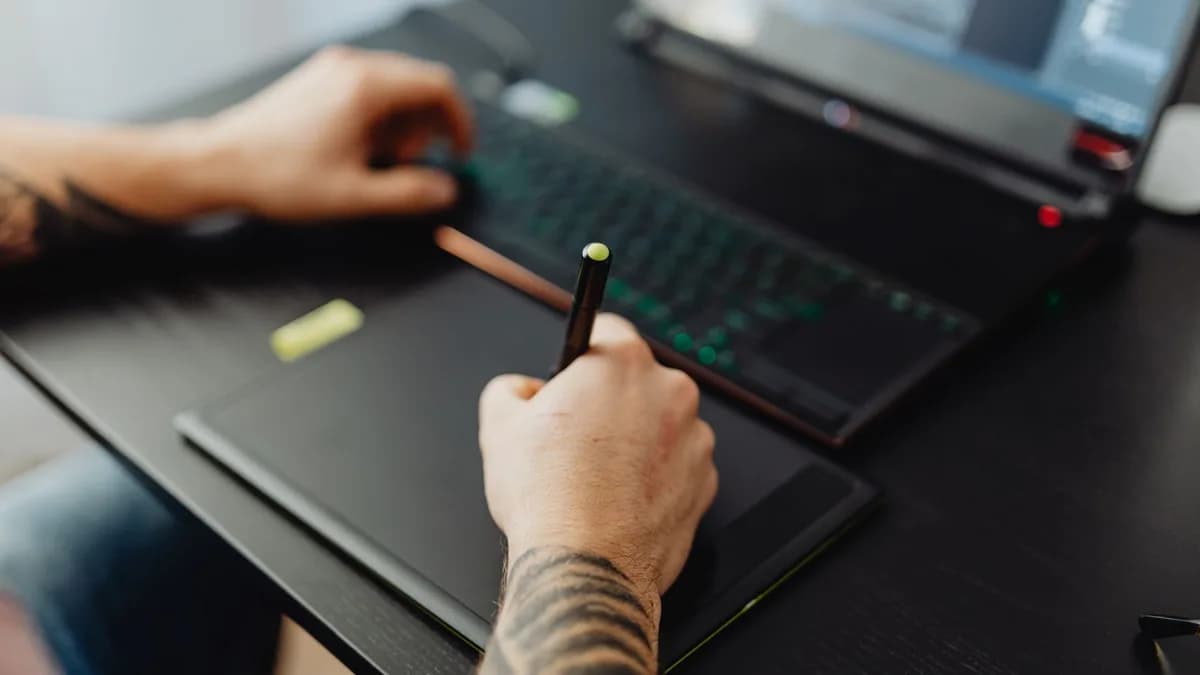
For artists and students, the line between a sketchbook and a screen has never been thinner. The modern creative toolkit has evolved into a sophisticated blend of technology and tradition, where the right device can unlock new levels of expression and productivity. Finding the best tablet for digital art 2026 isn't about chasing the latest spec sheet; it's about matching the tool to your specific workflow, whether you're sketching concept art on a train, inking comics in a studio, or annotating lecture notes. This hands-on roundup grounds its evaluation of stylus precision, display quality, and software ecosystems in real-world testing and expert reviews published in 2026, cutting through the marketing to help you invest wisely.
The Importance of Pen Pressure Levels and Tilt Detection
The stylus is the bridge between your intention and the digital canvas. Its technical specifications directly translate to the naturalness of your stroke. Based on 2026 reviews, two metrics are foundational:
Pressure Sensitivity Levels: This measures how many different degrees of pressure the pen can detect. While higher numbers are often marketed, the real-world difference between 8192 and 16384 levels is subtle for most artists. An artist reviewing the Wacom Cintiq 16 with 8192 levels noted, "The Pro Pen 2 delivered that signature Wacom feel... every subtle variation in my grip translated into visible line weight changes." Conversely, the HUION Kamvas 13 Gen 3 with 16384 pressure levels was praised for "smoother gradient transitions" and a very light 2g initial activation force, reducing hand fatigue during long sketching sessions.
Tilt Detection & Feel: This allows for shading and brush effects that mimic real-world tools like charcoal or calligraphy pens. Combined with pen technology like Wacom's EMR (Electro-Magnetic Resonance) or Huion's PenTech 4.0, it creates an experience where the tool "disappears." The Wacom Intuos Pro Medium 2025 features a customizable Pro Pen 3 where artists can adjust the grip and balance, a feature that reviewers say eliminates hand cramp during extended use.
Key Insight: "Pressure sensitivity at 8192 levels delivered the smooth tapering and shading I expect from Wacom. This is a screenless tablet, so you draw while looking at your monitor. If you want pen-on-screen drawing, skip ahead to the display options.", from professional testing of the Wacom Intuos Pro.
Display Tech for Artists: Color Gamut, Lamination, and Refresh Rate
Your tablet's screen is your window to the artwork, and its fidelity is non-negotiable for professional work. Three aspects are critical, according to 2026 testing:
Color Gamut & Accuracy: This defines the range and precision of colors a screen can reproduce. For professional work, especially print, high gamut coverage is essential. The Wacom Cintiq 16 is noted for its excellent color matching with professional monitors, while the HUION Kamvas 13 Gen 3 boasts 99% sRGB coverage and a factory calibration with Delta E values under 1.5, a professional-grade standard. Higher-end standalone tablets like the Apple iPad Pro (M4) feature displays with 100% DCI-P3 color gamut.
Lamination: This refers to how close the drawing surface is to the actual LCD layer. Full lamination reduces "parallax", the gap between where the pen tip touches and where the cursor appears, creating a more natural, paper-like feel. The HUION Kamvas 13 Gen 3's Canvas Glass 2.0 surface was specifically highlighted for eliminating the "rainbow interference patterns" common in cheaper laminated displays.
Refresh Rate: Measured in Hz, a higher refresh rate makes the pen stroke appear on screen with less perceived lag. While most dedicated pen displays offer standard 60Hz, some high-performance standalone tablets like the Xiaomi Pad 7 Pro tout a 144Hz display for ultra-smooth motion.
Apple iPad Pro & Apple Pencil: Still the Gold Standard?
The combination of Apple iPad Pro and Apple Pencil remains a dominant force for mobile digital art, praised for its seamless integration and standalone power.
Performance and Ecosystem: The iPad Pro models, including an 11-inch model with an A16 chip and a 13-inch model with an M5 chip, are lauded for handling intensive apps like Procreate "effortlessly." The Apple Pencil 3 (or 2nd Generation Apple Pencil) offers ultra-low latency and tilt support. Reviewers consistently note the advantage of a standalone device: "This is the only tablet here that works completely standalone, no computer required. You turn it on, open Procreate, and start drawing immediately."
Trade-offs: The primary limitations noted in 2026 reviews are software-related. The iOS ecosystem restricts users to mobile versions of professional desktop software, which can feel limiting. Furthermore, the total cost escalates as the Apple Pencil and keyboard are sold separately.
| Model | Key Specs (from sources) | Best For | Considerations |
|---|---|---|---|
| Apple iPad Pro 11-inch (A16/M5) | Standalone, A16/M5 chip, 11" Liquid Retina, All-day battery | Portable artists, Procreate users, students needing a multi-purpose device. | Apple Pencil sold separately; mobile OS limits desktop software. |
| Apple iPad Pro 13-inch (M5) | Standalone, M5 chip, 13" Ultra Retina XDR, All-day battery, LiDAR scanner | Professional illustrators & editors needing maximum screen and power. | Premium price; larger size reduces extreme portability. |
Samsung Galaxy Tab S-Series with S Pen: The Android Creative Powerhouse
For artists invested in the Android ecosystem, Samsung's Galaxy Tab S-Series presents a powerful, high-fidelity alternative.
Display and Included S Pen: The Samsung Galaxy Tab S10 Ultra features a 14.6-inch Dynamic AMOLED 2X display praised for "deep blacks, vivid tones, and silky smooth" performance. A key advantage over Apple is that the S Pen is included with the tablet, not a separate purchase. The S Pen's pressure sensitivity is described as "ultra-responsive, making every line fluid and natural."
Versatility and Value: Models like the Samsung Galaxy Tab S10 Lite offer a more budget-conscious entry point with a 10.9-inch LCD, included S Pen, and 8000mAh battery, making it a compelling option for students and hobbyists. The ability to use Android versions of apps like Clip Studio Paint and connect to pen displays via USB-C adds to its flexibility.
Wacom MobileStudio Pro: The Niche Professional's Choice
For the digital artist who refuses to compromise and works primarily in a studio setting, the Wacom MobileStudio Pro stands apart. It is not a consumer tablet but a dedicated digital drafting tool.
Unmatched Precision and Performance: The Wacom MobileStudio Pro 17 (2026 Edition) is built around a 17-inch 4K display with "professional-level color accuracy" and the unmatched sensitivity of a Wacom Pro Pen. It runs a full desktop operating system (Windows), allowing seamless use of applications like the full desktop versions of Adobe Photoshop and Clip Studio Paint. It is described as "the gold standard for professionals" and "an investment in pure creative freedom."
The Trade-off: This power and precision come at a significant cost, both financially and in terms of portability. It's heavier, has shorter battery life (around 10 hours), and carries a premium price tag that places it out of reach for most hobbyists and students. It is unequivocally a tool for working professionals.
Remarkable 3 and E-Ink Contenders: For Pure Note-Taking
While the sources provided focus primarily on color displays for art, they acknowledge a different segment: devices for distraction-free writing and sketching. Though not detailed in the core art-focused reviews, the mention of "Remarkable 3 and E-Ink Contenders" points to a category prized for its paper-like feel and superb battery life.
Best Use Case: These tablets excel as digital notebooks for students, writers, and anyone who needs to annotate PDFs or brainstorm with a pen-on-paper sensation. They are not suitable for color digital art, illustration, or photo editing due to their monochrome displays and lack of advanced pressure-sensitive brush engines.
Budget-Friendly Alternatives: Lenovo, Microsoft, and More
Not every artist needs or can afford flagship specs. The 2026 market offers compelling mid-range and budget options that deliver excellent value.
Huion and XP-Pen: These brands have aggressively closed the gap with Wacom. The HUION Kamvas 13 Gen 3 at around $229 is repeatedly called out as the "Best Value Pen Display," offering 16384 pressure levels, 99% sRGB color, and features like dual dial buttons that rival more expensive models. The XP-Pen Artist 15.6 Pro also offers high specs like 120% sRGB coverage at a competitive price.
2-in-1 Windows Tablets: Devices like the Microsoft Surface Pro 11 (Snapdragon X Elite) or Surface Pro 12 bridge the gap between tablet and laptop. They run full desktop Windows 12 and support the Surface Slim Pen 3, making them ideal for creators who also need to run software like Blender or the full Adobe Creative Suite on the go. Their hybrid design is perfect for "video editors and designers."
Value Standalones: The Lenovo Tab Extreme 2 balances affordability with a crisp OLED display and an included Lenovo Pen Pro stylus, a rarity in its price range.
| Budget Category | Example Model | Key Value Proposition |
|---|---|---|
| Best Value Pen Display | HUION Kamvas 13 Gen 3 | ~$229, 16384 pressure, 99% sRGB, includes adjustable stand. |
| Budget Screenless Tablet | Wacom Intuos Small | Under $50, industry-leading EMR tech, battery-free pen, perfect for beginners. |
| Affordable 2-in-1 | Microsoft Surface Pro 11 | Full Windows 12 desktop software, versatile laptop/tablet form factor. |
Software Showdown: Procreate, Clip Studio Paint, and Adobe Fresco
The hardware is only as good as the software it runs. The ecosystem is a major deciding factor between platforms.
- Procreate: Universally hailed as the killer app for iPadOS. It's a one-time purchase offering an incredibly powerful, intuitive, and optimized illustration experience for the Apple Pencil. It is the primary reason many artists choose iPad.
- Clip Studio Paint: A favorite among comic and manga artists, available on Windows, macOS, Android, and iPad. Its powerful brush engines and comic panel tools make it a versatile, cross-platform choice, especially for users of Samsung Galaxy Tabs or pen displays.
- Adobe Fresco: Integrates seamlessly with the Adobe Creative Cloud, offering live brushes that mimic real watercolor and oils. It shines on devices like the iPad Pro and Microsoft Surface, particularly for artists already embedded in the Adobe ecosystem.
Key Insight: "Hardware is only half the story. What truly makes a tablet powerful is the ecosystem behind it. Tablets built for creators support a rich range of apps, Procreate, Adobe Fresco, Affinity Designer... all optimized for touch and stylus input."
Accessory Ecosystem: Cases, Screen Protectors, and Keyboard Options
Protecting your investment and enhancing your workflow is crucial.
- Screen Protectors: Many artists apply matte screen protectors to their tablets (like the iPad Pro or Galaxy Tab) to add texture and reduce glare, mimicking the feel of drawing on paper. It's a popular, low-cost way to customize the drawing feel.
- Cases & Stands: For mobile devices, a sturdy folio case is essential. For pen displays like the Wacom Cintiq 16, note that the stand is often sold separately, an added cost to factor in. The HUION Kamvas 13 Gen 3 includes an adjustable stand, which reviewers appreciated.
- Keyboards: For iPad and Surface users, a detachable keyboard (like Apple's Magic Keyboard or Microsoft's Surface Keyboard) transforms the device into a laptop replacement, invaluable for students and professionals who split time between creating and writing or communication.
FAQ
Q: How many pressure sensitivity levels do I really need? A: Based on 2026 testing, 8192 levels are more than sufficient for professional work and provide a natural, responsive feel. While 16384 levels (found on some Huion and XP-Pen models) offer marginal theoretical improvement, the difference in practice is subtle for most users.
Q: Should I get a standalone tablet (like an iPad) or a pen display that connects to a computer? A: It depends on your workflow. A standalone tablet (iPad, Galaxy Tab) offers unmatched portability and simplicity. A pen display (Wacom Cintiq, Huion Kamvas) connected to a powerful PC or Mac provides a larger screen, often better color accuracy, and access to full desktop software, but tethers you to a desk.
Q: Is the Apple Pencil worth the extra cost? A: For iPad artists, absolutely. Reviews emphasize that the Apple Pencil integration with apps like Procreate is seamless, with ultra-low latency and tilt support that is core to the drawing experience. It is considered an essential, non-optional purchase.
Q: What's the best tablet for a beginner on a tight budget? A: The Wacom Intuos Small, often priced under $50, is consistently recommended. It uses Wacom's reliable EMR technology with a battery-free pen, includes beginner software, and provides an excellent foundation for learning digital art without a significant financial risk.
Bottom Line
Choosing the best tablet for digital art in 2026 requires balancing performance, ecosystem, and budget. For the ultimate portable and user-friendly experience with access to Procreate, the Apple iPad Pro with Apple Pencil remains a top contender, though the total cost adds up. Android artists seeking vibrant displays and an included stylus should closely evaluate the Samsung Galaxy Tab S10 series. For those setting up a desktop studio, the Wacom Cintiq 16 offers trusted professional quality, while the HUION Kamvas 13 Gen 3 delivers remarkable value with near-par performance. Ultimately, the best tool is the one that disappears in your hand, letting your creativity flow unimpeded.