Updated: This guide has been refreshed for 2024 with the latest platform information, fee structures, and market context.
XOOMAR Intelligence
Analyst Take
If you’re comparing broker platforms with charting, the key question is not simply “Which broker has charts?” Active stock traders need fast charts, flexible indicators, scanners, drawing tools, alerts, and ideally the ability to place or manage orders without constantly switching screens. The best choice depends on whether you prioritize execution, options analytics, stock scanning, custom scripting, mobile access, or a simpler learning curve.
This roundup focuses on platforms that combine brokerage access with professional-grade charting tools. Where a tool is primarily charting software rather than a full broker, that limitation is called out clearly.
1. Why Charting Quality Matters in a Broker Platform
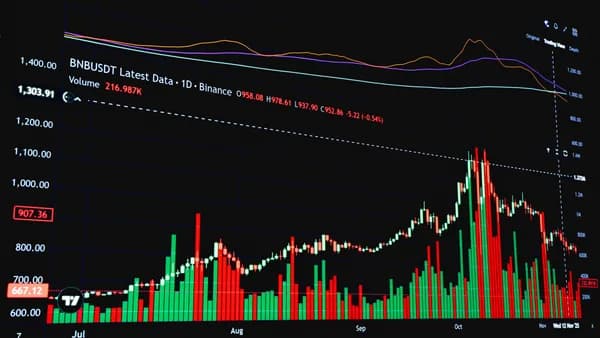
Good charting software is the foundation of technical analysis. The source data defines strong charting around fast data, customizable indicators, drawing tools, multiple timeframes, watchlist integration, and alerts. For active traders, those features are not cosmetic; they shape how quickly you can identify support and resistance, monitor setups, and respond to price movement.
Technical analysis relies on market-generated data such as historical price and volume. According to the research, traders use that data to identify trends, support and resistance levels, and possible entry and exit points. A weak charting interface can slow that process down or make analysis less consistent.
Key insight: For active traders, charting quality affects both analysis and workflow. The best broker platforms with charting reduce the gap between spotting a setup and acting on it.
Charting quality matters most when traders need to:
- Compare Timeframes: Many traders use a higher timeframe for trend direction and a lower timeframe for entries. One source gives a common setup: daily for trend, hourly for context, and 5-minute for entries.
- Avoid Indicator Overload: The research warns that using 10+ indicators can create conflicting signals. A good platform makes it easy to focus on a few useful indicators instead of cluttering the screen.
- Track Volume: The data specifically warns that price without volume context is incomplete.
- Set Alerts: Price alerts and indicator-based alerts help traders monitor opportunities without staring at screens all day.
- Keep Drawings Persistent: Drawings such as trendlines, channels, and Fibonacci retracements should save across sessions.
For commercial searchers, the practical takeaway is simple: choose a platform based on your trading workflow, not just a feature checklist. A day trader who scans hundreds of stocks has different needs from an options trader who wants probability analysis and Greeks visualization.
2. Must-Have Charting Features for Active Traders
The research sources repeatedly point to a core set of charting capabilities that active traders should evaluate before choosing a broker or broker-connected platform.
Core Features to Look For
| Feature | Why It Matters | Source-Backed Examples |
|---|---|---|
| Fast Data | Active traders need charts that update quickly enough for intraday decisions. | TC2000 is described as having lightning-fast scanning; Sierra Chart is described as a low-latency futures-focused platform. |
| Custom Indicators | Lets traders adapt analysis to their strategy. | TradingView uses Pine Script; Thinkorswim uses thinkScript; TradeStation uses EasyLanguage. |
| Drawing Tools | Needed for trendlines, support/resistance, channels, Fibonacci, and patterns. | Sources identify trendlines, channels, Fibonacci retracements, pitchforks, and pattern recognition as important drawing features. |
| Multiple Timeframes | Supports top-down analysis. | A common setup cited is daily, hourly, and 5-minute charts. |
| Alerts | Helps monitor price or indicator conditions. | The best platforms offer alerts via email, SMS, or push notifications. |
| Watchlist Integration | Speeds up scanning and chart review. | TC2000 integrates scanning directly with charting. |
| Order Entry | Reduces screen switching when execution is integrated. | MetaTrader 4 and 5 are cited as allowing trades directly from charts; TC2000 has integrated brokerage; TradeStation combines charting with brokerage. |
Indicators, Oscillators, and Pattern Tools
The research divides technical analysis tools into several categories:
- Charting Tools: Line charts and candlestick charts that visually represent price over time.
- Indicators: Moving averages and Bollinger Bands help traders analyze trends and volatility.
- Oscillators: RSI and Stochastic Oscillator help identify overbought or oversold conditions.
- Pattern Recognition Tools: These help identify formations such as double tops or head and shoulders.
For most traders, the best setup is not the platform with the most indicators. It is the platform that lets you customize the indicators you understand and combine them with price, volume, and alerts.
Practical warning: The research explicitly flags “indicator overload” as a common charting mistake. More indicators often means more confusion, not better analysis.
3. Best Broker Platforms With Built-In Charting
Below are the strongest broker platforms with charting or broker-connected charting environments. The focus is on tools relevant to active stock traders, while noting when a platform is better suited to options, futures, or technical analysis rather than pure stock execution.
1. Thinkorswim by Charles Schwab
Thinkorswim remains one of the most frequently cited platforms for advanced charting. It is a professional-grade platform with extensive studies, custom scripting, and deep options analytics. It is free with a Schwab account, with no platform fees and no minimums. Notably, in 2024, Schwab has fully migrated TD Ameritrade clients to its platform, solidifying thinkorswim as its flagship offering for active traders.
| Category | Details |
|---|---|
| Price | Free with a funded Charles Schwab account. |
| Best For | Options traders and advanced technical analysts. |
| Indicators / Studies | Over 400 technical studies. |
| Customization | thinkScript for custom indicators, strategies, scans, and alerts. |
| Options Tools | Probability analysis, risk profiles, Greeks visualization, options chains integrated with charts. |
| Limitations | Steep learning curve; desktop app can be resource-intensive. |
Thinkorswim stands out for traders who want professional-grade charting and options analytics in one platform. The ability to create custom studies and alerts with thinkScript is especially valuable for experienced traders.
2. TradeStation
TradeStation continues to combine charting with a brokerage platform and is highlighted for systematic traders and programmers. It is free with a TradeStation brokerage account and known for EasyLanguage, historical data, and backtesting. The platform has seen interface updates aimed at modernizing its look and feel.
| Category | Details |
|---|---|
| Price | Free with TradeStation brokerage account (commissions apply). |
| Best For | Systematic traders and programmers. |
| Strengths | EasyLanguage, extensive historical data, robust backtesting. |
| Advanced Tools | Backtesting against historical data before putting strategies into live markets. |
| Limitations | Can be complex for discretionary traders only needing manual charting. |
TradeStation is best suited to traders who want to test strategies, build rules, and analyze historical behavior.
3. TC2000 With TC2000 Brokerage
TC2000 is a strong choice for day traders and active stock scanners. It highlights fast scanning, charting, EasyScan language, and integrated TC2000 Brokerage. Its pricing remains competitive, with the Silver plan now starting at $11.99/month.
| Category | Details |
|---|---|
| Price | Silver: $11.99/month; Gold: $29.99/month. Brokerage commissions apply. |
| Best For | Day traders, active scanners, stock traders scanning for technical setups. |
| Scanner | EasyScan plain-English stock screening; known for speed. |
| Execution | Integrated TC2000 Brokerage for scan, chart, and trade workflow. |
| Markets | US stocks and options only. |
| Limitations | No order flow analysis; no automated trading or strategy backtesting capability. |
TC2000 is one of the most practical broker platforms with charting for traders whose day starts with scanning.
4. Interactive Brokers Trader Workstation (TWS)
Interactive Brokers Trader Workstation, often referred to as TWS, is a sophisticated platform for professional traders with strong, customizable charting capabilities. Recent updates have aimed at improving the user experience while maintaining its depth.
| Category | Details |
|---|---|
| Platform | Trader Workstation desktop platform. |
| Best For | Professional traders who want a feature-rich, multi-asset broker platform. |
| Charting | Extensively customizable charting with real-time streaming data. |
| Indicators | Over 100 built-in indicators. |
| Limitations | Professional interface with a significant learning curve. |
Interactive Brokers is a strong candidate for traders who want brokerage depth, global market access, and customizable charting.
5. TradingView Paired With a Broker
TradingView is not a brokerage but is a dominant charting platform commonly paired with broker execution. It runs in the browser, has a massive social community, and supports deep customization via Pine Script. In 2024, TradingView has expanded its direct trading integrations, allowing execution with more brokers directly from its charts.
| Category | Details |
|---|---|
| Price | Free tier available; Pro plan starts at $14.95/month. |
| Best For | All traders wanting social features, browser-based access, and a vast indicator library. |
| Indicators | 400+ built-in indicators; 200K+ community indicators. |
| Scripting | Pine Script for custom indicators and strategies. |
| Community | Massive social network for shared ideas and scripts. |
| Limitations | Free tier has delayed data, limited alerts, and ads; advanced features require a subscription. |
TradingView is one of the most accessible and powerful charting environments, best viewed as a superior front-end charting layer for your broker.
6. Webull, Fidelity, and Public.com
These platforms are noted for strong mobile charting and user-friendly interfaces, appealing to a newer generation of traders.
| Platform | What the Source Data Says | Best-Fit Takeaway |
|---|---|---|
| Webull | Provides sophisticated charting tools on desktop and mobile, with a clean interface and free trading. | Strong for mobile-first traders and those interested in technical analysis without a steep learning curve. |
| Fidelity | The Active Trader Pro platform offers powerful desktop charting and screening, while mobile apps provide robust account management and charting. | Excellent for traders who already use Fidelity for custody and want integrated advanced tools. |
| Public.com | Known for a clear, social interface with educational focus; charting is simpler but intuitive. | Better for beginner traders prioritizing simplicity and community over advanced technical tools. |
Research limitation: These platforms excel in accessibility and mobile experience but may not match the depth of desktop-focused platforms like Thinkorswim or TradeStation for advanced systematic trading.
4. Desktop vs Web vs Mobile Charting Experience
Active traders often underestimate how much the platform format affects daily workflow.
Desktop Charting
Desktop platforms offer the deepest functionality, crucial for complex analysis, multi-monitor setups, and automated trading.
- Strengths: Advanced analysis (Thinkorswim studies), backtesting (TradeStation), low-latency execution, custom development (C#, EasyLanguage).
- Trade-off: Higher complexity and resource use.
Web Charting
Web-based charting, led by TradingView, offers unparalleled accessibility and collaboration.
- Strengths: Accessible from any device, easier updates, strong community features (shared scripts, ideas).
- Trade-off: Performance can depend on browser and internet connection; may lack the ultra-low latency of native desktop software.
Mobile Charting
Mobile charting is essential for monitoring and managing positions on the go.
- Strengths: Real-time alerts, quick order management, position monitoring from anywhere.
- Trade-off: Screen space limits complex analysis; functionality is often a subset of desktop features.
- Top Contenders: Webull, TradingView, and broker apps like Fidelity and Schwab offer powerful mobile charting.
For active stock traders, a hybrid approach is often best: a powerful desktop platform for primary analysis and execution, complemented by a robust mobile app for monitoring.
5. Order Entry From Charts: Pros and Limitations
Order entry from charts can make trading faster by reducing the need to move between separate screens.
Why Chart-Based Order Entry Helps
- Speed: Act directly on the chart where the setup appears.
- Clarity: Visually tie entry/exit levels to support, resistance, or indicators.
- Workflow: Streamline scanning, analysis, and execution.
Where It Can Fall Short
Integrated execution doesn't override the need for a reliable broker. Ensure the platform’s order routing, fills, and commissions meet your needs. Also, the convenience must not encourage overtrading.
| Platform | Order/Execution Context | Considerations |
|---|---|---|
| TradeStation | Full integration of charting and brokerage. | Commission-based pricing. |
| TC2000 | Integrated TC2000 Brokerage. | US stocks/options only. |
| Thinkorswim | Direct trading from charts, option chains. | Steep learning curve. |
| TradingView | Growing list of direct broker integrations for trading from charts. | Requires a connected brokerage account; not all brokers are integrated. |
6. Technical Indicators and Drawing Tool Comparison
The strongest platforms separate themselves through indicator depth, custom scripting, and advanced drawing tools.
Indicator and Scripting Comparison
| Platform | Built-In Indicators | Custom Scripting | Best Use Case |
|---|---|---|---|
| Thinkorswim | 400+ studies | thinkScript | Options analysis, custom studies. |
| TradingView | 400+ built-in; 200K+ community | Pine Script | Browser charting, social features, flexibility. |
| TradeStation | Extensive proprietary library | EasyLanguage | Systematic trading, backtesting. |
| NinjaTrader | Extensive library for futures/forex | C# | Futures-focused custom development. |
Drawing and Advanced Analysis Tools
Beyond basic trendlines and Fibonacci, look for:
- Automated Pattern Detection: Platforms like TrendSpider (a separate analysis tool) excel here, automatically drawing support/resistance and trendlines.
- Multi-Timeframe Analysis: Viewing multiple timeframes on a single chart.
- Backtesting Integration: The ability to test trading ideas based on drawn patterns or indicators (strong in TradeStation, Thinkorswim).
7. Platform Fees, Data Fees, and Account Requirements
Pricing is a crucial consideration. Always verify the latest fees directly with the provider, as structures change.
| Platform | Pricing / Account Requirement | Key Notes |
|---|---|---|
| Thinkorswim | Free with funded Charles Schwab account. | No platform or data fees for US exchange-listed stocks/options. |
| TradingView | Free tier; Pro from $14.95/month. | Free tier has delayed data and limited features. |
| TC2000 | Software: Silver $11.99/mo, Gold $29.99/mo. + Brokerage commissions. | Data plans included with software. |
| TradeStation | Free platform with brokerage account. | Commission-based pricing for trades. |
| Interactive Brokers | Free TWS platform. | Charges commissions and market data fees (waivable based on activity). |
| Webull | Free platform and trading. | Generates revenue from payment for order flow (PFOF). |
Fee caution: Always confirm current commission schedules, market data fees (which can often be waived based on monthly trading volume), and any account minimums directly with the broker.
8. Best Platforms by Trader Type
The best platform depends heavily on your primary trading style and workflow.
Best for Options Traders: Thinkorswim
Unmatched integration of advanced options analytics (Greeks, probability curves) with powerful charting and thinkScript customization.
Best for Active Stock Scanners: TC2000
Its core strength is a lightning-fast, intuitive scanning engine tightly integrated with clean charts and direct brokerage execution for US stocks.
Best for Systematic/Algorithmic Traders: TradeStation
The gold standard for backtesting and automated strategy deployment with its EasyLanguage ecosystem, deep historical data, and broker integration.
Best for Browser-Based & Social Charting: TradingView
The dominant web-based platform for a reason: superior charts, Pine Script, and a massive community, increasingly with direct trading capabilities.
Best for Professional Multi-Asset Traders: Interactive Brokers TWS
For traders accessing global stocks, futures, options, and forex who need a institutional-grade broker platform with highly customizable charting.
Best for Mobile-First Traders: Webull
Offers an exceptional balance of advanced mobile charting tools, a clean desktop interface, and commission-free trading.
Bottom Line
The best broker platforms with charting are not interchangeable. Your choice must stem from your strategy.
- Choose Thinkorswim for supreme options analytics and free professional tools.
- Choose TC2000 for a seamless scan-chart-trade workflow focused on US stocks.
- Choose TradeStation for rigorous backtesting and automated strategy trading.
- Choose TradingView for best-in-class browser-based charting and community, paired with your broker.
- Choose Interactive Brokers TWS for professional, multi-asset trading on a global scale.
- Choose Webull for a powerful, mobile-first experience with strong technical tools.
Start by defining your workflow—scanning, options analysis, systematic testing, or mobile monitoring—then match it to the platform built for that purpose.
FAQ
What are the best broker platforms with charting for active stock traders?
Based on current data, the strongest integrated options are Thinkorswim, TradeStation, TC2000, and Interactive Brokers Trader Workstation. TradingView + Broker is also a top-tier combo for charting.
Which platform has the best free charting?
TradingView’s free tier is excellent for learning and general analysis, though with limitations. For broker-integrated charting, Thinkorswim (free with a Schwab account) is unparalleled for its depth at no extra platform cost.
Which broker platform is best for options charting?
Thinkorswim remains the industry leader, integrating advanced options analytics, probability tools, and Greeks directly into its charts.
Which platform is best for stock scanning and charting?
TC2000 is specifically engineered for this workflow, with a fast, plain-English scanner that feeds directly into actionable charts and integrated order entry.
Can I place orders directly from charts?
Yes. Most advanced broker platforms like Thinkorswim, TradeStation, TC2000, and Interactive Brokers TWS allow direct order entry from charts. TradingView also enables this through its growing list of direct broker integrations.
What charting features matter most for active traders?
Prioritize fast, reliable data; customizable indicators and alerts; intuitive drawing tools; multi-timeframe analysis; and seamless order entry. Avoid platforms that feel sluggish or complicate your workflow.
Sources & References
Content sourced and verified on June 16, 2026
- 1Best Charting Platforms for Traders: Complete Guide 2026 | Pro Trader Dashboard
https://protraderdashboard.com/blog/charting-platforms-guide/
- 2Technical Analysis Tools: Which Brokers Offer the Best Charting Capabilities
https://www.bestonlinebrokerage.com/blog/technical-analysis-tools-which-brokers-offer-the-best-charting-capabilities
- 3Best Charting Platforms in 2026 — Top 8 Compared
https://tradingtoolshub.com/best/best-charting-platforms/
- 410 Best Stock Chart Apps, Software & Websites in 2026 [Free & Paid]
https://www.wallstreetzen.com/blog/best-stock-chart-apps/
- 5Best Online Brokers and Trading Platforms for 2026 - Forbes
https://www.forbes.com/advisor/investing/best-online-brokers/
- 611 Best Stock Charting Apps [Free + Paid Software: 2026]
https://youngandtheinvested.com/best-stock-charting-apps/

Written by
XOOMAR Insights Team
Research and Editorial Desk
The XOOMAR Insights Team pairs automated research with human editorial judgment. We track hundreds of sources across technology, fintech, trading, SaaS, and cybersecurity, cross-check the facts, and explain what happened, why it matters, and what to watch next. We do not just rewrite headlines. Every article is fact-checked and scored for reliability before it goes live, and we link back to the original sources so you can verify anything yourself.