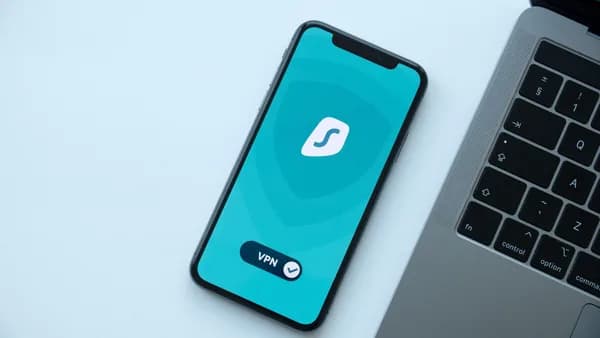
If you travel for work, family trips, conferences, or long-term stays, choosing the right VPN for hotel WiFi can make the difference between secure browsing and exposing sensitive data on a shared network. Hotel networks are convenient, but the source data consistently warns that they can expose travelers to snooping, tracking, malicious hotspots, VPN blocks, and man-in-the-middle attacks.
XOOMAR Intelligence
Analyst Take
This guide compares VPN services mentioned in the research for hotel and public Wi-Fi use, focusing on speed, privacy protections, device support, server reliability, streaming, and ease of use when hotel captive portals or firewalls get in the way.
Why Hotel Wi-Fi Is Risky Even When It Has a Password
Hotel Wi-Fi feels safer when the front desk gives you a password, but a password does not make the network private. Multiple sources warn that hotel networks are still shared environments where other guests, the hotel network operator, or attackers may be able to monitor or interfere with traffic if you connect without protection.
PrivacySavvy describes public Wi-Fi hotspots in hotels, airports, cafés, and coworking spaces as common targets for hackers looking to intercept data, steal credentials, or inject malicious code. The same source specifically highlights man-in-the-middle attacks, where an attacker positions themselves between your device and the web service you are using.
Lifehacker also warns that password-protected hotel networks are “not much better” in some situations because fellow users may still be able to intercept web traffic if they know what they are doing. It also points out a second risk: fake or poorly secured networks set up by other guests, such as personal hotspots or routers that appear in your device’s Wi-Fi list.
Key takeaway: A hotel Wi-Fi password controls access to the network. It does not guarantee that your browsing, logins, business apps, or DNS requests are private from everyone else on or around that network.
A VPN helps by encrypting traffic between your device and the VPN server. According to the source data, this prevents the hotel, other users, ISPs, and snoopers from seeing the contents of your browsing once the VPN tunnel is connected.
That does not mean you should be careless. Lifehacker still recommends avoiding sensitive tasks such as banking over hotel Wi-Fi when possible, even with a VPN, and using mobile data for important work where available.
What Makes a VPN Good for Hotel Wi-Fi
A good VPN for hotel WiFi needs more than a large server list. Hotel networks often have captive portals, weak signals, restrictive firewalls, blocked VPN ports, and inconsistent speeds. The best fit for travelers combines strong privacy features with practical connection tools.
Based on the research, these are the most important criteria.
Core VPN features travelers should prioritize
Strong Encryption: Multiple sources cite AES-256-bit encryption as a key security feature used by services such as ExpressVPN, NordVPN, Surfshark, CyberGhost, and PrivateVPN.
No-Logs Policy: A no-logs policy matters because it means the VPN provider says it does not store browsing activity. The sources mention no-logs policies for ExpressVPN, NordVPN, Private Internet Access, Surfshark, CyberGhost, PrivateVPN, and Proton VPN’s free plan.
Kill Switch: A kill switch blocks internet access if the VPN drops, preventing accidental exposure on hotel Wi-Fi. ExpressVPN calls this Network Lock, while NordVPN, PIA, Surfshark, PrivateVPN, and CyberGhost are also described as offering kill switch protection.
Leak Protection: DNS, IP, IPv6, and WebRTC leaks can reveal activity even when a VPN appears connected. Sources mention DNS/IP leak protection for ExpressVPN, NordVPN, PIA, Surfshark, and others.
Obfuscation or Stealth Servers: WindowsReport explains that obfuscation makes VPN traffic look like regular HTTPS traffic, helping bypass hotel VPN blocks. ExpressVPN, NordVPN, PIA, and Surfshark are all described in the source data as offering obfuscation or stealth capabilities.
Protocol Flexibility: WindowsReport recommends switching to less commonly blocked protocols such as WireGuard, IKEv2, or SSTP if a hotel blocks your VPN. NordVPN’s NordLynx is specifically described as offering faster VPN connections.
Reliable Apps: Traveler-friendly apps matter because you may need to connect quickly on phones, laptops, tablets, and sometimes routers. Sources mention apps for Windows, macOS, iOS, Android, and other platforms across the main providers.
Live Chat Support: PrivacySavvy includes live chat support as one of the selection criteria for public Wi-Fi VPNs. ExpressVPN, NordVPN, PIA, and Surfshark are described as offering responsive or 24/7 support in the source data.
Best VPNs for Hotel Wi-Fi Compared
The VPNs below are included because they are repeatedly mentioned in the source material for hotel Wi-Fi, public Wi-Fi, speed, privacy, server coverage, or ease of use. Exact pricing, discounts, and connection limits can change, so treat deals as at the time of writing and verify before subscribing.
Quick comparison table
| VPN | Best Fit for Hotel Wi-Fi | Server Data Mentioned in Sources | Key Hotel Wi-Fi Features Mentioned | Device / Platform Notes | Trade-Offs Mentioned |
|---|---|---|---|---|---|
| ExpressVPN | Best all-round hotel Wi-Fi option | 3,000+ servers; sources cite 94, 100+, 105, or 107 countries depending on dataset | AES-256 encryption, no logs, obfuscation, split tunneling, kill switch / Network Lock, TrustedServer technology | Mobile, PC, routers, smart TVs, Windows, macOS, iOS, Android | Described as pricier than some competitors |
| NordVPN | Advanced security and strong public Wi-Fi protection | 8,327–8,400+ servers; sources cite 110+ countries in one dataset | AES-256 encryption, kill switch, Threat Protection, Double VPN, Onion over VPN, obfuscated servers, NordLynx | Windows, macOS, Android, iOS, Android TV; router setup mentioned | Large feature set may feel complex to some users |
| Private Internet Access (PIA) | Huge server network and privacy controls | 35,000+ servers; sources cite 46 to 90+ countries depending on dataset | AES-128 / AES-256 options, MACE blocker, no logs, kill switch, split tunneling, DNS leak protection, obfuscation, port forwarding | Apps for popular platforms; unlimited simultaneous connections mentioned | Speeds described as not matching ExpressVPN, NordVPN, or Surfshark in one source; US jurisdiction noted |
| Surfshark | Unlimited-device travel groups and budget-focused travelers | 3,200+ servers; sources cite 60+ or 65 countries | No logs, kill switch, DNS leak protection, OpenVPN encryption, obfuscation, CleanWeb, split tunneling, stealth servers | Unlimited simultaneous connections; apps for major devices | One source says speeds may not impress users of other high-end VPNs |
| PrivateVPN | Flexible security settings and streaming abroad | 200 servers; 63 countries mentioned | AES-256 encryption, protocol choice, kill switch, auto-connect, no-logs policy | Apps for many platforms; 6 simultaneous connections mentioned | Smaller server network than others in the hotel roundup |
| CyberGhost | Beginners who want simple Wi-Fi protection | 5,900+ servers; 90 countries mentioned | AES-256 encryption, no logs, simple modes including Wi-Fi protection-style usage, streaming/torrent presets | Windows, macOS, iOS, Android | One source mentions some streaming sites may not unblock; WebRTC IPv6 leak in macOS noted |
| PureVPN | Mobile-device protection and broad travel use | Mentioned as versatile; source excerpt does not provide full server count | Described as powerful and versatile for keeping mobile devices safe | Mobile protection emphasized | Less detailed hotel-specific data in the provided sources |
Important note on server counts: Source data varies across publications, especially for country totals and simultaneous device limits. For evergreen buying decisions, use the figures above as researched references and confirm the current plan details before purchase.
1. ExpressVPN
ExpressVPN is repeatedly rated highly in the sources for hotel and public Wi-Fi. WindowsReport highlights it for bypassing hotel Wi-Fi blocks using obfuscated servers, and lists features including 256-bit AES encryption, no-logs privacy, cross-platform support, 3,000+ servers in 100+ countries, split tunneling, and a kill switch.
ProPrivacy ranks ExpressVPN as its top hotel Wi-Fi VPN and gives it a performance score of 10 and reliability score of 9 in its comparison table. It also says ExpressVPN includes automatic Wi-Fi protection with auto-connect, a kill switch, boot-time VPN startup, obfuscation, and apps for all major platforms.
PrivacySavvy also emphasizes ExpressVPN’s speed and security for public Wi-Fi, stating that it combines strong speeds with AES-256 encryption, DNS/IP leak protection, a kill switch, split tunneling, and a no-logs policy.
Best for: Travelers who want fast, simple, privacy-focused hotel Wi-Fi protection and reliable streaming support.
Watch out for: Source data describes it as more expensive than some competitors.
2. NordVPN
NordVPN is positioned in the sources as a strong option for travelers who want advanced security. PrivacySavvy lists 8,400+ servers in more than 110 countries, Threat Protection for malware, tracking, and ad blocking, AES-256-bit encryption, a kill switch, split tunneling, Double VPN, P2P support, Onion over VPN, obfuscated servers, and a strict no-logs policy.
ProPrivacy notes that NordVPN includes a kill switch, obfuscated servers, TOR over VPN, and the ability to change encryption protocol. It also highlights NordLynx as a proprietary protocol designed for faster, secure VPN connections, which is relevant for streaming on hotel Wi-Fi.
AddictiveTips describes NordVPN as strong for advanced users, with specialty servers including Double VPN, P2P, and Onion over VPN.
Best for: Security-focused travelers, remote workers, and users who want advanced privacy controls.
Watch out for: PrivacySavvy notes that the large number of features can complicate the experience for some users.
3. Private Internet Access (PIA)
Private Internet Access (PIA) stands out in the research for its server network and privacy features. PrivacySavvy lists 35,000 VPN servers in more than 90 countries, AES-128 / AES-256 encryption options, MACE ad and malware blocking, a no-logs policy, split tunneling, a kill switch, Web/DNS leak protection, P2P support on most servers, and unlimited simultaneous connections.
ProPrivacy calls PIA one of the most secure VPNs for hotel Wi-Fi and highlights its kill switch, DNS leak protection, obfuscation, port forwarding, split tunneling, ad/tracker/malware blockers, and automatic startup.
The same source notes a limitation: PIA’s server locations are listed there as 46 countries, which is lower than some other services in that specific hotel roundup. PrivacySavvy also says PIA is faster than the market average, but not as fast as Surfshark, NordVPN, or ExpressVPN.
Best for: Privacy-focused travelers who want many servers, advanced settings, and unlimited device connections.
Watch out for: One source flags US jurisdiction and says it is not the best option for every geo-blocked streaming service.
4. Surfshark
Surfshark is a strong fit for travelers carrying many devices or traveling with family because sources repeatedly mention unlimited simultaneous connections. ProPrivacy calls it affordable and packed with features including an ad blocker, stealth servers, split tunneling, kill switch, DNS leak protection, OpenVPN encryption, and obfuscation.
PrivacySavvy describes Surfshark as a low-price service with a large server network, no connection limits, extra features, and good privacy policies. AddictiveTips mentions 3,200+ servers in 65 countries, OpenVPN, IKEv2/IPSec, WireGuard, Shadowsocks, IP/DNS/WebRTC leak protection, a kill switch, server obfuscation, and CleanWeb for blocking ads, pop-ups, tracking software, and known malware links.
ProPrivacy also says Surfshark offers lightning-fast connections and is good for video conferencing.
Best for: Families, groups, digital nomads, and travelers who want to protect many devices under one account.
Watch out for: AddictiveTips notes that speeds may not impress users of other high-end VPNs and that apps may offer fewer manual controls for power users.
5. PrivateVPN
PrivateVPN is included in ProPrivacy’s hotel VPN list and is described as a good fit for securing hotel browsing sessions with AES-256-bit encryption, protocol options, a kill switch, and auto-connect. It supports 6 simultaneous connections and has servers in 63 countries, according to the source data.
ProPrivacy also says PrivateVPN can unblock in-demand services such as Netflix and supports most devices and operating systems.
Best for: Travelers who want a smaller, flexible VPN with strong encryption and streaming support.
Watch out for: Its server network is much smaller than ExpressVPN, NordVPN, PIA, or Surfshark in the provided comparison data.
6. CyberGhost
CyberGhost appears in WindowsReport’s hotel VPN deals and AddictiveTips’ hotel VPN recommendations. AddictiveTips emphasizes ease of use: instead of manually adjusting technical settings, users can choose simple tasks such as browsing anonymously, torrenting anonymously, or unblocking streaming sites.
The source lists 256-bit AES encryption, a no-logs policy, 5,900+ servers in 90 countries, and apps for Windows, macOS, iOS, and Android.
Best for: Beginners who want a straightforward interface and simple task-based VPN modes.
Watch out for: AddictiveTips lists a WebRTC IPv6 leak in macOS as a con and notes that some streaming sites cannot be unblocked.
Speed, Streaming, and Video Call Performance
Hotel Wi-Fi performance depends heavily on the hotel’s network quality, congestion, distance from access points, and firewall rules. The sources do not provide Mbps benchmarks for hotel networks, so it would be misleading to claim exact speeds.
However, they do provide useful relative guidance.
| VPN | Speed / Performance Details from Sources | Streaming Notes | Video Call Notes |
|---|---|---|---|
| ExpressVPN | ProPrivacy performance score: 10; described as super-fast with minimal speed loss in sources | Sources mention Netflix, BBC iPlayer, Hulu, Amazon Prime, Disney+, YouTube TV, and other services | Strong choice where speed and stability matter |
| NordVPN | ProPrivacy performance score: 9; NordLynx described as faster and secure | Sources mention Netflix, Skype, BBC iPlayer, Disney+, Amazon Prime, Hulu | Good fit for streaming and calls when hotel Wi-Fi allows stable throughput |
| PIA | ProPrivacy performance score: 8; PrivacySavvy says faster than market average but behind ExpressVPN, NordVPN, Surfshark | Can unblock some services; sources differ on how strong it is for geo-blocks | Suitable for general browsing and privacy; speed may vary |
| Surfshark | ProPrivacy performance score: 9; described as lightning-fast by ProPrivacy | Sources mention Netflix catalogs, BBC iPlayer, Hulu, and other channels | Specifically described as good for video conferencing |
| PrivateVPN | ProPrivacy performance score: 7 | Sources mention Netflix and other in-demand services | Adequate for many uses, but smaller network may matter |
| CyberGhost | Source describes fast, constant speeds | Built-in task modes for streaming; some streaming limitations noted | Good beginner option, but hotel network quality still matters |
For streaming, ExpressVPN, NordVPN, PIA, PrivateVPN, and Surfshark are all listed by ProPrivacy as unblocking major platforms including Netflix, iPlayer, Disney+, Amazon Prime, and Hulu in its hotel VPN comparison table.
For video calls, the most direct source statement is about Surfshark: ProPrivacy says its fast connections make it good for video conferencing. ExpressVPN and NordVPN are also repeatedly described as fast, but the source data does not provide video-call-specific benchmarks.
Practical rule: If hotel Wi-Fi is weak or overloaded, no VPN can create bandwidth that is not there. Choose a VPN with fast nearby servers, but also be ready to switch servers, protocols, or use mobile data for important calls.
Privacy Features to Look For: Kill Switch, No-Logs, and Leak Protection
When choosing a VPN for hotel WiFi, privacy features are not optional extras. They are the reason to use the VPN in the first place.
Kill switch
A kill switch prevents your device from sending traffic outside the encrypted VPN tunnel if the connection drops.
- ExpressVPN: Network Lock / kill switch mentioned.
- NordVPN: Effective kill switch listed.
- PIA: Kill switch functionality highlighted.
- Surfshark: Kill switch included.
- PrivateVPN: Kill switch can affect the whole connection or specific apps, according to source data.
- CyberGhost: Security feature set includes strong VPN functionality, though the source excerpt emphasizes ease of use more than kill switch details.
No-logs policy
A no-logs policy means the provider says it does not store user activity logs. Sources mention no-logs policies for:
- ExpressVPN
- NordVPN
- Private Internet Access
- Surfshark
- PrivateVPN
- CyberGhost
- Proton VPN Free, according to the search snippet, which says its free plan has no logs of user activity
PIA’s no-logs commitment is specifically described by PrivacySavvy as having “withstood the test of the courts of law.”
Leak protection
Leak protection helps prevent DNS, IP, IPv6, or WebRTC leaks from exposing what you are doing.
- ExpressVPN: DNS and IP leak protection mentioned.
- NordVPN: Sources say servers are good against DNS and IP leaks.
- PIA: Web/DNS leak protection listed.
- Surfshark: IP/DNS/WebRTC leak protection mentioned.
- CyberGhost: One source notes no leaks detected, but also flags WebRTC IPv6 leak in macOS as a con.
- PrivateVPN: Strong encryption and kill switch are emphasized; specific leak-protection details are less developed in the provided data.
Obfuscation and stealth
Obfuscation is especially useful in hotels because WindowsReport says some hotel network administrators may block known VPN ports and IP addresses. Obfuscation makes VPN traffic look like normal HTTPS traffic.
Services with obfuscation or stealth capabilities mentioned in the sources include:
- ExpressVPN
- NordVPN
- PIA
- Surfshark
Using a VPN With Hotel Captive Portals
Hotel captive portals are the login pages that ask for your room number, surname, email address, voucher code, or terms acceptance before internet access starts. They can create problems because your VPN may try to connect before the hotel network has fully authorized your device.
Use this sequence:
Connect to the official hotel Wi-Fi network
- Confirm the exact network name with the hotel if multiple similar names appear.
- Lifehacker warns that other guests may create hotspots or routers that appear in your Wi-Fi list.
Open a browser before starting the VPN
- Visit any website to trigger the captive portal.
- Complete the hotel login or terms page.
Start your VPN immediately after portal login
- WindowsReport recommends connecting to hotel Wi-Fi and then immediately connecting to the VPN so the hotel network sees only the VPN connection afterward.
If the VPN fails, enable obfuscation
- WindowsReport says obfuscation can bypass VPN blocks by making VPN traffic look like normal HTTPS.
Switch protocols
- If blocked, WindowsReport recommends trying WireGuard, IKEv2, or SSTP.
Use port 443 where available
- WindowsReport recommends setting OpenVPN to port 443, the port commonly used for HTTPS traffic. Blocking that port would break many normal websites.
Try alternate DNS servers if needed
- WindowsReport lists public DNS options:
- Google Public DNS: 8.8.8.8 and 8.8.4.4
- Cloudflare DNS: 1.1.1.1 and 1.0.0.1
- OpenDNS: 208.67.222.222 and 208.67.220.220
- WindowsReport lists public DNS options:
For work VPN problems, contact IT
- WindowsReport notes that corporate VPN issues may involve overlapping subnets or restrictive hotel firewalls that interfere with IPsec traffic.
Captive portal warning: Do not assume your VPN is active just because your device is connected to Wi-Fi. Always verify the VPN app shows a successful connection after completing the hotel login page.
VPN Setup Tips for Phones, Laptops, and Travel Routers
Setup matters because hotel Wi-Fi is often less forgiving than home broadband. Install, sign in, and test your VPN before leaving home.
Phones and tablets
- Install the official app before travel: Sources list mobile support for major VPNs such as ExpressVPN, NordVPN, PIA, Surfshark, PrivateVPN, and CyberGhost.
- Use auto-connect where available: ExpressVPN is described as offering automatic Wi-Fi protection with auto-connect. NordVPN is described as having an automatic VPN-for-Wi-Fi feature that connects when it detects Wi-Fi.
- Avoid free app-store VPNs by default: Lifehacker specifically warns against free VPN apps from device marketplaces.
Laptops
- Enable kill switch: This is especially important if you leave your laptop connected while working.
- Enable launch on startup if offered: ProPrivacy says ExpressVPN can be configured to turn on when the computer boots. PIA is described as having automatic startup.
- Keep alternate protocols ready: If the hotel blocks one VPN mode, try WireGuard, IKEv2, SSTP, or OpenVPN over port 443 where supported.
- Check corporate VPN requirements: If connecting to work resources, WindowsReport recommends involving your office IT administrator when subnets or restrictive firewalls cause problems.
Routers and travel router-style setups
The source data mentions router support but does not provide model-specific travel router instructions. ExpressVPN is described as supporting routers, and PrivacySavvy says NordVPN can protect devices if installed on a router.
Use that cautiously:
- Preconfigure before departure: Do not wait until you are on hotel Wi-Fi to learn router setup.
- Confirm captive portal behavior: Many hotels require browser login before devices behind a router can connect.
- Keep device apps installed anyway: If the router cannot pass the captive portal cleanly, you can still connect each phone or laptop directly and then start the VPN app.
Free VPNs vs Paid VPNs for Travelers
The sources are strongly skeptical of free VPNs for hotel Wi-Fi.
AddictiveTips warns that free VPN services have been known to sell user data, impose bandwidth caps, and even make users part of a botnet. Lifehacker is similarly blunt: “At the very least, don’t use a free VPN,” especially on public Wi-Fi.
That said, the research includes one important exception from the search data: Proton VPN’s free plan is described as having no data limit, no ads, and no logs of user activity. The provided data does not evaluate Proton VPN specifically for hotel captive portals, obfuscation, streaming, or speed in the same depth as the paid hotel VPNs above.
| Option | Pros from Source Data | Cons / Warnings from Source Data | Best Use |
|---|---|---|---|
| Paid VPNs | Strong encryption, kill switch, no-logs policies, leak protection, more servers, customer support, obfuscation on some services | Costs money; features and deals vary by plan | Business travel, streaming, frequent hotel stays, sensitive browsing |
| Free VPNs generally | No subscription cost | Sources warn about data selling, bandwidth caps, privacy risks, and botnet abuse | Not recommended for hotel Wi-Fi based on source warnings |
| Proton VPN Free | Search snippet says no data limit, no ads, and no logs | Hotel-specific performance and captive-portal behavior not covered in the provided source detail | Occasional use where a no-cost option is required and limitations are acceptable |
Paid VPN deal examples mentioned in sources
At the time of writing, the source data mentions these promotional offers:
- Private Internet Access: WindowsReport mentions 82% off for a 2-year plan with 2 months free.
- ExpressVPN: WindowsReport mentions 61% off and 4 months free for a 2-year plan; AddictiveTips mentions saving 49% on an annual plan with 3 months free.
- CyberGhost: WindowsReport mentions 83% off with 2 months free for a 2-year plan; AddictiveTips mentions 79% off.
- NordVPN: AddictiveTips mentions a discounted plan at $3.49/month with a 30-day money-back guarantee.
- Surfshark: AddictiveTips mentions $2.21/month for a two-year plan with 3 months free.
Because VPN pricing changes frequently, verify the current checkout page before buying.
How to Choose the Right VPN for Your Travel Style
The best VPN for hotel WiFi depends on how you travel, what devices you carry, and whether your priority is privacy, streaming, work access, or simplicity.
If you travel for business
Choose a VPN with:
- Kill Switch: Prevents accidental data exposure during drops.
- Auto-Connect: Helps protect you when joining new Wi-Fi networks.
- Obfuscation: Useful when hotel networks block VPN traffic.
- Protocol Options: WireGuard, IKEv2, SSTP, or OpenVPN over port 443 can help.
- Fast Support: 24/7 live chat is valuable when you are on the road.
Best matches from the source data: ExpressVPN, NordVPN, PIA, and Surfshark.
If you stream from hotels
Look for speed and unblocking support. ProPrivacy’s hotel VPN table lists ExpressVPN, NordVPN, PIA, PrivateVPN, and Surfshark as unblocking Netflix, iPlayer, Disney+, Amazon Prime, and Hulu.
Best matches from the source data: ExpressVPN, NordVPN, Surfshark, and PrivateVPN.
If you carry many devices
Device limits matter if you travel with a phone, laptop, tablet, work laptop, streaming stick, and family devices.
- Surfshark: Unlimited simultaneous connections mentioned.
- PIA: Unlimited simultaneous connections mentioned.
- NordVPN: PrivacySavvy lists 10 simultaneous connections.
- PrivateVPN: 6 simultaneous connections mentioned.
- ExpressVPN: Source data varies, with 5 and 8 connections mentioned in different sources, so verify current plan terms.
Best matches from the source data: Surfshark and PIA.
If you are a beginner
Choose easy apps and automatic protection.
Best matches from the source data: CyberGhost, because of its simple task-based interface, and ExpressVPN, because sources describe its apps as strong across platforms with automatic Wi-Fi protection.
If hotel networks often block your VPN
Prioritize obfuscation, protocol switching, and port flexibility.
Best matches from the source data: ExpressVPN, NordVPN, PIA, and Surfshark.
Bottom Line
Hotel Wi-Fi is convenient, but the research consistently shows that it is not a private environment—even when password-protected. A VPN encrypts your connection so hotel operators, other guests, and snoopers cannot easily see your browsing activity after the tunnel is active.
For most travelers, ExpressVPN is the strongest all-round pick in the source data because of its speed, hotel Wi-Fi features, obfuscation, kill switch, broad platform support, and streaming performance. NordVPN is a strong choice for advanced security features, Surfshark and PIA are compelling for unlimited-device use, PrivateVPN is useful for flexible streaming-focused travel, and CyberGhost is attractive for beginners who want simple app controls.
If you frequently rely on hotel networks, choose a VPN for hotel WiFi with a kill switch, no-logs policy, leak protection, obfuscation, and protocol switching. Set it up before your trip, test it on your devices, and connect immediately after clearing the hotel captive portal.
FAQ
Does a VPN work on hotel Wi-Fi?
Yes. WindowsReport states that VPNs can work on hotel Wi-Fi, but some hotel network administrators may block known VPN ports or IP addresses. If that happens, try obfuscation, switch protocols, use OpenVPN over port 443, or change DNS settings.
Can hotels see which websites I visit when I use a VPN?
If the VPN is working correctly, the hotel should see the VPN connection but not the websites or activity inside the encrypted tunnel. WindowsReport states that hotel network admins would only see the VPN connection, while everything after connection is hidden from the hotel network.
What is the best VPN for hotel Wi-Fi?
Based on the provided source data, ExpressVPN is the most consistently recommended all-round hotel Wi-Fi VPN, with strong speed, obfuscation, AES-256 encryption, no logs, a kill switch, split tunneling, and broad device support. NordVPN, PIA, and Surfshark are also strong choices depending on whether you prioritize advanced security, server scale, or unlimited device connections.
Why won’t my VPN connect at a hotel?
WindowsReport lists several possible causes: hotel VPN blocking, blocked ports, restrictive firewalls, weak signals, DNS issues, or corporate VPN conflicts such as overlapping subnets. Try enabling obfuscation, switching to WireGuard, IKEv2, or SSTP, using port 443, changing DNS servers, or contacting your work IT team.
Are free VPNs safe for hotel Wi-Fi?
The sources generally advise against free VPNs for hotel Wi-Fi. AddictiveTips warns that some free VPNs sell user data, impose bandwidth caps, or create serious security risks. The search data notes that Proton VPN Free offers no data limit, no ads, and no logs, but the provided sources do not evaluate it as deeply for hotel-specific use.
Should I use hotel Wi-Fi for banking if I have a VPN?
Lifehacker recommends using mobile data for important work and avoiding sensitive activity such as banking over hotel Wi-Fi where possible, even with a VPN. A VPN improves privacy, but mobile data is still the safer option for highly sensitive tasks when available.
Sources & References
Content sourced and verified on June 17, 2026
- 1Hotel WiFi Blocking VPN: What To Do If You Can't Connect
https://windowsreport.com/vpn-doesnt-work-hotel/
- 25 Best VPNs for WiFi in 2026 - Enjoy Safe Browsing
https://privacysavvy.com/vpn/best/wifi/
- 35 Best Hotel WiFi VPNs 2026 | Why hotel WiFi isn't safe
https://proprivacy.com/vpn/comparison/best-vpns-for-hotels
- 4The Best VPN for Hotel Wifi: Protect Your Privacy and Data
https://www.addictivetips.com/vpn/best-vpns-hotels/
- 5I
https://lifehacker.com/im-begging-you-to-use-a-vpn-at-hotels-1847323935
- 6Best VPN for Hotels: Stay Secure & Private on Hotel Wi-Fi
https://windscribe.com/vpn-service/hotels

Written by
XOOMAR Insights Team
Research and Editorial Desk
The XOOMAR Insights Team pairs automated research with human editorial judgment. We track hundreds of sources across technology, fintech, trading, SaaS, and cybersecurity, cross-check the facts, and explain what happened, why it matters, and what to watch next. We do not just rewrite headlines. Every article is fact-checked and scored for reliability before it goes live, and we link back to the original sources so you can verify anything yourself.