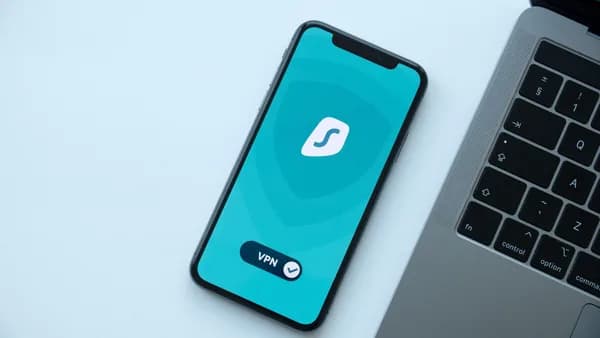
Remote workers searching for a VPN for public WiFi usually want one thing: a safer way to work from airports, hotels, cafes, coworking spaces, and client sites without exposing credentials, files, or business activity to the local network. A VPN can help, but it is not magic anonymity software—and in 2026, the best choice depends on the exact risks you’re trying to reduce.
XOOMAR Intelligence
Analyst Take
This guide compares the public-Wi-Fi VPN features that matter most: encryption, kill switches, DNS leak protection, auto-connect, speed, device support, privacy policies, and practical setup steps before travel. All recommendations below are grounded in the provided source data from Cloudwards, PrivacySavvy, CNET, WaTech, and cybersecurity community discussion.
1. Why Public Wi-Fi Is Still Risky for Remote Workers
Public Wi-Fi is convenient because it is everywhere: airports, hotels, cafes, libraries, and coworking spaces. The risk is that these networks are shared, often loosely controlled, and sometimes impersonated by attackers using lookalike network names.
WaTech specifically warns users to confirm the correct network before connecting because bad actors may create harmless-looking Wi-Fi networks designed to observe browsing and steal login credentials. It also recommends asking an employee or checking signage to verify the legitimate network name.
Key insight: A public Wi-Fi network does not have to be “hacked” to create privacy concerns. The operator of the network and the internet provider behind it may be able to see domains visited and connection activity, even if much of the content itself is protected by HTTPS.
CNET makes the modern distinction clearly: many websites use secure connections, but public Wi-Fi operators and internet providers may still observe what domains you visit and how long you stay connected. A VPN can help by encrypting traffic before it leaves your device and routing it through a remote server.
What HTTPS Already Protects
Modern HTTPS has reduced some classic public-Wi-Fi attacks. In cybersecurity community discussion, several practitioners noted that modern browsers, HSTS, TLS, and certificate warnings make traditional man-in-the-middle attacks harder than they were years ago.
However, that does not mean public Wi-Fi is risk-free. The same discussion pointed out several remaining concerns:
- DNS visibility or tampering: Unless encrypted DNS is used, DNS information can be observed or modified.
- Destination IP visibility: Without a VPN, the network can still see the IP addresses you connect to.
- SNI privacy limits: Server Name Indication can still reveal destination information unless newer protections are in place.
- Non-browser app traffic: Mobile and desktop apps may not always secure traffic as well as modern browsers.
- User behavior: Some users may click through browser certificate warnings.
CNET also emphasizes that a VPN helps with privacy and access, but it does not make you anonymous. Websites you log in to still know who you are, cookies and trackers still operate, and the VPN provider itself becomes an entity you must trust.
What a VPN Actually Does on Public Wi-Fi
A VPN creates an encrypted tunnel between your device and a VPN server. According to Cloudwards and PrivacySavvy, this scrambling of traffic helps prevent local snoopers, hotspot operators, or attackers on the same network from easily reading your activity.
A VPN for public WiFi is most useful when you want to:
- Hide activity from the local network: The Wi-Fi operator sees a VPN connection rather than individual sites.
- Reduce exposure on untrusted hotspots: Encryption limits what nearby attackers can inspect.
- Protect non-browser traffic: Apps may benefit from the VPN tunnel, especially if their own encryption is weak.
- Maintain access while traveling: Some VPNs can make it appear you are in another location.
- Add safeguards against drops: A kill switch can stop traffic from leaking if the VPN disconnects.
But a VPN cannot fully protect you from phishing, malware already on your device, malicious websites, cookies, browser fingerprints, or account-based tracking.
2. What Makes a VPN Good for Public Wi-Fi
The best VPNs for public Wi-Fi share a few practical characteristics: strong encryption, leak protection, a kill switch, fast speeds, reliable apps, and enough device coverage for your work setup.
Cloudwards says a good public-Wi-Fi VPN should include AES-256 encryption, an automatic kill switch, DNS leak protection, and ideally features like malware blocking, dedicated IP options, automation, and split tunneling. PrivacySavvy similarly highlights encryption, kill switch support, no-logs policies, reliable servers, broad country coverage, live chat support, and user-friendly apps.
Public Wi-Fi VPN Comparison
The following roundup uses provider data from the supplied Cloudwards and PrivacySavvy research.
| VPN | Public Wi-Fi Strengths Mentioned in Sources | Simultaneous Connections Listed by Cloudwards | Speed Data Listed by Cloudwards | Starting Price Listed by Cloudwards |
|---|---|---|---|---|
| NordVPN | AES-256 encryption, kill switch, DNS leak protection, dark web monitor, Double VPN, dedicated IP, Threat Protection, NordLynx | 10 | 288 Mbps download, 48 Mbps upload, 7 ms latency | $2.99/month on listed discounted plan |
| Surfshark | Unlimited simultaneous connections, low listed price, large feature set, good privacy policies | Unlimited | 289 Mbps download, 48 Mbps upload, 31 ms latency | $2.49/month on listed discounted plan |
| Proton VPN | Security-focused, Stealth protocol for restrictive networks, free plan with unlimited data | 10 | Not listed in provided Cloudwards table | $2.99/month on listed discounted plan |
| ExpressVPN | User-friendly, premium performance, AES-256 encryption, Network Lock kill switch, split tunneling, TrustedServer technology | 14 | 287 Mbps download, 48 Mbps upload, 7 ms latency | $3.49/month on listed discounted plan |
| CyberGhost | Customizable VPN for free Wi-Fi | 7 | Average speed listed, no specific Mbps in provided table | $2.19/month on listed discounted plan |
| Private Internet Access | Extensive server network, MACE ad/malware protection, split tunneling, web/DNS leak protection | Unlimited | 245 Mbps download, 45 Mbps upload, 8 ms latency | $2.19/month on listed discounted plan |
| IPVanish | Multiple protocol options, unlimited simultaneous connections | Unlimited | Not listed in provided Cloudwards table | $2.19/month on listed discounted plan |
Pricing note: The prices above are the discounted plan prices shown in the provided Cloudwards data. VPN pricing, renewal terms, taxes, and promotions can change, so verify the checkout page before subscribing.
Roundup: Best VPNs for Public Wi-Fi in 2026
NordVPN
Cloudwards ranks NordVPN as its top public-Wi-Fi pick, citing speed, security, and a large server network. The source lists AES-256 encryption, an automatic kill switch, dedicated IP addresses, DNS leak protection, a dark web monitor, and Double VPN servers. It also lists Threat Protection, which can help detect malware-ridden websites and files and block ads.Surfshark
Surfshark stands out in the source data for unlimited simultaneous connections and the lowest listed Cloudwards discounted price among the top three at $2.49/month. Its Cloudwards speed result is also strong at 289 Mbps download and 48 Mbps upload, though its listed latency is 31 ms, higher than NordVPN and ExpressVPN in the same table.Proton VPN
Proton VPN is described by Cloudwards as a security-focused VPN with a Stealth protocol designed to prevent detection on restrictive networks. It also has a free plan with unlimited data, according to Cloudwards, which is notable because many free VPN services restrict usage or speed. Paid plans are listed from $2.99/month in the provided data.ExpressVPN
ExpressVPN is described as user-friendly with premium performance. Cloudwards lists 287 Mbps download, 48 Mbps upload, and 7 ms latency, putting it very close to NordVPN in the provided speed figures. PrivacySavvy also highlights AES-256 encryption, Network Lock, split tunneling, TrustedServer technology, and strong usability.CyberGhost
CyberGhost appears in Cloudwards as a customizable VPN for free Wi-Fi, with 7 simultaneous connections and a listed discounted price of $2.19/month. The provided table includes “average speed” but does not include specific download, upload, or latency figures, so speed-sensitive users should verify current testing before choosing it for heavy video calls.Private Internet Access
PIA is highlighted by PrivacySavvy for a very large network of more than 35,000 servers in more than 90 countries. Cloudwards lists unlimited simultaneous connections, 245 Mbps download, 45 Mbps upload, and 8 ms latency. PrivacySavvy notes PIA supports AES encryption options, MACE ad blocker and malware protection, kill switch functionality, split tunneling, and web/DNS leak protection.IPVanish
IPVanish is described by Cloudwards as a decent VPN for public Wi-Fi with multiple protocol options. It also offers unlimited simultaneous connections in the Cloudwards table and a listed discounted price of $2.19/month. The provided Cloudwards table does not include specific speed numbers for IPVanish, so treat it as a feature-and-device-coverage option rather than a speed-proven pick based on this dataset.
3. Must-Have Features: Kill Switch, DNS Leak Protection, and Auto-Connect
For remote workers, the best VPN feature is often the one that prevents mistakes. You may be joining a hotel network after a delayed flight or taking a client call from a cafe. You do not want your protection to depend entirely on memory.
Kill Switch
A kill switch stops internet traffic if the VPN connection drops. This matters because public Wi-Fi networks can be unstable, especially in airports, hotels, and cafes.
Cloudwards identifies an automatic kill switch as a key requirement for public Wi-Fi. PrivacySavvy also lists kill switches as important for public hotspot protection.
| VPN | Kill Switch Mentioned in Sources? | Notes |
|---|---|---|
| NordVPN | Yes | Cloudwards lists automatic kill switch; PrivacySavvy lists effective kill switch |
| ExpressVPN | Yes | PrivacySavvy lists Network Lock kill switch |
| Private Internet Access | Yes | PrivacySavvy lists impressive kill switch functionality |
| Surfshark | Not detailed in provided excerpts | Included as a public-Wi-Fi pick, but kill switch specifics are not shown in supplied data |
| Proton VPN | Not detailed in provided excerpts | Security-focused, Stealth protocol highlighted |
| CyberGhost | Not detailed in provided excerpts | Customizable VPN for free Wi-Fi |
| IPVanish | Not detailed in provided excerpts | Multiple protocol options highlighted |
DNS Leak Protection
DNS requests can reveal the domains you visit. Cloudwards says DNS leak protection is needed to keep traffic from leaking, and CNET recommends DNS leak protection for public-Wi-Fi VPN use.
PIA is specifically described by PrivacySavvy as offering web/DNS leak protection. NordVPN is described by Cloudwards as including DNS leak protection, and ExpressVPN is described by PrivacySavvy as effective against DNS and IP leaks.
Auto-Connect on Unsecured Wi-Fi
CNET recommends choosing a VPN that can automatically connect when you join an unsecured Wi-Fi network. This reduces the risk of forgetting to enable protection.
PrivacySavvy specifically says NordVPN has an automatic “VPN for Wi-Fi” feature that joins the VPN network when it detects Wi-Fi. That is especially useful for people who move between hotels, airports, coworking spaces, and cafes throughout the day.
Practical rule: If you regularly work from public hotspots, prioritize auto-connect and kill switch behavior over cosmetic app features.
4. Speed and Stability Considerations for Video Calls and Cloud Apps
A VPN can slow your connection because it encrypts traffic and routes it through a VPN server. Cloudwards notes that all VPNs affect speeds in some way, but the best ones do not significantly slow your connection.
For remote workers, speed is not just about streaming. It affects:
- Video calls: Low latency helps calls feel responsive.
- Cloud documents: Stable upload and download speeds matter for syncing.
- Large files: Upload speed matters when sending assets, reports, or recordings.
- Remote desktops: Latency and consistency matter more than peak speed.
Speed Data From Cloudwards
| VPN | Download | Upload | Latency | Remote Work Interpretation |
|---|---|---|---|---|
| Surfshark | 289 Mbps | 48 Mbps | 31 ms | Highest listed download, but higher latency than NordVPN and ExpressVPN |
| NordVPN | 288 Mbps | 48 Mbps | 7 ms | Very strong balance of speed and low latency in listed test |
| ExpressVPN | 287 Mbps | 48 Mbps | 7 ms | Nearly identical listed speed/latency to NordVPN |
| Private Internet Access | 245 Mbps | 45 Mbps | 8 ms | Lower listed download than the top three, but still strong in the provided figures |
Cloudwards lists these speed figures from its VPN speed testing, with regional data noted in the source. For CyberGhost, Cloudwards shows “average speed” but does not provide specific Mbps in the supplied table. For Proton VPN and IPVanish, the supplied table does not show speed figures.
Which Speed Metric Matters Most?
For video conferencing, latency and stability often matter more than raw download speed. In the provided Cloudwards data, NordVPN and ExpressVPN both show 7 ms latency, while PIA shows 8 ms, and Surfshark shows 31 ms.
For cloud storage and file uploads, upload speed matters. The listed upload speeds are very close among the providers with available figures: 48 Mbps for NordVPN, Surfshark, and ExpressVPN, and 45 Mbps for PIA.
For remote workers who frequently make video calls from public networks, a VPN for public WiFi should be tested before travel on the same laptop and phone you plan to use.
5. Device Support for Laptops, Phones, and Travel Routers
Remote workers rarely use one device. A typical travel setup may include a work laptop, personal laptop, phone, tablet, and sometimes a travel router.
Cloudwards notes that all VPNs in its public-Wi-Fi list have apps for multiple platforms, including Android, Windows, iOS, and macOS. PrivacySavvy also notes NordVPN apps for Windows, macOS, Android, iOS, and Android TV, and says router installation can protect devices without installing the app on each one.
Simultaneous Connection Limits
| VPN | Simultaneous Connections Listed by Cloudwards | Best Fit |
|---|---|---|
| Surfshark | Unlimited | Heavy multi-device users, families, or teams sharing many personal devices |
| Private Internet Access | Unlimited | Users with many devices and a preference for a large server network |
| IPVanish | Unlimited | Users who value unlimited device connections and protocol options |
| ExpressVPN | 14 | Professionals with several devices who also want user-friendly apps |
| NordVPN | 10 | Most remote workers with laptop, phone, tablet, and backup devices |
| Proton VPN | 10 | Security-focused users with multiple devices |
| CyberGhost | 7 | Smaller device setups |
Travel Router Considerations
The provided source data specifically mentions router installation in the context of NordVPN via PrivacySavvy, saying devices at home can be protected if NordVPN is installed on a router. The same practical idea can matter when traveling, but the supplied data does not provide travel-router compatibility details for every VPN.
So, if a travel router is part of your workflow, verify these details directly before buying:
- Router compatibility: Does the VPN support your router model?
- Protocol support: Does the router support the VPN protocol you want?
- Device policy: Does router usage count as one connection or multiple?
- Captive portal workflow: Can you sign in to hotel or airport captive portals before enabling VPN routing?
Because the provided sources do not list travel-router specifications across all products, do not assume every VPN in this roundup will work equally well on every travel router.
6. Privacy Policies and No-Logs Claims Explained
A no-logs policy means a VPN provider says it does not keep records of your browsing activity. For public-Wi-Fi use, this matters because a VPN shifts trust away from the cafe, hotel, airport, or ISP and toward the VPN provider.
CNET warns that your VPN provider can technically see inside the encrypted tunnel, even if it chooses not to log. That is why CNET recommends choosing a VPN with a proven no-logs policy and independent audits.
Important caution: A VPN does not eliminate trust. It changes who you are trusting.
No-Logs Mentions in the Source Data
| VPN | No-Logs Claim Mentioned in Sources? | Source Detail |
|---|---|---|
| NordVPN | Yes | PrivacySavvy says it observes a strict no-logs policy |
| ExpressVPN | Yes | PrivacySavvy says it keeps no logs of user activity |
| Private Internet Access | Yes | PrivacySavvy says it has a no-logs policy and notes its privacy commitment has withstood court tests |
| Surfshark | Yes | PrivacySavvy describes good privacy policies |
| Proton VPN | Not detailed in supplied excerpts | Security-focused positioning is noted |
| CyberGhost | Not detailed in supplied excerpts | No detailed privacy-policy excerpt provided |
| IPVanish | Not detailed in supplied excerpts | No detailed privacy-policy excerpt provided |
Privacy Is Not Anonymity
CNET draws a clear line between privacy and anonymity:
- Privacy: Others cannot easily see what you are doing.
- Anonymity: You are not identifiable.
A VPN can improve privacy by encrypting traffic and masking your public IP address from apps and websites. It does not make you anonymous.
Websites and apps you log into still know who you are. Cookies, trackers, browser fingerprints, payment providers, large platforms, and governments may still connect activity to you.
For most remote workers, the realistic goal is not anonymity. It is safer, more private connectivity on networks you do not control.
7. VPN Features to Avoid or Treat With Caution
Not every VPN feature or marketing claim should drive your purchase decision. For public Wi-Fi, prioritize verifiable protection over vague promises.
“Complete Anonymity” Claims
CNET is explicit: a VPN does not make you anonymous. If a service markets itself as making you invisible online, treat that claim with caution.
You can still be identified when you:
- Log in: Google, your bank, work apps, and social platforms know who you are.
- Accept cookies: Tracking can continue inside the browser.
- Use payment cards: Transactions can link to your identity.
- Reuse browsers: Browser fingerprints can identify patterns.
Free or Cheap VPNs Without Clear Trust Signals
Cybersecurity community discussion in the supplied data raised a practical concern: if you use a VPN that is not operated by you or your employer, you are shifting visibility to that VPN operator. A low-quality VPN could centralize DNS and traffic metadata under an account tied to your email or billing details.
That does not mean every low-cost VPN is unsafe. It means you should look for no-logs claims, audits where available, transparent policies, and reputable apps.
Ignoring HTTPS and Phishing Risks
WaTech includes an FBI warning that users should not trust a website simply because it has a lock icon or “https” in the address bar. Malicious sites can use HTTPS too.
A VPN does not protect you if you voluntarily enter credentials into a phishing site.
VPNs Without Kill Switch or Leak Protection
For public Wi-Fi, a VPN without a kill switch or DNS leak protection is a weaker choice. CNET specifically recommends both for public-Wi-Fi users, and Cloudwards treats them as essential security features.
8. How to Set Up a VPN Safely Before Traveling
Do not wait until you are on hotel Wi-Fi with a captive portal and a low battery to configure your VPN. Set it up before the trip.
Pre-Travel VPN Setup Checklist
Install apps on every device
Install the VPN on your laptop, phone, and tablet before you leave. Cloudwards confirms its listed providers support major platforms such as Android, Windows, iOS, and macOS.Sign in and test connections
Confirm that the VPN connects successfully on your home or office network. Test several nearby servers if your VPN offers location choices.Enable the kill switch
Turn on the kill switch if it is not enabled by default. This helps prevent traffic from leaking when the VPN drops.Enable DNS leak protection
Use the VPN’s DNS leak protection if available. CNET and Cloudwards both identify this as important for public Wi-Fi.Turn on auto-connect for unsecured Wi-Fi
CNET recommends configuring automatic VPN connection on unsecured Wi-Fi. PrivacySavvy specifically notes NordVPN’s automatic Wi-Fi VPN feature.Test video calls and cloud apps
Run a short video call and open your key work apps while connected to the VPN. This helps you identify latency or compatibility issues before travel.Save backup access options
If your employer provides a corporate VPN, understand when to use that instead of a consumer VPN. If public Wi-Fi seems suspicious, WaTech suggests a smartphone hotspot may be better for sensitive financial activity.
Public Wi-Fi Safety Steps Beyond VPN
WaTech recommends several non-VPN precautions that are highly relevant for remote workers:
- Confirm network name: Ask staff or check signage.
- Turn off auto-connect: Prevent devices from joining unsafe networks automatically.
- Forget networks after use: Reduce future automatic reconnection.
- Disable file sharing: Turn off file and printer sharing, AirDrop discovery, and similar features.
- Keep firewall enabled: Especially on laptops.
- Use antivirus software: Keep protections current.
- Use MFA: Multi-factor authentication helps if credentials are stolen.
- Avoid sensitive accounts when possible: Even with a VPN, WaTech recommends avoiding bank accounts or similar sensitive personal data on unsecured public networks when possible.
- Do not install extra software from a network prompt: WaTech warns not to connect if a network asks you to install extra software or browser extensions.
9. Final Recommendations by Use Case
Choosing the best VPN for public WiFi depends on how you work. A solo consultant taking video calls has different needs from a digital nomad with five devices or a traveler entering restrictive networks.
Best Overall Public-Wi-Fi VPN: NordVPN
NordVPN is the strongest overall pick in the provided Cloudwards data. It combines 288 Mbps download, 48 Mbps upload, 7 ms latency, AES-256 encryption, an automatic kill switch, DNS leak protection, Double VPN servers, dedicated IP addresses, dark web monitoring, and Threat Protection.
It also supports 10 simultaneous connections according to Cloudwards. The listed discounted price is $2.99/month, with a 30-day money-back guarantee.
Best for:
- Remote workers: Strong speed and low latency.
- Frequent travelers: Auto Wi-Fi VPN behavior is specifically mentioned by PrivacySavvy.
- Security-conscious users: Double VPN, DNS leak protection, and Threat Protection are listed.
Best for Unlimited Devices: Surfshark
Surfshark is the standout when device count matters. Cloudwards lists unlimited simultaneous connections, 289 Mbps download, and 48 Mbps upload, with a listed discounted price of $2.49/month.
Best for:
- Multi-device workers: Laptops, phones, tablets, and shared household devices.
- Budget-conscious buyers: Lowest listed price among the top three in the Cloudwards table.
- Users who want fewer device-limit worries: Unlimited connections are the key differentiator.
Best for Restrictive Networks: Proton VPN
Proton VPN is described by Cloudwards as security-focused and includes a Stealth protocol designed to prevent detection on restrictive networks. It also offers a free plan with unlimited data, according to Cloudwards.
Best for:
- Travelers on restrictive networks: Stealth protocol is the standout feature.
- Users who want to test before paying: Free plan with unlimited data is notable.
- Security-focused buyers: Strong positioning in the supplied data.
Best User-Friendly Premium Option: ExpressVPN
ExpressVPN is a strong fit for people who value polished apps and performance. Cloudwards lists 287 Mbps download, 48 Mbps upload, 7 ms latency, 14 simultaneous connections, and a discounted price of $3.49/month.
PrivacySavvy also highlights AES-256 encryption, Network Lock, split tunneling, TrustedServer technology, and no-logs claims.
Best for:
- Professionals who want simple apps: User-friendliness is repeatedly emphasized.
- Video-heavy workers: Low listed latency and strong listed speed.
- Users who want premium features: TrustedServer and Network Lock are notable.
Best for Large Server Network: Private Internet Access
Private Internet Access is highlighted by PrivacySavvy for more than 35,000 servers in more than 90 countries. Cloudwards lists unlimited simultaneous connections, 245 Mbps download, 45 Mbps upload, and 8 ms latency.
Best for:
- Users who want many server options: PIA’s server count is the standout.
- Unlimited-device households: Cloudwards lists unlimited simultaneous connections.
- Privacy-focused users: PrivacySavvy notes PIA’s no-logs policy and privacy reputation.
Best Lower-Cost Options to Compare: CyberGhost and IPVanish
CyberGhost and IPVanish both appear in the Cloudwards public-Wi-Fi roundup with listed discounted prices of $2.19/month. CyberGhost is described as customizable for free Wi-Fi, while IPVanish is described as offering multiple protocol options and unlimited simultaneous connections.
Best for:
- CyberGhost: Users who want a customizable public-Wi-Fi VPN and need up to 7 simultaneous connections.
- IPVanish: Users who want unlimited simultaneous connections and multiple protocol options.
Because the provided data does not include detailed speed figures for either CyberGhost or IPVanish, speed-sensitive remote workers should verify current performance before choosing them for frequent video calls.
Bottom Line
A VPN for public WiFi is still useful in 2026, but its value is specific: it encrypts traffic between your device and the VPN server, reduces what local networks and hotspot operators can see, and helps protect against certain public-network risks. It does not make you anonymous, stop phishing, erase cookies, or protect you from every malicious website.
Based on the provided research, NordVPN is the strongest overall public-Wi-Fi pick, Surfshark is best for unlimited devices at a low listed price, Proton VPN is notable for restrictive networks and its unlimited-data free plan, ExpressVPN is a polished premium option, and PIA stands out for its very large server network and unlimited connections.
For remote workers, the safest setup is a combination: choose a VPN with a kill switch, DNS leak protection, auto-connect, strong apps, and a trustworthy privacy policy—then pair it with MFA, firewall protection, careful network selection, and good phishing awareness.
FAQ
Do I really need a VPN on public Wi-Fi if most websites use HTTPS?
You may not need one for every situation, because HTTPS already protects much of the content exchanged with websites. However, CNET notes that public Wi-Fi operators and internet providers may still see domains and connection activity, and a VPN can encrypt traffic before it leaves your device. A VPN is especially useful for privacy on networks you do not control.
Does a VPN make me anonymous on public Wi-Fi?
No. CNET clearly distinguishes privacy from anonymity. A VPN can hide your public IP address and encrypt your connection, but websites you log in to, cookies, browser fingerprints, payment providers, and major platforms can still identify you.
What are the most important VPN features for public Wi-Fi?
The most important features are AES-256 encryption, a kill switch, DNS leak protection, and auto-connect on unsecured Wi-Fi. Cloudwards and CNET both emphasize kill switches and DNS leak protection for public-Wi-Fi users.
Which VPN is fastest in the provided public-Wi-Fi data?
In the Cloudwards data provided, Surfshark has the highest listed download speed at 289 Mbps, followed closely by NordVPN at 288 Mbps and ExpressVPN at 287 Mbps. NordVPN and ExpressVPN both show 7 ms latency, while Surfshark shows 31 ms latency.
Is a free VPN safe for public Wi-Fi?
The provided Cloudwards data says Proton VPN has a free plan with unlimited data, and it is described as security-focused. However, the broader source data cautions that VPN users must trust the provider, because the VPN operator can become the party with visibility into traffic metadata. For any free or paid VPN, review the no-logs policy, reputation, and security features before relying on it for work.
Should I use public Wi-Fi for banking if I have a VPN?
WaTech recommends avoiding access to personal bank accounts or similarly sensitive information on unsecured public networks, even if you have a VPN. If you must perform sensitive financial activity while traveling, WaTech suggests a smartphone hotspot may be a better option.
Sources & References
Content sourced and verified on June 16, 2026
- 17 Best VPNs for Public WiFi in 2026 [Work and Travel Securely]
https://www.cloudwards.net/best-vpn-for-public-wifi/
- 2In what modern public WiFi situations does a VPN actually protect you when everything is HTTPS?
https://www.reddit.com/r/cybersecurity/comments/1ksi4ou/in_what_modern_public_wifi_situations_does_a_vpn/
- 35 Best VPNs for WiFi in 2026 - Enjoy Safe Browsing
https://privacysavvy.com/vpn/best/wifi/
- 4Do You Really Need a VPN for Public Wi-Fi? Does It Make You Truly Anonymous?
https://www.cnet.com/tech/services-and-software/do-you-really-need-a-vpn-for-public-wi-fi/
- 5Tips for safely using public Wi-Fi | WaTech
https://watech.wa.gov/tips-safely-using-public-wi-fi
- 6Best VPNs for public WiFi hotspots: A comprehensive guide
https://www.comparitech.com/blog/vpn-privacy/vpn-public-wifi/

Written by
XOOMAR Insights Team
Research and Editorial Desk
The XOOMAR Insights Team pairs automated research with human editorial judgment. We track hundreds of sources across technology, fintech, trading, SaaS, and cybersecurity, cross-check the facts, and explain what happened, why it matters, and what to watch next. We do not just rewrite headlines. Every article is fact-checked and scored for reliability before it goes live, and we link back to the original sources so you can verify anything yourself.