A podcast repurposing workflow turns one recorded episode into a structured set of assets: short-form clips, blog posts, newsletters, show notes, quote graphics, and platform-native social posts. The key is not to “post the same thing everywhere,” but to extract the best ideas from the episode and adapt them for each channel.
XOOMAR Intelligence
Analyst Take
The sources are clear on one point: the transcript is the foundation. Once you have a clean transcript, you can identify key moments, build written content, create clips, add captions, and schedule distribution without starting from scratch every time.
1. Why Podcast Repurposing Needs a Repeatable Workflow
Most podcast production already requires a serious time investment. Podsuite estimates that an independent episode often involves three to six hours of work across research, prep, recording, editing, writing a description, and publishing.
Without repurposing, that work usually produces one asset: the audio episode.
Repurposing is not reposting. It means adapting the core ideas of an episode into the format, context, and audience behavior of each channel.
A 45-minute episode can contain roughly 9,000 words of ideas, stories, frameworks, examples, and quotes. That material can support multiple content types:
| Source Material | Repurposed Asset | Primary Use |
|---|---|---|
| Full episode audio | Podcast episode | Existing subscribers and audio-first listeners |
| Transcript | Blog post, show notes, newsletter | Search, email, accessibility, reference |
| Key exchanges | Short-form video clips | TikTok, Instagram Reels, YouTube Shorts |
| Memorable statements | Quote graphics or social posts | LinkedIn, Twitter/X, Instagram |
| Episode themes | Newsletter or commentary | Email subscribers and deeper audience relationship |
PodRewind frames the value as reach multiplication: different formats reach different people in different contexts. Audio-first listeners may consume episodes during commutes or workouts. Video-first audiences may discover clips on TikTok, Instagram Reels, or YouTube Shorts. Readers may prefer blog posts and newsletters. Skimmers may engage with quotes, snippets, or short social posts.
A repeatable podcast repurposing workflow prevents this from becoming a manual scramble after every episode. Instead of asking, “What should we post today?” you follow the same production sequence each time:
- Record with reusable moments in mind.
- Transcribe the episode.
- Identify standout moments and key ideas.
- Create short clips, written assets, and social posts.
- Package with captions, templates, and brand assets.
- Schedule distribution across time.
- Track which formats perform.
PodRewind also provides a useful time benchmark: basic repurposing can add 1–2 hours per episode for clips, quotes, and social posts. More comprehensive repurposing, including blog posts and detailed show notes, can add 2–4 hours. The time investment drops once templates and systems are in place.
2. Recommended Tool Stack for Audio, Video, and Text
A practical repurposing stack should cover five needs: recording and editing, transcription, clip creation, design, and scheduling. The research sources mention several tools, but they do not provide full feature-by-feature comparisons for all of them. The table below uses only attributes confirmed in the source material.
| Workflow Need | Tools Mentioned in Source Data | Confirmed Use or Feature |
|---|---|---|
| Recording, editing, enhancement | Adobe Podcast | Browser-based recording, editing, transcription, captions, Enhance Speech, remote guest recording |
| Podcast transcription and written assets | Podsuite | Generates transcript, show notes, blog post, newsletter, and social posts from a single upload |
| Searchable archive and transcripts | PodRewind | Searchable transcripts for finding moments across episodes |
| Short-form video clips | Descript, Opus Clip, Riverside | Listed as tools for video clips |
| Audiograms | Headliner, Wavve | Listed as tools for audiograms |
| Quote graphics and design | Canva, Adobe Express | Listed for quote graphics; Adobe Podcast Premium includes Adobe Express Premium design features |
| Scheduling | Buffer, Hootsuite, Later | Listed as scheduling tools |
| Audio distribution | Spotify for Podcasters, Apple Podcasts, RSS-compatible hosts | Podcastify notes MP3 exports can be uploaded to these channels or RSS-compatible hosts |
| Text-to-audio repurposing | Podcastify | Converts text-based assets into two-host podcast episodes using AI |
Audio and transcription tools
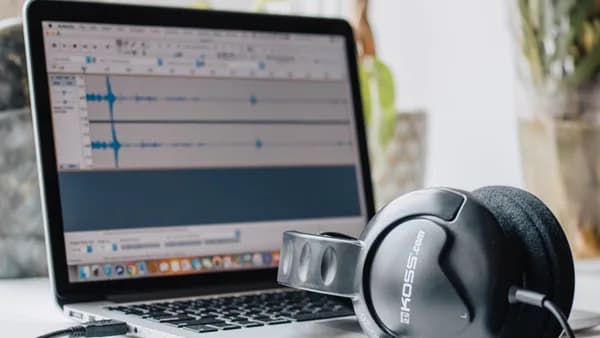
Adobe Podcast is positioned as a web-based tool for recording, editing, enhancing, captioning, and transcribing audio and video. Its listed features include:
- Enhance Speech: Fixes audio problems after the fact, including background noise and echo.
- Video support: Supports formats such as MP4 and MOV.
- Bulk upload: Available for enhancement.
- Enhancement limits: Enhance up to 4 hours a day, with files up to 1 GB.
- Studio recording: Records solo or with remote guests.
- Track quality: Captures individual tracks in 16-bit 48k WAV.
- Text-based editing: Transcribes audio so users can cut, copy, and paste audio like a text document.
- Captions and audiograms: Customizable audiograms and captions with themes on the Premium plan.
- Trial: A 30-day free trial is listed for Premium features.
Podsuite focuses on the transcript-led workflow. According to its source material, it generates a transcript, show notes, blog post, newsletter, and social posts from a single upload.
PodRewind emphasizes searchable transcripts as the way to avoid re-listening to entire episodes. Searchable transcripts help creators find topics, phrases, guest mentions, or strong moments quickly.
Video, design, and scheduling tools
For short-form video clips, PodRewind lists Descript, Opus Clip, and Riverside. The source does not provide detailed feature comparisons, so the safe takeaway is that these tools are commonly placed in the video clip creation stage of the workflow.
For audiograms, PodRewind lists Headliner and Wavve. Audiograms are useful when no video exists: they typically combine audio with a waveform animation, static image, and captions.
For scheduling, PodRewind lists Buffer, Hootsuite, and Later. The research does not compare pricing or publishing limits, so choose based on the channels your team actually uses and the approval process you need.
Optional reverse workflow: text into podcast audio
Although this tutorial focuses on turning podcast episodes into clips and written assets, Podcastify is relevant for teams that also want to move in the opposite direction: turning written content into podcast-style audio.
Podcastify’s source data says it accepts text-based inputs such as URLs, PDFs, plain text, newsletters, meeting notes, and internal documents. It does not accept YouTube videos, raw video, or audio files directly; those need a transcript first.
Its listed Hobby plan costs $8/month, includes 270,000 audio characters per month, and is described as enough for roughly 30–50 episodes depending on length. The source also mentions a 7-day free trial with credit card and says AI-generated text-to-audio conversion can take 1–3 minutes, with an established source-to-published-audio workflow taking under five minutes.
3. Step 1: Record With Repurposing in Mind
A strong podcast repurposing workflow starts before editing. It starts during planning and recording.
PodRewind recommends thinking modularly from the beginning. As you record, pay attention to moments that could stand alone outside the full episode.
Look for:
- Quotable statements: Clear, memorable lines that can become social posts or quote graphics.
- Complete explanations: Self-contained answers that do not require five minutes of prior context.
- Stories with arcs: Moments with a setup, conflict, and takeaway.
- Surprising insights: Ideas that challenge assumptions.
- Actionable advice: Practical steps listeners can apply.
- Emotional moments: Exchanges that carry energy, tension, humor, or vulnerability.
Not every section of an episode deserves repurposing. PodRewind recommends skipping:
- Context-dependent content: Moments that only make sense inside the full conversation.
- Inside references: Jokes or callbacks that new viewers will not understand.
- Weak filler: Transitional sections or low-energy answers.
- Heavy-explanation clips: Segments that require too much setup to work alone.
The goal is not to extract everything. The goal is to extract the moments that can survive outside the episode.
Create markers while recording
If your recording tool supports live notes or markers, use them to flag promising moments. If not, keep a simple notes document open with approximate timestamps.
Use quick labels like:
00:12:40 - Strong quote about remote work
00:21:05 - Good 60-sec story for Shorts
00:33:10 - Blog section on hiring mistakes
00:41:20 - Newsletter hook: surprising answer
These markers make post-production faster. They also reduce the risk of forgetting standout moments once the episode is over.
Ask questions that produce reusable answers
For interview shows, build in prompts that encourage standalone responses:
- Framework prompt: “What are the three steps you use to approach this?”
- Mistake prompt: “What do people usually get wrong?”
- Myth prompt: “What is one common belief you disagree with?”
- Example prompt: “Can you walk through a real example?”
- Takeaway prompt: “If someone only remembers one thing, what should it be?”
These questions naturally produce clips, blog sections, newsletter hooks, and social posts.
4. Step 2: Generate Transcripts and Pull Key Moments
The transcript is the bridge between the episode and every downstream asset.
Podsuite describes the transcript as the foundation of every repurposing workflow. Without it, creators often end up writing from memory, re-listening manually, or producing thinner content than the episode deserves.
A reliable workflow follows this order:
- Upload or process the episode through your transcription tool.
- Review the transcript for speaker labels, obvious errors, and key terms.
- Search and scan for strong moments.
- Mark timestamps for clips, quotes, blog sections, and newsletter hooks.
- Organize the extracted material by asset type.
What to extract from the transcript
| Transcript Element | Best Repurposed Use |
|---|---|
| Sharp 30–90 second exchange | Short-form video clip |
| Strong quote under 25 words | Quote graphic or social post |
| Detailed explanation | Blog section |
| Surprising insight | Newsletter hook |
| Resource mention | Show notes |
| Step-by-step advice | Carousel, thread, or blog outline |
| Guest story | Clip, LinkedIn post, or newsletter feature |
PodRewind notes that full transcripts also support accessibility for deaf and hard-of-hearing audiences, SEO value when published, and easier reference when creating other content.
Do not turn the transcript directly into a blog post
Podsuite warns that a podcast-derived blog post is not simply a transcript with headers added. Spoken conversations often jump around, include repetition, and assume context. A blog post must be restructured for readers.
The same applies to social content. A raw quote may need framing. A clip may need a hook. A newsletter may need one focused idea rather than a full recap.
Use searchable transcripts for archives
For creators with a back catalog, searchable transcripts become a content library. PodRewind recommends using transcripts to search for topics, phrases, or guest names instead of re-listening to entire episodes.
This is especially useful when you want to revive older evergreen episodes or find clips around a current topic.
5. Step 3: Create Short-Form Video Clips
Short-form clips are one of the most obvious outputs from a podcast episode, especially if you record video. PodRewind recommends extracting 3–5 clips per episode, typically 30–90 seconds long.
For most short-form platforms, the recommended format is vertical video: 9:16.
| Platform | Source-Backed Guidance |
|---|---|
| TikTok | Hook in the first 2 seconds; vertical video; movement matters; 30–60 seconds is described as optimal |
| Instagram Reels | Similar to TikTok; slightly more polished aesthetic is acceptable; under 60 seconds is recommended for best distribution |
| YouTube Shorts | Short clips can be used; YouTube also supports full episodes for video podcasts |
| Instagram Feed | Carousels, quote graphics, strong first slide, visually cohesive content |
| Professional framing, added value, discussion questions | |
| Twitter/X | Concise key points, threads, strong opening hook |
Choose clips that stand alone
A strong clip should make sense without the full episode. It should have a clear beginning, middle, and payoff.
Good clip candidates include:
- Contrarian take: A guest challenges a common assumption.
- Mini-framework: Someone explains a three-step process.
- Specific story: A short anecdote with a clear lesson.
- Tactical answer: A practical recommendation in under 90 seconds.
- Emotional exchange: A moment with tension, surprise, or humor.
Weak clip candidates include:
- Long setup: The point does not arrive quickly enough.
- Too many references: Viewers need prior context.
- Rambling answer: The idea is good but needs heavy editing.
- Pure promotion: “New episode is out” without standalone value.
Add captions for silent viewing
Podsuite specifically mentions a short-form clip as a captioned 60-second exchange, and PodRewind says captions are essential for silent scrolling when using audiograms. Adobe Podcast also lists captioning for social media and customizable captions with themes.
Captions are especially important because social viewers often decide quickly whether to keep watching. The caption should make the clip understandable even without sound.
Use audiograms when video is unavailable
For audio-only podcasts, PodRewind recommends audiograms as a way to convert audio into video. A typical audiogram includes:
- Waveform: Animation over a static image.
- Captions: Essential for silent scrolling.
- Branding: Consistent visual identity.
- Speaker attribution: Clear labeling when relevant.
PodRewind notes that video clips outperform audiograms when video is available, but audiograms remain useful when no video exists.
6. Step 4: Turn the Episode Into Blog and Newsletter Content
Written assets are where the transcript becomes especially valuable. A single episode can produce show notes, a blog post, newsletter copy, social posts, and possibly more than one article if the conversation covers distinct topics.
Build a blog post from the strongest ideas
Podsuite recommends starting with the transcript, identifying the two or three ideas that carry the most weight, and using those ideas as the main H2 sections.
A good podcast-to-blog process looks like this:
- Start with the transcript: Do not rely on memory.
- Find the main ideas: Choose the strongest two or three concepts.
- Restructure for search intent: Organize around what a reader is trying to answer, not the order of the conversation.
- Add what audio could not: Include links, context, related reading, and concrete examples where appropriate.
- Avoid quote dumping: Use short quotes sparingly and paraphrase the rest.
- End with a takeaway: Blog posts should resolve clearly, even if conversations meander.
Podsuite gives a useful length range: a well-executed blog post from a 45-minute interview typically runs 1,200 to 2,000 words.
A podcast blog post should feel like a standalone article, not a lightly edited transcript.
PodRewind also notes that one episode may contain 2–3 distinct blog post topics, depending on how broad the conversation is.
Create show notes that serve listeners and search
Show notes should do more than announce the episode. PodRewind recommends including:
- Key takeaways: The main points from the episode.
- Timestamps: Navigation for listeners.
- Resources mentioned: Links and references.
- Guest information: Relevant context about the guest or speaker.
Podsuite describes show notes as a reference document for listeners who want to revisit specific moments.
Write a focused newsletter
Podcast-to-newsletter repurposing works best when it does not try to summarize the whole episode. Podsuite recommends focusing on the single most interesting, useful, or surprising idea.
A strong newsletter structure is:
- Hook: Open with the most counterintuitive point, best question, or sharpest insight.
- Idea: Explain the idea in two to three paragraphs.
- Extra value: Add one thing not in the episode, such as a related link, your own take, or a follow-up thought.
- Single CTA: Invite readers to listen to the full episode if they want more.
Podsuite identifies 300–500 words as the sweet spot for a podcast-derived newsletter: long enough to be useful, short enough to read in roughly three minutes on a phone.
Turn ideas into platform-native posts
Do not post “new episode out” repeatedly. Pull the actual insight and make it work natively.
| Platform | Repurposed Format |
|---|---|
| Professional insight, short commentary, discussion question | |
| Twitter/X | Punchy standalone statement, quote, or thread |
| Carousel, quote graphic, story poll, Reel | |
| TikTok | Short clip with fast hook |
| YouTube | Full video episode, Shorts, timestamps in descriptions |
Podsuite suggests that one episode can produce four or five LinkedIn or Twitter/X posts across a week, each focused on a different idea from the conversation.
7. Step 5: Add Captions, Templates, and Brand Assets
Packaging matters because repurposed assets compete in fast-moving feeds.
PodRewind recommends clean branded templates for quote graphics, with quotes kept under 25 words and speaker attribution included. It also recommends multiple variations per episode.
Create reusable templates
Templates reduce production time and improve consistency. Build templates for:
- Short clips: Title area, captions, progress bar if used, speaker names.
- Audiograms: Waveform, episode art, captions, guest name.
- Quote graphics: Quote, attribution, logo or show name.
- Carousels: Hook slide, key point slides, takeaway slide.
- Blog images: Header image or episode visual.
- Newsletter layout: Hook, body, CTA.
Tools mentioned in the source data for this stage include Canva, Adobe Express, and Adobe Podcast’s customizable audiograms and captions with themes.
Caption and format by channel
The same clip may need small changes depending on where it goes.
| Asset | Formatting Consideration |
|---|---|
| TikTok clip | Hook immediately; vertical; energetic edit |
| Instagram Reel | Vertical; polished visual presentation acceptable |
| YouTube Short | Short vertical clip; title and description matter |
| LinkedIn native video | Professional framing and context in the post copy |
| Audiogram | Captions, waveform, static branded background |
| Quote graphic | Under 25 words, clean design, attribution |
Keep editorial control
AI and automation can accelerate production, but the research sources repeatedly imply that quality depends on human review.
Podcastify specifically warns against repurposing without reviewing generated scripts, especially for technical or medical content, because LLMs can occasionally invent details not in the source. That warning applies broadly: review AI-generated summaries, captions, posts, and blog drafts before publishing.
Use automation to create first drafts and assets faster. Keep humans responsible for accuracy, tone, and editorial judgment.
8. Step 6: Schedule, Publish, and Track Performance
A good repurposing workflow does not publish everything on the same day. PodRewind recommends distributing assets across time so the episode continues to reach people after launch.
A sample schedule from the source data looks like this:
| Timing | Content to Publish |
|---|---|
| Episode release day | Episode, promotional posts, newsletter |
| Day 2–3 | First video clip, quote graphic |
| Day 4–5 | Blog post, second video clip |
| Day 6–7 | Additional quotes, discussion posts |
| Following week | Remaining clips, recycled content |
This schedule gives each asset room to breathe. It also helps maintain a consistent presence without overwhelming followers.
Publish by format
Use each channel for what it does best:
- Podcast platforms: Publish the full episode for audio subscribers.
- YouTube: Use full video episodes where applicable, plus YouTube Shorts.
- Blog/CMS: Publish the article, transcript, or show notes for search and reference.
- Newsletter: Send the strongest idea, not a full recap.
- Social platforms: Share clips, quotes, carousels, threads, and discussion prompts.
- Scheduling tools: Use platforms such as Buffer, Hootsuite, or Later if they fit your workflow.
The source data does not provide CMS-specific instructions or compare publishing systems, so at the time of writing, the safest CMS workflow is to standardize internal steps: draft, edit, fact-check, format, add links, publish, and measure.
Track what works
PodRewind recommends tracking performance by content type:
- Clips: Which clips get views and engagement?
- Quotes: Which quotes get shared?
- Blog posts: Which articles rank?
- Podcast impact: What drives downloads?
- Newsletter: Which topics earn clicks or responses?
The goal is to double down on what works and stop doing what does not.
This is where a repeatable podcast repurposing workflow becomes more valuable over time. After several episodes, you can identify patterns: which guests produce the best clips, which topics make strong blog posts, which formats drive engagement, and which assets take too long relative to their impact.
9. Workflow Checklist for Solo Creators and Teams
Use this checklist to turn each episode into a repeatable content package.
Solo creator checklist
For solo creators, start with the highest-impact formats and expand only when the process feels manageable.
Record with markers
- Flag moments: Note timestamps for quotes, stories, and clip-worthy answers.
- Ask modular questions: Use prompts that produce standalone answers.
Generate the transcript
- Transcribe first: Build every downstream asset from the transcript.
- Clean obvious errors: Fix names, terms, and speaker labels.
Pick the best moments
- Choose 3–5 clips: Prioritize moments that stand alone.
- Pull quotes: Keep quote graphics under 25 words.
- Identify one newsletter idea: Choose the most surprising or useful point.
Create the assets
- Short clips: 30–90 seconds, vertical 9:16, with captions.
- Newsletter: 300–500 words with one CTA.
- Blog post: 1,200–2,000 words if the episode supports a full article.
- Show notes: Include takeaways, timestamps, resources, and guest information.
Schedule distribution
- Spread posts: Publish over the week instead of all at once.
- Reuse evergreen moments: Bring back strong clips and quotes later when relevant.
Measure results
- Track formats: Compare clips, posts, newsletters, and blogs.
- Refine: Do more of what works.
Team workflow checklist
Teams can divide the same process by role.
| Role or Function | Responsibility |
|---|---|
| Producer | Flags moments during recording and manages source files |
| Editor | Creates clips, audiograms, captions, and polished audio/video |
| Writer | Turns transcript into blog, newsletter, show notes, and social copy |
| Designer | Builds quote graphics, carousels, templates, and thumbnails |
| Publisher | Schedules assets across social, CMS, email, and podcast platforms |
| Analyst | Tracks performance and recommends what to repeat or stop |
Recommended repeatable asset package
A practical baseline package from one episode could include:
- 1 full episode: Audio or video podcast.
- 1 transcript: Internal source material or published accessibility asset.
- 1 show notes page: Key takeaways, timestamps, links, guest details.
- 1 blog post: Search-focused article when the topic supports it.
- 1 newsletter: 300–500 words focused on one insight.
- 3–5 short clips: 30–90 seconds each.
- 3–5 social posts: LinkedIn, Twitter/X, or platform-native variations.
- 2–3 quote graphics: Short, attributed, branded.
- Optional audiograms: Useful for audio-only shows.
A simple production board
You can manage the workflow with a board that tracks asset status:
Episode: [Title]

Source
- Audio/video recorded
- Transcript generated
- Key moments marked

Written Assets
- Show notes drafted
- Blog post drafted
- Newsletter drafted
- Social copy drafted

Video/Design Assets
- Clip 1 edited
- Clip 2 edited
- Clip 3 edited
- Quote graphics created
- Captions reviewed

Publishing
- Podcast published
- Blog scheduled
- Newsletter scheduled
- Social posts scheduled

Performance
- Clip performance reviewed
- Blog performance reviewed
- Newsletter performance reviewed
- Notes for next episode
This structure works for solo creators and teams because it makes the invisible work visible.
Bottom Line
A sustainable podcast repurposing workflow starts with the episode but depends on the transcript. Record with reusable moments in mind, transcribe before creating downstream assets, then adapt the strongest ideas into short clips, blog posts, newsletters, show notes, quote graphics, and social posts.
The research-backed sequence is clear: transcript first, long-form assets next, then short-form social content and scheduled distribution. Start small with clips, show notes, and one newsletter or blog post, then expand once your templates, tools, and review process are repeatable.
Repurposing is not about squeezing every second out of an episode. It is about giving the best ideas more chances to reach the people who prefer video, text, email, search, or social feeds.
FAQ
What is a podcast repurposing workflow?
A podcast repurposing workflow is a repeatable process for turning one podcast episode into multiple assets, such as transcripts, show notes, blog posts, newsletters, short-form clips, quote graphics, and social posts. The workflow typically starts with transcription, then moves into extraction, editing, formatting, scheduling, and performance tracking.
How many pieces of content can one podcast episode become?
PodRewind states that one episode can become 10+ pieces of content when systematically repurposed. A typical package might include the full episode, transcript, show notes, blog post, newsletter, 3–5 short clips, several social posts, and quote graphics.
What should I create first after publishing a podcast episode?
Create or review the transcript first. Podsuite describes the transcript as the foundation of the repurposing workflow because it allows you to derive blog posts, show notes, newsletters, social posts, and clips without starting from memory.
How long should podcast clips be?
PodRewind recommends short-form video clips of 30–90 seconds. For TikTok, the source describes 30–60 seconds as optimal, with a hook in the first 2 seconds. Instagram Reels are also recommended under 60 seconds for best distribution.
How long should a podcast-based newsletter be?
Podsuite recommends 300–500 words for a newsletter built from a podcast episode. The best approach is to focus on one useful or surprising idea rather than summarizing the entire episode.
Should every episode be repurposed?
PodRewind recommends giving every episode basic repurposing, such as social promotion and clips where applicable. Heavier repurposing should be prioritized for episodes with strong content, evergreen topics, high-profile guests, or broader appeal.
Sources & References
Content sourced and verified on June 9, 2026
- 1Podsuite – Podcast Transcription, Show Notes & Content Tools
https://podsuite.io/blog/repurpose-podcast-content
- 2Repurposing Podcast Content: The Complete Guide
https://podrewind.com/blog/repurposing-podcast-content-guide
- 3Adobe Podcast | AI audio recording and editing, all on the web
https://podcast.adobe.com/en
- 4Content Repurposing with AI: A Practical 2026 Workflow Guide
https://podcastify.io/blog/content-repurposing-with-ai
- 5Your Podcast Is a Content Engine: The 2026 Repurposing Blueprint for SMBs Podcast Repurposing Blueprint: The SMB Guide for 2026
https://qd-up.com/podcast-content-repurposing-blueprint-smbs-2026/
- 6How To Repurpose Podcast Content: Practical B2B Workflow For Clips ...
https://thepod.fm/resources/blog/how-to-repurpose-podcast-content

Written by
XOOMAR Insights Team
Research and Editorial Desk
The XOOMAR Insights Team pairs automated research with human editorial judgment. We track hundreds of sources across technology, fintech, trading, SaaS, and cybersecurity, cross-check the facts, and explain what happened, why it matters, and what to watch next. We do not just rewrite headlines. Every article is fact-checked and scored for reliability before it goes live, and we link back to the original sources so you can verify anything yourself.