
Dune keypad asks buyers to pay $149 for three physical buttons, which sounds absurd until you remember how often modern work collapses into hunting for mute, camera, browser tabs, scripts, and meeting links under pressure.
TechnologyJuly 3, 2026· 12 min read· By XOOMAR Insights Team
Dune Keypad Charges $149 to Kill Meeting Panic Fast
Updated on July 3, 2026
XOOMAR Intelligence
Analyst Take
59/ 100
4 sources analyzedLow confidenceTrend10Freshness99Source Trust90Factual Grounding94Signal Cluster20
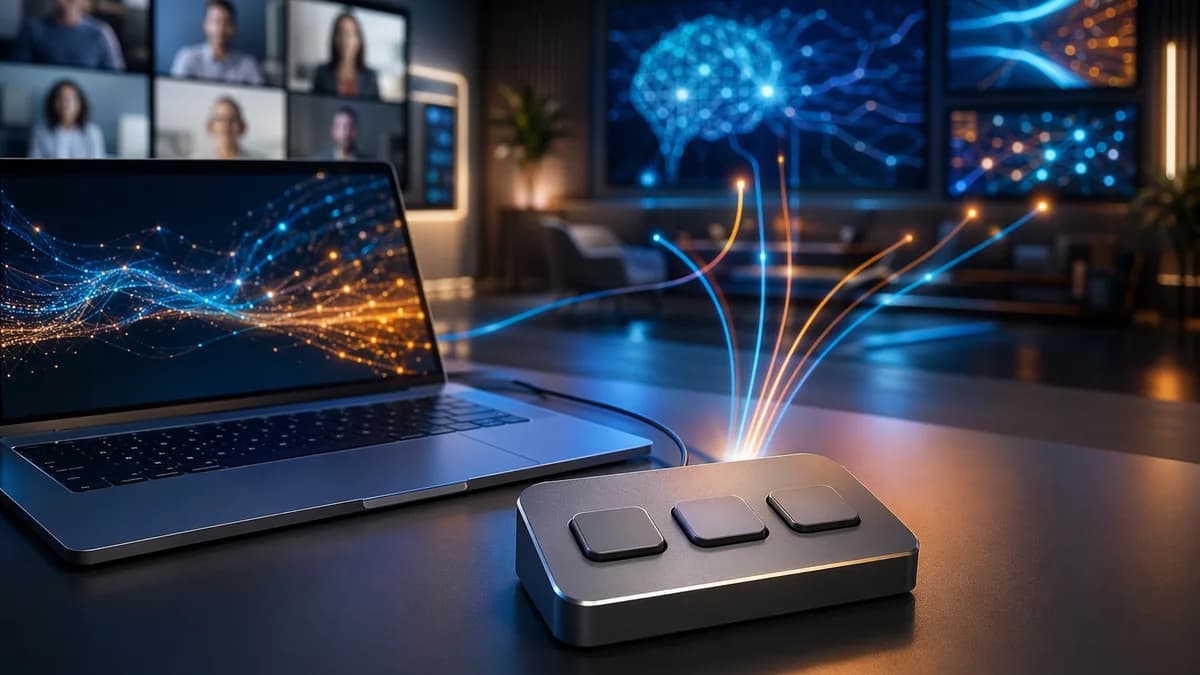
That is the bet behind Project Mirage’s Dune, a tiny three-key aluminum keypad that plugs into a MacBook’s USB-C port and changes its button actions based on the app in focus, according to TechCrunch. XOOMAR analysis: Dune is selling less as a keyboard accessory than as a wager that meeting fatigue, app switching, and AI-assisted workflows have created room for a new physical control layer on the desk.
The device starts with an obvious pain point: every meeting app handles mute, camera, and call controls differently. But the more interesting question is whether Dune keypad can graduate from “nice meeting button” to something stickier, a compact script launcher for people who repeat the same digital actions all day.
That’s a harder business. Productivity hardware often looks clever on day one, then becomes another small object gathering dust. Dune’s future depends on whether its software can make three buttons feel faster than keyboard shortcuts, app menus, macro apps, or a Stream Deck.
Dune keypad tests whether meeting fatigue can become a hardware business
Dune’s first pitch is almost comically simple: stop making workers remember which app uses which shortcut for mute or camera. In meeting apps and sites, TechCrunch says the keys can map to actions such as toggling the mic, toggling video, and bringing the meeting window forward.
That works because the pain is universal enough to explain in one sentence. A physical mute button does not require a product demo. You either know the panic of speaking while muted, or the worse version, accidentally unmuting yourself.
The hardware is deliberately small. TechCrunch describes it as about the size of a stick of gum, with three buttons and an aluminum body. It plugs directly into the MacBook, draws power from the laptop, and needs no battery or separate charger.
The constraint is also the product. Three buttons force Dune to prioritize only the actions that matter most in each context. In Excel or Sheets, the keys might become copy, paste, and undo. In Chrome, they might refresh, jump to the URL bar, and paste. In developer workflows, TechCrunch says Dune can work with apps like VS Code or GitHub to merge, approve, or close a pull request.
XOOMAR analysis: that context-aware behavior is the real product. A static three-button pad would be forgettable. A pad that changes automatically based on the active app has a chance to reduce the mental tax of remembering shortcuts across tools.
The risk is that “context-aware” becomes another promise users have to manage. If the buttons trigger the wrong thing at the wrong time, Dune stops feeling intelligent and starts feeling dangerous.
Meeting controls are the entry point, scripts are the real exam
Dune’s value proposition has two layers.
The first is meeting control. Calendar sync lets the companion app surface the next meeting a few minutes before it starts, according to TechCrunch. From there, a user can join, dismiss, or send an “I’m running late” message with one tap.
During calls, the keypad can handle mic and camera toggles. That is the mainstream feature. It gives Dune a reason to sit next to the keyboard even for users who never write a script.
The second layer is deeper automation. The Dune app lets users configure shortcuts per app or system-wide. Within an app, a key can trigger a keyboard shortcut, a command, or a link that opens an app or URL. Users can also write and run Python scripts.
The more accessible twist is Claude Desktop integration. TechCrunch says non-coders can describe the shortcut they want in plain language, then Claude writes it and assigns it to a key for that app. The reviewer built one shortcut that pulled a quick brief on a startup’s website, including competitors, investors, and possible meeting questions. Another converted images to JPG for WordPress or social platforms.
That example matters because it shifts Dune away from “mute button” territory. It turns the device into a physical trigger for AI-assisted desk work, where a single press can launch a small research or file-processing routine.
But the setup is not frictionless yet. TechCrunch says getting a shortcut fully working still took back-and-forth with Claude, including debugging after running it. That is acceptable for developers and power users. It may be too much for a mainstream office worker who only wants fewer meeting mishaps.
There is also a marketplace for user-made “skills,” but TechCrunch found only limited skills available. More important, users cannot test a skill without assigning it to a hardware button. That is a design problem. Trial should happen before commitment, especially when the action is attached to a physical key that can fire instantly.
XOOMAR analysis: Dune has to serve two users at once. Casual users need polished defaults. Advanced users need depth. If scripting feels too complex, Dune loses the people who bought it for convenience. If scripting feels too constrained, it loses the people most willing to pay for programmable hardware.
At $149, Dune has to beat free shortcuts and wasted attention
Dune currently has a pricing wrinkle. TechCrunch refers to the device as a $119 gadget, while also saying it retails for $149 after its introductory price expires. That final price is the more important number for the business case.
A $149 three-key keypad is not an impulse buy for most workers. But it does not need to be cheap if it removes repeated friction from high-frequency workflows. The pitch is not that one mute action is worth $149. The pitch is that hundreds of tiny interruptions add up.
The problem is that Dune competes with tools that already exist on every Mac. Keyboard shortcuts are free. App menus are free. Software automation tools and programmable workflows can run without extra hardware. Dune has to prove that touch, context, and speed justify a dedicated object.
Here is the practical comparison:
| Option | Strength | Weakness for Dune’s target user |
|---|---|---|
| Built-in shortcuts | Free and already available | Hard to remember across apps, especially in meetings |
| Software automation tools | Flexible and hardware-free | Often require setup, maintenance, or memorized triggers |
| MuteMe | Focused mute and unmute control | TechCrunch says it covers just mute/unmute |
| Stream Deck | Strong macro and control workflows | TechCrunch frames Dune as easier to customize on hardware and software |
| Dune keypad | Context-aware three-key control, Claude-assisted scripts | Limited keys, Mac compatibility limits, early marketplace gaps |
The hidden cost is configuration. Users must decide what each button should do, trust that the mapping will change correctly, and maintain workflows as apps and habits change. If Dune reduces attention drain but adds setup anxiety, the math gets worse.
There is also a hardware fit question. Project Mirage builds each unit to match a specific Mac model so it sits flush against the laptop with no gap underneath, according to TechCrunch. That is elegant, but it reinforces how Mac-specific this product is. Current support is for M2 Air or later and M1 Pro or later MacBook models running macOS 15 Sequoia or later.
If ports are already occupied, users can connect through a dongle. That solves the connection issue, but it weakens one of Dune’s best physical ideas: a flush little control surface that feels like part of the laptop.
Stream Decks and macro pads show the trap Dune must avoid
Productivity peripherals usually win when they become muscle memory. They fail when users have to keep rethinking them.
Dune is trying to avoid the classic macro pad problem by changing its actions automatically based on context. Traditional programmable devices can be powerful, but they often require users to build and maintain profiles. Dune’s pitch is that the device notices the active app and presents relevant actions without manual layer switching.
That idea has founder-level framing behind it. In a Forbes piece on the launch, Project Mirage founder and CEO Apoorv Shankar argued that the keyboard has not kept up with modern multitasking and AI workflows.
“QWERTY keyboards were designed over a hundred years ago, for the purpose of capturing text, at a time when multitasking wasn’t a concept,” says Apoorv Shankar, founder and CEO of Project Mirage.
That quote is marketing, but it captures the product thesis. Dune is not trying to replace the keyboard. It is trying to sit beside it as a small surface for commands that do not fit cleanly into text input.
The device also needs better physical tolerance. TechCrunch praised how Dune looks and feels, but said the keys had too little resistance. The reviewer accidentally unmuted themselves or turned off the camera when a hand brushed the device while reaching for a water bottle or coffee mug.
That is not a minor complaint. A mute key has to be trustworthy. If the button fires too easily, the product fails at the exact moment it is supposed to give users confidence.
XOOMAR analysis: Dune’s biggest hardware challenge is not adding more features. It is making every press feel intentional. For a meeting controller, false positives are worse than missed shortcuts.
The software side has a different trap. A marketplace can increase retention if each new skill gives users another reason to keep Dune plugged in. But a thin marketplace can do the opposite, making the product feel unfinished. TechCrunch’s critique that Project Mirage needs more suggested skills for different apps is on point.
This is where Dune’s AI angle matters. We have seen a broader push toward physical interfaces for AI-driven tasks, from devices that pull connectivity and assistants closer to the user, as in SpaceX AI Device Pulls Starlink Toward Your Pocket, to consumer AI products where access and pricing shape daily use, as covered in Meta Smart Glasses Paywall Puts Your AI on a Timer. Dune’s version is quieter: not a wearable, not a phone replacement, just three buttons that can trigger useful work if the software earns trust.
Remote workers, IT teams, creators, and developers will judge Dune differently
Remote and hybrid workers will judge Dune by confidence. Does the mute key work every time? Does the camera toggle match the meeting app they are actually using? Does the meeting window come forward without fumbling?
For that group, Dune’s script capabilities may be secondary. They want fewer awkward moments, not a new hobby. The calendar prompt, one-tap join, and quick late message are the features that make sense immediately.
IT and enterprise buyers would likely ask sharper questions. XOOMAR analysis: any product that can run scripts, interact with calendars, and connect to AI-generated workflows raises manageability and security concerns. The supplied source material does not detail admin controls, audit features, enterprise deployment tools, or script permission boundaries. That is a gap Project Mirage would need to close if it wants Dune to move beyond individual buyers.
Creators and streamers already understand button-based workflows. For them, Dune must compete with established control surfaces and prove that context-awareness beats more keys. Three buttons may feel elegant for meetings, but limiting for people who already run complex production setups.
Developers and operators are the strongest fit for the deeper product. TechCrunch specifically mentions VS Code, GitHub, pull request actions, Python scripts, and Claude-assisted shortcut creation. Those users may tolerate debugging if the payoff is a fast command surface for repetitive work.
Still, reliability will matter more than novelty. A button that approves, merges, closes, opens, sends, converts, or triggers a script must be predictable. The more consequential the action, the more Dune needs guardrails, previews, and clear on-screen feedback.
The accidental key press issue becomes even more serious in this context. Accidentally muting is embarrassing. Accidentally running the wrong script could be costly, depending on what the user assigns.
The bigger prize is a desk remote for AI-assisted work
Dune’s most interesting future is not as a meeting accessory. It is as a desk remote for AI-assisted work.
The source material points in that direction. Dune can run Python scripts. It can assign app-specific shortcuts. It can open URLs. It can sync with calendars. It can use Claude Desktop to help build custom actions from plain-language requests. Those pieces are small on their own, but together they suggest a different kind of productivity hardware: one that coordinates actions across apps rather than simply launching them.
That is where Dune keypad could become more than a MacBook ornament. A user browsing a startup website can trigger a research brief. A publisher can convert images. A developer can act on pull requests. A meeting-heavy worker can join, mute, toggle camera, and send a late note without hunting through windows.
The evidence still needs to catch up with the ambition. TechCrunch found the marketplace limited. Skill testing is clumsy. Claude-built workflows can require debugging. Hardware key resistance needs work. Mac compatibility is narrow. These are not fatal flaws, but they define the road from clever gadget to daily tool.
XOOMAR analysis: Dune’s strongest path is polished defaults first, extensibility second. The product has to be useful before a user writes a single script. Then Claude and the marketplace can expand the value for people willing to customize.
The next proof points are practical. Watch whether Project Mirage adds more first-party skills for major apps, improves preview and testing inside the marketplace, tightens the physical key feel, and explains how scripts are controlled. Evidence that mainstream users can build useful Claude-assisted shortcuts without debugging would strengthen the thesis. Evidence that most buyers stick to mute and camera controls would weaken it.
Dune has a plausible opening because the pain is real and the hardware is simple. But the keypad itself is not the moat. The moat, if Project Mirage can build one, is software that makes one button feel worth the desk space.
The Bottom Line
- Dune is testing whether meeting fatigue is serious enough to support a dedicated $149 hardware product.
- Its success depends on making common actions like mute, video, and window switching feel simpler across apps.
- The device highlights a broader push toward physical controls for repetitive AI-era and productivity workflows.
Dune Keypad vs. Existing Workflow Controls
| Option | What the article says | Main challenge |
|---|---|---|
| Dune keypad | $149 three-key aluminum USB-C keypad for MacBooks that changes actions based on the app in focus. | Must prove three buttons are faster and more useful than existing controls. |
| Keyboard shortcuts and app menus | Current ways workers manage mute, camera, tabs, scripts, and meeting links. | Controls vary by app and can be hard to find under pressure. |
| Macro apps or Stream Deck | Existing alternatives for launching repeated digital actions. | Dune needs software strong enough to become sticky rather than gather dust. |
Sources

Written by
XOOMAR Insights Team
Research and Editorial Desk
The XOOMAR Insights Team pairs automated research with human editorial judgment. We track hundreds of sources across technology, fintech, trading, SaaS, and cybersecurity, cross-check the facts, and explain what happened, why it matters, and what to watch next. We do not just rewrite headlines. Every article is fact-checked and scored for reliability before it goes live, and we link back to the original sources so you can verify anything yourself.
Explore More Topics
Related Articles
 Technology
$249 Flipper Busy Bar Bets Hacker Cred Can Win Desks
Flipper Devices is selling Busy Bar for $249, testing whether its hacker-tool fanbase can follow it into premium desk productivity gear.
Jun 29, 20266 min
 Global Trends
1,000 Guests Put Taylor Swift Travis Kelce Wedding on Alert
A reported 1,000-guest Taylor Swift and Travis Kelce wedding could turn MSG into NYC's biggest holiday security headache.
Jul 3, 20266 min
 Technology
The Bear's Last Run Crowns 3 New Hulu Shows to Binge
The Bear's final run leads Hulu's July 4 weekend queue, with Wrexham comfort and a Manhattan comedy wildcard behind it.
Jul 3, 20269 min
 Technology
Google DeepMind Unionization Fight Corners AI Leaders
Google DeepMind's first union talks angered organizers after senior leaders stayed away, turning recognition into a test of AI leadership.
Jul 3, 20268 min
 Global Trends
July Fourth Gas Prices Slide, but Drivers Still Pay Up
Gas prices are falling fast enough to lift July Fourth mood, but drivers are still paying near four-year highs.
Jul 3, 20267 min
 Technology
Camera Deals Up to $600 Off Steal Target's July 4 Sale
Target's July 4 camera sale cuts up to $600 off Canon, Nikon, Sony, Fujifilm and Kodak picks.
Jul 3, 20266 min
 Global Trends
Zero Sponsors Expose Reform UK's Nottinghamshire Flag Scheme
Seven months after a no-cost pledge, Nottinghamshire's £75,000 Reform UK flag plan has no sponsors.
Jul 3, 20267 min
 Global Trends
22-Country Network Exposes Drug-Facilitated Rape at Home
Hundreds have joined a drug-facilitated rape support network, exposing alleged partner abuse hidden inside homes.
Jul 3, 20268 min
 Technology
Hisense Canvas Art TV Undercuts Frame TV With $750 Deal
Hisense's 65-inch Canvas Art TV hit $750 on Amazon, undercutting Samsung's Frame TV look with a holiday deal worth checking twice.
Jul 3, 20265 min
 Fintech
AI Splits Winners From Losers in Starling Bank Job Cuts
Starling Bank will cut about 130 roles while still hiring AI engineers, signaling a sharper split in fintech labor.
Jul 3, 20267 min
Don't miss the signal
Get our weekly roundup of the stories that matter across tech, fintech, and trading. No noise, just signal.
Free forever. No spam. Unsubscribe anytime.