
The question Microsoft has forced on buyers is blunt: are Snapdragon X2 Surface graphics gains worth a $1,499 to $1,599 starting price?
TechnologyJune 20, 2026· 7 min read· By XOOMAR Insights Team
Pricey Snapdragon X2 Surface Gambles on Graphics Power
Updated on June 21, 2026
XOOMAR Intelligence
Analyst Take
72/ 100
4 sources analyzedMedium confidenceTrend10Freshness100Source Trust85Factual Grounding92Signal Cluster20
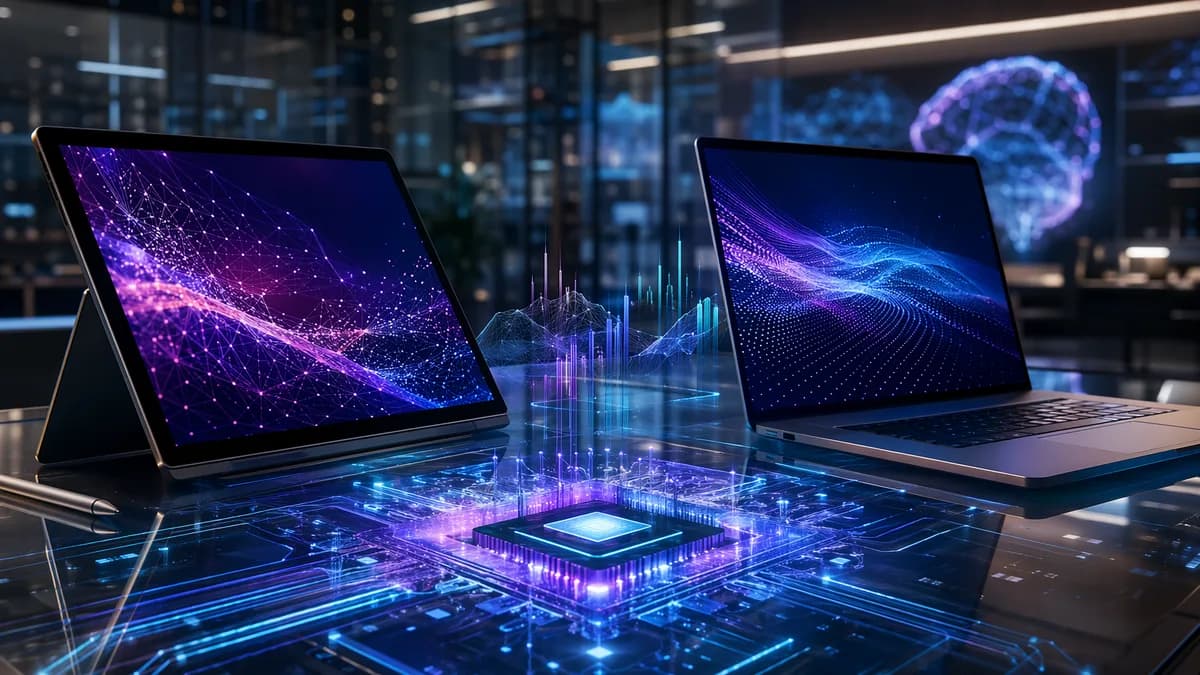
Microsoft has revealed new consumer versions of the Surface Pro 13-inch and Surface Laptop 13.8-inch and 15-inch, all powered by Qualcomm Snapdragon X2 processors and available to buy now, according to TechRadar Pro. The pitch is simple: more graphics power, longer battery life, and a sharper push into Windows on Arm AI PCs. The catch is just as clear. These Surfaces are expensive from the first configuration.
Can Snapdragon X2 make Surface feel like a real generation jump?
The new Snapdragon X2 Surface lineup splits into two familiar shapes. The Surface Pro 13-inch remains Microsoft’s detachable 2-in-1 tablet. The Surface Laptop stays the clamshell notebook, now offered in 13.8-inch and 15-inch versions.
Under the hood, buyers get a choice of Snapdragon X2 Plus, a 10-core CPU, or Snapdragon X2 Elite, a 12-core CPU. Microsoft says the Surface Laptop delivers up to 58% faster graphics performance than the previous generation, while the Surface Pro gets up to a 53% graphics boost.
That’s the headline. The practical question is whether those gains show up outside benchmark slides.
| Device | Starting price in the US | Claimed graphics gain | Battery claim |
|---|---|---|---|
| Surface Pro 13-inch | $1,499 | Up to 53% faster than predecessor | Up to 15.5 hours local video playback |
| Surface Laptop 13.8-inch | $1,599 | Up to 58% faster than predecessor | Up to 20 hours local video playback |
| Surface Laptop 15-inch | Not separately stated in source | Up to 58% faster than predecessor | Up to 19 hours local video playback |
The Surface Laptop starts at $1,599 in the US for 16GB RAM and 512GB storage. The Surface Pro starts at $1,499 with 16GB RAM and 256GB storage. Microsoft says pricing elsewhere has not yet been announced, though TechRadar notes the 13.8-inch Surface Laptop will start at 256GB storage outside the US.
Color options are familiar but not identical. The Surface Pro comes in platinum, black, and dune. The Surface Laptop adds those same colors, with jade available on the 13.8-inch model.
Will better graphics actually change what Surface buyers can do?
The graphics claims matter because Surface devices have often sold on portability, battery life, displays, and build quality rather than raw GPU punch. A 53% or 58% jump, if it holds up in real use, could make the new models more credible for creative apps, heavier multitasking, external-display workflows, and light gaming.
That’s the best case. The harder test is Windows on Arm reality.
Microsoft’s wider message is that these machines belong in the AI PC category. In its own announcement, the company said the new devices are built for workflows that move between local compute and cloud services.
“We don’t believe AI should be confined to one place. Some workloads belong on device: processed locally, fast always available. Others need the scale of the cloud.”
That frames Snapdragon X2 as more than a CPU update. Microsoft is selling performance per watt, on-device AI work, and long battery life as one package. The company also says every new Surface device has dedicated NPU silicon, optimized Windows integration, and cloud connectivity.
XOOMAR analysis: that positioning only works if the software experience feels boring in the best way. Apps need to run cleanly. Drivers need to behave. Performance needs to hold when unplugged. Battery claims based on local video playback don’t answer how these devices perform during browser-heavy work, creator apps, coding sessions, or video calls.
This is where buyers coming from older laptops will need real reviews, not launch claims. For students weighing a detachable against a notebook, the same trade-off we covered in Tablet vs Laptop for College, The Safer Buy Wins Today still applies: the form factor matters only if the workload fits.
Do the new Surface prices make the upgrades harder to defend?
The price hikes change the story. TechRadar notes that the previous Surface Laptop 13-inch started at around $900 in the US, versus $1,599 for the new 13.8-inch model. That is the kind of jump that turns a spec upgrade into a value argument.
Microsoft is trying to soften the blow with stronger entry specs on the Surface Laptop, at least in the US, where the starting model includes 512GB storage. But the Surface Pro’s $1,499 entry price with 256GB storage will still make buyers look hard at configuration costs, keyboard costs, and whether they really need the detachable format.
There is one launch incentive. TechRadar reports that US buyers get a free Surface Pro 13-inch Keyboard with the new Surface Pro for the remainder of June, while Surface Laptop buyers get a free Surface Arc Mouse.
XOOMAR analysis: those bundles help, but they don’t erase the central problem. Microsoft now has to prove that Snapdragon X2 graphics, battery life, OLED, haptics, and AI features justify a premium before configuration upgrades even enter the picture.
The Surface Pro does get one visible upgrade that will matter to some buyers: the OLED option is back. Microsoft offers OLED or LCD on the Surface Pro, with OLED reaching 900 nits of HDR peak luminance versus 600 nits for the LCD, according to TechRadar. That’s a real display difference, not just a marketing label.
The Surface Laptop stays with LCD screens, but Microsoft says the 15-inch model jumps from 201 PPI to 262 PPI. The company also says the devices use a 100% recycled aluminum enclosure and are ENERGY STAR certified, outperforming the efficiency baseline by at least 50%.
Which tests will decide whether Snapdragon X2 Surface lands?
The first independent reviews need to answer five questions fast:
- GPU performance: Do the claimed 53% and 58% graphics gains hold in real apps, not just selected benchmarks?
- Battery life: How close do these devices get to Microsoft’s local video playback numbers during mixed work?
- Compatibility: Do key Windows apps run cleanly on Arm, especially for creators, developers, and students?
- Thermals: Does performance stay steady under longer workloads?
- Unplugged speed: Does Snapdragon X2 feel the same on battery as it does plugged in?
Developers will be a particularly tough audience. If Microsoft wants Surface to pull in people building apps, training models, or running heavy IDEs, reviewers will need to compare these machines against other developer setups. Our recent look at how VS Code vs JetBrains splits pro devs over speed and power shows why small performance gaps can matter when the machine is used all day.
The comparison set is obvious: previous Snapdragon X Surface devices, Intel and AMD Windows ultrabooks, and Apple’s MacBook Air or MacBook Pro models in the same price band. Microsoft doesn’t need to win every test. It does need to make the starting prices feel rational.
The next few months will decide the shape of this launch. If the graphics gains are visible, battery life holds up, and Arm compatibility fades into the background, the Snapdragon X2 Surface refresh can look like a premium reset. If not, the new Surface Pro and Surface Laptop will be remembered less for their silicon and more for the bill.
The Bottom Line
- Microsoft is positioning Snapdragon X2 Surfaces as a major Windows on Arm AI PC upgrade.
- The biggest improvements are in graphics performance and battery life, but starting prices are high.
- Buyers must decide whether claimed performance gains justify paying at least $1,499.
New Snapdragon X2 Surface lineup
| Device | Starting price in the US | Claimed graphics gain | Battery claim |
|---|---|---|---|
| Surface Pro 13-inch | $1,499 | Up to 53% faster than predecessor | Up to 15.5 hours local video playback |
| Surface Laptop 13.8-inch | $1,599 | Up to 58% faster than predecessor | Up to 20 hours local video playback |
| Surface Laptop 15-inch | Not separately stated | Up to 58% faster than predecessor | Up to 19 hours local video playback |
Claimed graphics performance gains
Surface Pro 13-inch
%53
Surface Laptop 13.8-inch
%58
Surface Laptop 15-inch
%58
Sources
- [1] TechRadar Pro
- [2] Introducing the next Surface Pro and Surface Laptop, built for performance and flexibility
- [3] Microsoft’s New Surface Pro And Surface Laptop Bring Snapdragon X2 Power, OLED, And Big Battery Gains
- [4] Microsoft launches Snapdragon X2 variants of Surface Pro 12 and Surface Laptop 8 with expensive consumer pricing

Written by
XOOMAR Insights Team
Research and Editorial Desk
The XOOMAR Insights Team pairs automated research with human editorial judgment. We track hundreds of sources across technology, fintech, trading, SaaS, and cybersecurity, cross-check the facts, and explain what happened, why it matters, and what to watch next. We do not just rewrite headlines. Every article is fact-checked and scored for reliability before it goes live, and we link back to the original sources so you can verify anything yourself.
Explore More Topics
Related Articles
 Technology
Europe Matches Kill Switch Fears to Ransomware Attacks
Three-quarters of European business leaders now view the threat of a U.S. tech kill switch with the same urgency as a ransomware attack, highlighting a deep-sea
Aug 9, 20266 min
 Technology
Microsoft Slaps Windows 11 with a Forced OneDrive Beta
Microsoft sabotages its own push to fix Windows 11 by automatically installing an unwanted, non-removable OneDrive Photos app, even on business PCs.
Aug 8, 20267 min
 Technology
Texas Governor Freezes New Data Centers Amid Grid Crisis
Governor Greg Abbott has frozen all new data center connections to the Texas power grid, mandating state audits as projects account for 90% of a massive, grid-t
Aug 4, 20268 min
 Technology
Apple Must Let iPhones Paste to Windows PCs in EU
Europe's regulators are forcing Apple to break a key ecosystem lock, requiring it to let iPhone users copy text and paste it directly onto Windows PCs by 2027.
Aug 4, 20267 min
 Technology
Microsoft Bets Everything on 25-Year Game Library
Microsoft's leaked Project Helix aims to make the next Xbox console a definitive platform by natively running games from all five Xbox generations, but only if
Aug 4, 20265 min
 Global Trends
Zelenskyy Demands Patriots as Kyiv Missile Toll Rises
Ukraine lacks the specific Patriot systems needed to intercept ballistic missiles, a critical weakness laid bare by a deadly Russian attack on Kyiv.
Aug 9, 20266 min
 Trading
US Hiring Slows to 44,000 Jobs, Fed Faces Wage Sticker Shock
Private hiring slowed sharply to 44,000 jobs in July, a cooling demand signal for the Fed, but strong pay gains for job-switchers mean wage-driven inflation pre
Aug 9, 20267 min
 Fintech
US Services Index Plunges Into Survival Test
A strong surge in new business orders masks a deep contraction in service sector jobs and a fierce reacceleration in costs, revealing an economy stuck in inflat
Aug 9, 20267 min
 Global Trends
Zuckerberg's Superyacht Shunned Rescue Duty in Alaska
Mark Zuckerberg's superyacht was the vessel nearest to a stranded family but did not respond to a US Coast Guard assistance request, forcing a small cruise ship
Aug 9, 20269 min
 Global Trends
Puerto Rico Cuts Off Water For Two Days At A Time
Puerto Rico has imposed a 48-hour water cutoff on thousands of residents, its most severe rationing yet, as a historic drought pushes its neglected water system
Aug 9, 20266 min
Don't miss the signal
Get our weekly roundup of the stories that matter across tech, fintech, and trading. No noise, just signal.
Free forever. No spam. Unsubscribe anytime.