
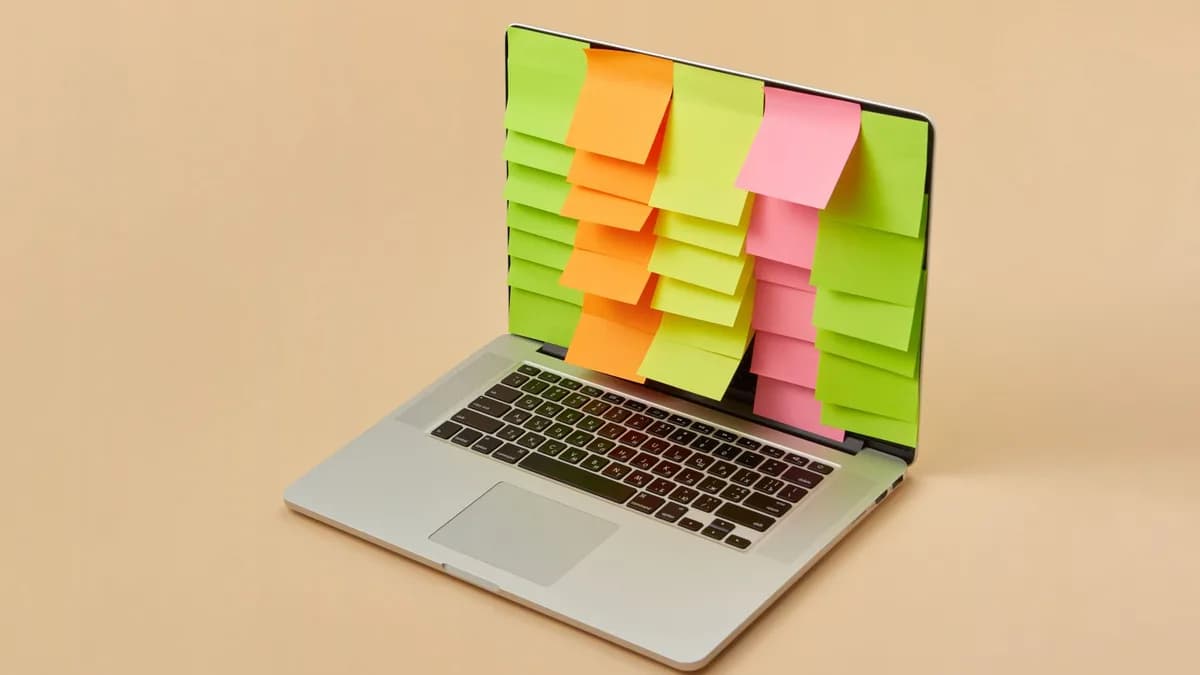
Marco Arment, the indie developer behind Overcast and Instapaper, just released an app that charges you $19.99 per year to harass you. Unforgetful, a new iOS and Mac reminders app, offers persistent, repeating notifications that will not stop until you complete the task. It's a focal point app for procrastinators who find Apple's native system, and their own habits, too easy to ignore, according to TechCrunch.
TechnologyAugust 14, 2026· 7 min read· By XOOMAR Insights Team
This $20 App Stalks Your To-Do List Until You Do It
Updated on August 14, 2026
XOOMAR Intelligence
Analyst Take
57/ 100
4 sources analyzedLow confidenceTrend10Freshness97Source Trust90Factual Grounding85Signal Cluster20
Arment himself described the core concept as "Reminders for ADHD." His frustration with Apple's system is specific: reminders without an alert can vanish, dismissed notifications do not return, and the snooze options are inflexible. He told Siri to create tasks, then never opened the Reminders app because, as he wrote, "There's nothing about it I like."
"Siri, for all of its faults, has always been very good at creating tasks in Apple's Reminders app... The Reminders app, though, doesn't fit me at all. I don't like how it looks, how it works, or how it's organized. Hell, I don't even like its icon. There's nothing about it I like. So I never open it."
The result is an app engineered for friction. It's a deliberate departure from the seamless, forgettable UX of modern notification systems.
Why Apple Reminders Disappear Into the Void
The failure of standard reminder apps isn't about a lack of features. It's about a mismatch between design intention and human psychology. Apple's Reminders, and most of its competitors, treat a notification as a gentle suggestion, a tap on the shoulder. The interaction is optimized for convenience and speed: a swipe dismisses it, often thoughtlessly.
This creates a critical gap. You can receive an alert to take medication or pay a bill, trigger a muscle memory swipe to clear your screen, and cognitively discard the task seconds later—the same fleeting permanence you find when digital assets can vanish, like when servers go dark and your purchased games disappear forever. The app registers "notification delivered," but your brain never registered "action required."
Unforgetful targets three specific design flaws Arment identified:
- Tasks without a time-based alert get lost in the list.
- A dismissed notification is gone forever.
- Fixed snooze intervals (like "15 minutes") don't adapt to your growing procrastination.
The core problem is dismissibility. We've trained ourselves to clear notifications reflexively, treating them as digital clutter rather than actionable commitments. An app that respects this reflex is an app that fails its most forgetful users.
The Unforgetful Mechanics of Relentless Accountability
So how does Unforgetful force a different behavior? It changes the fundamental contract of a reminder notification from "inform" to "insist."
Persistent Notifications: This is the cornerstone. Notifications repeat until the task is marked complete and deleted. Missing or dismissing a notification is no longer a terminal event; it's a temporary delay. The app ensures a forgotten reminder will literally come back to haunt you.
Intelligent Snoozing: Instead of fixed intervals, snooze times scale. The first snooze might be 15 minutes, the next an hour, then several hours. This acknowledges that if you're putting something off, you likely need more runway, not the same short, nagging cycle. The app also spaces out notifications when multiple tasks are due to avoid overwhelming the user, which can cause a freeze response.
Seamless Apple Integration: Crucially, Unforgetful isn't a new database. It works directly with your existing Apple Reminders data. You can still tell Siri to "remind me to call the dentist," and the task appears in Unforgetful. This eliminates migration friction and leverages Siri's strength while replacing Reminders' weak notification interface. You simply disable Apple Reminders' alerts and let Unforgetful handle them.
Deliberate Simplicity: The app contains no tags, folders, or complex views. Arment stripped away organizational layers that can ironically make tasks easier to lose. The philosophy is brutalist: here is your task, it is not done, you will be notified.
A Side-by-Side Comparison: Medication Reminder
The difference becomes stark in a concrete example. Let's track a daily medication reminder at 8:00 AM.
| Action | Standard Reminder App (e.g., Apple Reminders) | Unforgetful |
|---|---|---|
| 8:00 AM | Notification appears on lock screen. | Notification appears. |
| User Action | User, half-awake, swipes notification away while checking the time. | User swipes notification away. |
| 8:15 AM | Silence. The reminder is "completed" as far as the app knows. The task is lost. | A new notification appears. The snooze interval has scaled. |
| User Reality | User forgets to take medication. The system failed. | User is presented with a second chance. They can snooze again or, now more alert, open the app and mark the task done, stopping the cycle. |
| End State | Task remains incomplete, buried in an "Overdue" list the user never checks. | Task is either completed through direct action, or the user continues to receive escalating, spaced-out notifications until they deal with it. |
The standard app's workflow ends at the reflexive swipe. Unforgetful inserts a cognitive checkpoint. By returning, it forces a moment of conscious engagement: "I have seen this before. I must decide to do it or consciously delay it again." This transforms a passive alert into an active accountability tool, like having our earlier coverage on building a no-code AI customer service chatbot, the bot automates a task, while Unforgetful automates enforcement.
Friction as a Feature: Who This App Is For (And Who It's Not)
Marco Arment is trading convenience for certainty. This design philosophy makes Unforgetful a niche, targeted tool.
It is for:
- Self-identified procrastinators who acknowledge their reminders slip away.
- People with ADHD or similar focus challenges who benefit from external, persistent structure.
- Users who rely on Siri for entry but need a more aggressive management layer.
- Anyone who has ever said, "I got the reminder, but I swiped it away and forgot."
It is not for:
- Users who find Apple Reminders perfectly adequate.
- People who need project-level organization with tags, assignees, and subtasks.
- Anyone who views constant, repeating notifications as anxiety-inducing, not helpful.
- Users unwilling to pay a $19.99 annual subscription for a reminders overlay.
The app's value is directly proportional to the user's frustration with their own forgetfulness. It's a tool of constraint, chosen by someone who knows their future self will need a guardrail. It represents a different school of thought from the trend towards consolidated, all-in-one AI assistants, a direction evident in moves like the Microsoft Copilot super app consolidation. Where Copilot aims to be a universal helper, Unforgetful is a single-purpose enforcer.
The Quiet Rebellion Against Engagement-Optimized Design
Unforgetful represents a subtle but significant shift in personal tech philosophy. For years, app design has aimed to reduce friction for the company: make sharing easier, scrolling smoother, notifications more engaging to drive opens. This app introduces deliberate friction for the user's benefit.
It rejects the premise that a notification's job is merely to inform. Instead, it asserts that for critical tasks, a notification's job is to secure compliance. It's an interface that occasionally resists you, acting as a proxy for your more disciplined, future self.
The measure of success for such an app is inverted. You don't judge it by daily active users or session length. You judge it by negative space: the doctor's appointments you didn't miss, the bills you didn't forget to pay, the calls you didn't delay for weeks. Its goal is to be so effective it becomes boring, a silent background process that ensures your real-world tasks get done.
The forward-looking question isn't whether Unforgetful will dominate the reminders category. It won't. It's whether this philosophy of "beneficial friction" will find its way into other digital tools. As we offload more of our cognition to apps, we might need more of them to gently, stubbornly, push back.
Key Takeaways
- For users with ADHD or procrastination issues, persistent notifications could help ensure critical tasks (like paying bills or taking medication) don't fall through the cracks.
- It highlights a market gap: many standard reminder apps are designed for convenience over effectiveness, leaving users who need more forceful nudges underserved.
- As a paid app from a well-known indie developer, its success could inspire more niche, psychology-focused productivity tools that challenge big-platform defaults.
Unforgetful vs. Apple Reminders
| Feature | Unforgetful | Apple Reminders |
|---|---|---|
| Pricing | $19.99/year | Free |
| Notification persistence | Persistent, will not stop until task complete | Can be dismissed/swiped away |
| Snooze options | Engineered against snoozing/inflexible | Standard/inflexible |
| UX philosophy | Deliberate friction to combat forgetfulness | Seamless, gentle suggestion |
Sources

Written by
XOOMAR Insights Team
Research and Editorial Desk
The XOOMAR Insights Team pairs automated research with human editorial judgment. We track hundreds of sources across technology, fintech, trading, SaaS, and cybersecurity, cross-check the facts, and explain what happened, why it matters, and what to watch next. We do not just rewrite headlines. Every article is fact-checked and scored for reliability before it goes live, and we link back to the original sources so you can verify anything yourself.
Explore More Topics
Related Articles
 Technology
Apple Demands 15% Toll on Payments Outside Its Store
Apple has formally proposed charging a mandatory 15% commission on in-app purchases made via external payment links, a new fee designed to withstand legal chall
Aug 14, 20265 min
 Technology
Android Versus iPhone Decision in 2025
Choosing between Android and iPhone is no longer about hardware; it's about which smart ecosystem fits your digital life, tech comfort, and budget better in 202
Aug 13, 202613 min
 Technology
iPhone Arms Users With Weapon Against AI Deepfakes
Apple is building a cryptographic feature called Apple Reference Image to let iPhone users prove their photos are original camera shots, not AI-generated deepfa
Aug 13, 20268 min
 Technology
Microsoft Merges Copilot Apps in AI Super App Launch
Microsoft has merged its consumer and enterprise Copilot apps into one interface, taking the first concrete step toward launching an AI-powered 'super app' and
Aug 13, 20267 min
 Technology
Apple Splits iPhone 18 Launch, Delays Base Model Until 2027
Apple is fracturing its iconic September launch, planning to debut only iPhone 18 Pro models this fall and holding the standard iPhone 18 until 2027.
Aug 12, 20267 min
 SaaS & Tools
Pick Your Second Brain's Poison for 2026
Notion, Coda, and Obsidian offer radically different philosophies for managing your knowledge in 2026; the best choice depends entirely on whether you prioritiz
Aug 13, 202610 min
 Cybersecurity
Apple's Lock Screen Alert Warns iPhone Users of Spyware Attack
Apple has escalated its spyware warnings by sending high-confidence threat notifications directly to the lock screens of iPhones targeted by sophisticated, stat
Aug 14, 20266 min
 Fintech
Tariff Rebates Send $9.6 Billion to Apple, Nike
Corporate giants, led by Apple and Nike, are cashing billions in retroactive tariff refunds, creating an unexpected windfall while consumers get nothing.
Aug 13, 20267 min
 Technology
Servers Go Dark, Your Purchased Games Vanish Forever
Publishers treat games as disposable services you rent, not products you own, erasing them permanently when they're no longer profitable.
Aug 14, 20268 min
 Technology
French Court Torpedoes Macron's Social Media Ban for Minors
France's Constitutional Council struck down a landmark law that would have banned children under 15 from social media, ruling the blanket restriction violated c
Aug 14, 20264 min
Don't miss the signal
Get our weekly roundup of the stories that matter across tech, fintech, and trading. No noise, just signal.
Free forever. No spam. Unsubscribe anytime.