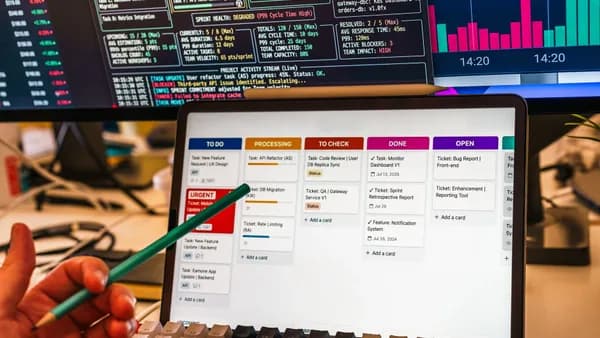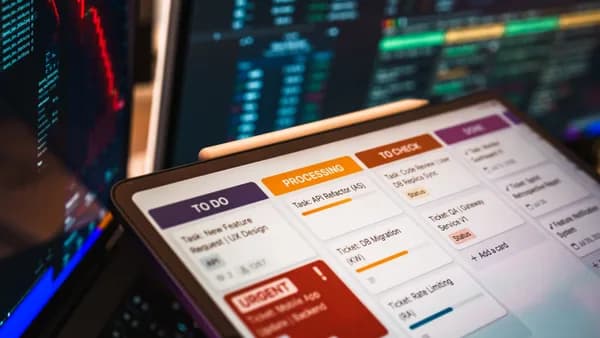
For today’s busy professional, a calendar is more than a simple ledger of appointments; it’s the central nervous system of productivity. Yet, managing this hub manually, juggling tasks, meetings, focus blocks, and shifting priorities, can devour hours each week, contributing to stress and burnout. This is where ai calendaring tools for professionals come in, transforming the static calendar into an active, intelligent partner. Powered by artificial intelligence, these next-generation platforms move beyond basic scheduling to automate prioritization, defend deep work, and connect your commitments to your actual workload, promising to reclaim control over your most valuable asset: time.
Analysis: How AI is Transforming Traditional Calendars into Productivity Hubs
A traditional calendar is a passive record. It shows where you need to be and when, but it lacks context about the what and why of your work. It doesn’t know if a meeting is more critical than a project deadline, if you’re over capacity, or if an email just triggered an urgent task. This gap is where work drifts and stress builds.
Studies from productivity researchers consistently put calendar management at 2-4 hours per week for knowledge workers, that’s finding time slots, coordinating across time zones, protecting focus blocks, and recovering from meeting creep.
Modern ai calendaring tools for professionals are engineered to close this gap. They add a layer of active intelligence, analyzing your schedule, workload, and priorities to make proactive recommendations and automatic adjustments. The core transformation happens across several dimensions:
- From Reactive to Proactive: Instead of you manually dragging tasks onto your calendar, AI can automatically schedule them based on priority, estimated duration, and deadlines. When a conflict arises, say, an urgent client call, the AI can reschedule lower-priority items rather than leaving you to untangle the mess.
- From Isolated to Integrated: These tools act as a bridge between your calendar and the rest of your work ecosystem. They can pull tasks from project managers like Asana or ClickUp, sync with Google Calendar and Outlook, and connect to communication platforms, reducing the cognitive load of context-switching between apps.
- From Scheduling to Planning: The goal shifts from merely booking time to creating a balanced, realistic plan for your day. AI can analyze your habits and workload to recommend not just when to meet, but when to focus, when to take breaks, and when to tackle your most demanding work.
- From Individual to Collaborative: For teams, AI transforms calendar coordination. It can optimize group schedules to maximize collective focus time, suggest meeting times that consider everyone’s priorities, and help balance workloads to prevent burnout.
The result is a transition from a calendar that records your commitments to a dynamic productivity hub that actively helps you manage them.
The AI Capability Spectrum: From Smart Scheduling to Predictive Insights
Not all ai calendaring tools for professionals are created equal. They exist on a spectrum, from tools that focus on one specific, powerful function to comprehensive platforms that aim to orchestrate your entire workday. Understanding these capabilities is key to finding the right fit.
| Capability | Description | Example Tools (per sources) |
|---|---|---|
| Smart Scheduling & Booking | Automates the logistics of finding and booking meeting times, often via shareable links. May include time-zone detection and basic buffer setting. | Calendly, Cal.com, Morgen |
| Focus Time & Habit Protection | Actively defends blocks of time for deep work or personal routines, automatically rescheduling them or declining conflicts based on priority rules. | Reclaim.ai, Clockwise, Morgen |
| Intelligent Task Scheduling | Automatically places tasks from integrated project/todo apps onto your calendar, adjusting durations and times based on deadlines and availability. | Motion, Reclaim.ai, Akiflow, Morgen |
| Predictive Insights & Rescheduling | Uses AI to analyze your schedule patterns, predict conflicts or overloads, and suggest or automatically make adjustments to optimize your week. | Motion, Reclaim.ai |
| Meeting Intelligence | Provides context before meetings (agendas, notes) and automates follow-up afterward (summaries, action item extraction). | Calendly (Notetaker), monday.com AI |
| Cross-Platform Work Integration | Connects calendar intelligence directly to project boards, dashboards, and workflow automations in a unified work platform. | monday.com’s AI Work Platform |
At the simpler end, tools like Calendly excel at one thing: making external scheduling frictionless. At the most complex end, a platform like Motion positions itself as an “AI Employee SuperApp,” seeking to take full control of your calendar by integrating task management, project planning, and AI-driven scheduling into one system. In the middle are versatile tools like Reclaim.ai, which add a powerful layer of automation and protection on top of the existing calendars professionals already use.
Deep Dive on Motion: The AI-Powered Project & Calendar Integrator
Motion represents the high-control, high-integration end of the ai calendaring tools for professionals spectrum. Its fundamental premise is distinct: you don't just get assistance; you delegate control. As the research notes, "Motion's AI doesn't assist your calendar. It runs your calendar."
Key AI Features & Mechanics:
- AI-Built Daily Schedules: You input tasks, deadlines, and project details, and Motion’s algorithm decides when you should work on what, automatically blocking time in your calendar.
- Auto-Rescheduling: When a new meeting is added or a deadline shifts, Motion instantly recalculates and reshuffles your entire schedule to accommodate the change while respecting priorities.
- Integrated Project Management: Motion is not just a calendar overlay; it incorporates task lists, project boards, and document collaboration, aiming to be a single app for planning and execution.
Who It's For: Motion is highlighted as the tool for professionals managing complex, multi-project workloads. It is best suited for those willing to fully commit their task and schedule management to an AI system and who have the time for the reported 2-4 week learning curve required for the AI to align with their working style.
Considerations & Drawbacks:
- Cost: At $19/user/month (annual) for the Pro AI tier, it is one of the more expensive options, with the Business AI tier at $29/user/month.
- Learning Curve: The setup is significant and requires consistent use to train the AI's understanding of your preferences.
- Mobile Experience: Independent reviews point out a weaker mobile app experience, which can be a limitation for on-the-go professionals.
"For users who actually get through the setup, Motion can be transformative. But the setup is significant, most reviewers consistently report a 2-4 week learning curve before the system's suggestions align with how you actually work."
Examination of Reclaim.ai: Automating Habits, Tasks & Buffer Time
Reclaim.ai takes a different approach, functioning as an intelligent layer on top of the calendars professionals already use, primarily Google Calendar and Outlook. Its philosophy centers on automated time blocking and priority-based defense of your schedule.
Key AI Features & Mechanics:
- Priority-Based Scheduling: You assign priority levels (P1-P4) to calendar events, including focus blocks, habits, and tasks. When a high-priority item needs a slot, Reclaim automatically moves lower-priority blocks.
- Habit & Buffer Automation: It can automatically schedule recurring personal routines (like workouts or reading) and enforce buffer time between meetings, adapting these blocks dynamically as your day changes.
- Smart 1:1 Rescheduling: If a recurring meeting is canceled, Reclaim can automatically find a new slot for both participants.
- Team Scheduling Tools: Features like Round Robin booking and templates help teams coordinate availability without constant back-and-forth.
Who It's For: Reclaim is consistently recommended for professionals and small teams who want to protect focus time and automate routine scheduling without adopting a completely new project management system. It’s ideal for those deeply invested in Google or Outlook ecosystems who feel their calendars are constantly overrun.
Considerations & Drawbacks:
- Platform Scope: It is purely a calendar optimization layer. It does not handle email triage, AI drafting, or complex project timelines.
- Integration Limits: While it integrates with task managers like Asana and Todoist, its core strength is within the calendar itself.
- Pricing: It offers a generous free tier (Lite) and a sweet-spot Starter plan at $10/user/month (annual).
The Evolution of Clockwise: Team Schedule Optimization with AI
Important Context: At the time of writing in early 2026, a significant shift has occurred. The research data states: "Clockwise, which was a fixture in most 2024-2025 scheduling comparisons, announced in early 2026 that its team is joining Salesforce. Service ended March 27, 2026."
Clockwise's legacy is important as it pioneered team-centric calendar AI. Its core feature was "Team Calendar Optimization," which used AI to intelligently move meetings (within set constraints) to create larger, contiguous blocks of focus time for entire teams. It also featured "Flexible Meetings" that could automatically find new times if members declined.
The Current Landscape: With Clockwise's service ended, its core value proposition of AI meeting moves for team optimization has been absorbed by other players. The research suggests that Reclaim.ai is the closest direct replacement, as both tools focused on calendar defense and intelligent rescheduling, though their underlying mechanics differed.
Niche Players: Tools for Specific Use Cases (e.g., Sales, Recruiting)
Beyond the broad-spectrum tools, several platforms cater to specific professional workflows by integrating AI calendaring with adjacent functions.
- NewMail AI: This tool is designed for professionals whose productivity is tied to their inbox. It combines AI calendaring tools for professionals with email management, offering daily briefings that summarize key emails and schedule changes, priority sorting, and meeting preparation insights. It’s positioned for executives, sales teams, and client-facing roles who need scheduling help to emerge directly from their email flow. Pricing starts with a free plan, with a Personal Assistant tier at $15/month.
- Cal.com / Cal.ai: Originally an open-source Calendly alternative, Cal.com has expanded into AI-powered booking. Its Cal.ai feature is a niche standout: a booking agent that handles inbound scheduling requests via natural language, either by phone or email, and books slots automatically. This is particularly useful for recruitment, sales hotlines, or executive assistance where scheduling happens via voice. Its commercial Teams plan starts at $12/user/month, with phone-based AI scheduling costing an additional $0.29 per minute.
- Akiflow & TimeHero: These tools focus on unifying the task-to-calendar flow. Akiflow is noted for its unified task inbox and drag-and-drop time blocking, appealing to individuals who manage tasks from many sources. TimeHero emphasizes auto task scheduling and workload balancing for teams, with broader integrations.
- monday.com’s AI Work Platform: For cross-functional teams where meetings are nodes in a larger project workflow, monday.com offers a different kind of solution. It’s not a personal calendar app but a work operating system where AI can connect meeting context, action items, and project dashboards. Its AI capabilities help summarize updates, surface risks, and turn decisions into trackable work, making it a powerful tool for connecting schedules to execution.
Potential Drawbacks: Privacy, Over-Scheduling, and Vendor Lock-in
Adopting any ai calendaring tools for professionals requires a careful consideration of potential trade-offs.
- Data Privacy & Security: These tools require extensive access to your calendar, email (in some cases), and connected work apps. It is crucial to review their data handling policies. Reputable tools like Morgen explicitly state commitments: "We will never share or sell your data." Others, like NewMail AI, emphasize being "privacy-focused" with no data stored for model training. Professionals in regulated industries must verify compliance standards like SOC 2 or HIPAA.
- Over-Automation & Lack of Control: The convenience of auto-scheduling can sometimes backfire. An AI might pack your day too efficiently, leaving no room for serendipity or creative thinking. Tools that offer transparency and user override, like Morgen's system of showing live recommendations for you to "accept or adapt", help mitigate this risk. The key is finding a tool that enhances, rather than completely replaces, your intentional planning.
- Vendor Lock-in & Discontinuation: The shutdown of Clockwise is a stark reminder that even popular tools can vanish. This risk is twofold: losing access to the service and the effort required to migrate to a new system. Choosing tools with strong export capabilities or considering open-source alternatives like Cal.diy (the open-source fork of Cal.com) can reduce this risk for technical teams.
- Integration Overload & Complexity: To be truly effective, these tools often require connecting multiple platforms (calendar, task manager, email, CRM). Setting up and maintaining these integrations adds initial overhead and creates more points of potential failure or security concern.
Actionable Framework: Auditing Your Scheduling Pain Points for an AI Tool Fit
Choosing the right tool starts with a clear assessment of your own workflow. Ask yourself these questions, grounded in the capabilities observed in the research:
What is my biggest calendar-related time sink?
- Is it scheduling external meetings (Look at Calendly, Cal.com)?
- Is it protecting time for deep work from internal invites (Look at Reclaim.ai, Motion)?
- Is it actually getting my to-do list onto my calendar (Look at Motion, Morgen, Akiflow)?
- Is it the chaotic disconnect between meeting notes and project next steps (Look at monday.com, Calendly Notetaker)?
What ecosystem am I already in?
- My team uses Google Workspace (All major tools integrate, but also consider Google Gemini's built-in "Help Me Schedule").
- My company runs on Microsoft Outlook/Teams (Verify strong Outlook support; Reclaim.ai added this in August 2025).
- My work lives in a specific project manager like Asana or ClickUp (Check for direct integrations with Reclaim.ai, Motion, Sunsama).
What is my tolerance for AI control vs. my need for automation?
- I want full delegation and am willing to learn a new system (Leans toward Motion).
- I want smart assistance and defense but will make final decisions (Leans toward Reclaim.ai, Morgen).
- I just want a better booking page (Leans toward Calendly, Cal.com).
What is my budget and scale?
- Just for me, starting free (Reclaim.ai Lite, Calendly Free, NewMail AI Free).
- For a small team, cost-conscious (Reclaim.ai Starter at $10/user/month, Cal.com Teams at $12/user/month).
- For complex individual or team workflows, budget available (Motion starting at $19/user/month, monday.com enterprise plans).
Looking Ahead: The Integrated, Proactive Calendar of 2026
The trajectory for ai calendaring tools for professionals points toward deeper integration and greater proactivity. We are moving beyond tools that merely react to changes and toward systems that anticipate them.
- Context-Aware Scheduling: Future tools will better understand the content of your work. Scheduling a "product review" will automatically pull in the relevant project brief, assign preparatory tasks, and block appropriate follow-up time.
- Cross-Platform AI Agents: The concept of an "AI employee," as seen in Motion or monday.com Agents, will expand. These agents will operate across your entire SaaS stack, not just your calendar, moving projects forward based on conversations in email, chat, and meetings.
- Predictive Workload Management: AI will not only schedule your current tasks but forecast future capacity crunches based on project timelines, meeting patterns, and historical work velocity, suggesting adjustments weeks in advance.
- Seamless Ambient Integration: The most powerful AI calendaring may become almost invisible, embedded within the platforms you already use, your email client, your project dashboard, your communication app, surfacing intelligent scheduling actions precisely at the moment of need.
The goal is no longer just an organized calendar, but a seamlessly orchestrated work life where the tool manages the logistics, allowing the professional to focus on the substance of their work.
FAQ
Which AI calendar tool works best with Google Calendar and Outlook? Most leading ai calendaring tools for professionals offer robust integrations. Reclaim.ai is explicitly noted for its strong support for both, having added full Outlook Calendar support in August 2025. Motion and Morgen also support syncing with Google, Outlook, and iCloud calendars into a single interface.
Is there a good free AI calendar tool? Yes, several tools offer functional free tiers. Reclaim.ai offers a Lite plan with 1 scheduling link and 1 habit. Calendly has a free plan for 1 event type. NewMail AI and Morgen also offer free plans with limitations, such as analyzing only the last 50 emails or offering core planning features.
What happened to Clockwise in 2026? According to the research, Clockwise discontinued its service on March 27, 2026, after its team joined Salesforce. For former users, Reclaim.ai is cited as the closest direct replacement in terms of functionality focused on team schedule optimization and focus time protection.
Can AI calendar tools automatically schedule my tasks from other apps? Yes, this is a core feature of several tools. Motion and Reclaim.ai can automatically pull tasks from integrations with apps like Asana, Todoist, ClickUp, and Jira and schedule them directly onto your calendar based on priority and deadlines.
Are AI scheduling tools safe with my confidential calendar data? Reputable tools prioritize security. When evaluating, look for explicit privacy policies. For example, Morgen states it "will never share or sell your data," and NewMail AI emphasizes being privacy-focused with no data used for model training. Enterprise-focused tools like Cal.com and monday.com offer SOC 2 compliance and other security features.
Bottom Line
The landscape of ai calendaring tools for professionals in 2026 is dynamic and specialized. For the individual professional seeking to automate habit tracking and defend focus time on a budget, Reclaim.ai ($10/month) stands out as a powerful and accessible choice. For those managing complex, multi-project workloads and willing to invest in a steep learning curve for total AI-driven orchestration, Motion ($19/month) is the comprehensive, if costly, solution. Teams needing deep integration between meeting outcomes and project execution may find their answer in a platform like monday.com. The key is to move beyond seeing these tools as mere scheduling assistants and to recognize them as intelligent systems designed to close the gap between your time and your priorities, finally making your calendar work for you, not against you.