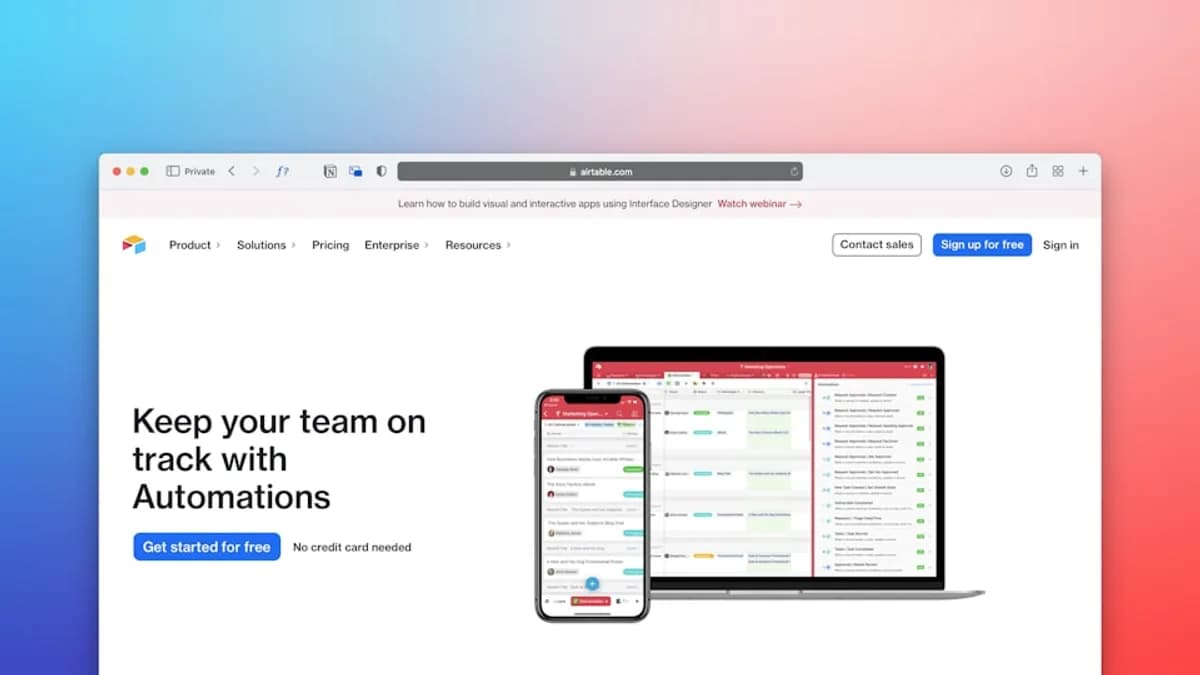
If you’re comparing Airtable vs SmartSuite operations platforms, the decision usually comes down to one question: do you need a flexible no-code database that can become a backend, or a business management workspace with more ready-made operational structure? Both tools help teams manage workflows, approvals, data, automations, and cross-functional processes without heavy development work—but they are not built around the same center of gravity.
XOOMAR Intelligence
Analyst Take
Airtable is widely described in the source data as a flexible database and backend builder with relational data, automations, multiple views, forms, APIs, and app-builder integrations. SmartSuite is positioned as a business management platform focused on internal workflows, project management, collaboration, data visualization, and pre-built operational solutions.
1. Airtable and SmartSuite: Core Differences
At a high level, Airtable is closer to a no-code database platform, while SmartSuite is closer to an internal operations and work management platform.
According to Adalo’s comparison, Airtable is “a flexible database and backend builder that organizes relational data and powers automations.” SmartSuite, by contrast, is described as “a business management platform focused on internal workflows and data visualization.”
Dupple’s 2026 comparison frames the difference similarly: Airtable “looks like a spreadsheet but acts like a database,” while SmartSuite “combines flexible databases, project management, automation, and collaboration in one workspace.”
Key takeaway: Airtable is stronger when your operations team needs a flexible data layer or backend. SmartSuite is stronger when your team wants structured internal workflow management with pre-built operational systems.
| Category | Airtable | SmartSuite |
|---|---|---|
| Core positioning | Flexible database and backend builder | Business management and work management platform |
| Best-known strength | Spreadsheet-like interface with linked records, views, API, and automations | Internal workflows, project management, templates, dashboards, and visualization |
| Common use cases from source data | Databases, backend logic, project management, app-builder backend, forms, synced workflows | Operations workflows, HR-style processes, multi-department collaboration, dashboards, task management |
| External app/backend use | Integrates with app builders like Adalo, Glide, and Bubble | Source data says SmartSuite supports internal tool building, not frontend app publishing |
| Market maturity | Founded in 2012; Dupple says it serves 500,000+ organizations, including 80% of the Fortune 100 | Founded in 2021; positioned as a newer alternative to Airtable, Monday.com, and ClickUp |
Both platforms are no-code tools. The source data states that teams do not need coding or technical skills to use either one, and both use an editor that feels familiar to spreadsheet users.
They also overlap in several important ways:
- Data organization: Both can store and manage business information such as financials, HR data, client history, and operational records.
- Templates: Adalo states that both Airtable and SmartSuite provide over 100 templates for use cases such as project management, CRM, and inventory management.
- Integrations: Both offer third-party integrations, with examples in the source data including QuickBooks, Slack, and Zapier.
- No-code workflow building: Both support automations, though the source data describes Airtable as more capable for complex database-driven workflows.
For teams evaluating Airtable vs SmartSuite operations software, the practical distinction is this: Airtable gives you more freedom to design a backend from scratch; SmartSuite gives you more ready-made structure for running internal business processes.
2. Database Design and Workflow Flexibility
Database design is one of the biggest differences between the two platforms.
Airtable is described as a tool for building relational databases—groups of data that can be linked together and manipulated in different ways. Dupple emphasizes features such as linked records, multiple views, formulas, and an API. Adalo says Airtable can be used to build relational databases and backend logic for nearly any kind of app.
SmartSuite also supports flexible databases and cross-solution linking, but the source data positions it more around operational workspaces, templates, project management, and internal workflows.
Airtable: Flexible Database and Backend Logic
Airtable’s strength is that it can start as a spreadsheet-like system and grow into a more structured data model.
Dupple highlights several Airtable advantages:
- Linked records: Airtable allows teams to connect related data across tables.
- Multiple views per table: The same data can be shown differently for different teams.
- Forms: Teams can build a form quickly, share the link, and collect entries directly into a base.
- API and webhooks: Dupple states that every Airtable base is automatically an API.
- Extensions ecosystem: Airtable supports scripting, page designer, chart blocks, and third-party integrations through Zapier and Make.
Adalo also notes that Airtable can create unlimited bases and can automate how data interacts with other databases or third-party apps.
This makes Airtable especially useful for operations teams that need to build custom systems such as:
- Approval databases: Requests, approvers, status fields, departments, and due dates.
- Vendor or client databases: Companies, contacts, contracts, renewals, and activity history.
- Project operations systems: Tasks, milestones, dependencies, stakeholders, and reporting views.
- App backends: Data structures connected to frontend tools such as Adalo, Glide, or Bubble.
However, Dupple also warns that Airtable is “not a relational database” in the full technical sense. It can model relationships well for many no-code use cases, but it does not provide full SQL-style joins and queries.
Important limitation: If your team needs full SQL semantics, Dupple’s comparison says Airtable is not a replacement for a real database.
SmartSuite: Structured Operational Workflows
SmartSuite’s source-backed advantage is operational structure.
Adalo describes SmartSuite as a business management platform that lets teams build solutions for many use cases. It is designed for teams dealing with repetitive workflows, difficult-to-manage data, and redundant tasks.
Dupple highlights SmartSuite’s strengths as:
- Pre-built solutions: 200+ templates for common workflows.
- Strong project management features: Dupple notes that this is rare for a database tool.
- Visual automation builder: No-code workflows for non-technical users.
- Cross-solution linking: Teams can relate data across different parts of the business.
- Lower price point at comparable feature levels: Dupple lists price point as SmartSuite’s top strength.
Additional search data from LowCode Agency describes SmartSuite as bringing together structured templates, dashboards, and business-ready features such as time tracking and task management. The same snippet says it is built for operations, HR, and multi-department collaboration.
| Workflow design factor | Airtable | SmartSuite |
|---|---|---|
| Best fit | Custom data models and backend-style workflows | Structured internal operations and work management |
| Database flexibility | Strong linked-record model and multiple views | Flexible databases with cross-solution linking |
| Starting point | Build from scratch or use templates | More emphasis on pre-built operational systems |
| App backend use | Source data supports Airtable as backend for tools like Adalo, Glide, and Bubble | Source data says SmartSuite is for internal tool building |
| Technical ceiling | Strong API and webhook support, but not full SQL | No-code workflow and project management focus |
For teams that want maximum modeling flexibility, Airtable has the edge. For teams that want to deploy structured workflows faster, SmartSuite may feel more operations-ready out of the box.
3. Automation Capabilities for Operations Teams
Automation is central to any no-code operations platform. Both Airtable and SmartSuite support workflow automation, but the source data describes their automation strengths differently.
Airtable is presented as more capable for data-driven automations across databases and tools. SmartSuite is presented as easier and more straightforward for common internal workflow automation.
Airtable Automation Strengths
Adalo says Airtable can automate how data interacts with other databases and automate data transfer from third-party apps into Airtable bases. It also says Airtable can gather information, sync it across several platforms, and perform complex task executions.
Airtable’s pricing details in the Adalo source include automation limits:
| Airtable tier from source data | Price listed by Adalo | Records per base | Monthly automations |
|---|---|---|---|
| Airtable lower paid tier | $24/month per user | 50,000 records per base | 25,000 monthly automations |
| Airtable higher paid tier | $54/month per user | 125,000 records per base | 100,000 monthly automations |
Dupple lists Airtable’s paid plans differently—as Free, $20/seat/month Team, and $45/seat/month Business—so buyers should verify current pricing and billing terms directly at the time of writing. However, the record limits are consistent with Dupple’s warning: 50K records on Team and 125K on Business can become limiting at scale.
Airtable’s automation strengths are especially relevant when operations teams need to:
- Sync multiple systems: Move or update data across several platforms.
- Trigger workflows from form submissions: Capture requests and route them into operational processes.
- Connect databases: Automate actions based on relationships between records.
- Use API-driven workflows: Build custom apps or processes on top of Airtable data.
SmartSuite Automation Strengths
SmartSuite also supports workflow automation. Adalo says teams can automate workflows in each “solution” with the push of a button, helping reduce repetitive tasks.
Dupple describes SmartSuite as having a visual automation builder for no-code workflows. This is useful for non-technical operations teams that want automations without building complex backend logic.
Adalo gives a practical example: if you only need to send follow-up emails after invoicing, SmartSuite may be a good fit because its workflow automations are more straightforward.
| Automation factor | Airtable | SmartSuite |
|---|---|---|
| Automation style | More database-driven and cross-platform | More straightforward internal workflow automation |
| Source-backed example | Sync data across platforms and automate complex task execution | Send follow-up emails after invoicing |
| Best for | Multi-source workflows and backend logic | Repetitive operational tasks |
| Automation builder | Airtable automations plus API/webhooks and extensions ecosystem | Visual automation builder for non-technical users |
| Limits mentioned in sources | 25,000 or 100,000 monthly automations depending on Airtable tier in Adalo source | No specific automation volume limits provided in source data |
For Airtable vs SmartSuite operations automation, the decision depends on complexity. Choose Airtable when data relationships, integrations, and backend-style logic matter more. Choose SmartSuite when the team wants easier internal workflow automation and less database architecture work.
4. Dashboards, Reporting, and Executive Visibility
Operations teams need more than raw data. They need dashboards, reports, and executive visibility into work status, bottlenecks, and priorities.
The source data gives SmartSuite a strong position in visualization and dashboards. Airtable also provides multiple views and dashboard-like capabilities through views and extensions, but the source data emphasizes its database flexibility more than executive reporting.
SmartSuite Reporting and Visualization
Adalo describes SmartSuite as focused on internal workflows and data visualization. It says SmartSuite includes an “enormous selection” of visualization tools, including:
- Gantt charts
- Dashboards
- Kanban views
- Many other visualization tools
Adalo also states that SmartSuite’s $28/month per user tier, billed monthly, provides better visualization tools such as Gantt charts and the ability to grant permissions.
This matters for operations teams that need visibility across:
- Project timelines
- Workload tracking
- Departmental processes
- Operational dashboards
- Cross-functional handoffs
The LowCode Agency search snippet also describes SmartSuite as combining structured templates, dashboards, and business-ready features for operations, HR, and multi-department collaboration.
Airtable Views and Reporting
Airtable’s visibility model is built around views. Dupple says one of Airtable’s major advantages is “multiple views per table,” allowing the same data to appear in different shapes for different teams.
That can replace many lightweight dashboards because operations, finance, leadership, and frontline teams can each use a view tailored to their needs.
Dupple also mentions Airtable’s ecosystem of extensions, including chart blocks and page designer. These can help teams build reporting surfaces around operational data, though the source data does not provide detailed dashboard specifications.
| Reporting need | Airtable | SmartSuite |
|---|---|---|
| Multiple operational views | Strong: multiple views per table | Strong: dashboards, Kanban, Gantt, and other visualizations |
| Executive dashboards | Possible through views/extensions; source data does not provide deep dashboard specs | Strong source emphasis on dashboards and visualization |
| Project timeline visibility | Not specifically detailed in source data | Gantt charts mentioned directly |
| Work management reporting | Available through custom bases and views | Built around internal workflows and project management |
| Best source-backed fit | Teams that want reporting tied to custom data models | Teams that want operational dashboards and visual workflow visibility sooner |
Practical read: Airtable can create strong operational visibility if your team designs the data model well. SmartSuite appears more dashboard-forward for teams that want ready-made internal reporting patterns.
5. Collaboration, Permissions, and Team Governance
For operations teams, collaboration and governance are not optional. A platform may work well for a small team but become risky if permissions, security, and data controls do not match the organization’s needs.
The source data gives SmartSuite more explicit security and governance details. Airtable’s strengths are more focused on collaboration through shared views, forms, bases, and ecosystem support.
SmartSuite Governance and Security
Adalo states that SmartSuite includes advanced security features such as:
- 2-factor authentication
- SOC Type 2
- HIPAA compliance
- Other security features for sensitive data
Adalo also notes that the $28/month per user SmartSuite tier provides the ability to grant permissions.
This makes SmartSuite relevant for operations teams managing sensitive internal data, such as HR information, finance records, client history, or private operational workflows.
Dupple also describes SmartSuite as a platform combining project management, automation, and collaboration in one workspace.
Airtable Collaboration and Governance
Airtable’s collaboration strengths come from its familiar spreadsheet-like interface, forms, multiple views, and shared database model. Dupple notes that spreadsheet users feel at home, which can reduce the learning curve for cross-functional teams.
Airtable also supports forms for data entry, allowing teams to collect entries directly into a base. That is useful for operations workflows such as intake requests, approvals, issue tracking, and cross-department submissions.
However, the source data provided does not list Airtable’s security certifications, permission tiers, or governance controls in detail. For that reason, a governance evaluation should be verified directly against Airtable’s current plan documentation at the time of writing.
| Governance factor | Airtable | SmartSuite |
|---|---|---|
| Ease of team adoption | Familiar spreadsheet-like interface | No-code business management workspace |
| Forms/intake | Forms can be created quickly and shared | Source data does not detail forms |
| Permissions | Source data does not provide detailed Airtable permission specs | Permissions mentioned at $28/month per user tier in Adalo source |
| Security details in source data | Not detailed in provided sources | 2-factor authentication, SOC Type 2, HIPAA compliance |
| Collaboration model | Bases, views, forms, records, extensions | Workspace combining databases, PM, automation, and collaboration |
For Airtable vs SmartSuite operations governance, SmartSuite has more explicit source-backed security claims in the provided research. Airtable may still be suitable for governed workflows, but the provided source data does not include enough detail to compare its security controls point by point.
6. Integrations With Business-Critical SaaS Tools
Both Airtable and SmartSuite support integrations, but Airtable’s ecosystem appears broader in the provided source data, especially for teams building on top of operational data.
Adalo says both platforms integrate with third-party tools such as QuickBooks, Slack, and Zapier. Dupple adds that Airtable supports third-party integrations through Zapier and Make and has strong API and webhook support.
GoodBusinessKit’s search snippet says SmartSuite integrates with third-party software including Salesforce, QuickBooks, and Microsoft Office.
Airtable Integrations
Airtable’s integration story is source-backed in three layers:
- Third-party automation platforms: Dupple mentions Zapier and Make.
- API and webhooks: Dupple says every base is automatically an API and highlights strong API and webhook support.
- App-builder integrations: Adalo says Airtable integrates with popular app builders such as Adalo, Glide, and Bubble.
That makes Airtable especially useful when operations data needs to power other systems.
Examples include:
- Client portals: Airtable as the backend for a frontend built with Adalo, Glide, or Bubble.
- Internal request systems: Forms and databases connected to automation tools.
- Data synchronization: Automations that move information between Airtable and other SaaS tools.
- Custom apps: Lightweight apps built on top of Airtable’s API.
SmartSuite Integrations
SmartSuite also supports integrations. Adalo says both SmartSuite and Airtable come with dozens of third-party integrations and specifically mentions QuickBooks, Slack, and Zapier as examples in the broader comparison.
The GoodBusinessKit search snippet adds Salesforce, QuickBooks, and Microsoft Office as SmartSuite integration examples.
SmartSuite’s integration value is strongest when those integrations support internal workflows rather than external-facing apps.
| Integration need | Airtable | SmartSuite |
|---|---|---|
| QuickBooks | Mentioned in source data | Mentioned in source data |
| Slack | Mentioned in source data | Mentioned in source data |
| Zapier | Mentioned in source data | Mentioned in source data |
| Make | Mentioned by Dupple for Airtable | Not mentioned in provided SmartSuite source data |
| Salesforce | Not listed in provided Airtable source data | Mentioned in GoodBusinessKit search snippet |
| Microsoft Office | Not listed in provided Airtable source data | Mentioned in GoodBusinessKit search snippet |
| App builders | Adalo, Glide, Bubble | Source data says SmartSuite only supports internal tool building |
| API/webhooks | Strong API and webhook support in Dupple source | Not detailed in provided source data |
If integrations are mostly about connecting internal business tools, both platforms may work. If integrations are about turning your operations database into a backend for apps, Airtable has stronger support in the provided data.
7. Pricing and Scalability for Growing Teams
Pricing is one of the most commercially important parts of the Airtable vs SmartSuite operations comparison—and also one area where the sources differ.
Because SaaS pricing changes frequently and billing terms can vary, treat the following as source-reported pricing at the time of writing and verify directly before purchase.
Source-Reported Pricing Comparison
| Platform | Source-reported pricing | Included limits or notes |
|---|---|---|
| SmartSuite | Adalo: starts at $12/month per user, billed monthly | Unlimited solutions with 5,000 rows of data each |
| SmartSuite | Adalo: $28/month per user, billed monthly | 50,000 rows of data per solution, better visualization tools such as Gantt charts, and permission granting |
| Airtable | Adalo: $24/month per user | 50,000 records per base and 25,000 monthly automations |
| Airtable | Adalo: $54/month per user | 125,000 records per base and 100,000 monthly automations |
| Airtable | Dupple: Free, $20/seat/month Team, $45/seat/month Business | Dupple also references 50K records on Team and 125K on Business |
| SmartSuite | Dupple: “Contact for pricing” and “No” free tier | This conflicts with Adalo’s listed monthly pricing, so buyers should verify current plan pages |
Adalo also states that Airtable provides a free version, while SmartSuite offers a limited 14-day free trial. Dupple lists Airtable as freemium and says SmartSuite has no free tier.
Scalability Considerations
Airtable’s scale limitations are more explicit in the source data. Dupple warns that record limits can hurt at scale: 50K records on Team and 125K on Business may sound large until a team imports a year of transactions. Dupple also says the Airtable UI can slow down above 50K records, with filters and views taking longer than expected.
Dupple also raises Airtable pricing concerns. It says that at $20–$45/editor/month, costs add up, and teams with 30+ editors may start asking whether a custom build would be cheaper. This is Dupple’s analysis, not a universal rule, but it is a useful warning for growing operations teams.
SmartSuite’s scalability details are more limited in the provided source data. Adalo gives row limits of 5,000 rows per solution on the starting tier and 50,000 rows per solution on the $28/month per user tier. Dupple identifies SmartSuite’s price point as a strength, saying it is cheaper than Airtable at comparable feature levels, but also says SmartSuite has a smaller community and some fields and integrations are still maturing.
| Scalability factor | Airtable | SmartSuite |
|---|---|---|
| Free option | Adalo and Dupple both indicate Airtable has a free/freemium option | Adalo says 14-day free trial; Dupple says no free tier |
| Data limits mentioned | 50,000 records per base on lower paid tier; 125,000 on higher tier | 5,000 rows per solution on starting tier; 50,000 rows per solution on higher tier |
| Automation limits mentioned | 25,000 or 100,000 monthly automations in Adalo source | No specific automation volume limits in provided sources |
| Performance warning | Dupple reports performance dips on large bases above 50K records | No specific performance benchmark in provided sources |
| Community/ecosystem | Larger ecosystem and more external content implied by Dupple | Smaller community than Airtable or Notion, according to Dupple |
| Procurement maturity | Dupple notes Airtable serves 500,000+ organizations | Dupple notes SmartSuite is a newer brand with less procurement recognition |
Pricing caution: The source data reports different Airtable and SmartSuite pricing details. For budget planning, use the source-reported numbers as a comparison baseline, then confirm current pricing, billing period, seat definitions, and limits directly with the vendors.
8. Which Platform Fits Your Operations Use Case?
The best no-code operations platform depends on what your team is trying to operationalize.
Airtable and SmartSuite can both manage workflows, data, and automations. The difference is whether your operations team needs a flexible backend-style database or a more structured business operations workspace.
Choose Airtable If Your Operations Team Needs a Flexible Backend
Airtable is the stronger fit when your team needs to design custom data relationships, connect multiple data sources, or power external-facing tools.
Choose Airtable if:
- You need relational data modeling: Airtable supports linked records and multiple views, making it useful for custom operations systems.
- You want to sync several data sources: Adalo specifically recommends Airtable when teams have several databases and need to connect them for automations and workflows.
- You need backend logic: Airtable is described as a backend and database builder.
- You want to connect data to a frontend: Adalo says Airtable integrates with app builders such as Adalo, Glide, and Bubble.
- You need API and webhook support: Dupple highlights Airtable’s strong API and webhook capabilities.
- Your team values a mature ecosystem: Dupple points to Airtable’s ecosystem of extensions, scripting, chart blocks, and integrations.
Airtable is especially compelling for operations teams building custom systems where the data model is the product: approval platforms, client portals, inventory systems, vendor databases, content operations, or service delivery workflows.
However, Airtable may become less attractive if record limits, large-base performance, or editor-seat costs become major issues.
Choose SmartSuite If Your Operations Team Wants Structured Internal Workflows
SmartSuite is the stronger fit when the goal is to run internal workflows with less setup and more business-ready structure.
Choose SmartSuite if:
- You want pre-built operational systems: Dupple says SmartSuite offers 200+ templates for common workflows.
- You need project management features: Dupple calls SmartSuite’s project management capabilities a strength.
- You want dashboards and visual work tracking: Adalo lists dashboards, Gantt charts, Kanban views, and many visualization tools.
- Your automations are straightforward: Adalo suggests SmartSuite for simpler workflow automations such as follow-up emails after invoicing.
- You manage sensitive internal data: Adalo lists 2-factor authentication, SOC Type 2, and HIPAA compliance for SmartSuite.
- Price point matters: Dupple identifies SmartSuite’s price point as cheaper than Airtable at comparable feature levels, while Adalo lists SmartSuite’s starter monthly price at $12/month per user compared with Airtable’s $24/month per user in that source.
SmartSuite is especially relevant for operations, HR, and multi-department collaboration when teams want structured templates, internal dashboards, task management, and workflow visibility without designing everything from scratch.
Its trade-offs, according to Dupple, include a smaller community than Airtable or Notion, a newer brand with less procurement recognition, some maturing fields and integrations, and less-polished mobile apps.
Quick Decision Table for Airtable vs SmartSuite Operations
| Your priority | Better fit based on source data | Why |
|---|---|---|
| Build a flexible no-code database | Airtable | Strong linked records, views, API, backend positioning |
| Run internal operations workflows quickly | SmartSuite | Pre-built solutions, project management, dashboards |
| Connect a database to a frontend app | Airtable | Integrates with Adalo, Glide, and Bubble |
| Use dashboards, Gantt, Kanban, and visual reporting | SmartSuite | Visualization tools are emphasized in source data |
| Use API and webhooks | Airtable | Dupple highlights strong API and webhook support |
| Handle simpler internal automations | SmartSuite | Adalo describes SmartSuite automations as more straightforward |
| Manage multiple data sources and backend logic | Airtable | Adalo recommends Airtable for syncing several databases |
| Prioritize source-reported lower starting monthly price | SmartSuite | Adalo lists SmartSuite from $12/month per user vs Airtable from $24/month per user |
| Minimize ecosystem risk | Airtable | Larger ecosystem and broader recognition in source data |
| Avoid Airtable record-limit concerns | SmartSuite may be worth evaluating | Dupple warns Airtable limits can hurt at scale |
Bottom Line
For Airtable vs SmartSuite operations, Airtable is the better fit when your team needs a flexible no-code database, backend logic, API support, app-builder integrations, and complex data relationships. It is especially strong for teams building custom operational systems that may later connect to external apps or portals.
SmartSuite is the better fit when your team wants a structured internal operations platform with pre-built templates, project management features, dashboards, Gantt charts, Kanban views, straightforward automations, and explicit source-backed security features such as 2-factor authentication, SOC Type 2, and HIPAA compliance.
Neither platform is universally better. Airtable offers more database and ecosystem flexibility, while SmartSuite offers more operational structure and, according to the source data, a lower entry price in at least one pricing comparison. The right choice depends on whether your operations team wants to build a custom system from flexible data primitives or deploy structured workflows faster.
FAQ
Is Airtable or SmartSuite better for operations teams?
Neither is universally better. Airtable is better suited to operations teams that need a flexible database, linked records, backend logic, API support, and app-builder integrations. SmartSuite is better suited to teams that want internal workflow management, dashboards, project management, templates, and straightforward automations.
Which is cheaper: Airtable or SmartSuite?
The provided sources differ, so pricing should be verified directly at the time of writing. Adalo lists SmartSuite starting at $12/month per user, billed monthly, and Airtable at $24/month per user. Dupple lists Airtable as freemium with $20/seat/month Team and $45/seat/month Business, while listing SmartSuite as “contact for pricing.”
Can SmartSuite replace Airtable?
For many internal workflow and operations use cases, SmartSuite may replace Airtable, especially where the team needs templates, dashboards, project management, and straightforward automations. However, Airtable is stronger in the provided source data for backend-style database use, API/webhook support, and connecting data to frontend app builders.
Can Airtable be used as an app backend?
Yes. Adalo describes Airtable as a flexible database and backend builder, and says it integrates with app builders such as Adalo, Glide, and Bubble. This makes Airtable a stronger fit when operations data needs to power a web or mobile frontend.
Does SmartSuite support dashboards and visual reporting?
Yes. Adalo states that SmartSuite includes visualization tools such as dashboards, Gantt charts, Kanban views, and many others. Its $28/month per user tier, according to Adalo, includes better visualization tools such as Gantt charts and permissions.
What are the main limitations of Airtable and SmartSuite?
Dupple identifies Airtable’s limitations as record limits, possible performance dips on large bases above 50K records, pricing concerns for larger editor teams, and the fact that Airtable is not a full relational database with SQL semantics. For SmartSuite, Dupple lists a smaller community than Airtable or Notion, newer brand recognition, some maturing fields and integrations, and mobile apps that are usable but less polished than desktop.
Sources & References
Content sourced and verified on June 9, 2026
- 1SmartSuite vs. Airtable
https://www.adalo.com/posts/smartsuite-vs-airtable/
- 2SmartSuite vs Airtable: Honest 2026 Comparison
https://dupple.com/compare/smartsuite-vs-airtable
- 3Airtable vs SmartSuite - 2026 Comparison - Software Advice
https://www.softwareadvice.com/project-management/airtable-profile/vs/smartsuite/
- 4Compare Airtable vs SmartSuite 2026 - Capterra
https://www.capterra.com/compare/146652-242046/Airtable-vs-SmartSuite
- 5Airtable vs SmartSuite | 14 Factors to Decide the Best One
https://www.lowcode.agency/blog/airtable-vs-smartsuite
- 6Airtable vs SmartSuite - Which is better? (Comparison)
https://goodbusinesskit.com/comparison/airtable/vs/smartsuite/

Written by
XOOMAR Insights Team
Research and Editorial Desk
The XOOMAR Insights Team pairs automated research with human editorial judgment. We track hundreds of sources across technology, fintech, trading, SaaS, and cybersecurity, cross-check the facts, and explain what happened, why it matters, and what to watch next. We do not just rewrite headlines. Every article is fact-checked and scored for reliability before it goes live, and we link back to the original sources so you can verify anything yourself.