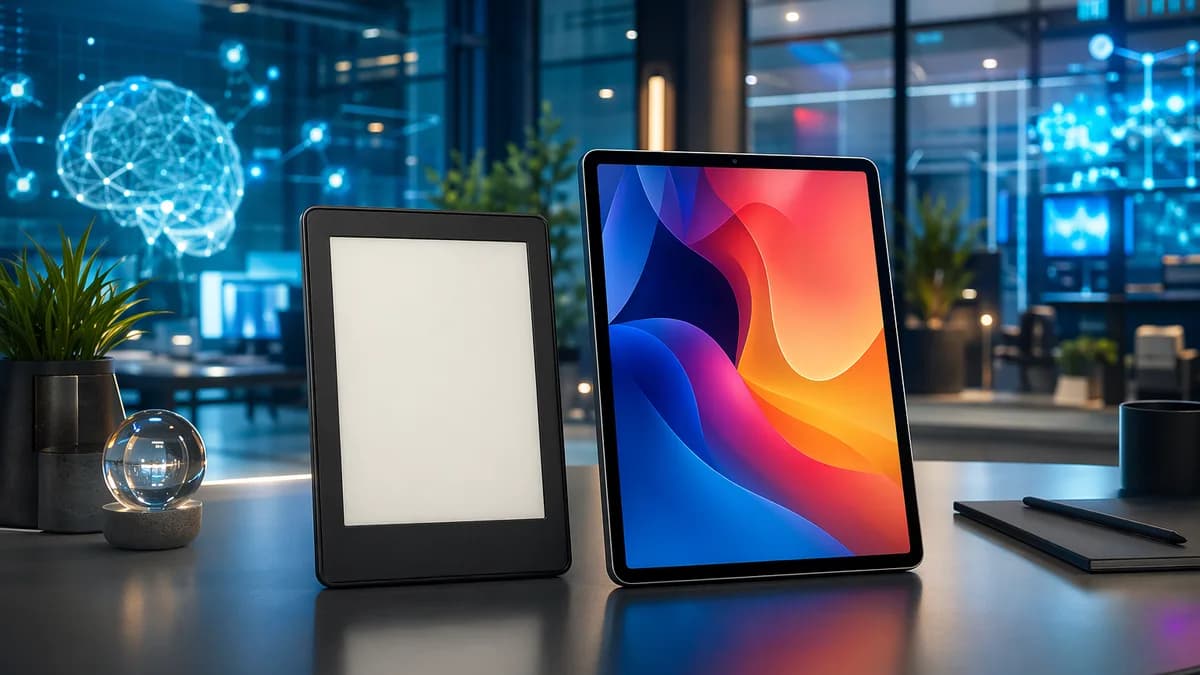
Choosing e reader vs tablet is mostly a question of what you read, where you read, and whether you want a dedicated book device or a small computer that also handles books. The research is consistent: e-readers are better for focused, long-form reading, while tablets are better for color, apps, PDFs, media, and multitasking.
The right choice changes if you mainly read novels, textbooks, manga, comics, magazines, research papers, or library books. Below is a practical comparison grounded in the source data, including screen comfort, battery life, file support, app ecosystems, accessories, and total value.
1. E-Reader vs Tablet: Quick Comparison
For most buyers, the e reader vs tablet decision comes down to one trade-off: e-readers are specialized reading devices, while tablets are versatile general-purpose devices.
E-readers typically use E Ink displays designed to look more like paper. Tablets typically use LCD or OLED displays that are brighter, more colorful, and better for video, apps, comics, and magazines.
| Category | E-Reader | Tablet |
|---|---|---|
| Best for | Novels, long reading sessions, distraction-free reading | PDFs, comics, magazines, apps, video, browsing, productivity |
| Screen type | Usually E Ink, paper-like, often black-and-white | Usually LCD or OLED, full-color and vibrant |
| Eye comfort | Better for extended reading and direct sunlight | Can be harder on the eyes during long sessions |
| Battery life | Commonly two to four weeks on a charge; some sources describe weeks or months depending on use | Often around eight to 12 hours, depending on usage |
| Portability | Usually smaller and lighter | Larger and heavier, but more versatile |
| Screen size | Usually six to eight inches | Typically eight to 13 inches or more |
| Storage | Often lower, but 8GB can hold thousands of books; some models offer 32GB | Often starts around 32GB to 128GB; some models offer much more |
| Color content | Limited unless using color E Ink, which has trade-offs | Strong choice for comics, magazines, images, and video |
| Apps | Limited on standard models; Android e-readers offer more | Broad app support through iPadOS, Android, or ChromeOS |
| Price range cited in sources | About $50 to $300 | Entry-level around $100; high-end models can exceed $1,000 |
| Distractions | Minimal | Notifications, apps, games, social media, video |
Key takeaway: If you want the closest digital equivalent to a paper book, buy an e-reader. If you want one device that can read books, browse the web, stream video, run apps, and handle work, buy a tablet.
There is also a middle category: e-ink notepads such as ReMarkable-style devices or some Onyx Boox models. Source data describes them as useful for notes, PDFs, documents, and annotation, but they are not always as straightforward for ebook stores as Kindle or Kobo e-readers.
2. Reading Comfort and Eye Strain
Reading comfort is where e-readers usually win. Multiple sources emphasize that e-readers use E Ink displays that mimic the look of paper and are easier to read for long sessions, especially outdoors.
Why E Ink feels more like paper
Most e-readers use E Ink displays, which do not behave like typical tablet screens. How-To Geek notes that E Ink uses power mainly when changing what is on the screen, rather than constantly sustaining a bright image. Best Buy’s comparison describes many e-readers as black-and-white, non-backlit or gently front-lit, and designed to reduce eye strain during extended reading.
This matters most if you read for hours at a time. Several reader discussions in the source data echo the same experience: people who own both a tablet and an e-reader often prefer the e-reader for long reading because it gives their eyes a break from LCD screens and backlights.
Tablets are brighter and more colorful, but not always more comfortable
Tablets use LCD or OLED screens. These displays are excellent for vibrant visuals, streaming, games, photos, comics, and magazines. But the same brightness and color that make a tablet engaging can make it less comfortable for long reading sessions.
PC Guide states that tablets’ LCD and OLED displays offer full color and multimedia support, but eye strain may be greater after staring at a tablet screen for long periods. Best Buy similarly notes that tablet screens are vibrant and colorful, but not as comfortable for long stretches of reading and more prone to glare outdoors.
| Reading Environment | Better Choice | Why |
|---|---|---|
| Direct sunlight | E-reader | E Ink remains readable in bright light; tablets can suffer from glare |
| Long novel sessions | E-reader | Paper-like display and lighter body improve comfort |
| Bedtime reading | Depends | E-reader is less distracting; OLED tablets can be comfortable for some users with dark mode |
| Color-heavy reading | Tablet | Full-color LCD/OLED is better for images, comics, magazines |
| Short casual reading | Either | A phone or tablet may be enough if you only read briefly |
OLED nuance: not all tablet screens behave the same
One source discussion points out that OLED is not backlit in the same way LCD is. OLED pixels emit their own light, so black backgrounds can remain truly black, and gray text can emit less light at night. That can make OLED more comfortable for some readers than older LCD screens.
However, another user discussion notes that some people are sensitive to PWM flickering, a dimming method where a screen flashes on and off very quickly. The source frames this as user-dependent, so it should not be treated as universal. If you are sensitive to screen flicker or headaches from displays, test a device before committing if possible.
Practical rule: If screen comfort is your top priority, especially for daytime or outdoor reading, an e-reader is the safer choice. If color and media matter more, a tablet’s screen is more useful.
3. Battery Life and Portability
Battery life is one of the clearest differences in the e reader vs tablet comparison.
E-readers use low-power E Ink screens and usually do far less in the background than tablets. Best Buy reports that many e-readers last two to four weeks on a single charge. How-To Geek describes e-reader battery life as lasting weeks or months, depending on device and usage.
Tablets, by contrast, usually need more frequent charging. Best Buy gives a typical range of eight to 12 hours, depending on usage, though it notes premium tablets may last longer. PC Guide says tablets may last from hours to a day or two depending on usage.
Battery life comparison
| Device Type | Battery Life Cited in Sources | Why |
|---|---|---|
| E-reader | Two to four weeks commonly; sometimes described as weeks or months | E Ink uses very little power and changes only when the page changes |
| Tablet | Usually eight to 12 hours, depending on usage | Color screens, apps, wireless radios, video, and multitasking consume more power |
| E-ink notepad | Longer than regular tablets, but sometimes not as long as average e-readers | E Ink helps, but note-taking and larger screens may use more power |
Portability and weight
Sources consistently describe e-readers as smaller and lighter than tablets. Best Buy says e-readers usually range from six to eight inches, making them compact and easy to hold in one hand. That is helpful for bedtime reading, commuting, travel, or reading while standing.
Tablets typically range from eight to 13 inches or more. That extra space helps with multitasking, PDFs, textbooks, magazines, and video, but it also makes tablets less comfortable to hold for long reading sessions.
Portability trade-offs:
- E-reader: Better for one-handed reading, travel, beach reading, commuting, and long sessions.
- Tablet: Better when you need a larger screen for PDFs, split-screen work, streaming, or productivity.
- Phone: How-To Geek notes that your smartphone may already work as a capable ebook reader, especially if you only read in short sessions and do not want another device.
Some e-readers are also waterproof, according to How-To Geek, making them useful for poolside or beach reading. The source specifically warns not to treat an iPad the same way.
4. Best Device for Novels and Long Reading Sessions
For novels, literary nonfiction, fanfiction, and other text-first content, an e-reader is usually the better device.
The reason is not just the screen. E-readers are designed around the reading experience: page turning, font adjustment, dictionaries, long battery life, and fewer distractions. Best Buy highlights the distraction-free nature of e-readers: no notifications, no video streaming, and less temptation to check social media.
Why e-readers are better for books
E-readers are strongest when the content is mostly text. They offer a paper-like display, long battery life, and a smaller body that is easier to hold for hours.
Common reading-focused benefits from the sources include:
- Eye Comfort: E Ink is easier on the eyes for extended reading than typical tablet screens.
- Sunlight Readability: E-readers remain readable in direct sunlight.
- Battery Life: Many last weeks on one charge.
- Portability: Six- to eight-inch models are easy to carry and hold.
- Focus: Standard e-readers do not encourage multitasking.
- Adjustable Text: E-readers allow font and text-size adjustments, which can help readers with vision challenges.
- Library Size: Even 8GB can hold thousands of books, according to Best Buy.
A community discussion in the source data sums up the common sentiment: if you want a device specifically for reading, an e-reader is the obvious choice; if you want to do other things too, a tablet becomes more attractive.
When a tablet is still fine for novels
A tablet can absolutely read ebooks. You can use apps such as Kindle or Kobo apps, depending on your library and ecosystem. A tablet also makes sense if you already own one and only read occasionally.
How-To Geek makes a practical point: if you can only buy one device, a tablet may be the more logical and economical choice because it can do many things an e-reader cannot. It can browse the web, check email, watch videos, run apps, and still read ebooks.
| Reader Type | Best Choice | Reason |
|---|---|---|
| Reads novels for hours daily | E-reader | More comfortable display, lighter body, longer battery |
| Reads a few pages before bed | Either | Tablet or phone may be enough |
| Wants no notifications | E-reader | More focused, less distracting |
| Wants one device for everything | Tablet | Broader app and media support |
| Reads outdoors often | E-reader | Better sunlight readability |
Best for novels: Choose an e-reader if your main goal is reading books. Choose a tablet if reading is only one of many things you want the device to do.
5. Best Device for PDFs, Textbooks, and Research
PDFs, textbooks, and research documents are more complicated than novels. They often require larger screens, fixed layouts, diagrams, tables, highlights, notes, citations, and sometimes color.
This is where tablets and e-ink notepads become more compelling.
Standard e-readers can handle PDFs, but with limitations
Sources note that many modern e-readers support PDF viewing, document uploads, and even note-taking on some models. Best Buy specifically mentions the Kobo Elipsa 2E as an e-reader that supports stylus annotation. It also mentions the Kindle Scribe as an e-reader with stylus support.
However, XDA’s comparison warns that PDFs on Kindle or Kobo can have “wonky” formatting depending on how the PDF is laid out. That is a common issue with fixed-page documents on smaller screens. A six-inch e-reader may be excellent for novels but frustrating for dense academic PDFs.
Tablets are strong for PDFs and research workflows
Tablets have larger color screens, broad app compatibility, and stronger multitasking. Best Buy notes that iPads, Samsung Galaxy Tabs, Android tablets, and ChromeOS tablets can support tools such as Google Workspace, Microsoft Office, and Zoom, plus split-screen multitasking.
For students and professionals, this matters. A tablet can open a PDF, take notes, search the web, attend a video meeting, and draft a document with a Bluetooth keyboard. Devices such as the Apple iPad with Apple Pencil or Samsung Galaxy Tab S9 with S Pen are cited as strong note-taking options.
E-ink notepads are a useful middle ground
XDA’s source data argues that e-ink notepads are often best for PDFs, textbooks, documents, and note-taking. They combine the eye comfort of E Ink with larger writing surfaces and annotation features.
However, they may not be as convenient for ebook stores. For example, the source notes that ReMarkable tablets do not directly connect to ebook marketplaces at the time of writing, while Boox e-ink tablets can access the Google Play Store, making apps like Kindle or Kobo possible.
| Use Case | Best Device | Why |
|---|---|---|
| Simple PDF reading | Tablet or larger e-reader | Larger screens help with fixed layouts |
| Annotating research papers | Tablet or e-ink notepad | Stylus support and note tools matter |
| Academic textbooks | Tablet or e-ink notepad | Color, diagrams, and screen size are useful |
| Long document reading with eye comfort | E-ink notepad | Combines E Ink with document annotation |
| Full student workflow | Tablet | Apps, multitasking, keyboard support, video calls |
Bottom line for PDFs: A standard e-reader is best only for simpler documents or occasional PDF use. For textbooks, research, and heavy annotation, a tablet or e-ink notepad is usually more practical.
6. Best Device for Comics, Magazines, and Color Content
For comics, graphic novels, magazines, art books, and image-heavy content, tablets usually win.
The reason is straightforward: tablets have full-color LCD or OLED screens, larger display options, and faster refresh rates. PC Guide specifically notes that tablets are better for graphic novels because of their full-color multimedia displays.
Why tablets are better for comics and magazines
Comics and magazines benefit from color, size, and responsiveness. E-readers are commonly black-and-white, and even when color E Ink is available, the source data describes it as not yet as affordable as black-and-white models.
Community comments in the source data also point out that e-readers can feel slow due to refreshes and response time. That may not matter much for novels, but it can affect manga, comics, magazines, and anything involving zooming or panning.
| Content Type | Better Choice | Reason |
|---|---|---|
| Western comics | Tablet | Color, larger screen, faster navigation |
| Magazines | Tablet | Full-color layouts and images |
| Graphic novels | Tablet | Better visual presentation |
| Manga | Larger e-reader or tablet | A source discussion suggests bigger than 7 inches, preferably larger, for manga |
| Black-and-white text-heavy books | E-reader | More comfortable and efficient |
What about color E Ink?
How-To Geek notes that color E Ink is becoming available, but also says it may take time before it is as affordable as black-and-white models. Reddit discussion also describes some e-readers as existing in a “monochrome or pastel” world, with slower response and refresh behavior.
So if your priority is rich color, a tablet is still the safer choice at the time of writing. If you mostly read black-and-white manga and want eye comfort, a larger e-reader can work, but screen size matters.
Best for comics and magazines: Choose a tablet unless you specifically prefer black-and-white manga on a larger e-reader.
7. App Support, File Formats, and Ecosystems
Ecosystem is a major factor in the e reader vs tablet decision. It affects where you buy books, how you borrow library books, which files you can open, and whether you can use multiple reading apps.
E-reader ecosystems: Kindle, Kobo, and others
Best Buy highlights Kobo and Kindle as major e-reader ecosystems. The right one depends partly on where you get books.
| Ecosystem | Source-Confirmed Strengths | Source-Confirmed Limitations |
|---|---|---|
| Kobo | Supports EPUB files; integrates with OverDrive in Canada for library borrowing; Kobo e-readers allow importing/exporting ebooks at the time of writing | Kobo app may be limited to books purchased from the Kobo store, according to XDA |
| Kindle | Access to Kindle store, Kindle Unlimited, and audiobooks | Does not support EPUB natively, according to Best Buy; Kindle ebooks can be read on Kindle e-readers or Kindle app at the time of writing |
| Android e-readers such as Onyx Boox, Meebook, Bigme, iReader | Can run Android apps, depending on model; useful for multiple reading platforms | Reddit discussion notes many run older Android versions, so newer apps may not work well |
| Boox devices | Source discussion mentions Kindle app, Libby, NeoReader, unusual formats like Mobi and Doc(x), syncing annotations across some Boox devices | Battery life may not match simpler dedicated readers |
Tablet app support is broader
Tablets run full operating systems such as iPadOS, Android, or ChromeOS. Best Buy notes they provide access to thousands of apps. That means you can install reading apps, cloud storage, note-taking apps, email, browsers, video apps, office suites, and communication tools.
This broad app support makes tablets better for people who read across multiple services. It also makes tablets better for students and professionals who need documents, research, video calls, note-taking, and productivity in one place.
File formats and workflows
The source data gives several format-related examples:
- EPUB: Kobo supports EPUB files.
- Kindle: Kindle does not support EPUB natively, according to Best Buy.
- PDF: Both e-readers and tablets can open PDFs, but formatting on smaller e-readers can be awkward.
- Mobi and Doc(x): A Reddit user describes using Boox NeoReader for formats such as Mobi and Doc(x).
- Library apps: Libby is mentioned as usable on Android-based e-readers; OverDrive integration is highlighted for Kobo in Canada.
Distraction vs flexibility
This is the ecosystem trade-off in one sentence: e-readers reduce distractions, while tablets maximize access.
Choose an e-reader if:
- Focus: You want a dedicated book device.
- Library: You mainly use one ebook ecosystem.
- Comfort: You care more about E Ink than apps.
- Battery: You want weeks of reading per charge.
Choose a tablet if:
- Apps: You need Kindle, Kobo, Libby, web, email, notes, and office apps together.
- Color: You read comics, PDFs, textbooks, or magazines.
- Multitasking: You want split-screen research and productivity.
- Media: You also stream video, browse, game, or video chat.
8. Cost of Ownership and Accessories
Upfront price is not the whole story. You also need to think about accessories, storage, ecosystem lock-in, and whether the device replaces something else.
Device price ranges
PC Guide gives the clearest pricing ranges in the source data:
| Device Type | Price Range Cited |
|---|---|
| E-readers | About $50 to $300, depending on brand, model, and features |
| Tablets | Entry-level models can start around $100; high-end models can exceed $1,000 |
E-readers are generally more affordable if your only goal is reading. Tablets can cost far more, but they may replace or reduce the need for other devices, especially if you use one for school, work, video, browsing, and notes.
Storage value
Storage needs differ sharply.
Best Buy notes that an e-reader with 8GB can typically hold thousands of books. Some e-readers offer 32GB or cloud syncing, especially for audiobooks and PDFs.
Tablets usually start with more storage, commonly 32GB to 128GB according to Best Buy, and PC Guide notes some tablet models can offer up to 1TB or more. Best Buy also says a typical 64GB tablet can store several thousand ebooks, dozens of videos, thousands of photos, and hundreds of apps.
| Storage Need | E-Reader | Tablet |
|---|---|---|
| Thousands of text ebooks | Good even at 8GB | Also good |
| Audiobooks and PDFs | Better with 32GB or cloud support | Usually easier due to more storage |
| Movies, photos, games, apps | Not ideal | Strong fit |
| Large research library | Depends on PDF size and model | Better for storage and apps |
Accessories
Accessories can change the total cost and the type of work you can do.
Source-mentioned accessories and add-ons include:
- Stylus: Used with devices such as Kobo Elipsa 2E, Kindle Scribe, Apple iPad with Apple Pencil, and Samsung Galaxy Tab S9 with S Pen.
- Bluetooth Keyboard: Best Buy notes that adding a Bluetooth keyboard can make tablets useful for essays, presentations, and research.
- Durable Case: Kids’ tablets such as Amazon Fire HD Kids are described as coming with durable cases, parental controls, and preloaded educational content.
- 2-in-1 Keyboard Modes: Devices such as Lenovo Yoga, HP x360, and Microsoft Surface are cited as convertible options that can switch between touchscreen and keyboard modes.
Cost of distraction
There is also a non-financial cost: attention. E-readers are intentionally limited. For many readers, that limitation is a feature.
A tablet offers more value if you use its apps and media features. But if those features keep pulling you away from books, the cheaper dedicated device may deliver better reading value.
Value rule: The best-value device is not always the cheapest one. It is the one that matches your actual reading habits without forcing constant compromises.
9. Which One Should You Buy?
Here is the practical buying advice.
Buy an e-reader if you mainly read books
Choose an e-reader if your reading life is mostly novels, nonfiction, memoirs, fanfiction, or other text-first content. It is also the better pick if you read outdoors, travel often, or want to avoid notifications.
Best fit for:
- Long Reading: You read for hours at a time.
- Outdoor Use: You read in sunlight, at the beach, or while commuting.
- Battery Freedom: You want weeks between charges.
- Focus: You want a device that does not tempt you with apps.
- Portability: You want a small, light device for one-handed reading.
- Library Borrowing: You value Kobo’s OverDrive integration in Canada or similar library workflows.
Buy a tablet if you want one device for everything
Choose a tablet if you want one portable screen for reading, browsing, streaming, email, video calls, games, productivity, PDFs, notes, and comics.
Best fit for:
- PDFs and Textbooks: You need larger screens, color, and annotation.
- Comics and Magazines: You want rich color and fast navigation.
- Apps: You use multiple ebook apps and productivity tools.
- School or Work: You need Google Workspace, Microsoft Office, Zoom, or split-screen multitasking.
- Media: You stream, browse, game, or video chat.
- Accessories: You want a stylus, keyboard, or advanced note-taking setup.
Consider an e-ink notepad if PDFs and notes matter most
If your priority is research papers, class notes, handwritten annotations, and document review, an e-ink notepad may be the better middle option. XDA’s analysis frames e-ink notepads as best for note-taking and PDF/document work, while e-readers are best for books and tablets are best for drawing or all-in-one entertainment.
Best fit for:
- Research: You read long PDFs and want less eye fatigue.
- Annotation: You mark up documents with a stylus.
- Focus: You want fewer distractions than a tablet.
- Notes: You want a digital notebook feel.
Featured-snippet answer: e-reader vs tablet
An e-reader is better for long-form book reading because it has a paper-like E Ink screen, better sunlight readability, longer battery life, and fewer distractions. A tablet is better for PDFs, textbooks, comics, magazines, apps, video, and productivity because it has a larger color screen and broader app support.
Bottom Line
In the e reader vs tablet debate, there is no universal winner. There is only the better device for your reading habits.
An e-reader is the stronger choice for novels and long reading sessions because it is lighter, more comfortable, easier to read in sunlight, and can last weeks on a charge. A tablet is the stronger choice for PDFs, textbooks, comics, magazines, color content, productivity, and app flexibility.
If you can only buy one device and need it for more than books, a tablet is the more versatile purchase. But if you are buying specifically to read more books with fewer distractions, an e-reader is the more purpose-built tool.
FAQ
Is an e-reader better than a tablet for reading books?
Yes, for long-form book reading, an e-reader is usually better. Sources consistently point to E Ink displays, lighter bodies, better sunlight readability, longer battery life, and fewer distractions as advantages for novels and text-heavy books.
Is a tablet better for PDFs than an e-reader?
Often, yes. Tablets usually have larger color screens, stronger annotation apps, and better multitasking. Some e-readers support PDFs and stylus annotation, such as the Kobo Elipsa 2E and Kindle Scribe, but smaller e-reader screens can make fixed-layout PDFs awkward.
Are e-readers better for your eyes?
The source data says e-readers are generally easier on the eyes for extended reading because E Ink mimics paper and avoids the same bright-screen experience as LCD tablets. Tablets can still be comfortable for short reading, and OLED screens may work well for some people, especially with dark backgrounds.
Which is better for comics and magazines?
A tablet is usually better for comics, magazines, and graphic novels. Tablets offer full color, larger screens, and faster navigation. E-readers can work for black-and-white manga, especially larger models, but color and refresh limitations make tablets the stronger choice for visual content.
Do e-readers support apps like tablets?
Standard e-readers usually have limited app support. Android-based e-readers, such as some Onyx Boox, Meebook, Bigme, or iReader devices, can run apps, but source discussions note that some may use older Android versions and may not support every newer app. Tablets offer much broader app compatibility.
Which is cheaper: an e-reader or a tablet?
According to PC Guide’s cited ranges, e-readers generally cost about $50 to $300, while tablets can start around $100 and high-end models can exceed $1,000. E-readers are usually cheaper if you only need a reading device, while tablets may offer better value if you also need apps, media, school, or work features.