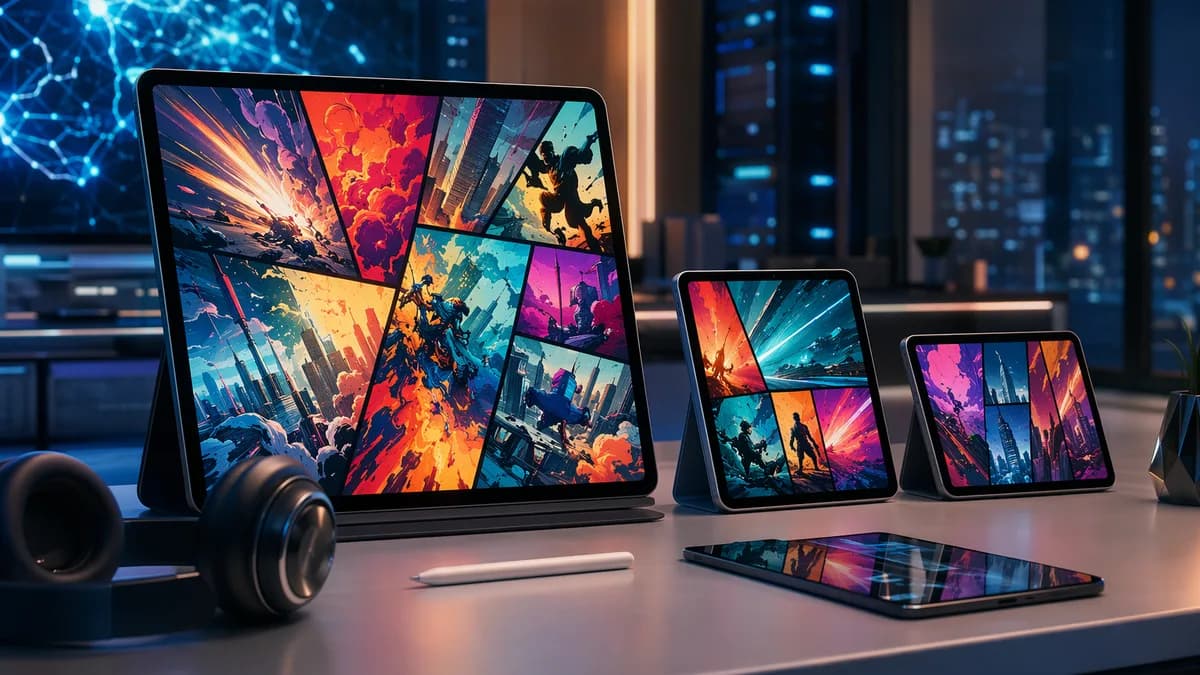
If you are shopping for the best tablets for reading comics, focus less on raw processor specs and more on the reading experience: screen size, color quality, contrast, app support, storage, and how comfortable the device feels after an hour of reading. Comics, manga, graphic novels, manhwa, and digital magazines all ask more from a tablet than plain ebooks do.
XOOMAR Intelligence
Analyst Take
The strongest choices in the source data cluster around 10–11-inch tablets for most readers, 8–9-inch tablets for portable manga reading, and 12–14.6-inch tablets for premium full-page art. OLED and AMOLED displays are excellent for contrast-heavy comics, while good LCD tablets can still be practical, cheaper, and easier to justify.
1. What Makes a Tablet Good for Comics and Magazines?
A good comic-reading tablet is not simply the fastest tablet. ComicsDeck’s 2026 buyer guidance is clear: choosing the best tablet for reading comics comes down to screen size, display quality, and app support, not raw specs.
Comics and magazines are visual formats. They rely on detailed panel layouts, readable dialogue balloons, full-page splash art, and color consistency. If the screen is too small, too dim, or too low in contrast, the reading experience quickly becomes a cycle of zooming, panning, and eye strain.
Key buying insight: For comics, the screen matters more than almost anything else. Processor power helps with smooth page turns and large files, but readability depends primarily on size, resolution, contrast, brightness, and app compatibility.
The most important comic tablet features
- Screen Size: A 10–11-inch tablet is the most widely recommended sweet spot in the source data because it balances full-page readability and comfort.
- Aspect Ratio: Comics, manga, manhwa, and magazines use different layouts. Wider or taller screens can feel better depending on whether you read Western comics, vertical webtoons, or PDFs.
- Resolution and Pixel Density: Dialogue balloons, older lettering, halftones, and dense magazine layouts benefit from sharp text rendering.
- Color and Contrast: OLED and AMOLED displays produce deeper blacks and stronger contrast, which can improve manga, noir-style comics, and dark art.
- Brightness Control: A good tablet should work in daylight and dim comfortably at night.
- App Support: The sources repeatedly mention platforms such as Marvel Unlimited, DC Infinite / DC Universe Infinite, Kindle / ComiXology, Webtoon, Shonen Jump, Libby, and Scribd.
- Storage: Offline downloads, high-resolution PDFs, and large comic volumes can fill storage faster than plain ebooks.
- Comfort: Weight matters. A large tablet may look amazing but feel tiring during long reading sessions.
2. Best Screen Sizes for Comics, Manga, and PDFs
Screen size is one of the biggest decisions when choosing among the best tablets for reading comics. The sources consistently describe 10–11 inches as the most practical size range for most readers.
Smaller tablets are easier to hold and carry, while larger tablets make art-heavy pages more immersive. The right choice depends on what you read most.
8–9 inches: Best for portability and manga
Tablets in the 8–9-inch range are easy to hold one-handed and practical for commuting, travel, or reading in bed. ComicsDeck describes this size as highly portable and comfortable for casual sessions, especially manga.
The Apple iPad Mini is the clearest example in the source data. IGN lists it with an 8.3-inch Liquid Retina IPS display, 326 ppi, 128GB, 256GB, or 512GB storage options, 10-hour battery life, and a weight of 293g. The Funny Beaver also highlights the iPad Mini as a strong “on the go” comic option, especially for manga.
The trade-off is page size. American single-issue comics and magazines can feel cramped if you prefer full-page reading without zooming.
10–11 inches: Best size for most comic readers
The 10–11-inch range is the most recommended category across the source material. ComicsDeck says this size is closest to a physical comic page, requires minimal zooming, and works well for both Western comics and manga.
Examples from the source data include:
- Apple iPad Air 11-inch class: Recommended by ComicsDeck as a strong all-around choice for most readers.
- Standard iPad 10.9-inch: The Funny Beaver calls it a strong value pick for comics.
- Samsung Galaxy Tab S9 11-inch: Highlighted as a premium Android comic tablet with AMOLED contrast.
- Lenovo Tab P11 line: Presented as a “cheap but not painful” Android option with an 11-inch value-tablet form factor.
For most shoppers, this is the safest size range.
12–14.6 inches: Best for full-page art, magazines, and PDFs
Large tablets are best for readers who want to see splash pages, oversized comics, magazines, art books, European albums, and PDFs with minimal zooming.
The source data highlights several large-screen options:
- Apple iPad Pro 13-inch class: Described by PCCores as a premium comic and art tablet with a large canvas and Tandem OLED display.
- Apple iPad Air 13-inch with M3 chip: Described as a practical way to get a large Pro-sized canvas without paying for every Pro feature.
- Samsung Galaxy Tab S9 Ultra: The Funny Beaver calls out its 14.6-inch size and AMOLED display for a cinematic reading experience.
- Samsung Galaxy Tab S10 Ultra: PCCores describes it as a 14.6-inch Android tablet with a Dynamic AMOLED 2X display, 16:10 aspect ratio, and anti-reflective coating.
The downside is comfort. Large tablets are better on a couch, desk, or stand than in one hand on public transit.
| Screen Size | Best For | Strengths | Trade-Offs |
|---|---|---|---|
| 8–9 inches | Manga, travel, one-handed reading | Light, portable, easy to hold | Western comics and magazines may require zooming |
| 10–11 inches | Most comic readers | Best balance of readability and comfort | Less immersive than larger tablets |
| 12–14.6 inches | Graphic novels, magazines, PDFs, splash pages | Near full-page feel, less zooming | Heavier, more expensive, less portable |
3. OLED vs LCD Displays for Color Reading
Display technology matters because comics are built around linework, color, shadows, and contrast. The sources do not say LCD is bad; instead, they frame OLED and AMOLED as premium upgrades for readers who care about deep blacks and vivid contrast.
OLED and AMOLED: Best for contrast and dark art
OLED and AMOLED displays can turn individual pixels off, producing deeper blacks and stronger contrast. ComicsDeck notes that OLED displays are especially strong for night reading but are not mandatory.
The source data highlights several OLED or AMOLED comic-reading tablets:
- Apple iPad Pro: IGN describes the iPad Pro as having a stunning OLED display with vivid, accurate colors and excellent contrast.
- Samsung Galaxy Tab S9: The Funny Beaver emphasizes its AMOLED screen, deep blacks, punchy colors, and strong night-reading experience.
- Samsung Galaxy Tab S9 Ultra: Highlighted for its combination of AMOLED and very large screen size.
- Samsung Galaxy Tab S10 Ultra: PCCores describes its Dynamic AMOLED 2X display as especially strong for deep blacks and lively colors.
For black-and-white manga, OLED can also be attractive because deep blacks improve ink-heavy panels. ComicsDeck specifically notes that OLED works particularly well for black-and-white manga.
LCD: Still good, often better value
Good LCD tablets remain strong choices, especially for readers who want value or broad app support. The Funny Beaver says LCD can still be excellent when it is bright and color-accurate.
Examples include:
- Apple iPad Air 11-inch class: Recommended as a strong all-around option, though The Funny Beaver notes it is not OLED.
- Standard iPad 10.9-inch: Described as a value pick with a comfortable screen size and solid resolution.
- OnePlus Pad 2: IGN lists a 12.1-inch 3K display, 303 ppi, and 10-bit color depth.
- iPad Mini: IGN lists an 8.3-inch Liquid Retina IPS display with 326 ppi, though it warns about glare from the glossy screen.
OLED is worth considering if you read a lot at night, love dark artwork, or want high contrast. LCD is still practical if you want lower cost, strong app support, and good all-around usability.
| Display Type | Best For | Source-Backed Strengths | Example Tablets Mentioned |
|---|---|---|---|
| OLED / AMOLED | Premium comics, manga, night reading | Deep blacks, high contrast, vivid color | iPad Pro, Galaxy Tab S9, Galaxy Tab S9 Ultra, Galaxy Tab S10 Ultra |
| LCD / IPS / Liquid Retina | Value, general reading, app flexibility | Bright screens can still be sharp and color-accurate | iPad Air, standard iPad, iPad Mini, OnePlus Pad 2, Lenovo Tab P11 line |
4. How Much Storage Do Comic Readers Need?
The source data does not provide comic file sizes, so it would be misleading to claim a specific number of issues per gigabyte. What the sources do make clear is that storage matters more for comic readers who download issues, collect PDFs, or keep large offline libraries.
The Funny Beaver specifically warns that comic files “add up faster than you think,” especially with big omnibuses and high-resolution PDFs.
Storage options mentioned in the sources
| Device | Storage Options Mentioned in Source Data | Notes for Comic Readers |
|---|---|---|
| Apple iPad Mini | 128GB, 256GB, 512GB | Strong for portable comics, manga, apps, and offline downloads |
| Apple iPad Pro | 256GB, 512GB, 1TB, 2TB | Best suited to large libraries, creative work, and premium users |
| OnePlus Pad 2 | 256GB | IGN highlights ample storage for an Android tablet |
| Kindle Paperwhite | 16GB | IGN says this is enough for thousands of books, but it is not a color comic tablet |
| Samsung Galaxy Tab S10 FE | 128GB UFS 3.0 | PCCores lists this storage figure, while other display details in the same source are inconsistent |
| Samsung Galaxy Tab A 8.0 | 32GB | Budget/portable option from FixThePhoto |
| BOOX Nova Pro | 32GB | E-ink note-taking reader from FixThePhoto |
| LG G Pad 5 | 32GB | Android tablet with 10.1-inch display from FixThePhoto |
| ZTE K92 Primetime | 32GB | Budget 10-inch option from FixThePhoto |
Practical storage guidance
- Cloud/subscription readers: If you mostly stream or download a few issues at a time from comic apps, lower storage can be workable.
- Offline travelers: If you download many issues before flights or trips, prioritize models with 128GB or more where available.
- PDF and omnibus readers: Larger storage tiers such as 256GB and above are safer, based on the source warning that high-resolution PDFs and large volumes add up.
- Creators and collectors: If you draw, store reference files, or manage a large local library, the iPad Pro’s 1TB and 2TB options are the highest storage tiers listed in the sources.
5. Best Tablets for Premium Reading Experience
Premium tablets are not necessary for everyone, but they can be worth it if you want the best color, contrast, large-page viewing, or creative features.
1. Apple iPad Pro
The Apple iPad Pro is the strongest premium Apple option in the source data. IGN calls it the best tablet for reading comics and manga, highlighting its 11-inch and 13-inch display options, OLED display, 264 ppi, storage options from 256GB to 2TB, 10-hour battery life, and weights of 444g and 582g depending on size.
PCCores also emphasizes the iPad Pro’s Tandem OLED display, rich colors, deep blacks, and suitability for comic creators. It describes the 13-inch canvas as useful for sketching, coloring, lettering, and working in apps such as Procreate or Clip Studio Paint.
Best for: Premium comics, manga, graphic novels, magazines, and creators.
Trade-off: IGN notes it can be overkill for some users, and PCCores describes it as an investment with a price tag above $1,000.
2. Samsung Galaxy Tab S9
The Samsung Galaxy Tab S9 is the clearest premium Android pick for comic reading in the source data. The Funny Beaver describes it as an 11-inch premium comics machine with an AMOLED screen, deep blacks, punchy colors, and flexible Android file handling for CBZ and PDF libraries.
Best for: Android users, manga readers, local file collectors, and night readers.
Trade-off: The Funny Beaver notes Samsung’s color can lean vivid, which some readers love for comics while others may want to adjust for a more neutral look.
3. Samsung Galaxy Tab S9 Ultra / Galaxy Tab S10 Ultra
For readers who want the biggest possible canvas, Samsung’s Ultra tablets stand out. The Funny Beaver describes the Galaxy Tab S9 Ultra as a 14.6-inch AMOLED tablet that delivers a dramatic, cinematic comic-reading experience.
PCCores describes the Galaxy Tab S10 Ultra as a 14.6-inch Android tablet with a Dynamic AMOLED 2X display, 16:10 aspect ratio, and anti-reflective coating. It also notes that the included S Pen adds value for creators.
Best for: Full-page art, magazines, detailed splash pages, couch reading, and artists.
Trade-off: These are very large devices. The Funny Beaver warns that holding a 14.6-inch tablet for long stretches can feel tiring.
4. Apple iPad Air 13-inch
The Apple iPad Air 13-inch with M3 chip is positioned by PCCores as a practical large-screen option for readers who want a Pro-sized canvas without every Pro feature. It uses a Liquid Retina display rather than OLED, but the source describes it as vibrant and accurate enough for serious color work.
Best for: Large-screen comic reading without stepping all the way up to the Pro tier.
Trade-off: You do not get the OLED screen found on the higher-end iPad Pro.
6. Best Budget Tablets for Comics and Magazines
Budget comic tablets should still meet three basic requirements: a readable screen, reliable app support, and enough comfort for long sessions. The sources repeatedly caution that cheap tablets can be useful, but performance and display quality vary.
1. Standard iPad 10.9-inch
The standard iPad 10.9-inch is The Funny Beaver’s best budget tablet pick for comics. The source highlights its comfortable screen size, solid resolution, smooth comic app performance, and long-term update value.
Best for: Casual readers, families, students, and people who want iPad app support at a lower cost than Air or Pro models.
Trade-off: The source notes that blacks and contrast are not OLED-level.
2. Lenovo Tab P11 line
The Lenovo Tab P11 line, or similar 11-inch value Android tablets, is described by The Funny Beaver as a smart middle ground for Android readers who do not want to pay premium prices. It offers a larger screen than many bargain tablets and a comic-friendly form factor.
Best for: Budget Android readers, subscription apps, downloaded files, and general media use.
Trade-off: Performance can vary by generation, and it will not feel as snappy as an iPad Air or Galaxy Tab S9.
3. Samsung Galaxy Tab A 8.0
FixThePhoto lists the Samsung Galaxy Tab A 8.0 with an 8-inch screen, 1920x1200 resolution, 32GB storage, 558g weight, and an octa-core CPU. It is positioned as a lower-cost option for manga, Netflix, and commuting entertainment.
Best for: Portable budget reading.
Trade-off: FixThePhoto notes weak performance, 2GB RAM, and a Snapdragon 429 SoC that can struggle with tasks.
4. ZTE K92 Primetime
FixThePhoto lists the ZTE K92 Primetime as a budget 10-inch tablet with 1920x1080 resolution, 32GB storage, a 9070 mAh battery, and a price described as around $200 in the source.
Best for: Low-cost 10-inch comic reading.
Trade-off: FixThePhoto notes low RAM capacity and that it is heavy for a 10-inch tablet.
| Budget Tablet | Screen / Size Mentioned | Storage Mentioned | Best Use | Main Trade-Off |
|---|---|---|---|---|
| Standard iPad 10.9-inch | 10.9 inches | Not specified in source excerpt | Best value iPad comic reader | Not OLED |
| Lenovo Tab P11 line | Around 11 inches | Not specified | Value Android reading | Performance varies by generation |
| Samsung Galaxy Tab A 8.0 | 8 inches, 1920x1200 | 32GB | Portable budget manga/comics | Weak performance noted |
| ZTE K92 Primetime | 10 inches, 1920x1080 | 32GB | Cheap 10-inch comic reader | Heavy, low RAM noted |
7. Best Lightweight Tablets for Long Reading Sessions
A tablet can have a beautiful screen and still be annoying if it is too heavy. For long reading sessions, weight and grip matter almost as much as display quality.
Best lightweight options from the sources
| Tablet | Weight Mentioned | Screen Size | Why It Helps |
|---|---|---|---|
| Kindle Paperwhite | 211g | 7-inch E Ink | Extremely light, long battery, but not a color comic tablet |
| BOOX Nova Pro | 275g | 7.8-inch | Compact e-ink reader with stylus support |
| Apple iPad Mini | 293g | 8.3-inch | Best color tablet in the source data for one-handed reading |
| Apple iPad Pro 11-inch | 444g | 11-inch | Premium OLED with relatively manageable weight |
| Apple iPad Air | 456g | 10.5-inch in FixThePhoto data | Portable, 10-hour active-use claim in source |
| LG G Pad 5 | 498g | 10.1-inch | Android option with 1920x1200 display |
The iPad Mini is the standout lightweight color tablet because it combines a compact body with full tablet app support. IGN says it is about the size of a paperback, weighs 293g, and can be comfortably held in one hand.
E-ink devices such as the Kindle Paperwhite and BOOX Nova Pro are lighter and easier on the eyes, but they are not the best fit for full-color comics and magazines unless your priority is eye comfort over color quality. IGN specifically frames the Kindle Paperwhite as excellent for books, with a 7-inch E Ink screen, 300 ppi, 16GB storage, and up to 12 weeks of battery life.
8. Android vs iPad for Comic Reading Apps
Both iPad and Android tablets can be excellent for comic reading. The best platform depends on whether you prioritize app consistency, OLED display choices, local file handling, or price range.
iPad strengths for comics
ComicsDeck describes iPads as strong for:
- Consistent App Support: Good fit for readers using Marvel Unlimited, DC Infinite, Kindle-based apps, and other mainstream platforms.
- Stable Performance: Long-term usability is a recurring strength in the source data.
- Screen Calibration: The Funny Beaver praises Apple’s color tuning for comics.
- Ecosystem Integration: Useful if you already use Apple devices.
IGN also lists reading apps such as Apple Books, Amazon Kindle, comiXology, Libby, and Scribd as smooth on the iPad Mini.
Android strengths for comics
ComicsDeck describes Android tablets as strong for:
- AMOLED Display Options: Samsung’s Tab S series is repeatedly highlighted for contrast.
- File Management: Android is better suited to local CBZ and PDF organization, according to ComicsDeck and The Funny Beaver.
- Wider Price Range: Android options span budget, midrange, and premium tiers.
- Customization: Useful for manga, manhwa, and vertical-scrolling readers.
The Funny Beaver specifically points to Android file flexibility for downloaded CBZ/PDF libraries.
| Platform | Best For | Strengths | Trade-Offs |
|---|---|---|---|
| iPadOS | Mainstream comic apps, long-term reliability | Strong app support, stable performance, good color tuning | OLED limited to Pro tier in the source data |
| Android | OLED/AMOLED reading, local files, manga/manhwa | Better file handling, wider price range, customization | App quality and performance can vary by device |
There is no universal winner. If you mostly use subscription apps, iPad is often the safer path. If you manage local comic files or want AMOLED contrast, Android has strong advantages.
9. Tablet Comparison Table for Comic Readers
The table below compares the main tablets and tablet classes mentioned in the source data. Where the sources do not provide a specification, it is marked as not specified rather than estimated.
| Tablet / Class | Screen Size Mentioned | Display Type Mentioned | Storage Mentioned | Weight / Battery Mentioned | Best For |
|---|---|---|---|---|---|
| Apple iPad Pro | 11-inch, 13-inch | OLED / Tandem OLED | 256GB, 512GB, 1TB, 2TB | 444g / 582g, 10 hours | Premium comics, manga, creators |
| Apple iPad Air 11-inch class | Around 10.9–11 inches | LCD / Liquid Retina class | Not specified in ComicsDeck excerpt | Not specified | Best all-around iPad class |
| Apple iPad Air 13-inch | 13 inches | Liquid Retina | Not specified | Not specified | Large-screen reading without Pro OLED |
| Standard iPad | 10.9 inches | LCD class | Not specified | Not specified | Best value iPad comic reader |
| Apple iPad Mini | 8.3 inches | Liquid Retina IPS | 128GB, 256GB, 512GB | 293g, 10 hours | Portable manga and one-handed reading |
| Samsung Galaxy Tab S9 | 11 inches | AMOLED | Not specified | Not specified | Premium Android comics |
| Samsung Galaxy Tab S9 Ultra | 14.6 inches | AMOLED | Not specified | Not specified | Huge-screen night reading |
| Samsung Galaxy Tab S10 Ultra | 14.6 inches | Dynamic AMOLED 2X | Not specified in reliable excerpt | Not specified | Large Android art and comics |
| OnePlus Pad 2 | 12.1 inches | 3K, 10-bit color | 256GB | 584g, 12 hours | Android reading with large display |
| Lenovo Tab P11 line | Around 11 inches | Not specified | Not specified | Not specified | Budget Android reading |
| Samsung Galaxy Tab A 8.0 | 8 inches | Not specified | 32GB | 558g | Budget portable comics |
| BOOX Nova Pro | 7.8 inches | E-ink | 32GB | 275g | Eye-friendly reading and notes |
| Kindle Paperwhite | 7 inches | E Ink, 300 ppi | 16GB | 211g, 12 weeks | Books first, not color comics |
10. Final Recommendations by Reader Type
Choosing the best tablets for reading comics depends on reading habits, not just specs. Use these recommendations as a practical shortcut.
Best for most comic readers: Apple iPad Air 11-inch class
ComicsDeck identifies the iPad Air 10–11-inch class as a balanced choice for most readers because it combines screen size, clarity, performance, and long-term app support. It is not the most premium display option, but it fits the needs of many Marvel, DC, manga, Kindle, and PDF readers.
Best premium tablet for comics and manga: Apple iPad Pro
If you want OLED color, high-end performance, large storage tiers, and creator-friendly features, the iPad Pro is the most complete premium option in the source data. It is also likely more than casual readers need.
Best premium Android tablet: Samsung Galaxy Tab S9
The Galaxy Tab S9 is the best fit for Android users who want an 11-inch AMOLED screen, deep blacks, and flexible file handling. It is especially strong for manga, manhwa, CBZ files, PDFs, and night reading.
Best large-screen comic experience: Samsung Galaxy Tab S9 Ultra / S10 Ultra
If your goal is maximum page size, the 14.6-inch Samsung Ultra tablets are the most immersive Android options mentioned. They are best for couch reading, detailed art, magazines, and creators—not for one-handed travel reading.
Best budget iPad: Standard iPad 10.9-inch
The standard iPad 10.9-inch is the value choice for readers who want strong app support and a comfortable comic screen without paying for an iPad Air or Pro.
Best portable tablet: Apple iPad Mini
The iPad Mini is the best color tablet in the sources for readers who prioritize one-handed comfort. It is especially practical for manga and travel, but Western comics and magazines may require more zooming.
Best Android value option: Lenovo Tab P11 line
The Lenovo Tab P11 line is a sensible Android budget option if you want an 11-inch reading size and flexible file handling at a lower cost than Samsung’s premium Tab S models.
Bottom Line
The best tablet for comic reading is usually a 10–11-inch tablet with a sharp screen, good brightness control, reliable app support, and enough storage for offline downloads. That size range is repeatedly identified in the source data as the best balance between readability and comfort.
Choose OLED or AMOLED if you care most about contrast, deep blacks, night reading, and manga. Choose a good LCD iPad or Android tablet if you want a lower price, strong app support, and a practical all-around device. For most readers, premium tablets are nice to have—not mandatory.
FAQ
What is the best tablet size for reading comics?
For most readers, the best size is 10–11 inches. ComicsDeck says this range is closest to physical comic page size, minimizes zooming, and works well for both Western comics and manga.
Is OLED better for reading comics and manga?
OLED and AMOLED are better for deep blacks, high contrast, and night reading. ComicsDeck notes that OLED is especially good for black-and-white manga, while The Funny Beaver highlights AMOLED Samsung tablets for moody art and dark scenes.
Is an iPad good for reading comics?
Yes. The source data repeatedly describes iPads as strong comic-reading tablets because of consistent app support, stable performance, good color tuning, and access to major reading apps such as Marvel Unlimited, DC Infinite, Kindle / ComiXology, Libby, and Scribd.
Are Android tablets good for comic files like CBZ and PDFs?
Yes. ComicsDeck and The Funny Beaver both highlight Android’s flexible file management as an advantage for readers who keep local CBZ or PDF comic libraries.
How much storage do I need for comics?
The sources do not provide exact comic file sizes, but they do warn that high-resolution PDFs, omnibuses, and offline downloads add up quickly. If you download many comics for travel, prioritize tablets with 128GB or 256GB where available.
Are e-readers good for comics?
E-readers such as the Kindle Paperwhite are excellent for books because they are light, glare-resistant, and long-lasting, but they are not ideal for full-color comics and magazines. Color e-readers such as Kobo Libra Colour and Kindle Colorsoft models are mentioned in the source data, but the provided details are thinner than for iPads and Android tablets.
Sources & References
Content sourced and verified on June 17, 2026
- 1Best Tablet for Reading Comics (2026 Buyer’s Guide) - ComicsDeck
https://comicsdeck.com/best-tablet-for-reading-comics/
- 27 Best Tablets For Reading Comics In 2026
https://thefunnybeaver.com/best-tablet-for-reading-comics/
- 3Best Tablet for Reading Comics & Manga Graphic Novels 2025
https://pccores.com/reviews/tablets/best-tablet-for-reading-comics/
- 4The Best Reading Tablets in 2026: Get the Right Tablet for Books and Comics - IGN
https://www.ign.com/articles/best-reading-tablets
- 5Top 7 Tablets for Comics in 2026
https://fixthephoto.com/best-tablets-for-comics.html
- 6What's the Best Tablet (eReader) For Comic Books in 2026?
https://www.comicbookherald.com/best-tablet-for-comics-reading/

Written by
XOOMAR
Data desk
XOOMAR is a capital markets software and data company. Every brief on this site starts from a dataset the company collects itself from primary sources (CFTC, SEC EDGAR, FINRA, the Federal Reserve, exchange APIs) and names the numbers it is built on, with a link to the data page so you can check them. Briefs are reviewed before they go out and corrected in place when the data is revised.