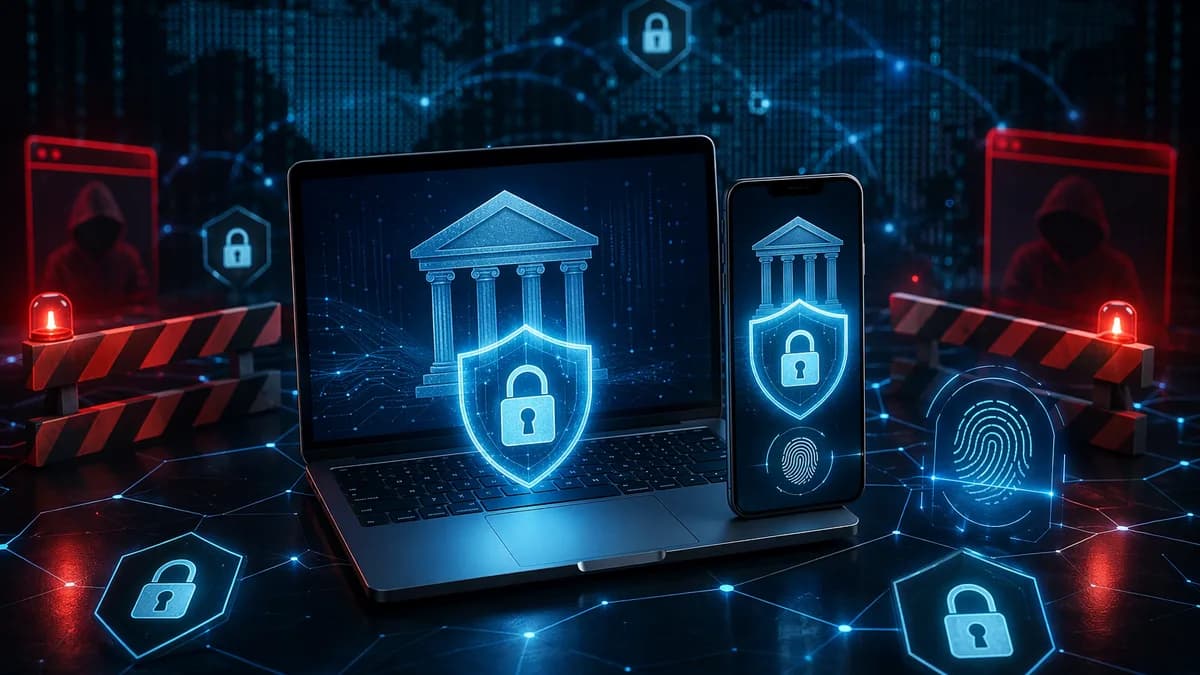
If you search for antivirus for online banking, you are not just looking for malware cleanup. You are looking for protection against fake bank pages, phishing links, keyloggers, ransomware, unsafe Wi-Fi, and account-takeover attempts that can turn one bad login into a financial loss.
XOOMAR Intelligence
Analyst Take
The best choice depends on how often you bank online, whether you use Windows or Mac, how many devices you need to cover, and whether you want a dedicated secure browser or payment-protection mode. This guide compares the banking-focused features specifically identified in the source data, without assuming pricing or specifications that were not provided.
Why Online Banking Needs More Than Basic Antivirus
Online banking is convenient because it lets you transfer funds, pay bills, check balances, review statements, and manage accounts without visiting a branch. Kaspersky’s online banking security guidance notes that banks typically use measures such as encryption, automatic logouts, multifactor authentication, one-time passwords, transaction alerts, and suspicious-activity monitoring.
But customer-side protection still matters. A bank can secure its portal, yet a user can still be tricked into entering credentials on a fake login page or approving a fraudulent sign-in request.
Key insight: Antivirus is one layer. It can block malware, malicious websites, and suspicious behavior, but it cannot compensate for reused passwords, a compromised email account, or a user approving a fake authentication prompt.
The risks most relevant to banking include:
- Phishing: Fake bank emails or websites designed to steal login credentials or payment data.
- Malware: Viruses, spyware, or banking trojans that may steal sensitive information from a device.
- Keyloggers: Threats that attempt to capture passwords, one-time codes, or payment details as you type.
- Ransomware: Malware that can lock files, including financial records stored on the device.
- Identity theft: Stolen personal information used to access accounts or commit financial fraud.
- Unsafe networks: Public Wi-Fi or shared connections that increase exposure during sensitive sessions.
BO2K’s Windows-focused banking security guide makes an important point: for financial activity, anti-phishing protection matters as much as malware detection. A traditional virus scan after the fact is not enough if the real danger is a convincing fake bank page.
Security Features to Look for Before You Buy
Before buying antivirus for online banking, focus on features that protect you before and during a financial session. A long feature list is less important than whether the tool blocks the specific threats that lead to stolen logins and unauthorized transfers.
Core Banking Security Features
| Feature | Why It Matters for Banking | Mentioned Examples in Source Data |
|---|---|---|
| Anti-phishing protection | Blocks fake bank pages, scam links, and fraudulent redirects | Bitdefender, TotalAV, ESET, BO2K guidance |
| Secure browser or protected banking mode | Creates a safer session for banking or shopping | Bitdefender Safepay, ESET Safe banking & browsing, Trend Micro PayGuard |
| Real-time protection | Detects suspicious files, scripts, or behavior before they interfere with a session | BO2K guidance, TotalAV threat monitoring |
| Anti-keylogging protection | Helps protect typed passwords and one-time codes | Bitdefender Safepay virtual keyboard, BO2K keylogger guidance |
| Ransomware defense | Protects against file-locking attacks that could affect financial records | ESET, G Data, BO2K guidance |
| Firewall and network tools | Useful when banking from laptops, shared networks, or travel situations | ESET firewall, Kaspersky firewall, TotalAV remote firewall |
| Identity or breach monitoring | Helps detect exposure of personal information | TotalAV data breach monitoring, McAfee identity theft monitoring, Norton identity protection |
| Device coverage | Matters if you bank across Windows, Mac, iOS, or Android | TotalAV up to three devices; ESET supports Windows, Android, Linux, and Mac |
What Antivirus Cannot Do
A good security suite can reduce the odds of credential theft, but it cannot solve every account-security problem.
According to the secure online banking tools guidance from Ghostlyinc, the highest-priority defenses are:
- Use a password manager for unique bank and email passwords.
- Enable the strongest multifactor authentication your bank supports.
- Secure your email account, since it is often used for password resets.
- Keep the banking device updated.
- Turn on transaction alerts.
Critical warning: A VPN cannot fix a weak password, and antivirus cannot stop a fake login page if you type credentials and codes into it after ignoring warnings.
Best Antivirus Software for Online Banking
The following list focuses only on products and features specifically mentioned in the source data. Pricing is not included because the provided sources did not supply verified plan prices.
1. Bitdefender Antivirus Plus — Best Balanced Pick for Regular Windows Banking
BO2K identifies Bitdefender Antivirus Plus as a strong all-round choice for most Windows users who bank online regularly. Its main banking advantage is the combination of web protection, anti-phishing, and a dedicated secure banking browser approach.
WindowsReport highlights Bitdefender Safepay, a secure browser built into Bitdefender. Safepay is designed for online banking and shopping and can be launched from the Windows search bar or from the Bitdefender interface.
Important banking-related features mentioned in the sources include:
- Safepay secure browser: Designed for banking and shopping sessions.
- Anti-phishing protection: Compares visited sites against an updated database of dangerous or blacklisted pages.
- Malicious-link blocking: Monitors internet access and blocks phishing or malicious links.
- Remote screenshot blocking: Blocks remote access to the desktop and screen.
- Password protection while browsing: Helps protect sensitive information during sessions.
- Virtual keyboard: Helps protect keystrokes against keylogging.
- Bookmarks support: Lets users navigate more easily to banking and shopping sites.
- Hotspot protection: Included as a security feature in the source data.
BO2K also notes that Bitdefender’s included VPN allowance is limited to 200 MB per day, so it is better viewed as a short-session add-on rather than a full VPN replacement.
Best fit: Regular Windows users who want a clear protected banking workflow.
Potential limitation: Not ideal if your main requirement is an unlimited bundled VPN.
2. ESET HOME Security Essential — Strong Banking and Ransomware Protection
WindowsReport presents ESET HOME Security Essential as a fast, efficient option for users who shop, bank, communicate, and work online. It supports Windows, Android, Linux, and Mac devices according to the source data.
Its most relevant banking feature is that it can automatically activate when a recognized financial page is opened, helping the user switch to a secure browser to protect payment details.
Banking and security features listed in the source data include:
- Safe banking & browsing: Designed to protect online banking and shopping sessions.
- Automatic activation on recognized financial pages: Helps trigger safer browsing during payment activity.
- Ransomware prevention: Designed to stop ransomware from entering the system and remove it if it gets through.
- Phishing protection: Helps defend against scams and malicious online threats.
- Firewall and network inspector: Useful for monitoring network security.
- Wi-Fi login monitoring: Monitors who is logging into the user’s Wi-Fi.
- Parental control: Included as part of the feature list.
- Scan while downloading files: Adds protection during downloads.
- System registry scanner: Included in the source feature list.
- Portable computer support: Mentioned in the source data.
Best fit: Users who want banking protection plus strong ransomware and network-security tools across multiple operating systems.
Potential limitation: The sources do not provide plan pricing or detailed device-count limits for this product.
3. TotalAV — Best for WebShield, VPN, and Breach Monitoring in One Suite
WindowsReport describes TotalAV as an all-in-one security suite that protects up to three devices across Windows, Mac, iOS, and Android.
Its banking relevance comes mainly from WebShield, which defends against fake, scam, phishing, and spoofing websites designed to harm devices, compromise security, or steal personal data.
Key features mentioned in the source data include:
- WebShield: Blocks fake, scam, phishing, and spoofing websites.
- Anti-phishing protection: Specifically listed as a feature.
- Safe browsing VPN: Included in the source feature list.
- Remote firewall: Listed as part of the suite.
- Data breach monitoring: Helps detect exposure of personal data.
- Updated virus definitions: Keeps protection current.
- Quick scan: Checks temporary files where viruses are often found.
- System scan: Looks for malware across the system.
- Scheduled scans: Can run automatically at predetermined times.
- Custom scan: Lets users scan a selected file, folder, or disk.
After scanning, TotalAV lets the user choose how to handle malicious files, including quarantine, deletion, or whitelisting.
Best fit: Users who want phishing protection, VPN, firewall, breach monitoring, and multi-platform support in one package.
Potential limitation: The source data mentions coverage for up to three devices but does not provide pricing.
4. Kaspersky Standard — Strong Transaction Protection and Firewall Features
WindowsReport lists Kaspersky Standard as an efficient option for protecting online transactions. Kaspersky’s own banking safety guidance also emphasizes using security software, protected modes, VPNs, multifactor authentication, one-time passwords, official apps, and transaction alerts.
Features mentioned in the source data include:
- Online transactions protection: Specifically listed for banking safety.
- Firewall: Described as an essential first line of protection.
- Spam filtering: Helps keep dangerous junk mail out of the inbox.
- Prevents data collection: Included in the source feature list.
- Blocks ads: Listed as a security and usability feature.
- Regularly updated database: Helps maintain threat detection.
- System optimization: Included in the source feature list.
- Parental control: Useful for households with children using the same system.
Best fit: Users who want online transaction protection, firewall controls, spam filtering, and household features.
Potential limitation: The source data does not give pricing or specific secure-browser implementation details for this plan.
5. Trend Micro Maximum Security — Notable for PayGuard and Household Use
BO2K identifies Trend Micro as a practical option for families or multi-device households when at least one user will actually use its protected banking workflow. The key banking feature mentioned is PayGuard, Trend Micro’s secure banking tool.
Analytics Insight also lists Trend Micro Maximum Security as a security suite for safe browsing and banking, describing it as using AI-powered threat detection.
Relevant source-backed features include:
- PayGuard secure banking tool: Provides a clearer financial-security angle than a generic suite.
- Multi-device household fit: BO2K frames it as useful for families.
- Safe browsing and banking focus: Mentioned in the source list.
- AI-powered threat detection: Noted by Analytics Insight.
Best fit: Families or households where multiple users shop, pay bills, or bank online.
Potential limitation: BO2K notes the value depends on whether users actually use the banking feature.
6. G Data — Best for Higher-Risk Financial Activity
BO2K presents G Data as a better fit for users who prioritize deeper threat protection over convenience. It stands out in the source data for handling exploits, ransomware, keyloggers, and attacks on financial transactions.
This makes it relevant for people who manage investments, business payments, or frequent transfers from a primary Windows device.
Source-backed strengths include:
- Exploit protection focus: Relevant when attackers abuse software weaknesses.
- Ransomware defense: Important for protecting financial documents and records.
- Keylogger protection focus: Useful for protecting typed credentials and codes.
- Transaction-related threat coverage: Specifically noted in the source data.
Best fit: Heavy banking users, traders, home-office users, or people making frequent transfers.
Potential limitation: BO2K notes that its depth may be more than casual users need.
7. Windows Security — Best Built-In Baseline for Low-Risk Users
BO2K describes Windows Security as a reasonable starting point for users on a tight budget, older PCs, or those who do occasional banking from a well-maintained Windows device.
The key limitation is not that it lacks baseline protection, but that the provided sources do not identify a dedicated banking mode or secure browser.
Best fit: Occasional banking from one updated Windows PC, combined with strong passwords and two-factor authentication.
Potential limitation: No dedicated banking mode is highlighted in the provided source data.
8. Comodo Free Antivirus — No-Cost Third-Party Option for Light Use
BO2K describes Comodo Free Antivirus as a no-cost third-party option for users whose priority is spending little or nothing. However, the same source notes that its appeal is being free, not standout banking tools.
Best fit: Light use on a lower-risk PC when budget is the main constraint.
Potential limitation: No clear banking-specific feature is highlighted in the source data.
Quick Buyer Comparison
| Product | Best For | Banking-Relevant Strength | Source-Noted Limitation |
|---|---|---|---|
| Bitdefender Antivirus Plus | Regular Windows banking | Safepay secure browser, anti-phishing, malicious-link blocking, virtual keyboard | VPN allowance limited to 200 MB per day |
| ESET HOME Security Essential | Banking plus ransomware defense | Safe banking & browsing, automatic financial-page activation, ransomware protection | Pricing not provided in source data |
| TotalAV | Multi-platform users wanting breach monitoring | WebShield, anti-phishing, safe browsing VPN, data breach monitoring | Covers up to three devices in source data; pricing not provided |
| Kaspersky Standard | Transaction protection and firewall users | Online transaction protection, firewall, spam filtering | Specific secure-browser details not provided |
| Trend Micro Maximum Security | Families and households | PayGuard secure banking tool | Value depends on using the banking feature |
| G Data | Higher-risk financial activity | Exploits, ransomware, keyloggers, transaction-related threat focus | More depth than casual users may need |
| Windows Security | Occasional low-risk Windows users | Built into Windows and easy to maintain | No dedicated banking mode highlighted |
| Comodo Free Antivirus | Budget-focused light users | Free third-party antivirus option | No clear banking-specific tool highlighted |
Phishing and Fake Website Protection Compared
Phishing is one of the most important threats for online banking because it targets the user directly. A fake site can look like a real bank login page, and once credentials are submitted, attackers may attempt immediate account access.
Kaspersky’s banking security guidance warns users to avoid clicking links in bank-like emails and instead type the bank’s web address directly into the browser. It also notes that banks will not request sensitive personal data through email.
Anti-Phishing Feature Comparison
| Product | Phishing / Fake Site Protection Mentioned | Practical Banking Use |
|---|---|---|
| Bitdefender Antivirus Plus | Anti-phishing compares sites against an updated database of dangerous, blacklisted pages | Blocks access to known malicious or fraudulent pages before login |
| TotalAV | WebShield defends against fake, scam, phishing, and spoofing websites | Helps prevent users from entering credentials on fraudulent sites |
| ESET HOME Security Essential | Protects against phishing scams and online threats | Adds protection when shopping, banking, and browsing |
| Kaspersky Standard | Spam filtering and online transaction protection are highlighted | Helps reduce risky emails and supports safer transactions |
| Trend Micro Maximum Security | Safe browsing and banking are mentioned; PayGuard adds banking workflow | Useful when users deliberately open banking sessions through the protected tool |
| Windows Security | Baseline protection noted by BO2K | No dedicated phishing or banking mode highlighted in provided data |
| Comodo Free Antivirus | Free antivirus option noted | No clear phishing-specific banking feature highlighted |
Buying advice: If you frequently manage money online, prioritize strong anti-phishing and fraudulent-site blocking over a generic feature bundle. BO2K specifically states that anti-phishing matters as much as malware detection for banking.
Secure Browser and Payment Protection Features
A secure browser or protected banking session is designed to reduce exposure while you log in, transfer money, or enter payment information. These tools are especially useful for users who frequently access bank, credit card, investment, or shopping accounts.
Secure Browser and Banking Mode Comparison
| Product | Secure Banking Feature | What the Source Data Says |
|---|---|---|
| Bitdefender Antivirus Plus | Safepay | Secure browser for online banking and shopping; includes virtual keyboard, bookmark support, password protection, and screen-access blocking |
| ESET HOME Security Essential | Safe banking & browsing | Activates automatically on recognized financial pages and helps switch to a secure browser |
| Trend Micro Maximum Security | PayGuard | Secure banking tool with a clear financial-security focus |
| Kaspersky Standard | Online transaction protection | Source highlights transaction protection but does not detail a specific secure-browser workflow |
| TotalAV | Safe browsing VPN and WebShield | Focuses on safe browsing, anti-phishing, and VPN rather than a named secure browser in the provided data |
| Windows Security | Not specified | No dedicated banking mode highlighted |
| Comodo Free Antivirus | Not specified | No secure banking browser highlighted |
Bitdefender’s Safepay is the most detailed secure-browser feature in the source data. It can be used not only for banking and shopping but also for other sites, according to WindowsReport.
ESET’s approach is also practical because the banking feature can activate automatically on recognized financial pages. That reduces the chance that the secure mode sits unused.
Identity Theft Monitoring and Dark Web Alerts
Identity theft is a major online banking risk because criminals may use stolen personal information to access accounts, open fraudulent accounts, or bypass recovery processes. Kaspersky’s banking guidance lists identity theft as an ongoing concern alongside phishing and credit card fraud.
However, the source data is uneven when it comes to dark web monitoring specifically. Some products are described as including identity or breach monitoring, but not every source explains whether that means dark web alerts, credit monitoring, account exposure alerts, or another form of monitoring.
Identity and Breach Monitoring Comparison
| Product / Suite | Identity-Related Feature Mentioned | Notes |
|---|---|---|
| TotalAV | Data breach monitoring | Helps identify exposure of personal data according to WindowsReport |
| McAfee Total Protection | Identity theft monitoring | Listed by Analytics Insight as part of its online banking safety suite summary |
| Norton 360 Deluxe | Identity protection features | Listed by Analytics Insight alongside antivirus and VPN |
| Kaspersky guidance | Banking notifications and suspicious-activity monitoring | Recommends alerts for transactions, password edits, account changes, and failed login attempts |
| Other listed antivirus products | Not specified in source data | Dark web alert details were not provided |
At the time of writing, the provided sources do not give detailed dark web alert specifications for the listed antivirus suites. If identity monitoring is a buying priority, check the exact plan details before purchase and confirm whether the plan includes breach alerts, identity theft monitoring, credit-related monitoring, or dark web exposure notifications.
Practical priority: Even without identity monitoring, turn on bank transaction alerts and login alerts. Kaspersky recommends notifications for transactions, password edits, account changes, and failed login attempts.
Performance Impact on Windows and Mac Devices
Performance matters because a security suite that slows your device too much may tempt you to disable protection. The provided sources do not include formal benchmark scores, so it would be misleading to rank these tools by measured system impact.
What the sources do say:
- ESET HOME Security Essential is described by WindowsReport as fast and efficient, with support for Windows, Android, Linux, and Mac.
- Bitdefender is described by WindowsReport as a strong antivirus that does not overcharge the system, and its scanning engine can manage simultaneous scans.
- TotalAV supports Windows, Mac, iOS, and Android and protects up to three devices in the source data.
- Windows Security is built into Windows and described by BO2K as a sensible starting point for users who prefer to avoid adding another full suite.
- G Data is framed by BO2K as deeper protection for higher-risk users, but potentially more than casual users need.
Platform and Performance Notes
| Product | Platforms Mentioned in Source Data | Performance-Related Notes |
|---|---|---|
| ESET HOME Security Essential | Windows, Android, Linux, Mac | Described as fast and efficient |
| Bitdefender Antivirus Plus | Windows-focused in BO2K; WindowsReport describes PC setup | Described as not overcharging the system; supports simultaneous scans |
| TotalAV | Windows, Mac, iOS, Android | Protects up to three devices |
| Windows Security | Windows | Built-in baseline option |
| G Data | Windows-focused in BO2K | Better suited to higher-risk users than casual users |
| Trend Micro | Multi-device household use implied | No benchmark data provided |
| Kaspersky Standard | PC-focused in source discussion | Includes system optimization in feature list |
If your device is older, BO2K suggests Windows Security may be a reasonable baseline if your banking habits are low risk and your system is well maintained. If you bank frequently, a paid suite with clearer banking tools may be easier to justify.
Free vs Paid Antivirus for Financial Security
Free antivirus can be useful, but online banking is one area where paid features may matter. BO2K states that Windows Security is a reasonable baseline for low-risk users, while paid antivirus becomes easier to justify for people who manage investments, make frequent transfers, or bank on laptops that move between networks.
Free vs Paid Banking Protection
| Option | Best For | Strength | Limitation |
|---|---|---|---|
| Windows Security | Occasional banking on a maintained Windows PC | Built-in and easy to maintain | No dedicated banking mode highlighted |
| Comodo Free Antivirus | Budget-focused third-party protection | Free entry point | No clear banking-specific feature highlighted |
| Paid suites with secure banking tools | Frequent banking, shopping, transfers, or investment access | Secure browsers, anti-phishing, ransomware defense, identity/breach tools depending on plan | Plan features vary; pricing not provided in source data |
When Free Protection May Be Enough
Free or built-in protection may be reasonable if:
- Low Frequency: You only bank occasionally.
- Updated Device: Your operating system and browser are kept current.
- Strong Login Security: You use unique passwords and multifactor authentication.
- Private Network: You bank only from a trusted home network.
- Alerts Enabled: You receive login and transaction notifications.
When Paid Antivirus Is Easier to Justify
Paid antivirus for online banking is more compelling if:
- Frequent Transfers: You move money regularly.
- Investment Access: You manage brokerage or retirement accounts online.
- Business Payments: You process invoices, payroll, or vendor payments.
- Shared or Travel Networks: You use a laptop outside your home network.
- Family Coverage: Multiple household members shop or bank online.
- Secure Browser Needed: You want a dedicated banking mode such as Safepay, Safe banking & browsing, or PayGuard.
Before buying, BO2K recommends checking device limits, renewal pricing after the first term, and whether the specific plan includes the features you care about. Do not assume every paid tier includes secure banking tools.
How to Set Up Safer Online Banking Habits
Even the best antivirus for online banking is only one part of a safer setup. The strongest protection combines security software with better account habits.
1. Use Unique Bank and Email Passwords
Ghostlyinc’s secure banking guidance puts password management first. Use a password manager to create a different strong password for each bank, email account, mobile carrier account, and password-manager recovery account.
- Do: Use unique passwords for every financial account.
- Do: Secure the email account tied to bank recovery.
- Avoid: Storing the password-manager master password in screenshots, notes apps, or cloud documents.
A password manager also helps spot fake domains because autofill should not trigger on the wrong website.
2. Enable the Strongest MFA Available
Turn on multifactor authentication, biometric authentication, passkeys, hardware security keys, or one-time passwords where supported. Kaspersky notes that banks commonly use two-factor, multifactor, biometric authentication, and one-time passwords to validate transactions.
- Best Upgrade: Use passkeys or a hardware security key if your bank supports them.
- Minimum Step: Enable app-based or bank-provided multifactor authentication.
3. Use the Secure Banking Mode You Paid For
If your suite includes Bitdefender Safepay, ESET Safe banking & browsing, or Trend Micro PayGuard, use it deliberately.
- Banking Sessions: Open the secure browser before logging in.
- Shopping Sessions: Use protected mode when entering card details.
- Bookmarks: Save known bank URLs inside the secure environment if supported.
A paid feature provides little value if it is installed but never used.
4. Avoid Bank Links in Emails
Kaspersky recommends typing the bank’s address directly into the browser instead of clicking email links. Phishing emails may appear to come from a bank and direct users to fraudulent pages.
- Avoid: Clicking bank-login links in email or text messages.
- Do: Type the URL directly or use a trusted bookmark.
- Check: Look for unexpected pop-ups or unusual login behavior.
5. Turn On Transaction and Login Alerts
Transaction alerts make it easier to detect suspicious activity quickly. Kaspersky recommends notifications for transactions, password edits, account changes, and failed login attempts.
- Transactions: Enable alerts for transfers and card charges.
- Logins: Turn on alerts for new-device access.
- Account Changes: Monitor password, email, and phone-number changes.
6. Keep Devices and Browsers Updated
Comparitech’s search snippet notes that updates fix security gaps that could let hackers in. BO2K also emphasizes keeping Windows, browsers, and extensions updated.
- Operating System: Enable automatic updates.
- Browser: Keep the browser current.
- Extensions: Remove extensions you do not use.
- Antivirus: Keep real-time protection and virus definitions updated.
7. Avoid Public Wi-Fi for Banking
Kaspersky recommends never using public Wi-Fi for online banking and using secure, private networks instead. Ghostlyinc adds that a VPN is useful for untrusted Wi-Fi, but it should not be treated as the main banking defense.
- Best Practice: Bank from a private home network.
- If Traveling: Use a trusted VPN on untrusted Wi-Fi.
- Do Not Rely Only on VPN: It does not fix weak passwords or phishing mistakes.
Bottom Line
For most people, the right antivirus for online banking is the one that combines strong anti-phishing protection, real-time malware defense, and a secure banking session you will actually use. Based on the provided source data, Bitdefender Antivirus Plus stands out for Safepay and detailed banking-browser features, ESET HOME Security Essential is strong for safe banking and ransomware defense, and TotalAV combines WebShield, VPN, and data breach monitoring across up to three devices.
Free protection such as Windows Security or Comodo Free Antivirus can be reasonable for low-risk users, but the sources do not identify dedicated banking modes for them. If you frequently transfer money, manage investments, shop online, or bank from multiple networks, a paid suite with banking-specific tools is easier to justify.
The safest setup is layered: antivirus, unique passwords, strong MFA, software updates, secure banking mode, private networks, and transaction alerts.
FAQ
What is the best antivirus for online banking?
Based on the provided source data, Bitdefender Antivirus Plus is the most balanced option for regular Windows banking because it combines web protection, anti-phishing, and the Safepay secure browser. ESET HOME Security Essential, TotalAV, Trend Micro, and G Data are also strong candidates depending on whether you prioritize ransomware defense, breach monitoring, family coverage, or deeper threat protection.
Is free antivirus enough for online banking?
It can be enough for occasional banking if your device is updated, you use unique passwords, enable multifactor authentication, and bank from a private network. BO2K describes Windows Security as a reasonable baseline for low-risk users, but notes that paid tools are easier to justify for frequent transfers, investment management, or banking on laptops that move between networks.
Do I need a secure browser for banking?
A secure browser is most useful if you log into financial accounts often. Source data highlights Bitdefender Safepay, ESET Safe banking & browsing, and Trend Micro PayGuard as banking-focused tools that provide a more protected workflow than ordinary browsing.
Can antivirus stop phishing attacks?
Antivirus can help block phishing links, fake websites, scam pages, and malicious redirects, but it cannot protect you if you ignore warnings and enter credentials into a fake page. Kaspersky recommends typing your bank’s address directly into the browser rather than clicking links in emails.
Should I use a VPN for online banking?
Kaspersky recommends using a VPN to help protect online banking sessions, and Ghostlyinc says a VPN is useful for untrusted Wi-Fi. However, Ghostlyinc also warns that a VPN is not the main banking defense and cannot fix weak passwords, reused credentials, or phishing mistakes.
What habits matter most for safer online banking?
The most important habits are using unique passwords in a password manager, enabling the strongest MFA your bank supports, securing your email account, keeping your banking device updated, and turning on transaction alerts. These practices directly address the account-takeover risks that antivirus alone cannot solve.
Sources & References
Content sourced and verified on June 17, 2026
- 110 Best Antivirus Software For Online Banking [2026 Guide]
https://windowsreport.com/antivirus-online-banking/
- 2Secure Online Banking Tools: Top 10 Protection Stack | 2026
https://ghostlyinc.com/en-US/top-10-tools-for-secure-online-banking/
- 3Best Security Suites for Online Banking Safety
https://www.analyticsinsight.net/ampstories/cybersecurity/best-security-suites-for-online-banking-safety
- 4Best Antivirus for Online Banking on Windows: How to Choose the Right Protection – BO2K
https://bo2k.com/best-antivirus-for-online-banking-on-windows-how-to-choose-the-right-protection/
- 5Internet Banking Security: How to Stay Safe
https://www.kaspersky.com/resource-center/preemptive-safety/internet-banking-security-keep-fraudsters-away
- 6Safe online banking: Essential tips and tools for 2025 - Comparitech
https://www.comparitech.com/blog/information-security/safe-online-banking/

Written by
XOOMAR Insights Team
Research and Editorial Desk
The XOOMAR Insights Team pairs automated research with human editorial judgment. We track hundreds of sources across technology, fintech, trading, SaaS, and cybersecurity, cross-check the facts, and explain what happened, why it matters, and what to watch next. We do not just rewrite headlines. Every article is fact-checked and scored for reliability before it goes live, and we link back to the original sources so you can verify anything yourself.