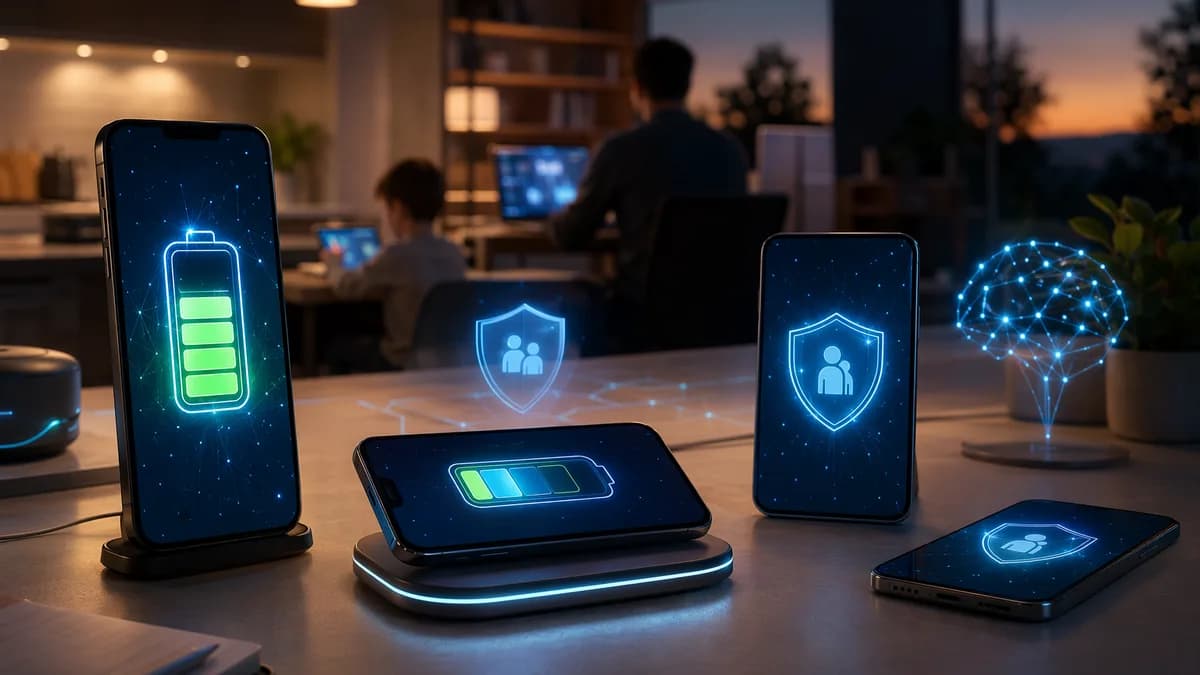
Finding the best smartphones for parents usually means balancing practical needs: a readable screen, battery life that lasts all day, simple software, reliable cameras for family photos and video calls, and safety features such as location sharing or emergency contact tools. The research available in 2026 is strongest around family phone buying—especially phones parents buy for kids—but many of the same buying criteria apply when choosing a phone for a parent, caregiver, or older adult.
XOOMAR Intelligence
Analyst Take
Below is a buyer-focused listicle grounded in tested data from Tom’s Guide, SafeWise, Bark, Wirecutter-style family phone research, and parent-tested kid-phone guides. Where the sources do not provide a measurement—such as speaker decibel levels—we’ll say so directly rather than guessing.
1. What Parents Usually Need From a Smartphone
For most families, the best phone for a parent is not necessarily the most powerful phone. It is the phone that is easiest to live with every day.
Parents and older adults often need a smartphone that handles communication, photos, video calls, maps, reminders, and emergency access without adding unnecessary complexity. If the phone is being bought by an adult child for a parent, long battery life and simple setup matter just as much as camera quality.
| Parent Need | Why It Matters | Source-Backed Indicators to Check |
|---|---|---|
| Easy calling and texting | A phone should make everyday communication simple. | Kid-safe phones like Gabb Phone 4 emphasize calling, texting, and approved contacts. |
| Readable screen | Bright displays help outdoors and in direct sunlight. | Tom’s Guide says around 1,400 nits should be enough for visibility in bright sun. |
| Long battery life | Parents should not have to recharge constantly. | Tom’s Guide considers 12+ hours good and notes average smartphones last about 10.5 hours in its web-surfing battery test. |
| Durability | Drops, scratches, and water exposure are common. | Look for Gorilla Glass, cases, and water resistance such as IP67 or IP68. |
| Good camera and video calls | Family photos, grandkids, pets, and video chats are common uses. | Source-tested phones include iPhone 16e, Google Pixel 9a, and Samsung Galaxy A56 camera specs. |
| Safety tools | Location sharing, spam blocking, and emergency tools add peace of mind. | Bark Phone, Gabb, Pinwheel, and Troomi include location or monitoring features in family-focused plans. |
| Long-term support | A phone should stay secure for years. | Samsung Galaxy A56 is listed with six years of software and security updates. |
The key is not buying the “most advanced” phone. It is buying the phone with the least friction: clear screen, strong battery, dependable camera, durable build, and safety features the family will actually use.
2. Key Features to Look For Before Buying
Before choosing among the best smartphones for parents, compare the features that affect daily comfort and long-term value.
Battery Life: Aim for 12 Hours or More in Testing
Tom’s Guide reports that the average smartphone lasts about 10.5 hours in its battery test, which involves continuous web surfing until the phone runs out of power. It considers 12 hours or better good battery life, while phones on its best battery list reach 15 hours or more.
Among the tested models in the source data:
| Phone | Battery Life in Tom’s Guide Testing |
|---|---|
| Moto G 2025 | 18:32 |
| Google Pixel 9a | 13:08 |
| iPhone 16e | 12:41 |
| Samsung Galaxy A56 | Not yet tested in the cited source |
For parents who often forget to charge overnight, the Moto G 2025 stands out on battery life in the source data, with 18 hours and 32 minutes in testing.
Display Brightness: More Important Than Screen Size Alone
A large screen is useful, but brightness matters just as much. Tom’s Guide says a phone with around 1,400 nits of brightness should be viewable in bright sunlight.
| Phone | Screen Brightness |
|---|---|
| Google Pixel 9a | 2,076 nits |
| iPhone 16e | 1,028 nits |
| Moto G 2025 | 960 nits |
| Samsung Galaxy A56 | Not yet tested in the cited source |
The Google Pixel 9a has the strongest measured display brightness among the recommended mainstream phones in the research.
Durability: Look for IP Ratings and a Case
Tom’s Guide recommends checking for durability features such as Gorilla Glass and water resistance. It explains that IP67 means a phone can withstand immersion in 1 meter of water for up to 30 minutes, while IP68 allows deeper water resistance, typically on more expensive devices.
| Phone | Water Resistance |
|---|---|
| iPhone 16e | IP68 |
| Google Pixel 9a | IP68 |
| Samsung Galaxy A56 | IP67 |
| Moto G 2025 | IP52 |
The Moto G 2025 is much cheaper, but its IP52 rating means it is better protected against splashes than full immersion. For a parent who may drop a phone near a sink, pool, or garden hose, IP67 or IP68 is safer.
Camera Quality: Do Not Shop by Megapixels Alone
Tom’s Guide cautions that a high megapixel count is not everything. Sensor size, low-light performance, selfie camera field of view, and processing quality matter.
Source-backed camera specs include:
| Phone | Rear Cameras | Front Camera |
|---|---|---|
| iPhone 16e | 48MP main | 12MP front |
| Google Pixel 9a | 48MP main, 13MP ultrawide | 13MP front |
| Samsung Galaxy A56 | 50MP main, 12MP ultrawide, 5MP macro | 12MP selfie |
| Moto G 2025 | 50MP main, 2MP macro | 16MP front |
For family photos and video calls, the Google Pixel 9a and iPhone 16e receive the strongest source-backed praise: Tom’s Guide calls the Pixel 9a its pick for the best low-cost camera phone, while noting the iPhone 16e took excellent pictures in testing.
3. Best Overall Smartphones for Parents
These are the strongest mainstream picks from the available tested data for parents who want a full smartphone—not a locked-down child phone.
1. Google Pixel 9a — Best Overall Android for Parents
The Google Pixel 9a is one of the strongest choices for parents who want a capable Android phone at a lower price than many flagship models.
| Spec | Google Pixel 9a |
|---|---|
| Starting price | $499 |
| Water resistance | IP68 |
| Screen brightness | 2,076 nits |
| Display size | 6.3 inches |
| Cameras | 48MP main, 13MP ultrawide, 13MP front |
| Battery life | 13:08 |
Tom’s Guide highlights the Pixel 9a’s bright display and camera performance, calling it the best cheap phone it tested and its pick for best low-cost camera phone. For parents, the combination of 2,076-nit brightness, IP68 water resistance, and 13+ hours of tested battery life is especially practical.
Best for: Parents who want an Android phone with strong photos, a very bright screen, and good battery life.
Potential drawback: It costs more than ultra-budget phones like the Moto G 2025.
2. iPhone 16e — Best iPhone for Parents Who Want Apple
The iPhone 16e is Apple’s lowest-priced model in the cited source data, starting at $599.
| Spec | iPhone 16e |
|---|---|
| Starting price | $599 |
| Water resistance | IP68 |
| Screen brightness | 1,028 nits |
| Cameras | 48MP main, 12MP front |
| Battery life | 12:41 |
Tom’s Guide notes that the iPhone 16e uses Apple’s latest processor and supports Apple Intelligence features. It has just one rear camera, but the source says it took excellent pictures in testing.
Best for: Parents already comfortable with iPhone, FaceTime, iMessage, or the Apple ecosystem.
Potential drawback: Its 1,028-nit screen is not as bright as the Pixel 9a’s measured 2,076 nits, and it has only one rear camera.
3. Samsung Galaxy A56 — Best Long-Term Android Value
The Samsung Galaxy A56 is a midrange Android option with a major advantage: long software support.
| Spec | Samsung Galaxy A56 |
|---|---|
| Starting price | $499 |
| Water resistance | IP67 |
| Cameras | 50MP main, 12MP ultrawide, 5MP macro, 12MP selfie |
| Software support | Six years of software and security updates |
| Battery / brightness testing | Not yet tested in the cited source |
Tom’s Guide says the Galaxy A56 supports AI-powered features such as Circle to Search and Object Eraser. It also notes that Samsung guarantees six years of software and security updates, which makes it appealing for parents who keep phones for a long time.
Best for: Parents who want a modern Android phone with long update support.
Potential drawback: The cited source had not yet published battery life or brightness test results for this model.
4. Best Budget Phones With Simple Software
Budget matters, especially if the phone is for a parent who mostly calls, texts, takes photos, checks weather, and uses maps.
1. Moto G 2025 — Best Low-Cost Full Smartphone
The Moto G 2025 is the strongest budget phone in the source data by price and battery life.
| Spec | Moto G 2025 |
|---|---|
| Starting price | $199 |
| Water resistance | IP52 |
| Screen brightness | 960 nits |
| Cameras | 50MP main, 2MP macro, 16MP front |
| Battery life | 18:32 |
Tom’s Guide says the Moto G 2025 costs less than $200 and is a good low-cost option if you need the basics. It also performed especially well in battery testing, lasting 18 hours and 32 minutes.
Best for: Parents who need a simple, inexpensive smartphone with very strong battery life.
Potential drawback: The 960-nit display is dimmer than the Pixel 9a, and IP52 means it should not be treated as water-resistant for immersion.
2. Gabb Phone 4 — Best for a Very Restricted, No-Internet Experience
The Gabb Phone 4 is not a typical parent smartphone. It is designed as a kid-safe phone, but it may be relevant for families looking for a highly restricted device with no web browser or app store.
The parent-tested source describes Gabb Phone 4 as a smartphone-shaped device with:
- No internet browser
- No social media
- No app store
- Calling and texting
- Camera
- Small offline game library
- Parent dashboard for contacts and messages
SafeWise lists Gabb 4 Pro with a $149.00 lowest phone price and $24.99/month lowest service price. Bark’s comparison table lists Gabb Phone 4 at $149.99 device cost and service from $24.99/month.
Best for: Families who want a restricted phone for a dependent and prefer no browser or social media.
Potential drawback: For many adults, no app store and no browser will be too limiting.
3. Pinwheel and Troomi — Budget Family-Safety Alternatives
SafeWise lists Pinwheel and Troomi as child-focused phones with lower starting device prices than many mainstream smartphones.
| Phone | Lowest Phone Price | Lowest Service Price | Source-Listed Strength |
|---|---|---|---|
| Pinwheel | $119.00 | $17.99/month | Budget pick; optional internet; text monitoring |
| Troomi | $99.95 | $19.95/month | Best first phone; optional internet; text monitoring |
These are not general-purpose mainstream phones. They are best considered when a family wants more control, fewer apps, and monitored communication.
5. Best Phones With Large Screens and Loud Speakers
The available source data provides useful screen size and brightness information, but it does not provide measured loudspeaker volume for mainstream smartphones. For that reason, we can recommend large-screen phones from the data, but speaker loudness should be tested in person when possible.
At the time of writing, the cited sources do not provide decibel measurements or ranked speaker loudness for the phones listed here. If loud audio is a priority, test ringtone volume, speakerphone clarity, and call volume before buying.
Best Large-Screen Options From the Research
| Phone | Screen / Display Detail | Why It Helps Parents |
|---|---|---|
| Bark Phone | 6.5-inch display in one tested guide | Large enough for reading messages and viewing maps. |
| Gabb Phone 4 5G model | 6.6-inch display | Large touchscreen with restricted software. |
| Google Pixel 9a | 6.3-inch display, 2,076 nits | Smaller than 6.5-inch phones but very bright outdoors. |
| iPhone 16e | Brightness measured at 1,028 nits | Good Apple option, though not the brightest in the data. |
The Google Pixel 9a is the best large-readability pick because its 2,076-nit measured brightness exceeds the 1,400-nit guideline Tom’s Guide says should be comfortable in sunlight.
What to Check for Loud Audio
Because speaker measurements are not available in the supplied smartphone data, use a practical buying checklist:
- Speakerphone: Test a call in a noisy store or room.
- Ringtone volume: Make sure the parent can hear it from another room.
- Bluetooth support: Useful for pairing hearing-friendly accessories or car systems.
- Headphone compatibility: SafeWise lists the Bark Phone with an audio jack and Bluetooth, but verify by model before buying.
6. Best Phones for Photos, Video Calls, and Family Sharing
For many parents, the camera is not about professional photography. It is about reliably capturing family events, taking clear pictures of documents, and joining video calls without frustration.
Best Camera-Focused Picks
| Phone | Camera Strengths From Source Data | Best Use |
|---|---|---|
| Google Pixel 9a | Tom’s Guide calls it the best low-cost camera phone it tested; 48MP main, 13MP ultrawide, 13MP front | Family photos, group shots, video calls |
| iPhone 16e | Took excellent pictures in testing; 48MP main, 12MP front | iPhone users, FaceTime, simple point-and-shoot |
| Samsung Galaxy A56 | 50MP main, 12MP ultrawide, 5MP macro, 12MP selfie | Versatile camera setup |
| Moto G 2025 | Cameras performed surprisingly well for the price in testing; 50MP main, 16MP front | Budget photos and video calls |
Best Pick for Family Photos: Google Pixel 9a
The Google Pixel 9a has the strongest combination of source-backed camera praise, price, and display brightness. Its 13MP ultrawide camera is also helpful for family group photos.
Best Pick for iPhone Families: iPhone 16e
If the family already uses iPhones, the iPhone 16e is the most straightforward choice in the research. It starts at $599, uses Apple’s latest processor, supports Apple Intelligence features, and has IP68 water resistance.
Best Budget Video Call Pick: Moto G 2025
The Moto G 2025 has a 16MP front camera and exceptional tested battery life. It is not the brightest or most water-resistant phone in the list, but it is the lowest-cost full smartphone option from the source data.
7. Best Safety and Emergency Features to Consider
Safety features matter in two different ways. For older parents, safety may mean location sharing, spam blocking, and emergency access. For children or dependents, it may mean content monitoring, app approval, screen-time limits, and geofencing.
The research data is especially strong for child-safety phones, and many of those safety ideas can guide family phone buying more broadly.
Safety Features Worth Prioritizing
| Feature | Why It Matters | Source-Backed Examples |
|---|---|---|
| Location tracking | Helps family members know where someone is. | Bark Phone, Gabb, Pinwheel, and Troomi include location features in source comparisons. |
| Safe zones / geofencing | Sends alerts when someone arrives or leaves an area. | Bark Phone includes GPS tracking and geofencing; SafeWise lists Safe Zone alerts. |
| Spam call blocking | Reduces unwanted or potentially risky calls. | SafeWise lists spam call blocking for Bark Phone. |
| Approved contacts | Limits calls/texts to trusted people. | Gabb and several family-safety phones use contact approval. |
| Screen time schedules | Helps manage phone use. | Bark Phone, Pinwheel, and Troomi include screen-time tools in source data. |
| Message monitoring | Useful for child safety or dependent oversight where appropriate. | Bark monitors texts, emails, and social media; Gabb focuses on texts via Gabb Messenger. |
| Emergency calling | Essential for any dependent user. | Pinwheel Landline supports calls to parent-approved contacts and 911; Wiley Buddy can alert parents or neighbors when 911 is dialed. |
Best Safety-Focused Phone: Bark Phone
SafeWise selected the Bark Phone as its overall best kids smartphone and lists it with:
- Android 14
- 6.5-inch display
- 50MP rear camera
- 13MP selfie camera
- Location tracking
- Safe Zone alerts
- Spam call blocking
- Screen time schedules
- Message monitoring
- Built-in web filter with advanced plan
- Optional driving lock
- Optional text message deletion prevention
SafeWise lists Bark Phone pricing as $10/month for the phone and service from $29/month, with most advanced features requiring an Advanced Plan starting at $39/month.
Bark’s own comparison also lists Bark Phone with content monitoring for texts, browsing, email, and 30+ apps, plus screen-time schedules and real-time location features.
Important limitation: Bark Phone is designed primarily for children and teens, not specifically for older adults. It is most relevant when a parent is buying for a child or dependent and wants strong monitoring tools.
Best No-Internet Safety Phone: Gabb Phone 4
The Gabb Phone 4 is the strongest no-internet option in the research. It has no browser, no social media, and no app store. For families that want maximum simplicity and fewer online risks, that is the core advantage.
Potential limitation: For an adult parent who needs banking apps, medical portals, rideshare apps, or email, Gabb’s restrictions may be too severe.
8. iPhone vs Android for Parents
There is no universal winner between iPhone and Android for parents. The better choice depends on what the parent already knows, what the family uses, and whether the priority is simplicity, camera quality, budget, safety controls, or long-term updates.
iPhone Advantages From the Source Data
The iPhone 16e is the clearest iPhone option in the research.
| iPhone 16e Strength | Source-Backed Detail |
|---|---|
| Lowest-cost current iPhone in source | Starts at $599 |
| Durability | IP68 water resistance |
| Battery | 12:41 in Tom’s Guide testing |
| Performance | Uses Apple’s latest processor |
| Camera | 48MP main, 12MP front; excellent pictures in testing |
| AI support | Supports Apple Intelligence features |
Choose iPhone if the parent already uses Apple services, wants FaceTime/iMessage familiarity, or the family is already set up to help with iPhone troubleshooting.
Android Advantages From the Source Data
Android offers more price variety in the source data.
| Android Phone | Why It Stands Out |
|---|---|
| Google Pixel 9a | $499, 2,076-nit screen, 13:08 battery, strong low-cost camera performance |
| Samsung Galaxy A56 | $499, IP67, six years of software/security updates |
| Moto G 2025 | $199, 18:32 battery life |
| Bark Phone / Troomi / Gabb / Pinwheel | More family-safety and restricted-use options |
Choose Android if budget flexibility, battery value, very bright screens, or specialized family-safety phones matter most.
Simple iPhone vs Android Recommendation
- Choose iPhone 16e if the parent already knows iPhone or the family uses Apple.
- Choose Pixel 9a if the parent wants a bright display, strong camera, and good value.
- Choose Galaxy A56 if long update support is the top priority.
- Choose Moto G 2025 if price and battery life matter more than water resistance or display brightness.
- Choose Bark/Gabb/Pinwheel/Troomi only if the use case involves child safety, restricted access, or monitored communication.
9. Buying Tips for Setup, Cases, and Accessories
Buying the phone is only half the job. The setup determines whether the parent actually enjoys using it.
Check Carrier Deals Before Buying
Tom’s Guide recommends checking wireless carrier offers, especially when adding a new line.
Examples from the source data include:
| Deal Mentioned in Source | Terms Noted |
|---|---|
| iPhone 16e at Verizon | Listed as free with a new line on Unlimited Ultimate or Unlimited Plus, using bill credits over 36 months. |
| Google Pixel 9a at Google Fi Wireless | Listed as free for new customers via 24 monthly bill credits. |
| Samsung Galaxy A56 at Walmart | Source noted a discount to $324 for the 128GB version at the time of writing. |
Carrier offers change, so verify current terms, trade-in rules, plan requirements, and whether credits are spread over multiple years.
Buy a Case and Screen Protector Immediately
Tom’s Guide specifically recommends a case to reduce drop damage. This is especially important for budget phones with lower water or durability ratings, such as the Moto G 2025 with IP52 splash resistance.
- Case: Choose one with raised edges around the screen.
- Screen protector: Useful for parents who keep phones in bags, pockets, or kitchen counters.
- Grip accessory: Helpful if the parent has difficulty holding large phones.
- Charging cable location: Place chargers where the parent actually sits or sleeps.
Set Up Safety Features on Day One
For parents or dependents, configure safety tools before handing over the phone.
- Location sharing: Set up family location tools or built-in safe-zone features where available.
- Spam protection: Enable spam call blocking if the phone or service supports it.
- Emergency contacts: Add key contacts and show the user how to call them.
- Screen time or focus settings: Use these to reduce distractions.
- App approval: For children or dependents, consider phones or services that require parent approval for apps.
Use Trial Periods When Available
SafeWise recommends taking advantage of trial periods to test web filters and controls. Its comparison lists:
| Product | Money-Back / Return Detail | Warranty |
|---|---|---|
| Bark Phone | No money-back period listed; 60-day return period | 1 year |
| Gabb 4 Pro | 15 days | 1 year |
| Pinwheel | 30 days | None listed |
| Troomi | 30 days | Paid warranty only |
If you are buying a safety-focused phone, test the dashboard, contacts, location features, web filters, and app rules before the return window closes.
Bottom Line
The best smartphones for parents are the ones that reduce friction: clear screen, strong battery, durable build, good camera, and safety features that match the family’s real needs.
For a mainstream smartphone, the Google Pixel 9a is the strongest overall Android pick in the source data thanks to its $499 starting price, 2,076-nit display, 13:08 battery life, IP68 rating, and strong camera performance. The iPhone 16e is the best fit for parents who prefer Apple, while the Samsung Galaxy A56 stands out for six years of software and security updates. For tight budgets, the Moto G 2025 offers exceptional 18:32 battery life at $199, with trade-offs in brightness and water resistance.
For families shopping for a child or dependent rather than an adult parent, Bark Phone, Gabb Phone 4, Pinwheel, and Troomi provide stronger monitoring, restricted access, location tools, and parental controls than typical smartphones.
FAQ
What is the best smartphone for parents overall?
Based on the source data, the Google Pixel 9a is the strongest overall Android choice for many parents because it combines a $499 starting price, 2,076-nit display, 13:08 tested battery life, IP68 water resistance, and strong camera performance.
What is the best iPhone for parents?
The iPhone 16e is the best iPhone option in the provided research. It starts at $599, has IP68 water resistance, lasted 12:41 in Tom’s Guide battery testing, uses Apple’s latest processor, and supports Apple Intelligence features.
What is the best budget phone for parents?
The Moto G 2025 is the best budget full smartphone in the source data. It starts at $199 and lasted 18 hours and 32 minutes in Tom’s Guide testing. Its trade-offs are a dimmer 960-nit screen and IP52 splash resistance rather than stronger IP67/IP68 protection.
Which phone is best for parents who take lots of family photos?
The Google Pixel 9a is the strongest photo-focused value pick in the data. Tom’s Guide calls it the best low-cost camera phone it tested, and it includes a 48MP main camera, 13MP ultrawide, and 13MP front camera.
Are child-safety phones like Bark or Gabb good for older parents?
They can be useful in specific dependent-care situations, but they are not designed primarily for older adults. Bark Phone is best for families that need monitoring, location tracking, and screen-time controls, while Gabb Phone 4 is best for a no-internet, no-app-store experience. For most independent adult parents, a mainstream phone like the Pixel 9a, iPhone 16e, Galaxy A56, or Moto G 2025 will be more flexible.
What should I set up first on a parent’s new phone?
Set up emergency contacts, location sharing if appropriate, spam call protection, large text or accessibility settings, and a simple home screen layout. Also buy a case and screen protector immediately, since Tom’s Guide specifically recommends using a case to reduce damage from drops.
Sources & References
Content sourced and verified on June 18, 2026
- 1The Best First Phones for Kids
https://www.nytimes.com/wirecutter/reviews/best-smartphone-for-kids/
- 212 Best Phones for Kids (June 2026): Parent-Tested Guide - Who Is McAfee?
https://whoismcafee.com/best-phones-for-kids/
- 3I’m a parent who reviews phones — here
https://www.tomsguide.com/phones/im-a-parent-who-reviews-phones-heres-the-5-phones-i-recommend-for-back-to-school
- 4The Best Phones for Kids 2026 - Parent Tested and Approved | SafeWise
https://www.safewise.com/kids-safety/phones/
- 5Best Phones for Kids in 2026: Safer Picks Parents Trust
https://www.bark.us/blog/best-phones-kids/
- 6The Best Phones for Kids, As Tested by our Families - Parents
https://www.parents.com/kids/safety/internet/best-phones-for-kids/

Written by
XOOMAR Insights Team
Research and Editorial Desk
The XOOMAR Insights Team pairs automated research with human editorial judgment. We track hundreds of sources across technology, fintech, trading, SaaS, and cybersecurity, cross-check the facts, and explain what happened, why it matters, and what to watch next. We do not just rewrite headlines. Every article is fact-checked and scored for reliability before it goes live, and we link back to the original sources so you can verify anything yourself.