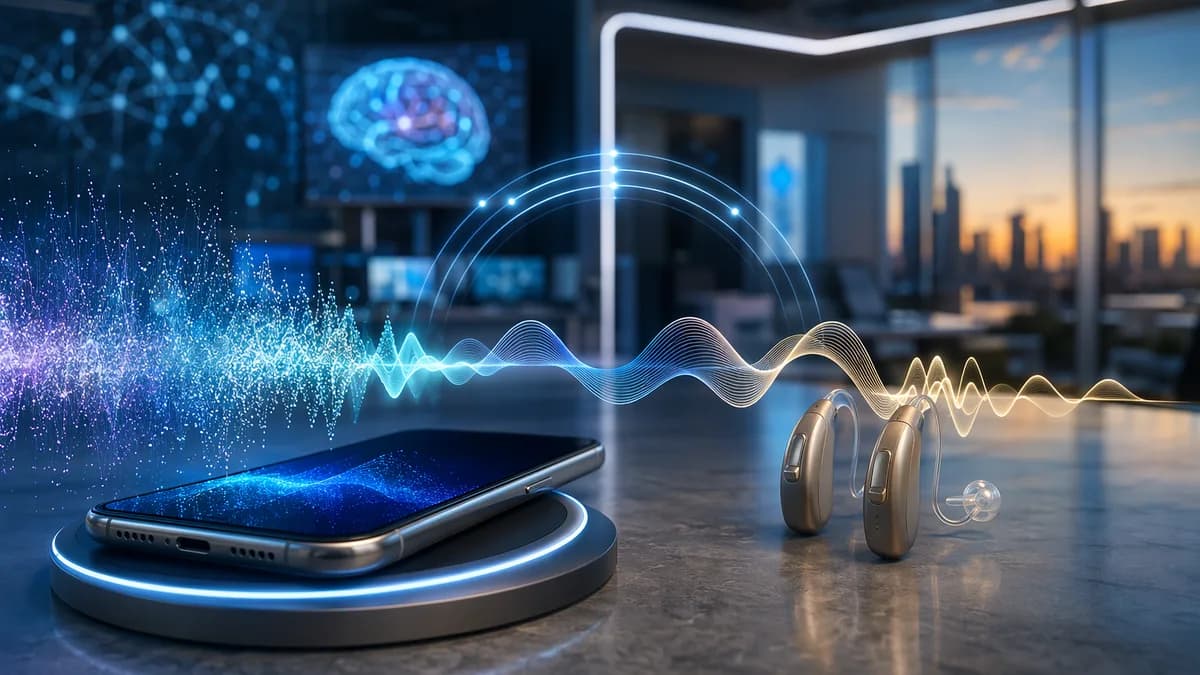
Finding the best phones for hearing aids is less about buying the most expensive smartphone and more about matching your hearing aids, phone operating system, Bluetooth standard, call needs, and accessibility preferences. The strongest options in the source data are current flagship phones such as iPhone 17, Google Pixel 10, and Samsung Galaxy S26, plus selected budget and senior-friendly models with strong hearing aid compatibility ratings.
XOOMAR Intelligence
Analyst Take
This guide focuses on practical buying decisions: MFi vs. ASHA, Bluetooth LE Audio, Auracast, M/T ratings, call clarity tools, live captions, visual alerts, and everyday usability. Where the available research is limited, this article calls that out rather than assuming every phone-hearing aid combination will work the same.
1. What Makes a Smartphone Good for Hearing Aid Users?
A good hearing aid-friendly smartphone should do three things well: connect reliably to your hearing aids, make speech easier to understand, and provide fallback accessibility tools when audio alone is not enough.
For hearing aid users, the most important buying factors are:
- Direct Streaming: The phone should support the streaming standard used by your hearing aids, such as Made for iPhone (MFi) on iPhone or ASHA on Android.
- Call Clarity: Features such as Google’s Clear Calling, iPhone audio balance controls, and noise-reduction tools can make phone calls easier to follow.
- Captions and Transcription: Live Captions, Live Transcribe, RTT, TTY, and captioning services can help when speech is hard to understand.
- Visual and Vibration Alerts: LED flash alerts, sound notifications, and sound recognition can help users avoid missing calls, alarms, doorbells, or other important sounds.
- Hearing Aid Compatibility Ratings: For traditional acoustic or telecoil use, M4/T4 is the strongest rating cited in the source data.
- Bluetooth Stability: Real-world user reports show that Bluetooth performance can vary by hearing aid brand, Android version, phone model, and distance from the phone.
Key buying insight: The “best” phone is usually the one that supports your specific hearing aid model. A phone can have excellent accessibility features and still be frustrating if your hearing aids do not pair or stream reliably with it.
For many users, the best phones for hearing aids are current iPhones for MFi hearing aids, Pixel phones for stock Android accessibility and ASHA/HAP support, and Samsung Galaxy phones for Android accessibility plus Samsung’s modes and routines.
2. Key Compatibility Terms: MFi, ASHA, Bluetooth LE Audio, and Auracast
Before comparing phones, it helps to understand the standards that determine whether your hearing aids will work smoothly.
| Term | What it means | Why it matters |
|---|---|---|
| MFi | Made for iPhone hearing aid support | Allows compatible hearing aids to connect directly to iPhone for calls, media, notifications, and controls |
| ASHA | Android Streaming for Hearing Aids | Android’s direct streaming standard for compatible hearing aids |
| HAP | Hearing Access Profile | Bluetooth SIG hearing access profile supported by Pixel 10 according to the source data |
| Bluetooth LE Audio | A newer Bluetooth audio technology | Enables newer low-energy audio features and is linked to Auracast support on compatible phones |
| Auracast | Bluetooth LE Audio broadcast capability | Lets compatible phones broadcast or receive public/private audio streams with supported hearing aids or headphones |
| M Rating | Microphone-mode hearing aid compatibility | Measures radio frequency interference when hearing aids are used in standard microphone mode |
| T Rating | Telecoil-mode compatibility | Measures compatibility when hearing aids use telecoil mode |
MFi: Best-known iPhone hearing aid support
Made for iPhone (MFi) hearing aids are designed to connect directly with iPhone. According to HearingTracker, the iPhone 17 supports MFi hearing aids and allows direct streaming for music, videos, notifications, and hands-free calls.
Apple also provides native controls for some hearing aid features, including volume controls through the accessibility menu.
ASHA: Android direct streaming
ASHA is Google’s Android streaming standard for hearing aids. The source data identifies Google Pixel 10 as compatible with ASHA and HAP, and the BestPhonesForSeniors source identifies recent Samsung Galaxy models and Pixel phones as supporting ASHA.
If you use Android, ASHA support should be checked against your hearing aid manufacturer’s compatibility list before buying.
Bluetooth LE Audio and Auracast
Bluetooth LE Audio is especially important for buyers who want newer hearing aid streaming capabilities. The Google Pixel 10 supports Bluetooth LE Audio and native Auracast, while the Samsung Galaxy S26 supports Bluetooth 5.4 with LE Audio and Auracast.
Auracast can allow users to access compatible audio broadcasts, such as public audio streams, without relying on third-party apps. HearingTracker notes that Pixel 10 users can connect through Bluetooth settings, with QR code access expected to be available.
Important warning: Bluetooth LE and Bluetooth LE Audio are not the same thing. A real-world hearing aid user discussion specifically warned that having Bluetooth LE does not automatically mean the phone supports Bluetooth LE Audio.
3. Best Smartphones for Hearing Aid Users Overall
The strongest overall phones in the source data are the iPhone 17, Google Pixel 10, and Samsung Galaxy S26. Each takes a different approach: Apple emphasizes MFi and a broad iOS accessibility suite, Google emphasizes stock Android accessibility plus Auracast, and Samsung adds Android accessibility with Samsung-specific automation tools.
| Phone | Starting price in source data | Best for | Hearing aid support noted | Key tradeoff |
|---|---|---|---|---|
| iPhone 17 | From $799 | Most comprehensive accessibility suite | MFi hearing aids; passes ANSI hearing aid compatibility standard cited by source | No native Auracast support |
| Google Pixel 10 | From $799 | Android users who want ASHA, HAP, captions, and Auracast | ASHA, HAP, M3/T4-style support noted in source, ANSI compatibility | Limited compatibility with AirPods Pro 2/Pro 3; iOS needed for setup and controls |
| Samsung Galaxy S26 | From $899.99 | Android users who want Samsung automation tools | Android accessibility features, LE Audio, Auracast | Limited compatibility with AirPods Pro 2/Pro 3; iOS needed for setup and controls |
1. iPhone 17 — Best overall for accessibility depth
HearingTracker ranks the iPhone 17 as its best overall pick for people with hearing loss, citing the most comprehensive set of accessibility features among flagship phones reviewed.
Key hearing-related features include:
- MFi Support: Direct connection to Made for iPhone hearing aids.
- Live Listen: Streams sound from the iPhone microphone to AirPods or hearing aids.
- Sound and Name Recognition: Provides vibration or visual alerts for sounds such as a doorbell, baby crying, or the user’s name.
- RTT and TTY: Supports text communication during calls.
- Audio Balance: Includes mono audio, left/right balance, and Phone Noise Cancellation.
- LED Flash for Alerts: Uses the iPhone flash for incoming calls and notifications.
- Headphone Audio: Customizes audio using manual inputs or an audiogram.
- Live Captions: Provides real-time captions for spoken content.
- Type to Siri: Lets users type requests instead of speaking.
- Hearing Aid Feature: Uses Apple’s clinical-grade hearing test or a third-party audiogram to program AirPods Pro 3 or AirPods Pro 2 as FDA-approved OTC hearing aids.
The main limitation in the source data is that iPhone 17 does not have native Auracast support.
2. Google Pixel 10 — Best Android phone for hearing aid users
The Google Pixel 10 is the leading Android option in the provided research. HearingTracker highlights its support for ASHA, HAP, Android accessibility tools, and native Auracast.
Notable Pixel 10 features include:
- ASHA and HAP Compatibility: Supports Android hearing aid streaming and Hearing Access Profile.
- Live Caption: Works on media and incoming calls, supports several languages, and can automatically translate media captions.
- Live Transcribe: Supports over 80 languages and can be used offline after downloading the relevant language pack.
- Sound Amplifier: Reduces background noise, boosts quiet sounds or specific frequencies, and adjusts each ear separately with wired or Bluetooth headphones.
- Sound Notifications: Provides visual or vibration alerts for alarms, doorbells, baby cries, and similar sounds.
- Clear Calling: Suppresses background noise so the caller’s voice is easier to hear and the user’s voice is easier for the other person to hear.
- Auracast: Lets the phone broadcast audio to compatible devices or connect to Auracast streams through Bluetooth settings.
HearingTracker also reports conversational gain of up to 16.6 dB with aid or up to 19.3 dB without for Pixel 10.
3. Samsung Galaxy S26 — Best for Android users who want routines and automation
The Samsung Galaxy S26 runs Android with Samsung’s One UI 8.5 overlay. HearingTracker states that its accessibility features are nearly identical to Pixel’s Android accessibility feature set, while Samsung adds TalkBack and the ability to create powerful modes and routines.
Samsung Galaxy S26 supports:
- Bluetooth 5.4
- LE Audio
- Auracast
- Android hearing accessibility features
- Samsung TalkBack
- Modes and routines for automation
This makes it a strong candidate for users who want the Android ecosystem but prefer Samsung’s interface and automation tools.
4. Best iPhones for Hearing Aid Compatibility
For many hearing aid users, iPhones are the safest starting point because MFi hearing aids are widely supported across major hearing aid brands. HearingTracker notes that all recent iPhones are compatible with MFi, while BestPhonesForSeniors lists several iPhones with strong M/T compatibility.
| iPhone model | Source-listed price | Hearing aid strengths | Best fit |
|---|---|---|---|
| iPhone 17 | From $799 | MFi, Live Listen, Sound Recognition, Live Captions, RTT/TTY, Headphone Audio, Hearing Aid feature with AirPods Pro 2/Pro 3 | Users who want the fullest accessibility feature set |
| iPhone 15 and 15 Pro | $799+ | M4/T4, MFi hearing aid streaming, Live Listen, Emergency SOS | Seniors already in Apple ecosystem |
| iPhone SE (3rd Gen) | ~$429 | M4/T4, MFi streaming, Emergency SOS | Budget-conscious iPhone users |
Why iPhone is strong for hearing aid users
Apple’s biggest advantage is MFi integration. According to the source data, MFi hearing aids can stream calls, music, video audio, and notifications directly from iPhone. iOS also includes hearing-focused controls and alerts that are built into the system.
HearingTracker also notes that hearing aids supporting MFi should work with many older iPhones, but Apple recommends confirming support for the exact iPhone model with the hearing aid manufacturer.
iPhone limitations
The biggest limitation in the provided research is lack of native Auracast support on the iPhone 17. If Auracast public audio broadcasts are a priority, the source data points more strongly toward Pixel 10 or Galaxy S26.
5. Best Android Phones for Hearing Aid Compatibility
Android hearing aid compatibility depends more heavily on the phone model, Android version, and hearing aid brand. The source data repeatedly points to Pixel and Samsung Galaxy devices as the Android phones to research first.
| Android phone | Source-listed price | Hearing aid strengths | Best fit |
|---|---|---|---|
| Google Pixel 10 | From $799 | ASHA, HAP, Live Caption, Live Transcribe, Clear Calling, Auracast | Best Android option overall |
| Samsung Galaxy S26 | From $899.99 | LE Audio, Auracast, Android accessibility, Samsung routines | Android users who want automation tools |
| Samsung Galaxy A35 / A55 | $399–$499 | M4/T4, ASHA streaming, large 6.6-inch display, accessibility mode | Mid-range Android buyers |
| Pixel 10a | $499 starting price; source also notes $284 pre-order sale | Budget Pixel option with Android accessibility tools | Pixel buyers on a tighter budget; source says no Auracast |
Google Pixel 10: Best Android hearing aid feature set
Pixel 10 stands out because the source data lists specific hearing-focused features, including ASHA, HAP, Clear Calling, Live Caption, Live Transcribe, Sound Amplifier, Sound Notifications, and Auracast.
For users who rely on captions or transcription, Pixel’s Live Transcribe support for over 80 languages is particularly useful.
Samsung Galaxy S26: Best Android with automation
Samsung Galaxy S26 is attractive if you want Android accessibility plus Samsung’s automation features. Modes and routines can help automate settings for meetings, driving, home use, or quiet environments, although the source data does not provide specific hearing-aid routine templates.
What real users report about Android and hearing aids
A Reddit discussion among hearing aid users shows why testing matters. One user reported Bluetooth disconnection problems with an older Samsung foldable phone, then found a Pixel frustrating because phone and streaming audio volume behavior did not match their preference.
Other users reported better experiences with combinations such as:
- Phonak hearing aids and Android
- Phonak hearing aids and Samsung Galaxy
- Oticon Intent with Pixel and Bluetooth LE Audio
- Pixel 8 Pro with Phonak hearing aids
- Nexia hearing aids with iPhone
Real-world takeaway: Android can work very well with hearing aids, but performance depends on the hearing aid brand, phone model, Android version, and Bluetooth standard. Test before committing whenever possible.
6. Best Budget Phones With Strong Accessibility Features
Not every hearing aid user needs a flagship smartphone. Some buyers want a lower-cost iPhone, a mid-range Android phone, or a simpler senior-friendly device with loud audio and emergency features.
| Phone | Source-listed price | Type | Hearing-related strengths | Main limitation noted |
|---|---|---|---|---|
| iPhone SE (3rd Gen) | ~$429 | Smartphone | M4/T4, MFi streaming, Emergency SOS | Smaller 4.7-inch screen |
| Samsung Galaxy A35 / A55 | $399–$499 | Smartphone | M4/T4, ASHA, 6.6-inch display, accessibility mode | Mid-range rather than flagship |
| Pixel 10a | $499 starting price; source notes $284 pre-order sale | Smartphone | Budget Pixel with Android accessibility features | Does not support Auracast according to source |
| Lively Flip | ~$99.99 | Simple flip phone | M4/T4, dedicated SOS button, simplified interface | Best for users who want a phone, not a smartphone |
| Jitterbug Smart2 | From $74.99 via Amazon | Simple smartphone | Large touchscreen, simple layout, voice typing, front-facing speaker | Source positions it as simple, not feature-rich |
| Jethro SC490 | Price not specified in provided source | Big-button phone | M4/T4, loud speakerphone, SOS, speed dial, Wi-Fi calling | Some reported usability challenges |
| Easyfone T300 | Price not specified in provided source | Flip phone | Hearing aid compatibility, clear and loud sound, SOS, photo speed dial | Some users reported poor reception |
Best budget smartphone: iPhone SE (3rd Gen)
The iPhone SE (3rd Gen) is listed as the most affordable new iPhone option in the source data, with M4/T4 compatibility, MFi hearing aid streaming, and Emergency SOS. The tradeoff is the smaller 4.7-inch screen, which may be less comfortable for users with vision difficulties.
Best budget Android: Samsung Galaxy A35 / A55
The Samsung Galaxy A35 / A55 models are listed as M4/T4 phones with ASHA Bluetooth hearing aid streaming, a large 6.6-inch display, and built-in accessibility mode. The source describes them as durable and more affordable than Samsung flagships.
Best simple phone: Lively Flip
The Lively Flip is listed with an M4/T4 rating, a dedicated SOS button, simplified flip phone interface, and optional Lively operator service. It runs on the Verizon/Lively network according to the source data.
This is a better fit for someone who wants reliable calling and simpler controls rather than apps, streaming, and advanced smartphone features.
7. How to Check Hearing Aid Compatibility Before Buying
The best way to avoid frustration is to verify compatibility before you buy the phone.
Step-by-step compatibility check
Identify Your Hearing Aid Brand and Model
Check the exact model name in your hearing aid app, user manual, or audiologist records.Check Whether Your Hearing Aids Use MFi, ASHA, Classic Bluetooth, or Telecoil
The source data notes that Bluetooth hearing aids from brands such as Phonak, Starkey, Oticon, and ReSound may support direct streaming, but compatibility should still be confirmed by brand and model.Check the Phone’s M and T Ratings
BestPhonesForSeniors recommends looking for M4/T4, the highest rating level described in the provided source.Confirm MFi or ASHA Support
- iPhone users: Look for MFi hearing aid compatibility.
- Android users: Look for ASHA support on Pixel or recent Samsung Galaxy models.
Test In-Store If Possible
Bring your hearing aids to the carrier store and make a real test call.Check the Return Window
The source data notes that many carriers allow 14–30 day returns, which gives you time to test calls, streaming, captions, and Bluetooth stability at home.
Practical advice: Do not rely only on the phone’s brand. A “compatible” phone may still behave differently with different hearing aids, especially for Bluetooth range, volume control, and reconnection behavior.
Understanding M and T ratings
| Rating | Meaning | What to look for |
|---|---|---|
| M Rating | Compatibility in microphone mode | M3 is good; M4 is best in the source data |
| T Rating | Compatibility in telecoil mode | T3 is good; T4 is best in the source data |
| M4/T4 | Highest combination cited | Best target if you use acoustic or telecoil phone listening |
If your hearing aids have telecoil, the T rating matters. If your hearing aids are completely-in-canal models without telecoil, the M rating may matter more.
8. Important Accessibility Features: Live Captions, RTT, Visual Alerts, and Sound Recognition
The best phones for hearing aids are not only about Bluetooth. Built-in accessibility features can make calls, media, meetings, and daily alerts easier to manage.
| Feature | iPhone 17 | Google Pixel 10 | Samsung Galaxy S26 |
|---|---|---|---|
| Live Captions | Yes | Yes | Android accessibility features supported |
| RTT/TTY | Yes | Yes | Android accessibility features supported |
| Sound Recognition / Notifications | Sound and Name Recognition | Sound Notifications | Android/Samsung accessibility features |
| Visual Alerts | LED Flash for Alerts | Visual/vibration sound alerts | Android/Samsung alert tools |
| Hearing Aid Streaming | MFi | ASHA/HAP | Android hearing aid support; Samsung models also cited for ASHA in source data |
| Auracast | No native support cited | Yes | Yes |
| Noise/Call Enhancement | Phone Noise Cancellation, audio balance | Clear Calling, Sound Amplifier | Android accessibility features; Samsung tools |
Live captions and transcription
Google Pixel 10 has strong captioning support in the source data. Live Caption works on media and incoming calls, supports several languages, and can automatically translate media captions. Live Transcribe supports over 80 languages and can work offline after downloading a language pack.
iPhone 17 also includes Live Captions for spoken content, plus subtitles and captions for media.
RTT and TTY
Both iPhone 17 and Pixel 10 support RTT and TTY, allowing text communication during phone calls. This can be useful when hearing speech clearly is difficult, even with hearing aids.
Visual alerts and sound recognition
iPhone offers LED Flash for Alerts and Sound and Name Recognition, which can alert users visually or through vibration for important sounds.
Pixel offers Sound Notifications, which can provide visual or vibration alerts for sounds such as alarms, doorbells, and baby cries.
Captioning services
Soundly’s source data highlights CaptionCall by Sorenson as a no-cost option for qualifying users who need captions for telephone communication. It also notes that CaptionCall’s no-cost service is available for mobile phones through an app.
9. Common Pairing and Call Quality Problems and How to Fix Them
Even compatible phones can have pairing or call quality problems. The source data and user discussion point to several common issues.
| Problem | Possible cause based on source data | What to try |
|---|---|---|
| One hearing aid disconnects | Bluetooth instability, older phone, range issue | Keep phone close, update software, re-pair hearing aids, consider LE Audio-capable models |
| Phone and streaming volume feel linked | Phone/audio routing behavior | Check separate media and call volume controls in sound settings |
| Audio does not route to hearing aids consistently | Android version or Bluetooth issue reported by users | Update phone software, re-pair devices, test another compatible phone if possible |
| Interference during calls | M/T compatibility issue | Use telecoil mode if available, try speakerphone, use Bluetooth streaming |
| Poor range | Hearing aid Bluetooth limitations | Keep phone nearby; consider phones/hearing aids using LE Audio if supported |
| Public audio broadcast not available | No Auracast support | Choose a phone with native Auracast, such as Pixel 10 or Galaxy S26, if this feature matters |
Fix 1: Keep the phone close
A real-world user with Phonak hearing aids and iPhone reported better success by keeping the phone close and not walking too far away. Another discussion participant noted that hearing aid connection range can be limited.
Fix 2: Check separate volume controls
A Pixel user reported frustration with call and streaming volume behavior. Another user replied that their Pixel showed separate controls for media volume and call volume under sound settings. If volume jumps between calls and streaming, check your phone’s sound and vibration settings.
Fix 3: Consider Bluetooth LE Audio when supported
Several hearing aid users in the discussion favored LE Audio. One reported that when walking out of range with LE Audio, the connection was lost more gracefully and reconnected quickly after moving back into range. That user described indoor range at about 15 meters.
Fix 4: Use telecoil or speakerphone when direct streaming is not ideal
BestPhonesForSeniors recommends switching hearing aids to T mode during calls if the hearing aid has telecoil. It also suggests trying speakerphone because distance between the phone antenna and hearing aid microphone can reduce interference.
Fix 5: Keep software updated
The source data recommends keeping phone software updated because manufacturers may improve hearing aid compatibility through firmware updates.
10. Final Buying Checklist for Hearing Aid-Friendly Smartphones
Use this checklist before choosing among the best phones for hearing aids.
Compatibility checklist
- Hearing Aid Model: Confirm your exact hearing aid model before shopping.
- iPhone Support: If your hearing aids are MFi, consider iPhone models such as iPhone 17, iPhone 15/15 Pro, or iPhone SE (3rd Gen).
- Android Support: If your hearing aids support ASHA, research Google Pixel 10, Samsung Galaxy S26, or Samsung Galaxy A35/A55.
- M/T Ratings: Look for M4/T4 when telecoil or acoustic compatibility matters.
- Auracast Need: If Auracast matters, prioritize Google Pixel 10 or Samsung Galaxy S26 over iPhone 17 based on the source data.
- Captions: If you rely on captions, compare iPhone Live Captions, Pixel Live Caption, Pixel Live Transcribe, and CaptionCall mobile service.
- Visual Alerts: Check for LED flash alerts, sound recognition, or sound notifications.
- Return Policy: Confirm a 14–30 day return window if available.
- In-Store Test: Bring your hearing aids and make a real call before buying.
- Budget Fit: Compare flagship phones with budget options such as iPhone SE, Samsung Galaxy A35/A55, Pixel 10a, or Lively Flip.
Bottom Line
The best overall phone in the source data is iPhone 17 for users who want the broadest accessibility suite and MFi hearing aid integration. The best Android option is Google Pixel 10, especially for ASHA/HAP support, Live Caption, Live Transcribe, Clear Calling, and native Auracast. Samsung Galaxy S26 is a strong alternative for Android users who want LE Audio, Auracast, and Samsung automation tools.
For budget buyers, iPhone SE (3rd Gen), Samsung Galaxy A35/A55, and Pixel 10a are the main smartphone options cited in the sources, while Lively Flip is a strong simple-phone choice with M4/T4 compatibility. The most important step is to verify your exact hearing aid model’s compatibility before buying.
FAQ
What is the best phone for hearing aids overall?
Based on the provided source data, iPhone 17 is the best overall pick for users who want the most comprehensive accessibility features and MFi hearing aid support. For Android users, Google Pixel 10 is the strongest option because it supports ASHA, HAP, Live Caption, Live Transcribe, Clear Calling, and native Auracast.
Are iPhones better than Android phones for hearing aids?
It depends on your hearing aids. iPhones are strong for MFi hearing aids, while Android phones such as Google Pixel 10 and Samsung Galaxy S26 are strong for ASHA, Bluetooth LE Audio, and Auracast. The best choice is the phone that your hearing aid manufacturer confirms as compatible.
What does M4/T4 mean?
M4/T4 is the highest hearing aid compatibility rating level described in the source data. M refers to microphone-mode compatibility, while T refers to telecoil-mode compatibility. If your hearing aids have telecoil, the T rating is especially important.
Which phones support Auracast?
The source data identifies Google Pixel 10 and Samsung Galaxy S26 as supporting native Auracast. The iPhone 17 is listed as not having native Auracast support.
What is the best budget phone for hearing aid users?
For a budget iPhone, the source data lists iPhone SE (3rd Gen) at about $429 with M4/T4 and MFi streaming. For Android, Samsung Galaxy A35/A55 is listed at $399–$499 with M4/T4, ASHA, and a large 6.6-inch display. For a simple phone, Lively Flip is listed around $99.99 with M4/T4 and a dedicated SOS button.
Should I test a phone before buying it?
Yes. The source data recommends bringing your hearing aids to the store and making a real test call. If possible, choose a retailer or carrier with a 14–30 day return window so you can test streaming, call clarity, captions, Bluetooth range, and alerts in daily life.
Sources & References
Content sourced and verified on June 18, 2026
- 1The Best Cell Phones for People With Hearing Impairment
https://www.hearingtracker.com/resources/best-smartphones-for-hearing-loss-and-hearing-aids
- 2Best cell phone compatible with blue tooth hearing aids
https://www.reddit.com/r/HearingAids/comments/1j5vqcb/best_cell_phone_compatible_with_blue_tooth/
- 315 Best Hearing Aid Compatible Cell Phones for Clear Communication - Deaf Vibes
https://deafvibes.com/vetted/best-hearing-aid-compatible-cell-phones/
- 45 Best Phones For Deaf and Hard of Hearing Folks
https://www.soundly.com/blog/best-phones-for-the-hearing-impaired
- 5Best Hearing Aid Compatible Phones for Seniors (2026)
https://bestphonesforseniors.com/hearing-aid-compatible-phones
- 6Best Cell Phones for Hearing Impaired Seniors in 2026
https://www.seniorliving.org/cell-phone/best/hearing-impaired/

Written by
XOOMAR Insights Team
Research and Editorial Desk
The XOOMAR Insights Team pairs automated research with human editorial judgment. We track hundreds of sources across technology, fintech, trading, SaaS, and cybersecurity, cross-check the facts, and explain what happened, why it matters, and what to watch next. We do not just rewrite headlines. Every article is fact-checked and scored for reliability before it goes live, and we link back to the original sources so you can verify anything yourself.