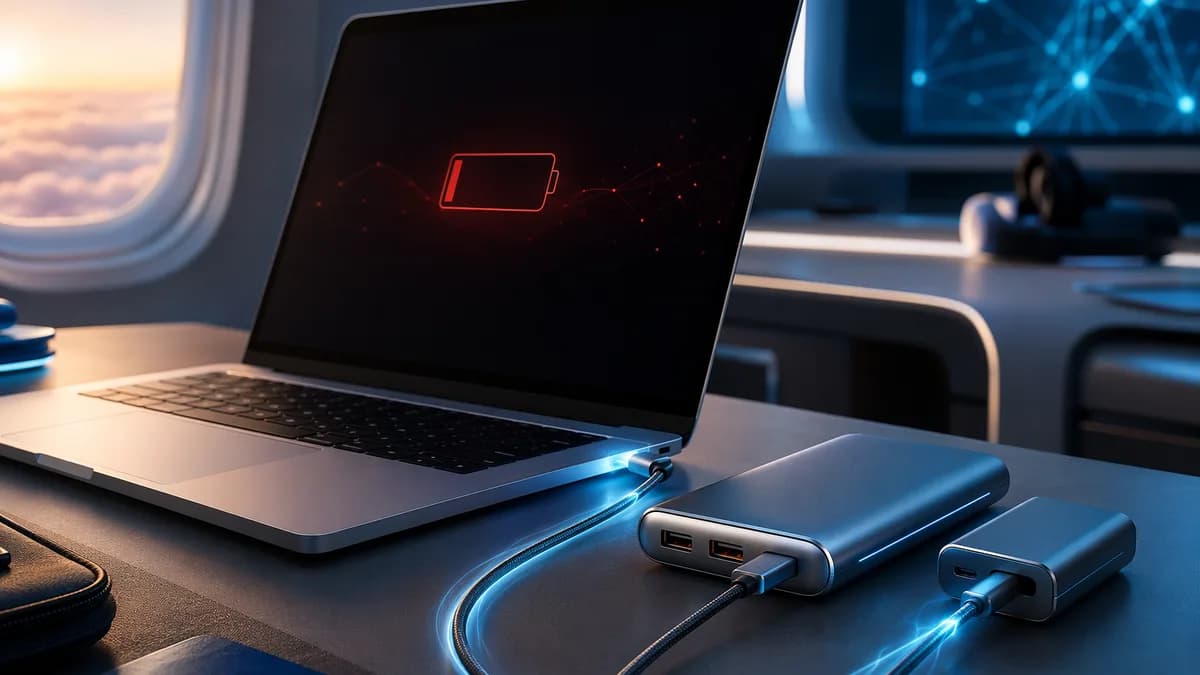
If you’re shopping for the best power banks for laptops, focus first on USB-C Power Delivery wattage, battery capacity in watt-hours, and whether the pack stays under common airline carry-on limits. The strongest laptop power banks in the source data range from compact 20,000 mAh commuter-friendly models to near-airline-limit 26,000–27,650 mAh packs with 140W USB-C PD output, displays, built-in cables, and multi-device charging.
XOOMAR Intelligence
Analyst Take
This roundup is buyer-focused: which models make sense for MacBooks, Windows laptops, Chromebooks, travel days, and short commutes — and where each one has trade-offs.
How Laptop Power Banks Work
Laptop power banks are high-capacity portable batteries designed to output enough power through USB-C to charge a computer, not just a phone. The key technology to look for is USB-C Power Delivery, often shortened to USB-C PD.
Most modern USB-C laptops — including MacBook, Chromebook, and many Windows laptops — can charge from a USB-C PD battery pack. Wirecutter’s testing criteria required every recommended laptop power bank to include at least one USB-C PD port and support at least 30W output, because most laptops need at least that much power to charge.
The three specs that matter most
| Spec | Why it matters | Examples from source data |
|---|---|---|
| Wattage | Determines how fast the power bank can charge a laptop | 65W, 100W, 140W, 300W combined output |
| Capacity | Determines how much charge the battery can deliver | 20,000 mAh, 25,000 mAh, 26,250 mAh, 27,650 mAh |
| Watt-hours | Important for airline carry-on rules | 90 Wh, 97 Wh, 99.9 Wh, under the common 100 Wh limit |
A higher wattage does not always mean more total runtime. It usually means faster charging, especially for larger laptops. Capacity determines how much energy the power bank stores, while wattage determines how quickly it can send that energy to your laptop.
Key buying rule: If your laptop charges over USB-C, choose a power bank with USB-C PD, at least 30W output, and preferably 65W to 140W for modern laptops.
Laptop power banks can also charge smaller devices. WIRED notes that USB-C power banks can charge phones and headphones, while Engadget’s testing included phones, tablets, and laptops across several models.
Best Overall USB-C Laptop Power Banks
The best overall USB-C laptop power banks combine high wattage, strong capacity, useful ports, and practical portability. Based on the source data, these are the strongest all-around options for most buyers.
1. Anker Prime Power Bank — best premium all-rounder
The Anker Prime Power Bank appears across multiple sources as a top laptop-focused pick. WIRED describes the current model as offering 26,250 mAh capacity and 300W across two USB-C ports and one USB-A port. Wirecutter identifies the Anker Prime A110A as the best USB power bank for most laptops, citing two USB-C PD ports that deliver up to 140W apiece, a USB-A port up to 22.5W, and a combined maximum output of up to 300W.
Engadget also highlights the Anker Prime Power Bank 26,250 mAh, 300W as its premium pick. In its testing, the power bank charged a MacBook Pro from 10% to 75% in about 45 minutes, and delivered 0.83 charges to a MacBook Pro overall.
| Feature | Anker Prime Power Bank |
|---|---|
| Capacity | 26,250 mAh |
| Watt-hours | Wirecutter lists roughly 97 Wh |
| USB-C output | Up to 140W per USB-C port |
| Combined output | Up to 300W |
| Ports | Two USB-C, one USB-A |
| Weight | Wirecutter lists 1.3 pounds |
| Warranty | WIRED and Wirecutter list 2 years |
| Price noted in sources | $230 at Wirecutter; WIRED lists $230, with sale pricing also shown |
Best for: Users who want a high-output USB-C laptop power bank that can handle demanding laptops, multiple devices, and fast laptop charging.
Trade-offs: Engadget notes it is pricey, especially with the optional charging base. The charging base itself was listed at $110 in Engadget’s source data.
2. EcoFlow Rapid Pro X — best high-output USB-C power bank
WIRED names the EcoFlow Rapid Pro X its best laptop power bank, citing 300W output, 27,650 mAh capacity, three USB-C ports, and a retractable USB-C cable. Its USB-C outputs are listed as 140W, 65W, 65W, plus a retractable USB-C cable capable of 140W.
The EcoFlow model is especially notable for recharge speed. WIRED says a single 140W USB-C input fills it in about an hour, while using both USB-C inputs can reach 80% from dead in under half an hour. With EcoFlow’s dock, WIRED reports it can go from zero to 80% in 20 minutes via 320W pogo-pin charging.
| Feature | EcoFlow Rapid Pro X |
|---|---|
| Capacity | 27,650 mAh |
| Total output | 300W |
| Ports | Three USB-C plus retractable USB-C cable |
| USB-C outputs | 140W, 65W, 65W, plus 140W cable |
| Recharge speed | Up to 80% in 20 minutes with dock, per WIRED |
| Warranty | 2 years |
| Price noted in source | WIRED lists $260 at EcoFlow; Amazon sale price shown as $126 for a 20,000 mAh version |
Best for: Buyers who prioritize very fast power-bank recharging and want integrated cable convenience.
Trade-offs: WIRED notes the app exists but “most folks won’t need to” use it. The dock and higher-end configuration may be more than some users need.
3. Anker Laptop Power Bank 25K — best built-in cable design
Engadget’s overall pick is the Anker Laptop Power Bank 25K, with 25,000 mAh capacity, 90 Wh, two built-in USB-C in/out cables, one USB-A port, and one USB-C port.
One built-in USB-C cable doubles as a carrying strap, and another retractable cable extends up to two feet. Engadget’s testing showed it delivered 0.68 charges to a MacBook Pro and charged that MacBook Pro in 53 minutes during the test.
| Feature | Anker Laptop Power Bank 25K |
|---|---|
| Capacity | 25,000 mAh |
| Watt-hours | 90 Wh |
| Ports | Two built-in USB-C in/out cables, one USB-A, one USB-C |
| MacBook Pro result | 0.68 charges |
| MacBook Pro test time | 53 minutes |
| Notable feature | Built-in USB-C cables and display |
Best for: People who do not want to carry separate USB-C cables.
Trade-offs: Engadget notes the screen can get marred over time, and the capacity is not as high as some other TSA-compatible power banks.
Overall USB-C laptop power bank comparison
| Pick | Best use | Capacity | Max output / USB-C output | Notable strength |
|---|---|---|---|---|
| Anker Prime Power Bank | Premium all-rounder | 26,250 mAh | 300W combined, up to 140W per USB-C | Fast laptop charging, strong port mix |
| EcoFlow Rapid Pro X | Fastest recharge-focused pick | 27,650 mAh | 300W, with 140W USB-C options | Extremely fast recharging with dock |
| Anker Laptop Power Bank 25K | Built-in cable convenience | 25,000 mAh / 90 Wh | Source emphasizes laptop-class USB-C charging | Two built-in USB-C cables |
| Anker 737 Power Bank | Compact 140W option | 24,000 mAh | Up to 140W send/receive | Charges from zero within an hour, per WIRED |
Best High-Capacity Power Banks for Travel
Travel power banks need enough capacity to matter, but they also need to stay practical for carry-on use. Sources consistently point to the 100 Wh threshold as a key line: Wirecutter disqualified models over 100 Wh, and Engadget says nearly all portable laptop chargers fall below the 100-watt-hour mark so they can be brought in carry-on luggage.
1. Lion Energy Eclipse Mag — best travel power bank with wireless pads
Engadget names the Lion Energy Eclipse Mag its best laptop power bank for travel. It has 27,000 mAh capacity and 99.9 Wh, placing it just under the common 100 Wh carry-on threshold referenced in the source data.
Its standout feature is multi-device wireless charging. Engadget lists one USB-C in/out port, two USB-A outputs, and three wireless pads. The pads can charge a Qi-enabled phone, earbuds case, and Apple Watch at the same time.
| Feature | Lion Energy Eclipse Mag |
|---|---|
| Capacity | 27,000 mAh |
| Watt-hours | 99.9 Wh |
| Ports | One USB-C in/out, two USB-A out |
| Wireless charging | Three wireless pads |
| MacBook Pro test | 10% to 89% in 1h 18m |
| Weight | 2 pounds |
| Warranty | 5 years |
| Price noted in source | $174, sale price $149 |
Best for: Travelers who want one battery for a laptop, phone, earbuds, and Apple Watch.
Trade-offs: Engadget notes it is heavy, has no display, and could use another USB-C port.
2. Aohi Starship Power Bank — best for charging two laptops
WIRED highlights the Aohi Starship Power Bank for its sci-fi styling and high dual-device output. The main model listed has 27,600 mAh capacity and can deliver 240W for two devices through two USB-C ports: one at 140W and one at 100W.
WIRED says it supports PD 3.1, includes a 140W 3.3-foot USB-C cable, and can fly in carry-on luggage. A larger 40,000 mAh version is also listed, but WIRED states that version cannot be taken on a plane.
| Feature | Aohi Starship Power Bank |
|---|---|
| Capacity | 27,600 mAh |
| USB-C output | 140W + 100W |
| Total output | 240W |
| Ports | Two USB-C, one USB-A |
| Included cable | 140W 3.3-foot USB-C cable |
| Warranty | 18 months |
| Price noted in source | $169 at Aohi; Amazon listings shown for other capacities |
Best for: Users who want to charge two USB-C laptops at the same time.
Trade-offs: WIRED notes the display is dim and too hard to read in direct sunlight.
3. Anker Solix C300 DC Portable Power Station — best off-grid option, not for flights
The Anker Solix C300 DC Portable Power Station is in a different category from typical laptop power banks. WIRED lists a huge 90,000 mAh capacity, 300W output, four USB-C ports, and two USB-A ports.
WIRED says it can charge most laptops up to four times and recharge to 80% in an hour using two fast USB-C ports. It also supports an XT60 input for a 100W solar panel and has a car-charging socket.
| Feature | Anker Solix C300 DC |
|---|---|
| Capacity | 90,000 mAh |
| Output | 300W |
| Ports | Four USB-C, two USB-A |
| Weight | 6.17 pounds |
| Laptop charges | Most laptops up to four times, per WIRED |
| Flight status | WIRED says you can’t fly with it |
| Price noted in source | $250, sale price $180 |
Best for: Road trips, camping, and off-grid work sessions.
Trade-offs: It is too large for daily carry and not suitable for flights, according to WIRED.
Travel warning: Bigger is not always better. The 40,000 mAh Aohi Starship and 90,000 mAh Anker Solix C300 DC offer more capacity, but source data says they cannot be taken on a plane.
Best Compact Power Banks for Commuters
For commuters, weight and bag shape matter as much as raw capacity. The best compact laptop power banks are easier to slide into a backpack, messenger bag, or laptop sleeve while still offering enough output for USB-C laptops.
1. Baseus Power Bank 20,000 mAh 100W — best budget compact option
Engadget names the Baseus Power Bank, 20,000 mAh 100W as its best budget laptop power bank. It has 20,000 mAh, 74 Wh, two USB-C in/out ports, and two USB-A outputs.
In Engadget’s testing, it charged a MacBook Pro from 10% to 62% in 1h 6m. That was about 20 percentage points lower than larger batteries in the same testing, but Engadget still considered it speedy for the price and size.
| Feature | Baseus Power Bank 20,000 mAh 100W |
|---|---|
| Capacity | 20,000 mAh |
| Watt-hours | 74 Wh |
| Output | 100W |
| Ports | Two USB-C in/out, two USB-A out |
| MacBook Pro test | 10% to 62% in 1h 6m |
| Price noted in source | $100 |
Best for: Commuters who want value, a flat shape, and enough laptop charging for partial top-ups.
Trade-offs: Lower capacity than 25,000–27,000 mAh models.
2. Anker A1383 Power Bank — best compact built-in cable pick
Wirecutter recommends the Anker 1383 Power Bank if you want a built-in USB-C cable. It weighs 1 pound, has 20,000 mAh capacity, and includes a built-in USB-C cable, USB-C PD port, and USB-A port.
The built-in cable and USB-C PD port each support up to 65W, while the USB-A port supports up to 18W. Wirecutter lists total maximum output at 87W and says the capacity is sufficient to charge most laptops at least once.
| Feature | Anker 1383 Power Bank |
|---|---|
| Capacity | 20,000 mAh |
| Weight | 1 pound |
| USB-C output | Up to 65W |
| USB-A output | Up to 18W |
| Total output | 87W |
| Warranty | 18 months |
| Price noted in source | $70 at Amazon/Walmart, $72 at Best Buy |
Best for: Commuters who want fewer cables and a lighter bag.
Trade-offs: Wirecutter notes it is not as powerful as its top pick and has a less informative screen.
3. Ugreen 145W Power Bank — compact 25,000 mAh alternative
WIRED describes the Ugreen 145W Power Bank as surprisingly compact for a 25,000 mAh battery. It weighs 1.1 pounds and has two USB-C ports plus one USB-A port.
Its total output is listed at 145W, with one USB-C port at 100W and the other at 45W. WIRED says the small LED readout shows current charge state, though it does not show detailed charging information.
| Feature | Ugreen 145W Power Bank |
|---|---|
| Capacity | 25,000 mAh |
| Weight | 1.1 pounds |
| Total output | 145W |
| USB-C outputs | 100W and 45W |
| Ports | Two USB-C, one USB-A |
| Price noted in source | $70 |
Best for: Buyers who want a compact, high-capacity USB-C power bank with dual USB-C output.
Trade-offs: The display is basic compared with models that show wattage, temperature, and time remaining.
USB-C PD Wattage: 45W, 65W, 100W, and 140W
USB-C wattage determines whether your laptop charges slowly, normally, or at high speed. The source data supports a practical hierarchy: 30W minimum, 65W mainstream, 100W strong, and 140W high-end.
What each wattage level means
| USB-C PD wattage | Best fit | What the source data supports |
|---|---|---|
| 30W+ | Minimum laptop charging threshold | Wirecutter required at least 30W because most laptops need at least that much |
| 45W | Tablets, smaller laptops, secondary USB-C output | Ugreen offers a second USB-C port at 45W |
| 65W | Many mainstream laptops and compact power banks | Anker A1383 built-in cable and USB-C PD port support up to 65W |
| 100W | Faster charging for many laptops | Baseus is listed as 100W; Ugreen has a 100W USB-C port |
| 140W | High-power laptop charging | Anker Prime, Anker 737, Aohi Starship, EcoFlow Rapid Pro X include 140W USB-C capability |
| 300W combined | Multiple devices at once | Anker Prime and EcoFlow Rapid Pro X are listed at 300W total output |
The best wattage depends on your laptop. Wirecutter says the Anker Prime’s 140W USB-C PD ports are enough to charge most laptops — including heavy-duty laptops used for gaming and video editing — as fast as physically possible.
Engadget’s Anker Prime testing gives a useful real-world example: a MacBook Pro charged from 10% to 75% in about 45 minutes, with the laptop drawing around 90W for most of the test.
Important MacBook note: In the Reddit USB-C Hardware discussion, a commenter noted that a 16-inch MacBook Pro may be capped at 100W over USB-C and needs MagSafe for 140W charging. Treat this as user-reported discussion rather than lab-tested buying guidance.
Single-port output vs combined output
A power bank’s headline wattage can be misleading if you do not check single-port limits. For example:
| Power bank | Combined output | Single USB-C details |
|---|---|---|
| Anker Prime Power Bank | 300W | Up to 140W per USB-C port |
| EcoFlow Rapid Pro X | 300W | USB-C outputs listed as 140W, 65W, 65W, plus 140W cable |
| Aohi Starship | 240W | Two USB-C ports at 140W and 100W |
| Ugreen 145W | 145W | USB-C ports at 100W and 45W |
| Anker A1383 | 87W total | Built-in cable and USB-C PD port up to 65W apiece |
If you only charge one laptop, single-port USB-C output matters most. If you charge a laptop, phone, tablet, and earbuds together, combined output and port layout become more important.
Battery Capacity and Real-World Laptop Runtime
Capacity is usually listed in mAh, but airline rules often use Wh. In real use, laptop runtime depends on the power bank, laptop battery size, charging wattage, and what you are doing on the laptop.
The source data gives several practical benchmarks.
Real-world laptop charging results
| Power bank | Capacity | Laptop result from source data |
|---|---|---|
| Anker Prime Power Bank 26,250 mAh | 26,250 mAh | Engadget: 0.83 charges to MacBook Pro; 10% to 75% in about 45 minutes |
| Anker Laptop Power Bank 25K | 25,000 mAh / 90 Wh | Engadget: 0.68 charges to MacBook Pro; charge time 53 minutes |
| Lion Energy Eclipse Mag | 27,000 mAh / 99.9 Wh | Engadget: MacBook Pro 10% to 89% in 1h 18m |
| Baseus 20,000 mAh 100W | 20,000 mAh / 74 Wh | Engadget: MacBook Pro 10% to 62% in 1h 6m |
| Anker Solix C300 DC | 90,000 mAh | WIRED: most laptops up to four times |
| WIRED 20,000 mAh+ category | 20,000 mAh and up | WIRED considered this enough to charge most laptops twice in its guide context |
There is some variation across sources. WIRED frames 20,000 mAh and up as enough to charge most laptops twice in its guide context, while Engadget’s MacBook Pro testing showed several travel-friendly packs delivering less than one full MacBook Pro charge. That difference is not necessarily contradictory: “most laptops” vary widely, and a 16-inch-class laptop can require far more energy than a smaller ultraportable.
Practical capacity guidance
| Capacity range | What to expect based on source data |
|---|---|
| 20,000 mAh | Good for commuter top-ups or roughly one charge for many laptops, depending on laptop size |
| 24,000–25,000 mAh | Stronger travel range; examples include Anker 737 and Anker Laptop Power Bank 25K |
| 26,000–27,650 mAh | Near the upper carry-on-friendly range in the source data |
| 40,000 mAh+ | More runtime, but may not be flight-friendly |
| 90,000 mAh | Portable power station territory; WIRED says Anker Solix C300 DC can charge most laptops up to four times but cannot fly |
For the best power banks for laptops, a 20,000–27,650 mAh range is the sweet spot in the source data for portable USB-C models. Above that, you may gain runtime but lose airline compatibility and daily-carry convenience.
Airline Carry-On Rules for Power Banks
Airline rules matter because laptop power banks use lithium-ion batteries. The source data repeatedly points to 100 Wh as the key threshold for carry-on-friendly laptop power banks.
Wirecutter disqualified any power bank with a capacity rating over 100 Wh, stating that most airlines do not allow them in a carry-on bag. Engadget similarly notes that nearly all portable laptop chargers fall below the 100-watt-hour mark so they can be brought in carry-on luggage.
Carry-on-friendly examples from the source data
| Power bank | Wh rating in source data | Travel note |
|---|---|---|
| Anker Laptop Power Bank 25K | 90 Wh | Below 100 Wh |
| Lion Energy Eclipse Mag | 99.9 Wh | Just below 100 Wh |
| Anker Prime A110A | Roughly 97 Wh | Wirecutter says it meets carry-on luggage requirements |
| Baseus 20,000 mAh 100W | 74 Wh | Below 100 Wh |
Models that are not flight-friendly in the source data
| Power bank | Capacity | Source travel warning |
|---|---|---|
| Aohi Starship 40,000 mAh version | 40,000 mAh | WIRED says you cannot take it on a plane |
| Anker Solix C300 DC | 90,000 mAh | WIRED says you cannot fly with it |
Carry-on rule of thumb: Choose a laptop power bank under 100 Wh if you plan to fly. At the time of writing, the source data consistently treats 100 Wh as the practical airline threshold.
The Reddit discussion also notes that some airlines may restrict power bank use during flights or require visible use, with commenters mentioning different carrier practices. Because airline policies can vary, check your airline’s current rules before traveling.
Compatibility With MacBook, Windows, and Chromebooks
Compatibility depends primarily on whether your laptop charges via USB-C PD and how much wattage it can accept.
Wirecutter says this category is for laptops that charge over USB-C, including MacBook, Chromebook, and many other modern laptops. It also states that the Anker Prime A110A’s 140W USB-C PD ports provide enough power to charge most laptops, including heavy-duty laptops used for gaming and video editing, as fast as physically possible.
MacBook compatibility
MacBooks are well represented in the source testing. Engadget tested multiple power banks with a MacBook Pro:
| Power bank | MacBook Pro result |
|---|---|
| Anker Prime Power Bank 26,250 mAh | 0.83 charges; 10% to 75% in about 45 minutes |
| Anker Laptop Power Bank 25K | 0.68 charges; 53 minutes |
| Lion Energy Eclipse Mag | 10% to 89% in 1h 18m |
| Baseus 20,000 mAh 100W | 10% to 62% in 1h 6m |
For high-power MacBook Pro users, 140W USB-C PD-capable packs such as the Anker Prime, EcoFlow Rapid Pro X, Aohi Starship, and Anker 737 are the strongest options in the source data.
However, the Reddit USB-C Hardware discussion includes an important user-reported note: some MacBook Pro fast-charging behavior may require USB-C to MagSafe to reach 140W, while USB-C may be capped at 100W. If you specifically need 140W MacBook Pro charging, verify your laptop and cable setup.
Windows laptop compatibility
The source data does not provide model-by-model Windows laptop testing. However, Wirecutter states that 140W USB-C PD is enough for most laptops, including heavy-duty laptops used for gaming and video editing.
For Windows laptops, check your charger’s wattage and your laptop’s USB-C charging support. If your laptop’s original charger is 65W, a 65W or higher power bank may be enough. If it uses a 100W USB-C charger, prioritize a 100W or 140W USB-C output.
Chromebook compatibility
Chromebooks are explicitly included by Wirecutter as laptops that can benefit from USB-C power banks if they charge over USB-C. Because Wirecutter’s minimum test requirement was 30W, a Chromebook that supports USB-C charging may not need a premium 140W or 300W combined power bank.
For Chromebook users, compact models such as the Anker A1383, Baseus 20,000 mAh 100W, or Ugreen 145W may be more practical than the highest-output premium packs, depending on budget and desired runtime.
Power Bank Buying Checklist
Use this checklist before buying one of the best power banks for laptops.
1. Match wattage to your laptop
- Minimum: Look for at least 30W USB-C PD, matching Wirecutter’s baseline.
- Mainstream laptops: Consider 65W or higher.
- Faster laptop charging: Look for 100W USB-C.
- High-power laptops: Consider 140W USB-C PD models such as Anker Prime, EcoFlow Rapid Pro X, Anker 737, or Aohi Starship.
2. Check single-port USB-C output
Do not rely only on combined wattage.
- Anker Prime: Up to 140W from each USB-C port.
- Aohi Starship: 140W and 100W USB-C ports.
- Ugreen 145W: One 100W USB-C port and one 45W USB-C port.
- Anker A1383: Up to 65W from the built-in cable and USB-C PD port.
3. Pick the right capacity
- 20,000 mAh: Better for commuters and budget buyers.
- 24,000–25,000 mAh: Good balance of portability and runtime.
- 26,000–27,650 mAh: Strong travel range near the airline-friendly ceiling.
- 90,000 mAh: Off-grid use, not flights.
4. Confirm airline suitability
- Look for Wh rating: Source data emphasizes the 100 Wh threshold.
- Good travel examples: Anker Laptop Power Bank 25K at 90 Wh, Lion Energy Eclipse Mag at 99.9 Wh, Anker Prime A110A at roughly 97 Wh.
- Avoid for flights: WIRED says the 40,000 mAh Aohi Starship and 90,000 mAh Anker Solix C300 DC cannot fly.
5. Decide whether you need built-in cables
Built-in cables reduce clutter.
- Anker Laptop Power Bank 25K: Two built-in USB-C cables, including a retractable one.
- Anker A1383: Built-in USB-C cable.
- EcoFlow Rapid Pro X: Retractable USB-C cable.
6. Look for a useful display
Displays can show remaining charge and charging rates.
- Anker Prime: Informative screen with battery and temperature details, per Wirecutter and Engadget.
- EcoFlow Rapid Pro X: Shows remaining power percentage and charging rate for each connected device, per WIRED.
- Anker 737: Digital display shows battery percentage, temperature, total output, cycles, and more, per WIRED.
- Aohi Starship: Display shows battery life and wattage, but WIRED says it is dim.
7. Consider recharge speed
Fast recharge matters if you top up at airports, cafés, or during short breaks.
- EcoFlow Rapid Pro X: Up to 80% in 20 minutes with dock, per WIRED.
- Anker Prime: WIRED says both USB-C ports can recharge it at 250W to 80% from zero in 20 minutes.
- Anker 737: WIRED says it can charge from zero within an hour.
- Reddit USB-C Hardware discussion: User-shared charging data emphasized that some power banks refill much faster than others during short 20-minute windows.
Bottom Line
The best laptop power bank depends on how you travel, how powerful your laptop is, and whether you value speed, portability, or cable convenience.
For the strongest premium all-rounder, the Anker Prime Power Bank stands out with 26,250 mAh, roughly 97 Wh, two 140W USB-C ports, and up to 300W combined output. For maximum recharge speed and integrated cable convenience, WIRED’s top-rated EcoFlow Rapid Pro X offers 27,650 mAh, 300W, a retractable USB-C cable, and extremely fast dock-based recharging.
For travel, the Lion Energy Eclipse Mag is notable for 27,000 mAh, 99.9 Wh, and three wireless charging pads. For commuters and budget buyers, the Baseus 20,000 mAh 100W, Anker A1383, and Ugreen 145W offer more compact alternatives.
If you want one simple rule: choose a USB-C PD power bank with at least 65W, ideally 100W or 140W for larger laptops, and keep it under 100 Wh if you plan to fly.
FAQ
What is the best power bank for laptops overall?
Based on the source data, the Anker Prime Power Bank and EcoFlow Rapid Pro X are the strongest overall options. The Anker Prime offers 26,250 mAh, up to 300W combined output, and two USB-C ports up to 140W each. The EcoFlow Rapid Pro X offers 27,650 mAh, 300W, multiple USB-C outputs, and very fast recharging.
How many watts does a laptop power bank need?
Wirecutter required at least 30W output because most laptops need at least that much to charge. For better results, 65W suits many mainstream laptops, 100W is stronger for larger laptops, and 140W is the high-end USB-C PD level found on models like the Anker Prime, EcoFlow Rapid Pro X, Anker 737, and Aohi Starship.
Can I bring a laptop power bank on a plane?
Usually, you should choose a power bank under 100 Wh for air travel. Source data lists travel-friendly examples such as the Anker Laptop Power Bank 25K at 90 Wh, Lion Energy Eclipse Mag at 99.9 Wh, and Anker Prime A110A at roughly 97 Wh. WIRED says larger models like the 40,000 mAh Aohi Starship and 90,000 mAh Anker Solix C300 DC cannot be taken on a plane.
Is 20,000 mAh enough for a laptop?
It can be, depending on the laptop. Wirecutter says the 20,000 mAh Anker A1383 has enough capacity to charge most laptops at least once. Engadget’s 20,000 mAh Baseus 100W test charged a MacBook Pro from 10% to 62% in 1h 6m, so larger laptops may get a partial charge rather than a full refill.
Which laptop power bank charges a MacBook Pro fastest?
In Engadget’s testing, the Anker Prime Power Bank 26,250 mAh, 300W charged a MacBook Pro from 10% to 75% in about 45 minutes, the fastest time Engadget tracked. The Lion Energy Eclipse Mag charged a MacBook Pro from 10% to 89% in 1h 18m, while the Baseus 20,000 mAh 100W charged one from 10% to 62% in 1h 6m.
Are built-in cable power banks worth it?
They can be useful if you travel light or often forget cables. Engadget praises the Anker Laptop Power Bank 25K for two built-in USB-C cables, including one that doubles as a carrying strap and one retractable cable. Wirecutter also recommends the Anker A1383 for buyers who want a built-in USB-C cable.
Sources & References
Content sourced and verified on June 16, 2026
- 1Power Through Your Day With the Best Laptop Power Banks
https://www.wired.com/story/best-laptop-power-banks/
- 2The best laptop power banks for 2026 - Engadget
https://www.engadget.com/computing/accessories/best-laptop-power-bank-120040388.html
- 310 laptop power banks, which ones can meaningfully recharge while you eat lunch?
https://www.reddit.com/r/UsbCHardware/comments/1pefr11/10_laptop_power_banks_which_ones_can_meaningfully/
- 48 Best Power Banks for Laptops in 2026
https://www.technobezz.com/best/best-power-banks-for-laptops-1di
- 5Work Trips Can Be a Struggle. Keeping Your Laptop Charged While Traveling Shouldn’t Be.
https://www.nytimes.com/wirecutter/reviews/best-usb-c-battery-packs-and-power-banks/
- 6The best mobile powerbanks/external batteries for your laptop (2026)
https://www.ultrabookreview.com/33610-mobile-laptop-powerbanks/

Written by
XOOMAR
Data desk
XOOMAR is a capital markets software and data company. Every brief on this site starts from a dataset the company collects itself from primary sources (CFTC, SEC EDGAR, FINRA, the Federal Reserve, exchange APIs) and names the numbers it is built on, with a link to the data page so you can check them. Briefs are reviewed before they go out and corrected in place when the data is revised.