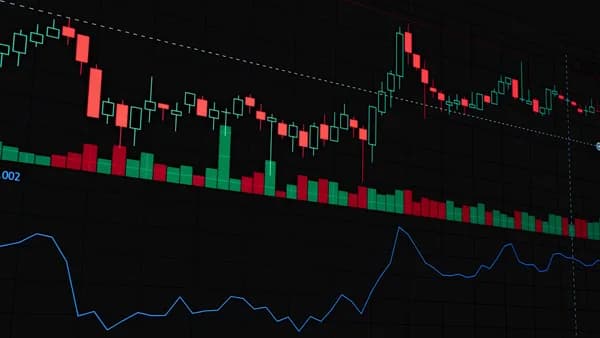
The landscape of investing has irrevocably shifted from the trading floor to our pockets. For serious traders, the ability to execute a strategy while on the move is no longer a luxury but a necessity. This has led to an arms race among brokerages and platform developers to build the most powerful investing apps with advanced charting tools directly onto your smartphone. The best of these apps now offer charting packages that rival desktop terminals, complete with extensive technical indicator libraries, real-time data, and deep customization. This guide provides a data-driven roundup of the best mobile platforms for serious analysis, based on intensive testing of leading software in 2026.
The Rise of Professional Trading on Mobile
The modern trader’s workstation is anywhere with a signal. The evolution from simple quote viewers to full-featured mobile charting platforms has been accelerated by broker competition and third-party developers pushing the envelope. In 2026, leading broker apps like thinkorswim Mobile offer professional-grade tools at no extra cost, while multi-asset platforms like TradingView provide a universal charting environment accessible on any device. This democratization means robust technical analysis, once confined to desktop software, is now available for spotting and acting on opportunities from anywhere. The key for traders is identifying which app provides the right blend of charting depth, asset coverage, and seamless execution for their specific style and frequency of trading.
Essential Features: What Constitutes 'Advanced' Mobile Charting?
Not all charting apps are created equal. For the serious trader, an "advanced" mobile charting app must go beyond basic candlestick displays. Based on feature sets of top-ranked platforms in 2026, here are the non-negotiable components:
Real-Time Data Access: Advanced analysis is meaningless on delayed data. Top-tier apps provide real-time quotes for major exchanges, though some may require specific account types or paid add-ons for premium data streams like NYSE/Nasdaq.
Comprehensive Indicator Library: A vast, built-in collection of technical studies is the baseline. The industry leader, TradingView, sets the standard with over 400+ built-in indicators and access to a community library of 150,000+ custom Pine Scripts. A robust app should include oscillators, moving averages, Bollinger Bands®, and volume-based tools as a minimum.
Customization and Layouts: The ability to tailor the workspace is critical. This includes multi-chart layouts (e.g., viewing 4 or more charts simultaneously), customizable time frames (from tick charts to monthly), and saving chart templates for different strategies.
Dynamic Drawing Tools: Manual analysis requires precision. Tools for drawing trendlines, Fibonacci retracements, Andrews' Pitchforks, and horizontal support/resistance levels must be fully functional and responsive on a touchscreen.
Integrated Analysis Workflow: The best apps minimize friction. This means features like one-tap trading from the chart, seamless switching between watchlist and chart view, and integrated screeners that let you scan for setups and immediately analyze the chart.
"Where TradingView wins on price and coverage breadth, TrendSpider wins on depth: it bundles tools and data sources that you would normally need three or four separate subscriptions to access," notes analysis from financialtechwiz.com.
App Review 1: Powerhouse Broker Apps (Thinkorswim Mobile, Webull)
These apps are tied directly to a brokerage, offering a deeply integrated experience from analysis to execution.
thinkorswim Mobile (by Charles Schwab): Thinkorswim is widely recognized as offering "the deepest free charting stack available to retail traders," but only if you maintain a funded Schwab brokerage account. Its mobile app is a direct conduit to this power. It delivers professional-grade charts with Level II market depth data, full options chains with real-time Greeks, and futures charting. For traders who utilize complex multi-leg options strategies or trade across asset classes, the thinkorswim mobile platform is arguably unmatched among broker-specific apps. The learning curve is noted to be steeper than more modern interfaces, but the functionality is comprehensive.
Webull: Praised for its clean interface and robust feature set for a free platform, Webull's app is a favorite among active retail traders. It provides free real-time data for US markets, advanced charting with dozens of technical indicators, and drawing tools. Its strength lies in combining a powerful charting package with zero-commission trading, making it an excellent all-in-one solution for stock and options traders who prioritize cost and a streamlined mobile experience.
| Feature | thinkorswim Mobile | Webull |
|---|---|---|
| Best For | Schwab users, Options & Futures traders | Mobile-centric active traders |
| Charting Depth | Professional-grade, includes Options Analytics & Level II | Advanced retail-level, extensive indicator library |
| Real-Time Data | Yes (with funded account) | Yes, free |
| Key Strength | Integrated complex options/futures tools & paper trading | Free real-time data & sleek all-in-one interface |
| Cost | Free with Schwab account | Free |
App Review 2: Top Multi-Asset Platforms (TradingView, Investing.com)
These are standalone charting and analysis platforms, not brokers, giving you the freedom to analyze any market and connect to your broker of choice.
TradingView: Consistently rated as the best free charting platform in 2026, TradingView's mobile app is incredibly powerful. It grants access to the same core features as its desktop web version: charts for stocks, futures, crypto, and forex in one place, the massive library of 400+ indicators and 150k+ community scripts, and the Bar Replay feature for practice. The mobile interface is highly customizable, allowing for multi-chart layouts even on a phone screen. The primary friction point identified is that real-time data for some major US exchanges may require a paid add-on on top of your subscription plan, even on the free tier which otherwise offers real-time data from many global exchanges.
Investing.com / InvestingPro: A major player in financial data, Investing.com offers a comprehensive mobile app with real-time quotes, charts, and news. Its advanced charting tools are accessible, and it promotes its InvestingPro subscription for AI analysis and premium data aimed at uncovering strategic opportunities. While its charting may not have the dedicated scripting community of TradingView, it is a solid choice for traders who want their charting deeply integrated with global news flow and fundamental data snippets.
| Feature | TradingView Mobile | Investing.com App |
|---|---|---|
| Best For | Universal charting, Pine Script community, multi-asset traders | Integrated news & analysis, global market overview |
| Asset Coverage | Stocks, Crypto, Forex, Futures, CFDs | Stocks, Forex, Crypto, Indices, Commodities |
| Indicator Library | 400+ built-in, 150,000+ community scripts | Comprehensive built-in library |
| Real-Time Data | Varies by exchange (some require add-on) | Available, premium for full access |
| Key Strength | Unmatched customization & social/community features | Strong integration of charts, news, and fundamental data |
| Cost | Free tier. Paid from $12.95/month | Free tier. InvestingPro premium subscription. |
App Review 3: Best Dedicated Forex/CFD Mobile Terminals
While multi-asset platforms cover Forex, dedicated terminals for Forex and Contract for Difference (CFD) traders often provide faster execution, specialized order types, and deeper market analysis directly within the charting environment. Platforms like MetaTrader 4 (MT4) and MetaTrader 5 (MT5) dominate this space, though they were not explicitly detailed in the core sources. Based on the broader search data acknowledging tools for technical analysis, it's clear that these apps are purpose-built. They typically feature:
- Expert Advisors (EAs): For automated trading strategies.
- Custom Indicators: A vast marketplace of specialized Forex indicators.
- One-Click Trading: Direct execution from the chart.
- Depth of Market (DOM): Viewing market liquidity.
For traders solely focused on currencies and derivatives, a broker offering a robust mobile MT4/MT5 application is often the preferred choice for its specialized toolset and trading-centric design.
Comparing Chart Types, Time Frames, and Drawing Tools
The bedrock of technical analysis is how you view price data. Leading investing apps with advanced charting in 2026 offer extensive flexibility here.
Chart Types: Beyond standard Japanese candlesticks, look for apps that offer Heikin-Ashi, Renko, Range bars, and Line Break charts. These alternative chart types can help filter market noise and identify trends more clearly. TradingView and thinkorswim are noted for their wide selection.
Time Frames: Flexibility is key. The best apps allow you to view charts from tick-by-tick movements all the way to monthly or yearly time frames. The ability to set custom time frames (e.g., a 13-minute chart) is a mark of a premium platform.
Drawing Tools: Advanced manual analysis requires a full suite:
- Trendlines & Channels: For identifying direction and ranges.
- Fibonacci Tools: Retracement, extensions, and fans for predicting potential support/resistance.
- Geometric Shapes: Andrews' Pitchfork, Gann Fan, and simple shapes for highlighting chart patterns.
- Annotations: Text and icons for marking up your analysis.
A standout feature of TrendSpider is its automation in this area: it is "the only platform that draws trendlines, detects chart patterns, and identifies support and resistance levels automatically," a significant time-saver for systematic traders.
Technical Analysis: Indicator Libraries and Custom Scripts
The indicator library is the engine of quantitative technical analysis. The depth here separates basic apps from professional tools.
Built-in Libraries: As benchmarked, TradingView leads with 400+ built-in studies. Other platforms like TC2000 and thinkorswim also offer extensive collections covering momentum, trend, volatility, and volume.
Custom Scripts & Community: The ability to create or import custom indicators is a game-changer.
- TradingView uses Pine Script, with a massive public library of over 150,000 community-shared scripts and strategies for backtesting.
- thinkorswim uses thinkScript, which is powerful but has a smaller community ecosystem.
- TrendSpider also features a "growing library comparable to TradingView’s in depth" for community-built tools.
AI-Powered Analysis: This is the cutting edge. TrendSpider's Sidekick AI provides plain-language market summaries for any ticker. Trade Ideas is built around Holly AI, which scans the market and generates ranked trade ideas. These tools augment traditional indicator-based analysis with pattern recognition and data synthesis.
Usability Showdown: Speed, Customization, and One-Tap Trading
A powerful tool is useless if it's slow or clunky on mobile. Usability hinges on three factors:
Speed and Stability: The app must load charts and refresh data instantly without lag, especially during high-volatility events. Broker-integrated apps like Webull and thinkorswim are optimized for this, as data and execution share a single connection.
Interface Customization: Can you save your preferred layout with specific indicators and drawings pre-loaded? Can you quickly switch between different chart templates for, say, scalp trading versus swing trading? High-scoring apps allow this, turning your phone into a personalized trading terminal.
One-Tap/Chart Trading: The ultimate efficiency feature. The ability to set a limit order or stop loss directly by tapping on a price level within the chart drastically reduces reaction time and slippage. Most advanced broker apps and some third-party platforms (when linked to a broker) offer this functionality.
Limitations of Mobile vs. Desktop: When to Switch
For all their advances, mobile apps have inherent limitations. Knowing when to switch to a desktop is crucial for risk management and complex tasks.
Screen Real Estate: Even with multi-chart layouts, simultaneously monitoring 8+ charts, a scanner, and a news feed is impractical on a phone. Desktop monitors are essential for multi-monitor setups used by active day traders.
Complex Order Entry: Managing complex options spreads (iron condors, butterflies) or layering multiple contingent orders is far more error-prone on a mobile interface. Use desktop for intricate trade construction.
Deep Backtesting and Research: While some apps offer basic backtesting, rigorous strategy development using platforms like TrendSpider's backtesting engine or Trade Ideas' simulator is a desktop-first activity. Similarly, deep dives into TrendSpider's bundled fundamentals, 13F, and insider trading data are better suited for a larger screen.
Advanced Scanning: Building and fine-tuning real-time stock scanners with multiple conditions, a core strength of TC2000 and Trade Ideas, is vastly more efficient with a keyboard and mouse.
Our Top 3 Picks for Different Trader Profiles in 2026
Based on the tested data covering features, costs, and specializations, here are our top picks for specific trader types.
1. For the Multi-Asset Analyst & Custom Strategy Developer: TradingView If you trade stocks, crypto, and forex from a single phone and thrive on creating or using custom indicators, TradingView is unmatched. Its free tier is the most powerful starting point, and its mobile app delivers the full breadth of its legendary charting ecosystem. The access to 150,000+ community scripts and seamless syncing with your desktop charts makes it the universal choice for chart-centric traders across all experience levels.
2. For the Data-Driven Equity & Options Trader: TrendSpider For the trader who bases decisions on a confluence of signals, price action, fundamentals, options flow, and institutional activity, TrendSpider is the most complete single mobile platform. Its automated technical drawing saves hours, and the integrated fundamental data, 13F filings, full options data, and congress/insider trading data provide an edge no other app bundles together. While a paid service, it consolidates multiple subscriptions into one powerful mobile and desktop experience.
3. For the Cost-Conscious Active Trader with a Broker: thinkorswim Mobile or Webull
- If you are a Charles Schwab customer, thinkorswim Mobile provides an astounding depth of professional tools, including advanced options and futures analytics, at zero extra cost. It's the most powerful free package tied to a specific broker.
- If you are broker-agnostic and want the best free, all-in-one experience, Webull stands out. It combines free real-time data, advanced charting, and commission-free trading in a highly polished mobile app designed for active retail trading.
FAQ
What is the best completely free charting app with real-time data? For a standalone app not tied to a broker, TradingView's free tier offers extensive real-time data from many global exchanges and a massive indicator library. For a broker-integrated app, Webull provides advanced charting with free real-time US market data and commission-free trading.
Can I use TradingView for free on mobile? Yes, TradingView offers a robust free tier accessible on its iOS and Android apps. This includes access to most charts, numerous indicators, and community scripts, though some premium data feeds and features like more indicators per chart require a paid plan.
Which app is best for automated technical analysis and AI insights? TrendSpider is the leader in automated analysis, with features that automatically draw trendlines and detect patterns. Its Sidekick AI provides market summaries. Trade Ideas is also a top contender, built around its Holly AI engine that scans and generates trade ideas.
Is thinkorswim's advanced charting really free? Yes, but with a key requirement: you must have a funded Charles Schwab brokerage account. If you do, you get access to the full thinkorswim platform, including its professional-grade mobile charting, options tools, and paper trading, at no additional subscription cost.
Bottom Line
Choosing the right investing apps with advanced charting in 2026 depends on your trading style, asset focus, and budget. For unparalleled customizability and multi-asset coverage, TradingView's mobile app is the industry benchmark. For traders seeking a consolidated platform that marries automated technical analysis with deep fundamental and institutional data, TrendSpider offers a unique, AI-powered edge. Finally, if you prioritize a seamless, cost-effective all-in-one experience tied to a brokerage, Webull provides exceptional free tools, while thinkorswim Mobile delivers unmatched professional depth for Schwab clients. Ultimately, the best app is the one that fits your analytical workflow and allows you to execute your strategy with confidence, wherever you are.