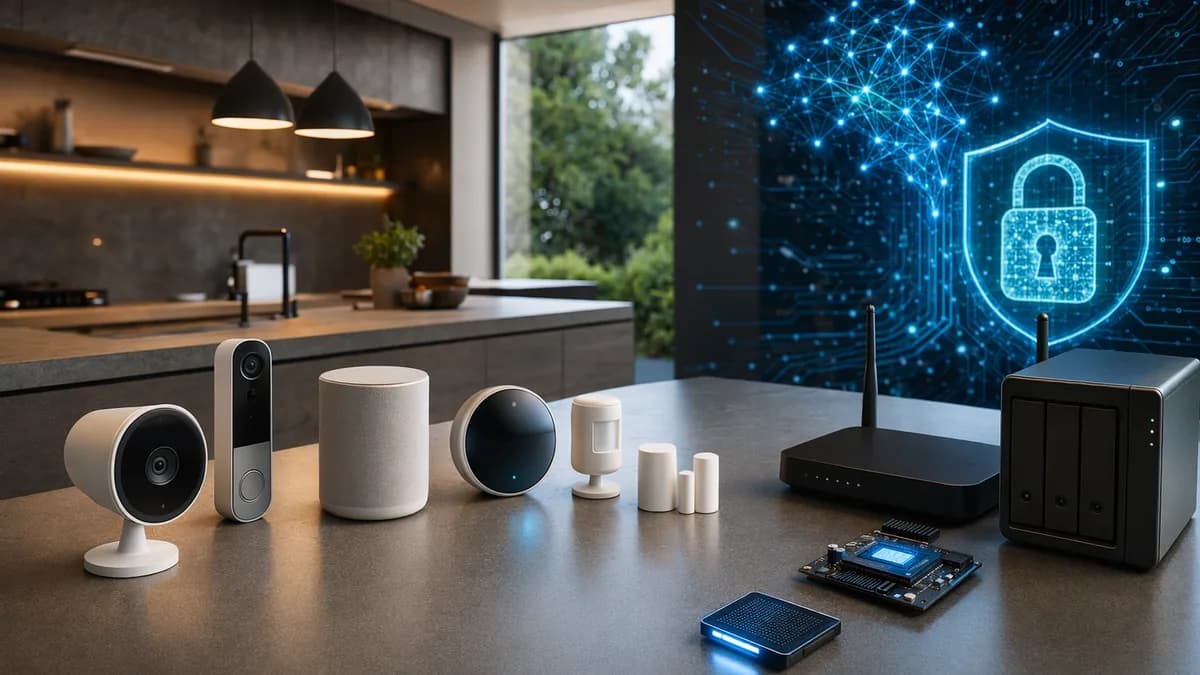
If you’re searching for smart home gadgets no subscription, the goal is simple: buy useful connected devices once and avoid turning your house into another bundle of monthly bills. The good news is that the research shows plenty of cameras, locks, plugs, bulbs, smart-home sensors, doorbells, and hubs can still deliver core smart-home features without mandatory recurring fees.
The catch is that “subscription-free” does not always mean “zero extra cost.” Some devices rely on local storage cards, optional hubs, network video recorders, or paid upgrades for cloud history and AI features. This roundup focuses on budget-conscious smart home devices that keep the essentials free, while clearly calling out the trade-offs before you buy.
Why Subscription-Free Smart Home Gadgets Are Worth Considering
Subscription-free smart home gadgets are devices that do not lock core functions behind a monthly or annual plan. In the source research, this usually means features like live viewing, alerts, local video storage, keypad access, app control, basic automations, or local event logs remain usable after the initial purchase.
The key distinction is not that every feature is free forever. It is that the product’s basic, useful functions work without forcing you into an ongoing payment.
This matters because subscription costs can add up quickly across multiple devices. TechHive gives a clear example: the $199 Ring Video Doorbell 2 offers free live video, but reviewing past events costs $30 per year, or $150 over five years. The same source notes that some Nest cameras livestream for free, but Nest Aware costs $50 per year, adding $250 over five years to a $200 Nest Cam Outdoor.
For buyers trying to keep long-term costs low, that changes the math. A slightly more expensive device with local storage can be cheaper over time than a cheaper device that needs a cloud plan for recordings.
What “No Subscription” Usually Includes
Based on the researched devices, the strongest subscription-free products typically offer:
- Local Storage: Video clips saved to microSD, eMMC, NVR, NAS, or onboard flash storage.
- Basic Alerts: Motion, doorbell, lock, leak, or entry notifications without a paid plan.
- App Control: Locking, unlocking, viewing, scheduling, or automation control through a free app.
- Local Processing: Fingerprint matching, basic person detection, or access logs stored on the device.
- Voice Compatibility: Support for Alexa, Google Home, Apple Home, SmartThings, or Matter, depending on the product.
What You May Give Up
The research also shows consistent trade-offs:
- AI Features: Advanced activity insights, stranger detection, or richer alerts may sit behind paid tiers.
- Long-Term History: Local event logs may roll off after a limited period.
- Cloud Convenience: Remote access and cloud backups may require optional services on some platforms.
- Hardware Add-ons: You may need a microSD card, NVR, bridge, hub, or storage drive.
Best Budget Smart Home Gadgets With No Monthly Fees
Below are the best value-focused options from the source data. These are not all the cheapest possible devices; they are the strongest budget-conscious picks where core functionality does not require a subscription.
| Category | Product | Subscription-Free Strength | Key Source Details |
|---|---|---|---|
| Smart lock | Wyze Lock Bolt v2 | Cheapest keyless-entry lock in the research | $79.98, fingerprint, keypad, app unlock, built-in Wi-Fi remote |
| Video smart lock | Eufy Video Smart Lock E330 | Lock plus local video storage | 2K camera, 8GB onboard eMMC storage, no cloud plan required |
| Matter smart lock | Yale Smart Lock with Matter | Works across major Matter ecosystems | $189.99 MSRP, often around $154, Matter support |
| Power-user lock | Aqara Smart Lock U300 | Matter over Thread and local-first control | $229.99, app, fingerprint, keypad, physical key, NFC |
| Security camera | TP-Link Tapo C120 | Affordable local recording camera | microSD up to 512GB, RTSP/ONVIF, on-device AI |
| Outdoor camera | Reolink Duo 3 | Wide local-storage camera | dual 4K sensors, 16MP panoramic image, up to 512GB microSD on Wi-Fi version |
| Smart bulbs | Wiz Smart Bulbs | Lighting automation without a hub | Presence detection via Wi-Fi signal disruptions |
| Smart plugs | TP-Link Kasa Smart Plugs | Simple Wi-Fi automation | Energy monitoring and Wi-Fi automation |
| Leak protection | YoLink Leak Sensors and Valve Actuators | Can work without internet | LoRa technology, direct valve shutoff, 5-year battery life |
| Thermostat | Nest Learning Thermostat 4th Gen | Hub-free climate automation | Matter support, schedule learning |
1. Wyze Lock Bolt v2 — Best Low-Cost Smart Lock
The Wyze Lock Bolt v2 is the clearest budget smart lock in the research. At $79.98, it provides fingerprint entry, keypad access, app unlock, and built-in Wi-Fi remote access without locking core unlock methods behind a subscription.
It stores and processes core access functions on the lock itself. Battery life is listed at up to eight months using AA batteries.
Best for:
- Renters: A lower-cost way to add fingerprint and keypad access.
- First Apartments: Strong value without a large hardware spend.
- Basic Keyless Entry: Good fit if you do not need Matter or Apple Home automations.
Trade-off: The source notes that Wyze does not present this as a Matter-native product, so it is not the right pick if you want Apple Home, SmartThings, or broader Matter routines.
2. Eufy FamiLock — Best for Families Wanting Local Logs
The Eufy FamiLock line is positioned as a local-storage lock option with no reliance on the cloud for event logs. The source reports the FamiLock E35 at $229.99 in the current U.S. listing, while also showing a pricing line of $279.99 discounted from $349.99.
It stores entry logs, palm vein templates, and access codes locally on the device. The 10,000 mAh lithium pack runs up to eight months on a charge, and a backup AAA tray can add roughly another month if the main battery runs dry.
Best for:
- Family Doors: Multiple users, access codes, and local event history.
- Battery-Conscious Buyers: Long battery life with backup power.
- Local Storage Fans: Entry logs and templates stay on the device.
Trade-off: Optional Eufy storage add-ons may appear if you add Eufy cameras, but the source says lock, unlock, palm vein enrollment, code management, and rolling local logs stay free.
3. Eufy Video Smart Lock E330 — Best Front-Door All-in-One
The Eufy Video Smart Lock E330 combines a smart lock, video doorbell, and camera. It lists at $299.99, with the source also noting a $249 discounted price.
Its key feature is local storage: 8GB of onboard eMMC storage holds video clips without a required cloud plan. It also includes a 2K camera, f/1.6 lens, fingerprint entry, keypad access, and key entry.
Best for:
- Package Zones: Good for front doors where deliveries arrive.
- Doorbell Replacements: Combines entry control and video.
- Subscription Avoidance: Local clips without mandatory cloud storage.
Trade-off: As with any video device, local storage capacity is finite. If you want extensive video history, you may need additional storage options where supported.
4. Yale Smart Lock with Matter — Best Ecosystem-Friendly Lock
The Yale Smart Lock with Matter has a $189.99 MSRP and is reported as often discounted to around $154, with a source price line starting from $149.98.
Matter support is the key advantage. The source states that the lock can sync unlock and status across Google Home, Apple Home, SmartThings, and Alexa through Matter, assuming you already have a compatible hub.
Best for:
- Matter Homes: Buyers already using a Matter-compatible ecosystem.
- Families with Guests: Keypad codes live on the lock.
- Multi-Platform Households: A cleaner fit across several major platforms.
Trade-off: Yale’s app exists, but the source says you do not have to use it for most basic smart-home functions. If you want Apple Home Key specifically, the source points to the Assure Lock 2 Plus sibling SKU at a higher price point.
5. TP-Link Kasa Smart Plugs — Best Cheap Automation Starter
TP-Link Kasa Smart Plugs are highlighted as a strong smart-power option. They use Wi-Fi automation and can include energy monitoring, depending on the model.
These are among the easiest smart home gadgets no subscription buyers can start with because they do not require a wired hub or complex setup.
Best for:
- Lamps: Add schedules and remote control.
- Appliances: Automate simple on/off routines.
- Energy Awareness: Use energy monitoring where available.
Trade-off: The source does not provide specific Kasa plug pricing, so compare current prices before buying.
6. YoLink Leak Sensors and Valve Actuators — Best Water-Damage Prevention
YoLink Leak Sensors and Valve Actuators stand out because they can operate without internet. The source says the leak sensor can directly trigger the valve to shut off water, even without the internet.
YoLink uses LoRa technology, described in the source as wide-ranging and designed for smart-city use. The leak sensors also have a listed 5-year battery life.
Best for:
- Basements: Detect leaks around water heaters or pumps.
- Laundry Rooms: Protect against washer hose failures.
- Vacation Homes: Useful where internet reliability may vary.
Trade-off: The source says no hub or app is required for direct leak-to-valve shutoff, but broader smart-home integrations may vary by setup.
Smart Security Cameras Without Subscriptions
Security cameras are where subscriptions often appear first, especially for cloud video history. The strongest subscription-free camera options in the research rely on local storage: microSD cards, onboard storage, NVRs, NAS storage, or self-hosted recording.
| Camera | Best For | Local Storage | Key Specs From Source | Subscription Required? |
|---|---|---|---|---|
| Reolink Duo 3 | Wide outdoor coverage | microSD, Reolink NVR, NAS via FTP, Home Assistant, Frigate | Dual 4K sensors, 16MP panoramic, 180-degree horizontal view | No |
| TP-Link Tapo C120 | Budget local camera setup | microSD up to 512GB, NVR support | 2560 x 1400 max resolution, RTSP/ONVIF, on-device AI | No if using local storage |
| Amcrest 5MP Turret PoE Camera | Frigate/NVR users | microSD up to 256GB, NAS, NVR | 5MP, 132-degree field of view, PoE | No |
| Ubiquiti UniFi G5 Turret Ultra | Local NVR ecosystem | UniFi Protect NVR | 2K, 102.4-degree horizontal field of view, PoE | No |
| Eufy SoloCam S340 | Solar local camera | 8GB encrypted flash, expandable via HomeBase S380 up to 16TB | Up to 3K, solar power support | No |
Reolink Duo 3 — Best Wide-Angle Local Camera
Reolink is repeatedly highlighted in the source research for local control and storage. The Reolink Duo 3 uses two 4K sensors to create a 16MP panoramic image with a 180-degree horizontal field of view.
Storage options are flexible. The PoE version supports microSD cards up to 256GB, while the Wi-Fi version supports up to 512GB. The camera can also work with a Reolink NVR, NAS storage via FTP, Home Assistant, or a self-hosted NVR such as Frigate.
Best for:
- Driveways: Wide coverage can reduce blind spots.
- Corners: One unit can cover a broad angle.
- Local-First Setups: Strong storage flexibility.
Trade-off: Dual sensors can fill a storage card faster than standard cameras.
TP-Link Tapo C120 — Best Budget Local Camera
The TP-Link Tapo C120 is described as a popular budget choice for local security camera setups. It supports 24/7 continuous recording to a microSD card up to 512GB.
It also supports RTSP and ONVIF, which means it can connect to Frigate or other NVRs. On-device AI detection covers people, pets, and vehicles.
Best for:
- Budget Camera Builds: Strong local storage for the price category.
- Indoor or Outdoor Use: The source identifies it as an indoor/outdoor camera.
- DIY NVR Users: RTSP/ONVIF support is useful for local recording systems.
Trade-off: The source notes there is no PoE option, so it relies on Wi-Fi.
Amcrest 5MP Turret PoE Camera — Best Low-Cost PoE Camera
The Amcrest 5MP Turret PoE Camera is listed in the source as a recommended camera in Frigate’s official documentation. It supports ONVIF and RTSP, uses Power over Ethernet, and records locally to microSD cards up to 256GB.
It provides 5MP resolution, a 132-degree field of view, and on-device person and vehicle detection.
Best for:
- PoE Installations: Ethernet provides both power and data.
- Frigate Users: Cited as a compatible recommended camera.
- Local AI Basics: Person and vehicle detection happen on-device.
Trade-off: The source says it is not the most polished or feature-packed camera.
Ubiquiti UniFi G5 Turret Ultra — Best Local NVR Ecosystem
The Ubiquiti UniFi G5 Turret Ultra fits buyers who want a more complete local NVR system. It records to UniFi Protect NVR hardware with hard drive bays and uses PoE.
The camera has 2K resolution, HDR recording, a 102.4-degree horizontal field of view, and IR night vision rated at 30m in the source.
Best for:
- Local 24/7 Recording: NVR-based setup.
- Prosumer Homes: More structured than standalone microSD cameras.
- PoE Networks: Strong fit for wired camera installations.
Trade-off: The source notes that cost becomes the biggest issue if you go all-in on the UniFi Protect system.
Eufy SoloCam S340 — Best Solar Local Camera With a Privacy Caveat
The Eufy SoloCam S340 offers up to 3K video, integrated solar power, and 8GB of encrypted flash storage built in. The source says the integrated solar panel can provide all-day power from as little as two hours of sun.
It can also connect to a Eufy HomeBase S380, with storage expandable up to 16TB using added hard drives.
Important privacy note: the source highlights Eufy’s past privacy controversy around “local” streams being accessible through the cloud and not being as encrypted as claimed. It also says the company improved encryption and brought in outside auditors afterward.
Best for:
- Hard-to-Wire Areas: Solar can reduce installation hassle.
- Local Storage Buyers: Built-in storage means no microSD card required.
- Eufy Households: Fits users already using Eufy devices.
Trade-off: Buyers should weigh the device’s features against the source’s privacy caveat.
Smart Plugs, Bulbs, and Sensors With Local Controls
Not every useful subscription-free smart device is a camera or lock. In many homes, smart plugs, bulbs, and sensors deliver more daily value because they automate lighting, comfort, energy use, and water protection.
| Device | Core Use | Hub Needed? | Notable Free Features |
|---|---|---|---|
| Wiz Smart Bulbs | Lighting automation | No | Presence detection, app control, voice control, scheduling |
| TP-Link Kasa Smart Plugs | Appliance and lamp automation | No | Wi-Fi automation, energy monitoring |
| Aqara FP2 Presence Sensor | Room presence and zones | No for core use; hub unlocks more | Room mapping, zone automations, fall detection |
| YoLink Leak Sensors | Leak prevention | No for direct shutoff setup | Offline leak-to-valve shutoff, LoRa, 5-year battery |
| Govee DreamView | Immersive lighting | No | TV/music lighting sync via Wi-Fi and app |
Wiz Smart Bulbs — Better Than Basic Bulbs
Wiz Smart Bulbs go beyond dimming and color changes by adding presence detection. The source says they detect Wi-Fi signal disruptions to sense when someone enters a room.
That allows routines like turning lights on when you enter and off when you leave, without requiring separate presence sensors.
Best for:
- Bedrooms: Automatic evening and morning lighting.
- Hallways: Hands-free lighting.
- Renters: Easy to install and remove.
Aqara FP2 Presence Sensor — Smart Room Automation Without a Required Hub
The Aqara FP2 Presence Sensor can map a room and divide it into zones. It can trigger automations based on where someone is physically located, such as turning on a lamp when someone sits on a couch.
The source also says it can detect falls, which may be useful in households with older adults or young children. It works over Wi-Fi and integrates with Amazon Alexa and Google Home. An Aqara hub can unlock more features, but it is described as optional.
Best for:
- Living Rooms: Zone-based lighting and comfort routines.
- Care Scenarios: Fall detection may be useful.
- Automation Fans: More precise than basic motion sensors.
Govee DreamView — Subscription-Free Ambience Lighting
Govee DreamView lets multiple Govee lights sync together for visual effects. The source mentions TV backlights with cameras that sync colors to the screen, as well as music and holiday lighting effects.
Control works through Wi-Fi and the Govee app, with no hub required.
Best for:
- TV Rooms: Screen-reactive backlighting.
- Gaming Spaces: Immersive lighting effects.
- Seasonal Decor: Holiday lighting scenes.
Compatibility With Alexa, Google Home, and Apple Home
Compatibility is one of the biggest reasons to choose carefully. A device can be subscription-free but still frustrating if it does not work with your preferred smart-home ecosystem.
| Product | Alexa | Google Home | Apple Home | SmartThings / Matter | Notes |
|---|---|---|---|---|---|
| Nest Learning Thermostat 4th Gen | Yes, via Matter support listed | Yes | Yes, via Matter support listed | Yes, Matter and Samsung SmartThings listed | Source says Matter-compatible across major platforms |
| Yale Smart Lock with Matter | Yes, through Matter hub | Yes | Yes | Yes | Matter handles unlock and status sync |
| Aqara U300 | Through Matter setup where supported | Through Matter setup where supported | Through Matter setup where supported | Matter over Thread | App, fingerprint, keypad, physical key, NFC |
| TP-Link Tapo Doorbells D210/D225 | Yes | Yes | Not stated | Not stated | Source lists Alexa and Google support |
| TP-Link Tapo C120 | Yes | Yes | Not stated | Not stated | Source lists Alexa and Google Assistant |
| Reolink Duo 3 | Not stated | Yes | Not stated | Home Assistant possible | Source lists Google Assistant integration |
| Aqara FP2 Presence Sensor | Yes | Yes | Not stated in source | More features with optional Aqara hub | Works over Wi-Fi |
| Ambient Weather WS-2902 | Yes | Yes | Not stated | IFTTT | Source lists Alexa, Google Assistant, IFTTT |
Matter Makes Subscription-Free Control Easier
Matter is especially important for locks. The smart lock source says Matter-capable locks can connect to hubs you may already own, including Apple Home, Google Home, SmartThings, and Amazon, while basic lock, unlock, status, and automations run locally on your network.
That is why the Yale Smart Lock with Matter and Aqara Smart Lock U300 stand out for buyers who want a cleaner ecosystem strategy.
Not Every Device Needs a Hub
Several devices in the source data are specifically useful because they do not require a hub:
- Nest Learning Thermostat 4th Gen: Matter support and schedule learning.
- Wiz Smart Bulbs: Wi-Fi presence detection and app control.
- TP-Link Kasa Smart Plugs: Wi-Fi automation.
- Govee DreamView: Wi-Fi and app control.
- TP-Link Tapo Doorbells: Alexa and Google support.
- Aqara G4 Video Doorbell: Local storage and motion detection.
Privacy and Data Storage Considerations
For cameras and doorbells, subscription-free often means local storage. That can be better for cost control and privacy, but it also puts more responsibility on the buyer.
Local Storage Options to Compare
| Storage Type | Products From Research | Advantages | Watch For |
|---|---|---|---|
| microSD Card | Reolink Duo 3, TP-Link Tapo C120, Amcrest 5MP Turret PoE, Netatmo Smart Outdoor Camera | Simple and inexpensive | Card capacity, endurance, theft risk |
| Onboard eMMC / Flash | Eufy Video Smart Lock E330, Eufy SoloCam S340 | No card required | Fixed capacity unless expandable |
| NVR | Reolink NVR, UniFi Protect NVR | Better for 24/7 recording | Higher upfront hardware cost |
| NAS / FTP | Reolink Duo 3, Amcrest | Keeps video local on your own storage | Requires more setup knowledge |
| Home Assistant / Frigate | Reolink, TP-Link Tapo C120, Amcrest | Strong local control | More technical setup |
Privacy Questions to Ask Before Buying
- Where is video stored? On device, microSD, NVR, NAS, or cloud?
- Can the device work without cloud storage? The best no-fee cameras in the research can.
- Does AI happen locally? TP-Link Tapo C120 and Amcrest list on-device AI detection.
- What happens if the device is stolen? Doorbells and outdoor cameras with removable local storage may lose footage unless clips are also copied elsewhere.
- Is the company’s privacy record acceptable to you? The source specifically flags Eufy’s past controversy while also noting later encryption improvements and outside auditors.
Local storage can reduce cloud exposure, but it does not automatically solve every privacy problem. Device security, account settings, firmware updates, and physical storage protection still matter.
Hidden Costs to Watch Before Buying
The phrase smart home gadgets no subscription can be misleading if you only look at the monthly fee. The sources repeatedly show that subscription-free devices may still involve upfront or optional costs.
1. Higher Upfront Hardware Prices
T3’s source explains that subscription-free devices often cost more upfront because you are effectively paying in advance for features other brands monetize through subscriptions.
That does not make them bad value. It means you should compare total cost over several years, especially for cameras and doorbells.
2. Storage Cards, NVRs, and Hard Drives
Many cameras avoid cloud fees by using local storage. That may require extra hardware:
- microSD Cards: Needed for some Reolink, TP-Link Tapo, Amcrest, and Netatmo setups.
- NVRs: Reolink and UniFi systems can store footage locally on dedicated recorders.
- Hard Drives: Eufy HomeBase S380 can expand storage up to 16TB, but added drives are separate purchases.
3. Optional Paid AI Features
The smart lock source says AI alerts are often the gap when skipping subscriptions. Free lock experiences usually tell you whether the lock opened and who used which code. Paid tiers may add richer interpretation, such as AI-driven activity insights.
For cameras, How-To Geek’s source notes that some devices include on-device AI, but cloud AI features vary by brand and plan.
4. Remote Access and Bridges
Some remote features may require a relay, bridge, hub, or compatible controller. The lock source notes that remote unlock outside the home network often needs a relay, and brands may offer basic relay use for free but throttle heavy use.
Matter and Thread can reduce cloud dependence, but you may still need a compatible hub or Thread border router.
5. Professional Monitoring
Home security systems are a special case. Ring Alarm can trigger alarms and send phone notifications without a subscription, according to TechHive. But professional monitoring that can dispatch police is not free; the source lists Ring’s monitoring at $10 per month or $100 per year, including cloud storage for Ring cameras and video doorbells.
That makes Ring Alarm useful as a self-monitored no-fee system, but not a fully professionally monitored no-fee system.
Best Picks by Room and Use Case
Here is a practical buying map for building a subscription-free smart home without overspending.
Front Door
| Use Case | Best Pick | Why |
|---|---|---|
| Lowest-cost smart lock | Wyze Lock Bolt v2 | $79.98, fingerprint, keypad, app unlock |
| Family access control | Eufy FamiLock | Local logs, access codes, palm vein templates |
| Lock plus door camera | Eufy Video Smart Lock E330 | 2K camera, doorbell, 8GB local eMMC |
| Matter ecosystem lock | Yale Smart Lock with Matter | Works across Apple Home, Google Home, SmartThings, Alexa via Matter |
| Thread power-user lock | Aqara U300 | Matter over Thread, NFC, fingerprint, keypad |
Porch and Driveway
For wide outdoor coverage, choose Reolink Duo 3 if you want local recording, a 180-degree view, and flexible storage options. For a more complete local NVR system, the Ubiquiti UniFi G5 Turret Ultra fits buyers already willing to invest in UniFi Protect hardware.
If you want a lower-cost local camera, the TP-Link Tapo C120 is a strong choice because it supports microSD recording up to 512GB, RTSP, ONVIF, and on-device AI.
Living Room
Use Wiz Smart Bulbs for automated lighting without adding a separate presence sensor. For more precise routines, add the Aqara FP2 Presence Sensor, which can divide a room into zones and trigger automations based on someone’s location.
For entertainment lighting, Govee DreamView is the best fit from the research because it can sync lights with TV visuals, music, and holiday scenes without a hub.
Bedroom
Start with Wiz Smart Bulbs for schedules, dimming, and presence-based lighting. If you want climate automation, the Nest Learning Thermostat 4th Gen is described as hub-free, Matter-compatible, and able to learn schedules and adjust temperature accordingly.
Kitchen and Laundry Room
Use TP-Link Kasa Smart Plugs for simple appliance automation and energy monitoring where supported. For water protection, YoLink Leak Sensors and Valve Actuators are the standout pick because they can trigger water shutoff even without internet.
Whole-Home Control
If you want a more traditional smart-home system without subscriptions, Samsung SmartThings Hub is highlighted by TechHive for broad compatibility. The source says it supports Z-Wave and ZigBee devices, with a newer version supporting Bluetooth, and integrates with products such as Philips Hue, LIFX, Sylvania, GE, Leviton, Lutron, Ring video doorbells, Netgear Arlo cameras, Ecobee and Honeywell thermostats, Kwikset, Schlage, Yale locks, and Bose smart speakers.
Bottom Line
The best smart home gadgets no subscription buyers should prioritize are devices that keep core features free: local video storage, app control, alerts, keypad or fingerprint access, schedules, and basic automations. Based on the research, the strongest value picks include Wyze Lock Bolt v2 for budget smart locking, TP-Link Tapo C120 for affordable local cameras, Reolink Duo 3 for wide outdoor coverage, Wiz Smart Bulbs for hub-free lighting automation, TP-Link Kasa Smart Plugs for simple power control, and YoLink Leak Sensors for offline water protection.
For buyers building around ecosystems, Matter-capable locks such as the Yale Smart Lock with Matter and Aqara U300 are especially compelling because they reduce dependence on brand-specific cloud services. Just remember that subscription-free does not always mean cost-free: storage cards, NVRs, hubs, bridges, and optional AI upgrades can still affect the real price.
If you want the lowest long-term cost, choose products with local storage, clear free-tier features, and compatibility with the smart-home platform you already use.
FAQ
Are subscription-free smart home gadgets actually free to use?
Not always. The source research explains that subscription-free usually means core features work without a monthly fee after purchase. You may still pay for optional cloud storage, advanced AI features, extra hardware, microSD cards, NVRs, or professional monitoring.
What are the best smart home gadgets no subscription users should start with?
Good starter picks from the research include TP-Link Kasa Smart Plugs, Wiz Smart Bulbs, TP-Link Tapo C120, Wyze Lock Bolt v2, and YoLink Leak Sensors. They solve practical problems without requiring complex setup or mandatory recurring fees.
Can smart security cameras work without cloud storage?
Yes. The research lists several cameras that can work locally, including Reolink Duo 3, TP-Link Tapo C120, Amcrest 5MP Turret PoE Camera, Ubiquiti UniFi G5 Turret Ultra, and Eufy SoloCam S340. Storage options include microSD cards, onboard flash, NVRs, NAS storage, and self-hosted systems.
Do no-subscription smart locks still support app and fingerprint access?
Some do. The Wyze Lock Bolt v2 includes fingerprint, keypad, app unlock, and built-in Wi-Fi remote access. The Eufy FamiLock supports local entry logs and access management, while the Aqara U300 supports app, fingerprint, keypad, physical key, and NFC unlock.
Do I need a smart home hub for these devices?
Many devices in the research do not require a hub, including Wiz Smart Bulbs, TP-Link Kasa Smart Plugs, Govee DreamView, Nest Learning Thermostat 4th Gen, and TP-Link Tapo Doorbells. However, Matter, Thread, Z-Wave, ZigBee, and NVR-based setups may require compatible hubs, controllers, or recorders.
What hidden costs should I watch for?
Watch for microSD cards, NVRs, hard drives, bridge devices, Matter hubs, Thread border routers, optional AI plans, cloud storage upgrades, and professional monitoring. For example, TechHive notes that Ring Alarm can self-monitor without a subscription, but professional monitoring costs $10 per month or $100 per year.