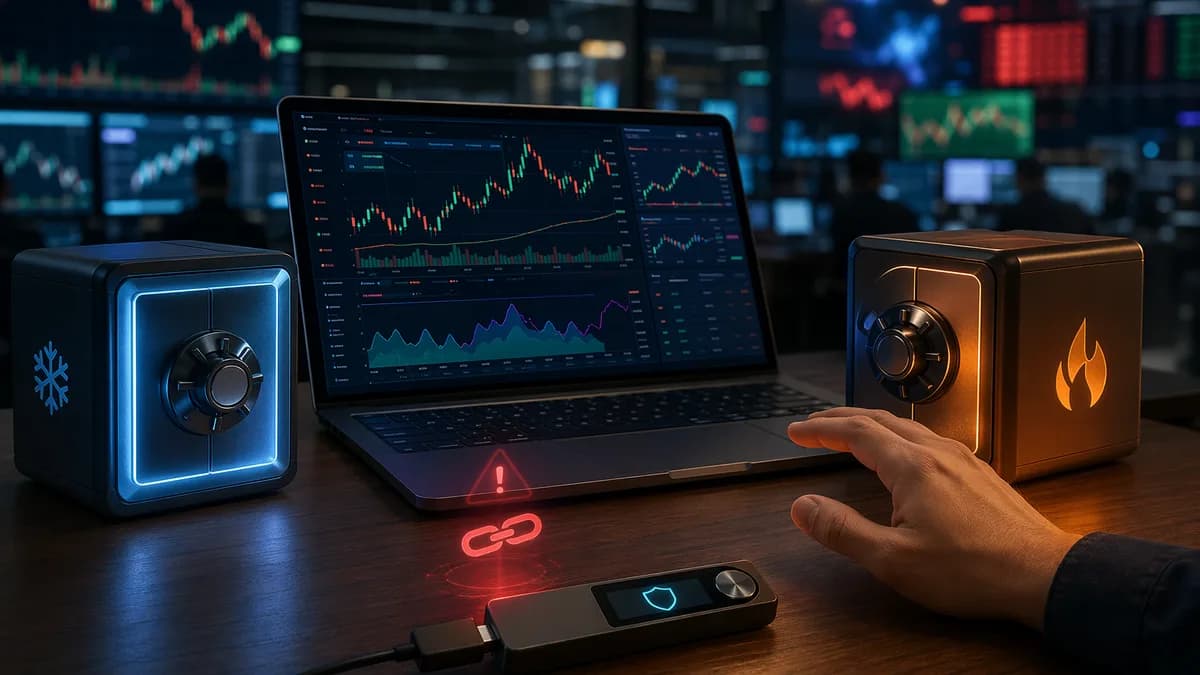
Using a hardware wallet with DeFi can give traders a stronger security workflow than relying on a hot wallet alone—but it does not make DeFi risk-free. A hardware wallet keeps private keys offline and asks you to physically approve each transaction, yet you still need to avoid phishing sites, malicious smart contracts, unsafe approvals, and unsupported protocols.
This guide walks through a practical, security-first process for connecting a hardware wallet to DeFi apps, reviewing transactions, managing approvals, and separating trading funds from long-term cold storage.
1. Why Use a Hardware Wallet for DeFi Trading
A hardware wallet is a physical device that stores your crypto private keys offline. According to the provided hardware wallet research, this makes it a form of cold storage and offers far more protection than a hot wallet, which is always connected to the internet.
| Wallet Type | Internet Exposure | Security Profile | Convenience |
|---|---|---|---|
| Hot wallet | Always connected | Lower; more vulnerable to malware, phishing, and device compromise | Very easy to use |
| Hardware wallet | Connected only for transactions | Very high; private keys remain offline | Balanced |
When you use a hardware wallet with DeFi, you can still interact with decentralized exchanges, staking platforms, lending protocols, and other dApps. The key difference is that the private key stays on the hardware device, and the device signs the transaction without exposing that key to your browser, phone, or computer.
A hardware wallet reduces the chance that malware or a compromised software wallet can steal your private keys, but it does not automatically protect you from signing a bad transaction.
The main security advantage
The strongest reason to use a hardware wallet for DeFi is private-key isolation. WalletInsights explains that the wallet never transmits your private key or seed phrase. Instead, it sends only a signed message proving that you authorized the transaction.
That matters because DeFi transactions often involve smart contracts. If your hot wallet, browser extension, or phone is compromised, an attacker may try to trick you into approving a malicious transaction. With a hardware wallet, you still get a final review-and-confirm step on the device itself.
The trade-off: security vs speed
Hardware wallet signing adds a few seconds per transaction because you must physically confirm the action on the device. For normal swaps, lending, and staking, WalletInsights describes this delay as negligible. For highly time-sensitive trading strategies, the extra confirmation step may be a limitation.
2. What You Need Before Connecting to DeFi Apps
Before connecting any wallet to a DeFi app, prepare your setup carefully. Most security failures happen before the transaction is signed: wrong website, unsupported wallet, outdated firmware, weak backup habits, or poor fund separation.
Hardware wallet compatibility checklist
Not every hardware wallet works with every DeFi platform. WalletInsights specifically warns that you should confirm support for the blockchain networks and DeFi protocols you plan to use.
For example, Ethereum-based DeFi apps typically require support for Ethereum and ERC-20 tokens. Other protocols may require support for additional chains such as BSC or Polygon, depending on the app.
Use this checklist before connecting:
- Supported Networks: Confirm the wallet supports the blockchain you plan to use, such as Ethereum or other networks required by the protocol.
- Supported Tokens: Check whether the wallet supports the assets you will trade, stake, lend, or borrow.
- DeFi Compatibility: Confirm the wallet can connect through the wallet connector or interface required by the dApp.
- Firmware Status: Update the wallet firmware if the manufacturer recommends it, especially if a protocol uses advanced transaction types.
- Backup Preparedness: Make sure your recovery phrase, passphrase, Shamir backup, backup cards, or other recovery method is secured offline.
- Trusted Access Path: Navigate to the DeFi platform carefully and avoid links from unknown messages, ads, or social posts.
Hardware wallet examples and relevant DeFi features
The sources list several hardware wallets with different security models, supported assets, and connectivity methods. The table below includes only details directly provided in the research.
| Hardware Wallet | Price Mentioned in Sources | Supported Assets Mentioned | Security / Connectivity Features Mentioned | DeFi-Relevant Notes |
|---|---|---|---|---|
| Ledger Nano X | $149 | 5,500+ assets; BTC, ETH, SOL, XRP, ADA, DOT, NFTs, and more | Secure Element CC EAL5+, PIN, recovery seed, USB-C, Bluetooth | Mobile-friendly; Ledger Live supports staking for assets including Ethereum, Solana, and Cosmos |
| Ledger Nano S Plus | $79 | 5,500+ assets | Secure Element, PIN, recovery seed | Budget option; no Bluetooth |
| Trezor Model T | $219 | 1,000+ including BTC, ETH, ERC-20, ADA, XMR | Passphrase, PIN, open-source firmware, touchscreen | Security-focused; no Bluetooth |
| Trezor Safe 5 | $169 | 8,000+ cryptocurrencies; Bitcoin-only edition available | EAL6+ Secure Element, PIN, passphrase, Shamir backup, USB-C | Includes privacy features such as Tor browser support and Coin Control in source data |
| SafePal S1 | $50 | 50+ blockchains and thousands of tokens | EAL5+ secure chip, self-destruct mechanism, air-gapped via QR code | Source describes it as best for DeFi and mobile-first users |
| ELLIPAL Titan 2.0 | $119 pre-order price in source | 10,000+ coins and tokens, including NFTs | 100% air-gapped, QR-code based, CC EAL5+ secure element, anti-tamper/self-destruct design | Can connect to decentralized apps via QR codes |
| Keystone Pro | $149 | BTC, ETH, DOT, XRP, NFTs | Air-gapped QR, fingerprint sensor, secure chip | Maximum isolation and offline security |
| Tangem Wallet | From $54.90 / $55 for 2-card set, depending on source | Source mentions 16,000+ in one section and 6,000+ in another | NFC-based card wallet, tamper-proof, no seed phrase in one source; backup cards in another | Mobile-only; no desktop support mentioned |
| BitBox02 | Starts at €124 / about $130 in source | BTC, ETH, LTC, ERC-20 | Secure chip, 2FA, encrypted microSD backups | Simplicity-focused; limited coin support compared with broader multi-chain devices |
| Ellipal Titan | $169 | 10,000+ coins and tokens | Air-gapped QR, self-destruct, metal tamper-proof case | Focused on physical protection and air-gapped signing |
The “best” option depends on the networks and apps you actually use. A DeFi trader who needs mobile QR signing may evaluate SafePal S1 or ELLIPAL differently from a user who prioritizes open-source firmware, passphrases, or USB-C desktop workflows.
3. How Wallet Connections and Transaction Signing Work
Using a hardware wallet with DeFi usually involves three layers:
- The DeFi app: The website or application where you initiate a swap, lending action, staking deposit, or other contract interaction.
- The wallet interface or connector: A bridge such as WalletConnect, or a browser wallet interface such as MetaMask or Rabby, as mentioned in the source data.
- The hardware wallet: The physical signing device that holds the private key offline and asks you to approve or reject the transaction.
WalletInsights gives a practical example: you can connect a hardware wallet to MetaMask or Rabby, then access Uniswap through your browser. When you initiate a swap, transaction details appear on the hardware wallet screen for verification and signing.
What actually gets signed?
When you initiate a DeFi transaction, the app prepares transaction data. The wallet interface sends that transaction request to the hardware wallet. The hardware wallet signs it internally and returns a signed transaction or signed message.
Your private key does not leave the device.
That is the core security model. Even if your computer is online, your private key remains offline. However, if you approve a malicious transaction on the hardware wallet, the device will still sign what you approved.
The hardware wallet protects the key. You are still responsible for checking the transaction, the website, and the smart contract interaction before signing.
Why some DeFi apps may not work smoothly
Some DeFi protocols use advanced transaction types or EIP-712 structured data. WalletInsights notes that older hardware wallet firmware may not support these transaction types.
Some protocols may also require “blind signing,” which is a security trade-off. Blind signing means you may not be able to clearly inspect all transaction details before approval. If you do not understand what the wallet is asking you to sign, reject the transaction and research the requirement first.
4. Step-by-Step: Connecting a Hardware Wallet to a DeFi App
The exact screens vary by device and DeFi platform, but the secure workflow is similar across supported wallets.
Step 1: Confirm device and protocol compatibility
Before opening a DeFi app, check the hardware wallet’s official documentation and confirm:
- Network Support: The wallet supports the blockchain used by the DeFi protocol.
- Asset Support: The wallet supports the token you plan to use.
- Connector Support: The wallet can connect using the required browser wallet, app, QR workflow, USB-C connection, Bluetooth connection, or WalletConnect flow.
- Firmware Support: The device firmware supports the transaction type used by the protocol.
This matters because WalletInsights specifically warns that not all hardware wallets are compatible with all DeFi platforms.
Step 2: Prepare your wallet securely
Before connecting:
- Unlock Safely: Unlock the hardware wallet only when you are ready to transact.
- Use a PIN: Use the device PIN protection supported by wallets such as Ledger, Trezor, and others in the source data.
- Check Backup Status: Confirm your recovery phrase, Shamir backup, backup cards, or encrypted backup is stored offline.
- Avoid Public Networks: WalletInsights recommends using a secure connection and avoiding public networks.
Step 3: Open the DeFi app from a trusted path
Phishing is one of the major risks the sources highlight. Do not use random links from messages, ads, or unknown social media posts.
A safer routine:
- Type the known URL manually or use a verified bookmark.
- Confirm the domain spelling.
- Avoid lookalike sites.
- Do not enter a seed phrase anywhere.
- If the site asks for your recovery phrase, close it immediately.
No legitimate DeFi connection requires your hardware wallet seed phrase.
Step 4: Connect through the wallet interface
Depending on your device and setup, you may connect through:
- WalletConnect: Mentioned in the source as a common connector.
- MetaMask or Rabby: WalletInsights specifically mentions connecting a hardware wallet to MetaMask or Rabby for Uniswap access.
- QR-code workflow: Used by air-gapped wallets such as SafePal S1, ELLIPAL Titan 2.0, Keystone Pro, and Ellipal Titan according to the source data.
- USB-C: Used by devices such as Ledger Nano X, Trezor Safe 5, and others depending on model.
- Bluetooth: Available on Ledger Nano X and SecuX Neo-X in the provided source data.
- NFC: Used by Tangem Wallet and Cypherock X1 according to the sources.
| Connection Method | Wallet Examples from Sources | Security / Usability Notes from Sources |
|---|---|---|
| USB / USB-C | Ledger Nano X, Trezor Safe 5, BitBox02 | Direct hardware connection; WalletInsights recommends secure connections |
| Bluetooth | Ledger Nano X, SecuX Neo-X | Useful for mobile workflows; Ledger Nano X supports phone/tablet connectivity |
| QR-code air-gapped | SafePal S1, ELLIPAL Titan 2.0, Keystone Pro, Ellipal Titan | Keeps signing workflow isolated from USB/Bluetooth data connections |
| NFC | Tangem Wallet, Cypherock X1 | Mobile-first or card-based workflow |
| WalletConnect | General DeFi connector mentioned in source | Common bridge between wallet and dApp |
Step 5: Initiate the DeFi action
Once connected, choose the action inside the DeFi app, such as:
- Swap: Exchanging one token for another.
- Stake: Locking or delegating assets where supported.
- Lend: Supplying assets to a lending protocol.
- Borrow: Taking a loan against collateral, if supported by the protocol.
- Claim / Withdraw: Collecting rewards or removing funds.
The sources mention swaps, staking, lending, and yield farming as common DeFi activities where a hardware wallet can add protection.
Step 6: Review the transaction on the hardware wallet
Do not rely only on the website or browser wallet popup. WalletInsights emphasizes verifying transaction details on the hardware wallet display before confirming.
Check:
- Asset: Is the token correct?
- Network: Are you on the intended blockchain?
- Amount: Is the amount what you intended?
- Recipient / Contract: Does the address or contract interaction match the app?
- Transaction Type: Are you signing a swap, approval, deposit, withdrawal, or message?
- Blind Signing Warning: If blind signing is required, understand the trade-off before proceeding.
Step 7: Confirm or reject on the device
If anything looks wrong, reject the transaction on the device. A hardware wallet only helps if you use its confirmation screen as a checkpoint.
After the transaction is complete, WalletInsights recommends disconnecting your wallet from DeFi platforms rather than leaving connections open.
5. How to Review Token Approvals Before Signing
Token approvals are one of the most important areas to review when using a hardware wallet with DeFi. Many DeFi workflows require an approval before the app can interact with your token. The approval itself is a transaction, and your hardware wallet may ask you to sign it.
Because the source material emphasizes malicious dApps and unsafe transactions, the safest approach is to treat every approval as a permission grant—not a routine click.
Approval review checklist
Before signing an approval:
- Protocol Identity: Confirm you are on the intended DeFi platform and not a phishing copy.
- Token Contract: Confirm the asset being approved is the one you intend to use.
- Permission Scope: If the wallet interface shows the approval amount or permission, review it carefully.
- Transaction Label: Check whether you are approving, swapping, depositing, staking, or signing a message.
- Device Display: Confirm the details on the hardware wallet screen, not only in the browser.
- Unexpected Requests: Reject approvals that appear when you did not initiate an action.
If a dApp asks you to sign something you do not understand, the safer choice is to reject it and investigate before trying again.
Be cautious with blind signing
WalletInsights notes that some protocols may require blind signing, and that this is a security trade-off. If blind signing is enabled, the device may show limited readable transaction detail.
That does not mean every blind-signing transaction is malicious. It means your ability to verify the transaction is reduced. For high-value approvals or unfamiliar protocols, avoid signing until you understand why blind signing is needed.
Keep firmware current
Some issues arise because older hardware wallet firmware may not support advanced transaction types such as EIP-712 structured data. Updating firmware may improve compatibility, but always follow the manufacturer’s official process and never enter your seed phrase into a website during an update.
6. Common DeFi Security Mistakes to Avoid
Hardware wallets reduce key-theft risk, but user behavior still matters. The source data highlights several mistakes that can undermine the added protection.
Mistake 1: Using untrusted DeFi platforms
WalletInsights warns against using hardware wallets with untrusted DeFi platforms or smart contracts. Before interacting, research the platform, look for available security information, and avoid unknown apps that pressure you to sign quickly.
Mistake 2: Failing to back up the wallet properly
If you lose access to the recovery method, you can lose access to your assets. Different wallets use different backup models:
| Wallet / Backup Model | Backup Details Mentioned in Sources |
|---|---|
| Ledger Nano X | 24-word recovery phrase support; Ledger Recover service mentioned as an optional backup service by Coincover |
| Trezor Safe 5 | Shamir backup and passphrase support |
| Cypherock X1 | Shamir Secret Sharing, multi-card backup, no seed phrase required according to source |
| Tangem Wallet | Backup cards; source describes no printed seed phrase dependency |
| BitBox02 | Encrypted backups on microSD |
| ELLIPAL Titan 2.0 | Backup and recovery mechanism; includes seed phrase recovery sheets in package |
Never store recovery details in cloud notes, screenshots, email drafts, or messaging apps. The source data emphasizes offline physical backup practices.
Mistake 3: Leaving wallet connections active
WalletInsights specifically notes that some users fail to disconnect their wallet from DeFi platforms after completing transactions. Disconnecting does not revoke every prior permission, but it reduces ongoing exposure from active sessions or compromised sites.
Mistake 4: Ignoring the hardware wallet screen
A browser popup can be manipulated by phishing sites or compromised front ends. Your hardware wallet display is the confirmation checkpoint. If the device details do not match what you intended, reject the transaction.
Mistake 5: Using unsupported wallets or networks
Trying to force unsupported DeFi interactions can lead to confusion, blind signing, or failed transactions. Check network, token, and protocol compatibility before moving funds.
Mistake 6: Treating the hardware wallet as risk-free
The source data is clear: using a hardware wallet does not eliminate all DeFi risks. Smart contract vulnerabilities, phishing, malicious approvals, and user error can still result in losses.
7. Using Separate Wallets for Trading and Cold Storage
One of the safest operational habits is separating active DeFi funds from long-term holdings. While the sources focus on hardware wallet security and cold storage, the logic follows directly from their distinction between active DeFi use and secure offline storage.
A hardware wallet can be used for both, but the accounts should not necessarily be the same.
Why separation helps
DeFi trading requires frequent contract interactions. Long-term cold storage does not. Keeping those roles separate reduces the number of approvals, signatures, and platform connections associated with your main savings.
A practical structure:
| Wallet Role | Purpose | Activity Level | Security Posture |
|---|---|---|---|
| Trading wallet | Swaps, staking, lending, yield farming | High | Higher exposure because it interacts with DeFi apps |
| Cold storage wallet | Long-term holding | Low | Lower exposure because it rarely connects to dApps |
| Testing wallet | Trying new platforms with small amounts | Low to medium | Useful for unfamiliar workflows |
How to apply this with hardware wallets
Many hardware wallets support multiple accounts or hidden wallets. For example, Trezor Safe 5 is listed with unlimited hidden wallets, and ELLIPAL Titan 2.0 is described as having a secret secondary wallet option opened with an alternate password.
If your device supports multiple accounts, you can create separate addresses for different purposes. For larger holdings, WalletInsights also recommends considering multi-signature setups so more than one private key is required to sign a transaction.
Do not use your long-term cold storage address as your default DeFi trading address. Every DeFi interaction increases the operational surface area around that wallet.
8. Tools for Monitoring and Revoking Approvals
The provided source data names wallet connectors and interfaces such as WalletConnect, MetaMask, Rabby, Ledger Live, Trezor Suite, and device-specific mobile apps. It does not name a dedicated third-party token approval revocation tool.
So, at the time of writing, this guide will stay within the sourced data: use your wallet interface, DeFi platform account controls where available, and hardware wallet review process to monitor active connections and reduce risky permissions.
Tools and interfaces mentioned in the sources
| Tool / Interface | Mentioned Use in Sources | Security-Relevant Use |
|---|---|---|
| WalletConnect | Connecting a hardware wallet to DeFi platforms | Bridge between wallet and dApp |
| MetaMask | Hardware wallet connection path for accessing Uniswap | Browser-based DeFi access while signing on hardware wallet |
| Rabby | Alternative wallet interface mentioned for Uniswap access | Browser-based DeFi access while signing on hardware wallet |
| Ledger Live | Managing assets, staking, buying, swapping, NFTs in Ledger ecosystem | Device-linked asset management and staking support |
| Trezor Suite | Managing cryptocurrencies, buying, selling, exchanging | Device-linked management interface |
| ELLIPAL App | Mobile app for ELLIPAL Titan 2.0 | QR-based mobile dApp interaction |
| Tangem App | Mobile app for Tangem Wallet | NFC-based mobile wallet management |
Practical approval-monitoring routine
Because the sources warn about malicious dApps, unsafe transactions, and leaving wallet connections active, use this routine after every DeFi session:
- Disconnect from the dApp: Use the app or wallet interface to end the active connection when finished.
- Review recent transactions: Check whether each signed action matches what you intended.
- Identify approvals: Look for approval transactions, not just swaps or deposits.
- Reduce unnecessary exposure: If your wallet interface or platform supports revoking or limiting approvals, use those features.
- Move inactive funds: Transfer funds not needed for DeFi activity back to a separate cold-storage address.
- Avoid repeat approvals on unknown sites: If a site repeatedly asks for approvals unexpectedly, stop interacting.
Be careful when revoking
Revoking an approval is also an on-chain transaction on many networks. That means it may require signing and network fees. Review the revocation transaction on your hardware wallet just as carefully as any other transaction.
If a third-party site claims it can revoke approvals, verify the site carefully before connecting. The source data does not provide specific third-party revocation services, so avoid assuming a tool is safe simply because it appears in search results.
9. Best Practices for Safer DeFi Trading
Using a hardware wallet with DeFi is strongest when combined with disciplined operating habits. The device is only one layer.
1. Verify compatibility before moving funds
Confirm the hardware wallet supports the chain, token, and DeFi protocol. WalletInsights specifically recommends checking documentation before using a hardware wallet with a platform.
2. Use secure connection methods
WalletInsights recommends a secure connection, preferably direct USB or Bluetooth where appropriate, and avoiding public networks. For air-gapped workflows, devices such as SafePal S1, Keystone Pro, ELLIPAL Titan 2.0, and Ellipal Titan use QR-code signing according to the source data.
3. Keep your recovery method offline
Never share private keys or seed phrases. WalletInsights emphasizes that you should never share private keys or seed phrases and should follow strong physical security practices.
4. Use multi-signature for larger amounts
WalletInsights recommends multi-signature setups for larger crypto amounts. Multi-signature requires more than one private key to approve a transaction, adding another layer of protection.
5. Update firmware carefully
If a protocol fails because of advanced transaction support, older firmware may be the cause. WalletInsights notes that EIP-712 structured data may require updated hardware wallet firmware.
Only use official manufacturer update instructions.
6. Reject unclear transactions
If the hardware wallet screen shows unexpected details—or does not show enough detail because blind signing is required—pause. Blind signing is a security trade-off and should not be enabled casually.
7. Disconnect after each session
Leaving a wallet connected to DeFi platforms is a mistake highlighted by WalletInsights. Disconnect once the swap, stake, lend, borrow, or withdrawal is complete.
8. Use separate accounts for separate purposes
Keep active DeFi trading funds separate from long-term cold storage. The sources emphasize hardware wallets as strong cold storage tools, and active DeFi use adds more transaction and approval exposure.
9. Choose wallet features based on your actual workflow
Different devices prioritize different trade-offs:
| If You Prioritize... | Source-Listed Features to Consider | Example Wallets from Sources |
|---|---|---|
| Mobile DeFi use | Bluetooth, NFC, QR-code signing, mobile apps | Ledger Nano X, SafePal S1, Tangem Wallet, ELLIPAL Titan 2.0 |
| Maximum isolation | Air-gapped QR signing, no USB/Bluetooth signing path | Keystone Pro, ELLIPAL Titan 2.0, Ellipal Titan, SafePal S1 |
| Open-source firmware | Open-source firmware listed in source | Trezor Model T, Keystone Pro, BitBox02 |
| Budget | Lower source-listed prices | SafePal S1 at $50, Tangem Wallet from about $54.90 / $55, Ledger Nano S Plus at $79 |
| Backup flexibility | Shamir backup, backup cards, microSD backups | Trezor Safe 5, Cypherock X1, Tangem Wallet, BitBox02 |
Bottom Line
A hardware wallet with DeFi is one of the stronger ways to interact with decentralized finance while keeping private keys offline. The hardware wallet signs transactions on the device and does not expose your seed phrase or private key to the DeFi website, browser wallet, phone, or computer.
However, the hardware wallet does not decide whether a smart contract is safe. You still need to verify the platform, inspect transaction details on the device, avoid blind signing when you do not understand it, disconnect after use, and separate trading funds from long-term cold storage.
For most DeFi users, the safest workflow is simple: use a compatible hardware wallet, connect only through trusted interfaces, sign only what you understand, monitor approvals, and keep your recovery method offline.
FAQ
Is it safe to use a hardware wallet with DeFi?
Yes, it is significantly safer than using a hot wallet alone, according to WalletInsights, because private keys stay on the hardware device and each transaction must be signed individually. But it is not risk-free. You can still lose funds if you approve a malicious transaction or interact with an unsafe smart contract.
Can I use a hardware wallet with Uniswap?
Yes. WalletInsights states that you can connect a hardware wallet to MetaMask or Rabby, then access Uniswap through your browser. When you initiate a swap, the transaction details appear on the hardware wallet screen for verification and signing.
Why does my hardware wallet not work with some DeFi protocols?
Some protocols use advanced transaction types or EIP-712 structured data that older hardware wallet firmware may not support. WalletInsights recommends updating firmware. Some protocols may also require blind signing, which is a security trade-off you should understand before enabling.
Do hardware wallets slow down DeFi trading?
Slightly. Hardware wallet signing adds a few seconds because you must physically confirm the transaction on the device. WalletInsights says this is usually negligible for swaps, lending, and staking, but it may be a limitation for rapid or highly time-sensitive trading.
Should I keep all my crypto in the same hardware wallet address I use for DeFi?
For safer operations, separate active DeFi trading funds from long-term cold storage. DeFi addresses interact with more smart contracts and approvals, while cold storage should have fewer connections and fewer signed transactions.
What should I do if a DeFi app asks for my seed phrase?
Do not enter it. A legitimate DeFi app or wallet connector does not need your hardware wallet seed phrase. Your hardware wallet signs transactions without exposing the private key or recovery phrase.