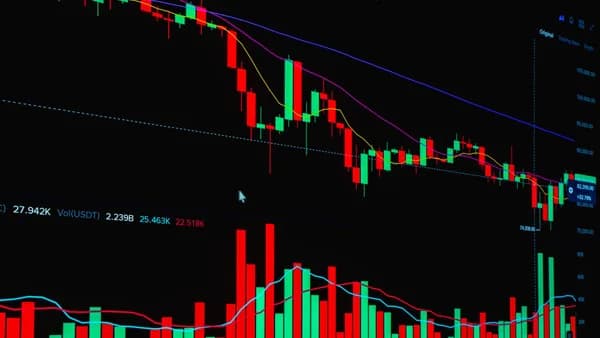
A multi timeframe analysis workflow gives traders a repeatable way to move from big-picture context to precise execution without letting one attractive lower-timeframe setup dominate the decision. Instead of asking, “Does this 15-minute chart look bullish?” the workflow asks, “What does the daily chart say, where is the hourly setup, and is the intraday trigger aligned?”
XOOMAR Intelligence
Analyst Take
This tutorial shows how to structure chart analysis across daily, hourly, and intraday timeframes using watchlists, indicators, alerts, and chart layouts. The process is educational, not financial advice; multi-timeframe analysis can improve context, but it cannot remove risk or guarantee outcomes.
1. What Multi-Timeframe Analysis Means
Multi-timeframe analysis means studying the same market across more than one chart timeframe before making a trading decision. The core idea is simple: one chart gives you a slice of the market, while multiple charts help connect context, setup, and execution.
A lower timeframe may show a strong-looking breakout, but the higher timeframe may reveal that price is sitting directly under major resistance. Likewise, a short-term bearish pattern may only be a pullback inside a larger uptrend.
Key principle: The higher timeframe gives context, the middle timeframe defines the trade area, and the lower timeframe refines the entry.
A practical multi-timeframe structure usually assigns each chart a specific job:
| Timeframe Role | Main Purpose | What to Look For |
|---|---|---|
| Higher timeframe | Direction and context | Trend, range, major support/resistance |
| Middle timeframe | Setup location | Pullback, retest, range edge, supply/demand zone |
| Lower timeframe | Entry and timing | Candle trigger, minor structure shift, rejection, tighter invalidation |
For example, a swing trader might use:
| Trading Style | Higher Timeframe | Middle Timeframe | Lower Timeframe |
|---|---|---|---|
| Scalping | 1H | 15M | 5M |
| Day Trading | 4H | 1H | 15M |
| Swing Trading | Daily | 4H | 1H |
| Position Trading | Weekly | Daily | 4H |
The exact combination depends on your market, schedule, and strategy. The principle stays the same: do not let the lowest chart make the whole decision.
For stock traders, a common version of this is:
- Daily chart: Defines trend, range, and major levels.
- Hourly chart: Locates the setup area or pullback.
- Intraday chart: Times the entry and defines the immediate invalidation point.
2. Why Traders Use Multiple Timeframes
Traders use multiple timeframes because a single chart can create tunnel vision. What appears to be a clean setup on an intraday chart may be a counter-trend move, a late-stage pullback, or a trade directly into a higher-timeframe obstacle.
The Higher Timeframe Filters Direction
The most repeated rule across the source material is this:
Trade in the direction of the higher timeframe, and use the lower timeframe only to refine the entry.
That does not mean the higher timeframe is always “right.” It means the higher timeframe usually provides the broader structure: trend, range, major support, and major resistance.
For example:
- Daily uptrend: Intraday bearish candles may simply be a pullback.
- Daily resistance overhead: A 15-minute bullish breakout may have limited room.
- Daily range: Strong hourly trends may still fail near the range high or low.
Multiple Timeframes Create Level Hierarchy
Not all support and resistance levels carry the same weight. A level visible on the daily chart generally has more contextual importance than a level visible only on a five-minute chart.
| Level Type | Typical Importance in Workflow | How to Use It |
|---|---|---|
| Daily support/resistance | Higher-context level | Bias filter, major target, major invalidation area |
| Hourly support/resistance | Setup level | Pullback zone, retest area, trade location |
| Intraday support/resistance | Execution level | Entry trigger, short-term stop reference, micro confirmation |
This hierarchy helps avoid weak trades. A lower-timeframe long setup directly under daily resistance may still work, but the source material consistently treats that kind of situation as lower quality or requiring caution.
Lower Timeframes Improve Timing — With a Caveat
Lower timeframes can help refine entries and stops. Instead of entering randomly on the daily chart, a trader may wait for an hourly or intraday rejection at a daily level.
However, lower timeframes are noisy. The source data repeatedly warns that lower-timeframe signals should not override higher-timeframe context. They are a microscope, not the full map.
Practical takeaway: Use the lower chart to answer “when,” not “which direction.”
3. How to Choose Your Higher, Middle, and Entry Timeframes
A useful multi timeframe analysis workflow starts with a fixed timeframe stack. Constantly changing timeframes after price moves creates inconsistent analysis and makes journaling difficult.
Use the 4–6x Timeframe Gap Rule
Several sources describe a common rule of thumb: use timeframes roughly 4–6x apart.
If the timeframes are too close, they show nearly the same information. If they are too far apart, they may create disconnected signals without a logical bridge.
| Poorly Structured Pairing | Problem |
|---|---|
| H1 and H2 | Too similar; often redundant |
| Monthly and 15M | Too far apart; weak practical bridge |
| Daily, 4H, 1H | Cleaner progression for swing trading |
| 4H, 1H, 15M | Cleaner progression for day trading |
| 1H, 15M, 5M | Cleaner progression for scalping |
Common Timeframe Stacks
| Trader Type | Higher Timeframe | Middle Timeframe | Entry Timeframe | Main Use |
|---|---|---|---|---|
| Position Trader | Weekly | Daily | 4H | Big-picture trend and multi-session setups |
| Swing Trader | Daily | 4H | 1H | Daily bias, pullback setup, hourly entry |
| Day Trader | 4H | 1H | 15M | Intraday setups aligned with broader context |
| Scalper | 1H | 15M | 5M | Short-horizon execution |
For the daily/hourly/intraday stock workflow in this article, the structure is:
| Workflow Layer | Stock Trading Version | Question It Answers |
|---|---|---|
| Higher timeframe | Daily | What is the broader trend or range? |
| Middle timeframe | 1H | Where is the setup forming? |
| Entry timeframe | 15M or 5M | Is there a trigger and defined risk? |
Two Timeframes Can Be Enough
The source data also notes that many traders overcomplicate multi-timeframe analysis. One guide states that most traders only need two timeframes: one for bias and one for execution.
A two-chart version could be:
| Simplified Workflow | Timeframe | Purpose |
|---|---|---|
| Bias chart | Daily or 4H | Direction and major levels |
| Execution chart | 1H or 15M | Entry trigger and risk reference |
This can be especially useful for traders with limited screen time.
4. Building a Repeatable Chart Layout
A repeatable chart layout prevents the most common workflow error: starting from the entry chart and then searching higher timeframes for confirmation.
The correct order is top-down:
- Higher timeframe first
- Middle timeframe second
- Entry timeframe last
- Risk decision before trade execution
Workflow warning: Bottom-up analysis is a common beginner mistake. Traders spot a setup on the lower timeframe first, then check higher charts to justify a decision they have already made.
A Practical Three-Panel Layout
For stocks, build a layout that keeps each timeframe in its proper role.
| Chart Panel | Timeframe | Purpose | What to Mark |
|---|---|---|---|
| Left panel | Daily | Bias and context | Trend, range, major support/resistance |
| Center panel | 1H | Setup | Pullback, retest, consolidation, supply/demand |
| Right panel | 15M or 5M | Trigger | Rejection candle, break-and-retest, minor structure shift |
If your platform allows multiple chart panels, keep the higher timeframe visually dominant. If not, use a checklist so you cannot skip the daily review.
Daily Chart: Write One Word
The source workflow recommends writing down one directional label after reviewing the higher timeframe:
- Bullish
- Bearish
- Neutral
This forces clarity. If the daily chart is neutral or stuck in the middle of a range, the trade may require more patience or may not be worth taking.
Watchlist Columns for MTF Analysis
A watchlist should not just list symbols. It should summarize where each symbol sits in the workflow.
| Watchlist Column | Example Entry |
|---|---|
| Symbol | Stock ticker |
| Daily Bias | Bullish / Bearish / Neutral |
| Daily Level Nearby | Support, resistance, range high, range low |
| Hourly Setup | Pullback, retest, consolidation, no setup |
| Entry Timeframe | 15M or 5M |
| Alert Needed | Yes / No |
| Plan Status | Waiting, active, skipped, reviewed |
This keeps the workflow structured and reduces random chart-hopping.
The Four-Step Top-Down Flow
Use the same sequence every session:
- Macro bias: Review the higher timeframe and label the market bullish, bearish, or neutral.
- Setup zone: Move to the middle timeframe and mark the area where a trade could reasonably form.
- Trigger: Drop to the lower timeframe and wait for confirmation.
- Risk: Define invalidation before entry.
The sources emphasize that order matters. If you skip the higher timeframe, you risk mistaking a short-term move for a full setup.
5. Using Moving Averages, Volume, and Support/Resistance Across Timeframes
Indicators should support the workflow, not replace it. The source material repeatedly prioritizes trend, structure, support/resistance, and confirmation across timeframes.
Support and Resistance: Start Higher, Then Refine Lower
Support and resistance are central to a multi-timeframe process. The higher timeframe identifies the most important zones, while the lower timeframe helps confirm whether price is reacting there.
| Timeframe | Support/Resistance Job |
|---|---|
| Daily | Mark major structure: swing highs, swing lows, range edges |
| Hourly | Find pullbacks, retests, and setup zones inside the daily context |
| Intraday | Confirm rejection, breakout retest, or failed move near the zone |
Examples from the source data include:
- Higher-timeframe resistance + lower-timeframe rejection
- Higher-timeframe support + lower-timeframe engulfing
- Breakout and retest of a major level
- Range-edge reaction near a higher-timeframe boundary
A lower-timeframe candle signal carries more meaning when it appears at a higher-timeframe level.
Moving Averages: Use Them as Context Tools
The sources mention moving averages such as the 20-period EMA and 26 EMA as examples of tools traders may use to read trend or pullback behavior.
A simple workflow could be:
- Daily chart: Use market structure first; moving average slope may help confirm trend direction.
- Hourly chart: Watch whether pullbacks respect a moving average or key structure.
- Intraday chart: Do not take a moving-average touch alone; wait for price action confirmation.
Examples from the source data include a pullback to a 20-period EMA in an uptrend and the use of moving average slope as a simplified trend filter.
Important: A moving average should not override higher-timeframe resistance, support, or market structure.
Volume: Use Carefully and Document It
The provided source data focuses more heavily on price action, structure, support/resistance, moving averages, and oscillators than on detailed volume rules. At the time of writing, the source material does not provide specific volume thresholds, formulas, or benchmarks for multi-timeframe analysis.
That means volume should be treated as a supporting observation rather than the core rule in this source-grounded workflow.
A cautious way to include it:
- Daily volume note: Is the stock trading with noticeably active participation near a major level?
- Hourly volume note: Did participation expand or fade during the pullback or retest?
- Intraday volume note: Did the entry trigger occur with enough activity to avoid a thin, unreliable move?
Do not invent a volume rule after the fact. If volume is part of your workflow, define it in your trading plan and journal it consistently.
Indicator Stack: Keep It Minimal
The sources warn against using too many timeframes. The same logic applies to indicators. Too many tools can create analysis paralysis.
| Tool | Best Use in MTF Workflow | Common Mistake |
|---|---|---|
| Support/resistance | Define location and invalidation | Drawing too many levels |
| Moving average | Trend/pullback context | Treating every touch as a signal |
| Candlestick trigger | Entry confirmation | Taking it away from HTF levels |
| Oscillator | Optional correction filter | Using it against higher-timeframe structure |
| Volume | Supporting context | Creating untested rules |
6. Creating Alerts That Match Your Workflow
Alerts should support the plan you created from the higher and middle timeframes. They should not become random notifications for every price move.
The source data gives a practical example: an active trader reviews the higher timeframe, marks a zone, then sets alerts at the entry area and waits for the lower-timeframe trigger.
Alert Types for a Multi-Timeframe Workflow
| Alert Type | Based On | Purpose |
|---|---|---|
| Daily level alert | Major support/resistance | Tells you price is near an important area |
| Hourly setup alert | Pullback or retest zone | Tells you the trade idea is becoming active |
| Intraday trigger alert | Break/retest, rejection area | Tells you to inspect the entry chart |
| Invalidation alert | Level beyond setup | Tells you the plan may no longer be valid |
Example Alert Sequence
Suppose a stock is in a daily uptrend and pulling back toward a prior breakout area.
- Daily chart: Bias is bullish.
- Hourly chart: Pullback is approaching prior resistance-turned-support.
- Alert: Set an alert at or near the hourly setup zone.
- Intraday chart: Wait for a bullish rejection, engulfing candle, or break-and-retest pattern.
- Risk: Define invalidation before entering.
The alert is not the trade. It is the reminder to check whether the trade plan is still valid.
Avoid Alert Overload
Too many alerts recreate the same problem as too many charts. You always have a reason to act.
Use alerts only for symbols that already passed the higher-timeframe filter:
- Bias confirmed: Daily trend or range context is clear.
- Level identified: There is a meaningful setup zone.
- Trigger defined: You know what you are waiting for.
- Risk mapped: You know where the idea is invalidated.
7. Example Multi-Timeframe Workflow for Stocks
Below is an educational example of a multi timeframe analysis workflow for stocks using a daily, hourly, and intraday structure. It is not a recommendation to buy or sell any specific security.
Step 1: Start With the Daily Chart
Ask:
- Trend: Is the stock making higher highs and higher lows, lower highs and lower lows, or moving sideways?
- Location: Is price near daily support, resistance, or the middle of a range?
- Bias: Is the daily read bullish, bearish, or neutral?
Write one word in your watchlist: bullish, bearish, or neutral.
If the stock is in a daily uptrend and pulling back toward support, the long side may be the cleaner direction. If the stock is directly under daily resistance, a lower-timeframe long setup may have limited room.
Step 2: Move to the Hourly Chart
The hourly chart is the setup chart. You are not entering just because the daily chart is bullish.
Look for:
- Pullback into support
- Retest of a prior breakout
- Consolidation after a trend move
- Range edge reaction
- Market structure shift near the daily level
If there is no clear setup area, there is no trade plan yet.
Step 3: Drop to the Intraday Entry Chart
Use the 15-minute or 5-minute chart only after the daily and hourly charts have done their jobs.
Potential entry triggers from the source material include:
- Bullish engulfing candle near higher-timeframe support
- Pin bar or rejection candle at a marked zone
- Break-and-retest in the direction of the higher-timeframe bias
- Failed move or reversal pattern near a range edge
The lower timeframe refines timing. It should not reverse the entire plan by itself.
Step 4: Define Risk Before Entry
The sources differ slightly on stop placement emphasis. Some workflows place the stop using lower-timeframe structure, while others stress placing risk beyond the higher-timeframe zone.
A practical way to reconcile this:
| Stop Reference | When It May Fit |
|---|---|
| Lower-timeframe swing | More precise entry, tighter invalidation |
| Higher-timeframe zone | Wider structure-based invalidation |
| No clear invalidation | Skip the trade |
The key is to define the invalidation level before the trade. Do not decide after price moves.
Step 5: Manage on the Middle Timeframe
The BrokerAnalysis source describes entering on the lower timeframe, managing on the medium timeframe, and taking direction from the higher timeframe.
For stocks, that means:
- Daily: Direction and major levels
- Hourly: Trade management and setup health
- Intraday: Entry timing, not constant re-decision
This prevents every small intraday candle from forcing a new opinion.
8. Common Workflow Problems and How to Fix Them
Even a good multi-timeframe structure can fail if the trader uses it inconsistently. Here are common problems and source-grounded fixes.
Problem 1: Starting From the Entry Chart
Many traders see a 15-minute setup first, then check the daily chart afterward. This is bottom-up analysis.
Fix: Always start from the higher timeframe. The source material consistently recommends top-down analysis: higher timeframe first, middle timeframe second, lower timeframe last.
Problem 2: Using Too Many Timeframes
Checking weekly, daily, 4H, 1H, 15M, 5M, and 1M can create analysis paralysis. You will often find both reasons to enter and reasons to avoid the trade.
Fix: Use two or three timeframes. The source data states that two or three are usually enough, and one guide notes that most setups can be handled with one bias chart and one execution chart.
Problem 3: Ignoring Higher-Timeframe Obstacles
A lower-timeframe setup may look clean, but if price is directly under daily resistance or sitting at weekly support, the trade may be lower quality.
Fix: Mark higher-timeframe support and resistance before looking for entries. Treat those levels as filters, targets, or invalidation zones.
Problem 4: Forcing Trades When Timeframes Conflict
Sometimes the daily chart is bullish while the hourly chart is still falling. That does not automatically create a long entry.
Fix: Wait for the lower timeframe to stop confirming the opposite move. If the conflict remains, reduce risk, wait, or skip the trade.
Simple rule: When timeframes conflict, the higher timeframe usually controls the context. The lower timeframe must align before execution.
Problem 5: Changing the Stack Mid-Trade
A trader starts with daily/hourly/15-minute analysis, then drops to a one-minute chart to justify an entry or avoid a stop.
Fix: Keep your timeframe stack consistent. Consistency allows better journaling and review.
Problem 6: Treating MTF as a Guarantee
Multi-timeframe analysis is a context filter, not a prediction engine. Event risk, sudden liquidity changes, and abnormal market conditions can overwhelm any chart setup.
Fix: Keep position sizing, invalidation, and risk controls visible. Multi-timeframe analysis can improve structure, but it cannot remove uncertainty.
Bottom Line
A strong multi timeframe analysis workflow starts with context and ends with execution. The higher timeframe defines the environment, the middle timeframe identifies the trade area, and the lower timeframe refines the entry.
For many stock traders, a practical structure is daily → hourly → intraday. Use the daily chart for bias and major levels, the hourly chart for setup development, and the 15-minute or 5-minute chart for confirmation.
Keep the workflow simple. Two or three timeframes are usually enough, the 4–6x spacing rule helps avoid redundant charts, and alerts should be tied to pre-marked setup zones rather than random price movement.
FAQ
What is a multi timeframe analysis workflow?
A multi timeframe analysis workflow is a structured process for reviewing the same market across multiple chart timeframes. Typically, the higher timeframe defines trend and major levels, the middle timeframe identifies the setup, and the lower timeframe provides the entry trigger.
How many timeframes should traders use?
The source data consistently supports using two or three timeframes. Three is common: higher for trend, middle for setup, and lower for entry. Two can also work well: one chart for bias and one for execution.
What timeframes work best for stocks?
For the daily/hourly/intraday stock workflow, a practical stack is daily → 1H → 15M or 5M. This mirrors the broader source principle of using a higher timeframe for context, a middle timeframe for setup, and a lower timeframe for entry.
What should I do when timeframes disagree?
When timeframes conflict, treat it as a caution signal. The source material generally recommends respecting the higher-timeframe context, waiting for the lower timeframe to align, or skipping the trade.
Should I use indicators in multi-timeframe analysis?
Yes, but keep them secondary to structure. The source material mentions tools such as moving averages, oscillators, candlestick patterns, and support/resistance. Indicators should help confirm context or timing, not replace the top-down process.
Where should stop-loss placement come from?
The sources describe both lower-timeframe structure and higher-timeframe zones as references. A lower-timeframe swing may offer tighter invalidation, while a higher-timeframe zone may better reflect the full setup. The essential rule is to define invalidation before entry.
Sources & References
Content sourced and verified on June 18, 2026
- 1Multi-Timeframe Analysis: The Complete Forex Guide (2026)
https://chartsnipe.com/blog/multi-timeframe-analysis-forex-guide
- 2Multi-Timeframe Analysis: Complete Guide
https://hoclamtrader.com/en/multi-timeframe-analysis-complete-guide/
- 3Multi-timeframe analysis in Forex – Top-down, triple screen, practical workflow
https://forexmechanics.com/technical-analysis/multi-timeframe-analysis/
- 4Multi-Timeframe Analysis: Complete Guide | BrokerAnalysis
https://brokeranalysis.com/blog/multi-timeframe-analysis-complete-guide/
- 5Multi-Timeframe Analysis: How to Stack Timeframes
https://traderssecondbrain.com/guides/multi-timeframe-analysis
- 6Multi-Timeframe Analysis for Futures: The Top-Down Framework That Puts ...
https://nexusfi.com/a/strategies/multi-timeframe-analysis-futures

Written by
XOOMAR
Data desk
XOOMAR is a capital markets software and data company. Every brief on this site starts from a dataset the company collects itself from primary sources (CFTC, SEC EDGAR, FINRA, the Federal Reserve, exchange APIs) and names the numbers it is built on, with a link to the data page so you can check them. Briefs are reviewed before they go out and corrected in place when the data is revised.