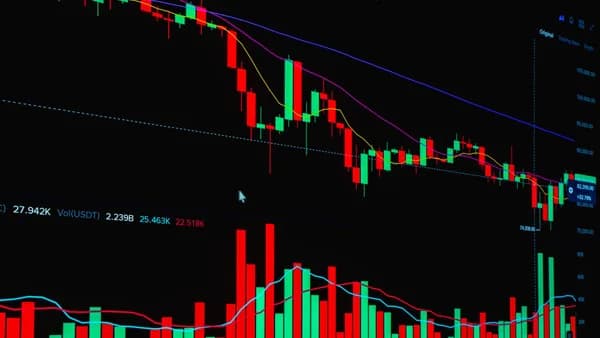
Choosing the right charting software for swing trading is mostly about workflow: finding clean multi-day setups, confirming them across timeframes, setting alerts, and reviewing enough charts without getting buried in noise. The strongest tools in the source data are not just chart viewers; they combine charting, screening, alerts, backtesting, watchlists, and—depending on the platform—brokerage or automation features.
XOOMAR Intelligence
Analyst Take
Below is a research-grounded buying guide comparing the major swing trading charting platforms mentioned in Worldmetrics, ZipDo, TradeAlgo, and Benzinga source data for 2026.
1. What Swing Traders Need From Charting Software
Swing trading sits between day trading and long-term investing. TradeAlgo describes the typical swing trading holding period as “several days to a few weeks,” which makes the software requirements different from ultra-fast scalping platforms or long-term portfolio dashboards.
The best charting software for swing trading should help you answer five practical questions:
- Is the setup aligned across multiple timeframes?
- Can I scan thousands of symbols quickly?
- Can alerts monitor the trade when I am away from the screen?
- Can I validate my idea with backtesting or historical behavior?
- Can I keep watchlists, charts, and execution organized?
The key swing trading problem is not simply drawing a chart. It is turning market data into a repeatable workflow: scan, confirm, alert, execute, and review.
Core Buying Criteria for Swing Traders
| Need | Why It Matters for Swing Trading | Platforms Mentioned in Source Data |
|---|---|---|
| Multi-timeframe analysis | Swing traders often compare weekly, daily, and intraday views before entering multi-day trades. | TrendSpider, TradingView, Thinkorswim |
| Alerts | Positions may play out over days, so alerts should trigger on price, indicator, volume, or technical conditions. | TradingView, TrendSpider, Thinkorswim, VectorVest, LevelFields.ai, SwingTradeBot |
| Screeners and scans | Manual review of thousands of stocks is impractical. Scanners surface candidates faster. | TC2000, TradingView, SwingTradeBot, StockCharts, Webull |
| Backtesting | Helps test whether rules have worked historically before using them in live trades. | TradingView, TrendSpider, Thinkorswim, VectorVest, MetaStock |
| Custom indicators/scripts | Advanced traders often need reusable rules and custom studies. | TradingView Pine Script, Thinkorswim thinkScript |
| Mobile access | Swing traders need to monitor alerts and positions away from desktop screens. | TradingView, TrendSpider, TC2000, Thinkorswim, Webull |
Worldmetrics ranked TradingView as its best pick for swing traders who want chart-first research, custom scripts, and alert-driven execution. ZipDo also placed TradingView as its top pick, followed by TrendSpider and TC2000.
TradeAlgo, by contrast, identified TrendSpider as the strongest all-around swing trading platform because of its automated technical analysis, multi-timeframe overlays, and no-code backtesting.
That difference matters: TradingView is especially strong for flexible charting and community scripts, while TrendSpider is built around automation and rule-based technical analysis.
2. Best Charting Platforms for Multi-Day Trade Setups
For commercial buyers comparing platforms, the best choice depends on whether you prioritize charts, automation, scans, broker integration, or cost. The tools below are all mentioned in the provided source data.
Quick Comparison: Best Platforms for Swing Trading Setups
| Platform | Best For | Key Swing Trading Features | Pricing Mentioned in Sources | Free Tier |
|---|---|---|---|---|
| TradingView | Chart-first swing traders | 400+ indicators, Pine Script, alerts, strategy tester, community scripts | $0–$56/month | Yes |
| TrendSpider | Automated technical analysis | Automated trendlines, pattern detection, multi-timeframe overlays, no-code backtesting | $54–$122/month | No, trial available |
| TC2000 | Rapid stock scanning | EasyScan, charting, watchlists, alerts, custom layouts | $25–$100/month | No |
| Thinkorswim | Advanced charting with brokerage | 400+ studies, thinkScript, options backtesting, alerts | Free with Schwab | Yes |
| TradeAlgo | Flow-driven swing setups | AI flow signals, dark pool monitoring, options flow, real-time signals | $99–$416/month | No |
| VectorVest | Simplified signal model | VST buy/sell/hold signals, RV/RS/RT ratings, market timing | $69–$149/month | No; $9.95 trial |
| SwingTradeBot | Pattern screening routines | 100+ pattern screeners, daily routines, phone alerts during market hours | $0–$30/month | Yes, limited |
| LevelFields.ai | Event-driven catalyst alerts | FDA, earnings, insider, and event alerts; historical impact data | $50–$100/month | Limited free tier |
1. TradingView — Best Chart-First Platform for Flexible Swing Trading
TradingView is the most consistently highly ranked platform across Worldmetrics and ZipDo. Worldmetrics ranked it #1 with an overall score of 9.1/10, while ZipDo also ranked it #1 with an overall score of 8.7/10.
Its core appeal is flexibility. TradeAlgo reports that TradingView includes 400+ built-in indicators, clean drawing tools, Pine Script custom tools, and a community library with thousands of custom scripts. ZipDo highlights its multi-timeframe views, templates, custom indicators, strategy backtesting, and alerts tied to price conditions.
Best fit: Swing traders who want a chart-first workflow with custom indicators, reusable layouts, and alert automation.
Confirmed strengths:
- Indicators: Includes 400+ built-in indicators, according to TradeAlgo.
- Customization: Pine Script supports custom indicators, strategies, and reusable study libraries.
- Backtesting: Strategy Tester evaluates entries, exits, and trade metrics.
- Alerts: Supports indicator and price-condition triggers.
- Access: Broad browser and mobile access supports monitoring watchlists across instruments.
Limitations from sources:
- Backtest assumptions: ZipDo notes that strategy backtests can diverge from real swing execution because of assumptions.
- Alert complexity: Managing many symbols and layered conditions can become complex.
- Free alert limit: TradeAlgo states that the free tier allows only 3 alerts.
2. TrendSpider — Best for Automated Technical Analysis
TrendSpider is frequently positioned as the automation-first choice. TradeAlgo names it the strongest all-around platform for swing traders, while Worldmetrics ranks it as runner-up for traders who want automated chart signals and rule-based alerts.
TrendSpider automatically detects trendlines, candlestick patterns, support levels, and resistance zones. Its multi-timeframe analysis lets users overlay weekly support and resistance onto daily charts or layer daily moving averages onto a 4-hour view.
Best fit: Swing traders who want the platform to automate technical pattern recognition and reduce manual chart drawing.
Confirmed strengths:
- Automation: Detects trendlines, candlestick patterns, support, and resistance automatically.
- Multi-timeframe overlays: Higher timeframe levels can be displayed on lower timeframe charts.
- Indicators: TradeAlgo lists 200+ indicators.
- Backtesting: Includes no-code strategy testing.
- Alerts: Cloud-based alerts and trading bots can fire when your computer is off.
Limitations from sources:
- No options flow data: TradeAlgo notes this as a limitation.
- No integrated brokerage: Users must connect analysis to a separate execution workflow.
- Learning curve: Automation features can take a few weeks to learn.
- No downloadable desktop app: Benzinga describes TrendSpider as web-based.
3. TC2000 — Best for Rapid Stock Screening and Watchlists
TC2000 is a strong choice for traders who prioritize scanning speed. Worldmetrics identifies it as “also great” for independent swing traders who want scanning, charting, and alerts in one workflow. ZipDo ranks it #3 with an overall score of 7.9/10.
Benzinga describes TC2000 as subscription-based and known for speed, robust stock screening, and reliable real-time data. Its scanning engine can create complex scans based on technical indicators, price patterns, and fundamental data.
Best fit: Swing traders who start with scans, then move candidates into watchlists and charts.
Confirmed strengths:
- Scanning: EasyScan and complex scans based on technical, price pattern, and fundamental criteria.
- Charting: Customizable charts with indicators and drawing tools.
- Workflow: Watchlists, scanning, charting, and portfolio tools.
- Speed: Designed for rapid data retrieval and analysis.
Limitations from sources:
- Subscription cost: Benzinga notes platform fees are separate from brokerage commissions.
- Brokerage flexibility: Some users may prefer using TC2000 analytics with another brokerage.
4. Thinkorswim — Best Advanced Brokerage-Linked Charting
Thinkorswim, now part of Charles Schwab, is highlighted by TradeAlgo as a powerful free option for traders who want charting and brokerage in one place. Benzinga identifies it as a top choice for advanced charting, technical indicators, sophisticated order types, and thinkScript customization.
TradeAlgo lists 400+ studies, customizable alerts, options backtesting, and access at free with Schwab.
Best fit: Experienced swing traders who want advanced charting, custom indicators, brokerage integration, and paper trading.
Confirmed strengths:
- Technical studies: TradeAlgo lists 400+ studies.
- Customization: thinkScript allows custom indicators and strategies.
- Backtesting: Includes options backtesting, according to TradeAlgo.
- Access: Desktop, mobile, and web-based platform.
- Cost: Free with Schwab, according to TradeAlgo.
Limitations from sources:
- Learning curve: Benzinga notes that extensive functionality can overwhelm beginners.
- Mobile constraints: Some advanced analysis may be better suited to desktop.
5. TradeAlgo — Best for Options Flow and Dark Pool Data
TradeAlgo occupies a different niche from standard charting platforms. TradeAlgo’s own comparison describes it as combining dark pool monitoring, options flow, AI flow signals, and swing trade signal alignment across 2 to 10 day windows.
It is not positioned as the cheapest or most general-purpose platform. Its main differentiator is flow data layered onto swing setups.
Best fit: Traders who want institutional-style flow signals alongside chart analysis.
Confirmed strengths:
- Options flow: Listed as a core feature.
- Dark pool monitoring: Included in platform comparison.
- Alerts: Dark market alerts and real-time signals.
- Mobile: Mobile access is listed.
Limitations from sources:
- Backtesting: TradeAlgo’s table lists no backtesting.
- Price: Listed at $99–$416/month, with no free tier.
3. Must-Have Indicators for Swing Trading Charts
The source data does not provide a universal “best indicator” list for swing trading. Instead, it identifies categories of tools that matter: trend analysis, pattern recognition, support and resistance, price/indicator alerts, and volume-aware monitoring.
For buying purposes, focus less on whether a platform has one specific indicator and more on whether it supports your repeatable trading process.
Indicator and Analysis Features by Platform
| Platform | Indicator / Analysis Features Confirmed in Sources |
|---|---|
| TradingView | 400+ built-in indicators, drawing tools, Pine Script custom indicators, community scripts |
| TrendSpider | 200+ indicators, automated trendlines, support/resistance, candlestick pattern detection |
| Thinkorswim | 400+ studies, Fibonacci tools, thinkScript custom indicators |
| TC2000 | Technical indicators, drawing tools, price pattern scans, fundamental scan criteria |
| VectorVest | RV/RS/RT proprietary ratings, VST buy/sell/hold signals, market timing |
| MetaStock | Advanced charting, technical indicators, backtesting tools |
| StockCharts | Technical charting, screening tools, customizable charts |
Trend and Support/Resistance Tools
For swing trading, trend context is essential because trades often last multiple sessions. TrendSpider stands out in the source data for automated trendlines, support and resistance zones, and candlestick patterns.
TradingView and Thinkorswim are more flexible charting environments. TradingView gives users built-in indicators and Pine Script customization, while Thinkorswim provides extensive studies and thinkScript customization.
Pattern Recognition
Automated pattern recognition is specifically mentioned for TrendSpider and TradingView Premium. TradeAlgo says TradingView Premium includes automated pattern recognition, while TrendSpider uses automated technical pattern recognition and trendline tools.
This matters if you want software to reduce manual interpretation.
Automated pattern detection can save time, but it does not remove the need to validate entries, exits, and risk. ZipDo specifically warns that strategy backtests can diverge from real swing execution because of assumptions.
Volume Conditions and Alerts
The provided source data confirms that swing traders benefit from alerts tied to price, volume, or indicator conditions, especially because positions are held over multiple days. However, the sources do not enumerate specific volume indicators by name.
At the time of writing, buyers should verify whether a platform includes the exact volume studies they use. The stronger documented choices for condition-based monitoring are TradingView, TrendSpider, and Thinkorswim.
4. Alert Systems, Watchlists, and Scan Capabilities
Alerts and scans are where charting software becomes a trading workflow. For swing traders, the platform must do more than show a clean chart—it should surface candidates and monitor conditions while trades develop.
Alert Capabilities Compared
| Platform | Alert Features Confirmed in Sources | Notes |
|---|---|---|
| TradingView | Price-condition and indicator alerts; 3 alerts on free tier; 100 alerts on Plus; 400 alerts on Premium | Paid plans are more practical for active watchlists |
| TrendSpider | Cloud-based alerts, rule-based alerts, bot automation | Alerts can fire when computer is off |
| Thinkorswim | Customizable alerts | Integrated with brokerage workflow |
| VectorVest | Breakout alerts on Premium | Simplified signal model |
| TradeAlgo | Dark market alerts and real-time signals | Flow-data focused |
| SwingTradeBot | Phone alerts during market hours | Pattern screener workflow |
| LevelFields.ai | FDA, earnings, insider, and event alerts | Event/catalyst focused |
Watchlists and Scanning
TC2000 is one of the strongest scan-first tools in the source data. It combines stock charting, watchlists, scanning, alerts, and portfolio tools. Its scanning engine can filter by technical indicators, price patterns, and fundamental data.
TradingView includes built-in screening for stocks, ETFs, and other markets used in swing trading workflows. It is especially useful for traders who want to move from charts to watchlists and alerts without leaving the platform.
SwingTradeBot focuses on technical signal scanning and lists 100+ pattern screeners. It also has a limited free tier and paid pricing up to $30/month, according to TradeAlgo.
Practical Alert Workflow for Swing Traders
A clean workflow usually looks like this:
- Scan: Use TC2000, TradingView, SwingTradeBot, or StockCharts to find candidates.
- Confirm: Check higher timeframe trend and daily setup.
- Mark levels: Use drawing tools, automated levels, or custom indicators.
- Set alerts: Use price, indicator, volume, breakout, or event alerts depending on platform.
- Review: Use backtesting or historical behavior where available.
TradingView’s free tier may be enough to test the workflow, but TradeAlgo’s source data notes that 3 alerts is “barely enough for a single swing setup.” Active traders typically need more alert capacity.
5. Desktop vs Web-Based Charting Tools
The best platform format depends on how you trade. Web-based tools are convenient for monitoring watchlists from different devices, while desktop tools often provide more advanced layouts and workspace control.
Desktop, Web, and Mobile Access Compared
| Platform | Desktop | Web-Based | Mobile | Source-Grounded Notes |
|---|---|---|---|---|
| TradingView | Not specified in source data | Yes | Yes | Broad browser and mobile access |
| TrendSpider | No downloadable desktop app mentioned by Benzinga | Yes | Mobile web access | Web-based automated technical analysis |
| TC2000 | Yes | Not specified in source data | Yes | Downloadable desktop app and mobile apps |
| Thinkorswim | Yes | Yes | Yes | Desktop, mobile, and web-based platform |
| Webull | Yes, Windows/macOS | Yes | Yes, iOS/Android | Mobile, desktop, and browser access |
| Interactive Brokers Client Portal | Not specified in source data | Yes, implied by Client Portal | Not specified in source data | Broker connectivity with charting and order management |
When Desktop Makes Sense
Desktop software may be preferable if you need complex layouts, deeper customization, and larger-screen analysis. Benzinga notes that Webull’s desktop platform has more advanced charting layouts and analytical tools than smaller-screen use. Benzinga also says advanced analysis in Thinkorswim may be better suited to desktop.
TC2000 is also strongly associated with a fast downloadable desktop workflow and rapid scanning.
When Web-Based Tools Make Sense
Web platforms are useful for traders who monitor setups across devices. TradingView is browser-friendly and mobile-accessible. TrendSpider is web-based and designed around automated technical analysis.
Cloud-based alerts are especially important. TradeAlgo argues that desktop-only alerts put swing traders at a disadvantage because swing trades are monitored over days, not minutes.
For swing traders, the question is not “desktop or web?” It is whether alerts, scans, and watchlists continue working when you are away from your main trading screen.
6. Free Charting Tools vs Premium Platforms
There are credible free and lower-cost options in the source data, but free tools often limit alerts, data access, or advanced automation.
Free vs Paid Platform Comparison
| Platform | Free / Entry Option | Paid Pricing Mentioned | Best Reason to Upgrade |
|---|---|---|---|
| TradingView | Free tier | $0–$56/month | More alerts, more charts per tab, automated pattern recognition on Premium |
| Thinkorswim | Free with Schwab | Free with Schwab | Advanced brokerage-linked charting without platform cost |
| SwingTradeBot | Limited free tier | $0–$30/month | More pattern screening and alerts |
| LevelFields.ai | Limited free tier | $50–$100/month | More event-driven catalyst alerts |
| TrendSpider | Trial available | $54–$122/month | Automated technical analysis, multi-timeframe overlays, no-code strategy testing |
| TC2000 | No free tier listed | $25–$100/month | Faster scanning, layouts, watchlists, real-time data tools |
| TradeAlgo | No free tier listed | $99–$416/month | Options flow, dark pool monitoring, real-time signals |
| VectorVest | $9.95 trial | $69–$149/month | Proprietary ratings and simplified buy/sell/hold workflow |
Best Free or Low-Cost Choices
TradingView is the strongest free charting experience in the source data. TradeAlgo says its free tier provides more charting capability than many paid platforms and includes access to its large indicator ecosystem.
However, the free plan’s 3-alert limit is a major constraint for active swing traders.
Thinkorswim is another standout because TradeAlgo lists it as free with Schwab while still offering 400+ studies, customizable alerts, and options backtesting.
When Premium Platforms Make Sense
Premium tools are easier to justify if they reduce manual work or support a more specialized edge:
- TrendSpider: Worth considering if automated trendlines, pattern detection, and no-code backtesting save you time.
- TC2000: Strong fit if your edge depends on fast scans and watchlists.
- TradeAlgo: Specialized choice if you use options flow and dark pool data.
- VectorVest: Better suited to traders who want simplified rating models and buy/sell/hold signals.
For many traders, the practical buying decision is not “free vs paid.” It is whether a platform’s paid features directly improve your daily workflow.
7. Common Mistakes When Choosing Swing Trading Software
Buying charting software for swing trading can go wrong when traders focus on feature count instead of workflow fit. The source data points to several avoidable mistakes.
Mistake 1: Choosing a Platform Without Enough Alerts
Swing traders need alerts because setups unfold over days. TradingView’s free tier allows 3 alerts, while its Plus plan provides 100 alerts and Premium provides 400 alerts, according to TradeAlgo.
If you track many symbols, a low alert limit can quickly become a bottleneck.
Mistake 2: Ignoring Multi-Timeframe Analysis
TradeAlgo identifies multi-timeframe analysis as a top requirement. TrendSpider is repeatedly highlighted for overlays that allow weekly support/resistance on daily charts or daily moving averages on 4-hour views.
If your trading process requires weekly-to-daily alignment, make sure the platform supports that workflow cleanly.
Mistake 3: Confusing Backtesting With Guaranteed Results
Backtesting is useful, but it is not perfect. ZipDo specifically notes that TradingView strategy backtests can diverge from real swing execution because of assumptions.
TrendSpider’s no-code strategy tester and TradingView’s Pine Script Strategy Tester are useful validation tools, but they should not be treated as guarantees.
Mistake 4: Buying Automation Before Defining Rules
TrendSpider can automate trendlines, pattern detection, alerts, and testing. TradingView and Thinkorswim can support custom scripting.
But automation only helps if you know what you are automating. If your entries and exits are vague, advanced software may simply automate inconsistency.
Mistake 5: Overpaying for Data You Do Not Use
TradeAlgo includes options flow and dark pool monitoring, with pricing listed at $99–$416/month. That may be valuable for traders who incorporate flow data, but unnecessary for traders who rely only on price action and standard technical indicators.
Likewise, VectorVest’s simplified ratings may help some traders but frustrate experienced technical traders, according to TradeAlgo.
Mistake 6: Choosing Brokerage Tools When You Need Research Tools—or Vice Versa
Webull and Thinkorswim combine trading access with charting. TrendSpider is not a direct brokerage and requires users to integrate analysis with a separate brokerage platform. TC2000 offers brokerage services, but Benzinga notes some users may still prefer a different broker for execution.
Before subscribing, decide whether you need:
- Research-only software
- Brokerage plus charting
- Scanning-first workflow
- Automation-first workflow
- Flow or event-data workflow
8. Best Picks for Beginners, Intermediate Traders, and Power Users
The “best” platform depends on your experience level and how complex your swing trading process is.
Best for Beginners: TradingView or Webull
TradingView is the best beginner-friendly charting pick because it has a free tier, broad market coverage, clean charts, and a large community script library. TradeAlgo says it offers one of the best free charting experiences, with 400+ built-in indicators.
Webull is also a strong beginner option for traders who want brokerage access with charting. Benzinga notes that Webull offers commission-free trading for stocks, ETFs, and options, no account minimums for a standard brokerage account, real-time Level 2 market data, advanced charting tools, customizable layouts, paper trading, and a stock screener.
Beginner watchout: Benzinga notes Webull’s platform complexity and margin calculations may overwhelm some beginners.
Best for Intermediate Traders: TC2000 or TrendSpider
TC2000 is a strong intermediate choice if you already know what you want to scan for. Its EasyScan workflow, technical/fundamental criteria, watchlists, and customizable charts make it practical for disciplined stock selection.
TrendSpider is better if your bottleneck is manual chart analysis. Its automated trendlines, support/resistance, candlestick pattern detection, multi-timeframe overlays, and no-code backtesting can streamline the research process.
Intermediate watchout: TrendSpider’s automation features have a learning curve, and TC2000 subscription costs are separate from brokerage commissions.
Best for Advanced Traders: Thinkorswim, TradingView Premium, or TradeAlgo
Thinkorswim is best for advanced traders who want brokerage integration, 400+ studies, thinkScript customization, sophisticated order types, real-time data, integrated news, analysis, paper trading, and options backtesting.
TradingView Premium is best for advanced chart-first traders who want 400 alerts, automated pattern recognition, Pine Script, community scripts, and multi-chart workflows.
TradeAlgo is best for advanced traders who specifically use options flow, dark pool monitoring, and AI flow signals. Its pricing is higher than general charting tools, but it fills a niche the source data says other platforms do not cover.
Best Overall Picks by Use Case
| Trader Type | Best Pick | Why |
|---|---|---|
| Beginner chartist | TradingView | Free tier, clean charts, 400+ indicators, community scripts |
| Beginner brokerage user | Webull | Commission-free stocks/ETFs/options, charting, paper trading, stock screener |
| Scan-first trader | TC2000 | EasyScan, watchlists, rapid analysis, customizable charts |
| Automation-focused trader | TrendSpider | Automated trendlines, patterns, multi-timeframe overlays, no-code testing |
| Brokerage-integrated power user | Thinkorswim | 400+ studies, thinkScript, options backtesting, Schwab integration |
| Flow-data trader | TradeAlgo | Options flow, dark pool monitoring, real-time signals |
| Simplified signal trader | VectorVest | VST buy/sell/hold signals, RV/RS/RT ratings |
Bottom Line
The best charting software for swing trading depends on how you find and manage setups.
TradingView is the strongest general-purpose charting platform across the source data, ranking #1 in both Worldmetrics and ZipDo. It is especially compelling for traders who want flexible charts, 400+ indicators, Pine Script, alerts, strategy testing, and a large community library.
TrendSpider is the best automation-first choice, especially for traders who want automated trendlines, support/resistance, candlestick patterns, multi-timeframe overlays, cloud alerts, and no-code backtesting.
TC2000 is the best scan-first platform for traders who need rapid analysis, watchlists, and technical/fundamental screening. Thinkorswim is the strongest brokerage-linked advanced charting option, particularly because TradeAlgo lists it as free with Schwab and includes 400+ studies.
For most swing traders, start by matching the platform to your workflow:
- Need flexible charts? Choose TradingView.
- Need automated technical analysis? Choose TrendSpider.
- Need fast scans and watchlists? Choose TC2000.
- Need advanced brokerage-linked charting? Choose Thinkorswim.
- Need options flow or dark pool signals? Consider TradeAlgo.
FAQ
What is the best charting software for swing trading?
Based on the provided source data, TradingView and TrendSpider are the two strongest overall choices. Worldmetrics and ZipDo rank TradingView #1, while TradeAlgo names TrendSpider the strongest all-around swing trading platform because of automated technical analysis and multi-timeframe overlays.
Is TradingView good for swing trading?
Yes. TradingView offers 400+ built-in indicators, drawing tools, Pine Script, strategy backtesting, community scripts, and alerts. The main limitation is that the free tier allows only 3 alerts, while paid plans increase alert capacity.
Is TrendSpider better than TradingView?
It depends on workflow. TrendSpider is better for automated trendlines, pattern detection, support/resistance, multi-timeframe overlays, and no-code backtesting. TradingView is better for flexible charting, community scripts, Pine Script customization, and broader free charting access.
What is the best free swing trading charting platform?
The strongest free options in the source data are TradingView and Thinkorswim. TradingView has a free tier with extensive charting, while Thinkorswim is listed by TradeAlgo as free with Schwab and includes advanced studies and alerts.
Do swing traders need backtesting software?
Backtesting is useful because it helps validate whether entry and exit rules have worked historically. The source data identifies backtesting in TradingView, TrendSpider, Thinkorswim, VectorVest, and MetaStock. However, ZipDo cautions that backtests can diverge from real execution because of assumptions.
What features matter most in charting software for swing trading?
The most important features are multi-timeframe analysis, alerts, watchlists, scanning, technical indicators, and backtesting. TradeAlgo emphasizes that swing traders need tools that can monitor price, volume, or indicator conditions over multi-day holding periods.
Sources & References
Content sourced and verified on June 17, 2026
- 1Top 10 Best Swing Trading Software | Ranked for 2026
https://worldmetrics.org/best/swing-trading-software/
- 2Swing Trading Software: Best Picks (2026)
https://zipdo.co/best/swing-trading-software/
- 3Best Trading Platforms for Swing Traders in 2026: Tools and Features Compared | TradeAlgo
https://www.tradealgo.com/trading-guides/tools/best-trading-platforms-for-swing-traders-in-2026-tools-and-features-compared
- 46 Best Swing Trading Apps for 2025 – Fast Analysis and Smart Charting • Benzinga
https://www.benzinga.com/money/swing-trading-apps
- 5Best Swing Trading Software 2026
https://www.swingtrading.com/software
- 69 Best Platforms For Swing Trading (Brokerages, Apps, Tools & Software)
https://www.wallstreetzen.com/blog/best-platform-for-swing-trading/

Written by
XOOMAR
Data desk
XOOMAR is a capital markets software and data company. Every brief on this site starts from a dataset the company collects itself from primary sources (CFTC, SEC EDGAR, FINRA, the Federal Reserve, exchange APIs) and names the numbers it is built on, with a link to the data page so you can check them. Briefs are reviewed before they go out and corrected in place when the data is revised.