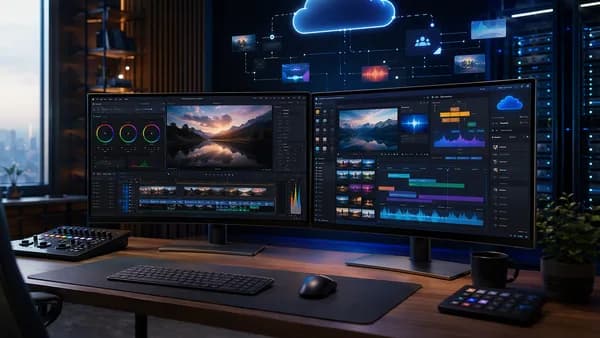
Turning a long episode into short-form content is not just “cutting clips.” A reliable podcast to shorts workflow combines clean source recording, transcript-based selection, AI-assisted clipping, human review, caption polish, vertical formatting, scheduling, and performance analysis. The goal is to turn one podcast episode into a repeatable batch of TikToks, Instagram Reels, and YouTube Shorts without rebuilding the process every week.
XOOMAR Intelligence
Analyst Take
The sources behind this tutorial consistently point to the same lesson: AI helps most when it accelerates discovery and first-pass editing, but humans still need to protect context, clarity, brand voice, and platform fit.
Podcast-to-Shorts Workflow Overview
A practical podcast to shorts workflow starts with one long-form episode and ends with a batch of publishable vertical clips. Based on the source data from CrabCut, Krible, ReelsBuilder, and Creatorstack, the core workflow looks like this:
- Record or export a clean source file
- Transcribe the full episode
- Identify moments with one clear idea
- Use an AI clipper to generate candidates
- Review clips manually instead of trusting scores blindly
- Polish captions, layout, speaker framing, and branding
- Export in vertical format
- Publish or schedule across short-form platforms
- Track retention, watch time, saves, shares, and clicks
A good podcast short does not need to summarize the full episode. It needs one clear idea that makes a viewer watch, save, share, or continue to the full conversation.
The strongest workflows are repeatable. ReelsBuilder’s guide emphasizes using one reusable brief, one editing standard, and one publishing workflow. Krible makes a similar point: podcast teams should treat each episode as a content hub and process clips in batches rather than editing daily under pressure.
What a finished batch can look like
The exact number depends on episode quality and topic density, but the source data gives useful ranges:
| Source / Workflow | Suggested Output Per Episode | Notes |
|---|---|---|
| Creatorstack one-hour workflow | 5–8 vertical shorts | Built around a 45-minute podcast episode |
| Krible workflow | 5–15 clips | Often processed as one batch for weekly distribution |
| AI clipper candidate review | 8–15 candidates from a full episode | Creatorstack warns this can create decision fatigue |
| Curated segment upload | 4–6 tighter candidates | Better when you already know the strongest segment |
For most teams, the best starting point is not maximum volume. It is consistency. Creatorstack’s caveat is direct: three good shorts a week beat eight mediocre ones from the same episode.
Step 1: Record Clean Audio and Video
Your short-form output is only as good as the source episode. The research data does not provide a full recording checklist, but it does identify source-file factors that affect the clipping process.
Creatorstack recommends starting with a source episode where video is preferred, especially if you want platform-ready vertical clips. Audio-only episodes can still work, but they typically rely on captions, waveform visuals, logos, or other visual layouts.
Recommended source file setup
| Source Type | Works for Shorts? | Best Use Case | Limitation |
|---|---|---|---|
| Video podcast | Yes | Speaker clips, reactions, facial expressions, multi-speaker framing | Requires vertical reframing |
| Multitrack remote recording | Yes | Multi-speaker editing and active-speaker layouts | May need additional cleanup |
| Audio-only podcast | Yes | Caption-led clips, audiograms, quote-style shorts | Less visual engagement unless supported by design |
| Pre-picked segment | Yes | Faster AI clipping with fewer weak candidates | Requires manual judgment upfront |
Creatorstack specifically recommends an MP4 source file, ideally 1080p, and naming files clearly before uploading. That sounds minor, but once you export multiple clips per episode, messy filenames become a production bottleneck.
Example naming structure:
ep47-segment-ai-ethics.mp4
ep47-short-01-hook-question.mp4
ep47-short-02-framework.mp4
ep47-short-03-story.mp4
Full episode or segment?
Before uploading anything to an AI clipper, decide whether you want to process the full episode or a selected segment.
| Upload Choice | Expected Result | Best For | Common Problem |
|---|---|---|---|
| Full 45-minute episode | 8–15 candidates | When you do not know where the best moments are | More decision fatigue |
| 12–15 minute selected segment | 4–6 tighter candidates | When you already know the strongest discussion area | Requires manual pre-selection |
| Full 90-minute episode | More candidates, more noise | Deep interviews or long streams | AI may choose keyword-dense but uninteresting moments |
Creatorstack warns against uploading a full long episode just to “let the AI decide.” The guide notes that AI can prioritize keyword density, speech pace, and silence gaps, but it does not reliably know whether a moment is genuinely interesting out of context.
Optional source cleanup
If the raw episode has filler words, long pauses, or uneven audio, Creatorstack suggests running it through Descript before clipping. At the time of writing, Descript’s Hobbyist plan is listed at $24/month or $16/month annually, with 10 hours/month, and includes transcript-first editing features such as filler-word removal, silence compression, and Studio Sound.
This adds time at the beginning of the workflow, but the source data says it can help the clipper work with cleaner material.
Step 2: Generate Transcripts and Identify Highlights
Transcription is the bridge between a long recording and searchable short-form moments. CrabCut’s workflow starts by transcribing the full episode so every moment is searchable. Creatorstack also recommends reviewing burned-in transcripts when evaluating AI-generated candidates.
A transcript helps you find clips based on ideas instead of scrubbing randomly through a timeline.
What to look for in the transcript
CrabCut identifies the strongest podcast-short moments as sections where the speaker:
- Opinion: Gives a strong point of view
- Framework: Explains a useful method or model
- Story: Tells a concise story
- Question: Answers a common audience question
- Surprise: Says something surprising but still grounded
Krible adds another practical filter: the best clips usually contain one clear problem, one useful insight, and one concrete takeaway.
Ask: would someone who has never heard the full episode still gain value from this clip in less than 45 seconds?
That question is one of the most useful quality checks in the entire workflow. A podcast clip should not feel like a random excerpt. It should feel complete enough to stand alone.
Mark timestamps before using AI
If you already know where the episode gets interesting, mark those timestamps before uploading to your clipper. Creatorstack suggests scrubbing at 1.5x speed and marking the moments where you “leaned in,” then exporting roughly ±3 minutes around those moments.
This gives AI a better input. Instead of asking it to find gold in a full episode, you are asking it to refine a section that already has promise.
Highlight criteria table
| Keep the Moment If… | Skip the Moment If… |
|---|---|
| It opens with a complete thought | It starts with “like I was saying…” |
| It has one main idea | It depends on too much previous context |
| It has a hook in the first few seconds | The key point arrives after 8–10 seconds |
| It ends cleanly | The ending begs for missing context |
| Captions can explain it without sound | It only works if viewers already know the episode |
Krible specifically notes that if the key point appears after 8 or 10 seconds, retention will likely drop on short-form feeds. Their guidance is to build around a clear hook in the first 2–3 seconds, then deliver the core idea and a concise closing line.
Step 3: Use AI Clip Tools to Find Short-Form Moments
AI clipping tools are useful because they reduce the time spent manually scanning timelines. CrabCut describes AI as a way to scan transcript and video together, find candidate moments, remove silence, reframe speakers, and add captions.
But every source that discusses quality also emphasizes human review. AI accelerates discovery; it does not replace editorial judgment.
What AI clippers can automate
| Tool Mentioned in Source Data | Confirmed Capabilities / Notes |
|---|---|
| CrabCut | Finds highlights, removes silence, reframes speakers, adds captions, turns long podcast videos into vertical shorts |
| Opus Clip | AI clipper; Creatorstack says a 45-minute upload returns candidates in under 5 minutes on Pro |
| Vidyo.ai | AI clipping option; described as useful when multilingual captions such as Spanish, French, and German are important; also has scheduling features |
| Vizard | Permanent free tier listed with 60 credits/month, watermarked 720p exports |
| ReelsBuilder | Positioned as a system for moving from idea to publish-ready short-form content with reusable templates and fewer manual steps |
| Krible | Upload source, review AI suggestions, edit cuts/captions/layout, export clips for major platforms |
| Podsqueeze | Mentioned in community discussion for generating audiograms and finding moments |
| Choppity | Mentioned in community discussion for multicam automation and captions; one user noted slow import/export and caption placement limitations |
A practical podcast to shorts workflow should use AI for the rough pass, then bring humans in for selection, trimming, caption style, and final QA.
Do not trust “virality” scores blindly
Creatorstack is especially clear on this point: AI virality scores can behave like keyword-density heuristics. They may reward clips with questions, numbers, or surprise words, but they do not always know whether the clip makes sense out of context.
Before keeping a clip, run three checks:
- Opening: Does it begin on a complete thought?
- Ending: Does it close without requiring missing context?
- Silent viewing: If muted, can someone understand the point from captions?
If a candidate fails any of these tests, trim it or reject it.
How many clips should you keep?
| Candidate Count | What It Usually Means | Recommended Action |
|---|---|---|
| Fewer than 4 usable clips | Source may be too narrow or weak | Try a longer or better segment |
| 5–8 clips | Good weekly batch for many podcasts | Polish and schedule |
| More than 10 clips | Risk of audience fatigue | Prioritize strongest moments |
Krible suggests many teams target 5–15 clips per episode, while Creatorstack’s weekly workflow targets 5–8 from a 45-minute episode. The best number is the number of clips that can stand alone and maintain quality.
Step 4: Edit Captions, Layouts, and Branding
Captions are not optional in most podcast-short workflows. CrabCut recommends captions so the idea is understandable without sound. Creatorstack’s review test also asks whether the clip still makes sense when muted.
Good captions improve comprehension, but over-styled captions can hurt watchability.
Caption editing guidelines
Krible recommends short caption lines with readable contrast and clear rhythm. Creatorstack adds a practical warning: too many colors, too many emojis, and overloaded lower-thirds can make a good clip hard to watch.
Use a simple caption standard:
- Contrast: Make captions readable against the video
- Length: Keep lines short
- Rhythm: Break captions in natural speech units
- Highlights: Use one highlight color for important words
- Branding: Match font and color if your brand requires consistency
- Restraint: Avoid visual clutter
Creatorstack describes two routes:
| Caption Route | Time Cost | Best For | Trade-Off |
|---|---|---|---|
| Use clipper default captions | 0 minutes | Fast publishing | May look like common AI-clipped shorts |
| Polish in Submagic | 5–10 minutes per clip | Branded caption style | Adds production time |
At the time of writing, Submagic Starter is listed at $19/month or $15/month annually, with 40 videos/month and a 5-minute max length. Creatorstack positions it as optional but useful when brand-matched captions matter.
Layout and speaker framing
For video podcasts, vertical framing matters. CrabCut lists speaker reframing as a core step. Krible recommends vertical framing that keeps speaker expression visible.
Community discussion also highlights a common pain point: manually creating multiple cropped tracks for multi-speaker recordings can be exhausting. Users in the discussion mentioned using active-speaker detection or tools such as Choppity, Vizard, and Vidyo.ai to reduce manual multicam work.
For multi-speaker clips, choose a repeatable layout:
| Layout Type | Best For | Notes |
|---|---|---|
| Single active speaker | Strong opinion, monologue, story | Keeps attention on expression |
| Split-screen speakers | Dialogue or disagreement | Useful when reactions matter |
| Speaker plus captions | Audio-led insight | Works when visual movement is minimal |
| Waveform or logo layout | Audio-only episodes | Useful when no video source exists |
Keep one editing standard
ReelsBuilder’s source data repeatedly emphasizes reusable templates, checklists, and SOPs. That advice applies directly here. Save one caption format, one layout structure, one CTA style, and one review checklist.
That way, each clip does not become a new creative negotiation.
Step 5: Resize Clips for TikTok, Reels, and YouTube Shorts
Once your clips are selected and polished, export them for vertical platforms. Creatorstack gives specific export guidance for TikTok, Instagram Reels, and YouTube Shorts:
- Aspect ratio: 9:16
- Resolution: 1080×1920
- Format: MP4
- Codec: H.264
- Frame rate: 30 fps
Creatorstack notes that 60 fps is acceptable, but for podcast cuts it can waste bandwidth.
Recommended export settings
| Setting | Recommended Value |
|---|---|
| Aspect Ratio | 9:16 |
| Resolution | 1080×1920 |
| File Type | MP4 |
| Codec | H.264 |
| Frame Rate | 30 fps |
| Typical Clip Length in Example Workflow | 45–75 seconds |
| Typical File Size in Example Workflow | 5–25 MB |
Creatorstack also recommends doing a quick final editor pass in CapCut, Premiere, or DaVinci Resolve. This can be as simple as trimming 0.5 seconds off the beginning if the clip starts on a breath, or trimming the end if the last word fades.
Avoid weak vertical exports
One warning from Creatorstack is especially practical: do not export at 720p just because the source was 720p. Their guidance is to upscale to 1080×1920 in the clipper’s export settings, or use CapCut’s 1080p export if the clipper cannot upscale.
This is a source-specific recommendation, not a universal platform guarantee, but it is a sensible production standard for consistent vertical output.
Step 6: Schedule and Publish Across Platforms
Publishing is where many workflows break down. Teams finish the edit, then lose momentum uploading clips one by one.
Krible recommends processing one episode into 8–15 clips in a single batch session, then scheduling distribution across the week. ReelsBuilder’s source data also emphasizes one publishing workflow and a repeatable operating rhythm.
Manual vs automated publishing
| Publishing Method | Source Data Notes | Best For | Trade-Off |
|---|---|---|---|
| Manual native posting | Creatorstack says it can add a TikTok cold-start algorithm boost | Creators optimizing platform-native behavior | Adds time per clip |
| Vidyo.ai Essential | Listed at $39/month or $20/month annually; handles 7 platforms | Teams that want scheduling in one workflow | Paid tool |
| Buffer | Mentioned as an option for scheduling across 6–7 platforms | Teams already using a scheduler | Specific pricing not provided in source data |
Creatorstack estimates manual uploading across three platforms can take 45 minutes if you are clipping weekly. That is why a scheduler can become worthwhile for teams that publish consistently.
Customize captions by platform
Do not assume one caption works everywhere. Creatorstack recommends writing platform-specific variants:
- TikTok: Question hooks
- Instagram Reels: Descriptive openers
- YouTube Shorts: Keyword-heavy titles
For each clip, prepare:
- Written caption: 90–140 characters
- Hashtags: 3–5, focused on the moment rather than only the show
- Cover frame: Pick intentionally instead of accepting a mid-blink auto-selection
This is one of the easiest places to improve your podcast to shorts workflow without adding another tool. The same video can be positioned differently depending on the platform.
Step 7: Track Performance and Improve Future Clips
A podcast clipping system only compounds if you close the feedback loop. ReelsBuilder’s source data warns that publishing without a feedback loop prevents teams from learning which hooks, structures, and calls to action work.
Krible gives the clearest performance metrics to track weekly:
| Metric | What It Tells You |
|---|---|
| 3-second hold rate | Hook quality |
| Average watch time | Message clarity |
| Saves and shares | Perceived value |
| Profile clicks and site clicks | Business intent |
| Editing time per clip | Production efficiency |
Build a weekly review habit
After publishing a batch, review equal-length periods using platform analytics. ReelsBuilder’s evidence-box framework recommends comparing a baseline period against the most recent reporting window.
A simple weekly review can answer:
- Hooks: Which first lines kept viewers watching?
- Topics: Which subjects earned saves or shares?
- Formats: Did stories, frameworks, or opinions perform better?
- Length: Did shorter clips outperform longer ones?
- CTA: Did viewers click, follow, or continue to the full episode?
- Production: Which clips took too long to edit?
Then feed those findings back into the next brief.
Save winning patterns
ReelsBuilder’s guide recommends saving one reusable hook pattern, one structure, and one caption format. That turns performance data into a template library.
For example:
| Winning Pattern | Save as Template |
|---|---|
| Strong question in first 2–3 seconds | Hook template |
| One problem, one insight, one takeaway | Clip structure |
| One highlight color with readable captions | Caption preset |
| End with full-episode CTA | Closing format |
This is where a repeatable podcast to shorts workflow becomes more valuable over time. You are not just producing clips; you are building a system that learns.
Recommended SaaS Tool Stack by Budget
There is no single “best” SaaS stack for every podcast team. The right stack depends on source quality, publishing cadence, caption needs, and whether you need scheduling.
The table below uses only the tool details provided in the source data.
| Budget Level | Tool Stack | Confirmed Pricing / Limits from Source Data | Best Fit |
|---|---|---|---|
| Minimum testing stack | Vizard or clipper free tier | Vizard has 60 credits/month, watermarked 720p exports | Testing AI clipping before paying |
| Single clipper stack | Opus Clip Pro | $29/month monthly or $19/month annually; 300 credits/month; 1 credit ≈ 1 minute of source | Weekly podcaster clipping around 5 hours of source/month |
| Caption-focused stack | Opus Clip + Submagic Starter | Submagic Starter: $19/month or $15/month annually, 40 videos/month, 5-minute max length | Teams that care about branded captions |
| Scheduling stack | Opus Clip or Vidyo.ai + Vidyo.ai Essential | Vidyo.ai Essential: $39/month or $20/month annually; schedules across 7 platforms | Teams publishing consistently across platforms |
| Pre-edit stack | Descript + AI clipper | Descript Hobbyist: $24/month or $16/month annually, 10 hours/month | Podcasts needing filler removal, silence compression, or Studio Sound |
| Batch workflow stack | Krible-style AI suggestions + human QA | Krible describes upload, review suggestions, edit cuts/captions/layout, export | Teams turning one episode into weekly clips |
| Template-driven stack | ReelsBuilder | Source highlights reusable templates, shared workflow, and publish-ready short-form content | Teams prioritizing repeatability and governance |
| CrabCut workflow | CrabCut | Free users start with 60 credits and uploads up to 1 hour; Starter up to 3 hours; Pro up to 4 hours | Teams wanting highlight detection, silence removal, reframing, and captions |
Budget recommendation by workflow maturity
- If you are just testing: Start with one AI clipper and accept watermark or export limits if needed.
- If you publish weekly: Use a paid clipper with enough credits for your source length.
- If your brand matters visually: Add a caption polish tool such as Submagic.
- If uploading takes too long: Add scheduling through Vidyo.ai Essential or another scheduler mentioned in the source data.
- If raw recordings are messy: Add Descript before clipping.
- If multiple people touch the workflow: Use templates, SOPs, and a shared review standard, as ReelsBuilder recommends.
The minimum honest stack is one clipper. Everything else is polish, scheduling, or source cleanup.
Bottom Line
A strong podcast to shorts workflow is not about letting AI make every decision. The best approach is hybrid: use AI to transcribe, surface candidate moments, remove silence, reframe speakers, and generate first drafts; then use human judgment to protect context, pacing, brand voice, and platform fit.
For most podcast teams, the practical starting point is one episode per week, a target of 5–8 strong clips, vertical exports at 9:16 / 1080×1920, and a simple publishing loop across TikTok, Reels, and YouTube Shorts. As the workflow matures, add caption polish, scheduling, pre-edit cleanup, and reusable templates.
The real advantage is not producing more clips once. It is building a repeatable system that turns every long-form episode into measurable short-form output.
FAQ
What is the fastest way to turn a podcast into shorts?
The fastest source-backed workflow is to transcribe the episode, use an AI clipper to find candidate moments, review the clips manually, polish captions, export vertical, and publish consistently. Creatorstack’s example workflow targets about 60 minutes per episode after the first setup, using one AI clipper and optional caption or scheduling tools.
How many shorts should I make from one podcast episode?
The source data gives a realistic range of 5–15 clips per episode, depending on topic density and publishing cadence. Creatorstack’s one-hour workflow targets 5–8 vertical shorts from a 45-minute episode, while Krible says many teams target 5–15 clips.
Can I use this workflow for audio-only podcasts?
Yes. Krible states that audio-first episodes can still be turned into short-form clips with captions and visual layouts. Creatorstack also notes that audio-only works, but you may rely more on waveform visuals, logos, captions, or other visual polish.
Should I upload the full episode or a shorter segment to an AI clipper?
If you know where the best discussion happens, upload a 12–15 minute segment. Creatorstack says this can return 4–6 tighter candidates. Uploading a full 45-minute episode may return 8–15 candidates, but it can create more decision fatigue.
Which metrics should I track after publishing podcast shorts?
Krible recommends tracking 3-second hold rate, average watch time, saves and shares, profile clicks and site clicks, and editing time per clip. These metrics help you understand hook quality, message clarity, perceived value, business intent, and production efficiency.
Do AI clipping tools guarantee viral shorts?
No. Creatorstack explicitly warns that this kind of workflow can produce consistent, watchable shorts, but it does not guarantee viral performance. Clip performance still depends on the strength of the original podcast moment, audience interest, hook quality, and how clearly the short stands on its own.
Sources & References
Content sourced and verified on June 9, 2026
- 1podcast to shorts ai Workflow | ReelsBuilder Guide
https://beta.reelsbuilder.ai/blog/the-ultimate-guide-to-podcast-to-shorts-ai-2026
- 2How to Turn Podcasts Into Shorts
https://www.crabcut.ai/blog/how-to-turn-podcasts-into-shorts
- 3How to repurpose a podcast into shorts: the one-hour workflow
https://creatorstack.guide/how-to/repurpose-podcast-to-shorts
- 4What are the best workflows for creating clips from your long-form podcast?
https://www.reddit.com/r/podcasting/comments/15z18ty/what_are_the_best_workflows_for_creating_clips/
- 5Podcast to Shorts AI Tool - krible.ai
https://krible.ai/podcast-to-shorts
- 6Podcast to Video Workflow: Turn Audio Into Shorts, Reels, and YouTube ...
https://speechactors.com/article/podcast-to-video-workflow

Written by
XOOMAR Insights Team
Research and Editorial Desk
The XOOMAR Insights Team pairs automated research with human editorial judgment. We track hundreds of sources across technology, fintech, trading, SaaS, and cybersecurity, cross-check the facts, and explain what happened, why it matters, and what to watch next. We do not just rewrite headlines. Every article is fact-checked and scored for reliability before it goes live, and we link back to the original sources so you can verify anything yourself.