
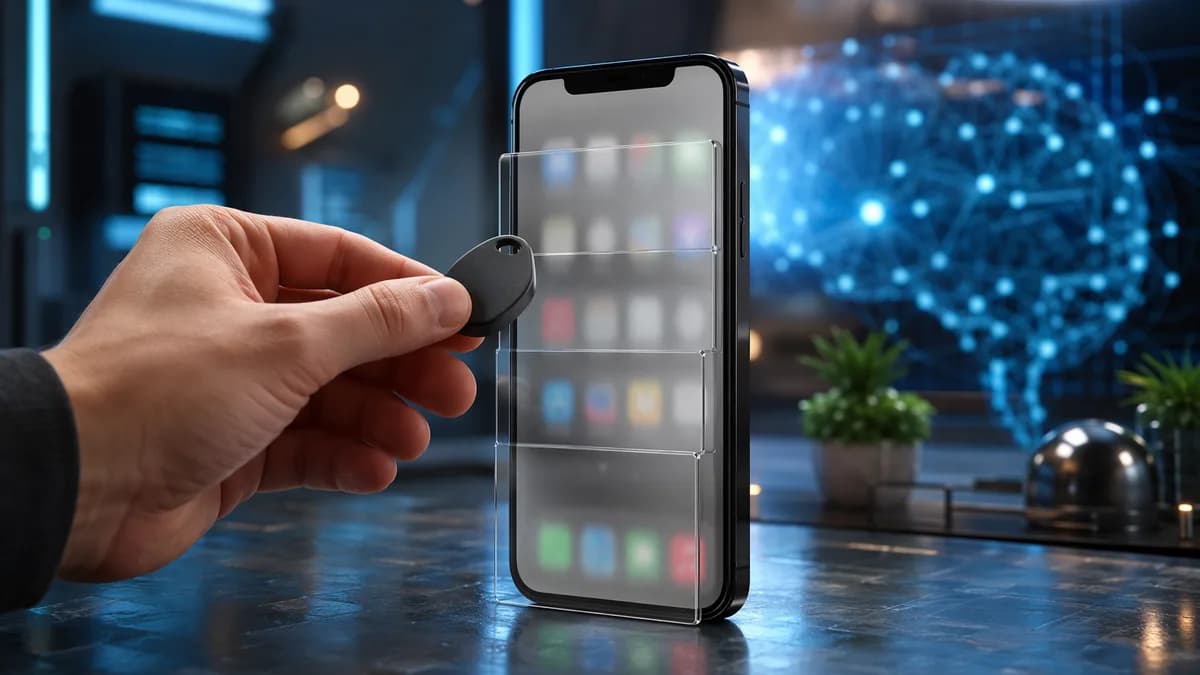
A $9 NFC key turns app blocking into a physical act, and that small design choice may be more useful than another timer you can dismiss with your thumb. The device pairs an NFC key with a companion app, then forces users to scan the key before reopening distracting apps, according to TechCrunch.
TechnologyJuly 27, 2026· 8 min read· By XOOMAR Insights Team
A $9 Autonomous Key Turns App Addiction Into Real Work
Updated on July 27, 2026
XOOMAR Intelligence
Analyst Take
68/ 100
4 sources analyzedLow confidenceTrend10Freshness98Source Trust90Factual Grounding91Signal Cluster60
That matters because most screen-time tools still rely on the same weak point: the person holding the phone. A popup can be ignored. A timer can be extended. A lock can be bypassed if the escape hatch sits inside the same glowing rectangle as TikTok, Instagram, or a game loop. This $9 NFC-key approach changes the cost of giving in. Not by making access impossible, but by making it slightly annoying.
Why a $9 NFC key makes addictive apps harder to open
The core bet is simple: friction beats willpower when the habit is automatic. The device described by TechCrunch is a small physical NFC key that works with a companion app to lock selected distracting apps. To regain access, the user has to scan the key with the phone. After that, the basic idea is that opening a blocked app becomes a deliberate action rather than a reflex.
That makes the product more interesting than a generic app blocker. The point isn't that you can never open Instagram. The point is that you can't open it without doing something physical. If the key is in another room, at the office, in a gym bag, or anywhere inconvenient, a reflex tap becomes a decision.
The price sharpens the pitch. The NFC key costs $9, which puts it well below some other physical phone-blocking tools. For comparison, Wirecutter describes Brick as a roughly $60 product built around a similar physical-unlock idea. The supplied source material does not establish the full pricing or feature list for every competing blocker, so the safest comparison is broad: this is a cheaper entry point into the same friction-first category.
| Product | Price supported by supplied sources | Notable detail from supplied sources |
|---|---|---|
| $9 NFC key | $9 | NFC key paired with an app to lock distracting apps |
| Brick | About $59/$60 | Physical-unlock model for limiting phone use |
This is also where the product fits into a broader attention economy problem. Apps are built to invite repeated checking, a dynamic we’ve covered in Uncertainty Economy Hooks Apps on Suspense and Risk. A physical key doesn't change those incentives. It gives the user a doorstop.
How the NFC scan changes the daily phone routine
The NFC key works because the unlock action moves outside the phone. The supplied materials describe it as a key paired with a companion app. Users lock distracting apps, then scan the key to regain access. That alone is the important design choice: the override is no longer just another on-screen button.
In daily use, the behavior is easy to imagine. You tap a restricted app. The app remains locked. To open it, you need the key close enough to scan with the phone. If the key is across the room, the process now requires movement, not just another tap.
That proximity requirement is the product's real feature. Put the key on a desk, and the barrier is weak. Put it in the kitchen before bed, and the barrier gets stronger. Leave it at work, and the evening scroll is no longer a one-second impulse.
The counterpoint is obvious: anyone determined to scroll can still scroll. This isn't a vault. It is a small interruption. That makes it a poor fit for apps you must reach instantly throughout the day, such as urgent messaging, work email, transit tools, or anything tied to family logistics. For those, the inconvenience could become a problem instead of a useful nudge.
Which phone habits a physical app blocker can realistically change
The best use case is not emergency restraint, it's interrupting low-value reflexes. A physical NFC blocker looks best suited for habits that happen without much thought: bedtime scrolling, study breaks that turn into app loops, impulse gaming, or checking social feeds during work blocks.
Take a simple case. A college student locks TikTok and Instagram during evening study hours, then leaves the key in the kitchen. If they really want to unlock those apps, they can. But they now have to stand up, leave the desk, scan the key, and admit that the unlock is intentional.
That extra step sounds minor. That's the point. Many phone habits survive because they are too easy. A physical blocker doesn't need to be severe to be useful. It only needs to add enough delay for the user to notice what they are doing.
The same logic applies to bedtime. If the key is outside the bedroom, opening a short-video app becomes more than a thumb movement under the blanket. It requires getting up. That moment of resistance may be enough for some users to put the phone down, especially when the goal is not total abstinence but fewer automatic loops.
Still, buyers should be realistic. A physical key can slow a habit, but it cannot supply motivation by itself. If someone wants to defeat the system, they can keep the key nearby or stop using the companion app. The product is best understood as a behavior-design aid, not a cure for compulsive phone use.
Trust also matters. Any companion app that controls access to other apps should be judged carefully. Buyers should look for clear explanations of what data is collected, whether activity patterns stay local, and how account controls work. As we’ve noted in a different context with Evil Twin Apps Slip Past macOS Gatekeeper Warnings, small software decisions can carry outsized trust implications.
Why physical separation can beat Screen Time and app timers
Software limits fail when the override button is too close to the temptation. Built-in phone controls can help, but the source material’s central critique is that many screen-time tools still depend on willpower. They remind users to stop scrolling or let users set timers, but the notifications can be easy to ignore.
A physical NFC key attacks that weakness with placement. A timer lives on the phone. A popup lives on the phone. The key can live somewhere else. That changes the psychology of the block without forcing the user to delete apps entirely.
That distinction matters. Deleting an app is blunt. Leaving it installed but harder to open is more flexible. A user can still reach it when they choose to, but the choice becomes visible.
The strongest counterpoint is that friction can become irritating. If the key is misplaced, if users lock apps they actually need, or if the scan flow feels clumsy in daily life, the system turns from helpful into annoying. That means setup matters. A blocker like this should be reserved for apps where delay is acceptable, not for tools tied to work, safety, family, or logistics.
The best version of the idea is modest. It does not promise a perfectly disciplined life. It simply makes the worst phone habits a little less automatic. For many users, that may be enough.
Compatibility, lost keys, and the questions buyers should ask
The $9 price is attractive, but buyers should still treat an NFC app blocker like a control layer on their phone. The supplied sources support the general concept: a low-cost NFC key paired with an app that locks distracting apps until the key is scanned. They do not, by themselves, establish every compatibility detail, recovery option, account flow, or long-term support plan.
That means buyers should verify the basics before relying on it. Does it support their exact phone and operating system version? What happens if the key is lost while apps are locked? Can the companion app be removed cleanly? Is there an emergency unlock option? Does the system require an account, and if so, what information is attached to it?
Those questions are not nitpicks. A tool that blocks access to apps can create real inconvenience if the recovery path is unclear. That is especially true if a user locks communication, work, banking, transit, or authentication apps by mistake.
Buyers should also ask boring but important privacy questions before installing any app blocker: what data is collected, whether unlock behavior is stored, whether anything is shared with third parties, and how easy it is to delete the account or reset the device. The lower the price, the more important those answers become. Cheap hardware can be appealing, but clear software policies are what make a control tool trustworthy.
How to set up an NFC key so it doesn't become desk clutter
The best setup is narrow, inconvenient, and tied to predictable weak points. Start with two or three apps that cause the most drift. Don't lock half the phone on day one. That makes the system feel punitive and increases the odds that you'll remove it.
Placement matters more than ambition. Keep the key somewhere that requires a conscious action: another room, a work bag, a kitchen counter, or a shared household spot. If it sits beside the phone, the product loses most of its edge.
Use it around repeat failure windows. The first hour after waking. A deep work block. Dinner. Bedtime. Those are the moments where a small physical barrier can do more than another notification.
It also helps to decide what success looks like. The goal may not be zero social media or zero games. It may be fewer reflex openings, shorter scroll sessions, or a clearer boundary between work and downtime. A physical key is most useful when it supports a specific routine instead of trying to police the whole phone.
The real test is whether a cheap physical key can stay inconvenient enough to keep working, without becoming so annoying that users abandon it. Buyers should watch for clear compatibility information, practical recovery options, and transparent data practices. Those will decide whether this $9 NFC key remains a clever habit hack or becomes another gadget in the drawer.
Key Takeaways
- The device makes addictive app use less automatic by adding a physical step before access.
- Its $9 price makes physical app blocking more accessible than pricier alternatives like Brick.
- The approach highlights a growing shift from willpower-based screen-time tools to friction-based behavior design.
App-Blocking Approaches Compared
| Option | How access is restored | Price mentioned | Key distinction |
|---|---|---|---|
| $9 NFC key | User scans a physical NFC key with the phone | $9 | Turns reopening distracting apps into a physical action |
| Generic screen-time tools | User can dismiss popups or extend timers on the phone | Not specified | Escape hatch remains inside the phone |
| Brick | Uses a similar physical-unlock idea | Roughly $60 | Higher-cost physical phone-blocking tool |
Price of Physical App-Blocking Tools Mentioned
NFC key
$9
Brick
$60
Sources

Written by
XOOMAR Insights Team
Research and Editorial Desk
The XOOMAR Insights Team pairs automated research with human editorial judgment. We track hundreds of sources across technology, fintech, trading, SaaS, and cybersecurity, cross-check the facts, and explain what happened, why it matters, and what to watch next. We do not just rewrite headlines. Every article is fact-checked and scored for reliability before it goes live, and we link back to the original sources so you can verify anything yourself.
Explore More Topics
Related Articles
 Technology
200B Shorts Views Crown Vertical Video King of Phones
YouTube Shorts' 200B daily views show vertical video has become the default interface for phone attention.
Jul 26, 20268 min
 Technology
Snap Dodges Social Media Addiction Trial, Meta Left
Snap settled before a public trial, following TikTok and YouTube. Meta now faces the spotlight in youth addiction litigation.
Jul 21, 20268 min
 Technology
Big Tech Blocks Digital Services Act Data Access in EU Test
EU researchers have a legal right to platform data. TikTok, X, and Meta still control access, putting election scrutiny at risk.
Jul 24, 20268 min
 Technology
Pervert Glasses Backlash Traps Meta Smart Glasses in Crisis
Meta smart glasses turned effortless recording into Instagram's moderation problem, and the privacy backlash is now a brand crisis.
Jul 25, 20268 min
 Technology
Instagram Replace Audio Saves Old Posts From Reposts
Instagram now lets creators swap music on old feed posts and carousels without wiping likes, comments, shares, or reach.
Jul 22, 20265 min
 SaaS & Tools
Tiny Missions Attack Doomscrolling Inside MeBeMe App
MeBeMe tries to beat doomscrolling with identity-based missions, not lockouts. Timing will decide if the idea sticks.
Jul 26, 20266 min
 Global Trends
53 Years Later, Chile Jails Víctor Jara Murder Fugitive
Chile jailed Nelson Haase Mazzei, the last fugitive in the Víctor Jara murder case, 53 years after the singer was killed.
Jul 27, 20268 min
 Global Trends
Years on Run End As Police Catch Victor Jara Murder Fugitive
Nelson Haase, convicted in Victor Jara’s murder, was captured after fleeing a 25-year sentence in a landmark Pinochet-era case.
Jul 27, 20265 min
 Global Trends
Tariff Detours Crush the US Manufacturing Jobs Pitch
Tariffs haven't sparked a US factory jobs boom. Chinese inputs are taking longer routes, with higher costs and more automation.
Jul 27, 20268 min
 Technology
Samsung QD-OLED Monitor Crashes Below $300 in Rare Deal
Samsung’s 27-inch G50SF QD-OLED monitor fell to $299.99, pushing premium OLED gaming into midrange pricing.
Jul 27, 20266 min
Don't miss the signal
Get our weekly roundup of the stories that matter across tech, fintech, and trading. No noise, just signal.
Free forever. No spam. Unsubscribe anytime.