
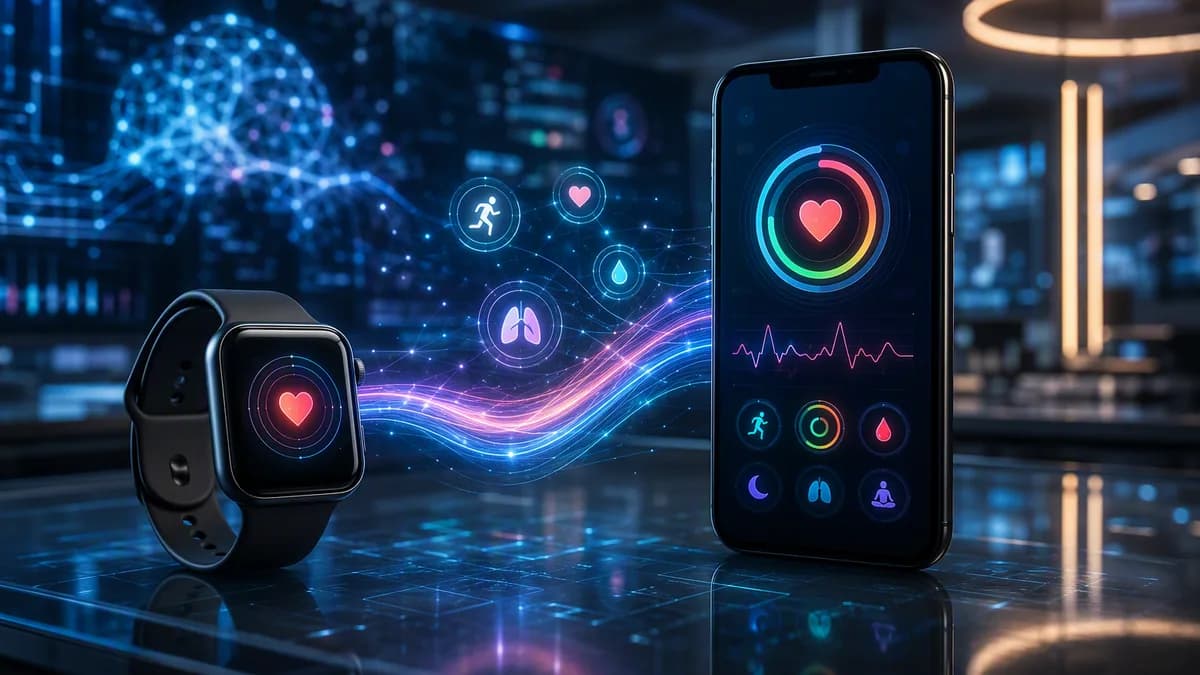
Fitbit Apple Health sync is finally native in Google Health 5.05, giving iPhone users a direct way to send Fitbit workouts, steps, vitals, and other health data into Apple Health without a workaround.
TechnologyAugust 4, 2026· 5 min read· By XOOMAR Insights Team
Fitbit Apple Health Sync Finally Ends iPhone Workarounds
Updated on August 4, 2026
XOOMAR Intelligence
Analyst Take
76/ 100
4 sources analyzedMedium confidenceTrend10Freshness98Source Trust88Factual Grounding91Signal Cluster60
Google is rolling out the update now, according to The Verge, after years in which the data flow mostly worked in the other direction. Apple Health data could be imported into Google Health, but Fitbit data could not be pushed directly back into Apple’s health hub.
Google Health 5.05 opens a direct Fitbit Apple Health sync path
The new Google Health 5.05 update adds Apple Health as a partner app inside Google’s health app. The setup path is simple: open Google Health, tap the profile icon, select “Partner apps,” then choose Apple Health.
In Google Health 5.05, users can tap their profile icon, select “Partner apps,” and choose Apple Health.
That link can carry Fitbit workouts, steps, vitals, and other data into Apple Health. Neowin separately reported that supported data can include exercise records, total steps, core vitals, and sleep data logged by wearable hardware.
The rollout matters because the old setup created a split record for anyone using Fitbit hardware with an iPhone. Google Health could collect the Fitbit side. Apple Health could remain the default health database on iOS. But users had to bridge the two themselves.
Because Google describes the feature as rolling out, not every user should assume the Apple Health option will appear immediately. The practical first step is to update Google Health from the App Store, then check the partner-app settings after the update lands.
For separate coverage of the companies behind this integration, XOOMAR has tracked Google’s consumer-hardware moves in Google Pixel Tag Leak Puts AirTag on Notice Before Event and Apple’s business pressure points in RAM Crunch Tests Apple Q3 2026 Earnings Boom as Costs Bite. This Fitbit change is narrower: it’s about health-data portability inside apps, not a new device launch or earnings story.
Third-party Fitbit sync apps lose their main reason to exist
The immediate loser here is the old workaround layer. Before Fitbit Apple Health sync arrived in Google Health, users had to rely on third-party apps such as Power Sync for Fitbit or Fitbit to Apple Health Sync, or use another manual method to move Google Health information into Apple Health.
That was clumsy. It meant another app, another permission screen, and another possible point of failure between a wearable and the health record on the phone.
Now, the basic flow sits inside Google Health itself. Users still need to grant Apple Health permissions, and the exact data that moves will depend on what Google exposes and what the user approves. But the direction of travel has changed: Fitbit data no longer has to sit outside Apple Health by default.
Lifehacker reported one caveat from early user discussion: not every metric appears to be included yet. Some Reddit users said heart rate variability was not part of the transfer, or at least not available at the time of writing, according to Lifehacker.
That makes this a useful update, not a perfect one. If a user depends on a specific metric, they should check Apple Health after syncing rather than assume every Fitbit data field moved across.
Google’s Fitbit app shift makes Apple Health support harder to ignore
This update lands after a major app change. Google Health replaced the Fitbit app in May, and The Verge reported that the rollout drew user concerns around the new AI health coach, the user interface, and other issues. Google has since addressed some of those complaints, according to the same report.
That context matters. Google did not just add a minor export setting to an old Fitbit app. It added Apple Health support to the newer Google Health app after moving Fitbit users into that experience.
For Fitbit users on iPhone, the change reduces friction. They can keep using Fitbit tracking while letting Apple Health serve as the place where iOS health data is viewed together. That doesn’t change the hardware. It changes the data route.
The move also makes Google Health 5.05 more than a bug-fix release. Alongside Apple Health syncing, Google said users in the US can use Smart Health Links to share medical records with a provider or family member.
Smart Health Links are shareable records generated inside Google Health. Users can go to the Health tab, choose “Medical,” select “Shareable records,” tap the “plus” icon, choose the data to include, and share it through a URL or QR code.
That is a separate feature from Fitbit Apple Health sync, but it points in the same practical direction: Google is adding more ways for health data to move out of a single app and into places where users want to use it.
The next test is whether the sync feels complete
The first thing users should check is whether the Apple Health connection appears after updating to Google Health 5.05. If it does, the next questions are practical: which metrics arrive, how quickly they appear, and whether older Fitbit data transfers cleanly.
Missing metrics will matter more than the announcement. Steps and workouts are table stakes. Sleep, vitals, and more specialized measurements will determine whether the new integration replaces third-party sync apps for power users.
There are also rollout risks to watch during the first wave: duplicate entries, missing workouts, permission confusion, or gaps between what Google Health shows and what Apple Health receives. None of those issues are confirmed in the source material, but they are the obvious pressure points for any new health-data sync path.
For now, the takeaway is clear. Fitbit Apple Health sync has moved from workaround to native feature. The next few weeks will show whether Google Health 5.05 merely checks the compatibility box, or whether it gives Fitbit users on iPhone a clean enough data bridge to stop thinking about syncing at all.
Key Takeaways
- iPhone users with Fitbit devices can now centralize more health data inside Apple Health.
- The update removes the need for third-party workarounds or manual bridging between platforms.
- The rollout may not appear for everyone immediately, so users should update Google Health and check Partner apps.
Fitbit and Apple Health Sync: Before vs. Now
| Before Google Health 5.05 | With Google Health 5.05 |
|---|---|
| Apple Health data could be imported into Google Health, but Fitbit data could not be pushed directly to Apple Health. | Fitbit workouts, steps, vitals, and other supported data can now sync directly into Apple Health. |
| iPhone users needed workarounds to keep Fitbit and Apple Health records connected. | Users can link Apple Health through Google Health’s Partner apps settings. |
| Health data could remain split between Google Health and Apple Health. | Apple Health can serve as a more complete iOS health hub for Fitbit users. |
Sources

Written by
XOOMAR Insights Team
Research and Editorial Desk
The XOOMAR Insights Team pairs automated research with human editorial judgment. We track hundreds of sources across technology, fintech, trading, SaaS, and cybersecurity, cross-check the facts, and explain what happened, why it matters, and what to watch next. We do not just rewrite headlines. Every article is fact-checked and scored for reliability before it goes live, and we link back to the original sources so you can verify anything yourself.
Explore More Topics
Related Articles
 Technology
Apple Upgrade Hides iPhone Sticker Shock in Monthly Fees
Apple's lease plan turns rising device prices into smaller monthly payments, making premium hardware feel cheaper without cutting the real cost.
Jul 28, 20268 min
 Technology
RAM Crunch Tests Apple Q3 2026 Earnings Boom as Costs Bite
Apple’s iPhone and Mac sales surged, but RAM shortages now threaten margins, pricing, and the next leg of its hardware boom.
Aug 2, 20268 min
 Technology
Smartphone Subscriptions Turn iPhone Upgrades Into Habit
Apple Upgrade makes the phone a monthly habit, using leases and resale value to pull users into the next device.
Aug 1, 20268 min
 Technology
Apple AI Doubts Sink Stock After $109 Billion Quarter
Apple crushed the quarter, but investors sold anyway because Apple AI still hasn’t shown it can carry the next growth cycle.
Aug 1, 20268 min
 Technology
Apple Teases iCloud Plus AI Toll for Siri Power Users
Tim Cook signaled Apple may charge heavy Siri AI users through iCloud Plus, turning usage limits into a new subscription lever.
Jul 30, 20267 min
 Cybersecurity
Prompt Injection Turns Google ADK Agents Against Each Other
A poisoned pull request showed how Google ADK agents can cross privilege boundaries, turning repo text into an attack channel.
Aug 3, 20267 min
 Trading
Hot Jobs Data Shoves Australian Dollar Into RBA Risk
AUD/USD rebounded near 0.7010 as stronger job ads and hotter inflation made an RBA policy retreat look harder to justify.
Aug 4, 20267 min
 Cybersecurity
New York Water Cybersecurity Grants Shield 153 Utilities
New York is spending $9M to harden 153 water systems, but the grants buy targeted fixes, not full cyber resilience.
Aug 4, 20267 min
 Global Trends
Graphic Claims Jolt Alan Jones Trial in Sydney Court
Day two brought graphic complainant evidence as Alan Jones denied 22 charges and the judge weighed credibility without a jury.
Aug 4, 20266 min
 Trading
AUD/USD Tests 0.7000 as Hot ISM PMI Revives Dollar
AUD/USD gave up 0.7050 and slid to 0.7000 after a hot ISM PMI revived dollar demand, exposing a fragile Aussie rally.
Aug 4, 20267 min
Don't miss the signal
Get our weekly roundup of the stories that matter across tech, fintech, and trading. No noise, just signal.
Free forever. No spam. Unsubscribe anytime.