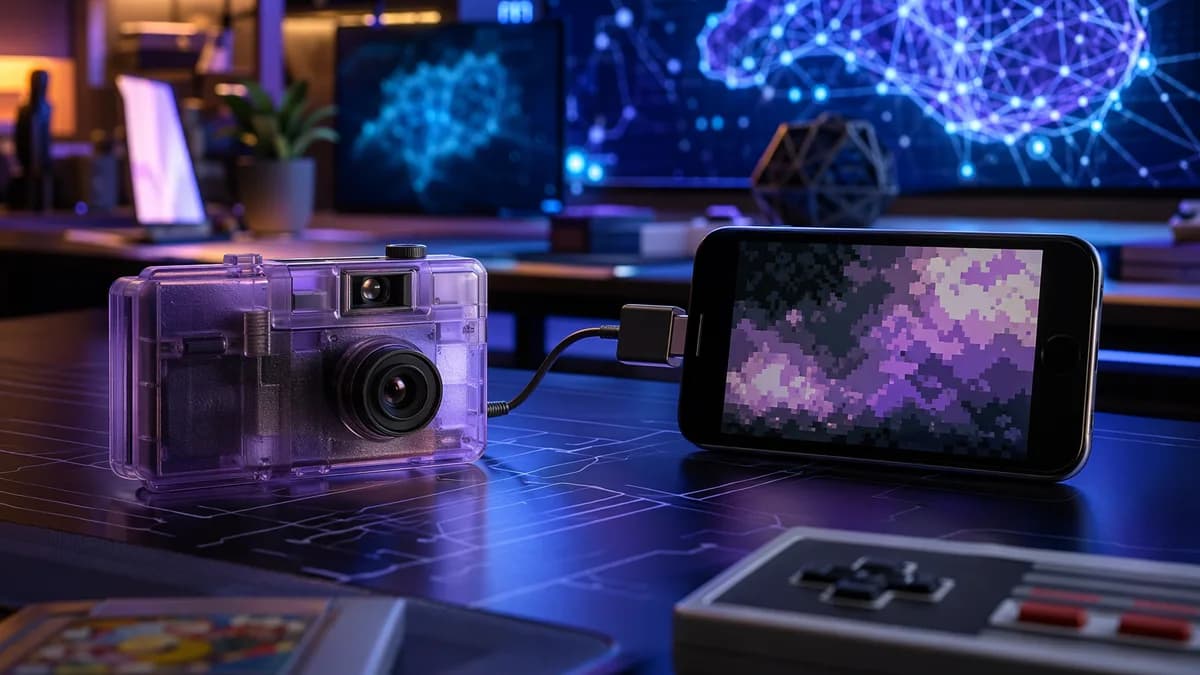
The Game Boy Camera phone setup that once depended on old Nintendo hardware now works through an iPhone or Android app from Epilogue.
XOOMAR Intelligence
Analyst Take
Epilogue has released Flashback, a mobile app that lets users take photos with Nintendo’s Game Boy Camera when the cartridge is connected to a smartphone through the $50 GB Operator, according to The Verge. The move turns a 1998 accessory famous for bad photos into a deliberately low-fi mobile camera.
Epilogue makes the Game Boy Camera phone setup work without a Game Boy
The old assumption was simple: if you wanted to shoot with a Game Boy Camera, you needed Game Boy hardware. Flashback changes that chain.
The camera cartridge plugs into the GB Operator, Epilogue’s accessory for connecting Game Boy, Game Boy Color, and Game Boy Advance cartridges to PCs and other devices. The GB Operator then connects to a phone, letting Flashback act as the modern capture interface.
That means users don’t need a separate Game Boy handheld to take new pictures through the app. They do need the real camera and GB Operator for hardware capture, unless they use Flashback’s software simulation mode.
Epilogue has been pushing this odd little cartridge beyond its original use for a while. Two years ago, the company turned the Game Boy Camera into a desktop webcam. Flashback is the next step: same weak sensor, less old hardware in the way.
“The app reads the data straight from the Game Boy Camera’s aging Mitsubishi M64282FP sensor so the images you capture with the accessory attached look exactly the same as they would have decades ago.”
That detail matters. Flashback’s hardware mode is not just a filter laid over a phone photo. It talks to the original camera hardware.
Flashback keeps the Game Boy Camera’s ugly 0.01434-megapixel look
The Game Boy Camera was a bad camera even when Nintendo released it in 1998. It captured 0.01434-megapixel images in four shades of gray, with a resolution of 128 x 112 pixels.
That weakness is now the feature. Flashback preserves the tiny, grainy, unmistakably primitive output that made the accessory memorable.
The app also improves the shooting experience around that old sensor. Users can adjust settings including:
- Shutter speed: Control capture behavior through the app.
- Gain: Tune the image response.
- Exposure: Adjust brightness handling.
- Sharpness: Change edge treatment.
- Dither: Modify the patterned shading that defines the look.
- Grain: Add texture.
- Color palettes: Apply one of 32 different palettes.
The original Game Boy Camera trapped images on the handheld unless users printed them or bought a third-party cable to extract them. Flashback stores images in the phone’s Camera Roll, making them easier to access and share.
| Mode | Hardware needed | What it does |
|---|---|---|
| Hardware Mode | Game Boy Camera plus GB Operator | Captures through the original camera sensor |
| Software Mode | Phone only | Processes smartphone photos into low-res Game Boy Camera-style images |
| Original setup | Game Boy Camera plus Game Boy | Captures on Nintendo handheld hardware |
Flashback also includes a software mode for users who don’t own a Game Boy Camera or GB Operator. In that mode, the phone’s camera captures the image, then the app outputs it as a low-res 128 x 112-pixel picture with dithering and a minimal color palette.
XOOMAR analysis: the useful split here is authenticity versus access. Hardware Mode gives collectors the original sensor. Software Mode gives everyone else the look without hunting down old cartridges and adapters.
For readers tracking how phone apps increasingly become the control layer for hardware, XOOMAR has covered a different version of that tension in VPN Router vs VPN App Decides Who Sees Your Home Data. The category is different, but the question is similar: what happens when the phone becomes the interface for something that used to work somewhere else?
GB Operator owners get more than cartridge playback
The GB Operator already connects, plays, and authenticates Game Boy, Game Boy Color, and Game Boy Advance cartridges on PCs and other devices. Flashback gives that same hardware a more playful use.
Before Flashback, the GB Operator was mostly about cartridge access. With Game Boy Camera support on phones, it becomes a small creative bridge between old Nintendo hardware and modern mobile workflows.
The practical change is simple:
- Before: Game Boy Camera images were stuck on old hardware unless users printed them or used extra tools.
- Now: Users can shoot through the original camera, control settings in a phone app, and save images directly to the Camera Roll.
- Alternative: Users without the cartridge or GB Operator can still use Software Mode for a simulated look.
The price comparison is also clear from the source material. The $50 GB Operator, paired with Flashback and a phone, is cheaper than devices like the $240 Analogue Pocket, which also work with the Game Boy Camera.
That doesn’t make Flashback a replacement for every retro handheld setup. It makes the old camera easier to use for the one thing people still want from it: photos that look technically awful in a very specific way.
XOOMAR readers following app-wrapped consumer tech may also recognize the pattern from $15 AI Clone Tests Karamo Brown's Kē Wellness App Pitch, where software changes the way users interact with a familiar category. Flashback applies that logic to a much stranger device: a Nintendo camera cartridge from 1998.
The next questions are about compatibility, not image quality
The appeal of the Game Boy Camera phone setup is not better photography. It’s lower friction around worse photography.
Several details still matter for anyone considering the setup. The source confirms iOS and Android support, but exact phone compatibility, connector requirements across devices, and future feature plans are not fully spelled out in the supplied material.
The open questions are practical:
- Compatibility: Which iPhone and Android models work cleanly with the GB Operator connection?
- Workflow: How smooth is capture, editing, and export in daily use?
- Feature growth: Will Epilogue add more Game Boy Camera-specific controls later?
- Video: Related reporting says Flashback supports video recording and audio capture, expanding beyond the original camera’s capabilities.
For now, Flashback gives the Game Boy Camera a cleaner route into 2026. It won’t make the images good by modern standards. It makes their badness much easier to use, and that’s the whole point.
Key Takeaways
- Flashback lets users take new Game Boy Camera photos without needing a Game Boy handheld.
- The app preserves the original low-fi look by reading from the actual camera sensor rather than applying a filter.
- Epilogue is extending the life of retro Nintendo accessories by making them work with modern phones.
Game Boy Camera Setup: Old vs. Flashback
| Setup | What You Need | How It Works |
|---|---|---|
| Original Game Boy Camera | Game Boy Camera cartridge and Game Boy handheld | Photos are captured through Nintendo’s original handheld hardware. |
| Epilogue Flashback | Game Boy Camera cartridge, $50 GB Operator, and iPhone or Android app | The app reads data directly from the camera’s original Mitsubishi M64282FP sensor. |
| Flashback simulation mode | Flashback app | Users can mimic the Game Boy Camera look without the original hardware capture setup. |
Primary Sources & Disclosures

Written by
XOOMAR
Data desk
XOOMAR is a capital markets software and data company. Every brief on this site starts from a dataset the company collects itself from primary sources (CFTC, SEC EDGAR, FINRA, the Federal Reserve, exchange APIs) and names the numbers it is built on, with a link to the data page so you can check them. Briefs are reviewed before they go out and corrected in place when the data is revised.