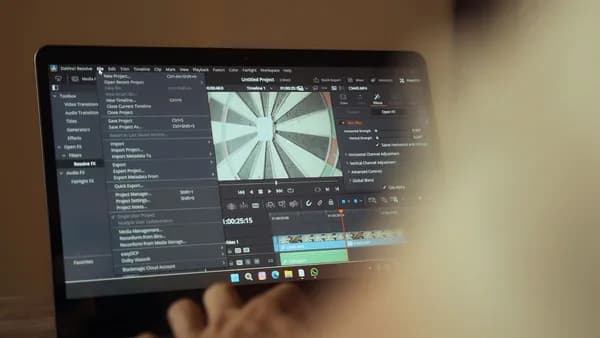
If you’re searching for Descript vs Riverside, the real decision is not “which podcast tool has more features?” It’s “where does your workflow break down most: recording or editing?” The research data is consistent on one major point: Riverside is strongest for high-quality remote podcast recording, while Descript is strongest for post-production editing and transcript-based workflows.
XOOMAR Intelligence
Analyst Take
Both platforms overlap on recording, transcription, AI tools, clips, and exports. But their foundations are different, and that difference matters when you’re recording remote guests, cleaning up dialogue, creating social clips, or handing off edits to a team.
Who Should Compare Descript and Riverside?
Creators should compare Descript vs Riverside when they need one platform — or a two-tool workflow — for recording, editing, repurposing, and publishing video podcasts.
Both tools are aimed at podcasters, content creators, interview hosts, and video teams. Both offer browser-based workflows, AI-generated transcripts, clip creation, and remote recording features. But the source data shows they are not built around the same core job.
Key takeaway: Riverside is primarily a recording platform that has added editing. Descript is primarily an editing platform that has added recording.
You should compare them if you:
- Record remote interviews: Riverside is built around local recording for each participant, including up to 4K video and uncompressed WAV audio according to the source data.
- Edit long conversations: Descript’s strongest advantage is text-based editing, where deleting transcript text removes the matching audio or video.
- Repurpose podcasts into clips: Both tools support clip creation, but Riverside emphasizes AI-generated Magic Clips while Descript emphasizes editing flexibility.
- Work with a team: Both support collaborative workflows, though Descript is repeatedly described in the source data as stronger for content editing collaboration.
- Need social-ready exports: Both tools support publishing and social exports, with different strengths around format flexibility and podcast distribution.
- Care about budget fit: Both offer free plans, but the source data reports different limits and plan structures.
This comparison is especially useful for creators who record video podcasts with remote guests and then need to produce full episodes, clips, captions, and publishable assets without moving through too many separate tools.
Core Differences at a Glance
At a high level, Riverside is better when capture quality and recording reliability matter most. Descript is better when post-production editing is the bigger bottleneck.
| Category | Descript | Riverside | Practical Winner |
|---|---|---|---|
| Primary Strength | Post-production audio/video editing | Remote podcast and video recording | Depends on workflow |
| Recording Quality | Reported as 720p–1080p in beta recording workflows in one source | Up to 4K video with uncompressed/lossless WAV audio | Riverside |
| Editing Style | Mature text-based editing with timeline controls | Text-based editing with simpler editing tools | Descript |
| AI Editing Tools | Studio Sound, filler word removal, Overdub, AI Green Screen, Eye Contact | Magic Clips, AI Show Notes, Magic Audio Enhancement, Co-Creator | Tie by use case |
| Languages | 23+ languages reported in source data | 100+ languages reported in source data | Riverside for multilingual content |
| Mobile Support | Desktop-first; web access noted, no dedicated mobile recording/editing app in the source data | Native iOS and Android apps | Riverside |
| Live Streaming | Not positioned as a live production platform in the source data | Supports streaming to platforms including YouTube, Twitch, Facebook, LinkedIn, and more | Riverside |
| Professional Export Flexibility | XML export support for tools like Premiere Pro, DaVinci Resolve, Final Cut Pro, Pro Tools, Logic, and Audition | Individual track downloads; XML moved to Enterprise in one source | Descript |
| G2 Rating in Source Data | 4.6/5 from 856 reviews | 4.8/5 from 1,664 reviews | Riverside by reported rating |
The biggest mistake is treating them as identical because both have recording, editing, transcription, and AI. The research shows they have converged over time, but their original strengths still define the user experience.
If the cost of a failed recording is high, Riverside is the safer fit. If the cost of slow editing is high, Descript is the stronger fit.
Recording Quality and Remote Guest Workflow
Recording is where Riverside has the clearest advantage in the source data.
Riverside records locally on each participant’s device, then uploads the files after the session. This means a guest’s poor internet connection does not directly determine final recording quality. The source data reports support for up to 4K video and uncompressed WAV audio.
Descript, by contrast, is described as having recording features that are less central to its platform. One source reports Descript recording as beta and typically around 720p–1080p, while another notes that both platforms can record locally and support up to 4K video. Because the sources differ here, the safest conclusion is that Riverside is more consistently positioned and evaluated as the recording-first platform.
Remote guest reliability
Riverside’s recording workflow is repeatedly described as stronger for remote interviews, livestreams, and conversations where guests may have unstable internet.
The source data highlights several Riverside recording advantages:
- Local Recording: Each participant’s audio and video are captured locally before upload.
- Poor Internet Protection: Local recording helps preserve final quality even when live call quality drops.
- Low Data Mode: Riverside can reduce bandwidth usage during recording.
- Paused Uploads: One source notes Riverside can pause video uploads until recording is finished, which can help guests with very poor connections.
- Mobile Recording: Riverside has native iOS and Android apps, making it more practical for guests joining away from a desktop.
- Guest Scheduling: One source states Riverside includes guest scheduling while Descript does not.
Live production and webinars
Riverside also wins when the podcast workflow includes live shows or audience interaction. The source data says Riverside can livestream directly to multiple platforms and manage viewer comments through Omnichat. Another source reports streaming support to YouTube, Twitch, Facebook, LinkedIn, and more.
Descript is not positioned as a livestreaming or webinar production platform in the provided research.
Community feedback: useful but mixed
The Reddit discussion adds practical nuance. Some users reported strong Riverside experiences, especially after switching from Zoom. Others reported connection problems, lost recordings, or support frustrations.
Similarly, some users criticized Descript/Squadcast recording experiences, including sync or lost recording issues, while others preferred Descript because of its editing tie-in.
Community reports are anecdotal, but they reinforce the main pattern: test your exact setup before committing, especially if you use mixers, phones as cameras, or remote guests with inconsistent connections.
For recording-heavy video podcasts, Riverside is the stronger choice based on the research. For simple solo recording or screen-recorded tutorials, Descript may still fit, but the source data consistently gives Riverside the recording edge.
Text-Based Editing and AI Cleanup Tools
Editing is where Descript earns its reputation.
Descript lets you edit audio and video by editing the transcript. Delete a word in the transcript, and the matching media is removed. For creators who are intimidated by traditional timelines, this can make podcast editing feel closer to editing a document.
Riverside also offers text-based editing, but multiple sources describe Descript’s editor as more mature and more complete for post-production.
Descript’s editing strengths
The source data identifies several Descript features that matter for podcast editing:
- Text-Based Editing: Edit media by editing the transcript.
- Studio Sound: AI-powered audio enhancement designed to remove background noise and normalize audio quality.
- Filler Word Removal: Detects and removes words like “um,” “uh,” and “like.”
- Overdub: AI voice cloning for generating replacement audio from text.
- AI Green Screen: Removes backgrounds without a physical green screen.
- Eye Contact: Adjusts gaze direction using AI.
- Timeline Controls: One source says Descript has stronger traditional timeline editing, including transitions and smoother clip stitching.
These tools make Descript especially useful when editing is more than trimming the start and end of an episode.
Riverside’s editing strengths
Riverside has improved its editing tools and now includes transcript-based editing, AI clips, show notes, and audio enhancement. The source data mentions:
- Text-Based Editing: Similar concept to Descript, but described as more basic.
- Magic Audio Enhancement: Removes background noise, echo, and inconsistencies.
- Magic Editing: Referenced as part of Riverside’s simpler editing workflow.
- AI Layouts and Speaker Switching: One source says Riverside makes layouts and speaker-switching simpler than manual editing.
- Strikethrough Editing Behavior: In Riverside, deleted transcript text remains visible with a strikethrough by default, which can make reviewing edits easier.
That last point is small but practical. One source notes that in Descript, deleted transcript text disappears unless you use an “Ignore” command to preserve strikethrough text. In long conversations, Riverside’s default visibility can make edits easier to audit.
Filler word cleanup limitations
The Reddit discussion surfaces a real issue for both AI-assisted editors: removing individual filler words can sometimes create choppy audio, especially when speakers trail words together or have tight transitions.
One experienced Descript user in the discussion described manually smoothing awkward cuts with 0.2 to 0.4 second fades, sometimes adding a 0.3 second gap, and adjusting levels manually. That is not an official benchmark, but it is useful workflow advice from actual editing practice.
AI cleanup saves time, but it does not eliminate editorial judgment. For natural-sounding dialogue, expect to review tight cuts, filler word removals, and accent-heavy passages manually.
For editing depth, Descript is the stronger platform. For simple edits after a remote recording, Riverside may be enough and may feel easier for beginners.
Short-Form Clip Creation for Social Platforms
Both platforms support short-form content workflows, but they approach them differently.
Riverside emphasizes automated clip generation. Its Magic Clips feature identifies strong moments from recordings and creates ready-to-share social clips. The source data also says Riverside can generate titles, descriptions, chapters, and SEO keywords through AI Show Notes.
Descript is more editing-oriented. It supports social exports, custom aspect ratios, templates, and text-based editing that can be useful when turning a long podcast into multiple short clips.
| Clip Workflow Need | Descript | Riverside |
|---|---|---|
| Fast AI clip suggestions | Available through AI/social workflows, but source emphasis is editing | Magic Clips is specifically highlighted |
| Manual clip polish | Stronger editing controls and templates | Simpler editing experience |
| Show notes and chapters | AI summaries mentioned in source data | AI Show Notes generate titles, descriptions, chapters, and SEO keywords |
| Beginner speed | More powerful but potentially more complex | Described by one source as faster and easier for beginners |
| Social publishing | Exports to YouTube and social platforms with custom aspect ratios | Direct publishing to YouTube, TikTok, and other channels noted; Spotify integration also noted |
Riverside may be better when you want AI to quickly generate a batch of clips after recording. Descript may be better when you want more control over how each short-form asset is edited, styled, and exported.
A practical approach from the research is to use Riverside for the recording and first-pass clips, then use Descript if the clips need more precise editorial treatment.
Collaboration, Review, and Team Permissions
Collaboration matters when podcast production moves beyond one creator.
The source data frames Descript as strong for teams collaborating on content edits, while Riverside is stronger for shared recording workflows, guest sessions, live production, and team recording environments.
Descript for editing collaboration
Descript’s strength is collaborative post-production. Its text-based editing workflow can make review easier for non-editors because collaborators can work from the transcript instead of a traditional video timeline.
The source data also says Descript’s paid plans scale based on editing power, AI editing usage, collaboration features, and export flexibility. The Business plan is reported at $50/month per user in one source, with advanced features and team collaboration.
Riverside for recording collaboration
Riverside’s collaboration strengths are tied to production. The source data reports:
- Shared Workspaces: Included in the Teams plan according to one source.
- Role-Based Access: Also listed under Riverside Teams.
- Guest Scheduling: Reported as present in Riverside and absent in Descript.
- Live and Webinar Features: Higher Riverside tiers unlock live streaming, webinar tools, audience interaction features, and advanced production controls according to one source.
- Business Controls: Riverside Business includes custom pricing with SSO, SLAs, and dedicated support in the source data.
| Team Need | Better Fit Based on Source Data | Why |
|---|---|---|
| Reviewing and editing content collaboratively | Descript | Stronger post-production and transcript editing workflow |
| Managing remote guests | Riverside | Guest scheduling and recording-first workflow |
| Live shows or webinars | Riverside | Live streaming and audience interaction features |
| Professional editor handoff | Descript | XML export support is broader in source data |
| Role-based recording workspace | Riverside | Teams plan includes shared workspaces and role-based access |
If your team’s bottleneck is approving edits, Descript has the advantage. If your team’s bottleneck is producing reliable remote sessions with guests, Riverside is better aligned.
Export Options, Captions, and Brand Assets
Exports are closer than many creators might expect, but flexibility differs.
One source reports the following export bitrate comparison:
| Export Detail | Descript | Riverside |
|---|---|---|
| 4K Export Bitrate Options | Low around 10 Mbps, Medium around 20 Mbps, High around 30 Mbps | Target bitrate around 7 Mbps |
| Observed Visual Difference in Tests | Reported as minimal compared with Riverside after upload to platforms like YouTube | Reported as minimal compared with higher-bitrate Descript exports |
| Export Speed | Reported as faster | Reported as slower in the same source |
| Potential Issue Noted | Not specifically tied to 4K sync in source data | Minor 4K lip-sync issues noted, fixable with Riverside’s lip-sync tool |
The same source says the bigger difference is not visual quality but workflow flexibility.
Professional export flexibility
Descript can export timelines as XML for continued editing in tools including:
- Premiere Pro
- DaVinci Resolve
- Final Cut Pro
- Pro Tools
- Logic
- Audition
That matters if you want to use Descript as a first-pass transcript editor before finishing in professional audio or video software.
Riverside allows individual track downloads, but one source says XML export moved to its Enterprise plan. The same source notes that if you make edits before exporting from Riverside, those edits are baked into the files, reducing non-destructive handoff flexibility.
Captions and brand assets
The source data is mixed on ease of captions and branding.
One source says Descript supports custom aspect ratios and social platform exports, which helps video-first creators. Another source criticizes Descript for not saving colors, fonts, or presets as a brand kit, while saying Riverside does support saved colors, fonts, presets, and automatic end screens added to clips.
For creators producing repeated social clips, Riverside’s brand kit support may save time. For creators who need more export destinations and professional finishing options, Descript’s export flexibility is stronger.
Choose export flexibility if you work with professional editors. Choose brand-kit simplicity if you repeatedly publish clips with the same visual style.
Pricing Comparison for Solo Creators and Teams
Pricing is one of the trickiest parts of this comparison because the source data reports different plan names and prices depending on billing structure and source perspective. At the time of writing, use the figures below as source-reported pricing, and confirm current pricing directly before buying.
Source-reported Descript pricing
| Descript Plan | Source-Reported Price | Included Details from Source Data |
|---|---|---|
| Free | Free | 1 hour of transcription, watermarked exports, basic features |
| Hobbyist | $24/month per user in one source; ~$16/month billed annually in another | Expanded transcription and export options |
| Creator | $35/month per user in one source; ~$24/month billed annually in another | 10+ hours transcription and full editing suite reported in one source |
| Business | $50/month per user or ~$50/month billed annually | Advanced features and team collaboration |
| Enterprise | Custom pricing | Dedicated support reported in source data |
Descript pricing appears to scale around editing power, AI editing usage, collaboration, and export flexibility.
Source-reported Riverside pricing
| Riverside Plan | Source-Reported Price | Included Details from Source Data |
|---|---|---|
| Free | Free | 2 hours of recording, watermarked content, up to 720p video |
| Standard | $19/month billed annually | Unlimited recording, 1080p, watermark-free |
| Pro | $29/month billed annually in one source; ~$24/month billed annually in another | 4K video, 15 hours transcription/month, advanced editing reported in one source |
| Teams | $24/user/month billed annually | Shared workspaces and role-based access |
| Live | ~$34/month billed annually in one source | Live production features |
| Webinar | ~$49/month billed annually in one source | Webinar tools and audience interaction features |
| Business | Custom pricing | SSO, SLAs, dedicated support reported in source data |
Riverside pricing appears to scale around recording quality, production controls, live streaming, webinars, shared workspaces, and business support.
Pricing fit by creator type
| Creator Type | Better Pricing Fit Based on Source Data | Reason |
|---|---|---|
| Solo creator testing a workflow | Riverside | Free plan reports 2 hours recording vs Descript’s 1 hour transcription |
| Budget-conscious remote podcaster | Riverside | Standard plan reported at $19/month annually with unlimited recording and 1080p |
| Creator focused on editing power | Descript | Paid plans unlock deeper editing, AI tools, collaboration, and export flexibility |
| Team producing remote interviews | Riverside | Teams plan includes shared workspaces and role-based access |
| Professional post-production workflow | Descript | XML exports to major professional editing tools are a key differentiator |
For pure value at entry level, the source data favors Riverside. For value tied to advanced editing and post-production control, Descript may justify the higher reported pricing.
Final Verdict: Descript or Riverside?
The fairest verdict is this: Riverside is better for recording video podcasts; Descript is better for editing them.
If you want one platform and your priority is reliable remote capture, choose Riverside. The research consistently credits it with stronger recording quality, local participant files, up to 4K video, uncompressed or lossless WAV audio, mobile apps, guest workflows, livestreaming, and beginner-friendly podcast production.
If your priority is post-production, choose Descript. It has the stronger editing suite, more mature text-based editing, Studio Sound, filler word removal, Overdub, AI Green Screen, Eye Contact, and broader professional export flexibility.
Choose Descript if:
- Editing Bottleneck: You spend more time editing than recording.
- Transcript Editing: You want to edit podcasts like documents.
- Audio Cleanup: You need Studio Sound and filler word removal.
- Voice Fixes: You want Overdub for text-based voice corrections.
- Professional Handoff: You need XML export into tools like Premiere Pro, DaVinci Resolve, Final Cut Pro, Pro Tools, Logic, or Audition.
- Team Review: Your collaborators need to review and edit content more than manage recording sessions.
Choose Riverside if:
- Recording Quality: You need local remote recording with up to 4K video and WAV audio.
- Guest Reliability: You interview remote guests with unpredictable internet.
- Mobile Guests: You need native iOS and Android support.
- Live Production: You stream shows, panels, or webinars.
- Fast Clips: You want Magic Clips and AI Show Notes after recording.
- Beginner Simplicity: You want a cleaner end-to-end workflow for recording, editing, and publishing.
Use both if:
Many creators may get the best result by using both: record in Riverside, then edit in Descript. That workflow reflects the strongest pattern in the source data.
It gives you Riverside’s recording reliability and Descript’s post-production depth. The trade-off is cost and workflow complexity, but for serious video podcasting, it may be the most balanced setup.
Bottom Line
For most creators comparing Descript vs Riverside, the right answer depends on the stage of production you care about most.
Riverside is the better fit for remote video podcast recording, guest interviews, livestreaming, mobile capture, and fast AI-assisted publishing. Descript is the better fit for transcript-based editing, audio cleanup, detailed post-production, and professional export workflows.
If you are a solo creator or beginner who wants fewer recording headaches, start with Riverside. If you already have reliable recordings and need to edit faster, start with Descript. If production quality and editing speed both matter, the research supports using Riverside for capture and Descript for post-production.
FAQ
Is Descript or Riverside better for podcast recording?
Riverside is better for podcast recording based on the source data. It records locally on each participant’s device and supports up to 4K video with uncompressed or lossless WAV audio, helping preserve quality even when a guest’s internet connection is weak.
Is Descript or Riverside better for editing?
Descript is better for editing. Its text-based editor is described as more mature, and it includes Studio Sound, filler word removal, Overdub, AI Green Screen, Eye Contact, timeline controls, and professional XML export options.
Can Riverside edit podcasts like Descript?
Yes, Riverside includes text-based editing, AI tools, Magic Clips, Magic Audio Enhancement, and show note generation. However, the research describes Riverside’s editing as lighter than Descript’s and better suited for simpler or faster podcast workflows.
Which tool is better for short-form podcast clips?
It depends on your workflow. Riverside is stronger for fast AI-generated clips through Magic Clips. Descript is stronger if you want more manual editing control, templates, custom aspect ratios, and more detailed post-production.
Which is cheaper, Descript or Riverside?
The source data generally shows Riverside as more affordable at entry levels, with a reported Free plan offering 2 hours of recording and a Standard plan at $19/month billed annually. Descript’s free plan reports 1 hour of transcription, while paid plan pricing varies by source and billing structure.
Should I use both Descript and Riverside?
Using both can make sense if you want the strongest parts of each platform. A practical workflow is to record remote interviews in Riverside, then edit and polish the episode in Descript. The trade-off is paying for and managing two tools.
Sources & References
Content sourced and verified on June 9, 2026
- 1Descript vs Riverside: Honest Comparison (2026)
https://speakwiseapp.com/blog/descript-vs-riverside
- 2Descript vs Riverside: Which editing tool is best in 2026
https://www.red11media.com/blog/descript-vs-riverside
- 3Descript vs RiversideFM - switch, stay, or use Pro software?
https://www.reddit.com/r/podcasting/comments/16bkb7k/descript_vs_riversidefm_switch_stay_or_use_pro/
- 4Choosing Riverside vs Descript for Podcasting (2025 In-Depth Comparison) — Pod Mahal
https://www.podmahal.com/blog/choosing-riverside-vs-descript-for-podcasting-2025-in-depth-comparison
- 5Descript vs. Riverside
https://www.descript.com/compare/descript-vs-riverside
- 6Riverside vs Descript: The Ultimate Comparison (Updated)
https://riverside.com/riverside-vs-descript

Written by
XOOMAR Insights Team
Research and Editorial Desk
The XOOMAR Insights Team pairs automated research with human editorial judgment. We track hundreds of sources across technology, fintech, trading, SaaS, and cybersecurity, cross-check the facts, and explain what happened, why it matters, and what to watch next. We do not just rewrite headlines. Every article is fact-checked and scored for reliability before it goes live, and we link back to the original sources so you can verify anything yourself.