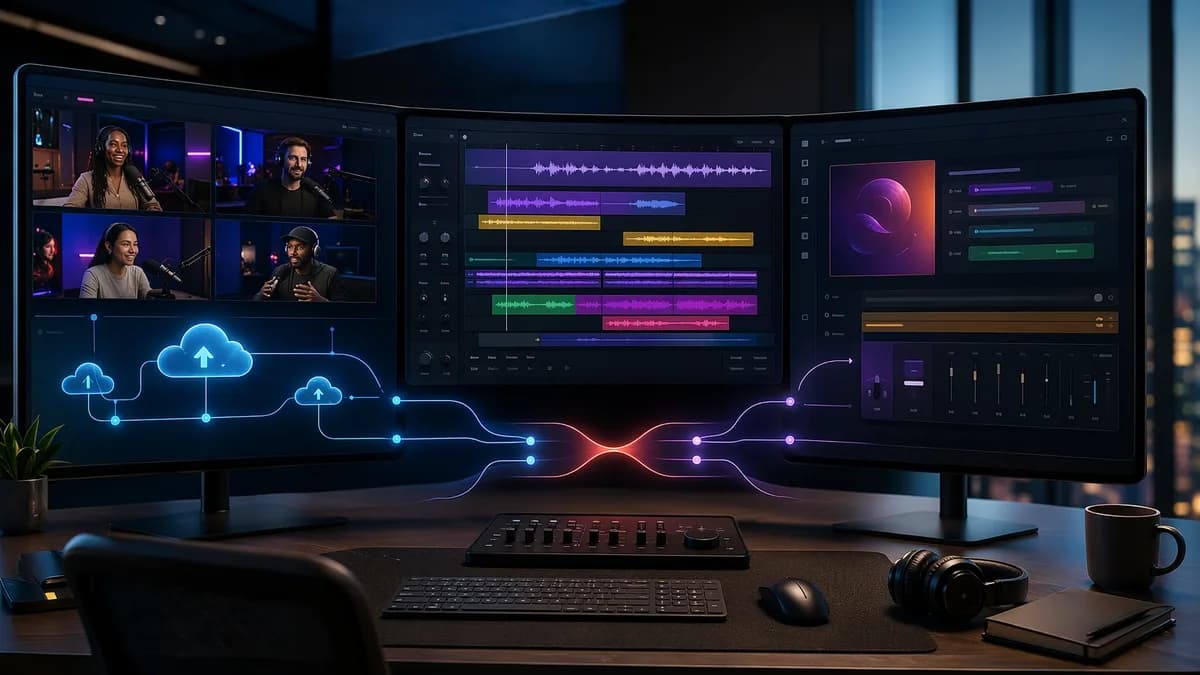
Choosing between Riverside vs Descript vs Podcastle is less about picking the “best” podcast tool and more about matching the platform to your production workflow. The research is clear: Riverside is strongest for remote recording quality, Descript is strongest for transcript-based editing, and Podcastle is strongest for creators who want recording, editing, transcription, and publishing in one simpler interface.
If you record remote interviews, edit long conversations, create video clips, collaborate with editors, or publish solo episodes, the right choice can save hours. The wrong choice can add friction, force extra exports, or leave you fighting limitations in audio quality, editing precision, or publishing workflow.
1. Who Should Compare Riverside, Descript, and Podcastle?
You should compare Riverside vs Descript vs Podcastle if your podcast workflow includes more than one of these jobs:
- Recording: Capturing solo episodes, co-hosted conversations, or remote guest interviews.
- Editing: Cutting long-form audio or video, removing filler words, tightening pauses, or polishing tracks.
- Transcription: Creating editable transcripts, captions, show notes, or searchable text.
- Repurposing: Turning episodes into short clips, audiograms, social videos, or captioned exports.
- Publishing: Getting the final episode out to podcast platforms or video channels.
The main reason these three tools are often compared is that they overlap, but they do not solve the same problem equally well.
Key workflow insight: The strongest research pattern is that Riverside is recording-first, Descript is editing-first, and Podcastle is all-in-one-first.
A 2026 podcast AI comparison describes them as “completely different tools for completely different parts of the workflow.” That matters commercially because a solo creator, a remote interview show, and an agency producing client podcasts may all need different software stacks.
The simplest way to think about the three
| Platform | Best-Fit Workflow | Main Strength | Main Trade-Off |
|---|---|---|---|
| Riverside | Remote interviews and video podcasts | Local remote recording, high-quality audio/video | Editing is less advanced than Descript |
| Descript | Editing, transcription, and AI-assisted post-production | Text-based editing and filler word removal | Recording is not its strongest use case |
| Podcastle | Beginner-friendly all-in-one podcast production | Recording, editing, transcription, and publishing in one place | Less depth for advanced editing or remote guest workflows |
If you are choosing one platform only, your decision should start with your biggest bottleneck: recording quality, editing time, or production simplicity.
2. Quick Feature Comparison: Recording, Editing, Hosting, and Publishing
Here is the practical feature-level comparison based on the supplied research data.
| Feature Area | Riverside | Descript | Podcastle |
|---|---|---|---|
| Primary use | Remote recording | Editing and transcription | All-in-one recording, editing, publishing |
| Recording | Cloud-based local recording | Sources describe it as editing-first; some mention screen/webcam or remote recording | Browser-based cloud recording |
| Video quality | Up to 4K local recording mentioned in sources | Works with video and audio files | Video support is included in broader recording/editing workflow |
| Audio recording | Local participant recording; separate tracks; 48kHz WAV cited in one 2026 source | Stronger after import than during recording | Studio-quality recording and AI enhancement cited |
| Editing style | Basic or improving built-in editor; transcript/timeline features noted | Text-based editing, multitrack timeline | Simple timeline editing with AI assistance |
| Transcription | Automatic transcription included | Automatic transcription; 95%+ accurate cited in one comparison | 95%+ accurate cited in one comparison, though another source says slightly less accurate than Descript |
| AI tools | Audio enhancement, noise removal, AI speaker detection, AI clips, Smart Mute mentioned | Filler word removal, silence removal, Overdub, Studio Sound, AI clip suggestions | Noise removal, voice enhancement, Revoice/voice cloning, Magic Dust |
| Collaboration | Producer Mode, guest links, live monitoring | Team collaboration and simultaneous project work | Simpler all-in-one collaboration, but less detail in sources |
| Publishing | Some sources mention seamless publishing and recent hosting direction; live streaming to YouTube/Facebook mentioned | Export-focused; no live streaming mentioned in one source | Direct publishing to Spotify, Apple Podcasts, and other hosts cited |
| Best for | Remote interviews and video podcasts | Editing-heavy podcasts and content teams | Beginners, solo creators, small businesses |
The comparison is not a clean feature checklist where one tool wins every row. It is a workflow fit decision.
Featured-snippet answer: Choose Riverside for high-quality remote interviews, Descript for fast transcript-based editing, and Podcastle for a beginner-friendly all-in-one podcast workflow.
3. Remote Recording Quality: Audio, Video, Reliability, and Local Backups
Remote recording is where Riverside has the clearest positioning advantage in the research.
Riverside: strongest remote recording profile
Multiple sources describe Riverside as built for professional remote recording. It records each participant locally on their device and then syncs or uploads files in the cloud. This matters because the final recording is not solely dependent on the live internet stream.
Specific recording details cited in the research include:
- 4K Local Recording: Riverside captures up to 4K video for each participant.
- Multitrack Audio Capture: Each speaker can be recorded on a separate track.
- 48kHz WAV Audio: One 2026 source cites uncompressed 48kHz WAV audio.
- Browser Access: Guests can join remotely without a complex setup.
- Producer Mode: Real-time monitoring for producers.
- Guest Links: Guests can join through a one-click invite link without needing an account.
For interview shows, this is a major advantage. Separate local tracks make it easier to fix one speaker without affecting another.
Descript: better known for post-production than capture
The source data is mixed on Descript’s recording capabilities. One comparison frames Descript as requiring users to upload existing files and says it cannot record directly. Other research mentions screen and webcam recording, and a 2026 AI podcasting roundup lists remote recording support.
The safest conclusion is this: Descript should be treated as an editing-first platform. Even the source that says Descript supports remote recording notes that its remote recording quality is not Riverside’s level.
Podcastle: capable, but not as specialized as Riverside
Podcastle supports browser-based recording and remote recording. It is described as offering studio-quality recording, multitrack capabilities, and AI noise removal.
However, the research repeatedly positions Podcastle as easier and broader rather than deeper. One source says Podcastle can handle remote guests, but “less elegantly than Riverside.” That makes it a good fit for creators who want fewer tools, not necessarily the highest ceiling for remote interview production.
Reliability: what user feedback suggests
The research includes mixed user feedback. Riverside receives praise for quality and ease of use, but Reddit comments and one article mention support delays, software stability concerns, lost recordings, disconnections, and slow exporting in some cases.
Descript also receives mixed comments. Users praise the AI transcript editing, but some report clunky editing, bugs, choppy cuts, or frustration with detailed editing.
The takeaway is not that either tool is unreliable for everyone. It is that creators producing important interviews should test their setup before recording guests.
Practical warning: Before recording a high-stakes guest interview, run a full test with the same microphones, cameras, browser, and internet setup you plan to use live.
4. Editing Workflow: Text-Based Editing vs Timeline Editing vs AI-Assisted Production
Editing is where the Riverside vs Descript vs Podcastle decision becomes most personal.
Descript: text-based editing is the core advantage
Descript is built around editing audio and video by editing a transcript. After transcription, you can delete words or sentences from the text, and the corresponding audio or video is cut.
Research sources highlight these Descript editing features:
- Automatic Transcription
- Text-Based Editing
- Multitrack Timeline
- Filler Word Removal
- Silence Removal
- Overdub / AI Voiceovers
- Studio Sound
- AI Green Screen
- AI Clip Suggestions
One 2026 comparison says Descript can reduce traditional timeline editing on a 60-minute episode from 4–6 hours to 45–90 minutes. The same source says it can be 3–4x faster than timeline editing, even for first-time users.
That makes Descript especially compelling if your production pain is cutting long conversations, removing repeated phrases, or tightening episodes quickly.
However, Descript is not perfect. Reddit feedback in the source data notes that removing filler words can leave awkward vocal traces or skips, especially where accents or words run together. Another experienced user suggested smoothing problematic cuts with 0.2 to 0.4 second fades and sometimes adding a 0.3 second gap.
Riverside: editing is improving, but recording remains the anchor
Riverside is no longer just a recorder in the source data. It has transcript editing, AI tools, timeline features, automatic clip generation, and Smart Mute.
One podcast production source praises Riverside’s editor as “snappier” and says its timeline work feels smooth for long-form content. The same source highlights intuitive AI controls for pause removal and filler words, plus Smart Mute, which automatically mutes tracks when someone is not speaking.
Still, several sources say Riverside’s editing tools trail Descript for serious transcript-based post-production. If you need heavy editing, Riverside may be best as the recording tool before exporting to Descript or another editor.
Podcastle: simple timeline editing with AI help
Podcastle uses a simpler editing workflow. It combines recording, transcription, AI enhancement, and publishing in one platform.
Features cited in the research include:
- Simple Timeline Editing
- AI Noise Removal
- Voice Enhancement
- Voice Cloning / Revoice
- Magic Dust Audio Enhancement
- Text-Based Editing mentioned in one comparison
- Direct Publishing
Podcastle is not described as the most powerful editor. Instead, it is positioned as fast to learn and good enough for creators who want to produce without stitching multiple tools together.
One source says a creator can publish a polished episode in 90 minutes from raw recording to final file. That is a workflow simplicity claim, not a statement that Podcastle beats Descript for deep editing.
5. Collaboration Features for Teams, Guests, Editors, and Clients
Collaboration means different things depending on your production model.
Guest collaboration
For guest workflows, Riverside has the strongest research-backed case. Guests can join through an invite link and do not need an account. Producer Mode allows real-time monitoring, which is useful when a producer or technical lead is managing a remote session.
Riverside also supports audience call-ins and live streaming to platforms like YouTube and Facebook, according to one source.
Team editing collaboration
Descript is stronger when collaboration means multiple people working on post-production. One source says Descript enables multiple users to work on projects simultaneously, and another lists team features on the Business plan.
That makes Descript better aligned with workflows involving editors, producers, social media teams, or clients reviewing cuts.
All-in-one collaboration for smaller teams
Podcastle is described as user-friendly and beginner-oriented, but the source data gives less detail about advanced team collaboration. Its advantage is more about reducing handoffs: record, edit, transcribe, enhance, and publish in one interface.
For a solo creator or small business, fewer handoffs can be more valuable than advanced team permissions.
| Collaboration Need | Best Fit Based on Research | Why |
|---|---|---|
| Remote guests | Riverside | Guest links, local recording, Producer Mode |
| Editors working from transcripts | Descript | Transcript editing and team collaboration |
| Simple creator workflow | Podcastle | One interface from recording to publishing |
| Client podcast production | Riverside + Descript | Strong capture plus faster post-production |
6. Content Repurposing: Clips, Transcripts, Captions, and Social Exports
Repurposing is increasingly central to podcast production, especially for video interviews and social promotion.
Riverside: automatic clips after recording
Riverside includes a Clips feature for social media highlights. One source says Riverside automatically creates clips, shorts, and longer segments after recording without requiring a multi-step workflow.
Another 2026 source mentions Magic Clips on Riverside’s Pro plan. Riverside also includes AI speaker detection and can produce video-friendly assets from remote recordings.
This makes Riverside attractive for video podcasters who want recording and promotional clips generated close to the source.
Descript: strong for transcript-driven repurposing
Descript is also positioned as strong for repurposing. One 2026 source says it can automatically generate audiograms, social clips with captions, and show notes from the transcript. It also includes AI clip suggestions.
That said, another comparison says Descript does not create social clips or multi-format content as broadly as dedicated repurposing tools. These two statements are not necessarily contradictory: Descript has repurposing features, but teams with very advanced distribution workflows may still use specialized tools.
Podcastle: useful basics, but not the deepest repurposing tool
Podcastle includes transcription, editing, publishing, and AI enhancement. The research describes its repurposing and show notes capabilities as more basic compared with specialized or editing-first tools.
For creators who need a straightforward transcript and publishable episode, that may be enough. For teams producing many clips per episode, Descript or Riverside may fit better.
| Repurposing Output | Riverside | Descript | Podcastle |
|---|---|---|---|
| Transcripts | Automatic included | Automatic, strong transcript workflow | Included |
| Captions/social clips | Clips and shorts features | Social clips with captions cited | Basic compared with deeper tools |
| Audiograms | Not emphasized in source data | Audiograms cited | Not emphasized in source data |
| Show notes | Not a major strength in sources | Basic to useful, depending on source | Basic notes cited |
| Best repurposing fit | Video interview clips | Transcript-based social assets | Simple creator publishing |
7. Pricing and Plan Limits: What Creators Actually Need to Watch
Pricing is one of the trickiest parts of comparing these tools because the supplied sources report different price points. Treat the numbers below as researched source data, but verify current vendor pricing at the time of purchase.
Reported pricing in the research
| Platform | Pricing Details Mentioned in Sources | Free Plan Details Mentioned |
|---|---|---|
| Riverside | Sources cite starting prices of $15/month, $19/month, and $29/month; one 2026 source lists Standard at $19/month, Pro at $29/month, and Business custom | 2 hours recording/month, 720p video, basic editing in one 2026 source; another says limited guests/video |
| Descript | Sources cite plans beginning at $16/month; one 2026 source lists Creator at $24/month and Business at $40/month | 1 hour transcription/month or 1 hour/month editing, watermarked exports/basic editing mentioned |
| Podcastle | Sources cite $11.99/month, $12.99/month Pro, and $23.99/month Pro depending on plan/source | One source cites 3 hours recording/month; another cites 10 hours/month recording + editing |
Because the sources differ, the commercially useful question is not just “Which is cheapest?” It is “Which plan limit will you hit first?”
Watch these limits before choosing
- Recording Hours: Riverside and Podcastle sources mention monthly recording-hour caps on lower plans.
- Transcription Hours: Descript’s free tier is limited to 1 hour/month in the research.
- Video Quality: Riverside’s free plan is cited with 720p video, while paid plans include 4K video in one source.
- AI Features: Descript’s paid tiers unlock more AI features, while Podcastle’s paid tiers are described as expanding AI features and recording limits.
- Team Features: Descript’s Business plan is cited with team features and priority support.
- Export Friction: User feedback mentions slow processing/exporting in some cases, especially when comparing workflows.
Pricing takeaway: Podcastle has the lowest reported paid entry point in the supplied sources, Descript’s value is tied to editing speed, and Riverside’s value is tied to higher-quality remote capture.
8. Best Use Cases: Solo Podcasters, Interview Shows, Agencies, and Video Creators
The best use case depends on your format.
1. Solo podcasters
For solo shows, Podcastle and Descript are the strongest fits.
Choose Podcastle if you want one tool for recording, editing, transcription, enhancement, and publishing. It is described as having the gentlest learning curve and a useful free tier.
Choose Descript if you already have a recording setup and want to edit faster. Its transcript workflow is especially valuable for scripted or semi-scripted solo episodes.
2. Remote interview shows
For remote interviews, Riverside is the clearest fit in the source data. Its local recording approach, separate tracks, guest links, and up to 4K video make it purpose-built for this format.
A common professional workflow cited in the research is:
- Record in Riverside for remote guest quality.
- Export to Descript for transcript-based editing.
- Use transcripts for searchability, show notes, and supporting content.
- Export the final file to publish through your podcast host.
One source estimates this stack at $40–$50/month using Descript at $24/month plus Riverside at $15–$25/month, with claimed time savings of 5–6 hours per episode compared with manual workflows.
3. Agencies and client podcast producers
Agencies usually care about quality, repeatability, collaboration, and review workflows. Based on the research, a Riverside + Descript stack may be stronger than trying to force one tool to do everything.
Riverside handles the capture risk. Descript handles transcript-based editing and team collaboration.
However, agencies with professional editors may also prefer dedicated pro editing software. Reddit discussion in the source data mentions workflows using Riverside for recording and Premiere Pro or DaVinci Resolve for editing, especially when editors need more control.
4. Video creators and YouTube podcasters
Video creators should prioritize tools that support high-quality video capture, social clips, and captioned exports.
- Riverside: Strong fit for remote video interviews because of up to 4K local recording and separate participant tracks.
- Descript: Strong fit for editing video by transcript, creating captioned social clips, and using AI tools like green screen.
- Podcastle: Strong fit for beginners who want a simpler path to recorded and published content.
| Creator Type | Recommended Fit | Reason |
|---|---|---|
| Solo beginner | Podcastle | Easiest all-in-one workflow |
| Solo creator with gear | Descript | Faster editing after recording |
| Remote interview host | Riverside | Local guest recording and separate tracks |
| High-output team | Descript | Editing, transcription, repurposing, collaboration |
| Professional interview show | Riverside + Descript | Best capture plus stronger editing |
| Agency with pro editors | Riverside + pro editor or Descript | Depends on required editing control |
9. Key Limitations and Dealbreakers for Each Platform
No platform in this comparison is ideal for every workflow.
Riverside limitations
Riverside is strongest for remote recording, but the research identifies several possible limitations:
- Editing Depth: Multiple sources say Riverside’s editing trails Descript for heavy post-production.
- Learning Curve: One comparison calls setup more intensive than Podcastle.
- Export Workflow: A podcast production source says Riverside’s export workflow could use refinement.
- Reliability Concerns: User comments mention disconnections, lost recordings, slow exports, and support frustrations in some cases.
- Potential Feature Creep: One source raises concern that adding podcast hosting could distract from core production strengths.
Riverside is a poor fit if your top need is the most precise text-based editing experience and you do not regularly record remote guests.
Descript limitations
Descript is powerful, but it has its own trade-offs:
- Recording Is Not the Core Strength: Sources consistently position it as editing-first.
- Remote Recording Quality: One 2026 source says it is decent but not Riverside-level.
- Bugs and UX Friction: Research mentions bugs, clunky experiences, and frustrating user feedback.
- Filler Word Edits Can Sound Choppy: Reddit feedback notes issues with accents and tight word transitions.
- Voice Clone Imperfections: One source says Overdub can sound slightly off on unusual words or pronunciations.
- Advanced Repurposing May Need Other Tools: Some sources say show notes and repurposing are not always best-in-class compared with dedicated tools.
Descript is a poor fit if you primarily need guaranteed high-quality remote recording from guests and do not want to manage a separate recorder.
Podcastle limitations
Podcastle is convenient, but it is a breadth-over-depth platform in the source data.
- Remote Guest Handling: It can handle remote guests, but less elegantly than Riverside.
- Editing Control: It lacks Descript’s deeper editing precision.
- Multi-Speaker Management: One comparison says it is harder to edit multiple speakers separately.
- Professional Ceiling: Experienced podcasters may hit limitations quickly.
- Transcription and Enhancement: Good, but some sources place it below Descript for transcription or below specialized tools for enhancement.
- Show Notes: Described as basic in the research.
Podcastle is a poor fit if you need advanced post-production, complex multi-speaker editing, or the highest remote recording quality.
10. Final Recommendation: Which Tool Should You Choose?
For most creators comparing Riverside vs Descript vs Podcastle, the best choice is determined by the bottleneck in your workflow.
Choose Riverside if remote recording quality matters most. It is the strongest fit for interview shows, video podcasts, and guest-heavy productions where local tracks, separate audio/video, and up to 4K recording are important.
Choose Descript if editing speed matters most. It is the best fit when your biggest time sink is cutting, tightening, removing filler words, and repurposing content from a transcript.
Choose Podcastle if simplicity matters most. It is the best fit for beginners, solo podcasters, hobbyists, and small businesses that want recording, editing, transcription, enhancement, and publishing in one place.
The strongest professional stack in the research is Riverside + Descript: record high-quality remote interviews in Riverside, then edit quickly in Descript. The strongest budget/simple stack is Podcastle only, especially for creators testing a new show without a complex production workflow.
Bottom Line
The best answer to Riverside vs Descript vs Podcastle is not one universal winner.
- Riverside wins for remote interview recording quality.
- Descript wins for transcript-based editing and post-production speed.
- Podcastle wins for beginner-friendly all-in-one production.
If you regularly interview remote guests, start with Riverside. If you already have recordings and need to edit faster, start with Descript. If you want the simplest path from recording to publishing, start with Podcastle.
For professional workflows, using more than one tool may be justified. For beginner and budget workflows, one simpler platform may be the smarter choice.
FAQ
Is Riverside better than Descript for podcasting?
Riverside is better than Descript for high-quality remote recording, especially for guest interviews and video podcasts. Descript is better for transcript-based editing, filler word removal, and post-production speed.
Is Podcastle good enough for a beginner podcast?
Yes. The research consistently positions Podcastle as the best beginner-friendly all-in-one option. It supports recording, editing, transcription, audio enhancement, and direct publishing from one interface.
Can I use Riverside and Descript together?
Yes. Several sources describe Riverside + Descript as an optimal professional workflow: record interviews in Riverside, export the files, then edit in Descript using transcript-based tools.
Which tool has the best audio quality?
For remote recording, Riverside has the strongest audio quality case in the source data because it records locally on each participant’s device and supports separate tracks. Podcastle and Descript both include audio enhancement tools, but Riverside is the recording-quality specialist.
Which is cheapest: Riverside, Descript, or Podcastle?
The supplied sources report varying prices, but Podcastle has the lowest cited paid entry point at $11.99/month in one source. Descript is cited at $24/month for a Creator or Pro tier in 2026 sources, while Riverside is cited at $19/month Standard and $29/month Pro in one 2026 source. Always verify current pricing before subscribing.
Which tool is best for video podcasts?
Riverside is strongest for remote video capture because sources cite up to 4K local recording and separate participant tracks. Descript is strong for editing video by transcript and creating captioned social clips. For beginners, Podcastle may be easier if simplicity matters more than maximum control.