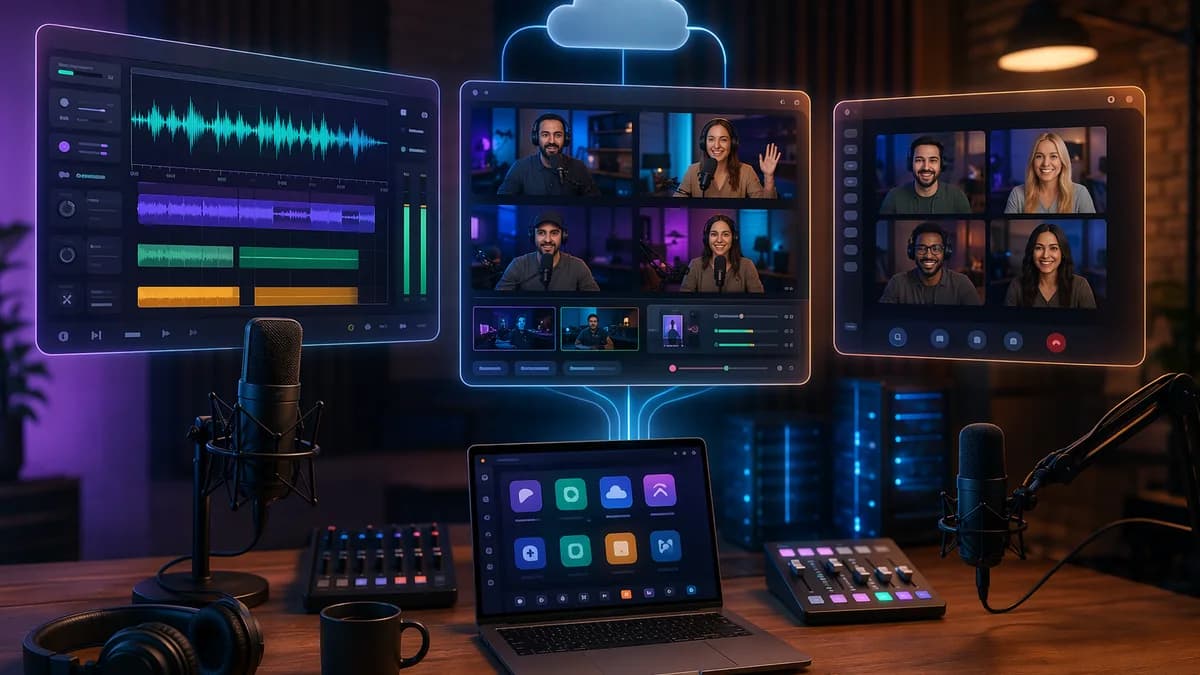
If you are comparing Descript vs Riverside vs SquadCast, you are probably trying to solve a workflow problem: better remote guest quality, faster editing, cleaner exports, or fewer tools in your production stack. The short version from the available research is clear: Descript is strongest for editing-first podcast workflows, Riverside is strongest for high-quality remote recording and livestreaming, and SquadCast is best understood as Descript’s remote recording layer with a simple guest-focused experience.
The right choice depends less on which platform is “best” overall and more on where your podcast production currently breaks down: recording reliability, transcript editing, video quality, team collaboration, or total monthly cost.
Who Should Compare Descript, Riverside, and SquadCast?
You should compare Descript vs Riverside vs SquadCast if your podcast involves remote guests, video interviews, or a production workflow that goes beyond basic call recording.
Traditional video meeting tools compress audio and video in real time. The source data specifically contrasts these platforms with tools like Zoom, where compression can create artifacts, muddy audio, and lower-quality video. By contrast, Riverside, Descript, and SquadCast are designed around local recording workflows, where each participant’s media is captured on their own device and uploaded afterward.
That matters for podcasters because the live conversation can survive internet hiccups without permanently damaging the final recording.
Key insight: Local recording platforms separate the live conversation from the final production files. The guest may see a lower-quality live preview, but the final audio and video can be captured locally at much higher quality.
These three tools are especially relevant for:
- Interview podcasters: Hosts who regularly record remote guests and need separate tracks.
- Video podcasters: Creators publishing interviews to YouTube or social platforms.
- Solo creators: Podcasters who want to record, edit, clean up, and export without hiring an editor.
- Agencies and production teams: Teams managing multiple shows, clients, guests, and review workflows.
- Repurposing-heavy creators: Teams turning long interviews into clips, show notes, audiograms, or short-form video.
The platforms overlap, but their priorities differ.
| Platform | Core Strength | Best-Fit Workflow |
|---|---|---|
| Descript | Text-based editing and AI production tools | Record or import, edit by transcript, export polished audio/video |
| Riverside | High-quality remote recording, 4K video, livestreaming | Record remote interviews, download separate tracks, optionally edit elsewhere |
| SquadCast | Reliable remote recording inside Descript ecosystem | Schedule and record remote guests, then edit in Descript |
Descript began as an editing tool and later added recording. Its central innovation is transcript-based editing: delete words from the transcript, and the corresponding audio or video is removed.
Riverside was built as a dedicated recording platform. It records each participant locally and uploads high-quality files separately, with support for up to 4K video and 48kHz WAV audio in the source data.
SquadCast is now tied to Descript. The research describes it as Descript’s remote recording engine or a standalone recording interface within the Descript ecosystem.
Quick Verdict: Best Tool by Podcasting Workflow
For a featured-snippet answer: Choose Descript if editing speed matters most, Riverside if remote recording quality and video flexibility matter most, and SquadCast if you want a simple guest recording workflow that feeds into Descript.
| Workflow Need | Best Fit | Why |
|---|---|---|
| Fast transcript-based editing | Descript | Best-in-class text editing, filler word removal, Studio Sound, Overdub |
| Highest video recording quality | Riverside | Up to 4K video, separate tracks, dedicated recording workflow |
| Reliable remote guest recording | SquadCast or Riverside | Both emphasize local remote recording and guest simplicity |
| Livestreaming while recording | Riverside | Supports streaming to YouTube, LinkedIn, Facebook, and Twitch |
| All-in-one recording and editing | Descript | Recording via SquadCast plus full editing suite |
| Mobile recording | Riverside | iOS and Android apps are listed in the source data |
| Editing in a pro NLE/DAW afterward | Riverside | Strong recording-first workflow with downloadable tracks |
| Descript users adding remote recording | SquadCast | Included through Descript plans in the source data |
Practical Recommendation
- Choose Descript if your biggest pain point is editing time.
- Choose Riverside if your biggest pain point is remote video/audio quality.
- Choose SquadCast if you already use Descript and want a smoother remote guest capture workflow.
- Use Riverside + Descript together if you want Riverside’s recording strengths and Descript’s editing tools.
That last workflow appears repeatedly in the research: record in Riverside for quality, then import into Descript for transcript editing and AI cleanup.
Remote Recording Quality and Backup Reliability
Remote recording quality is the main reason these platforms exist. All three are positioned as better choices than compressed meeting recordings because they support local recording workflows.
Audio Quality Compared
| Platform | Max Audio Quality in Source Data | Recording Method |
|---|---|---|
| Descript | Lossless audio / WAV 48kHz via SquadCast in one source | Hybrid local + cloud / via SquadCast |
| Riverside | 48kHz WAV lossless | Local recording with cloud backup |
| SquadCast | 48kHz WAV | Local recording |
The research states that all three can produce professional-quality audio. The key operational difference is how each handles unstable internet.
- Riverside: Records locally on each participant’s device and uploads afterward, with cloud backup mentioned in the source data.
- SquadCast: Records locally and is repeatedly described as focused on reliable remote recording.
- Descript: Uses a hybrid approach through Rooms in one source and is also described as using SquadCast for remote recording in another.
Critical warning: Local recording reduces the impact of internet instability, but it does not eliminate every possible production risk. Community feedback in the source data includes both positive reports and reports of lost recordings, sync issues, disconnections, and slow support experiences.
Video Quality Compared
| Platform | Max Video Quality in Source Data | Video Positioning |
|---|---|---|
| Descript | 4K in one source; 1080p via SquadCast in another | Editing-focused video workflow |
| Riverside | 4K | Recording-first video workflow |
| SquadCast | 1080p | Remote recording, less video-first than Riverside |
There is a source-data discrepancy around Descript’s maximum video quality. One comparison lists Descript at 4K, while another says Descript/SquadCast recording maxes at 1080p. Because SquadCast is described as Descript’s recording engine, the safest workflow assumption is this: verify Descript’s current recording export quality before choosing it for a 4K video podcast.
Riverside is consistently described as the strongest option for video recording quality because it offers up to 4K video, separate audio and video tracks, and a recording-first interface.
Separate Tracks and Post-Production Flexibility
Separate tracks matter because each participant can be cleaned up independently. If one guest is too quiet, another has background noise, or only one camera feed needs correction, separate files make post-production easier.
| Platform | Separate Tracks Mentioned? | Notes |
|---|---|---|
| Descript | Yes | Via recording/import and multitrack editing in the source data |
| Riverside | Yes | Separate audio and video tracks emphasized |
| SquadCast | Yes | Works through Descript workflow |
For interview shows, this is a major advantage over a single mixed call recording.
Editing Experience: Transcript Editing vs Timeline Editing
Editing is where the Descript vs Riverside vs SquadCast decision becomes most obvious.
Descript: Strongest Transcript Editing Workflow
Descript is the clearest choice if you want to edit a podcast like a document. The workflow described in the source data is:
- Record or import content
- Review the automatic transcript
- Edit the transcript like text
- Export polished audio or video
Its AI and editing features include:
- Filler Word Removal: One-click deletion of “um,” “uh,” and “like.”
- Studio Sound: AI audio enhancement for cleaner speech.
- Overdub: Generate speech in your own voice for corrections.
- Eye Contact: AI adjusts eye direction in video.
- Multitrack Editing: Edit participants independently.
- Screen Recording: Useful for tutorials and demos.
- Clip Creation: Repurpose long-form content into shorter assets.
Descript’s biggest advantage is speed. For dialogue-heavy content, editing by transcript can dramatically reduce the manual effort of cutting silence, filler words, and tangents.
But the research also notes limitations. Complex edits involving precise music timing, sound design, or intricate audio work may still require a traditional DAW or professional video editor. Community feedback also mentions that transcript editing can create awkward cuts when accents, trailing words, or tightly connected phrases make filler-word removal imprecise.
One experienced community contributor described smoothing awkward Descript cuts with short fades of roughly 0.2 to 0.4 seconds and sometimes adding a 0.3-second gap. That is not a benchmark, but it is a practical editing tactic from user discussion.
Riverside: Recording-First with AI-Assisted Editing
Riverside includes editing tools, but the source data consistently positions them as less deep than Descript’s.
Riverside editing features mentioned include:
- Automatic transcription
- Text-based editing
- One-click filler word removal
- Magic Clips / AI-generated clips
- Show notes generation
- Basic trimming and editing
Riverside’s editor is useful for creators who want to cut down an interview, generate social clips, or make quick transcript-based edits. But multiple sources position it as more limited than Descript for deep post-production.
A common workflow in the research is recording in Riverside, then exporting to Descript, Premiere Pro, DaVinci Resolve, Final Cut, or another editor.
SquadCast: Best When Paired with Descript
SquadCast should not be evaluated as a full editing suite in the same way as Descript. The research describes it as integrated with Descript after acquisition, with this workflow:
- Schedule recording in SquadCast
- Record with participants
- Session syncs to Descript
- Edit using Descript’s tools
That makes SquadCast most compelling for users who already prefer Descript’s editor but want a remote recording interface built around guest capture.
Guest Experience and Browser-Based Recording
Guest experience matters because guests are often not technical. A remote recording platform can have excellent specs and still fail your workflow if guests struggle to join.
All three platforms are described as browser-based for guests.
| Platform | Guest Download Needed? | Guest Experience Notes |
|---|---|---|
| Descript | No, browser-based | Recording through Descript/SquadCast ecosystem |
| Riverside | No, browser-based | Guests join by browser link; mobile apps also available |
| SquadCast | No, browser-based | Simple guest joining emphasized |
Riverside Guest Experience
Riverside is repeatedly described as easy for remote guests because participants can join through a browser link. It also has iOS and Android apps, which the source data identifies as a differentiator among these three platforms.
Riverside also includes Producer Mode, where a technical producer can manage the session without being recorded.
That is useful for agencies, branded podcasts, or shows with a producer handling guest onboarding and quality checks.
Descript Guest Experience
Descript supports remote recording through its Rooms feature and SquadCast integration according to the source data. It is a better fit when the person running the show also plans to edit in Descript.
The trade-off is that the recording side may feel like part of a broader production suite rather than a single-purpose recording app. One source describes the SquadCast integration as potentially feeling like “two products stitched together.”
SquadCast Guest Experience
SquadCast is positioned around reliable, simple remote recording. It is especially relevant for Descript users because the recording can feed directly into Descript for editing.
The source data also includes community feedback where some users valued the Descript/SquadCast tie-in because they expected tighter integration over time. Others reported sync or lost-recording issues. Treat those as anecdotal reports rather than universal outcomes.
Video Podcast Features and Social Clip Creation
If your show is audio-only, all three tools can work. If your podcast is video-first, the differences become more important.
Video Recording and Export Flexibility
| Feature | Descript | Riverside | SquadCast |
|---|---|---|---|
| Max video quality in source data | 4K in one source; 1080p via SquadCast in another | 4K | 1080p |
| Separate video tracks | Yes | Yes | Yes via Descript workflow |
| Text-based video editing | Yes | Yes, more basic | Via Descript |
| Mobile recording | No dedicated mobile app in source data | iOS and Android | No dedicated mobile app in source data |
| Livestreaming | No | Yes | No |
For video podcasts, Riverside has the clearest recording-quality advantage in the research. It supports 4K video, separate tracks, mobile recording, and livestreaming.
Descript has the editing advantage. Its text-based video editing, Eye Contact, filler word removal, Studio Sound, and clip tools are designed for turning raw recordings into finished video content quickly.
SquadCast is serviceable for video recording but is not presented as the strongest video-first option. Its maximum video quality is listed as 1080p in the source data.
Social Clip Creation
Both Descript and Riverside include clip-creation features.
| Platform | Clip Feature Mentioned | Best Use |
|---|---|---|
| Descript | Clips from AI / clip creation | Repurposing edited episodes into short-form assets |
| Riverside | Magic Clips / AI-generated clips | Pulling shareable moments from recordings |
| SquadCast | Via Descript | Clip workflow depends on Descript tools |
If your social strategy depends on quickly turning long-form conversations into clips, Descript and Riverside both support that workflow. Descript appears stronger if clips require additional transcript editing and audio cleanup. Riverside appears stronger if you want clips generated directly from a high-quality recording session.
Livestreaming
Riverside is the only platform among the three with livestreaming in the source data.
It supports streaming to:
- YouTube
- Twitch
If your workflow requires recording and streaming simultaneously, Riverside is the only option confirmed in the research.
Collaboration, Review, and Team Permissions
Collaboration differs depending on whether you mean recording collaboration or post-production collaboration.
Recording Collaboration
All three platforms support remote participants. Riverside and SquadCast are especially recording-oriented, while Descript combines recording with editing.
| Platform | Collaboration Strength | Source-Backed Notes |
|---|---|---|
| Descript | Post-production collaboration | Collaborative projects and team editing mentioned |
| Riverside | Recording session collaboration | Multiple participants, producer mode, limited post-production collaboration |
| SquadCast | Guest recording collaboration | Scheduling, guest recording, and Descript handoff |
Team Editing
Descript is strongest for team editing. The research specifically notes that Descript handles collaborative projects well and includes team features on higher plans.
Riverside and SquadCast focus more on recording with multiple participants than on deep post-production collaboration. That matters if you have a producer, editor, client, and host all reviewing different parts of the episode.
Agency and Client Workflows
For agencies, the decision often depends on handoff.
- Descript: Better if clients need reviewable transcript edits or if producers work inside the same project.
- Riverside: Better if the agency’s priority is capturing clean source files and then editing in another tool.
- SquadCast: Better if the agency already standardizes on Descript but wants a simple guest recording front end.
Community feedback also raised a practical concern around archive handoff and exporting all data from Descript. Treat this as an anecdotal workflow warning: before committing to any platform for client work, test how projects, recordings, transcripts, and exports are handed off.
Workflow warning: Before choosing a tool for agency production, run a full test from guest invite to final export to archive handoff. The sources include user concerns not just about recording quality, but also exporting, processing speed, and project transfer.
Pricing, Storage, and Usage Limits Compared
Pricing is one of the trickiest parts of this comparison because the source data contains conflicting published prices. The safest interpretation is to treat these as reported source prices and verify the live pricing pages before buying.
Reported Pricing in Source Data
| Platform | Plan | Price Listed in Source Data | Included Limits / Features Mentioned |
|---|---|---|---|
| Descript | Free | $0 | 1 hour media/month, 100 AI credits one-time, watermarked exports |
| Descript | Hobbyist | $16/month in one source; $24/month in another | 10 hours media, 400 AI credits, 1080p exports in one source |
| Descript | Creator | $24/month | 30 hours media, 800 AI credits, 4K exports |
| Descript | Business | $50/month in one source; $33/month in another | 40 hours media, team features, priority support in one source |
| Riverside | Free | $0 | 2 hours multi-track, 720p video |
| Riverside | Standard | $19/month in one source; $15/month in another | 5 hours multi-track/month, up to 4K video |
| Riverside | Pro | $29/month in one source; $24/month in another | 15 hours multi-track/month, transcription with speaker labels |
| Riverside | Live | $39/month | Pro features plus livestreaming |
| SquadCast | Via Descript Free | $0 | Limited access, 2 hours recording per drive |
| SquadCast | Via Descript Hobbyist | $16/month in one source | Full access, 5 hours recording per drive |
| SquadCast | Via Descript Creator | $24/month in one source | Full access, 15 hours recording per drive |
Usage Limit Differences
The most important pricing detail is not just the monthly fee. It is what the usage limit counts.
- Descript: Source data says transcription/media hours apply to all content, including recording and imports.
- Riverside: Source data says recording hour limits are monthly and unused hours do not roll over.
- SquadCast: Source data ties access to Descript plans and lists recording-per-drive limits.
That means Descript/SquadCast can look cheaper for some creators, but the total cost depends on how much imported material, transcription, and AI processing you use.
Example Monthly Usage from Source Data
| Monthly Recording Need | Descript Reported Cost | Riverside Reported Cost | SquadCast Reported Cost |
|---|---|---|---|
| 10 hours/month | $16/month Hobbyist | $29/month Pro | $16/month via Descript Hobbyist |
| 20 hours/month | $24/month Creator | $39/month Live | $24/month via Descript Creator |
The source that provides this example also cautions that Descript transcription hours count against the overall limit, while Riverside’s recording-specific limits may feel more predictable for heavy recording workflows.
Hosting and Publishing Costs
The research states that these tools export standard audio and video files compatible with podcast hosting platforms. It also notes that none are built-in podcast hosts in the traditional sense, so many podcasters still need a separate hosting platform.
One source also says Descript can publish directly to some platforms. The practical distinction is:
- Hosting: Long-term RSS/audio hosting may still require a separate podcast host.
- Publishing/export: Descript may reduce handoff steps for some workflows.
Best Choice for Solo Hosts, Agencies, and Interview Shows
The best tool depends on the production model.
1. Best for Solo Hosts: Descript
Descript is the strongest choice for solo hosts who need to move quickly from raw recording to finished episode.
Choose Descript if:
- Editing Speed: You want to edit by deleting transcript text.
- AI Cleanup: You need filler word removal and Studio Sound.
- Simple Production: You want recording, editing, and exporting in one environment.
- Repurposing: You create clips or short-form assets from long episodes.
The trade-off is that advanced edits may still require a more traditional editing tool. If your episodes involve music timing, detailed sound design, or highly polished video production, Descript may be faster for rough and dialogue edits but not always sufficient for final polish.
2. Best for Agencies: Riverside or Descript, Depending on Handoff
For agencies, there is no universal winner.
Choose Riverside if:
- Source Quality: You need high-quality remote source files.
- Video Delivery: You produce video interviews and want up to 4K.
- External Editors: Your team edits in Premiere Pro, DaVinci Resolve, Final Cut, or another tool.
- Livestreaming: Clients need live distribution plus recording.
Choose Descript if:
- Review Workflow: Clients or producers need transcript-based review.
- Team Editing: Your team collaborates inside projects.
- Fast Turnaround: You need quick cleanup, cuts, clips, and exports.
- All-in-One Simplicity: You want fewer handoffs between tools.
Choose SquadCast if:
- Descript Stack: Your agency already uses Descript.
- Guest Simplicity: You want a straightforward browser-based recording process.
- Recording-to-Editing Flow: You want sessions to sync into Descript.
3. Best for Interview Shows: Riverside or SquadCast
Interview shows depend heavily on guest quality and recording reliability.
Riverside is the strongest fit when video quality, separate tracks, and mobile options matter. It is also the only confirmed option for simultaneous livestreaming.
SquadCast is a strong fit when you already use Descript and want a guest-friendly recording tool feeding directly into your editing environment.
Descript is the strongest fit when the interview is dialogue-heavy and the real bottleneck is editing.
4. Best Hybrid Workflow: Riverside + Descript
The source data repeatedly mentions a hybrid workflow: record in Riverside, then import into Descript.
That workflow makes sense if you want:
- Riverside Recording: Up to 4K video, local tracks, mobile recording, livestreaming.
- Descript Editing: Transcript editing, Studio Sound, filler removal, Overdub, clips.
- Post-Production Flexibility: Downloadable files that can also go to pro editing tools.
The downside is tool switching. You may pay for more than one platform, and the workflow has more moving parts.
Bottom Line
The Descript vs Riverside vs SquadCast decision comes down to your production bottleneck.
Choose Descript if you want the fastest editing workflow and the most complete AI-assisted production suite. Its text-based editing, Studio Sound, filler word removal, Overdub, and clip tools make it the strongest option for creators who want to finish episodes without becoming traditional audio engineers.
Choose Riverside if recording quality, video flexibility, mobile recording, and livestreaming are more important than having the deepest built-in editor. It is the clearest fit for video interview shows and teams that edit in separate professional tools.
Choose SquadCast if you already use Descript and want a simple remote recording layer that connects directly to your editing workflow. It is less of a standalone editing decision and more of a Descript ecosystem decision.
For many serious podcast workflows, the best answer may be hybrid: record in Riverside for source quality, then edit in Descript for speed. But if you want one tool, pick based on the pain point: Descript for editing, Riverside for recording, SquadCast for Descript-connected guest capture.
FAQ: Descript vs Riverside vs SquadCast
Is Descript better than Riverside?
Descript is better for editing and all-in-one production. The source data highlights its transcript editing, filler word removal, Studio Sound, Overdub, Eye Contact, multitrack editing, and clip creation.
Riverside is better for dedicated remote recording, especially if you need up to 4K video, separate tracks, mobile apps, and livestreaming.
Is Riverside better than SquadCast?
Riverside is stronger for video-first recording workflows because the research consistently lists up to 4K video, livestreaming, and iOS/Android apps. SquadCast is better if you are already using Descript and want recording sessions to move directly into Descript editing.
For audio-only remote interviews, both are positioned as local recording tools, but SquadCast’s main advantage is its Descript integration.
Does SquadCast still exist as a separate product?
The source data describes SquadCast as now part of Descript and deeply integrated into Descript’s remote recording workflow. It may still appear as a recording interface, but the decision is largely tied to whether you want to use Descript.
Why not just record a podcast on Zoom?
The research states that Zoom and similar meeting tools compress audio and video in real time. That can create artifacts, muddy audio, digital distortion, and lower-quality video.
By contrast, Riverside, Descript, and SquadCast use local recording workflows so each participant’s higher-quality file can be uploaded separately after the session.
Which platform is best for video podcasts?
Riverside is the safest pick for video-first podcasts based on the source data. It supports up to 4K video, separate tracks, mobile recording, and livestreaming.
Descript is better if your main video need is fast editing and repurposing. SquadCast is listed at 1080p in the source data, making it less compelling for maximum video quality.
Can I use Riverside and Descript together?
Yes. The research describes this as a common workflow: record in Riverside for high-quality local audio/video, then import the files into Descript for transcript editing, filler removal, Studio Sound, and clip creation. The trade-off is added cost and workflow complexity.