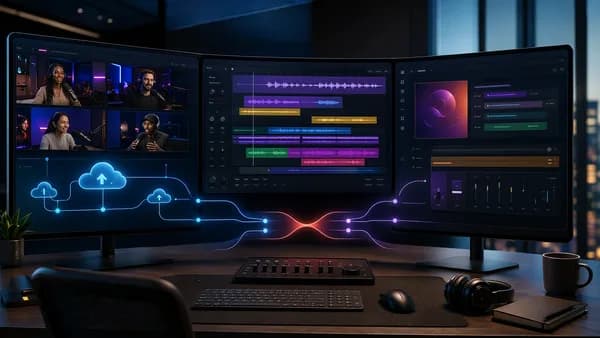
If you’re comparing Riverside vs Descript podcast editing, the real decision is not “which tool is better?” It is “which part of your podcast workflow is slowing you down?” The research data consistently shows that Riverside is strongest when recording quality and remote guest reliability matter most, while Descript is strongest when editing speed, transcript-based workflows, and AI post-production matter most.
Both platforms overlap on recording, transcription, clips, and AI. But they were built around different centers of gravity: Riverside is recording-first; Descript is editing-first.
1. Riverside vs Descript: Quick Verdict for Different Creator Workflows
For most creators, the Riverside vs Descript podcast editing decision comes down to your bottleneck.
Quick verdict: Choose Riverside if you run remote interviews and cannot afford recording failures. Choose Descript if your recordings are already solid but editing takes too long.
| Workflow Need | Better Fit | Why |
|---|---|---|
| Remote interview podcast | Riverside | Local recording, separate tracks, up to 4K video, up to 48kHz WAV audio, and stronger resilience with poor guest internet |
| Solo podcast editing | Descript | Transcript-first editing, automatic filler word removal, Studio Sound, and voice correction tools |
| Video podcast capture | Riverside | Sources consistently identify Riverside as stronger for high-quality remote video recording |
| Heavy post-production | Descript | More mature text-based editing and AI editing tools |
| Social clips from long episodes | Tie / depends | Riverside has Magic Clips; Descript has flexible editing and auto-captioned clips |
| Live shows or webinars | Riverside | Live streaming and audience interaction are Riverside strengths; Descript is not positioned as a live production platform |
| Professional handoff to editing software | Descript | XML export support for tools such as Premiere Pro, DaVinci Resolve, Final Cut Pro, Pro Tools, Logic, and Audition is cited in source data |
A practical way to frame it:
- Choose Riverside if the moment you hit record is the highest-risk part of your workflow.
- Choose Descript if everything after recording is where you lose hours.
- Use both if you want the common professional workflow: record in Riverside, export tracks, then edit in Descript.
Several sources describe the same split: Riverside captures better remote recordings; Descript edits those recordings faster.
2. Core Use Cases: Remote Recording, Podcast Editing, Video Clips, and Team Production
Although both platforms market themselves to podcasters and video creators, their best-fit use cases differ.
Riverside’s core use cases
Riverside is built around high-quality remote recording. Source data repeatedly describes it as a recording-first platform designed to capture studio-grade audio and video from remote guests.
Its strongest use cases include:
- Remote interviews: Riverside records each participant locally, so guest audio and video quality are not fully dependent on the live internet stream.
- Video podcasts: Riverside supports up to 4K video and separate tracks per participant.
- Live shows: Sources cite live streaming to platforms such as YouTube, LinkedIn, Instagram, Twitch, and custom RTMP depending on the source context.
- Social repurposing: Riverside’s Magic Clips can identify shareable moments and turn them into vertical clips.
- Record-to-publish workflows: One source reports direct publishing to Spotify, Apple Podcasts, and YouTube.
Descript’s core use cases
Descript is built around editing media like a document. Its core strength is transcript-based editing: you edit the transcript, and the corresponding audio or video changes.
Its strongest use cases include:
- Solo podcast editing: Delete words, sentences, or sections from a transcript instead of cutting waveforms.
- Filler word cleanup: Sources cite one-click automatic removal of “um,” “uh,” and similar filler words.
- Audio enhancement: Studio Sound is described as using regenerative AI to reduce background noise, echo, and room reverb.
- Voice correction: Descript’s Overdub or Regenerate feature can synthesize corrected words in your voice, according to the source data.
- Screen-recorded content: Multiple sources cite built-in screen recording as a Descript advantage.
| Use Case | Riverside | Descript |
|---|---|---|
| Remote guest interviews | Strong fit | Usable, but not the strongest fit in source comparisons |
| Solo editing | Functional | Strong fit |
| Transcript-based editing | Basic / less mature | Core workflow |
| AI audio cleanup | Noise removal / voice enhancement cited | Studio Sound cited as stronger in several sources |
| Voice cloning / correction | Not available in source data | Available via Overdub / Regenerate |
| Live streaming | Yes, cited as a differentiator | Not positioned as a live production tool |
| Mobile recording | iOS and Android apps cited | No mobile app cited in source data |
| Screen recording | Sources conflict; some say not built in, one says both support it | Built-in recorder cited |
Important note: The source data conflicts on Riverside screen recording. Some sources say Riverside does not have built-in screen recording, while another says both platforms can record screens. If screen capture is critical, verify the current Riverside feature set at the time of writing.
3. Recording Quality Comparison: Local Recording, Audio Cleanup, and Guest Experience
Recording quality is where Riverside has the clearest advantage in the research.
Local recording and poor internet resilience
Multiple sources say Riverside records each participant locally on their device, then uploads the files in the background or after the call. That matters because the final media is not limited to the compressed live call quality.
Reported Riverside recording specs include:
- Up to 4K video
- Up to 48kHz WAV audio
- Separate tracks per participant
- Local capture even when a guest’s connection stutters
- Background or progressive uploading
One source describes Riverside’s core promise this way: your recording quality should not depend on your guest’s internet connection.
Descript also offers recording capabilities, but the source data consistently positions it as primarily an editor rather than the strongest remote recording solution. One source says Descript’s recording is fine for solo or studio recording, while Riverside is the standard for remote interviews.
Bandwidth controls and guest reliability
A Red11Media source reports that both tools offer bandwidth-saving modes:
| Platform | Bandwidth Feature Mentioned | What It Does |
|---|---|---|
| Riverside | Low Data Mode | Lets participants reduce live video bandwidth while still capturing high-quality local media |
| Descript | Bandwidth Saver | Lets participants disable live video streams during recording |
The same source says Riverside goes further by allowing video uploads to be paused until the recording is finished. That can help when guests have extremely poor connections.
For interview-heavy podcasts, Riverside’s recording architecture is the stronger fit because it is designed around remote capture risk: bad Wi-Fi, guest dropouts, and separate track isolation.
Audio cleanup after recording
Descript has the stronger reputation for post-recording cleanup. Sources cite:
- Studio Sound for background noise, echo, and room reverb
- Automatic filler word removal
- Voice correction through Overdub or Regenerate
Riverside also includes AI audio features in the source data, including noise removal, voice enhancement, and Magic Audio references in one comparison. But the sources generally say Descript’s editing and cleanup tools are more mature.
4. Editing Workflow: Timeline Editing vs Text-Based Editing
This is the biggest reason creators choose Descript.
Descript’s transcript-first editing
Descript’s main editing model is simple: edit the transcript, and the media follows.
You can:
- Delete text: Remove a sentence from the transcript and remove the matching audio or video.
- Rearrange sections: Move text blocks to restructure a conversation.
- Clean filler words: Automatically detect and remove filler words.
- Edit without timeline expertise: Sources repeatedly describe Descript as intuitive for non-editors.
One source reports that Descript can cut post-production time “by half or more” for solo podcasters, while another hands-on test says editing a 60-minute remote interview into a 35-minute episode saved 4 hours in Descript compared with Riverside.
Those are source-specific results, not universal benchmarks. But they illustrate the same pattern: Descript’s editing workflow is built to reduce manual editing time.
Riverside’s editor
Riverside also offers text-based editing, but the source data generally describes it as more basic or less mature than Descript’s. It can handle transcript-based cuts, but sources say it lacks the same depth in AI-assisted post-production.
One Red11Media source notes an interesting editing difference:
| Editing Behavior | Riverside | Descript |
|---|---|---|
| Deleted transcript text | Remains visible with strikethrough by default | Removed from transcript view unless using an “Ignore” command |
| Undoing or scanning past edits | Easier to review visually | May require more digging depending on workflow |
| Traditional timeline polish | Less complete | Stronger transitions, smoother stitching, sharper in-editor previews cited |
Riverside reportedly uses proxy files in the editor for speed and stability, which can make the preview look lower quality while editing. The final export uses high-quality files, according to the source.
Which editing workflow is better?
If you mostly trim intros, outros, and a few mistakes, Riverside’s editor may be enough.
If you restructure conversations, remove filler words, tighten pacing, add captions, create clips, and polish audio every week, Descript is the more complete editing environment in the provided research.
5. AI Features Compared: Transcripts, Filler Word Removal, Captions, Clips, and Voice Tools
Both platforms now include AI features, but they emphasize different outcomes.
AI feature comparison
| AI Feature | Riverside | Descript |
|---|---|---|
| Transcription | Yes | Yes |
| Show notes / summaries | Yes, cited | Yes, cited |
| AI assistant | Co-Creator cited | Underlord cited |
| Filler word removal | Sources vary; one says manual, another says Magic Editor covers it | Strongly cited as automatic and one-click |
| Audio enhancement | Noise removal / voice enhancement cited | Studio Sound cited |
| Social clip generation | Magic Clips strongly cited | Clip creation with auto-captions cited |
| Captions / subtitles | Yes, cited | Yes, cited |
| Voice cloning / correction | Not available in source data | Overdub / Regenerate cited |
| AI video generation | Listed under Descript Creator in one pricing source | Not cited for Riverside |
| Auto multi-cam switching | Cited as Riverside advantage in one source | Not cited |
Transcripts and show notes
Both tools generate transcripts. Riverside sources also mention AI-generated show notes with chapter markers and key takeaways. Descript’s transcript is more central to editing: it is not just a reference document, it is the main editing surface.
Filler word removal
Descript has a clear source-backed advantage here. Multiple sources cite automatic filler word detection and one-click removal.
One source says manually removing filler words can take 30–60 minutes per episode, while Descript automates that task. Riverside is described by some sources as requiring more manual editing, though another source says Riverside has added AI editing covering filler word removal. The safest conclusion is that Descript remains the stronger filler-word workflow in the available research.
Clips and captions
Both platforms can help turn long-form episodes into social clips.
| Clip Workflow | Riverside | Descript |
|---|---|---|
| Automatic highlight detection | Magic Clips identifies shareable moments | AI clips cited, often with more manual flexibility |
| Vertical social formatting | Cited for TikTok, Instagram Reels, YouTube Shorts | Auto-captioned clips cited |
| Template polish | One source says Riverside templates are more polished | One source says Descript editor is more flexible |
For fast repurposing, Riverside’s Magic Clips is frequently highlighted. For deeper manual control after the clip is created, Descript’s editor is often described as more flexible.
Voice cloning and word repair
Descript has the clearest unique advantage: voice correction.
Sources refer to this as Overdub or Regenerate, depending on the comparison. The feature lets creators type corrected dialogue and generate replacement audio in their voice. Source examples include fixing a wrong word, correcting pronunciation, or adding a sponsor read after recording.
Riverside does not have an equivalent voice cloning feature in the provided source data.
6. Collaboration and Review Features for Podcast Teams
For teams, the better tool depends on whether collaboration happens mostly during recording or editing.
Riverside collaboration strengths
Riverside’s team value is tied to recording and production control.
Source data cites:
- Shared workspaces on Teams plans
- Role-based access
- Separate tracks per participant
- Remote guest workflows
- Live streaming and audience interaction features
- Business or custom tiers in some pricing references
This makes Riverside well suited to interview producers, video podcast teams, and teams that need reliable capture from executives, clients, guests, or panels.
Descript collaboration strengths
Descript is positioned more strongly for collaborative editing and review.
Source data cites:
- Team collaboration
- Comments
- Version history
- Review workflows
- Brand kit and templates on Business
- Enterprise controls such as SSO and admin controls in one pricing table
Descript’s biggest collaboration advantage is that text-based editing is easy for non-editors to understand. A producer, host, or stakeholder can review content as a transcript rather than scrubbing through waveforms.
| Team Need | Better Fit | Source-Grounded Reason |
|---|---|---|
| Producers managing remote guests | Riverside | Stronger remote recording and participant isolation |
| Editors collaborating on cuts | Descript | Comments, version history, review workflows cited |
| Stakeholder review by transcript | Descript | Transcript editing is core to the platform |
| Live show production | Riverside | Livestreaming and audience interaction cited |
| Brand templates and review workflows | Descript | Business tier includes brand kit and templates in source data |
7. Publishing, Export Options, and Integration With Podcast Hosting Platforms
Publishing and export flexibility are not the same thing. Riverside appears stronger for direct publishing from the podcast workflow, while Descript appears stronger for professional editing handoff.
Riverside publishing
One source says Riverside supports direct publishing to:
- Spotify
- Apple Podcasts
- YouTube
That makes Riverside attractive if you want a record-to-publish workflow without moving files between multiple tools.
Riverside also supports live streaming workflows in the source data, including streaming to platforms such as:
- YouTube
- Twitch
- Custom RTMP, according to one source
Descript publishing and export
Descript is cited as supporting YouTube publishing and integrations, but its bigger advantage is export flexibility.
A Red11Media source says Descript can export timelines as XML for continued editing in:
- [Premiere Pro
- DaVinci Resolve](/blog/analysis/davinci-resolve-vs-premiere)
- Final Cut Pro
- Pro Tools
- Logic
- Audition
The same source says Riverside moved this type of XML timeline export to its Enterprise plan. You can still download individual tracks from Riverside, but edits made before exporting may be baked into the files, limiting non-destructive handoff.
If your workflow ends inside the podcast platform, Riverside’s direct publishing can be convenient. If your workflow continues into professional post-production software, Descript’s XML export flexibility is a major advantage in the source data.
Export quality
One source reports the following video export details:
| Export Detail | Riverside | Descript |
|---|---|---|
| 4K target bitrate | About 7 Mbps | Low about 10 Mbps, Medium about 20 Mbps, High about 30 Mbps |
| Visual difference in tests | Reported as minimal after upload to platforms like YouTube | Reported as minimal despite higher bitrates |
| Export speed | Slower in source test | Faster in source test |
| 4K lip-sync issue | Minor issues possible, fixable with Riverside lip-sync tool | Not cited as issue |
The same source emphasizes that export flexibility matters more than visible quality differences for many workflows.
8. Pricing Comparison: Which Tool Offers Better Value for Solo Creators and Teams
Pricing is one area where the source data varies slightly by plan naming and billing snapshot. The most detailed source states that all listed prices reflect annual billing and that monthly billing is 30–40% higher for both platforms.
Because pricing can change, verify current checkout pricing at the time of writing. Based on the provided research, here is the clearest plan comparison.
Riverside pricing cited in source data
| Riverside Plan | Price Cited | Included Features Cited |
|---|---|---|
| Free | $0/month | 2 hours recording, 720p video, watermarked exports |
| Standard | $19/month | Unlimited recording, 1080p video, watermark-free exports |
| Pro | $29/month | 4K video, 15 hours transcription/month, advanced AI editing |
| Teams | $24/user/month | Shared workspaces, role-based access, all Pro features |
Other sources describe Riverside mid-tier pricing around $24/month, with higher tiers for live or webinar features. The consistent takeaway is that Riverside’s paid value centers on recording quality, production reliability, and live/video workflows.
Descript pricing cited in source data
| Descript Plan | Price Cited | Included Features Cited |
|---|---|---|
| Free | $0 | 1 hour transcription, core AI editing tools, filler word removal, Studio Sound, watermarked exports |
| Hobbyist | $16/month | 10 hours transcription, 1080p exports, watermark-free exports, AI Underlord |
| Creator | $24/month | 30 hours transcription, 4K exports, voice cloning / Regenerate, AI video generation |
| Business | $55/month | 40 hours transcription, team collaboration, brand kit and templates, priority support |
| Enterprise | Custom | Custom transcription hours, SSO and admin controls, dedicated account manager, custom integrations |
Other source data mentions Descript paid pricing in the $15–$30/month range, but the detailed table above provides the most specific plan breakdown.
Which is better value?
| Buyer Type | Better Value | Why |
|---|---|---|
| Solo interview podcaster | Riverside | Recording reliability is the main value driver |
| Solo editor or narrative podcaster | Descript | Editing speed, filler removal, Studio Sound, and voice correction can save time |
| Weekly professional podcast | Both | Several sources describe recording in Riverside and editing in Descript as the standard pro workflow |
| Team producing remote video shows | Riverside | Separate tracks, live production, and reliable remote capture matter |
| Team collaborating on post-production | Descript | Comments, version history, review workflows, and XML export support cited |
A source that tested both on a 60-minute interview concluded that Descript saved 4 hours in editing, while Riverside delivered studio-grade audio. That captures the pricing decision well: you are not paying for the same outcome.
9. Pros and Cons of Riverside and Descript
Riverside pros and cons
| Riverside Pros | Riverside Cons |
|---|---|
| Recording quality: Local recording with up to 4K video and up to 48kHz WAV audio cited | Editing depth: Sources describe editing as less mature than Descript |
| Remote reliability: Designed for guests with poor internet | Voice cloning: No Overdub / Regenerate equivalent in source data |
| Separate tracks: Participant isolation supports cleaner post-production | Filler word workflow: Not as consistently strong as Descript in source data |
| Magic Clips: AI identifies shareable moments for social clips | Advanced features may require higher tiers: Full experience often tied to Pro or team plans in source data |
| Live streaming: Streaming to major platforms cited | Professional export flexibility: XML export reportedly moved to Enterprise in one source |
| Mobile apps: iOS and Android apps cited | Screen recording uncertainty: Sources conflict on whether Riverside has built-in screen recording |
Descript pros and cons
| Descript Pros | Descript Cons |
|---|---|
| Text-based editing: Edit audio and video by editing the transcript | Remote recording: Source data consistently says Riverside is stronger for high-stakes interviews |
| Filler word removal: One-click automatic removal repeatedly cited | Recording quality: Not positioned as the strongest capture platform |
| Studio Sound: AI cleanup for noise, echo, and room reverb cited | Live streaming: Not positioned as a live production platform |
| Overdub / Regenerate: Voice correction by typing replacement words | Deleted text behavior: Some workflows may require extra care to preserve visible edit history |
| Collaboration: Comments, version history, review workflows cited | May still need Riverside: Interview-heavy shows may use Descript after recording elsewhere |
| Professional exports: XML export support cited for major editing tools | Pricing scales with editing power and collaboration needs |
10. Final Recommendation: When to Choose Riverside, Descript, or Both
The best choice depends on where your workflow breaks down.
Choose Riverside if recording quality is the priority
Pick Riverside if you:
- Record remote interviews with guests in different locations
- Need separate tracks for each participant
- Care about 4K video capture
- Work with guests on unreliable internet
- Host live shows, webinars, or audience-facing recordings
- Want Magic Clips for quick social repurposing
- Prefer a record-to-publish workflow with direct publishing options cited for Spotify, Apple Podcasts, and YouTube
Riverside is the safer choice when the recording itself is the mission-critical moment.
Choose Descript if editing speed is the priority
Pick Descript if you:
- Spend hours editing every episode
- Prefer editing text instead of waveforms
- Need automatic filler word removal
- Want Studio Sound for AI cleanup
- Need Overdub / Regenerate for voice correction
- Create screen-recorded tutorials or solo content
- Collaborate with editors, producers, or stakeholders
- Need XML export into professional post-production tools
Descript is the better choice when post-production is the bottleneck.
Use both if you produce a serious interview show
Many sources describe a combined workflow as common among serious podcasters:
- Record in Riverside for local tracks, guest reliability, and high-quality video/audio.
- Export multi-track files from Riverside.
- Import into Descript for transcript editing, filler word removal, Studio Sound, captions, clips, and final polish.
This costs more than using one tool. One source describes a combined stack around $30–$50/month, while another estimates roughly $48/month total based on comparable mid-tier pricing. The value depends on whether the time saved and quality protection justify paying for both.
For the commercial decision behind Riverside vs Descript podcast editing, the key is not feature count. It is workflow fit.
Bottom Line
Riverside and Descript overlap, but they are not interchangeable. Riverside is the stronger recording platform for remote interviews, video podcasts, live production, and situations where guest internet quality is unpredictable. Descript is the stronger editing platform for transcript-based post-production, filler word removal, Studio Sound, voice correction, collaboration, and professional export flexibility.
If you can only choose one, choose based on your biggest pain point: Riverside for capture quality, Descript for editing speed. If you produce a high-stakes weekly interview podcast, the source data supports using both: Riverside to record, Descript to edit.
FAQ
Is Riverside or Descript better for podcast editing?
For editing specifically, Descript is stronger in the provided research. Its transcript-based editor, automatic filler word removal, Studio Sound, and Overdub / Regenerate voice tools are repeatedly cited as advantages. Riverside has editing tools, but sources generally describe them as less mature.
Is Riverside better than Descript for remote interviews?
Yes, the source data consistently favors Riverside for remote interviews. Riverside records locally on each participant’s device, supports separate tracks, and is designed to preserve quality even when a guest’s internet connection is unstable.
Can I record in Riverside and edit in Descript?
Yes. Multiple sources describe this as a common professional workflow. You can record in Riverside, export the tracks, and import them into Descript for transcript-based editing and post-production.
Which tool has better AI features?
It depends on the AI feature. Descript is stronger for filler word removal, Studio Sound, and voice correction through Overdub / Regenerate. Riverside is strong for Magic Clips, recording-focused AI workflows, and video podcast production features such as automatic clip generation.
Which is cheaper: Riverside or Descript?
The source data shows similar mid-tier pricing, but plan names and prices vary by source. One detailed pricing table lists Riverside Standard at $19/month and Pro at $29/month, while Descript Hobbyist is $16/month and Creator is $24/month, with annual billing. Monthly billing may be 30–40% higher according to the same source.
Should solo podcasters choose Riverside or Descript?
Solo podcasters who mostly edit their own episodes will usually get more value from Descript. Solo podcasters who run remote interviews and worry about guest audio or video quality may be better served by Riverside. For high-stakes interview shows, using both can make sense.